
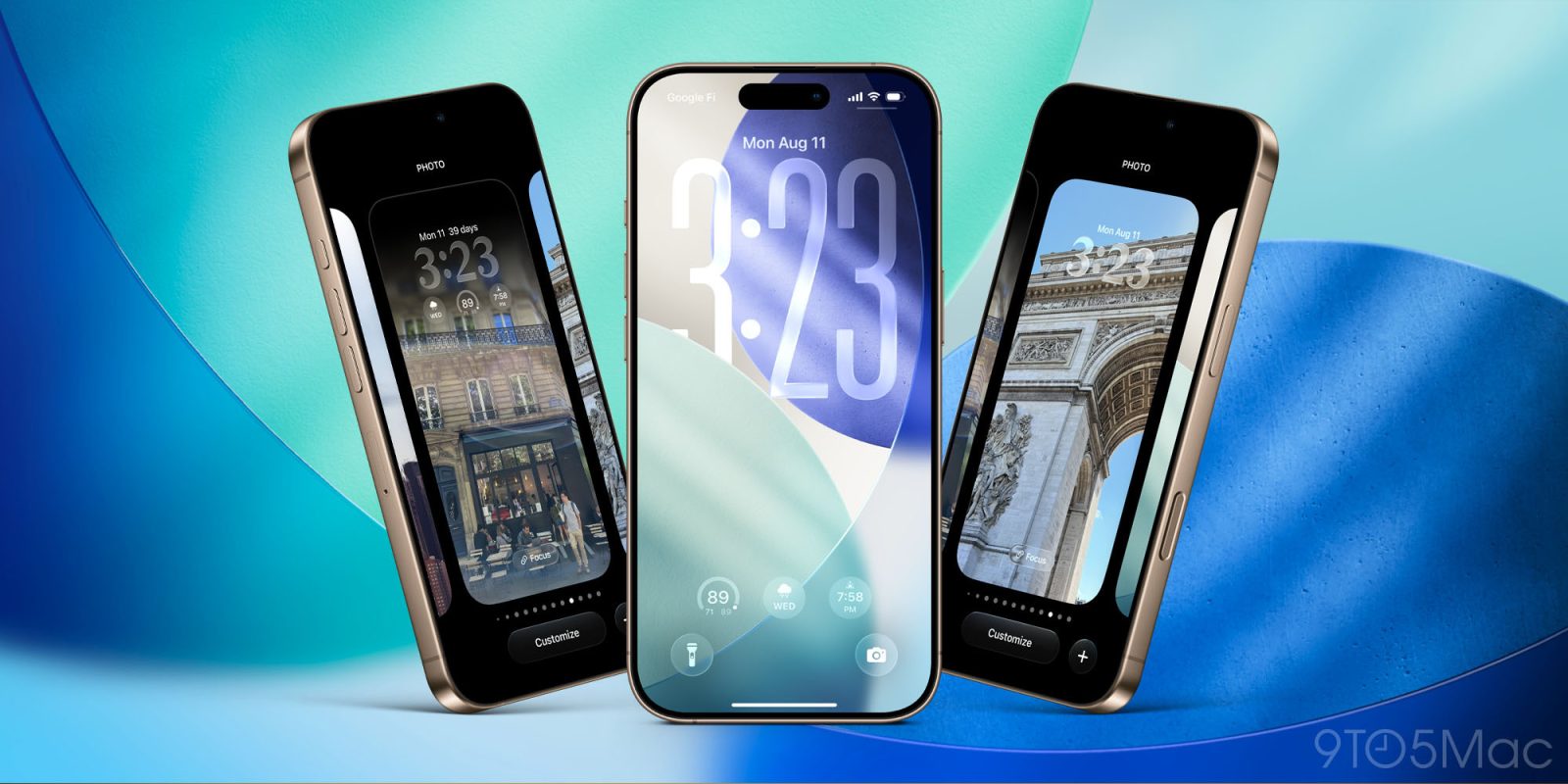
iOS 26 beta 6 arrived today with new ringtones, faster launching apps, important Camera reversal, and more. Apple has also made some additional updates to Liquid Glass, here’s what’s new in iOS 26 beta 6.
Latest Liquid Glass refinements impact Lock Screen, tab bars, more
Apple continues refining the look of its Liquid Glass design in iOS 26.
Major changes seem to be behind us with the public launch fast approaching. But there are some noticeable enhancements in the latest iOS 26 beta nonetheless.
One addition is that the clock on the iPhone’s Lock Screen now has a more pronounced Liquid Glass look.
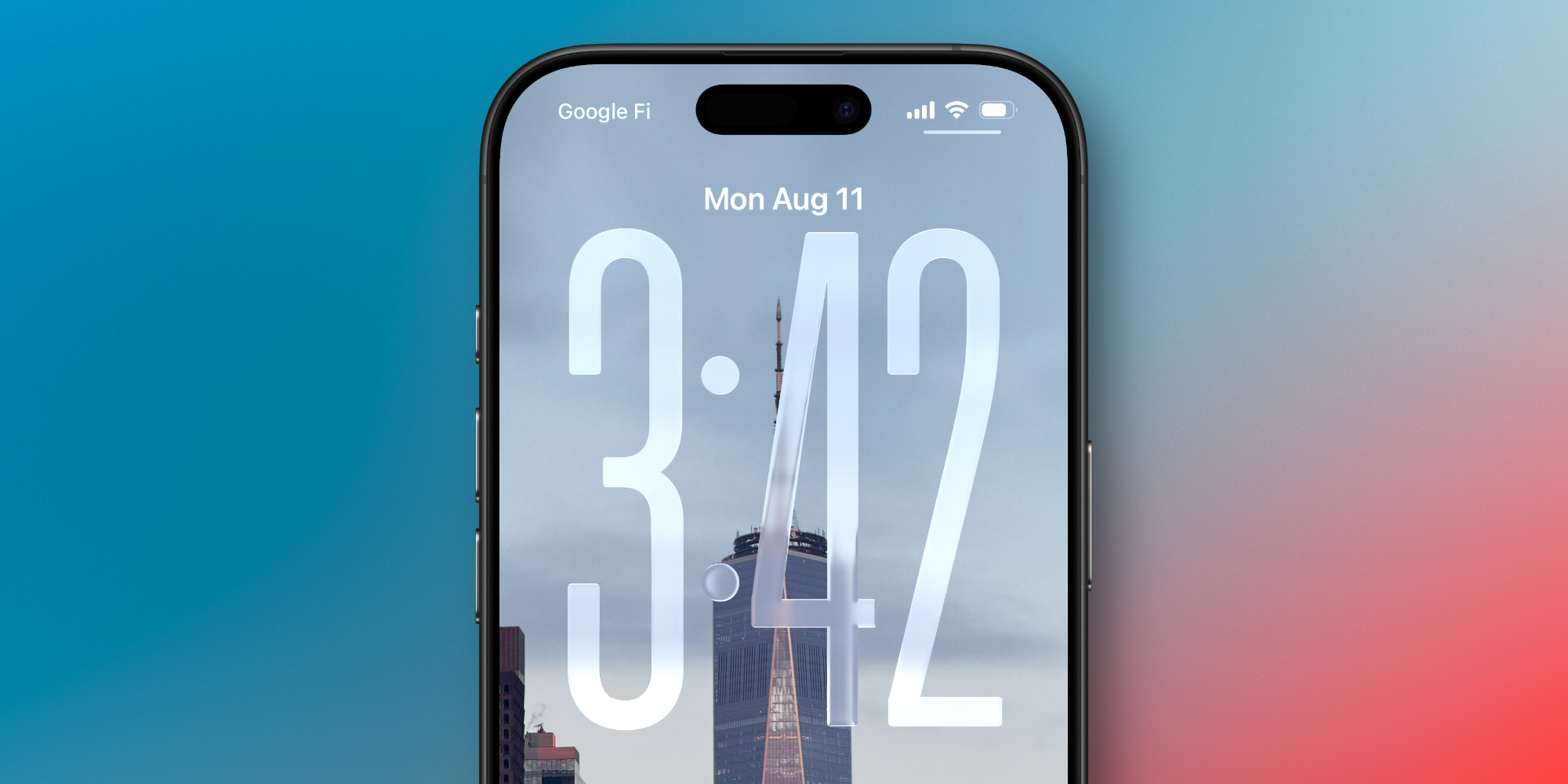
Whether your wallpaper uses the new stretched glass design or a classic look, beta 6 makes the clock more transparent than before.
The new design can make the clock appear very different based on the color and brightness of the wallpaper underneath.
Another change in iOS 26 beta 6 involves app tab bars.
Previous betas included tab legibility issues when scrolling over select design-heavy content.
In beta 6 though, Apple has implemented tweaks that ensure text remains clear and legible no matter what lies underneath the tab bar.
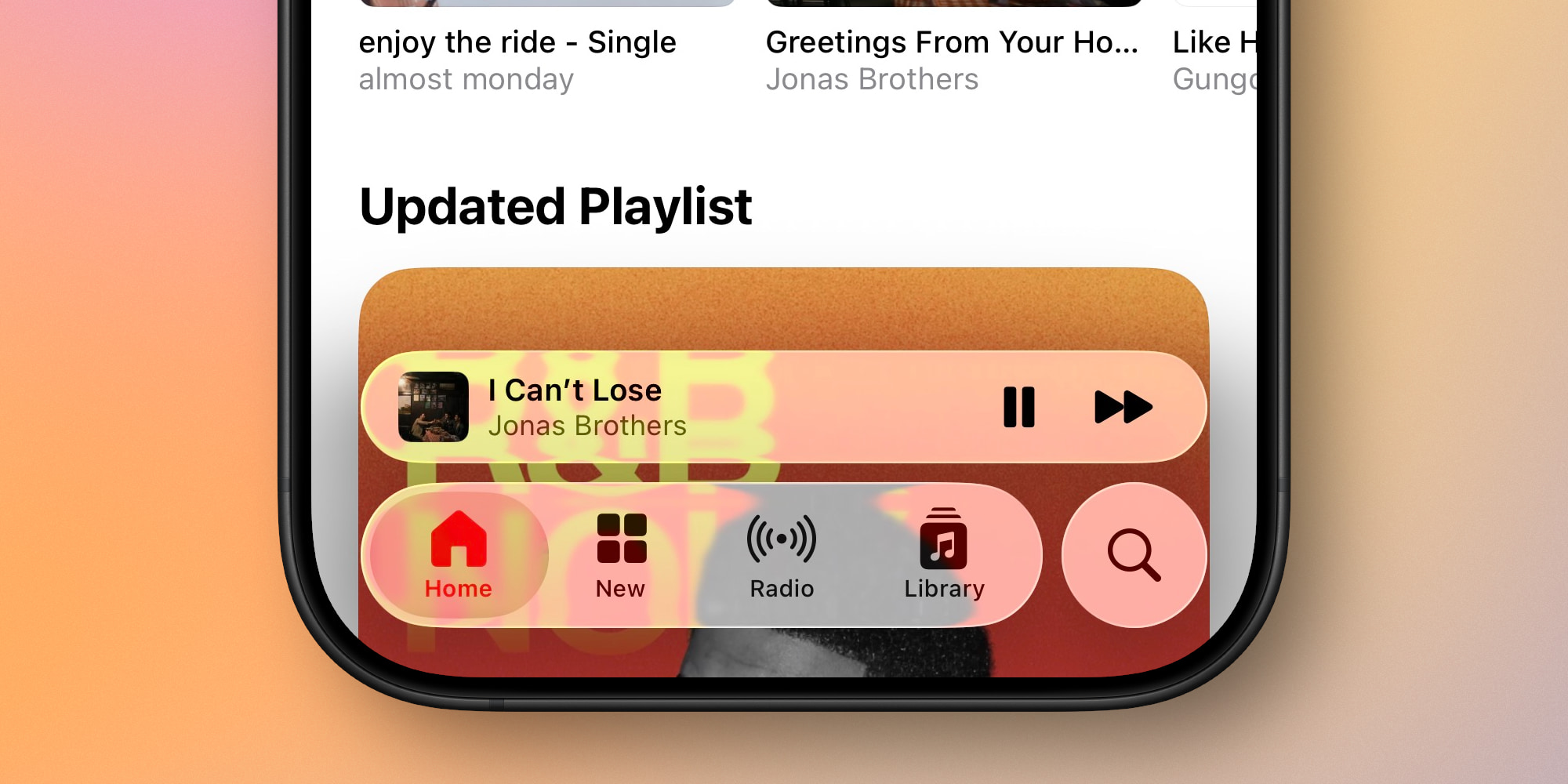
Finally, beta 6 also gives different UI elements more chromatic Liquid Glass effects.
For example, the default toggle switches that you’ll see in Settings:
And also the standard tab bar inside apps:
Apple clearly isn’t planning to make any major reversals with its Liquid Glass design before iOS 26 ships, but these latest improvements help the new look feel more polished than ever.
What do you think of the latest Liquid Glass changes in iOS 26 beta 6? Let us know in the comments.
Best iPhone accessories
- AirPods Pro 2 (now only $169, down from $249)
- MagSafe Car Mount for iPhone
- HomeKit smart plug 4-pack
- 10-year AirTag battery case 2-pack
- 100W USB-C fast charging power adapter


FTC: We use income earning auto affiliate links. More.


Comments