
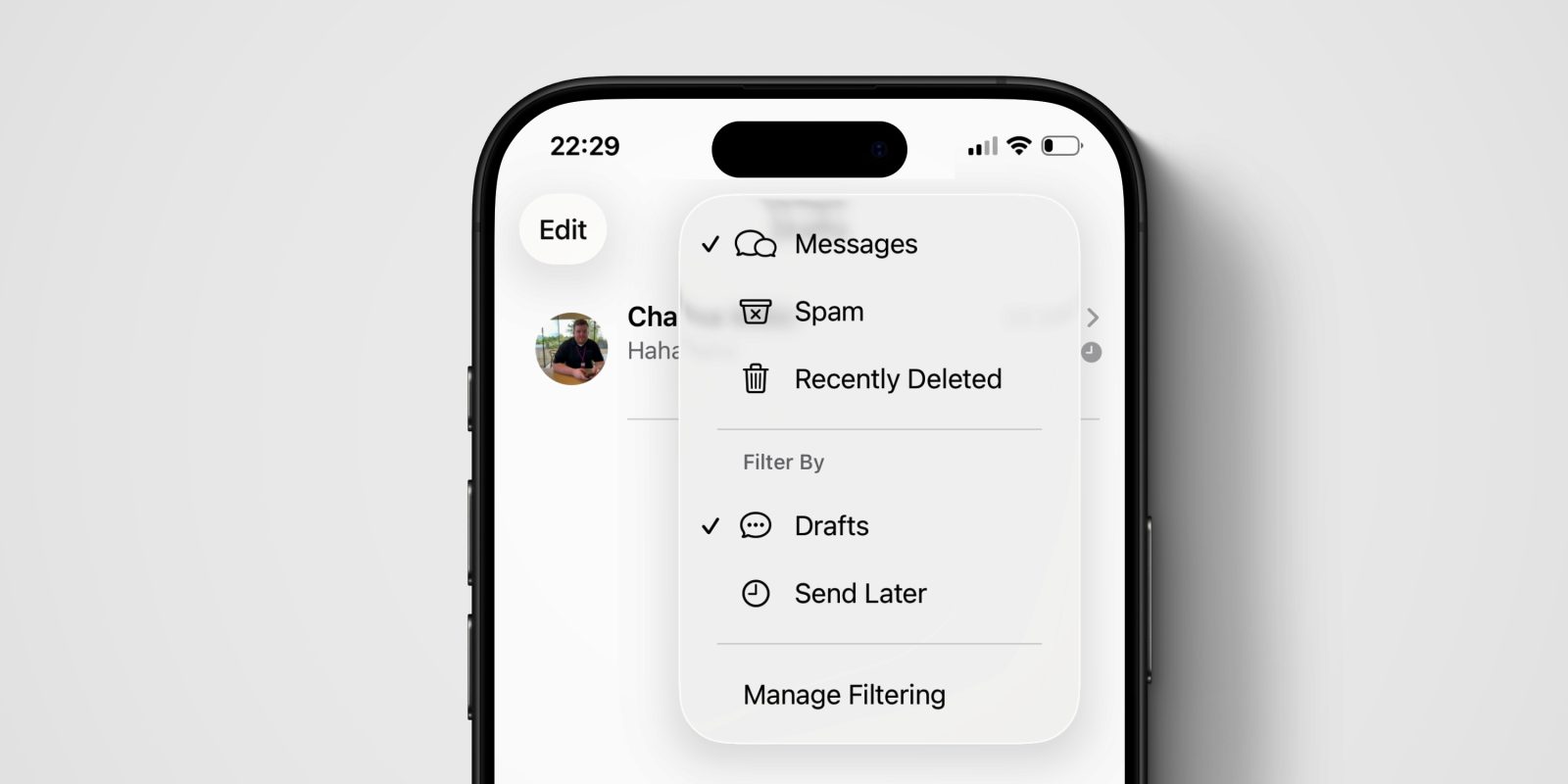
The iPhone Messages app on iOS 26 gets a bunch of new filtering features, primarily targeted around dealing with spam and junk texts. But it also gets some filters that are generally useful too.
For the first time, iMessage has a dedicated Drafts folder. This filters the conversation list to show only threads where you have a partly-written message.
These new capabilities are exposed through a new filter button found at the top-right of the screen. This menu includes common sections like Messages, Spam and Recently Deleted.
But there are other filters too that can appear in this menu. If you have relevant matching conversations, the menu item will appear. For instance, if you have scheduled a message using the Send Later feature, you can quickly find that conversation again using the Send Later filter. If you have conversations with unread messages, the menu will contextually include an Unread filter.
This is also true for drafts. If you start writing text for one conversation, and then leave, you will have made a draft. This will mean the Drafts menu will appear in the filter menu. You can then select it to show only conversations that have messages in progress.
These filters are obviously especially useful when you have a lot of chats on the go at once. If you start composing a message during the day, and then come back to it later, you can now easily find which conversations are awaiting your finished reply. Just tap Filters -> Drafts.
When a filter is active, the toolbar button has a prominent blue tint so you won’t forget you are only seeing a subset of messages. You can simply tap on the button again to remove the filter and see all your chats.


FTC: We use income earning auto affiliate links. More.



Comments