
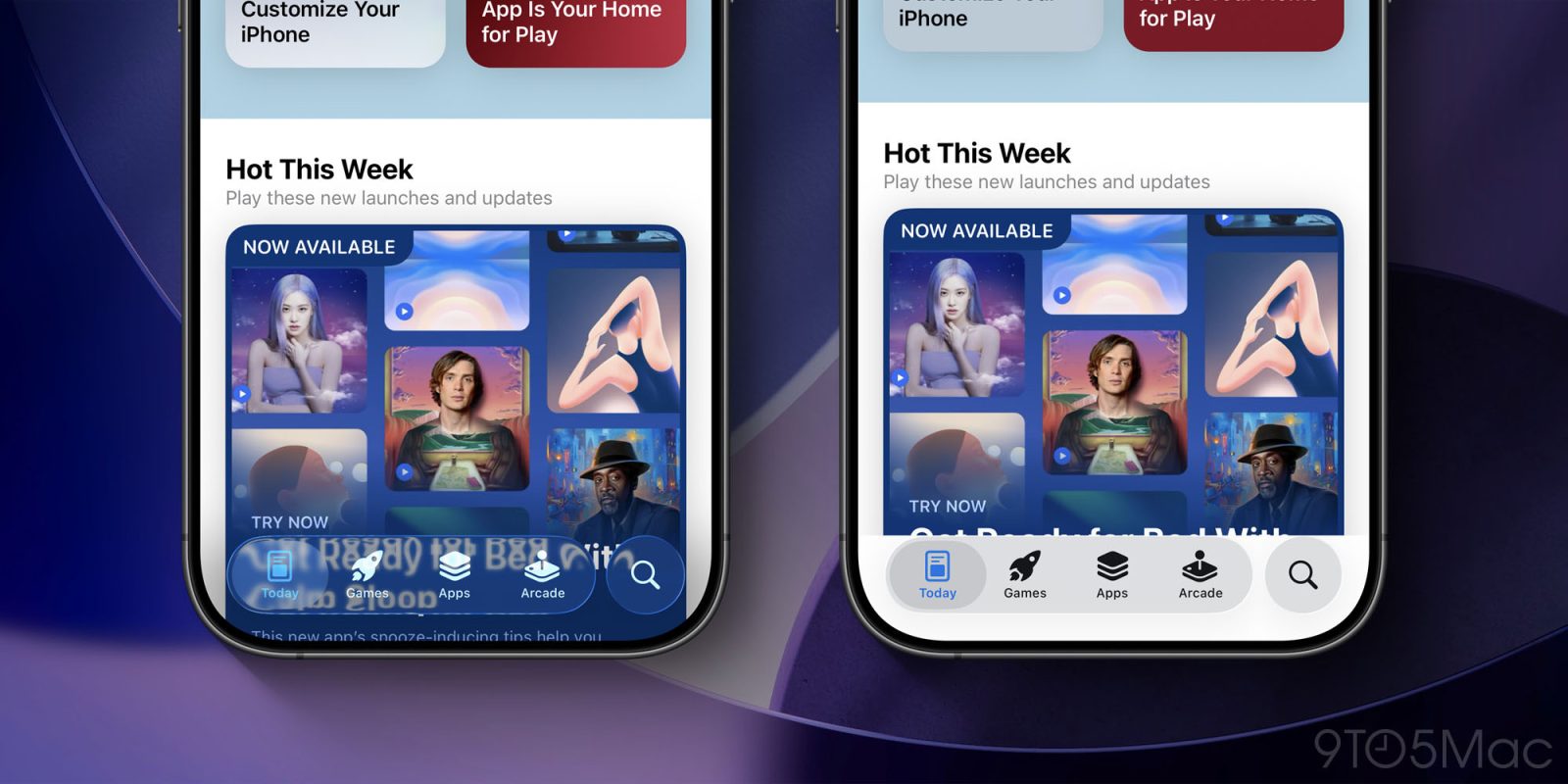
iOS 26 is packed with major changes for the iPhone, including a new Liquid Glass design. But if you’re not a fan of the fresh design, here’s how to make iOS 26 look and feel more like iOS 18 again.
You can’t turn Liquid Glass off, but you can scale it way back in iOS 26
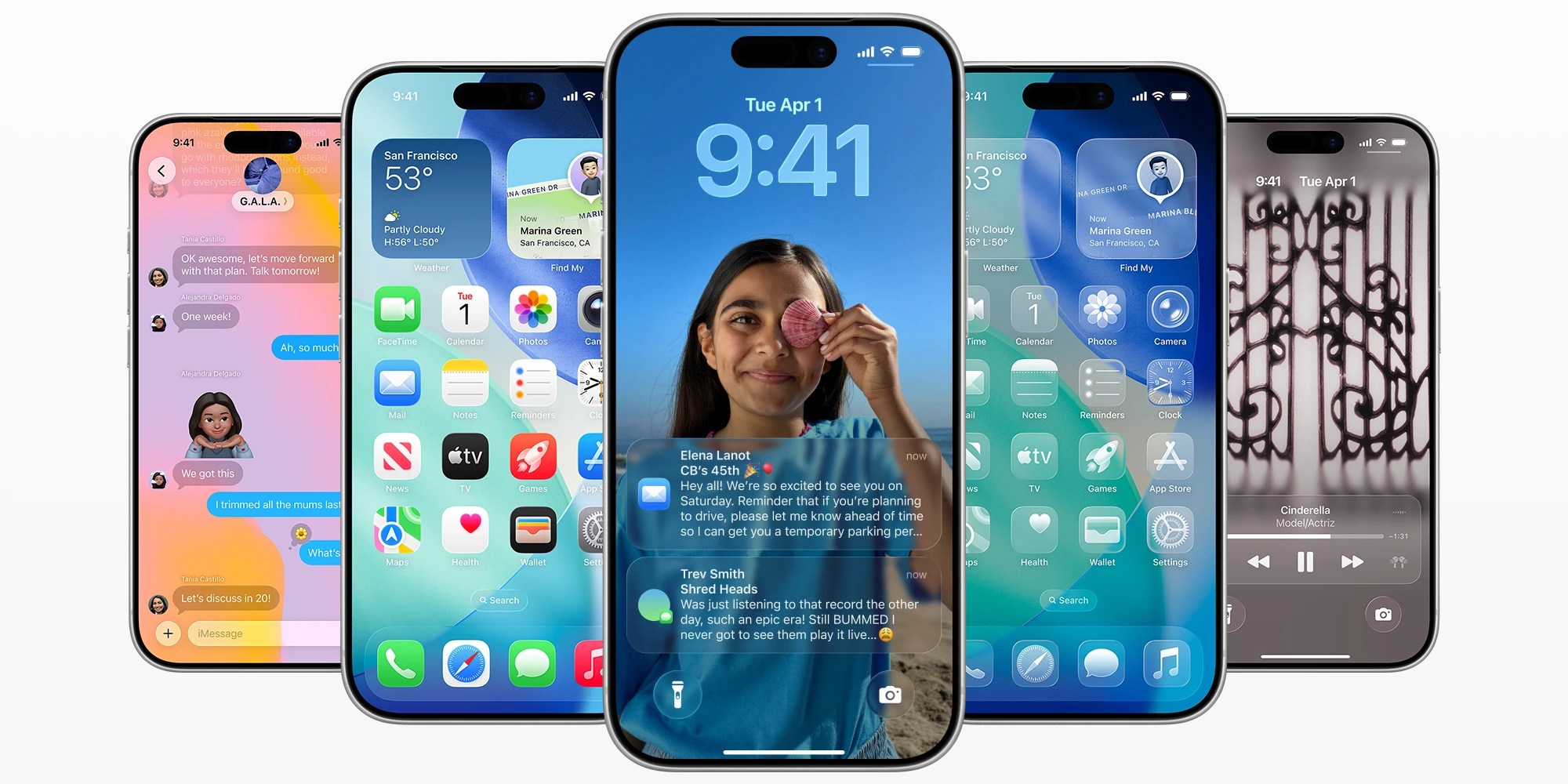
Apple’s software has a new look across all devices, with Liquid Glass at the center.
So far based on social media, Liquid Glass seems to understandably be getting a wide variety of responses, ranging from positive, to negative, and indifferent.
If you’re not a fan of Liquid Glass, whether for aesthetic or readability reasons, Apple has provided a Settings toggle that can help.
To find it, follow these simple steps in iOS 26:
- Open the Settings app on your iPhone
- Go to Accessibility
- Tap ‘Display & Text Size’
- Then toggle on ‘Reduce Transparency’
Top comment by Jocelyn Simmons
Personally, Liquid Glass feels tepid on tvOS, like a distractingly high-contrast mode on iOS/ipadOS, and quite frankly it feels like an unnecessarily obnoxious return to an alternate version of Aqua. Some will remember Kaleidoscope themes and how despite how cool their previews looked, you almost always eventually turned them off and went back to the default look because it was the most functional and least irritating. Liquid Glass feels like a Kaleidoscope theme we’re all going to want to turn off a month from now.
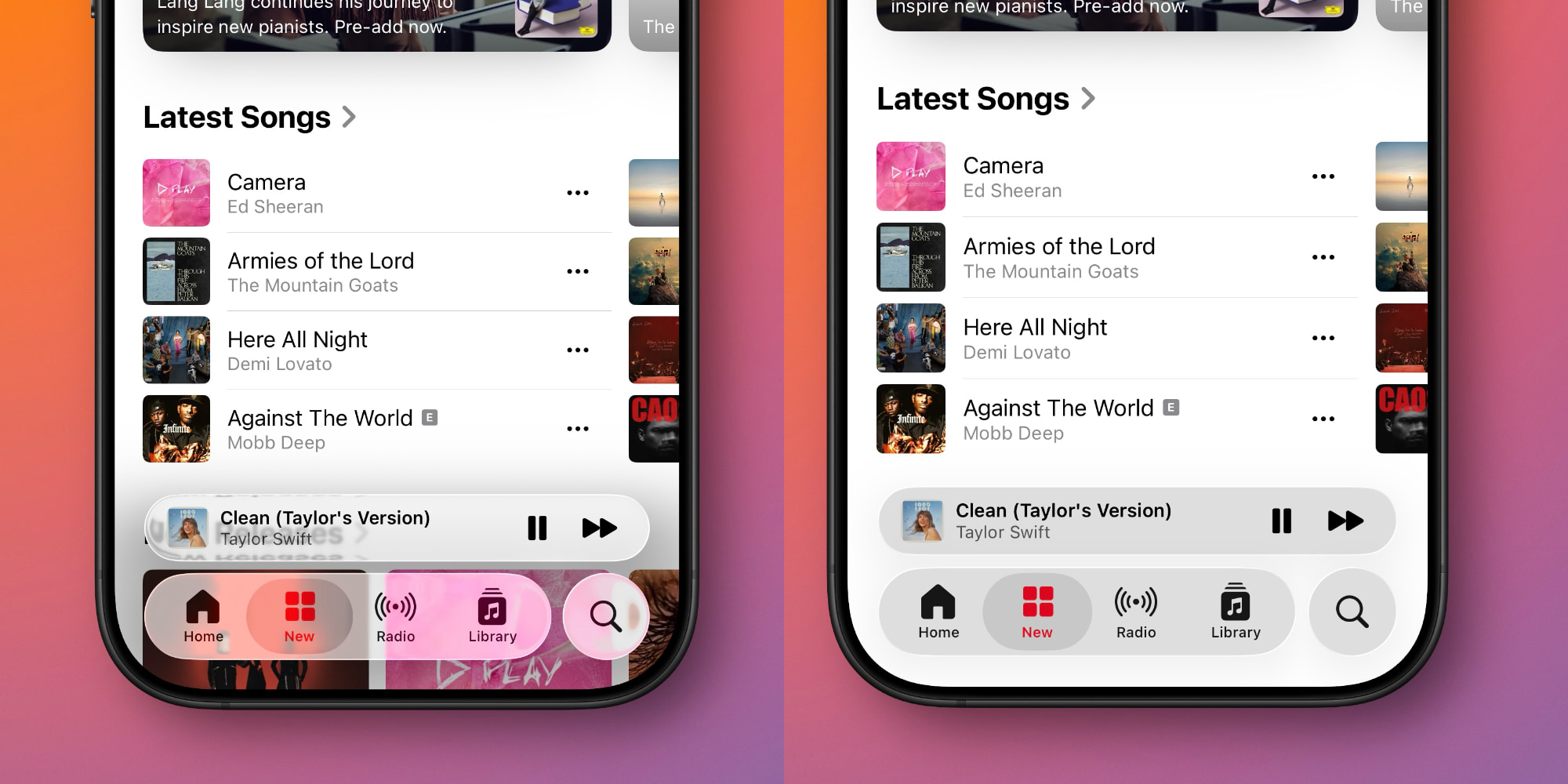
This ‘Reduce Transparency’ toggle will improve contrast throughout iOS 26 by dialing back transparency.
Essentially, the toggle de-liquifies various aspects of the Liquid Glass design, thus improving text legibility in many cases.
iOS 26 will still retain a variety of the same design changes as before, but the Liquid Glass elements at least will look and feel more iOS 18-like.
What do you think of the Liquid Glass design in iOS 26? Let us know in the comments.
Best iPhone accessories
- AirPods Pro 3
- MagSafe Car Mount for iPhone
- HomeKit smart plug 4-pack
- 10-year AirTag battery case 2-pack
- 100W USB-C fast charging power adapter


FTC: We use income earning auto affiliate links. More.


Comments