
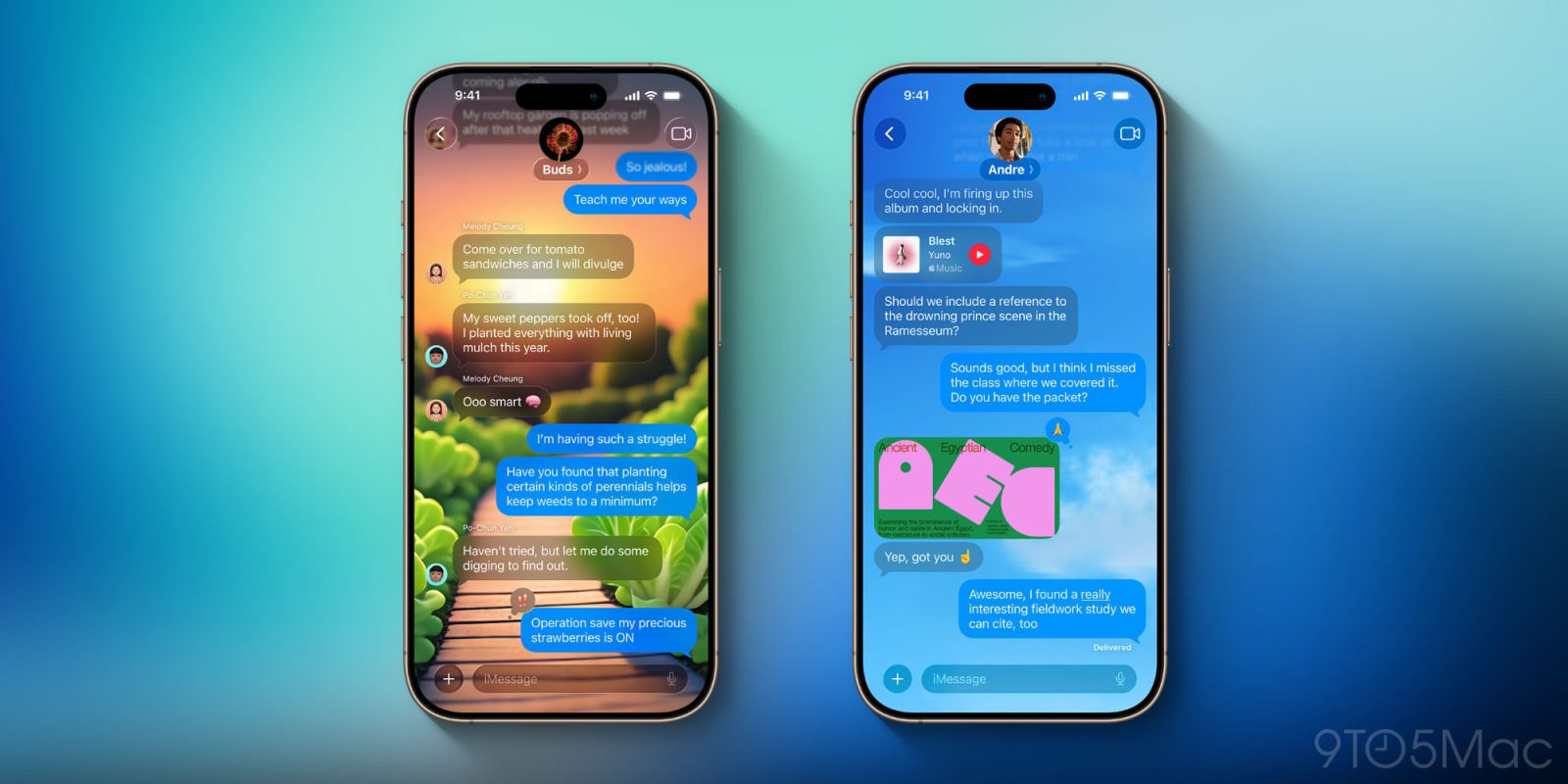
iOS 26 is the latest major iPhone update, packing big changes for Apple Wallet, CarPlay, Apple Music, and a variety of new features for the Messages app too. Here’s what’s new in the Messages app with iOS 26.
iOS 26 upgrades Messages with new design, group chat features, and more
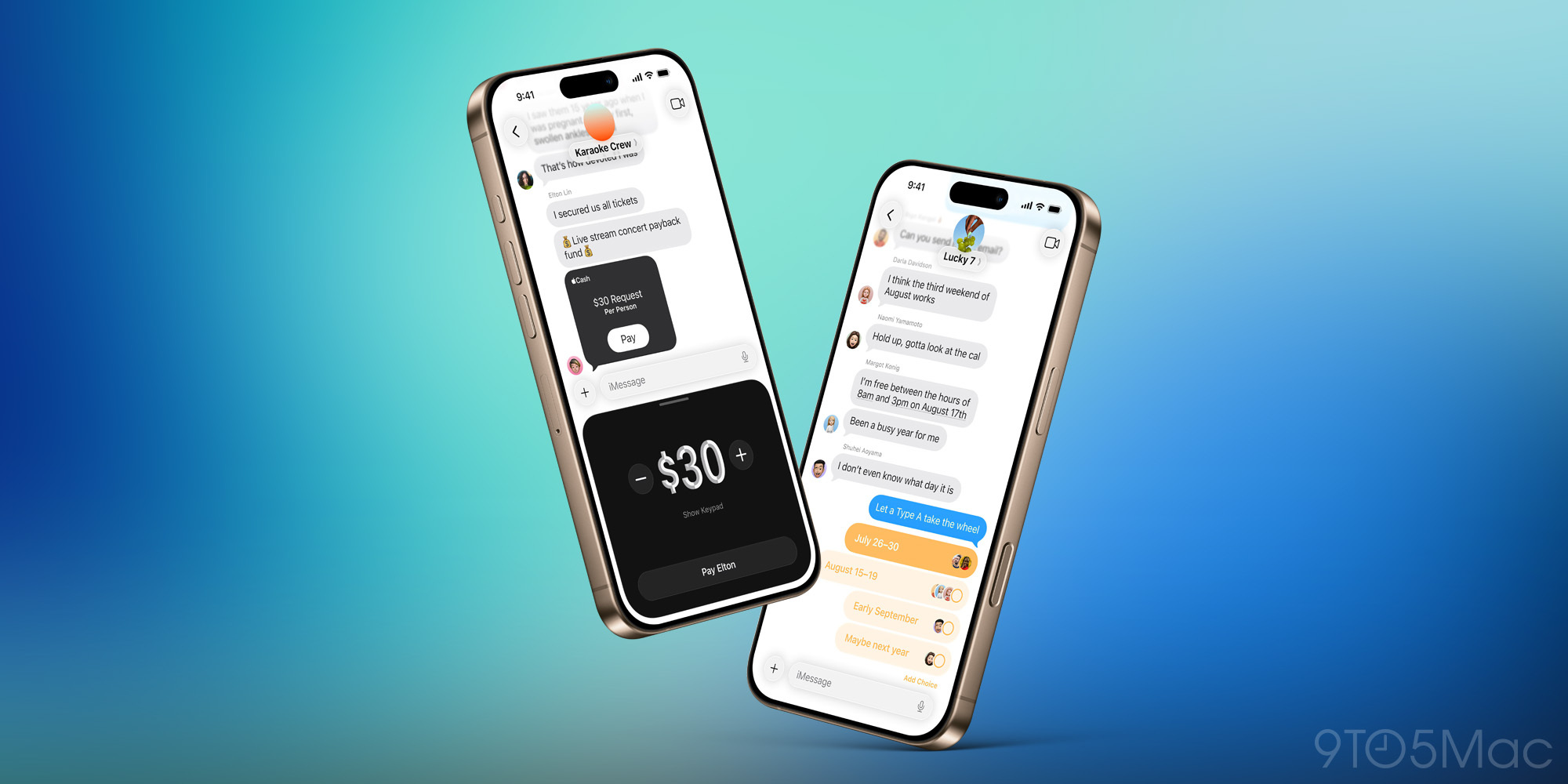
Apple’s Messages app gets a handful of solid upgrades in iOS 26.
Messages gains the new ‘Liquid Glass’ redesign that impacts the app, of course. Buttons have been updated, UI elements have a fresh look, and overall the app reflects iOS 26’s aesthetic well—familiar, yet new.
Group chats are another big area of focus for Apple this year.
In iOS 26, there are several changes specifically meant to improve the group chat experience, including:
- Typing indicators: Now you can see live indicators of who’s typing, not just in one-on-one threads but also group chats.
- Polls: Use polls to get input from a group with ease.
- Apple Cash: Apple Cash is now available inside group chats for sending and receiving payments.
Background images can be set for different conversations, and you can even generate AI-created backgrounds with a simple Image Playground request.
Live translation is an Apple Intelligence-powered feature for communicating with friends or family members who speak a different language.
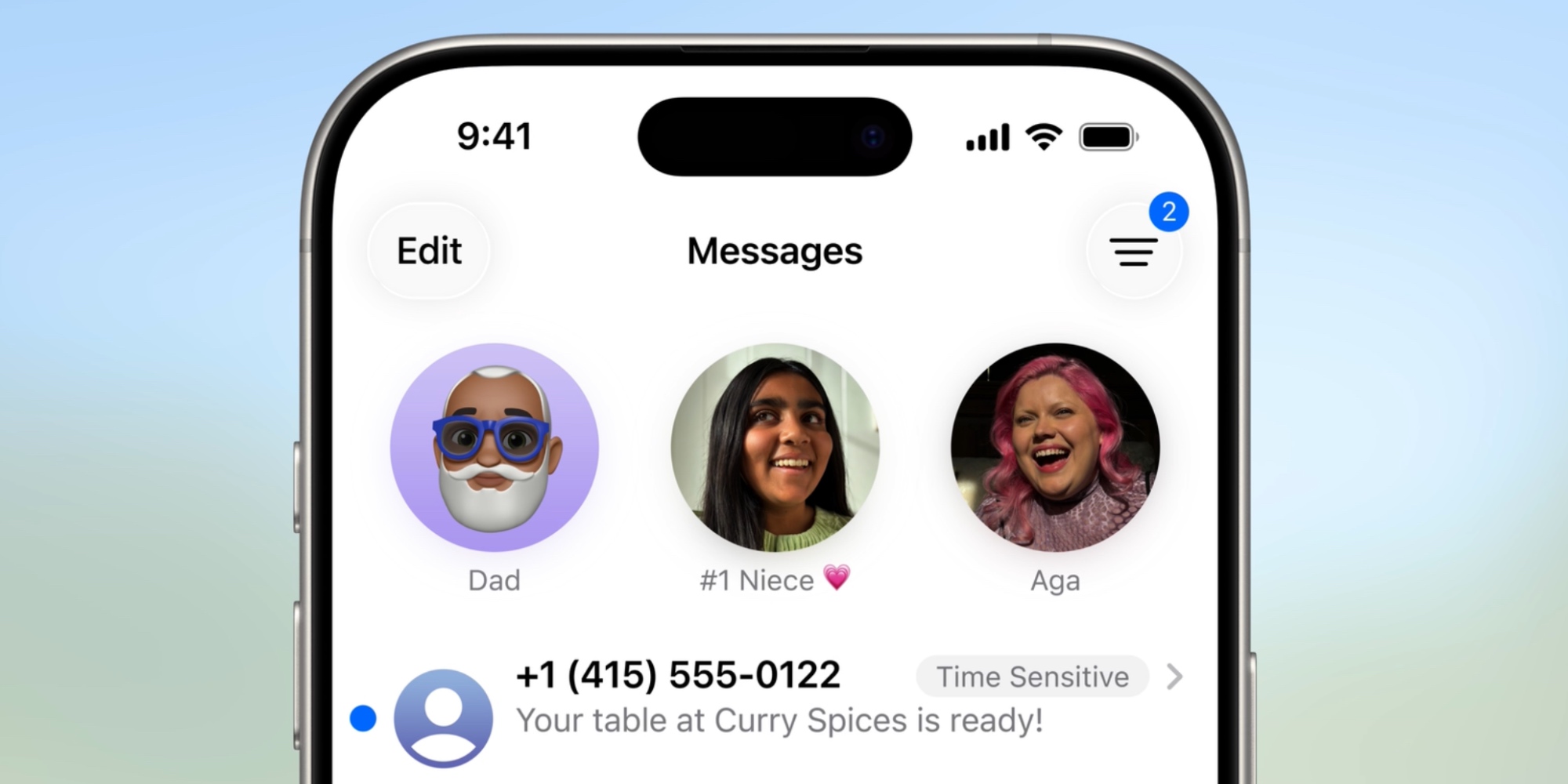
Spam prevention via message screening should hopefully reduce spam texts:
In Messages, users can now screen messages from unknown senders, giving them more control over who appears in their conversation list. Messages from unknown senders will appear in a dedicated folder where users can then mark the number as known, ask for more information, or delete. These messages will remain silenced until a user accepts them.
It’s a small change, but iOS 26 lets you copy just part of a message, rather than forcing you to copy the whole thing.
Finally, search in Messages gets an AI upgrade that lets you search for messages, photos, and files using natural language.
iOS 26’s new Messages features are also available on Apple’s other platforms, including the Mac, iPad, and more, via companion software updates like macOS Tahoe and iPadOS 26.
What are your favorite new Messages features in iOS 26? Let us know in the comments.
Best iPhone accessories
- AirPods Pro 3
- MagSafe Car Mount for iPhone
- HomeKit smart plug 4-pack
- 10-year AirTag battery case 2-pack
- 100W USB-C fast charging power adapter


FTC: We use income earning auto affiliate links. More.



Comments