
iOS 26 is here, bringing a Liquid Glass redesign and lots of new features for popular apps. The Maps app got some big updates last year, but even more changes have just arrived. Here are the new Apple Maps features available in iOS 26.
Apple Maps in iOS 26 has Liquid Glass and new intelligence about your daily activity
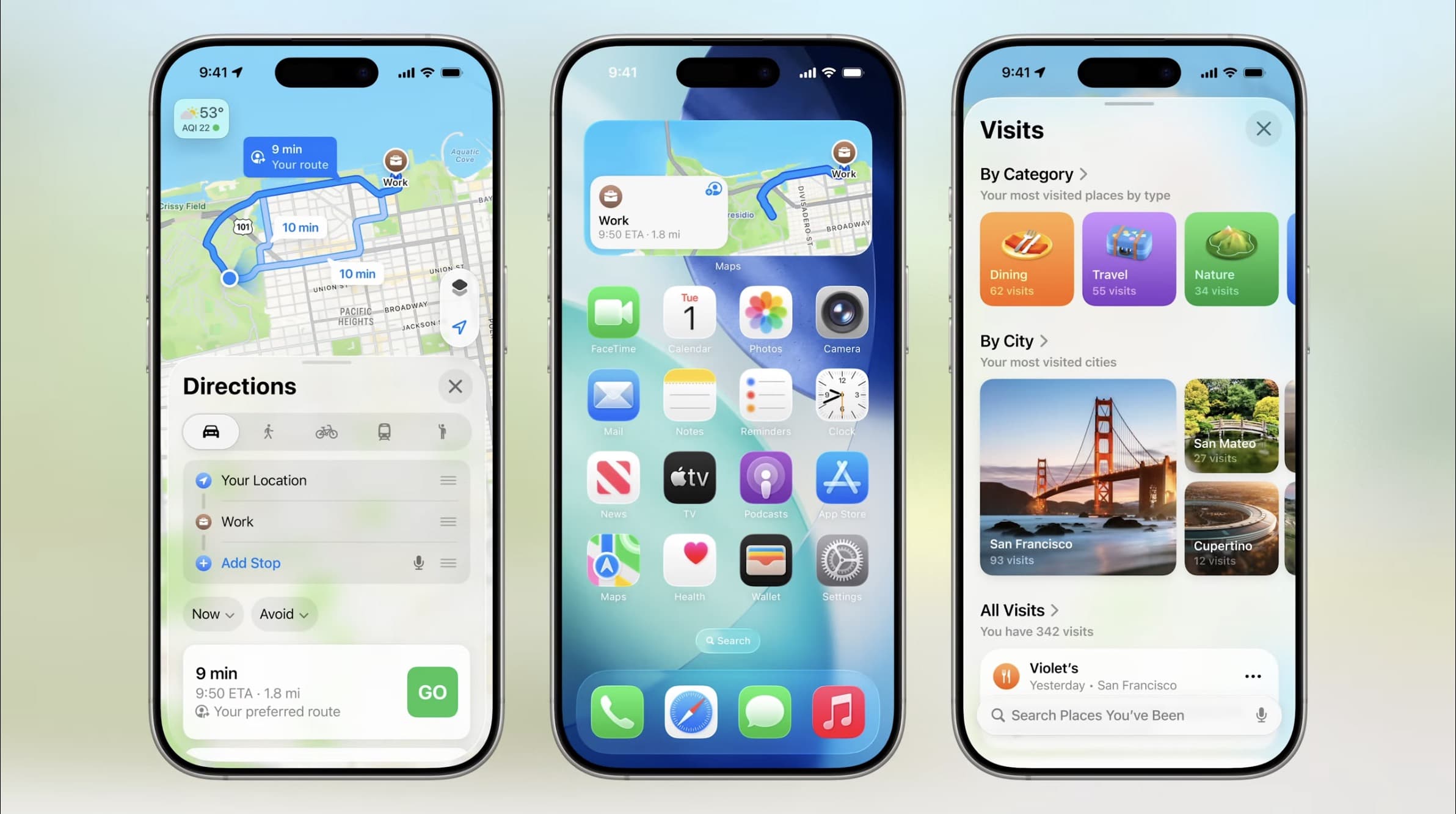
Apple Maps benefits from iOS 26’s new systemwide Liquid Glass design. This means buttons and other UI elements have been updated with a fresh look.
You’ll notice the new design most when viewing place listings, browsing your guides, and in other small touches.
Liquid Glass aside, Apple’s bigger focus in Maps with iOS 26 is on two new features:
- Preferred Routes
- Visited Places
Preferred Routes
Maps can now learn from your everyday activity which routes you tend to take—for example, as part of your work commute or other regular routines.
By understanding your preferred routes, Maps in iOS 26 can proactively alert you about potential delays you might encounter.
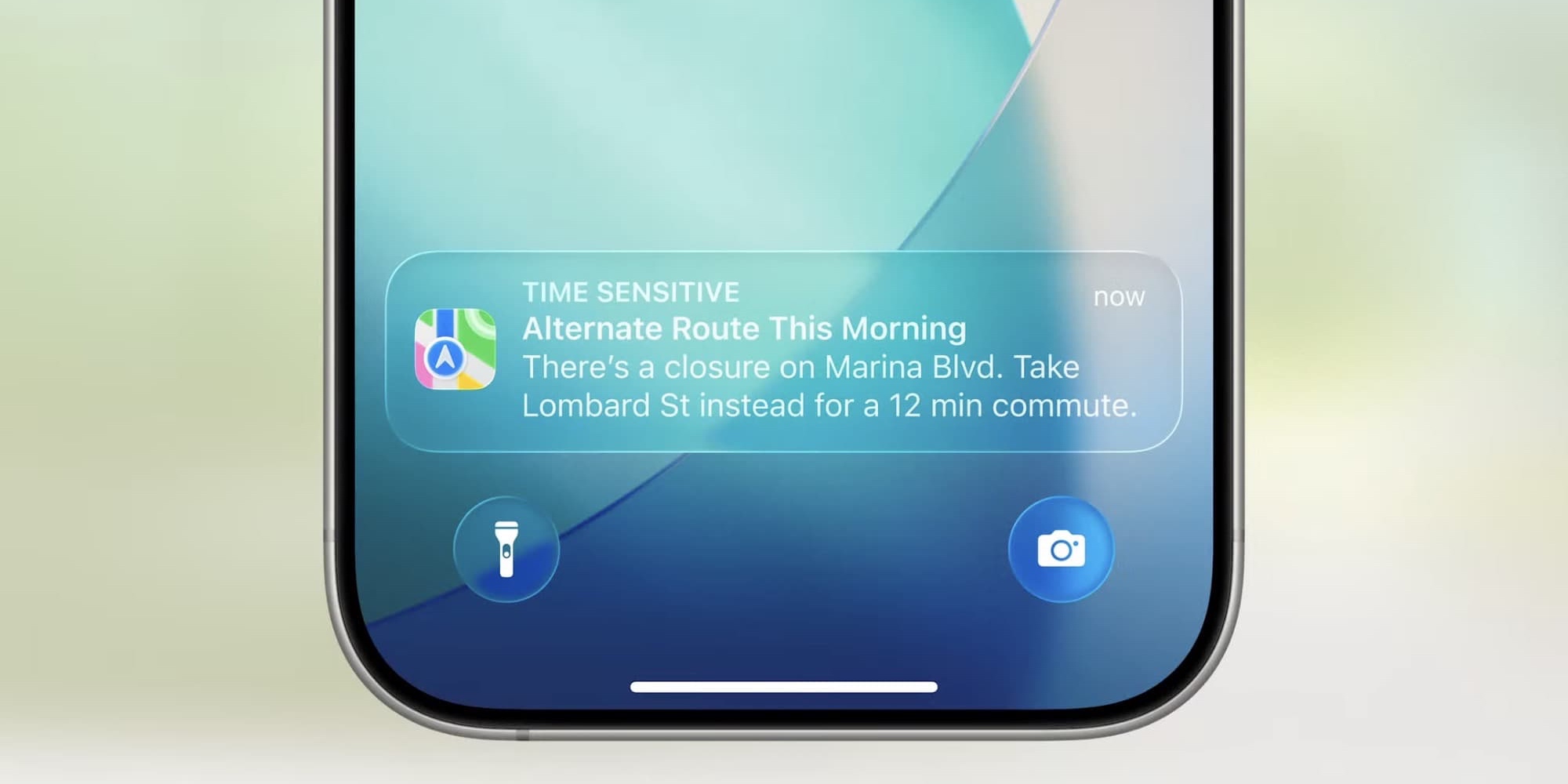
These notifications should help ensure you don’t end up unexpectedly delayed on your commute to work or another important meeting.
You can also see key information about the route in Maps’ ‘Suggestions’ widget, so you can get a preview of what to expect right from your iPhone’s Home Screen or Today view.
Visited Places
Separately but somewhat related, Visited Places is Maps’ new feature that stores a record of places you’ve been. Maps can automatically detect a restaurant or shop you visit, and will save it—with no action required on your part—inside the app for future reference.
You can find your full history of saved places inside the new ‘Visits’ menu in your Library.

Both of these new features, admittedly, could prompt privacy concerns.
Apple says the preferred routes feature is powered entirely by “on-device intelligence,” so your commute habits stay on your iPhone. Similarly, Visited Places are “protected with end-to-end encryption, cannot be accessed by Apple, and can be easily removed with just a swipe.”
What do you think of Apple Maps’ new features in iOS 26? Let us know in the comments.
Best iPhone accessories
- AirPods Pro 3
- MagSafe Car Mount for iPhone
- HomeKit smart plug 4-pack
- 10-year AirTag battery case 2-pack
- 100W USB-C fast charging power adapter


FTC: We use income earning auto affiliate links. More.




Comments