
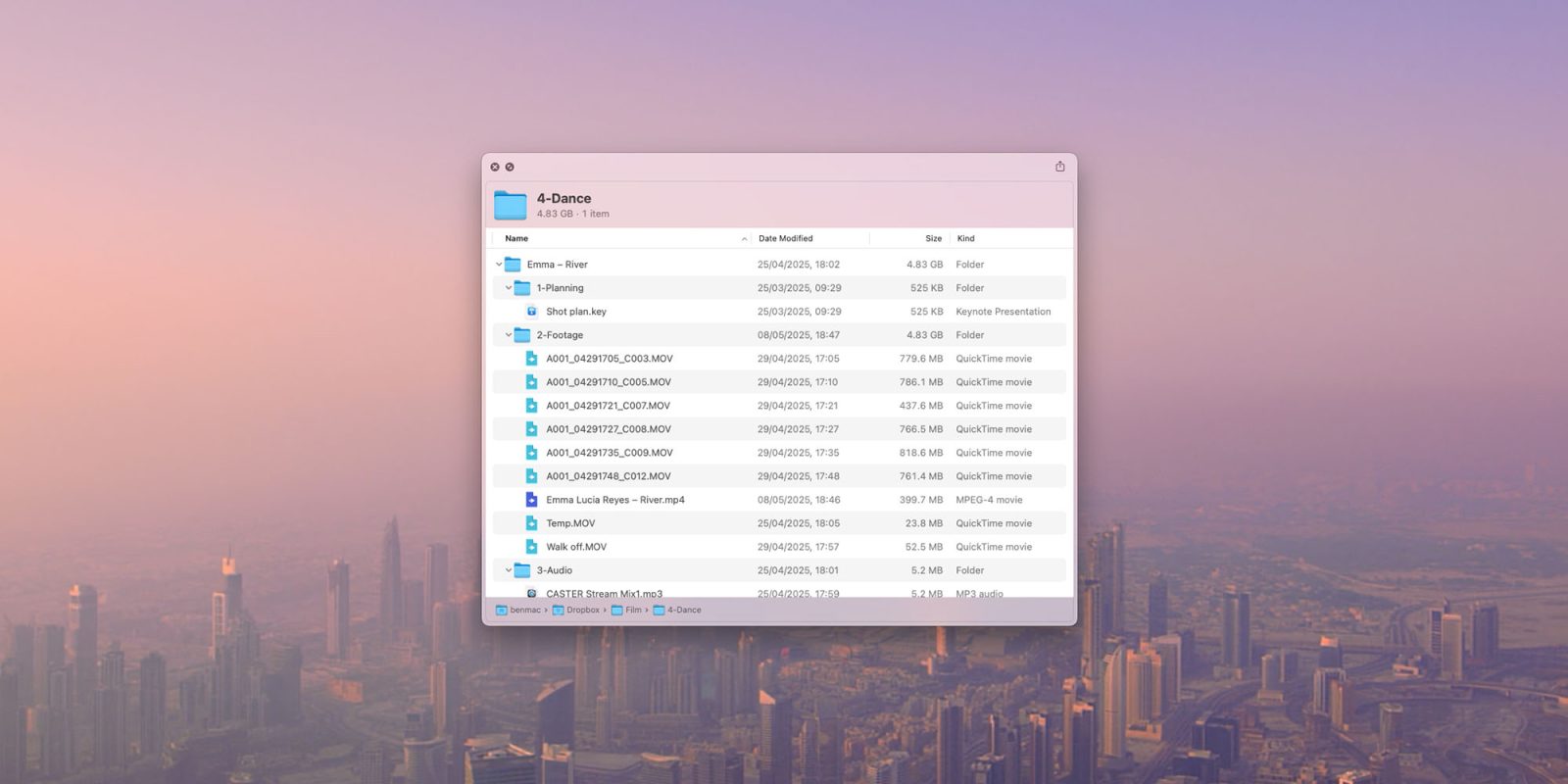
Every now and then there is an app or utility whose usefulness is so obvious that you immediately think it ought to be part of macOS.
Folder Quick Look is a great example of this. It does one very simple job – and does it in a way that just seems like it has always been there …
While Steve Jobs was a great believer in the concept, it was Joe Sparano who said “good design is obvious, great design is transparent.” In other words, once a design exists, it seems completely obvious that it should always have been that way.
Apple’s Quick Look feature is something we likely all use all the time. Click on a file and hit spacebar to quickly see the content of it. Martin Lexow’s Folder Quick Look does exactly the same thing for folders, and I agree with John Gruber that it ought to be built into the Finder itself.
Simply install the app and then click on any folder or archive file, press the spacebar and you can immediately see what’s inside it – including the contents of subfolders. That’s it: nothing more, nothing less.
Highlighted accessories
- Official Apple Store on Amazon
- Apple 40W Dynamic Power Adapter for iPhone 17
- Official Apple iPhone Air cases and bumpers
- iPhone Air MagSafe Battery
- Official iPhone Air case
- Official iPhone 17 cases
- Official iPhone 17 Pro cases and Pro Max cases


FTC: We use income earning auto affiliate links. More.



Comments