
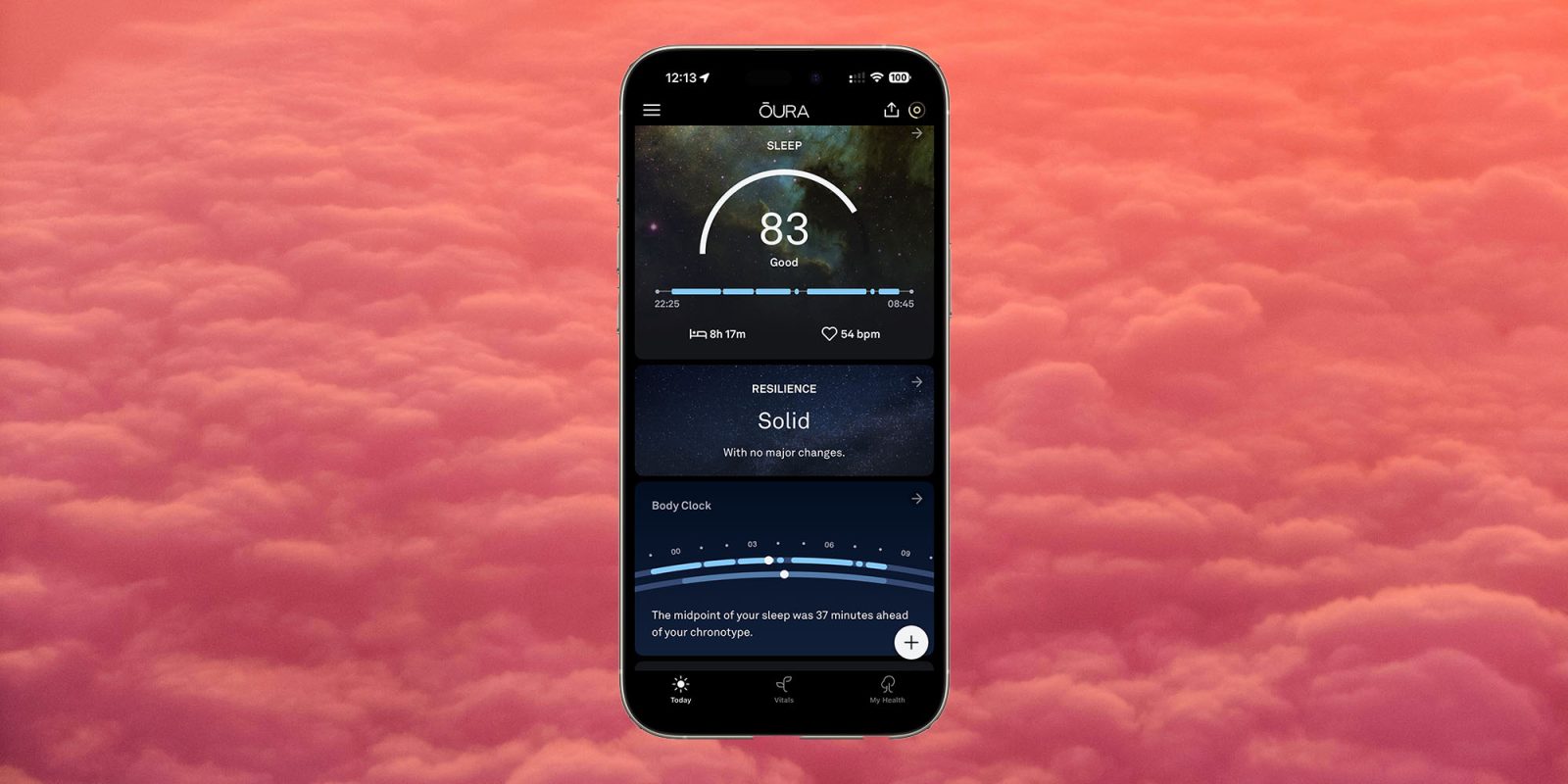
The latest version of the Oura smart ring app provides an improved and simplified view of key health information.
I’ve argued before that Apple could learn some lessons from Oura, and I think this is even more true today – here’s why …
Apple’s Health app
I should start by saying that I’m a huge fan of Apple’s Health app. Bringing together all our health data in one place, no matter how it was captured, is a phenomenally powerful development.
For example, I can use my smart ring to capture walking data, Beeline to log cycle rides, and my smart scales to weigh myself and measure body composition – and all of that data is imported into the Health app within seconds. It’s incredibly convenient to have all of that information in one place.
But even with the highlights selected by the app and the key data I’ve chosen to pin to the top, it still feels rather more like a list of numbers than something which provides true at-a-glance insights into my health.
The Oura app
I’ve argued before that the app presents data very intelligently, and the AI-powered features introduced since then have further enhanced that. It’s one of the very few apps where I would say that AI has actually provided worthwhile improvements rather than buzzwords.
The latest version of the app further simplifies the overview provided, with just three tabs.
Today
The Today tab seeks to proactively present the most useful data and guidance at any given time.
For example, the day after a very intense dance festival, the app recommended that I rest and prioritize catching up on sleep. That in itself was pretty obvious, but over the next few days it continued to advise on my overall state of recovery and offer tailored advice such as setting appropriate exercise goals to balance activity and rest, along with adjusted sleep times.
I’ve long been extremely impressed by the relevance of this summary data and advice.
Vitals
If you’re a numerical metrics person, you’ll love the Vitals tab. This presents some key numbers for what the app calls readiness, as well as things like sleep, activity goal progress, heart-rate, and current stress level.
My health
The final tab provides information on longer-term health trends and conditions. For example:
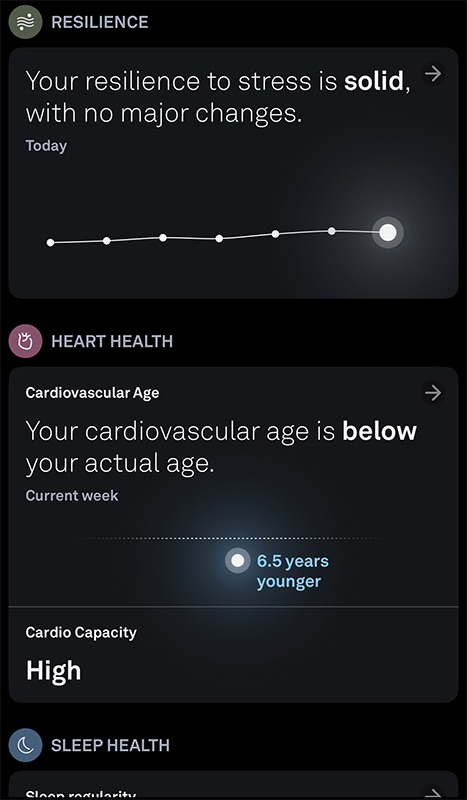
In my view, this is a further enhancement to an already impressive app. I’ve suggested before that Apple might even like to buy the company more for its software than its hardware – though I do remain a fan of the smart ring form factor.
But even if all Apple does is to take a close look at the app and see what lessons could usefully be learned for inclusion in the Apple Health app, that would be a great thing to see.
Highlighted accessories
- Oura smart ring
- Apple 40W Dynamic Power Adapter for iPhone 17
- Official Apple iPhone Air cases and bumpers
- iPhone Air MagSafe Battery
- Official iPhone Air case
- Official iPhone 17 cases
- Official iPhone 17 Pro cases and Pro Max cases
Image: 9to5Mac screengrab on background by Robert Katzki on Unsplash


FTC: We use income earning auto affiliate links. More.


Comments