
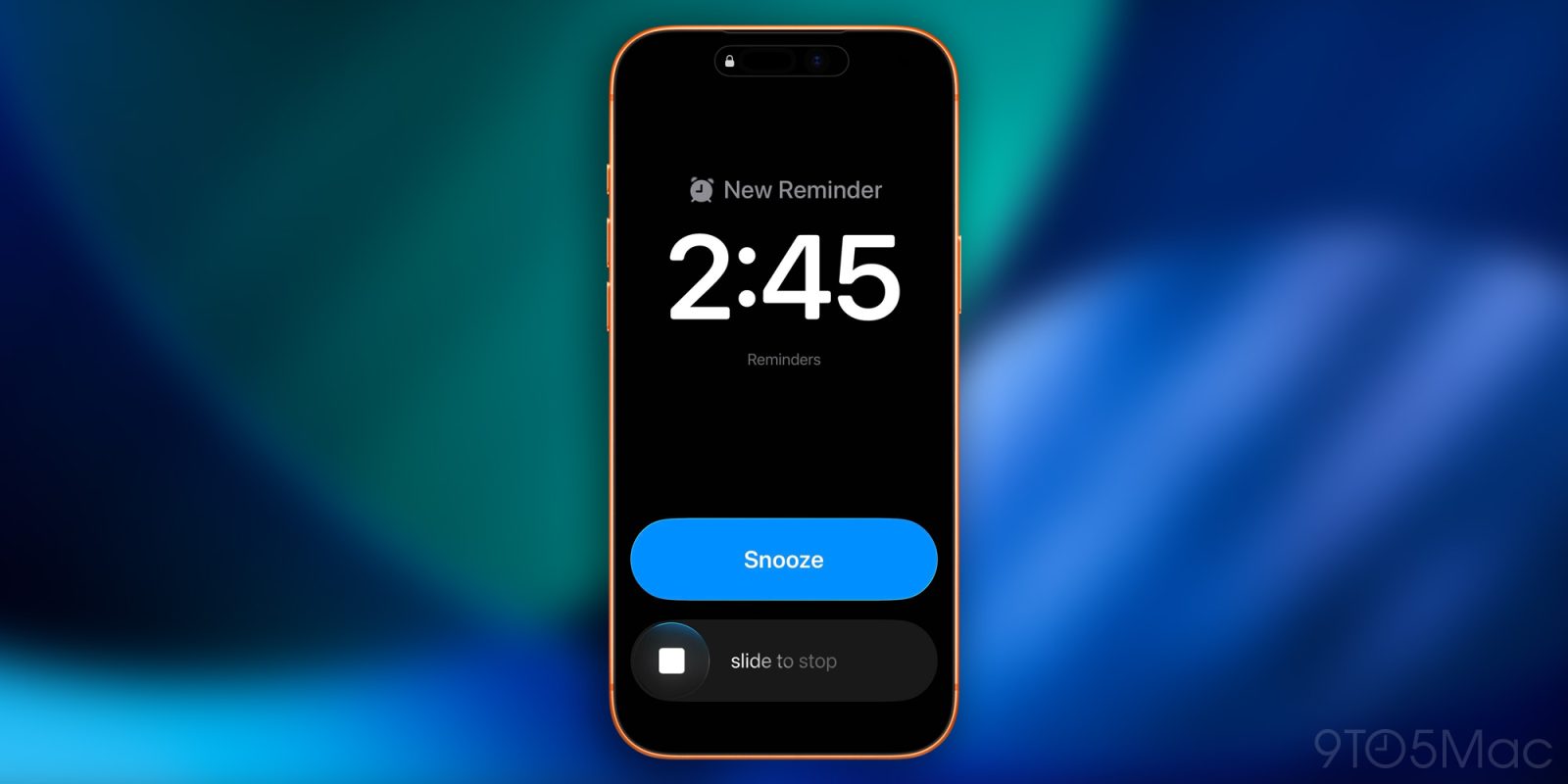
Apple rolled out iOS 26.2 beta 1 for developers today and introduced the ability to set alarms and timers directly from the Reminders app. Here’s how it’s going to work.
A long-requested feature is on its way
On iOS 26.2 developer beta 1, when you set a new reminder in the Reminders app, you can now toggle an “Urgent” setting, which asks for permission to “schedule alarms and timers”:
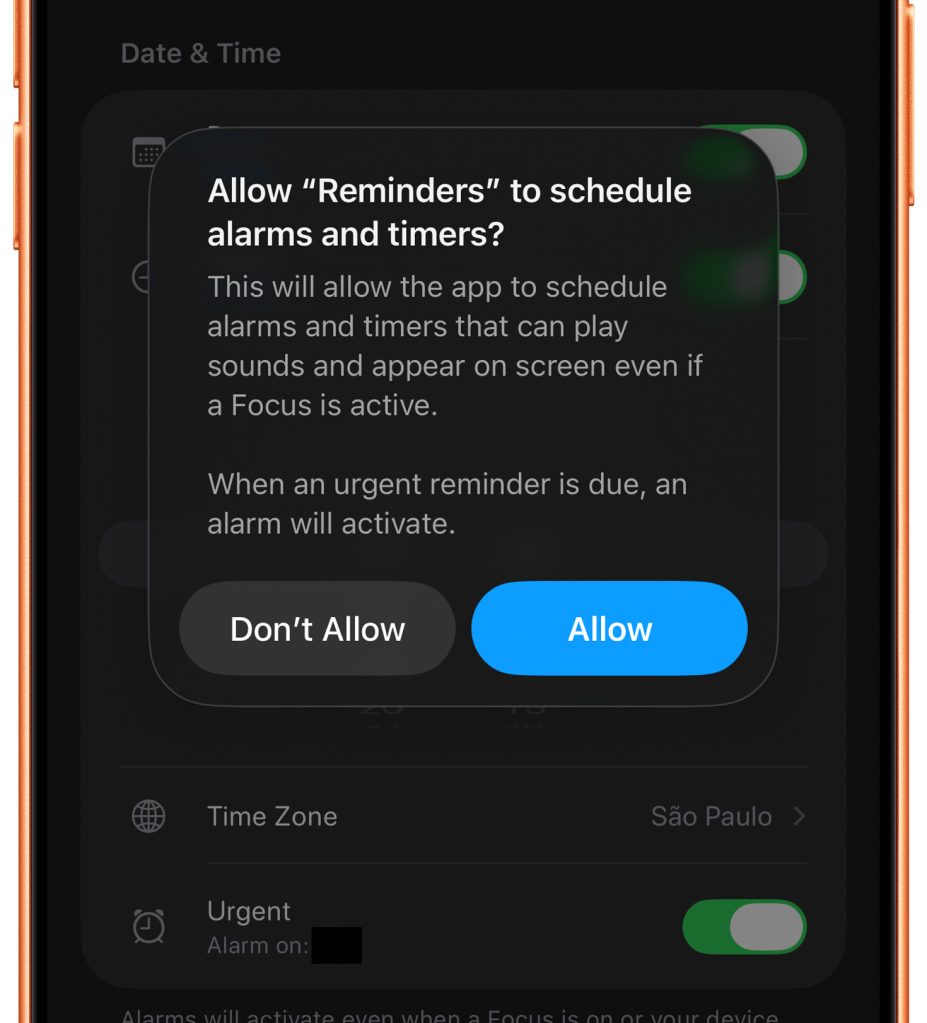
This looks like an implementation of Apple’s new AlarmKit framework, which was introduced on iOS 26 and lets apps “schedule prominent alarms and countdowns to help people manage their time”.
Here’s Apple’s description of the framework:
“Use
AlarmKitto create custom alarms and timers in your app.AlarmKitprovides a framework for managing alarms with customizable schedules and UI. It supports one-time and repeating alarms, with the option for countdown durations and snooze functionality.AlarmKithandles alarm authorization and provides UI for both templated and widget presentations. It supports traditional alarms, timers, or both, and provides methods to schedule, pause, resume, and cancel alarms.”
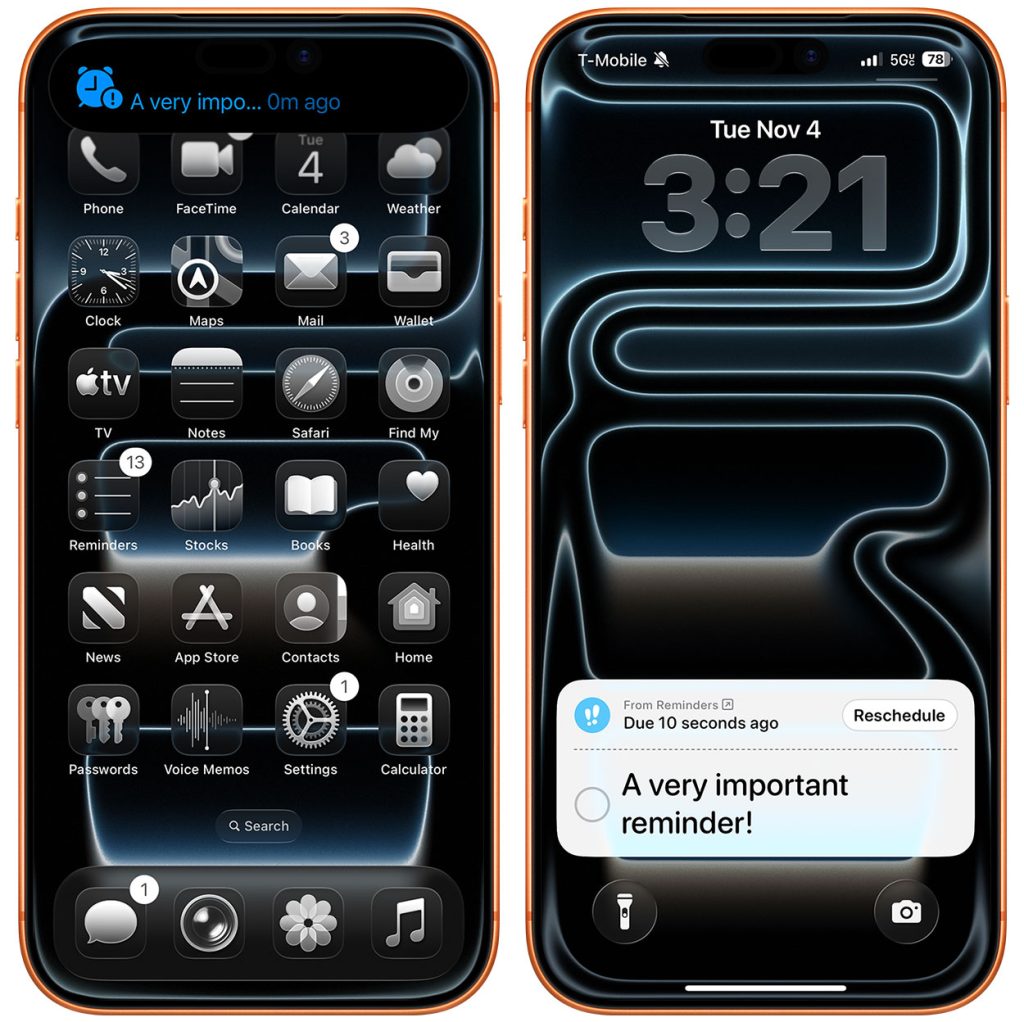
Did you have this feature on your wishlist? Let us know in the comments.
Accessory deals on Amazon
- Apple AirTag 4 Pack
- Beats USB-C to USB-C Woven Short Cable
- Logitech MX Master 4
- AirPods Pro 3
- Wireless CarPlay adapter
- iPhone Air Ultraslim Magsafe Power Bank


FTC: We use income earning auto affiliate links. More.



Comments