
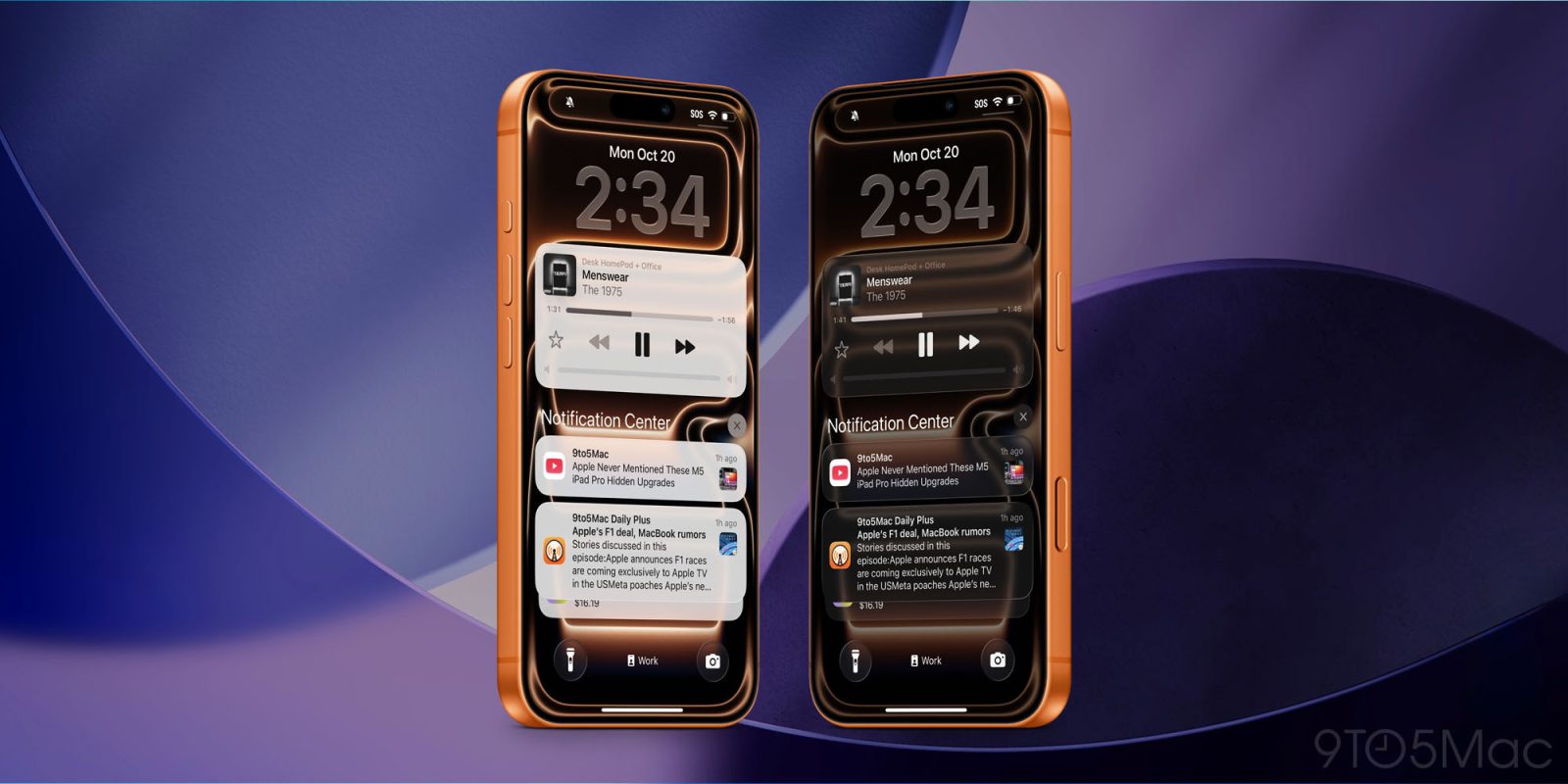
The Liquid Glass user interface is both the headline feature of iOS 26 and one of the most controversial things Apple has done in recent years.
The company has now officially released iOS 26.1, leaving users able to choose whether to keep Liquid Glass as it is or tone it down dramatically …
The Liquid Glass controversy
We were expecting iOS 26 to be the most dramatic visual change to the iPhone operating system seen since iOS 7, and that was certainly what we got.
It would be something of an understatement to say that reactions were mixed. While I’m generally a fan of it, that certainly hasn’t been the case for everyone. Some pointed to usability fails, while others just hated the aesthetics.
Apple clearly anticipated some degree of kickback and chose to offer a wide range of options for controlling the visual effects. However, it’s fair to say that these were mostly tucked away out of sight and you had to dig pretty deep into the settings to find them.
iOS 26.1 provides a simple toggle
That changed in iOS 26.1, officially released yesterday. This new option was first seen in the fourth developer beta, and here’s how Apple describes it:
Liquid Glass setting gives you the option to choose between the default clear look or a new tinted look which increases opacity of the material in apps and notifications on the Lock Screen.
On iPhone, you’ll find the new toggle in Settings > Display and Brightness.
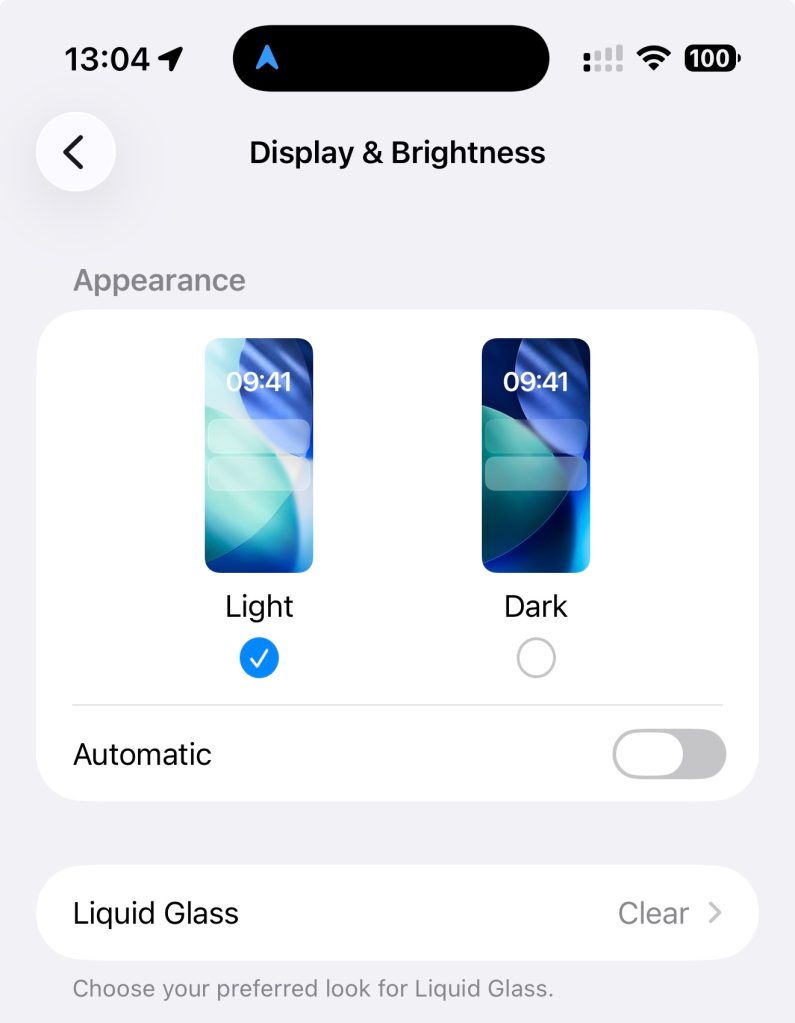
While it gets just a one-sentence mention in the release notes, the impact of it is pretty dramatic as you can see in the main image above.
Top comment by CarAnalogy
I've gotten used to the new look and it is more decorative. Tinted looks a lot less visually appealing now but you can actually read all the notifications easily...
Not a good look for Apple though that this was the headline "feature" across all operating systems and the main thing Apple has done since announcing it is to dial it back severely.
While Apple could technically argue that it’s just a setting affecting the degree of transparency, and it could be said that the tinted version is frosted glass while the default is clear, I’d say it’s the closest thing the company could have given us to a Liquid Glass on/off toggle.
By flipping this switch, those who hate Liquid Glass can effectively revert to something very similar to the pre-iOS 26 look.
What do you choose?
Have you flipped the toggle or not? Have you opted to stick to the default Liquid Glass look, made your own modifications in the detailed settings, or used this new option to get pretty close to switching it off?
Please take our poll and share your thoughts in the comments.
Highlighted accessories
- Official Apple Store on Amazon
- Apple 40W Dynamic Power Adapter for iPhone 17
- Official Apple iPhone Air cases and bumpers
- iPhone Air MagSafe Battery
- Official iPhone Air case
- Official iPhone 17 cases
- Official iPhone 17 Pro cases and Pro Max cases


FTC: We use income earning auto affiliate links. More.




Comments