
Spotify is rolling out today a beta feature on its iOS app that summarizes audiobooks up to the point where the user left off, helping them jump back in with the right context. Here’s how it works.
Previously on…
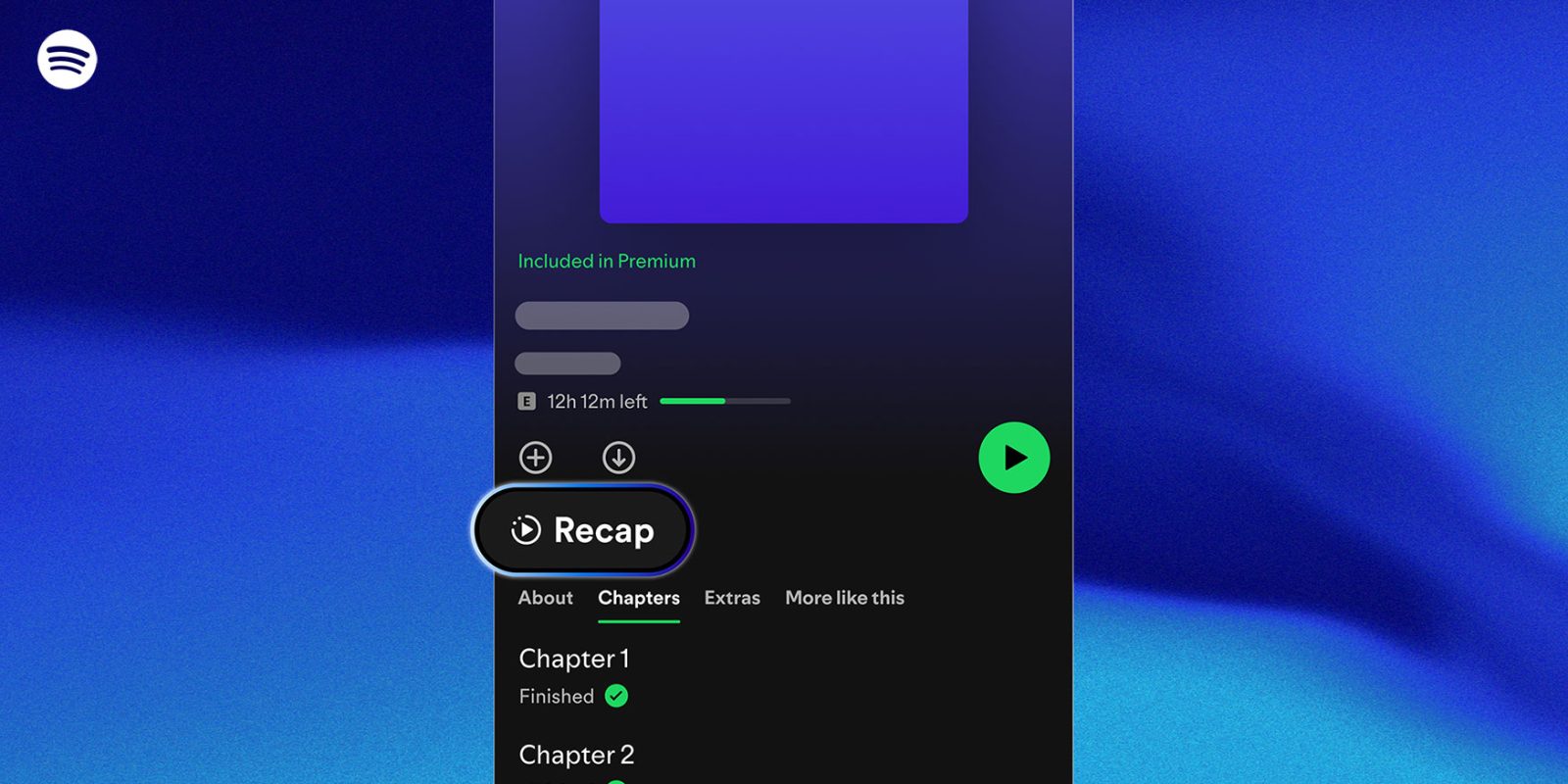
Starting today, on the Spotify app for iOS, a limited selection of audiobooks in English will offer a feature called Recap, which provides a short AI-powered summary of the story up to the user’s most recent listening point.
Here’s Spotify on the new feature:
Recaps only cover the portion of the book you’ve already heard. Much like a “previously on” feature for TV, Recaps help you easily reengage with a story without needing to relisten. Designed to reduce friction and keep you immersed, Recaps are part of our ongoing effort to make audiobook listening more seamless, intuitive, and listener friendly.
Spotify says that Recaps was built in collaboration with their publishing partners, and that it is a part of the platform’s “ongoing effort to make audiobook listening more seamless, intuitive, and listener friendly.”
Where available, the Recap button will appear right above the audiobook’s Chapters list, once the user has listened to at least the first 15-20 minutes of the book. Spotify says that “after that, they’re regularly updated to match your progress, helping you rejoin a story without spoilers or full book summaries.“
Spotify also says that the contents of the audiobooks will not be used for LLM training, and that the new feature is not intended to replace actually listening to the book.
Expanded Shuffle controls
Spotify also announced a new shuffle option for Premium users that changes how often songs are repeated while a playlist is shuffled.
The new feature, called “Fewer Repeats,” makes it less likely for recently played songs to repeat. Premium users can still switch back to “Standard” shuffle if they prefer the older, more random behavior.
Here’s how to adjust the Shuffle settings, per Spotify’s description:
Premium users’ Shuffle will be set to Fewer Repeats, but if you’d like to switch back to Standard Shuffle, you can follow these steps:
- Go to your Spotify Settings.
- Select Playback.
- Choose your preferred Shuffle mode: Fewer Repeats or Standard.
Spotify stresses that more randomness can mean hearing the same tracks more often, so users who wish to avoid this should stick with the “Fewer Repeats” default.
You can follow this link to learn more about the new Shuffle controls, and this link for more information on the new Recaps feature.
Accessory deals on Amazon
- Apple AirTag 4 Pack
- Beats USB-C to USB-C Woven Short Cable
- Logitech MX Master 4
- AirPods Pro 3
- Wireless CarPlay adapter
- iPhone Air Ultraslim Magsafe Power Bank


FTC: We use income earning auto affiliate links. More.



Comments