
macOS Tahoe introduced multiple productivity and continuity features. But after two months, only a few have actually stuck in my workflow.
I’ll admit, the premise of this story is a bit misleading, as I’ve been using macOS Tahoe since the second developer beta came out in late June.
But in a sense, it reinforces the fact that while macOS Tahoe brings multiple great features, not all of them are going to click for everyone. And that is perfectly ok.
Here are the new features I actually adopted in my workflow.
Live Activities mirroring
I feel like I rediscover this feature every single time I order some food, and it is always delightful. While I never had iPhone Live Activity mirroring on my wishlist, this has become my most frequent reminder that Apple actually updated macOS this year.
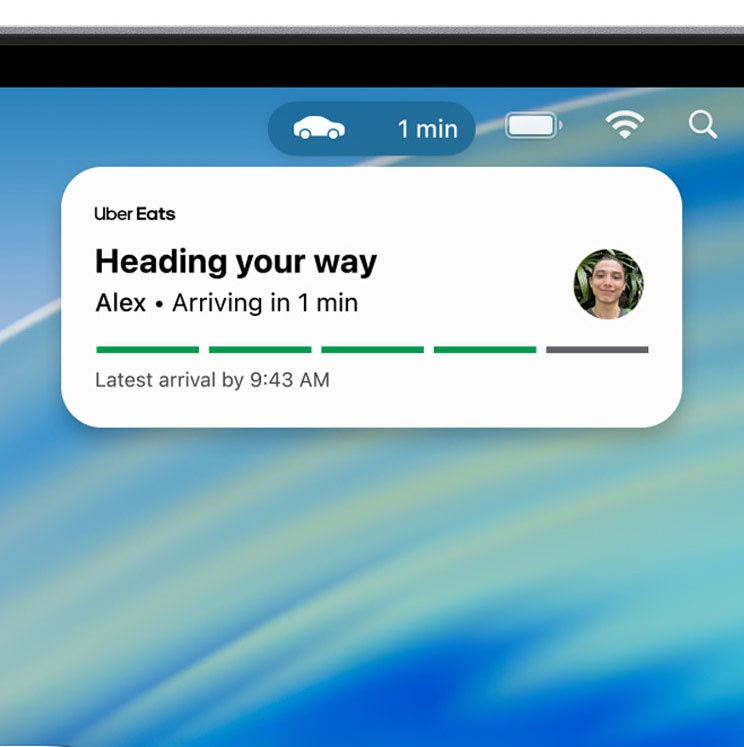
As someone who uses Bartender to hide absolutely every single menu bar icon, except for the date, time, and the excellent Timery counter, it would have been very easy for me to reflexively deactivate this feature, or hide it under the new ellipses button on Bartender 6.
But I’m glad I didn’t. The feature shows up when it has to, it reliably disappears on cue, and the fact that you can click on it to jump right inside the app through iPhone Mirroring is just Apple at its best.
Desktop widgets
As someone who lives in Brazil, works with embargoes and deadlines mostly in Pacific Time, coordinates with 9to5Mac’s internal schedule mostly in Eastern Time, has a brother who lives in Mexico City, and collaborates daily on a couple of projects with someone from Barcelona, the World Clock desktop widget has become one of my most faithful allies.
On top of that, another part of my daily workflow involves managing almost a dozen podcasts with varying recording, editing, and publishing schedules. So, the List Calendar widget has also become a permanent resident on my previously gloriously clean desktop.
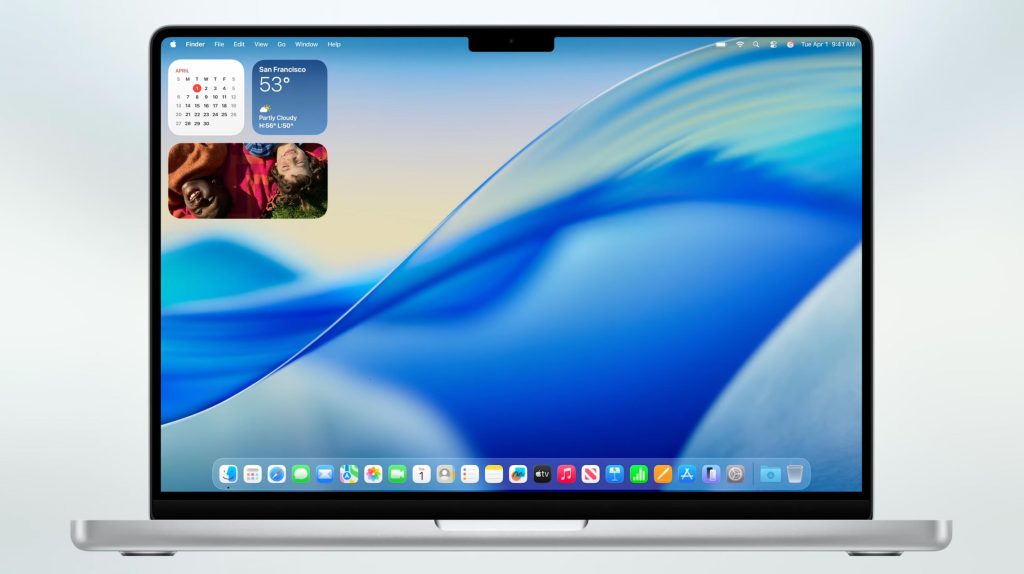
Both widgets are just a swipe or a “Show Desktop” trackpad gesture away, and they’ve become such an integral part of my workflow that I often catch myself putting my iPhone down and instinctively swiping on my Mac instead.
I’ve always resisted features that add clutter or increase the cognitive load of the interfaces I stare at for hours each day. But these two desktop widgets were surprisingly easy to weave into my workflow. In fact, I now find myself browsing the Widgets gallery from time to time, wondering if there’s anything else worth adding, only to realize for the umpteenth time that these two are really all I need.
Honorable mentions
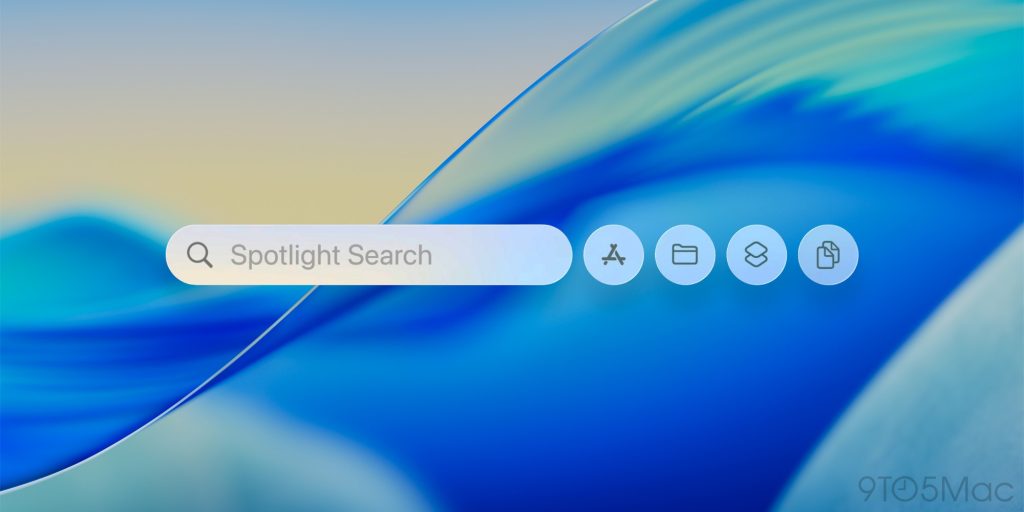
- Spotlight: I find it absolutely fantastic that Apple added clipboard history, keyboard shortcuts, and automations right to Spotlight. But as a decades-long user of Keyboard Maestro and TextExpander, I’m set. Which doesn’t mean that the native features are bad. If you’ve never explored clipboard managers or shortcut-based automation triggers, I highly recommend giving them a try. And the new Spotlight is as good a place to start as any.
- Control Center: Given my previously mentioned Bartender inclinations, it’s easy to see why the possibility of adding Control Center items directly to the menu bar had little appeal to me. But this is a genuinely useful feature. In fact, the very addition of Control Center to the menu bar was one of the loudest “Finally!” I’ve ever blurted out at a WWDC, even knowing full well that I was probably not going to use it as much.
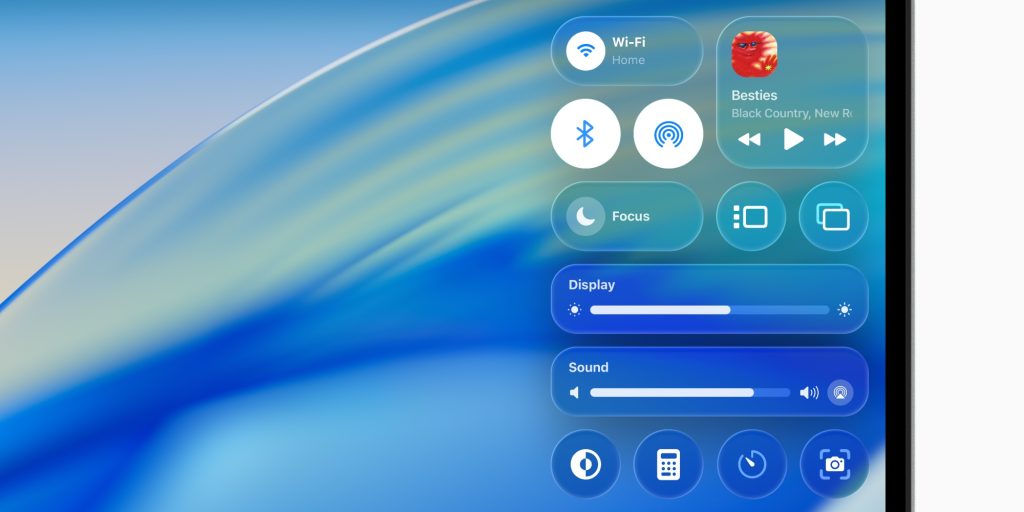
- Liquid Glass: To be honest, I loved the Liquid Glass overhaul from day one, and didn’t seem to suffer as much with most low-visibility cases as some users (some of whom had genuine accessibility issues with it). But even during the first betas, Liquid Glass was very muted on macOS, compared to iOS. As someone who permanently uses macOS in Dark Mode, I can hardly tell the difference between the new Clear and Tinted settings. The truth is that on macOS, Liquid Glass is barely a thing, despite Apple’s best attempts to give it a fresh look. A for effort.
What are your most used macOS Tahoe features? Let us know in the comments.
Accessory deals on Amazon
- Apple AirTag 4 Pack
- Beats USB-C to USB-C Woven Short Cable
- Logitech MX Master 4
- AirPods Pro 3
- Wireless CarPlay adapter
- iPhone Air Ultraslim Magsafe Power Bank


FTC: We use income earning auto affiliate links. More.



Comments