
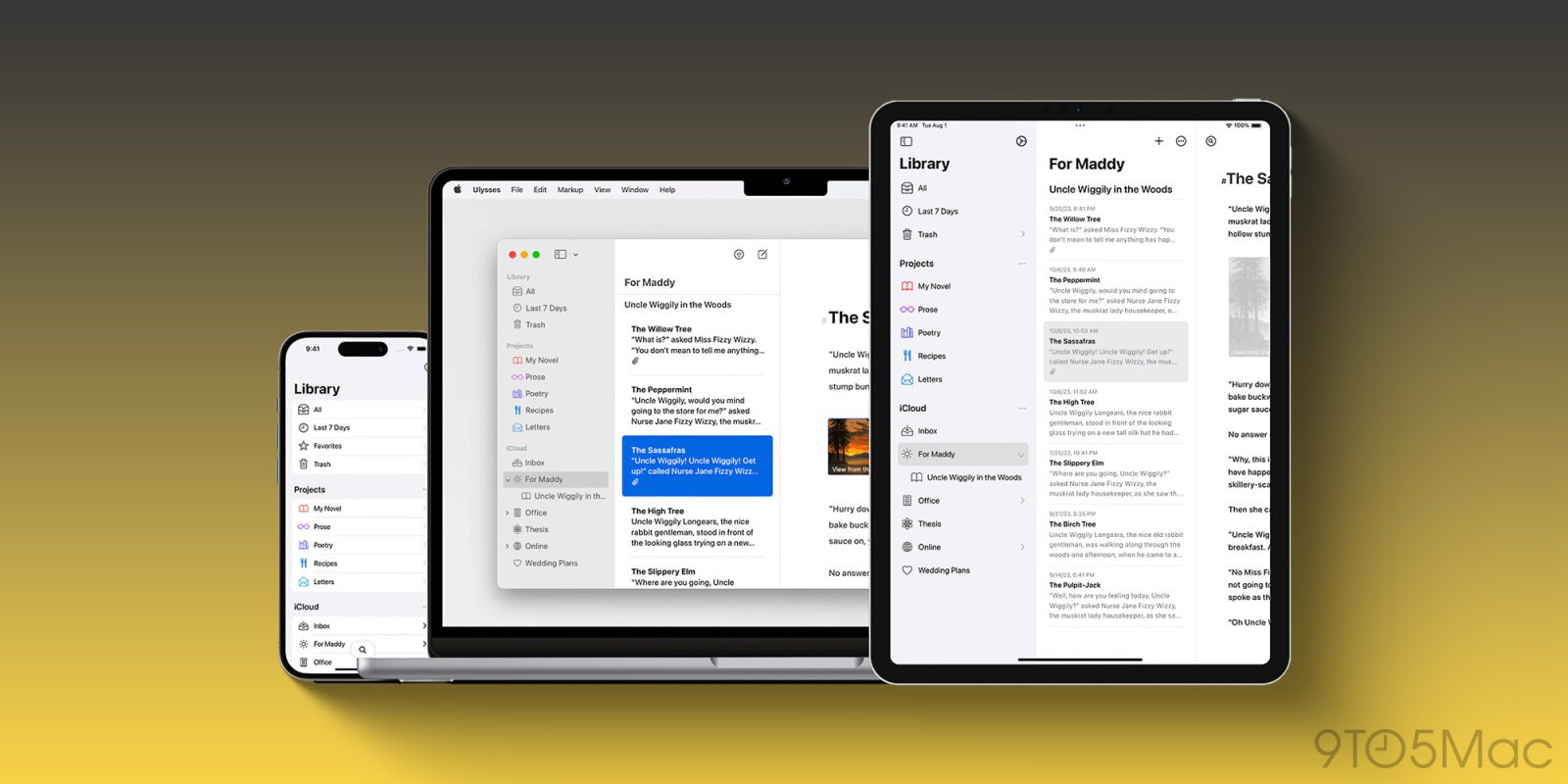
A new update rolling out today adds a fresh Liquid Glass design to the popular writing app Ulysses. The update “fully embraces” Liquid Glass, with optimizations across the Mac, iPhone, and iPad.
“This is a massive update,” the Ulysses team says. “It’s still the same app, just better and even more beautiful than before.”
Here are the highlights of the new Liquid Glass design for Ulysses:
- This version fully embraces Liquid Glass. We updated the app across the board, including but not limited to:
- The library, dashboard, Quick Open, toolbars, buttons, popovers for images, links, annotations, etc. etc.
- You can finally resize the dashboard (Mac and iPad).
- You can finally have sheet list AND dashboard open (iPad).
- The editor now has a large bottom inset (aka Overscroll), so the transitions from reading to editing and back are much smoother, especially when using the onscreen keyboard.
- You can now create new sheets from the Library (iPhone); these will either end up in your main Inbox or in “Project › Extras › Pending”.
- The iPhone on-screen keyboard gained a very prominent close button.
- We even updated the app icon to match the new look.
Today’s Ulysses update extends far beyond the new Liquid Glass design, though. There are multiple navigation improvements, new swipe gestures, rearranged menus, and more. There’s also all-new integration with Spotlight and Shortcuts for easier automations and quicker access to key Ulysses features.
You can view the full release notes for today’s Ulysses update on the company’s website. The app is available on the App Store or via Setapp. Setapp offers dozens of popular iPhone, iPad, and Mac app for one subscription starting at $14.99/month.
My favorite iPhone accessories:
- Anker Nano USB-C wall charger with built-in screen
- CardPointers: Maximize credit card rewards (exclusively save 30%)
- Charge all your Apple gear at the same time
- Bring wireless CarPlay to any car
- USB-C cable that shows how fast you’re charging
Follow Chance: Threads, Bluesky, Instagram, and Mastodon.


FTC: We use income earning auto affiliate links. More.


Comments