
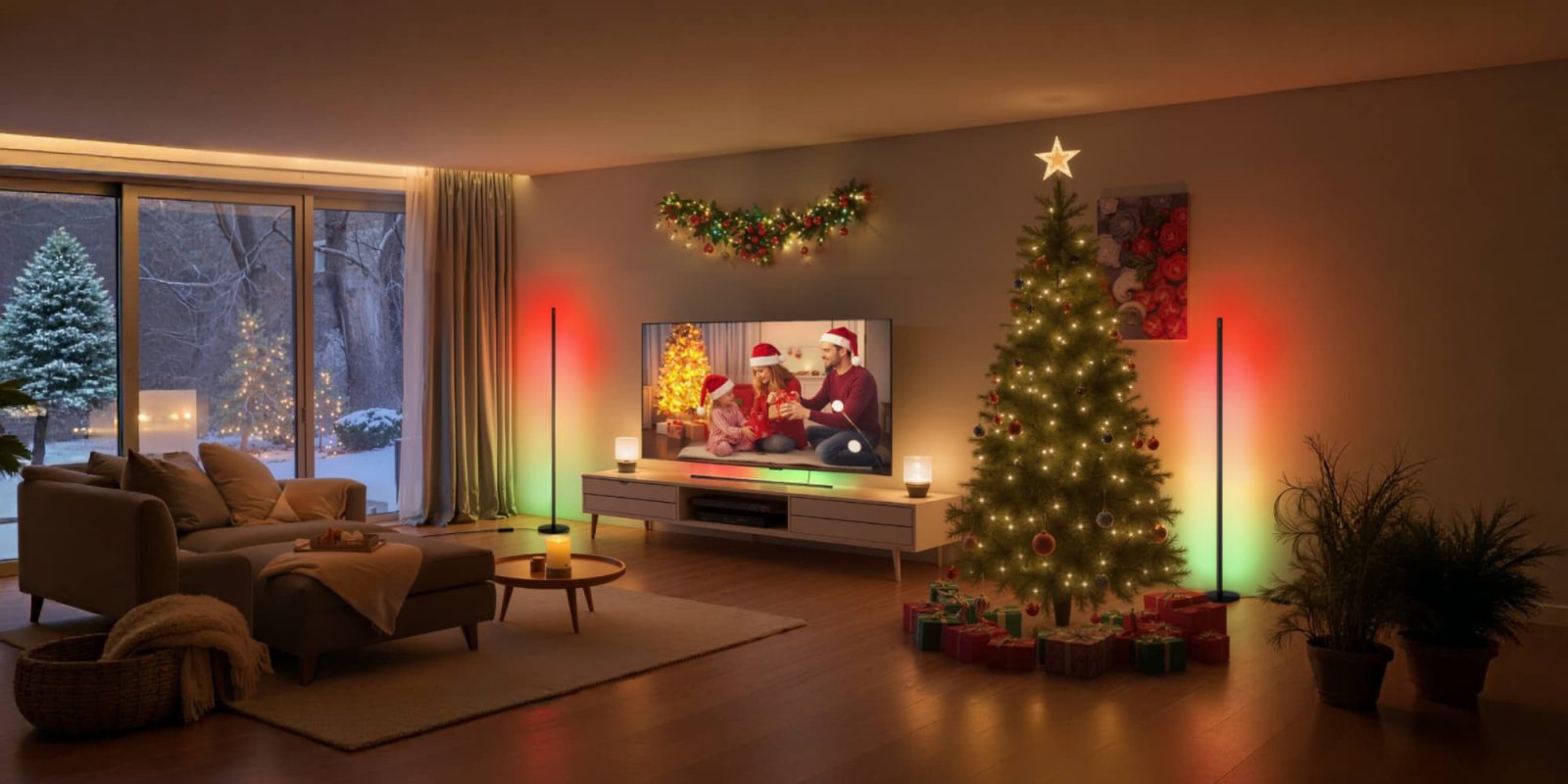
As I reported a few weeks ago, SwitchBot keeps expanding its lineup of Matter-enabled devices, and this week I’ve been using the new SwitchBot Smart RGBICWW Floor Lamp. If you want a smart lamp that’s bright enough for daily use but flexible enough to create ambiance, this one has worked great thus far. It connects directly to HomeKit through Matter, eliminating the need for a hub outside of a HomeKit hub. It can produce up to 1200 lumens of light and supports warm white, cool white, and full-color modes.
HomeKit Weekly is a series focused on smart home accessories, automation tips and tricks, and everything to do with Apple’s smart home framework.
Building and setup
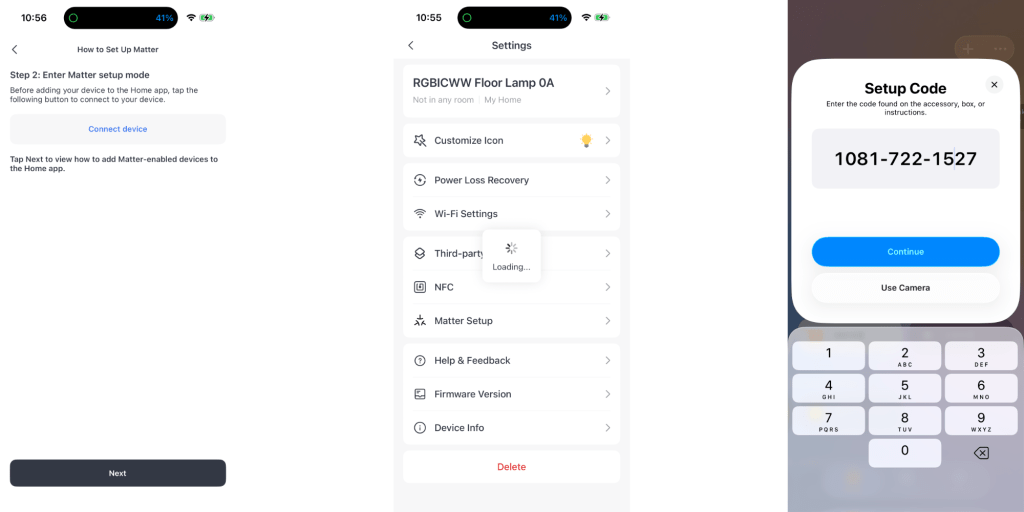
Setting up the SwitchBot Smart Floor Lamp is about as easy as it gets if you can use a screwdriver. From start to finish, you’ll spend maybe 15 minutes building it, and everything you need is included in the box.The base feels sturdy, and the light segments click together with a satisfying fit. In a way, I was shocked out the light segments fit like a glove. I expected it to be much more flimsy. Once it’s built, plug it in and open the SwitchBot app to add it to your account. Despite the Matter number code being on the lamp itself, you still need to do this step.
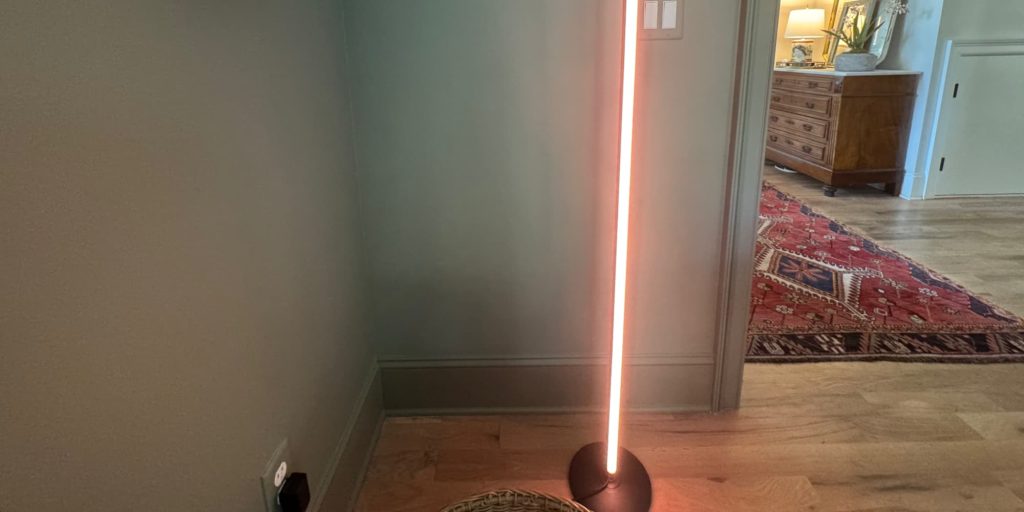
After it’s in the SwitchBot app, you’ll see an option to bridge the SwitchBot Smart RGBICWW floor lamp to Matter in the lamp’s settings. The whole migration/onboarding process only takes a few minutes. Once it shows up in the Home app, you can start customizing it like any other HomeKit light by adding it to scenes, setting automations for sunrise or sunset, or adjusting the color and brightness. It does lack adaptive lighting, which would have been a welcome addition here.
More on how it works with HomeKit
Once the SwitchBot Smart RGBICWW floor lamp is added to HomeKit, the SwitchBot Smart Floor Lamp works just like any other light in the Home app. You can adjust brightness, change color, or fine-tune the temperature. It’s a very modern-looking lamp that’ll dictate where you use it in your home. It’ll work great in a media room, kid’s room, etc. You can also build automations so it turns on at sunset or slowly dims at bedtime. It has a ton of potential color options as well.
To be honest, It is hard not to appreciate how effortless lighting automation has become. I think back to the old school plug in timers for lamps that you had to adjust constantly, and it makes me realize how far we have come. With HomeKit, setting up a lamp like this is one of the few things in technology that truly feels like set it and forget it. Once it is in a scene or automation, it just works every single time with no extra effort, no troubleshooting, and no thinking about it again.
Key specs
- Matter over Wi-Fi support for direct HomeKit, Amazon Alexa, and Google Home control
- 16 million colors with RGBICWW lighting and independent warm and cool white tones
- 1200 lumen brightness with 2700K to 6500K color temperature range
- Vertical or horizontal placement options for flexible room setups
- Music sync mode that reacts to sound
- Segmented color zones and customizable dynamic effects
- Built in wired on/off switch and full app-based configuration
- No SwitchBot hub required for HomeKit or Matter setup
Wrap up on the SwitchBot Smart RGBICWW floor lamp
The SwitchBot Smart RGBICWW Floor Lamp is one of those products that just works exactly how you want it to. The music sync feature is a nice touch, whether you’re watching a movie or playing music while hosting friends. What I really like, though, is how flexible the design is. You can stand it upright in a corner to add color to a room or mount it horizontally behind a TV or desk for a clean, modern look. It’s bright, easy to automate with HomeKit, and fits right into my growing SwitchBot ecosystem at home. For the price, it’s a solid addition to any smart home setup.
You can buy the new SwitchBot Smart RGBICWW Floor Lamp from Amazon.


FTC: We use income earning auto affiliate links. More.



Comments