
9to5Mac Security Bite is exclusively brought to you by Mosyle, the only Apple Unified Platform. Making Apple devices work-ready and enterprise-safe is all we do. Our unique integrated approach to management and security combines state-of-the-art Apple-specific security solutions for fully automated Hardening & Compliance, Next Generation EDR, AI-powered Zero Trust, and exclusive Privilege Management with the most powerful and modern Apple MDM on the market. The result is a totally automated Apple Unified Platform currently trusted by over 45,000 organizations to make millions of Apple devices work-ready with no effort and at an affordable cost. Request your EXTENDED TRIAL today and understand why Mosyle is everything you need to work with Apple.
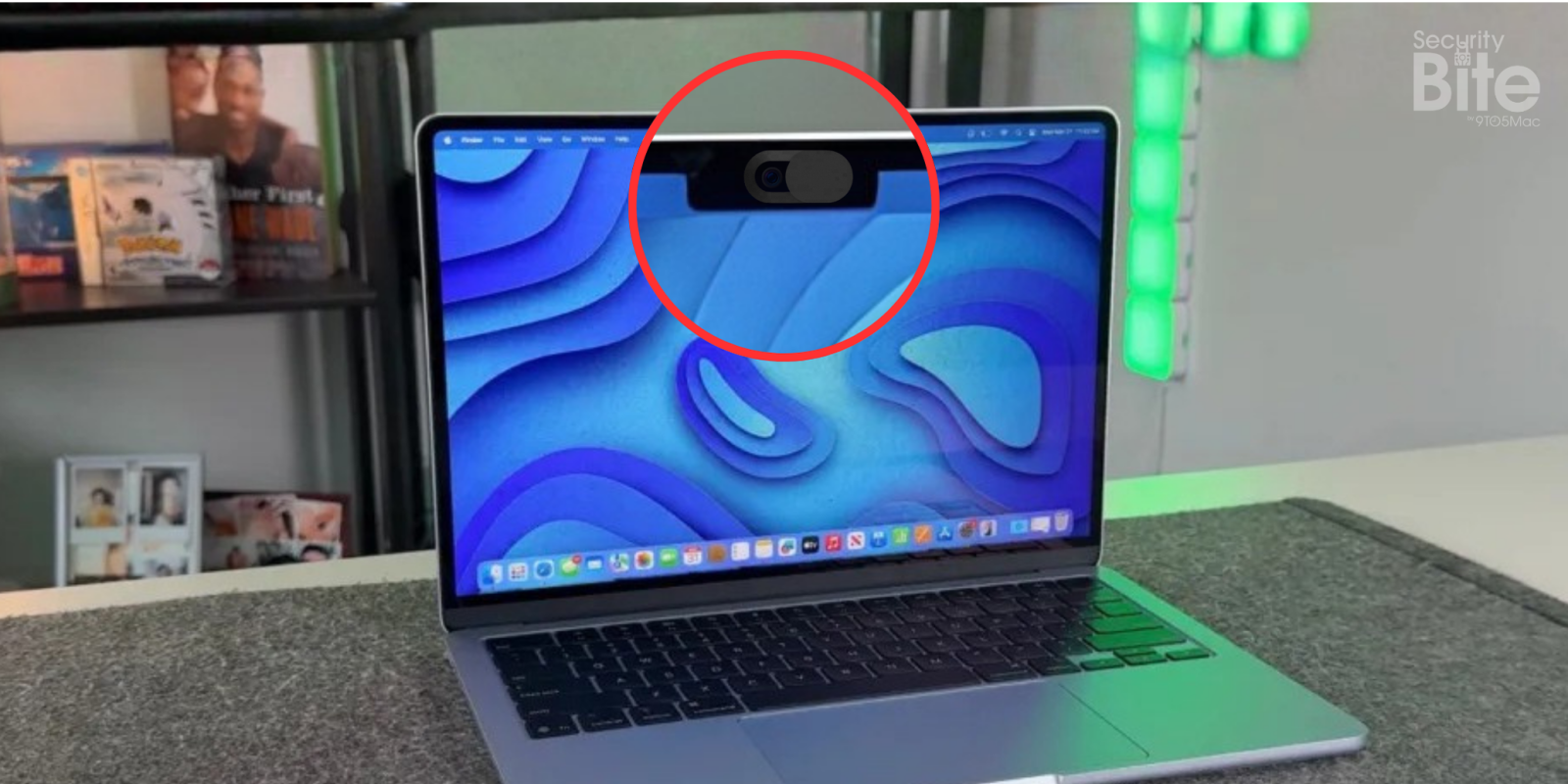
Plastic webcam covers—especially of the sliding kind—boomed in popularity sometime in the 2010s as a low-tech way to keep hackers from eavesdropping on compromised machines. The concern felt justified at the time. But by 2020, Apple was beginning to issue warnings that those covers aren’t actually needed and can even damage a MacBook’s display.
For this Security Bite, let’s set the tin-foil hats aside and talk about why webcam covers don’t meaningfully improve privacy, can cause features like True Tone to not work properly, and are far more likely to damage your screen than stop someone from spying on you.

Green light indicator myth
On more modern Macs—those with Apple Silicon and Intel (post-2008)—a malicious hacker can’t turn on your webcam without also triggering the green privacy indicator. The camera module hardware doesn’t allow it.
Macs produced before 2008 are a different story, though. Security researchers at Johns Hopkins published a 2013 paper showing that Macs released prior to 2008 could, under certain advanced attacks, be coerced into powering the camera without the green LED indicator. It makes sense considering back then, Apple tied the camera sensor and indicator together with software.
However, this changed in late 2008, when Apple redesigned the camera module so the sensor and the green light share the same physical circuit. This way, the camera couldn’t receive power unless the LED did too. Fast-forward to today, and there’s still no known malware capable of bypassing that hardware design, likely because there’s no software to compromise anymore.
There’s also a neat tool called OverSight, created by Apple security researcher Patrick Wardle of Objective-See, that alerts you whenever the webcam is active. This is useful as some macOS malware will even wait until you’re away from your Mac before trying to activate the camera, so tools like this help expose that behavior.
Paper-thin screen clearance
Apart from the danger to privacy, there’s also a danger of seriously cracking your MacBook’s screen.
Apple explicitly warns against closing a MacBook (Air or Pro) with anything thicker than 0.1 mm—basically a sheet of paper—between the display and the chassis. Today’s Retina panels are super thin and sit on extremely tight hinge tolerances. When you stick a cover over the camera and close the lid, you’re applying pressure to a concentrated spot on one of the most fragile parts of the screen.
Top comment by LeonardoM
Closing the lid of MacBooks with time will cause the screen to get scratched where the keyboard keys are, ruining the entire middle part of the display.
Since I made that realization, I put a glasses' lens cleaner cloth over the keyboard before closing the lid, ESPECIALLY if I need to take the laptop out with me.
Never had a scratch since.
I wouldn’t dream of putting one on my M4 MacBook Air daily driver, which already shows ghostly marks where the display presses against the keyboard in my backpack.
In short, these accessories are doing significantly more harm to your hardware than good for your privacy.
Security Bite is 9to5Mac’s weekly deep dive into the world of Apple security. Each week, Arin Waichulis unpacks new threats, privacy concerns, vulnerabilities, and more, shaping an ecosystem of over 2 billion devices.
Have another Security Bite
- Does ‘Ask App Not to Track’ actually work?
- Beware sketchy ChatGPT-clones slipping back into App Store charts
- So, what happened to cross-platform E2EE for RCS messaging?
- Apple quietly shipped one of its most practical security features yet
Follow Arin: Twitter/X, LinkedIn, Threads


FTC: We use income earning auto affiliate links. More.




Comments