
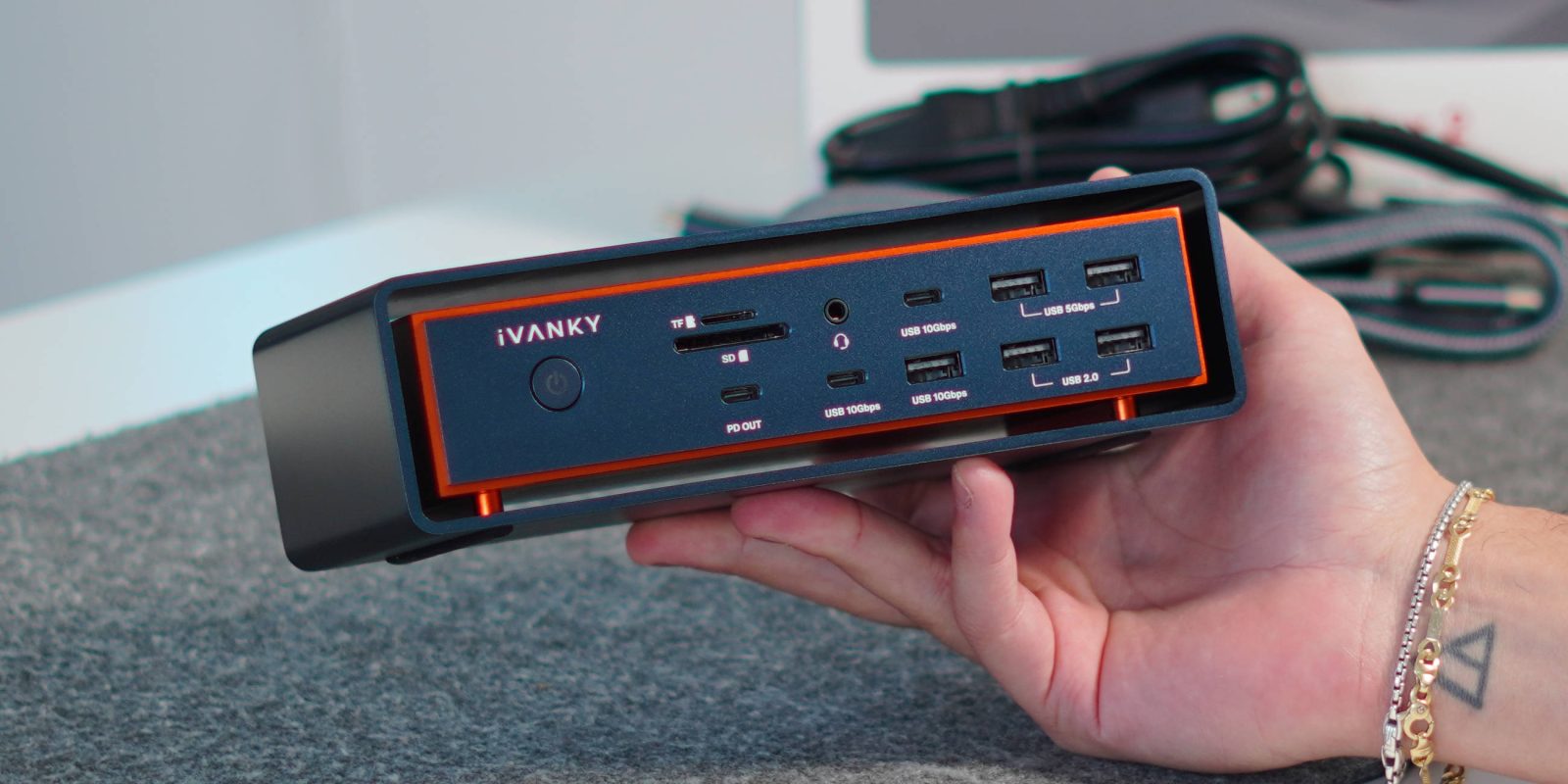
I’ve tested a lot of docks over the years, from small compact on-the-go hubs that I use alongside my iPad to the full desktop-class docks that claim to be able to handle everything you throw at them. But the iVANKY FusionDock Max 2 is the first one that actually delivers on that promise. This dock has been purpose-built for Apple Silicon, bringing true Thunderbolt 5 performance with triple display support and 23 professional-grade ports, all wrapped in a sleek and unique design.
Be sure to watch our hands-on video below:
Specs & what’s in the box
The FusionDock Max 2 is iVANKY’s most capable dock to date, featuring Thunderbolt 5 technology that delivers up to 120 Gbps of total bandwidth.. That’s enough to drive multiple high-resolution displays while maintaining stable data and power throughput across all connected devices. Here are some of the key specs:
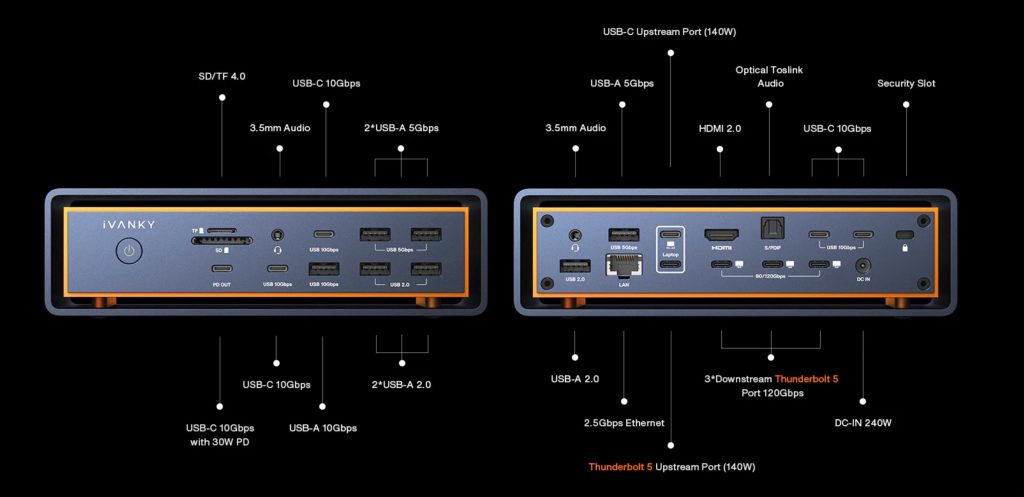
- Triple-display support via Thunderbolt 5 and DisplayPort Alt-mode
- 23-in-1 I/O with pro-grade connectivity options
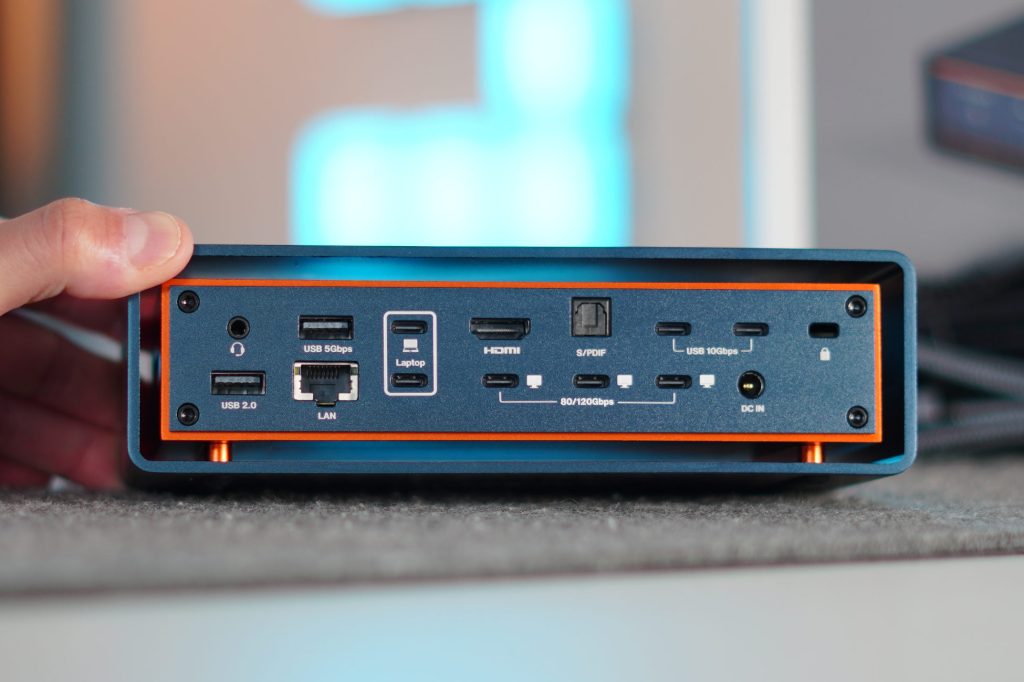
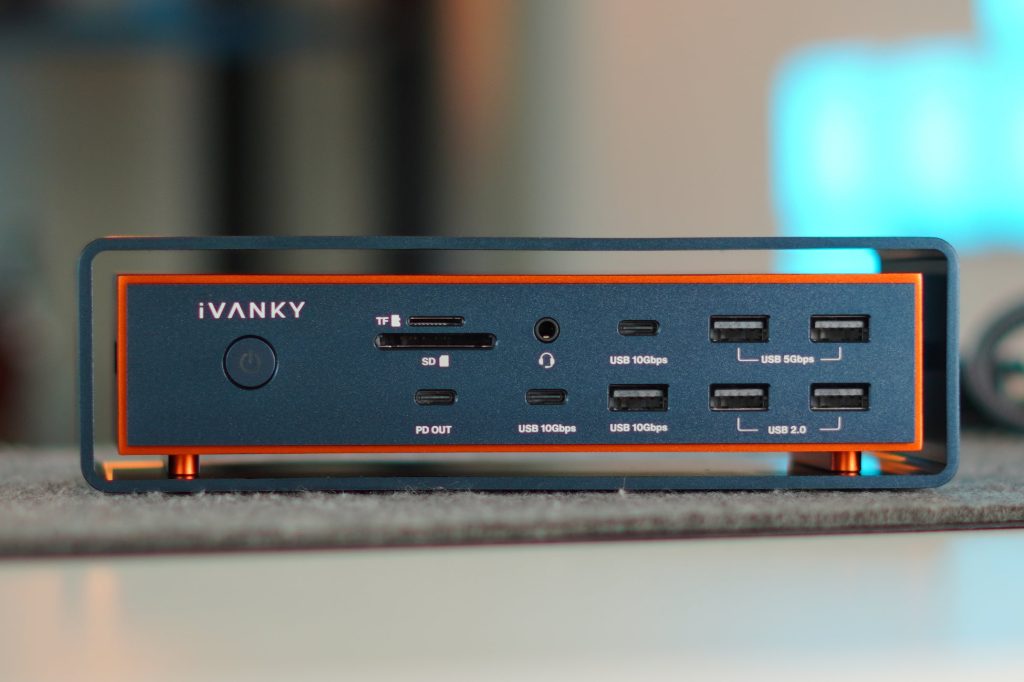
- Thunderbolt 5 (140 W upstream), 3 × Thunderbolt 5 (120 Gbps downstream), HDMI 2.0, 2.5 Gb Ethernet, optical audio, 3.5 mm audio in/out, SD and microSD 4.0 slots, USB-C (10 Gbps + 30 W PD), 2 × USB-C (10 Gbps), 2 × USB-A (5 Gbps), 2 × USB-A (2.0), USB-A (10 Gbps)
- 140 W host charging for MacBook Pro
- 30 W PD output for peripherals
- 2.5 Gb Ethernet, optical audio, dual SD 4.0 slots
- Floating chassis design for improved airflow
- Built-in fan for active thermal management
- Native macOS support, no drivers required!
Then, in the box, you get everything you need to get started. You get the dock itself, a Thunderbolt 5 cable, an HDMI cable, a dual USB-C cable, the power adapter, and all the paperwork.
What sets it apart
As I mentioned earlier, there is an abundance of different docks to choose from at every price point. Thunderbolt 5 docks are on that upper tier of power, performance as well as price. But what sets iVANKY’s FusionDock Max 2 from the competition? There are three major differentiators.
1. Built exclusively for Mac
Unlike many universal docks, the FusionDock Max 2 is designed specifically for Apple Silicon MacBooks. It’s not compatible with PCs or Intel-based Macs, and that’s intentional — by focusing on Apple’s architecture, iVANKY optimized performance, compatibility, and power delivery for M-series chips. The result is a plug-and-play experience that integrates seamlessly with macOS, supporting native triple-display output without additional drivers or workarounds. Here are a few graphics that showcase the compatibility and what each generation of Mac can do alongside the new Max 2 dock.
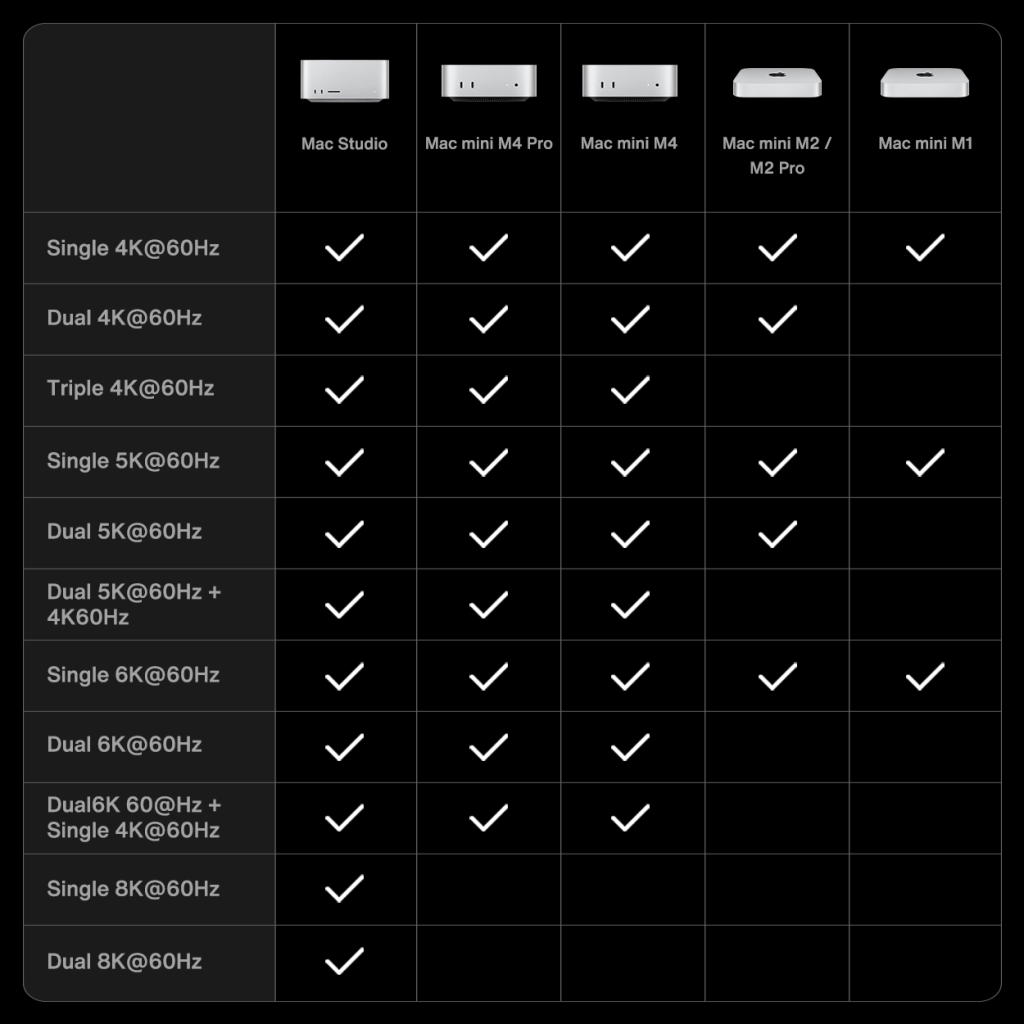
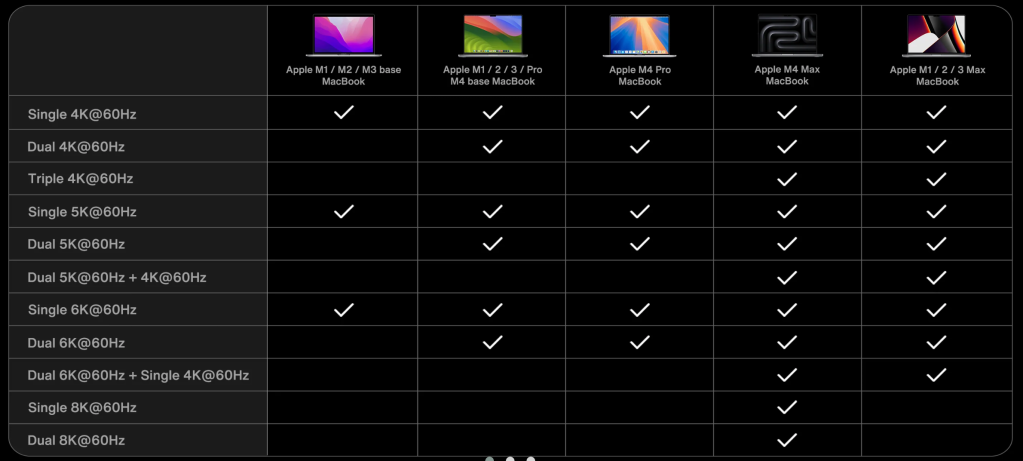
2. Triple-display support
This is the first MacBook dock for Thunderbolt 5 that brings real triple-display support out of the box. With its innovative dual-chip architecture and impressive 120 Gbps bandwidth, people can finally expand their workflow across multiple external monitors. You can be editing on one, previewing on another, and managing tools or timelines on a third. Even on something like the $499 Mac mini, you can get triple 4K displays running with no issues.


3. Cooling & design
One of the things that first strikes you is the design. It has this floating chassis style that makes the dock feel like it’s magnetically suspended in this metal box. I think it looks fantastic. But it is not just for show; there is a reason it was designed this way. It was made for cooling and fan ventilation. So the floating design, in combination with the built-in fan, keeps this Thunderbolt 5 dock cool to the touch, even with extreme loads. I have almost every port being used up, and I have my dual-monitor setup, which is completely fine. Most of the docks would start to throttle down and get warm!
Pricing & availability
The iVANKY FusionDock Max 2 is available on iVANKY’s website and on Amazon. It retails for $399, which, for a Thunderbolt 5 dock with this much capability, is a fantastic value. You can also get 10% at checkout by using the code 10SALE925, bringing the price to $359.
So if you are in the market for a high-quality and capable Thunderbolt 5 dock for your Mac, then this Dock is worth a look.
Deals and accessories
- Apple Pencil Pro
- Airpods Pro 3 & Pro 2
- Magstack Magnetic Cable
- Satechi 67W Dual USB-C
- ESR Folio Case


FTC: We use income earning auto affiliate links. More.


Comments