
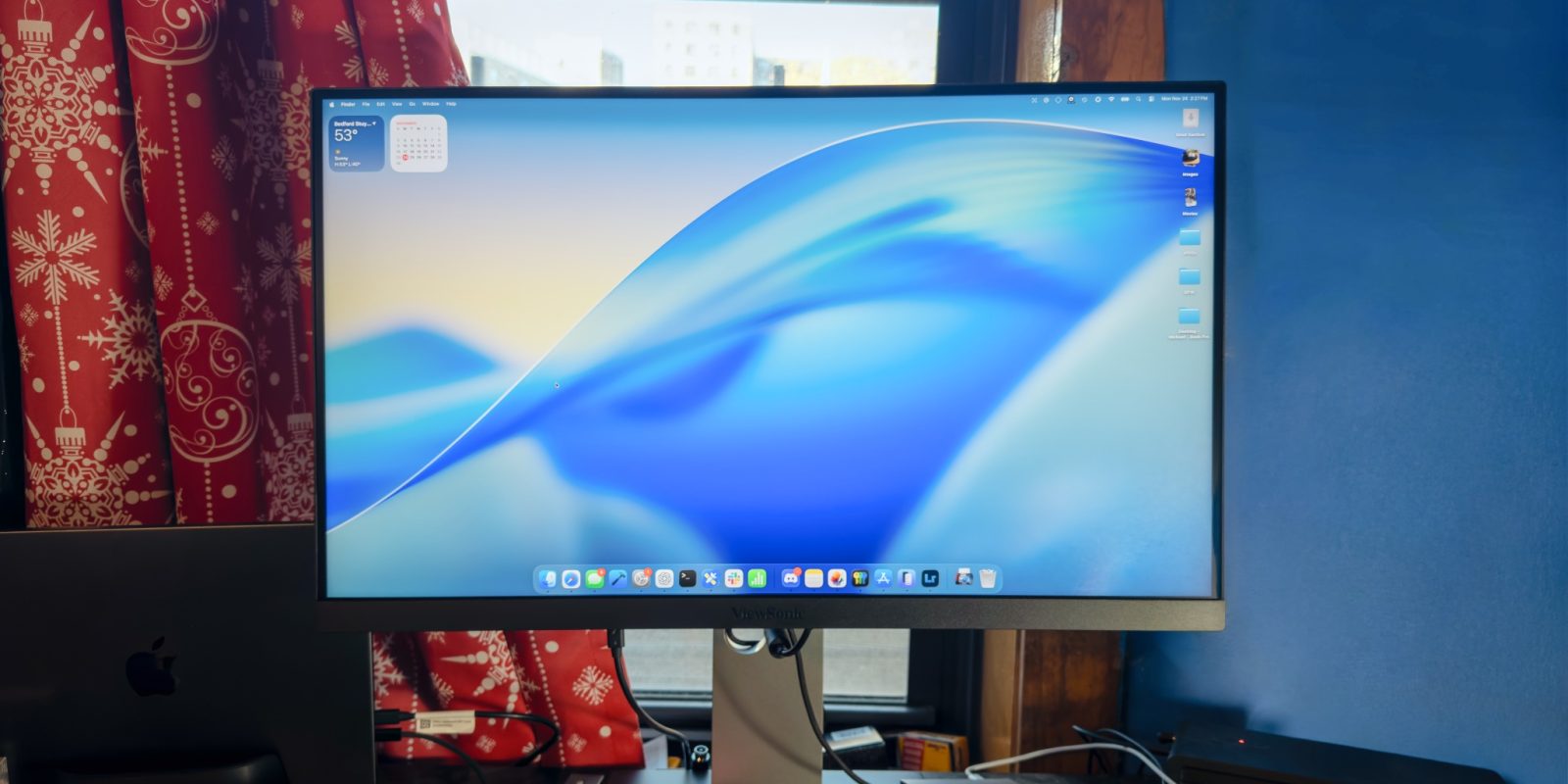
If you’re a Mac user looking for a solid external display that pairs nicely with your MacBook’s crisp retina display, you’ll know that finding one can be a challenge. Apple offers its Studio Display with a 27″ 5K retina display, but that costs $1599 just for the cheapest version with a basic stand. If you want a more versatile stand, the Studio Display will cost you $1999.
Luckily, a number of 27″ 5K monitors have been launching lately, many of which have been at more affordable price points than Apple’s Studio Display, while offering an incredibly comparable experience. One of them is the ViewSonic VP2788-5K, which I’ll be reviewing here today.
Why 27″ 5K matters
Ultimately, the reason why you’d want a 27″ 5K display is because you want pixel-perfect display scaling on macOS. For Retina scaling, you’ll want around 220 pixels per inch – which in layman’s terms means you’ll want either a 21.5″ display at 4K, or a 27″ display at 5K. Apple’s 24″ iMac also achieves 220 pixels per inch with its special 4.5K resolution display.
macOS is rather finicky with display scaling, and when you decide to break the formula (as is often the case with 27″ 4K displays, for instance), you can notice imperfect sharpness, blurry text, and more. Ultimately, I’d rather have a 27″ 4K display than a 27″ 1440p display, but that’s the case for why you’d want your external display to support proper Retina scaling.
Highlights
The main advantage to this ViewSonic monitor is the fact that it costs $949. That undercuts Apple’s Studio Display by over 40%, and over 50% when compared to the version of the Studio Display with the height adjustable stand.
Granted, that cost difference doesn’t come without disadvantages. The ViewSonic 5K monitor certainly lacks in build quality, with the build being mostly plastic with just a teeny bit of aluminum in the stand, compared to an all-aluminum enclosure on the Studio Display.
Outside of that though, the ViewSonic monitor offers an excellent display panel. As stated, it’s 27” at 5120×2880, offers 500 nits of brightness, 99% DCI-P3 coverage, supports HDR400, and it’s an IPS panel.
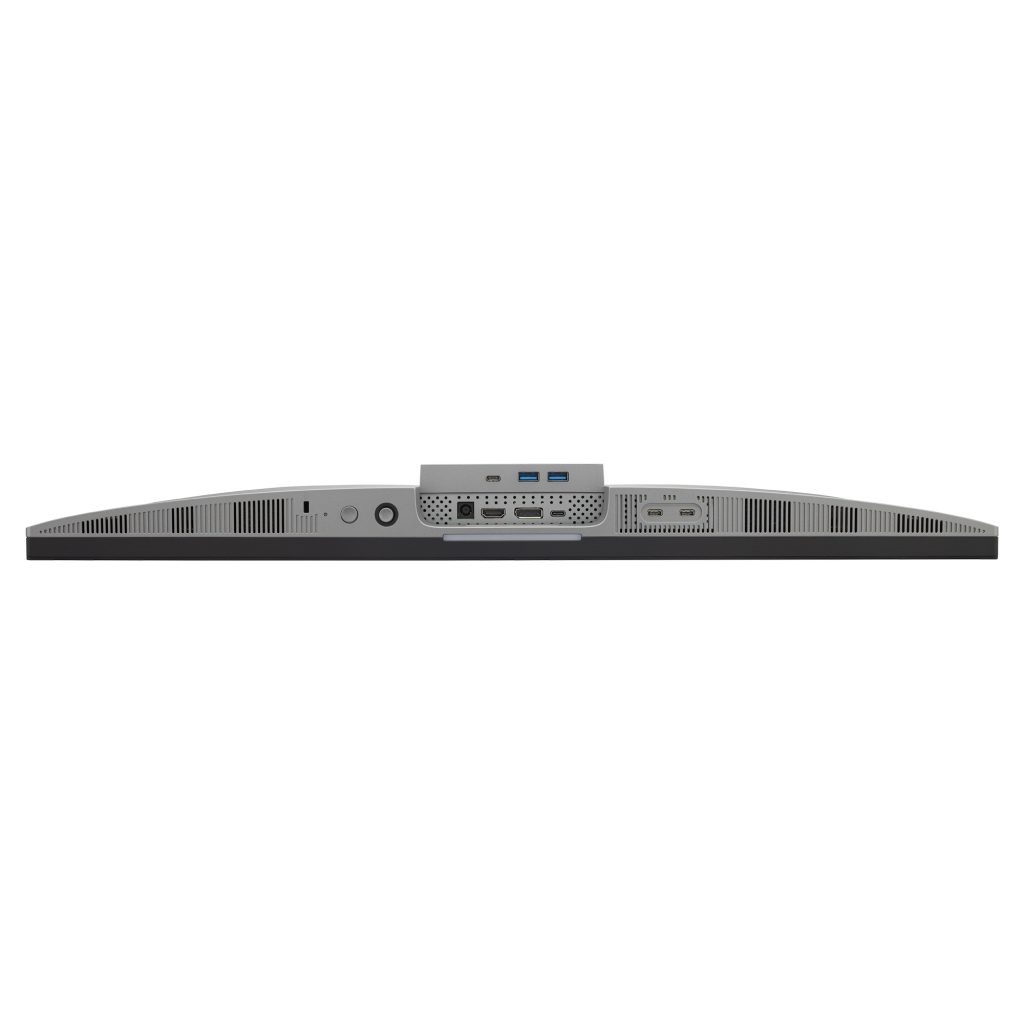
It also supports something that’s a dream for MacBook users: a one cable setup. Yep, with just one Thunderbolt cable, you can power your MacBook, as well as carry all of the data for whatever peripherals you have plugged into the ViewSonic display’s USB hub. It offers two USB-C ports and two USB-A ports for accessory connectivity, and it also offers another HDMI and DisplayPort connector for plugging additional non-Thunderbolt devices into the display.


My impressions
Overall, I’m quite happy with the display panel – particularly because it still offers 500 nits of brightness. It’s quite common for more affordable displays (granted, this display isn’t cheap – but for a 5K resolution, it’s on the low end) to have subpar brightness. Many displays offer only 350 or 400 nits of brightness, which is fine, but it won’t wow you.
Luckily, this ViewSonic display doesn’t suffer in that department. Granted, Apple’s Studio Display is 600 nits, so it’s still lesser than Apple’s offering – but 500 is still plenty bright in my opinion, so long as you’re not dealing with harsh lighting.
On that note, the ViewSonic monitor also comes with a matte display coating, which can be a pro or con depending on how you view things. I don’t mind matte displays, but if you’re someone who’s opposed to them, that could be a thing of note.
Lastly, the stand is quite versatile – supporting tilt, swivel, pivot, and height adjust.
Wrap up
All in all, I’m impressed with the ViewSonic 5K display. It’s my first time testing out a 27” 5K display, but the display is quite up to par. For nearly half the cost of a comparable Studio Display, it feels like a no brainer. Colors are still great, brightness is excellent, and the bezels are rather thin. If you want to give a 27” 5K monitor a spin, the ViewSonic VP2788-5K is an excellent choice, all for under a thousand dollars.
You can currently purchase the ViewSonic VP2788-5K on Amazon for $949.99.
My favorite Apple accessory recommendations:
- Anker MagSafe/Qi2 Ultra-Slim Battery Pack
- AirPods Pro 3 (2x ANC vs AirPods Pro 2!)
- Anker Nano 45W Fast Charger with Smart Display
- Anker 3-in-1 Prime 25W MagSafe Charging Stand
- Logitech MX Master 4 Mouse for Mac
- Satechi OntheGo 7-in-1 USB-C hub
Follow Michael: X/Twitter, Bluesky, Instagram


FTC: We use income earning auto affiliate links. More.





Comments