
Welcome to Indie App Spotlight. This is a weekly 9to5Mac series where we showcase the latest apps in the indie app world. If you’re a developer and would like your app featured, get in contact.
iPhone cameras have come a long way over the years, but if you find yourself yearning for more of a classy, filmic look versus the computational photography of today, Kiosk 27 might be a fun fit for you.
Highlights
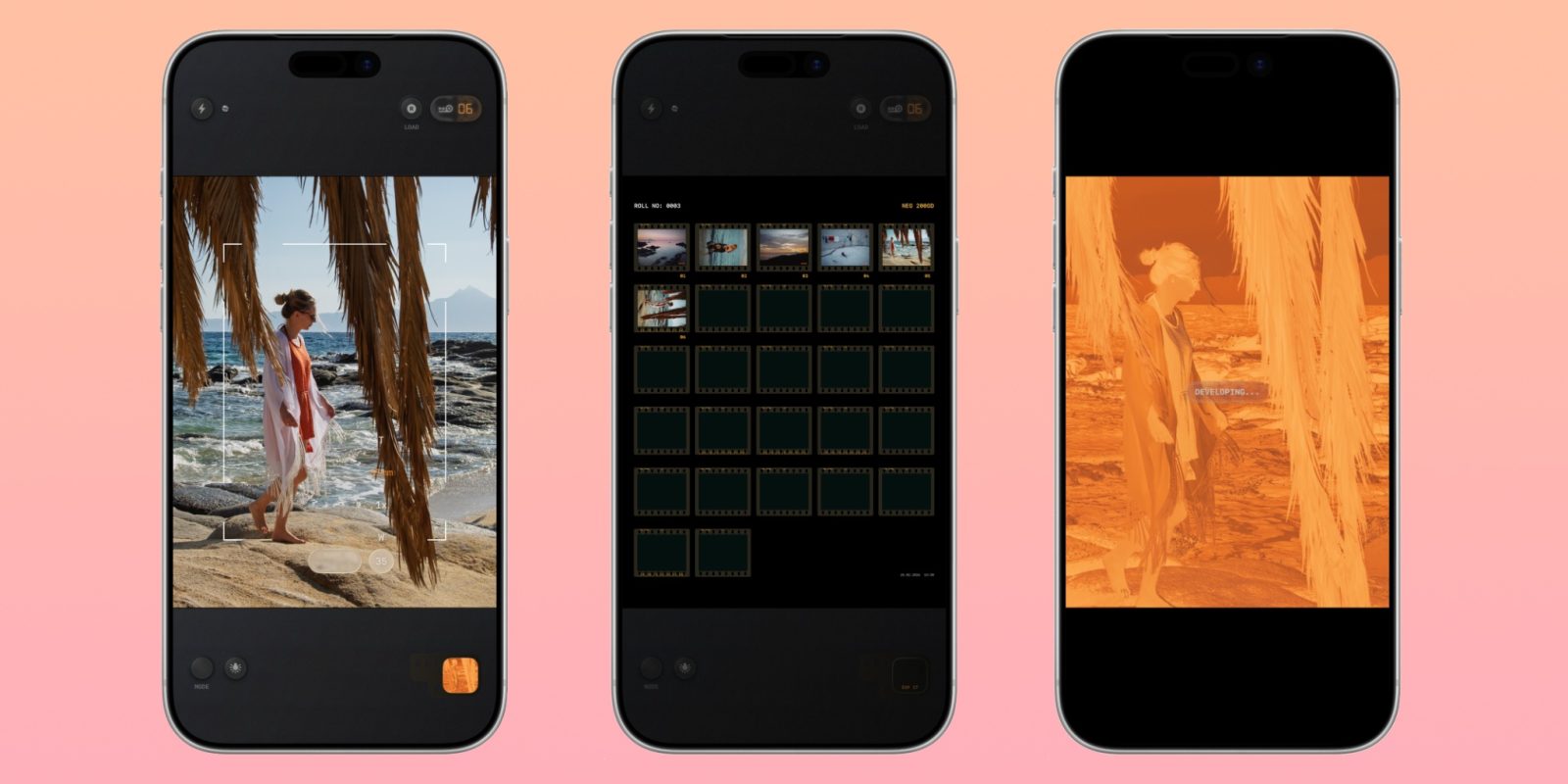
First and foremost, Kiosk 27 uses sensor-RAW processing. It isn’t just a filter slapped on top of your normal camera output. This gives it a very real feeling look. The developer has 20+ years of experience in analog photography, adding to the realism of it all.
It also offers all of the features you’d expect in a camera app, like a timer, flash, and focus lock. Above that, there’s some things to enhance the film experience, including a date stamp, mist effect, and the ability to adjust the look of your film – down to the grain and bloom.
Just as you would experience with film, the app shoots a negative photo first, then it renders into a positive on-device. Also like film, you have a limited film reel – with 27 shots. Obviously, its all still digital, so you can go beyond that, but its a nice limitation that keeps you mindful of your shooting. I personally love this level of focus – and its part of why I like shooting film in the first place.
Lastly, Kiosk 27 also offers a home screen widget so you can keep track of your current roll. In my testing, I truly love how the photos look, so you should give it a try! Frankly, the only thing I’d like to see is Camera Control support – at least for launching the app.
Download the app
Kiosk 27 is available on the App Store for $12.99. There’s no ads, in app purchases, or subscriptions once you buy it – it’s just a one time purchase. You’ll need an iPhone running iOS 18.6 or later.
My favorite Apple accessory recommendations:
- Anker MagSafe/Qi2 Ultra-Slim Battery Pack
- AirPods Pro 3 (2x ANC vs AirPods Pro 2!)
- Anker Nano 45W Fast Charger with Smart Display
- Anker 3-in-1 Prime 25W MagSafe Charging Stand
- Logitech MX Master 4 Mouse for Mac
- Satechi OntheGo 7-in-1 USB-C hub
Follow Michael: X/Twitter, Bluesky, Instagram


FTC: We use income earning auto affiliate links. More.




Comments