
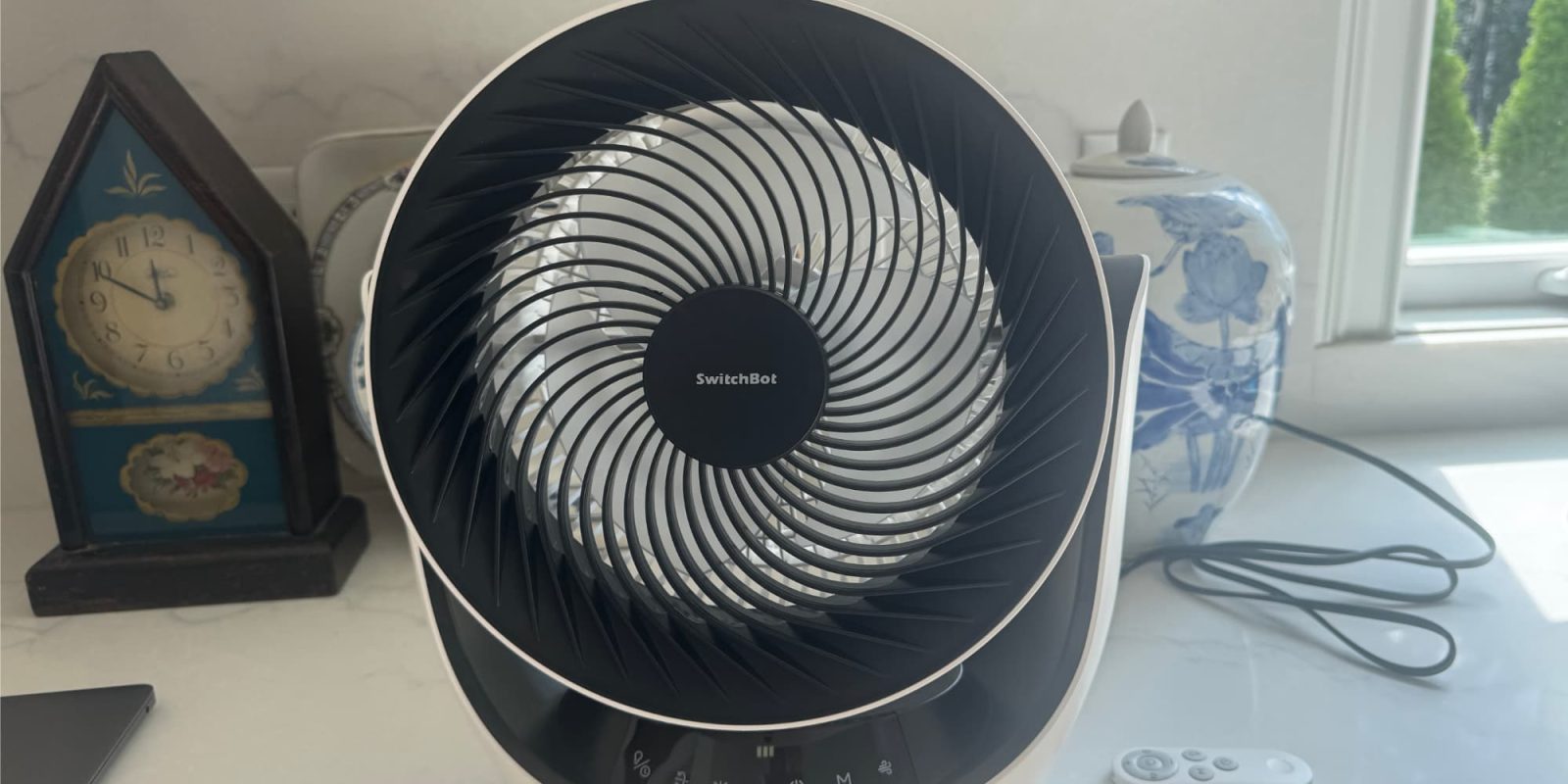
Small room fans are one of the easiest ways to keep air moving and a space comfortable. I personally love to sleep with a fan blowing on me. What makes the SwitchBot Smart Desk Fan even better is that it supports Matter, so you can easily use it within your HomeKit environment. That means you can automate it based on the room temperature, so instead of running all the time, it only comes on when needed and shuts off when it’s not.
HomeKit Weekly is a series focused on smart home accessories, automation tips and tricks, and everything to do with Apple’s smart home framework.
Key features of the SwitchBot Smart Desk Fan
There is a lot more to the SwitchBot Smart Desk Fan that makes it a nice upgrade over a dumb fan with a switched outlet adaptor. Here’s what you get:
- Multiple control options: You can use the built-in touchscreen buttons, the remote, the SwitchBot app, Siri, or HomeKit (Matter). To use it within Matter/HomeKit, you’ll need to pair it with a SwitchBot hub.
- Smart automation: You can use the SwitchBot app and the hub to run local automations, but I prefer using HomeKit’s automations to control it.
- Portable design: A built-in 3600mAh battery lets you run without being plugged up, and it also supports USB-C plug-in power. This means you can easily use it when you’re camping, etc
- Ultra quiet operation: It’s quiet enough for sleeping or working without being too loud. It can get as low as 22db when on its lowest setting.
- Full 3D airflow: An 11-inch blade design and 90 degree horizontal and a 90 degree vertical oscillation push air up to 39 feet, helping circulate air in a room
- Flexible settings: You can choose from 9 speed settings and set up a timer for up to 9 hours so the fan runs exactly how you want it to if you just want to control the timer on device.
Adding to HomeKit
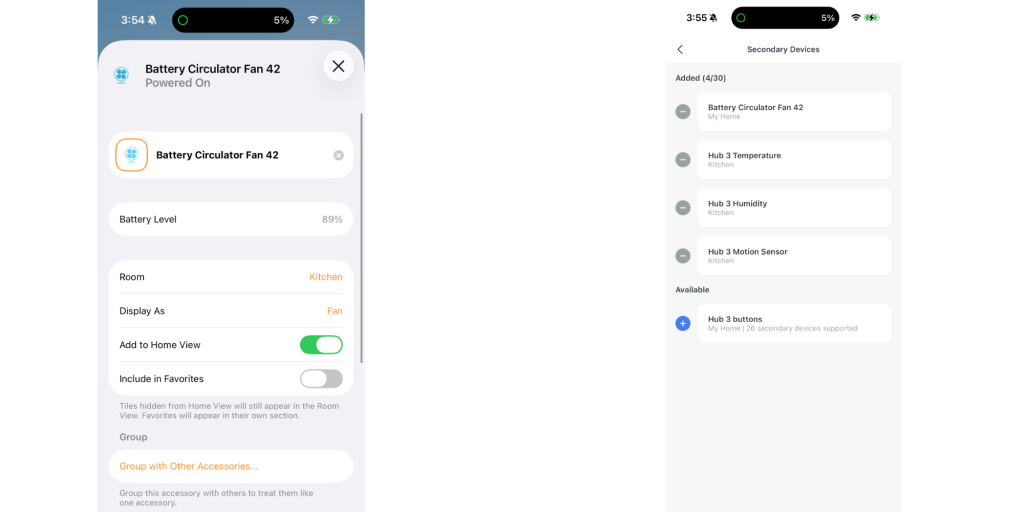
The SwitchBot Smart Desk Fan doesn’t connect to HomeKit directly. To bring it into Apple’s ecosystem, you’ll need a SwitchBot Hub. I am using the SwitchBot Hub 3, but it also supports the Hub 2. Inside the Hub settings, you’ll find the option to bridge devices to Matter. Once the hub and the fan are both set up in the SwitchBot app, you can pick the fan and bridge it over. From there, it will appear in the Home app like any other accessory and can be controlled through automations or scenes.
I’ve been using the SwitchBot Smart Desk Fan mostly in our bedroom to keep air moving at night because we’re at the awkward time of year where it’s not warm enough for the air to run a lot at night, but not cold enough to keep my cool. I paired it with a temperature sensor in a HomeKit automation so that when the room gets above a certain temperature, the fan turns on automatically.
Wrap up: is it worth it?
The SwitchBot Smart Desk Fan is one of those products that seems simple at first look but becomes much more useful once you add it into HomeKit. It’s quiet, portable, and has enough features to make it an awesome upgrade over a dumb fan. The battery makes it nice enough to move around the house, and the Matter integration through the SwitchBot Hub gives it a nice boost for integrating into your smart home ecosystem. I am a fan (pun intended) overall.
You can buy the SwitchBot Smart Desk Fan from Amazon or directly from SwitchBot


FTC: We use income earning auto affiliate links. More.



Comments