
Apple had a big surprise in store for yesterday’s iOS 26.1 beta 4 release: there’s a new setting that lets users tone down Liquid Glass substantially systemwide. Here’s why I see this as a win overall for Apple and its users.
Liquid Glass now features a design choice in iOS 26.1
Last month, iOS 26, iPadOS 26, macOS Tahoe, and more arrived with a brand new Liquid Glass design.
Apple pitched the new look as a major overhaul that helps set the design standard for the coming decade. And it doesn’t take much imagination to see how Liquid Glass might be a great fit for upcoming products like Apple Glasses.
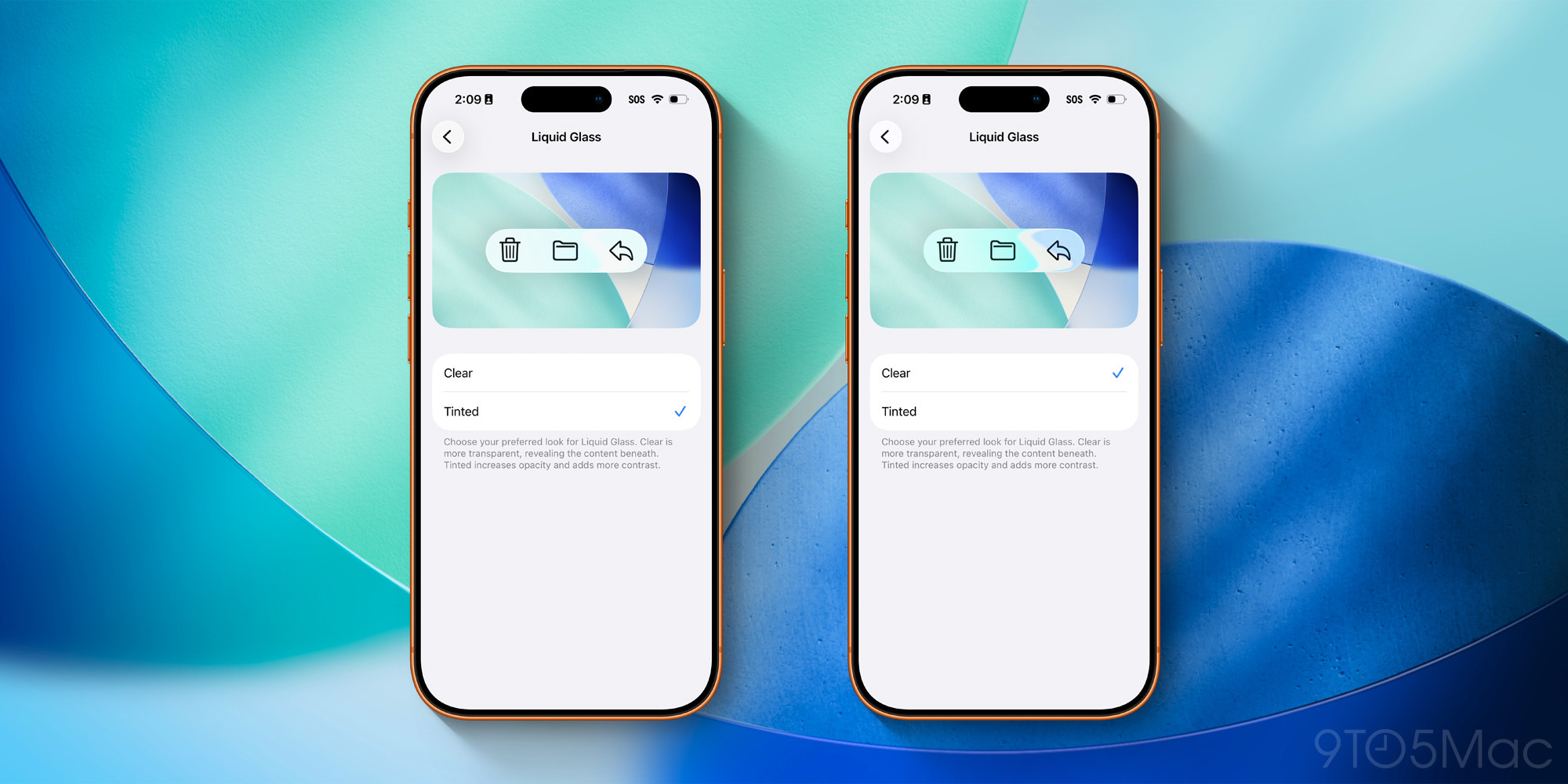
But now we’ve learned that Apple plans to offer users a design choice in iOS 26.1.
iOS 26.1 includes the standard ‘Clear’ Liquid Glass design that exists today, but also a new ‘Tinted’ option.
Per Apple, “Tinted increases opacity and adds more contrast.”
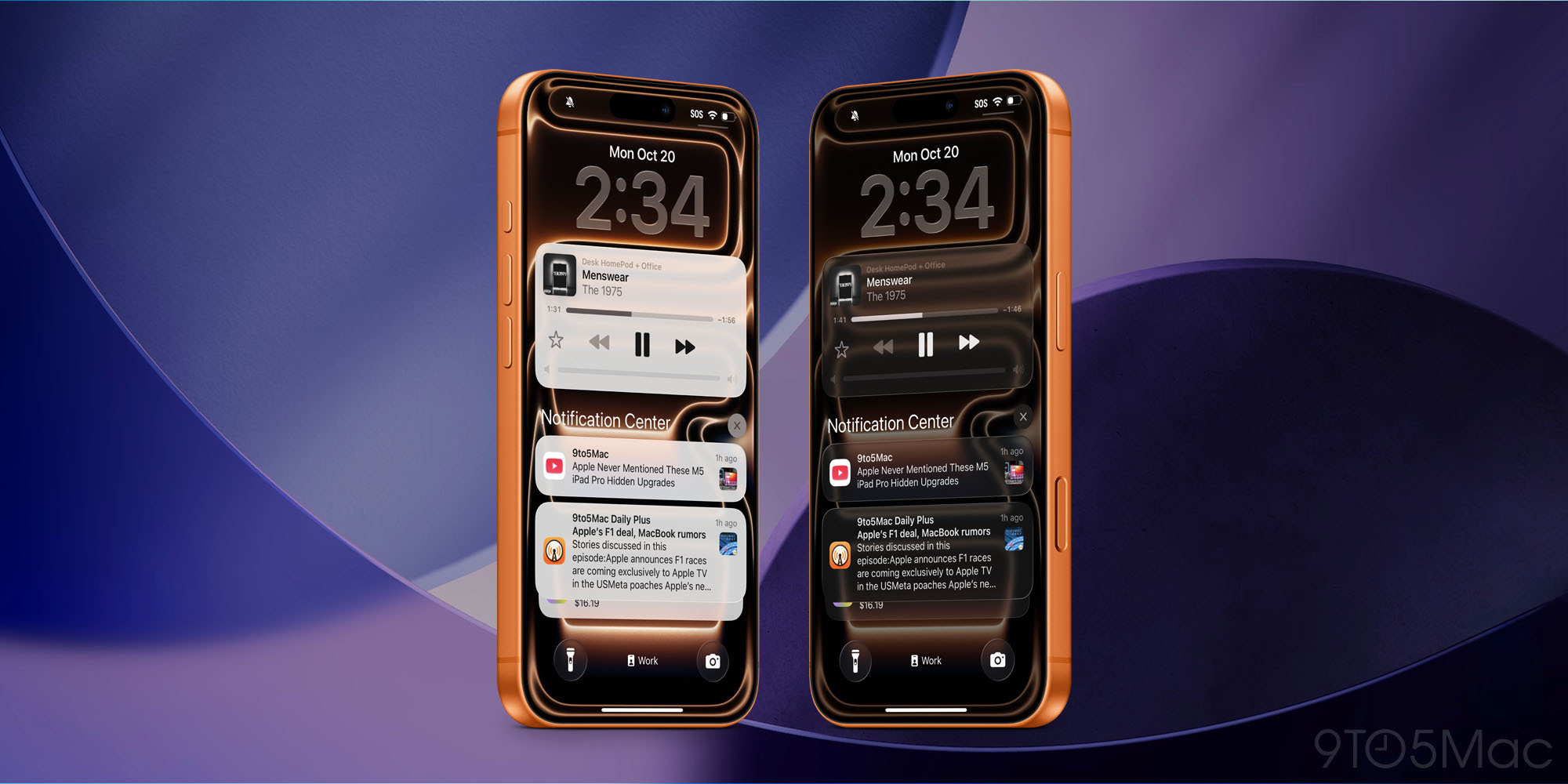
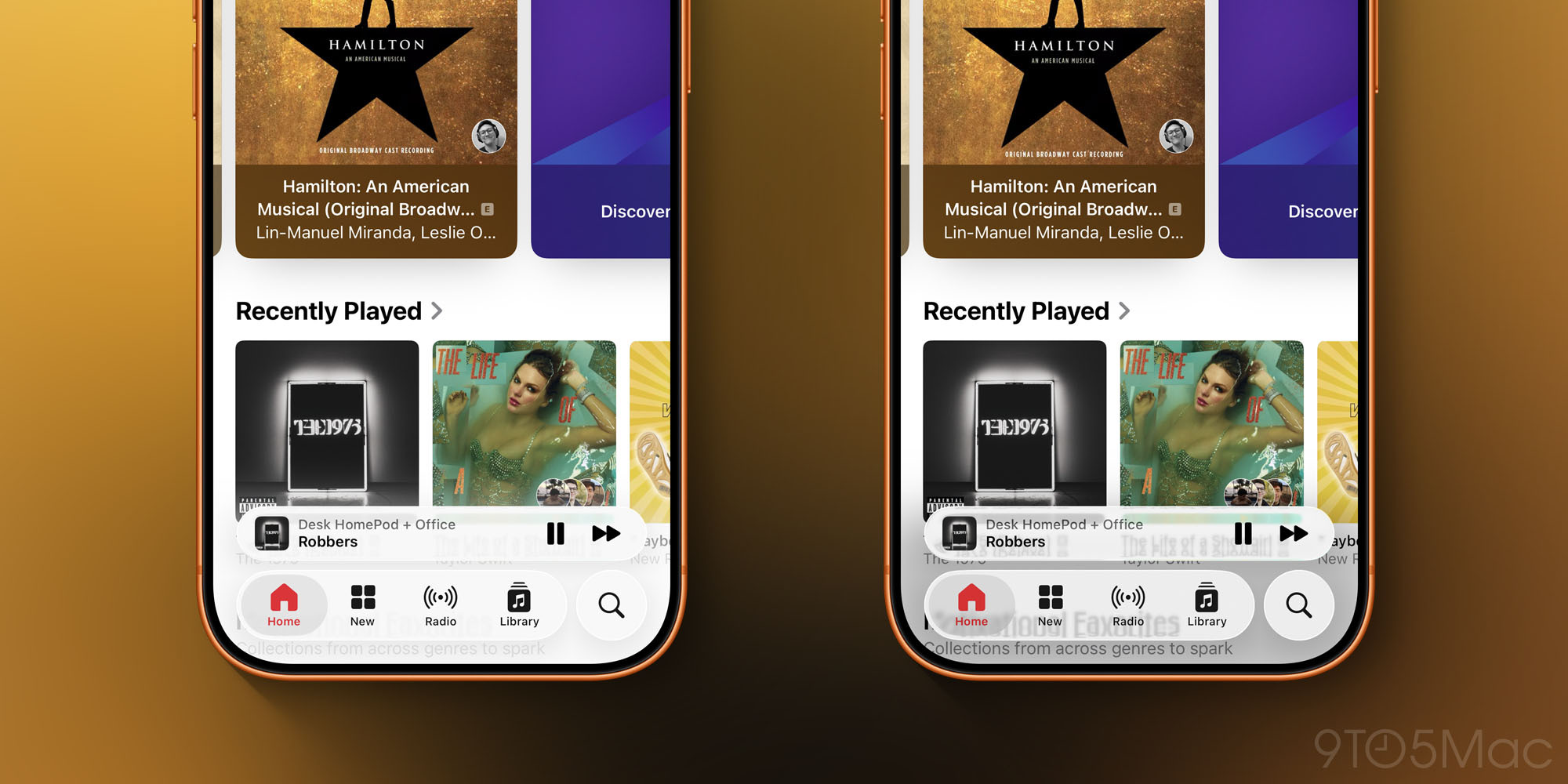
You can find lots of side-by-side comparison shots here.
Some have seen this move as Apple backtracking on its design convictions, and giving into its critics. It’s also been viewed as evidence that Liquid Glass was fundamentally flawed in the first place.
I disagree completely.
Rather than being a sign of Apple’s failure, or the failure of Liquid Glass, I see this new setting as a win for both Apple and its users.
Liquid Glass can now stay unchanged for most users rather than being toned down for all
Apple has a massive user install base. At the start of this year, Apple disclosed that there were 2.35 billion actively used Apple devices around the world.
CEO Tim Cook recently announced that the company sold its three-billionth iPhone. We don’t know how many of those are currently active and compatible with iOS 26, but it’s still a big number.
The iPhone is the most important device in many people’s lives. Thus, changing how iOS looks and feels is a huge risk—and no design can please everyone.
If Apple avoided that risk, never redesigning iOS and keeping it stagnant, the iPhone would eventually fail.
Liquid Glass was a bold move, and I think overall a success. But I also think this new setting in iOS 26.1 helps make Liquid Glass even more of a win for Apple and its users.
First, Apple gets to keep the default ‘Clear’ Liquid Glass setting around for everyone who likes it.
If Apple tried to please everyone, Liquid Glass would no doubt end up getting toned down for everyone—essentially abandoning the original vision.
But now, Liquid Glass gets to stay intact for the vast majority of users. Everyone who loves it gets to continue enjoying it. And everyone who will never bother to change the default setting will keep the ‘Clear’ design too.
Second, Apple gets to provide users a better alternative to the default than what was available before.
Top comment by Tom
Calling this a win for Apple and a big surprise for users is grasping at straws.
Appel failed to deliver a consistent and usable interface and as a result offers another confusing option.
iOS is littered with countless confusing settings the vast majority of users dont understand.
iOS 26’s Accessibility menu already offered some options for toning down Liquid Glass, but they weren’t great.
Now, if you either a) strongly dislike Liquid Glass, or b) find it problematic for text legibility, you can choose iOS 26.1’s ‘Tinted’ option and get a better experience than what was available before.
Liquid Glass gets to live on, unchanged, for the vast majority of users. While those who prefer less transparency have a decent alternative too. Everybody wins.
What do you think of Apple adding the new Liquid Glass setting in iOS 26.1? Let us know in the comments.
Best iPhone accessories
- AirPods Pro 3
- AirTag 4-pack (now only $65, down from $99)
- MagSafe Car Mount for iPhone
- 10-year AirTag battery case 2-pack
- 100W USB-C fast charging power adapter


FTC: We use income earning auto affiliate links. More.


Comments