

My favorite gift picks to make any desk setup even better!
Twelve South Curve SE

A laptop riser is a key part of any MacBook-centric setup. I love Twelve South accessories and have loved my Curve SE. It’s like their regular Curve, but comes in three pieces to significantly reduce cost. I’ve found mine to also be useful outside of my desk! Currently I’m using it at my kitchen table for watching shows while eating. The Curve SE is available for $19.99 on Amazon.
meeros HomeKit Lamp
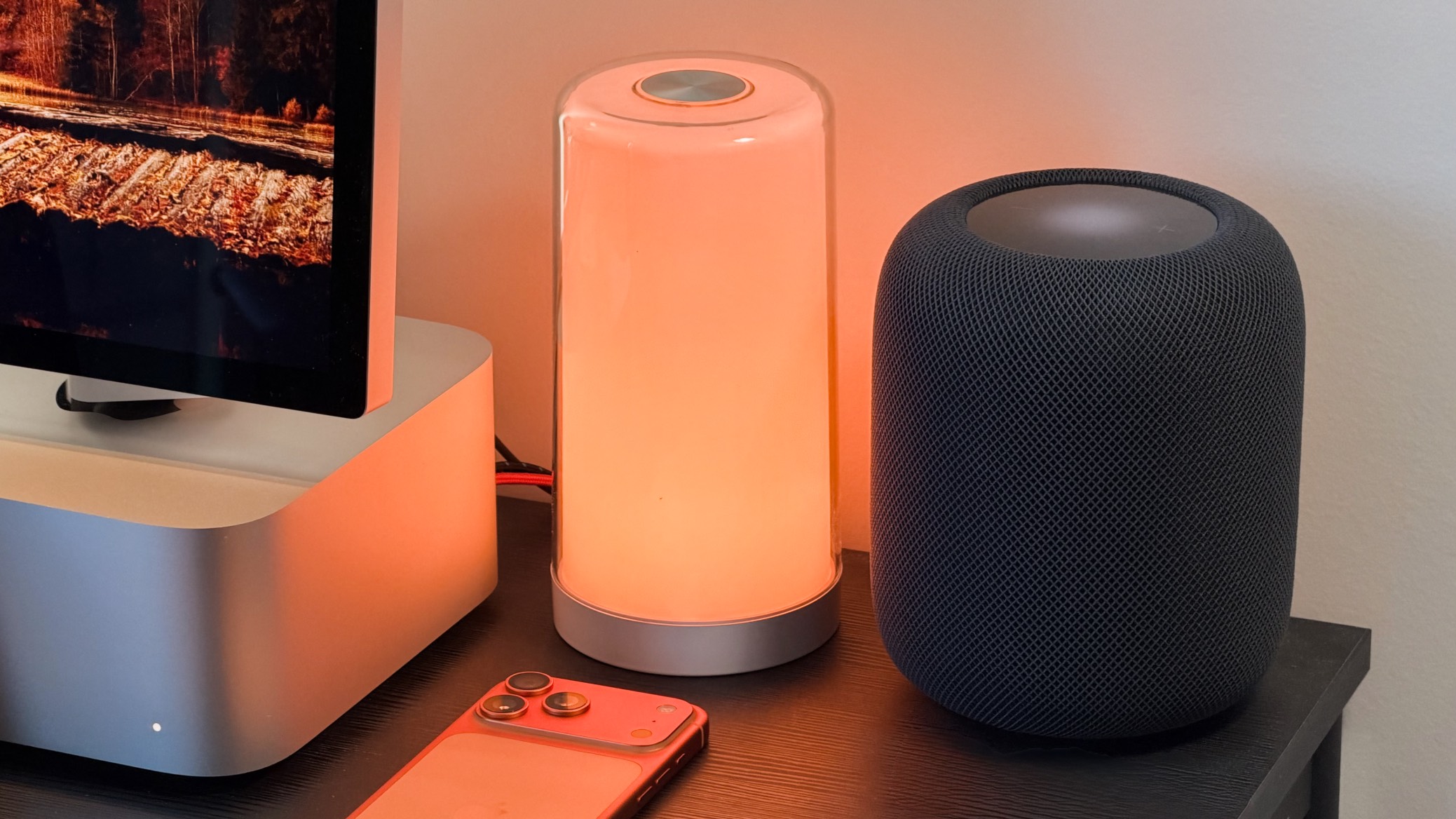
The meeros lamp is a perfect fit for any Apple setup. It has a sleek, glass-like design, and has full HomeKit support. You don’t even have to download a companion app! It works great both for providing extra light and as an accent light. The meeros HomeKit lamp is $39.99 at Amazon.
UGREEN MagFlow Qi2 Charging Stand
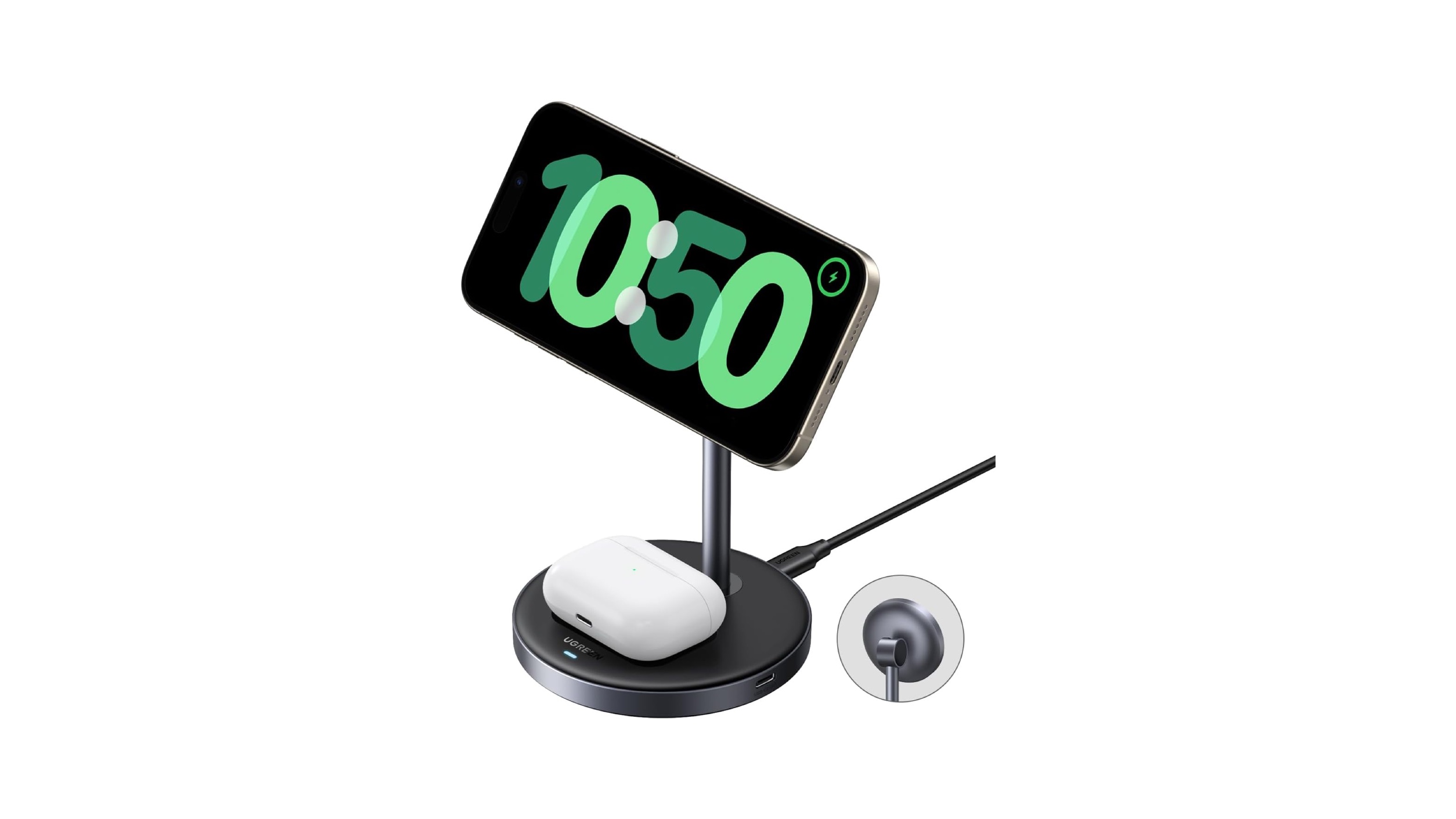
I’ve tried quite a few MagSafe stands over the years, and this one has ended up being my favorite! It has a compact and sleek design, and supports Qi2 for 15W charging. It also has a 5W charging pad for AirPods and a 5W USB-C port on the side. This stand is available for $47.99 on Amazon. If you’re looking for a cheaper option, there is a 7.5W version without the USB-C port for $35.99 on Amazon.
Anker Prime 3-in-1 MagSafe Stand
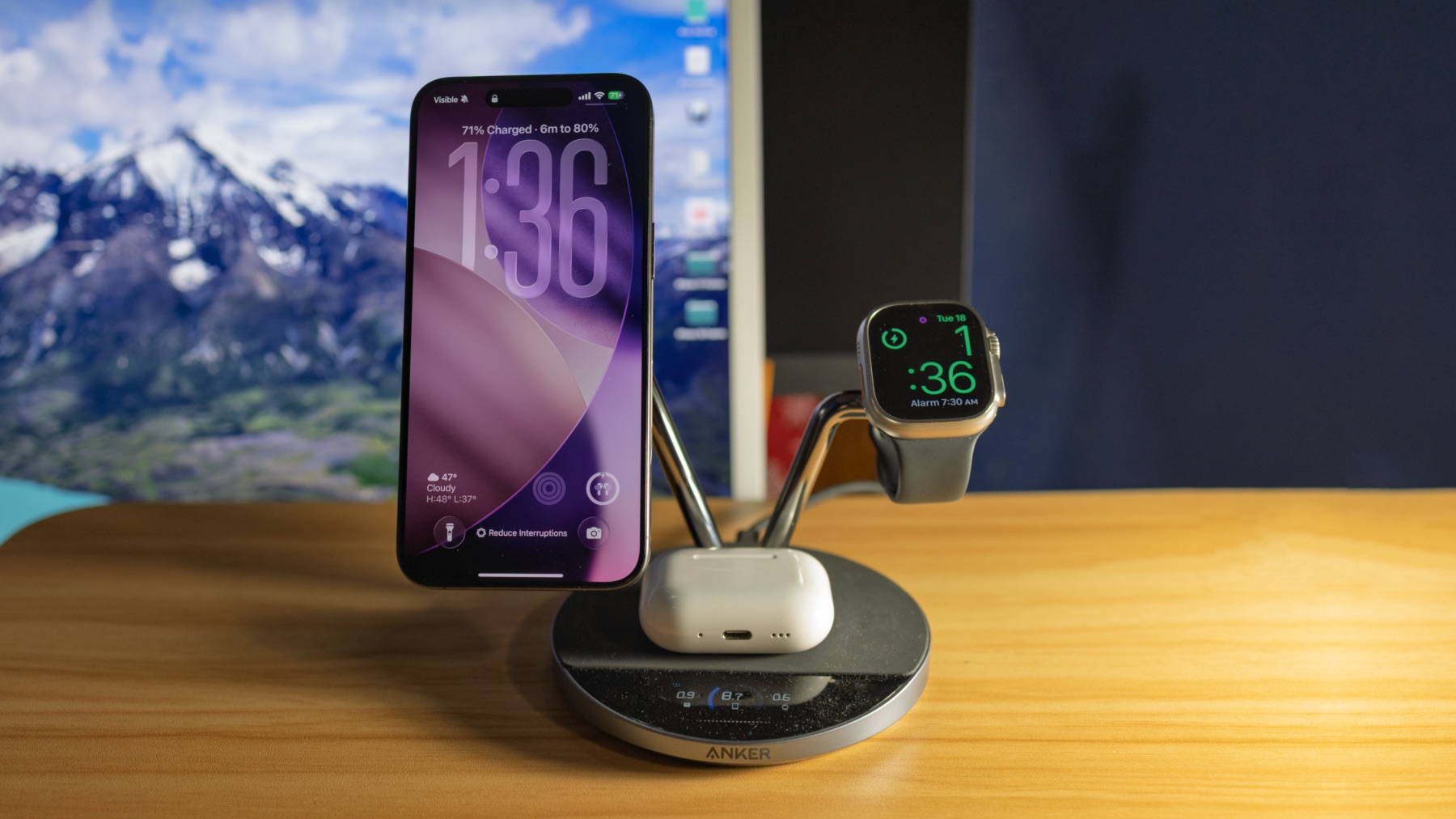
If you’re looking to charge more devices at your desk (or elsewhere), Anker’s new Prime 3-in-1 stand is a great option. It features Qi2.2, so it has full-speed 25W MagSafe charging. It also has an Apple Watch charging stand and an AirPods charging pad. The Prime has great features beyond just charging: built-in cooling, different charging modes, a touch-controlled status screen and companion app, and more. It’s available on Amazon for $229.99. Fellow 9to5Mac writer Michael Burkhardt wrote a review on it here.
BenQ Monitor ScreenBars
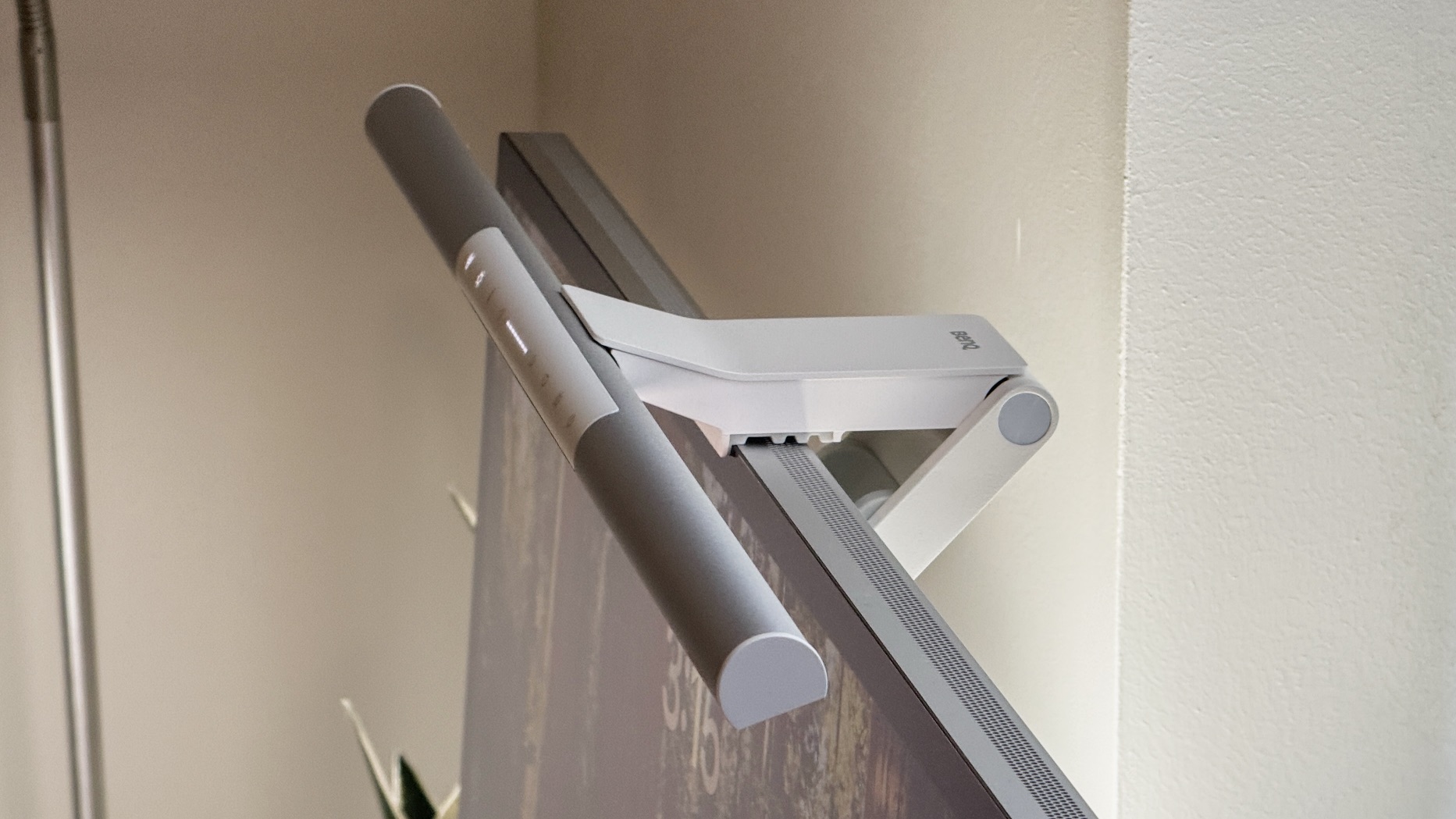
Earlier this year I started using the ScreenBar Pro from BenQ. To my surprise, it ended up making a huge difference and I absolutely love it! It is far better than lamps alone. They have a couple options, and I’ve broken down the differences for you here:
ScreenBar Pro ($139 on Amazon)
- Manual and auto brightness control
- Manual temp control
- Motion sensor for on/off
- Integrated controls
- Adjustable angle
- No bias lighting
- 1000 lux, 33.5” x 19.7”
- 2700K – 6500K, stepless
- USB-C (8.5W)
- Black or Silver colors
ScrceenBar Halo 2 ($179 on Amazon)
- Manual and auto brightness control
- Manual temp control
- Motion sensor for on/off
- Wireless controller with LED display panel
- Back-mounted bias light
- 1000 lux, 33.5” x 19.7”
- 2700K – 6500K, 8 levels
- USB-C (15W)
- Dark Gray color
elago Magnetic iPad Stand
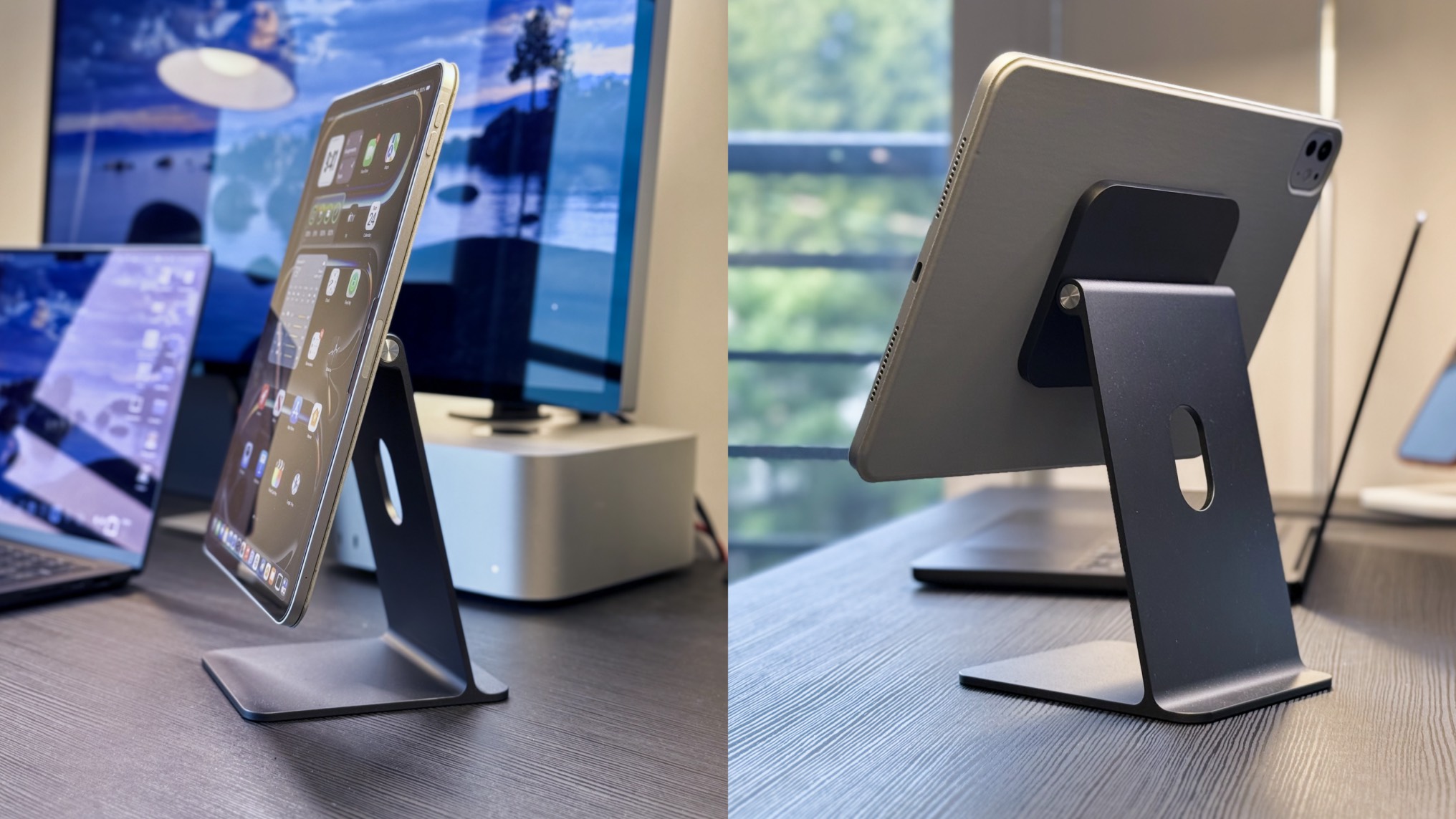
The Magnetic iPad Stand from elago is one of my favorite accessories for my iPad and it has been a huge benefit to my desk setup! This stand lets you prop up your iPad with a floating magnetic design. My favorite aspect is how it is designed to perfectly mimic the stand found on an iMac or Studio Display. It makes this stand fit perfectly with any Apple-centric setup! Another thing I really like is that it’s based on their magnetic cases rather than the iPad itself, meaning it works with any iPad or tablet. It also makes your iPad a great secondary display using features like Sidecar. elago’s Magnetic iPad Stand is available on Amazon for $110. It comes in a silver and space black color that match your Apple devices, in addition to a pink and blue color.
elago Aluminum MagSafe Stand
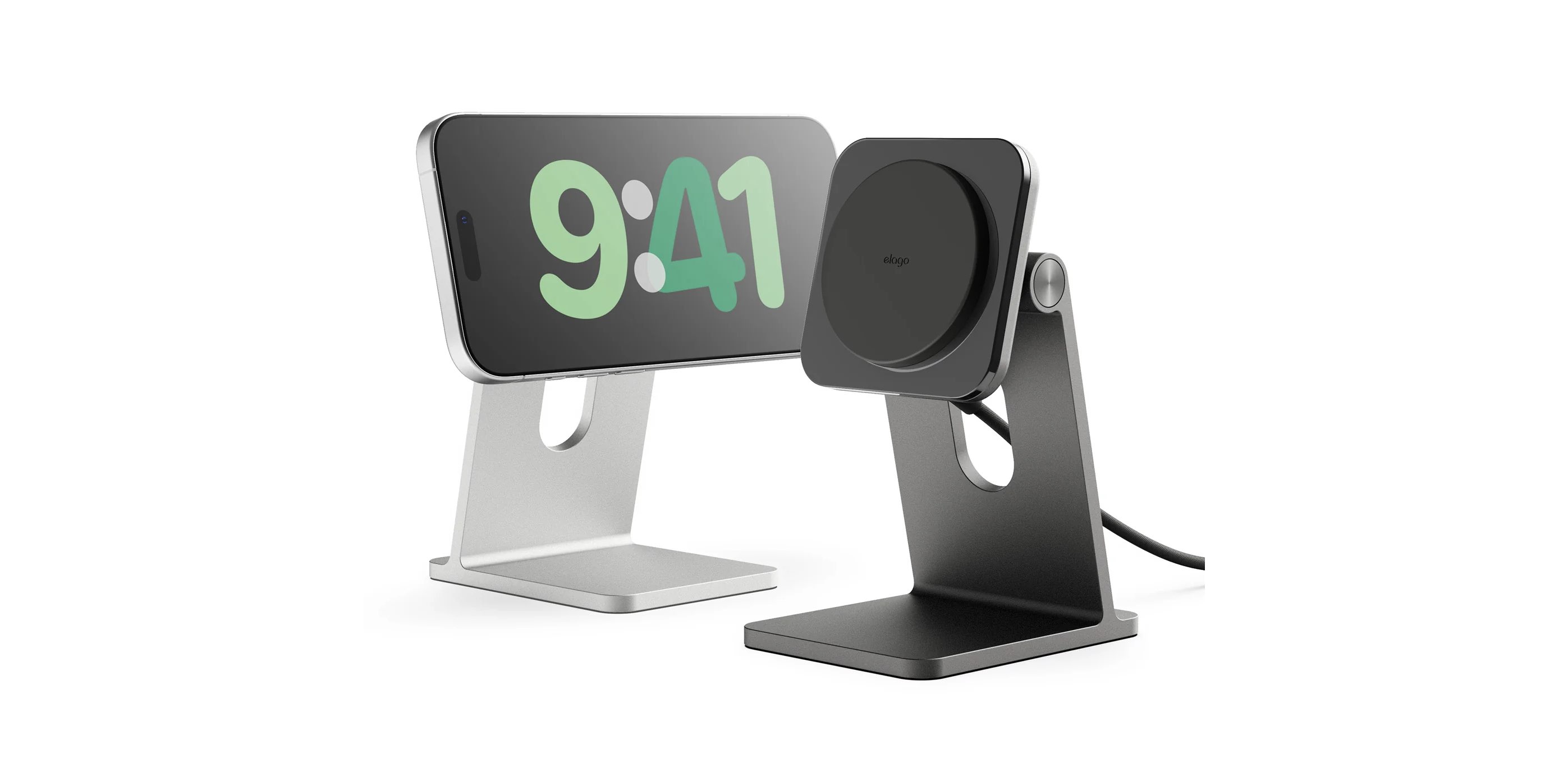
Like the iPad Stand above, this MagSafe stand from elago mimics the design of the iMac and Studio Display stand. It’s Qi2 certified for 15W of wireless charging and has an adjustable tilt. It also comes in a matching silver and space black color and is available on Amazon for $99.99.
Baseus 12-in-1 Dual Monitor Docking Station
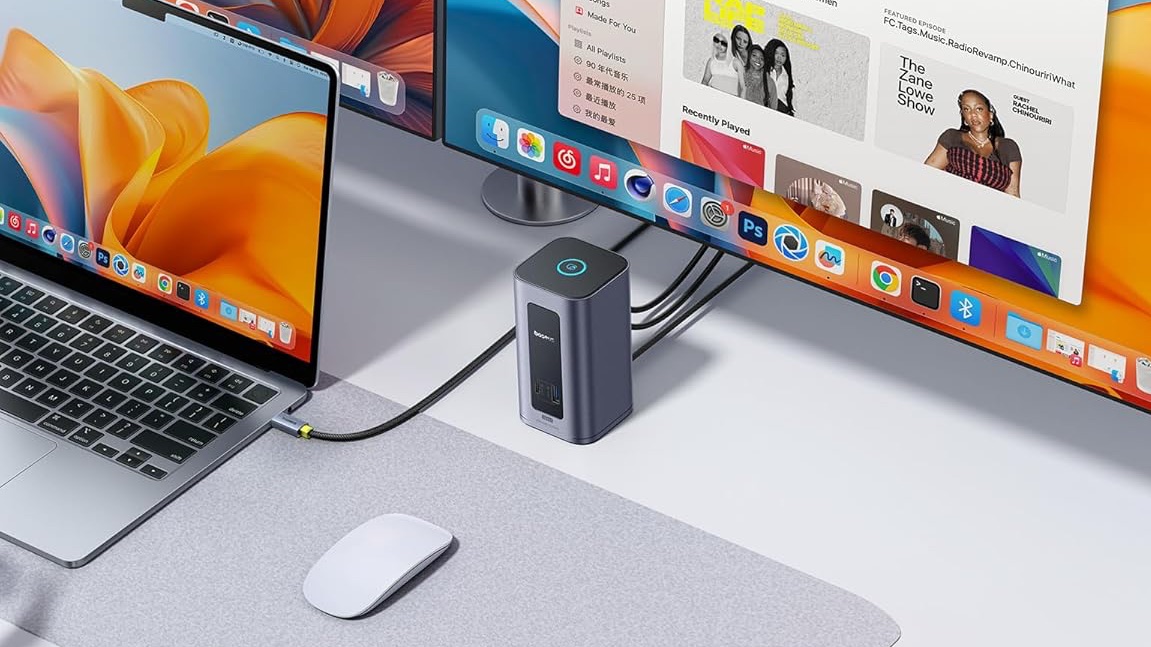
If you have a large desk setup with multiple monitors, or (like me) you swap between multiple laptops, a docking station is a great way to enhance your setup. The Baseus 12-in-1 dock, specifically made for Mac, lets you hook up two monitors via HDMI or DisplayPort, 100W passthrough USB-C PD, two USB-C ports, and four USB-A ports. There’s also a button on the top to lock your MacBook, something I’ve found particularly useful in the office. This docking station is available on Amazon for $199.99.
Power strips and other accessories
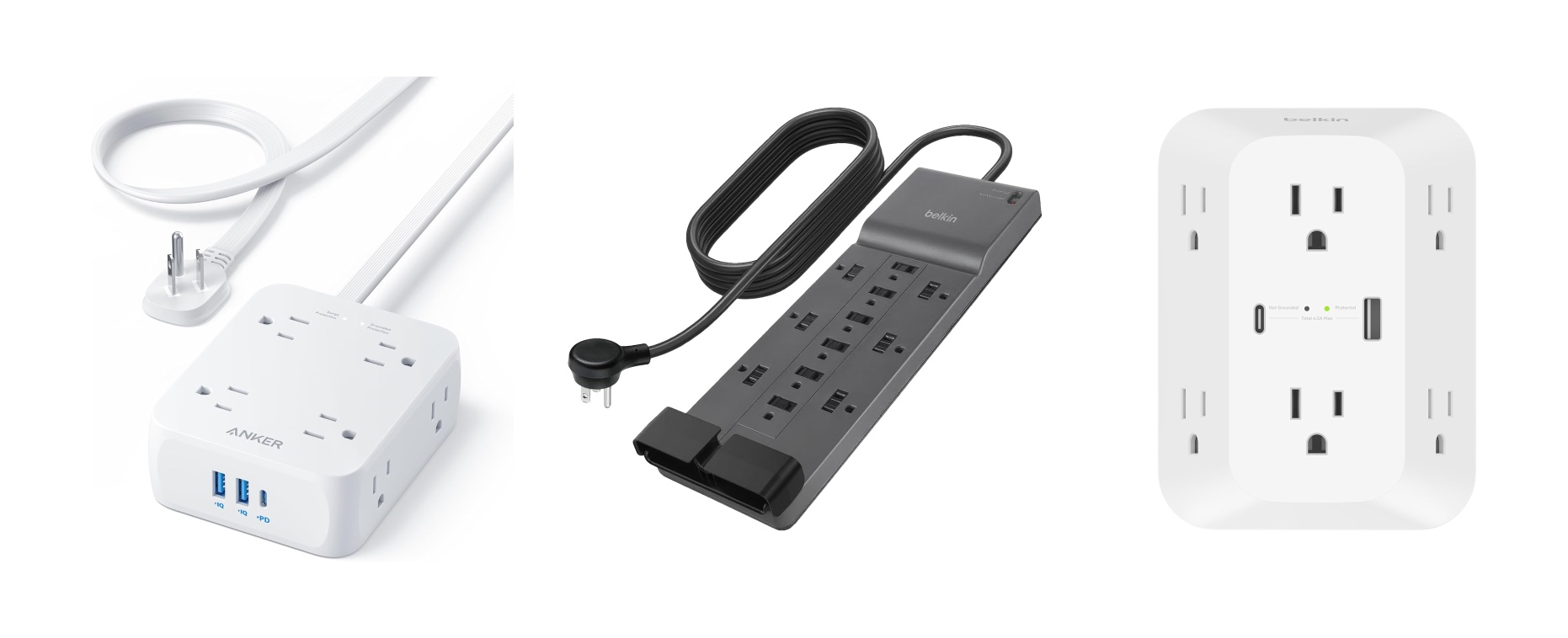
Key to any great desk setup is power and cable management. Here are some of my favorite power accessories that I use in my own setups:
Anker 11-port power block with flat plug: $25.99 on Amazon
This is really great for tight spaces, especially with its flat plug. It has some USB-A and C ports as well.
Belkin 12-outlet power strip: $27.99 on Amazon
Great for if you have a lot of items that need to be plugged in, especially if their cables have large ends, such as a MacBook charger. It also has 3,940 joules of protection and a $300,000 connected equipment warranty.
Belkin 6-outlet outlet extender with USB-C and A ports: $21.99 on Amazon
I really like this one because of the angled ports. Most outlet extenders are flat with the ports shoved together, which makes it nearly impossible to actually use all of the outlets.
Final thoughts
Looking for more gift ideas? I have some other great gift ideas in my links below. What’s your favorite part of your desk setup? Let me know in the comments below!
My favorite Apple accessories:
- Beats Pill
- MOFT MagSafe iPhone Stand
- Satechi Vegan Leather Desk Mat
- BenQ ScreenBar Pro
- AirPods Pro 3
- elago Magnetic iPad Stand
- Anker Nano 30W Charger
- Apple 40W–60W Charger


FTC: We use income earning auto affiliate links. More.




Comments