
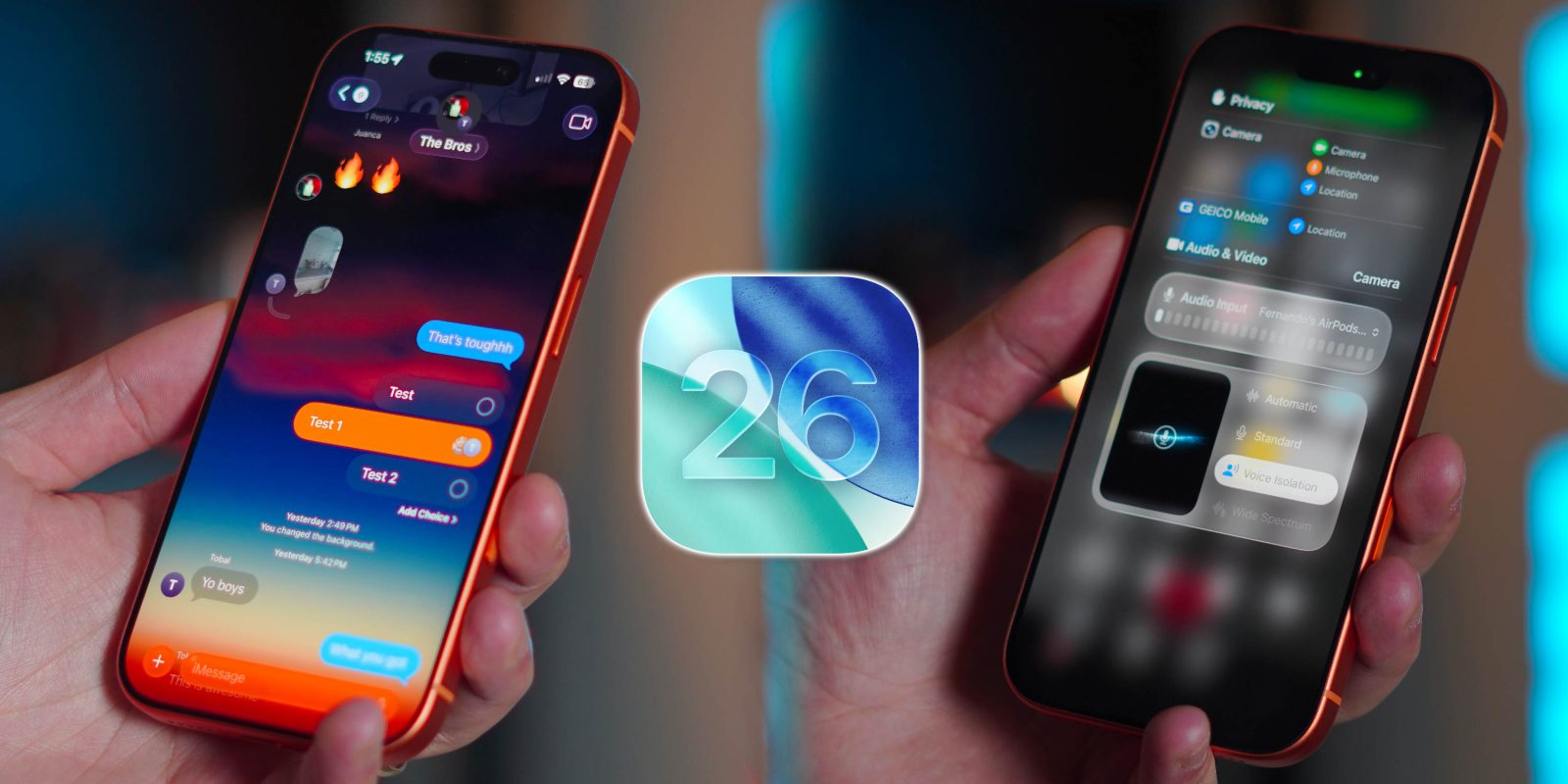
iOS 26 is easily the most significant visual overhaul we’ve seen on the iPhone in years. We got the new Liquid Glass UI, better Files systems, and a complete Camera app change. All the things that Apple showed off and highlighted. However, after using iOS 26 and iOS 26.1 for a few months, it seemed like Apple decided not to inform us about some of the best functional features, such as default audio input, camera enhancements, and even an update to the Alarm, which had remained unchanged for 20 years. So here are the best hidden iOS 26 features that Apple didn’t tell us about.
If you want to see a hands-on look at all these features in real time, be sure to watch our video below!
1. Partial text selection in iMessage
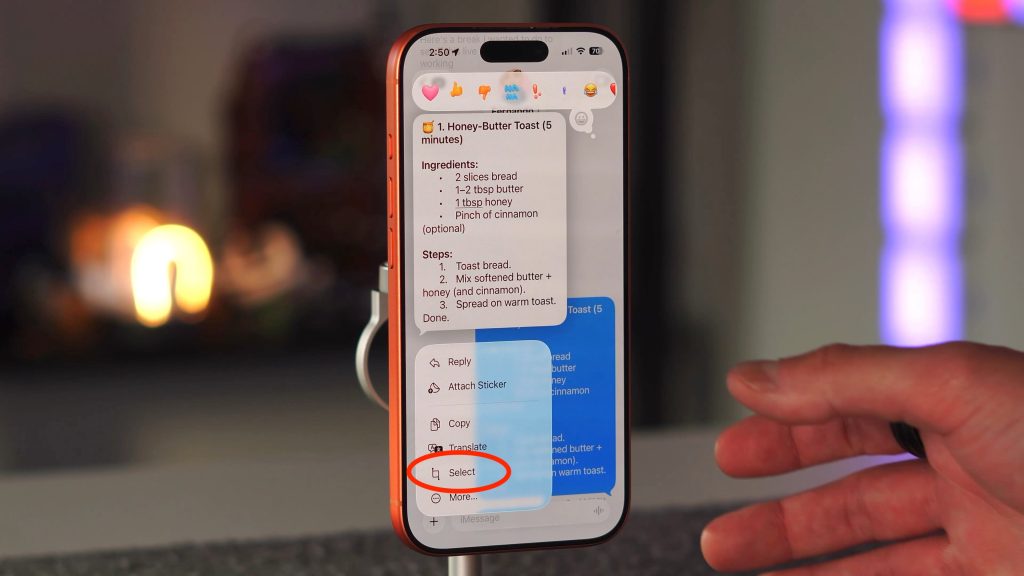
This is one of those features that should have been around since the beginning. If you wanted to select a portion of text in an iMessage, it was impossible. You had to copy the entire message, put it in your text field or in the notes app, then select the portion you actually wanted to copy. Thankfully, iOS 26 fixes this.
- Long-press a message
- tap Select
- Highlight the text you want
- Cut, copy and paste to your heart’s delight
2. Live translation in iMessage
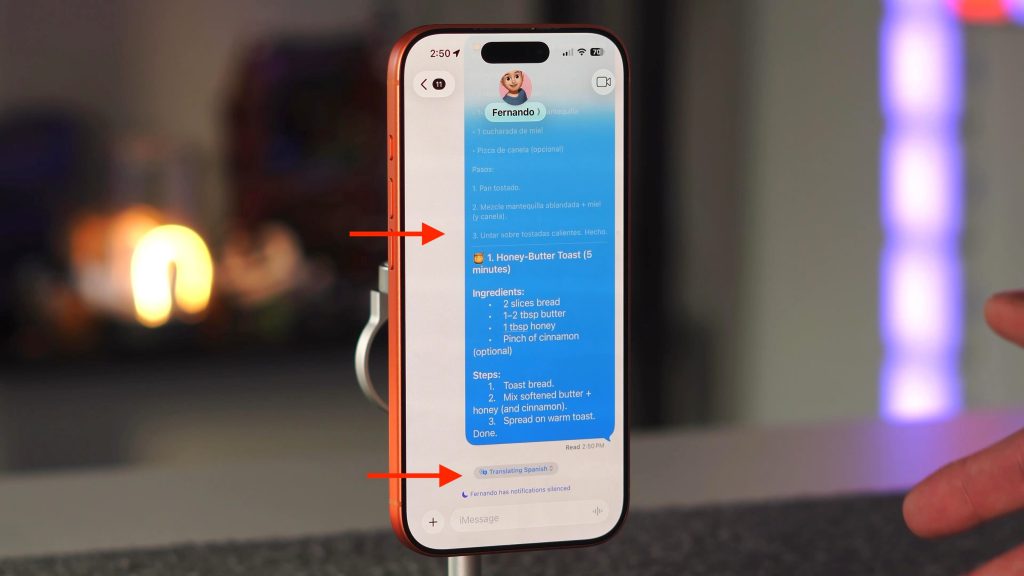
We have had the ability to translate messages for a few years now. But now Live translation can do it in real time and adapt on its own if you receive a message in one of the supported languages (English, Dutch, French, German, Italian, Portuguese, Spanish, Turkish, Chinese (Simplified), Chinese (Traditional), Japanese, Korean, or Vietnamese). In that case, you will be prompted to start live translating. It does require you to download the language, but once it’s downloaded, you will see a small notification at the bottom of the message thread indicating that it’s translating into a specific language. Then, in the message, if you type in your native language, you will see the native and translated versions show up in real-time. It really breaks the language barrier and I love it.
3. AirPods as Camera app mic
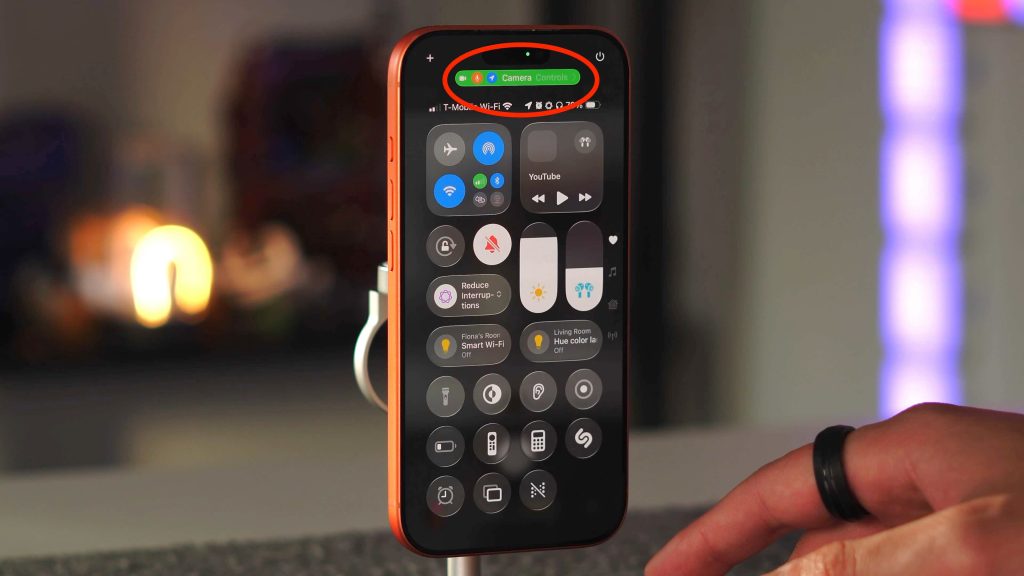
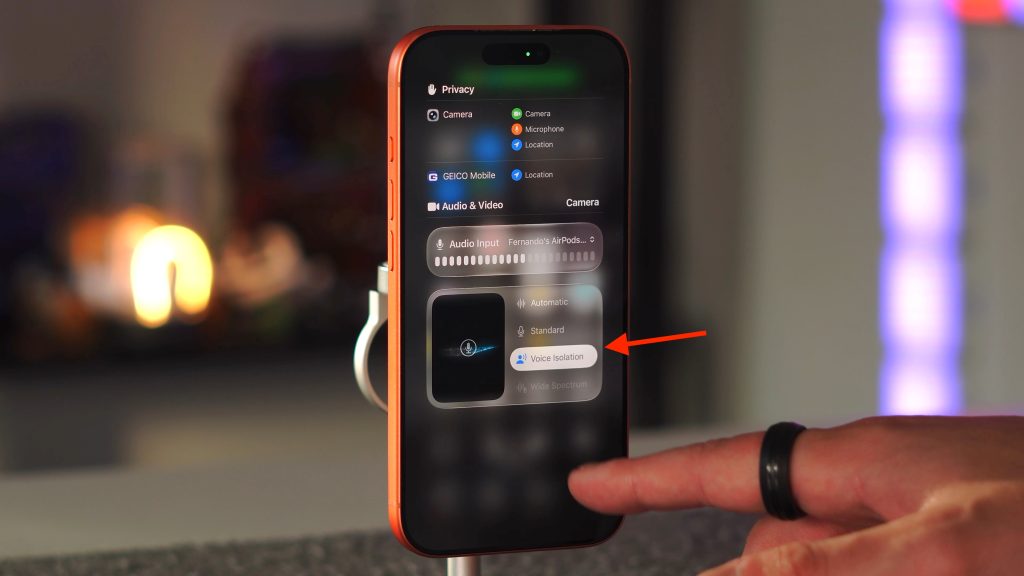
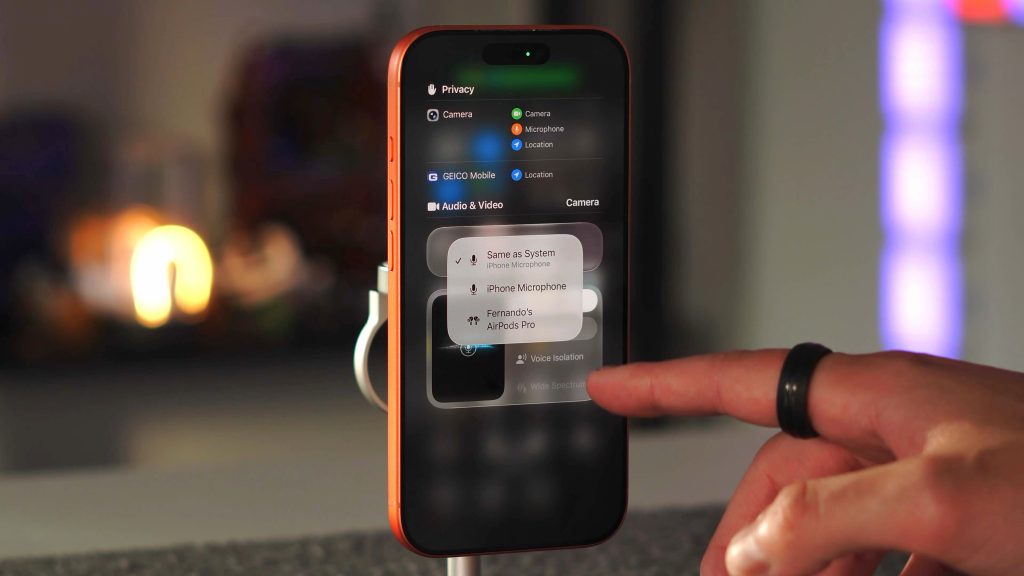
As someone who creates a lot of content using their iPhone, this new feature is a game-changer. If you are in a quiet room or environment the onboard mics on the iPhone are actually pretty good, especially if you are close to the phone. However, the moment you have some ambient noise or other vocals, the mics start to lose their effectiveness a bit. Well now, you can natively record a video on your iPhone and use the mics on your AirPods as the default mic and it sounds fantastic. Hopefully now we will see less people holding tiny mics to their face when they make vertical content. Here is how to do it.
- Open the camera app
- Put on your Airpods
- Swipe down to control center
- Tap the green mic section at the very top
- Choose your mic
You can even choose to isolate your voice directly from there as well. Again it sounds way better than it should! Give it a try.
4. Custom alarm snooze duration
This one made me laugh when it was first released. For about 20 years, dating back to when iPods had alarms. The default snooze time was 9 minutes, and it could not be altered. Well, now you can change your snooze duration. You can choose as little as 1 minute or 15 minutes.
- Go to the Clock app
- Tap on the alarm
- Tap on Snooze Duration
- Select your time
The default will always be nine minutes, so you have to go into each alarm to change it. But nice to know that you can finally alter it!
5. Reminders app is everywhere now
I feel like the reminders app never really got much love. Well, iOS 26 really changed that. You can literally add reminders everywhere in the iOS 26 UI. You can add it to your Control Center, add it to your lock screen, and even add it to your Action button for quick access. They also added the ability for reminders to sync into your Calendar app, which is a first!
6. Auto/Manual Hold Assist
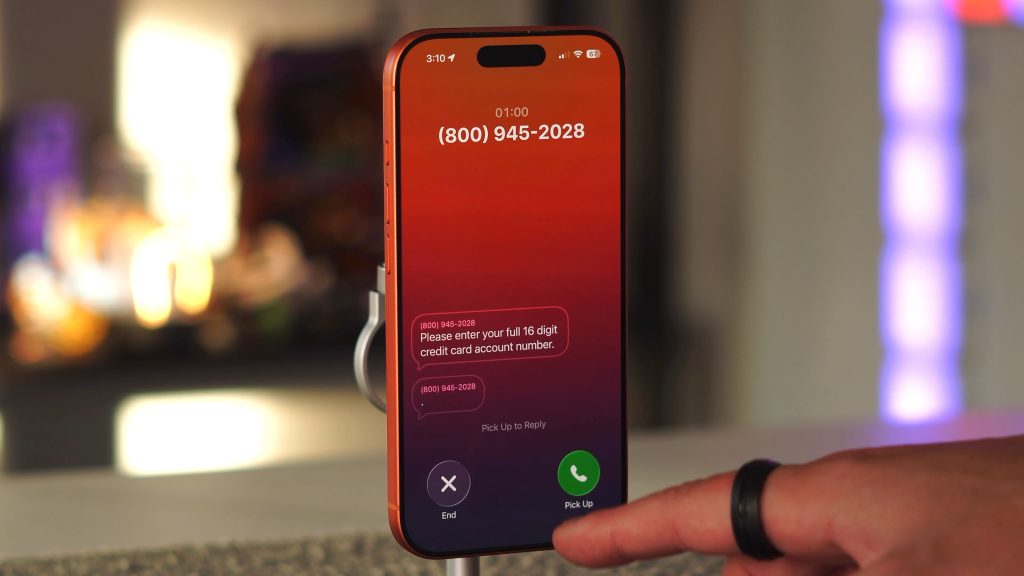
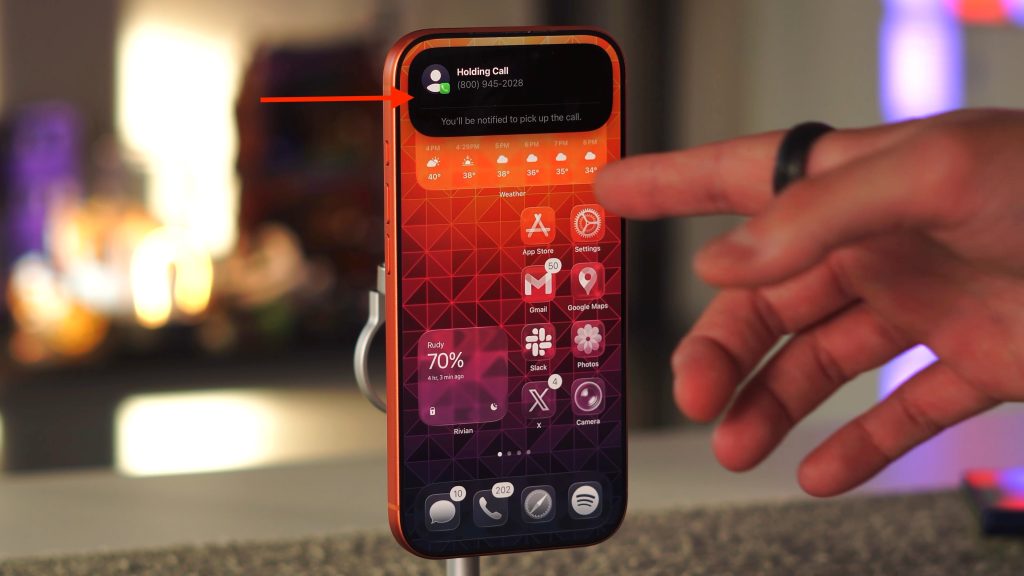
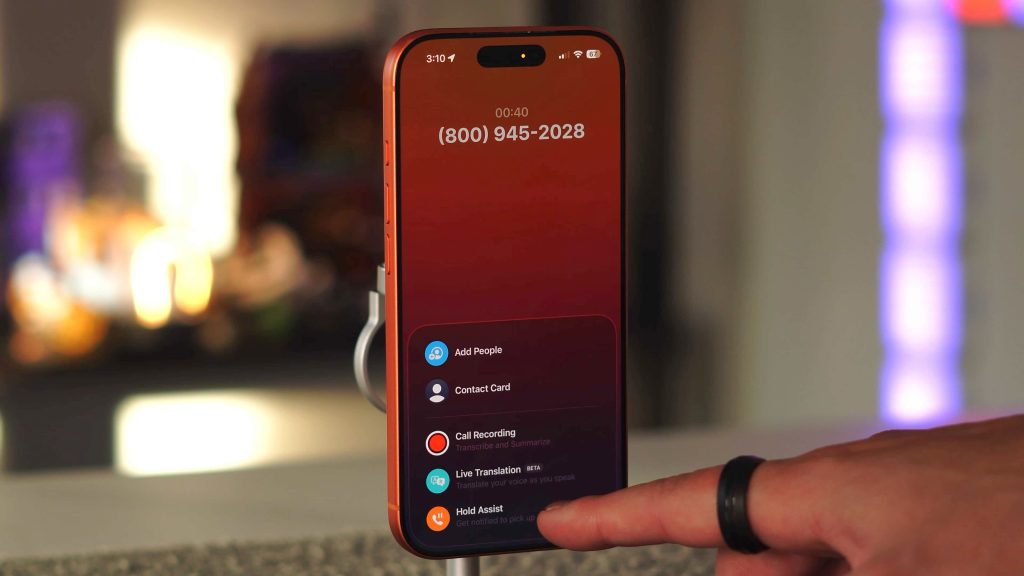
I feel like sometimes we forget that our iPhones are PHONES. So when I noticed just how good the calling experience is now on iOS 26, it put a smile on my face. There is so much nuance in what can be done on a phone call. The best one is the ability to put a call on hold and then your phone pings you when there is someone on the line again. Not only that, but it will also transcribe what the other person is saying to see if it’s something you want to answer.
7. Type to Siri during a phone call
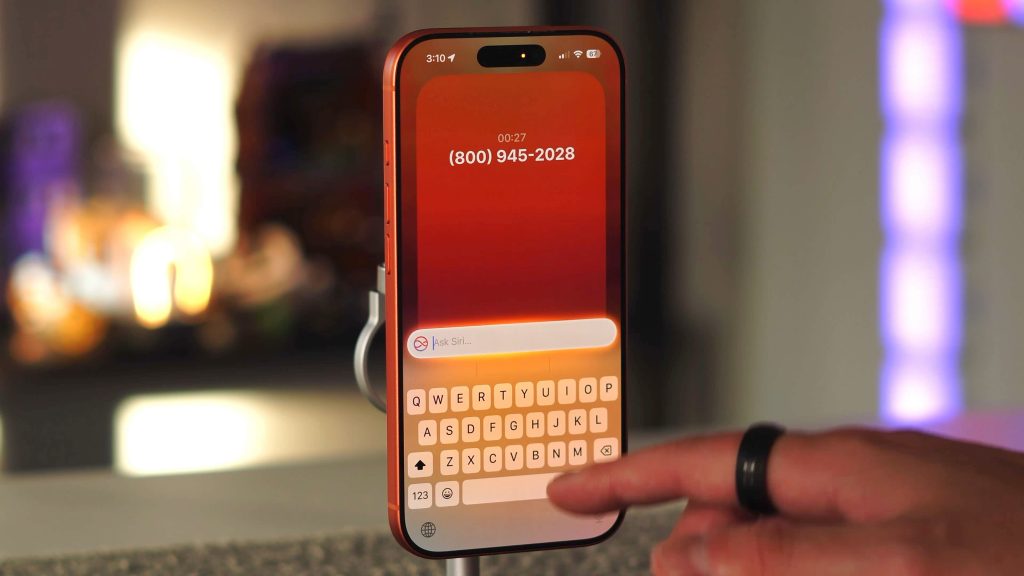
Another fun feature is the ability to interact with Siri while on a phone call. I know Siri gets a lot of hate, especially when compared to other AI assistants like GPT and Gemini, but Siri is still great for quick fact-based single-answer questions. So, if you are having a conversation with someone and need an answer, you can simply double-tap the bottom of the call to bring up Type to Siri.
Final thoughts
There are hundreds of new features in iOS 26 and 26.1, but the ones above are the real “quality of life” improvements most people will actually use. We also go over a total of 20 features in the video above. So I HIGHLY recommend giving it a watch! The best part is that there is even more we haven’t mentioned, such as security updates, Spotlight, and system-level AI features. Be on the lookout for part two coming soon!
What do you think? Have you tried any of these? What’s one new feature you use all the time?
Best iPhone accessories
- Kuxiu K1 Ultra MagSafe Battery
- Airpods Pro 3
- Best Magsafe Car Mount
- Clear iPhone Case under $20
- Airtag 4 pack


FTC: We use income earning auto affiliate links. More.




Comments