Jeff is the head of video content production for 9to5. He joined 9to5Mac in 2016, producing videos, walkthroughs, how-tos, written tutorials, and reviews. He takes pride in explaining things simply, clearly, and concisely. Jeff’s videos have been watched hundreds of millions of times by people seeking to learn more about today’s tech. Subscribe to 9to5Mac on YouTube to catch Jeff’s latest videos.
iOS Decoded is Jeff’s flagship video series that breaks down what’s new in iOS betas, including behind-the-scenes deep dives into undiscovered features and exclusive details on the iOS roadmap.
Jeff also produces a weekly podcast, alongside co-host Fernando Silva, entitled 9to5Mac Overtime. A video-first podcast, 9to5Mac Overtime airs weekly on our YouTube channel, but can also be enjoyed in audio form via Apple Podcasts, or your podcast app of choice.
I have quite a few third-party apps installed on my iPhone, but there are several staple apps that I use regularly that I’d have a hard time doing without.
These apps include Apollo, the excellent full-featured Reddit client, NetNewsWire, a legendary RSS reader reimagined for modern day iOS, and more. Watch our brief hands-on video walkthrough for a look at all five apps, and be sure to subscribe to 9to5mac for future installments. Expand Expanding Close
On Monday Arlo released its version 2.7.13 update to add HomeKit support to its security cameras. Needless to say, this is a highly-anticipated feature that Arlo users within the iOS ecosystem have been waiting on for quite some time. Was it worth the wait? Watch our hands-on video walkthrough for the details.
Today PolarPro launched its LiteChaser Pro photo and video kits for the iPhone 11 with special introductory pre-order pricing. The kits feature a specialized case that can accommodate a detachable grip, along with either a circular polarizer or variable ND filter.
If you currently use or aspire to use your iPhone for serious photography or videography, then these kits might come in handy. Watch our hands-on video walkthrough for more details. Expand Expanding Close
Over the weekend I got my hands on Samsung’s Galaxy Z Flip smartphone. It doesn’t possess the type of flagship specs found on the recently revealed Samsung Galaxy S20 Ultra, but to me, it’s by far the more interesting phone, thanks to its ability to fold a 6.7-inch AMOLED display into a clamshell form factor that’s much more portable.
The Samsung Galaxy Z Flip is not the first foldable smartphone, but it’s easily the most impressive foldable phone that the industry has seen thus far. While far from perfect, it makes me think that there is definitely a market for such a product, and I think it goes without saying that Apple has been experimenting with similar form factors behind closed doors.
Although we may or may not ever see an Apple “iPhone Flip,” I’m really hoping that we will. The Samsung Galaxy Z Flip breathes some much-needed excitement into the typical stale smartphone “slab of glass and metal” form factor.
Today is a big day for LumaFusion users, as it marks the day that the app’s long-awaited FCPXML export compatibility for Final Cut Pro X goes live.
With version 2.2 of LumaFusion, users have the option to purchase FCPXML export compatibility for $19.99 via in app purchase. If you’re a video editor who likes to begin editing projects on the go, and finish those edits on your Mac, then this update might be for you. Expand Expanding Close
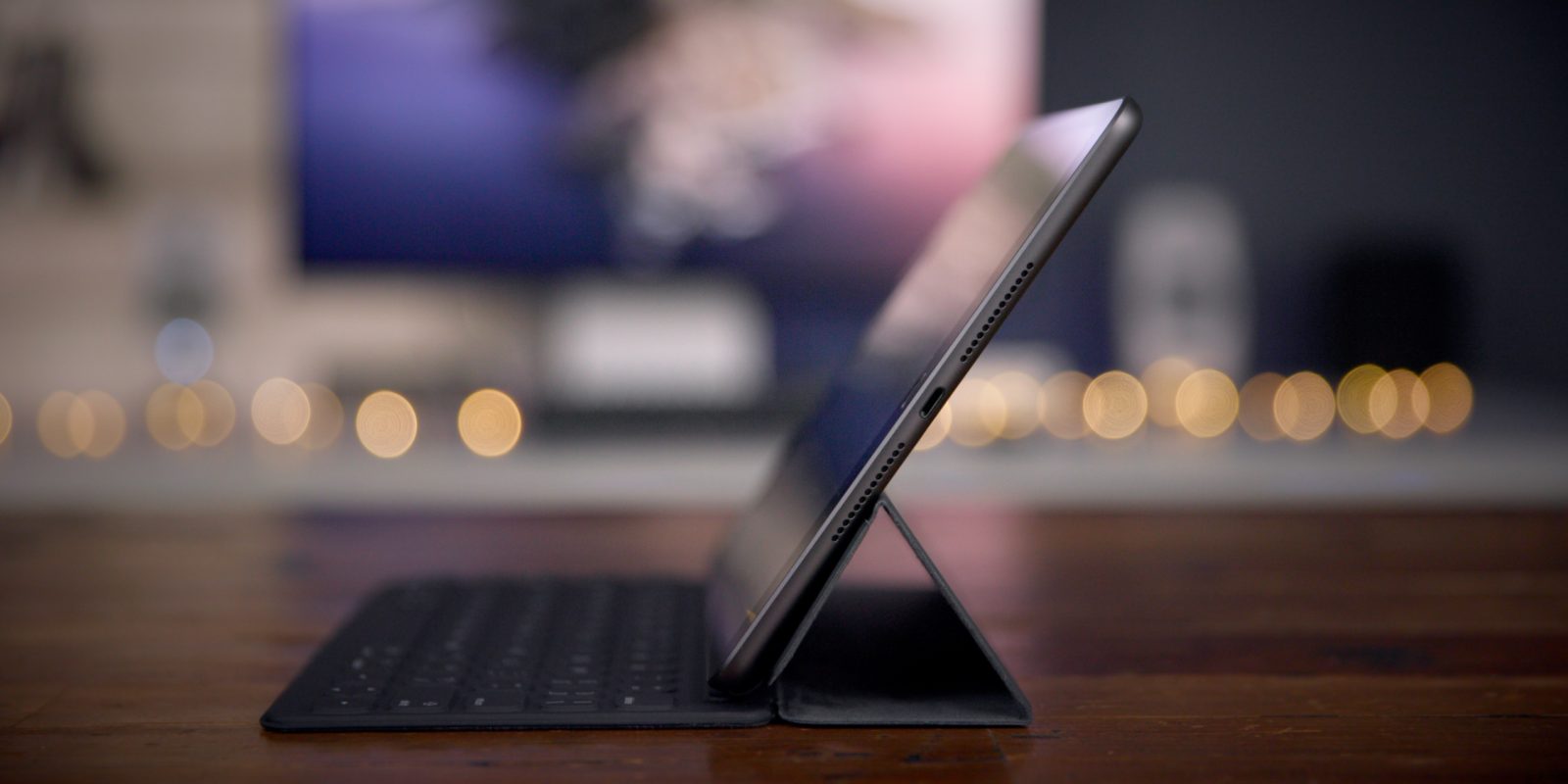
The iPad 7, the latest generation entry-level iPad for the masses, is one of the best deals in tech at only $329, and often found for much less on sale. It’s the first entry-level iPad to feature Smart Connector support, allowing users to conveniently connect a Smart Keyboard. It also features a larger display with more on-screen real estate.
In this hands-on review, I discuss why the iPad 7 is indeed the best iPad for most people, and why it’s $329 entry-level price point is a steal given the amount of features packed inside this slab of aluminum and glass. Expand Expanding Close
Yesterday Apple released the first beta of iOS 13.4, the first beta in a while to contain any notable new features and changes. New additions include the much-anticipated return of iCloud Drive Folder Sharing, new Photos app keyboard shortcuts, and more. Watch our brief hands-on video walkthrough for a first look at what’s new in iOS 13.4. Expand Expanding Close
Quite a few viewers and readers have asked me to do a behind the scenes look at my video editing workspace, so in this latest edition of Back to the Mac I’ve decided to do just that.
Although my setup is currently built around a Mac Pro + Pro Display XDR, a similar setup can be achieved with virtually any Mac machine and monitor combination. Watch our hands-on behind the scenes video for a look at the hardware on my editing desk. Expand Expanding Close
Glyph, perhaps better than any other external drive maker, has a knack for creating solidly-built SSDs that do a great job of passively dissipating heat. These factors are what made me a fan of the original Glyph Atom, and it’s what continues to make me a fan of the company’s latest external SSD offering: the Glyph Atom Pro SSD. Watch our hands-on video review for the details.
One of the great things about the Mac Pro, and the primary reason why I’ve been anticipating it so much, is its ability to accommodate PCIe expansion. With the Mac Pro we finally have a modern Mac that can be expanded, not only via external Thunderbolt 3 peripherals, but via internal PCIe cards like the OWC Accelsior 4M2 PCIe SSD.
OWC’s newest Mac Pro-friendly accessory allows users to add a significant amount of fast solid state storage to their machines in just a few minutes. But the Accelsior 4M2 may also a viable option for MacBook Pro users looking to add external external storage to their laptops via a simple Thunderbolt 3 enclosure. Expand Expanding Close
A couple of weeks ago during CES 2020, Samsung took the wraps off the latest iteration of its T-series portable SSD line, the Samsung T7 Touch. The newest portable SSD in the South Korean giant’s portfolio comes with embedded PCIe NVMe flash storage for the first time, resulting in faster peak speeds compared to previous entries in the lineup.
Additionally, the T7 Touch comes with a built-in solid state fingerprint security scanner to complement the password security that’s been present in previous generations of the T-series lineup.
With the entry-level 500GB model coming in at the same $130 starting price as its predecessor, should you consider the Samsung T7 Touch as the next portable SSD companion for your MacBook or iPad Pro? Watch our hands-on video review for the details. Expand Expanding Close
The Pro Display XDR landed on my desktop a few days ago, and I’ve spent enough time with it to gather some early first thoughts about Apple’s high-end monitor. As a former 27-inch Thunderbolt Display owner, I’ve been pining for a modern replacement for it for years, but is this the answer?
Watch our unboxing and overview as I consider the Pro Display XDR top features in our hands-on video walkthrough. Expand Expanding Close
As I alluded to in my initial Mac Pro top features overview, I don’t need a Mac Pro to get my day-to-day work done, but the benefit I receive from its expandability makes it a very appealing machine for me.
In this latest episode of Back to the Mac I discuss why I purchased the Mac Pro, my Mac Pro setup, how I currently use it, and talk about some of the upgrades: a 24TB SSD and 384GB of RAM. Watch the full video for the details. Expand Expanding Close
The CalDigit Tuff Nano is essentially a better-looking miniaturized version of its full-sized Tuff drive, complete with rubber bumper and an IP67 rating. Unlike the regular Tuff Nano, this version is small, with pocket-friendly dimensions that make it compare well with similarly-sized drives like those from Samsung’s popular T-Series lineup.
Should you consider adding the CalDigit Tuff Nano SSD to your stable of external storage devices? Watch our hands-on video review for the details. Expand Expanding Close
Today Samsung took the wraps off the latest entry in its popular T-series portable SSD lineup. The Samsung Portable SSD T7 Touch is an external storage drive that delivers speeds up to twice as fast as the Samsung T5 (review), and for the very first time, features a built-in fingerprint sensor for added security.
The new T7 Touch features highly respectable read speeds of up to 1050 MB/s and write speeds of 1000 MB/s while retaining the portable, bus-powered form factor that has made Samsung’s lineup of drives so popular among consumers. Expand Expanding Close
The successor to Thunderbolt 3, aptly named Thunderbolt 4, will arrive alongside new Tiger Lake mobile processors, said Intel during its CES 2020 keynote. The CPU-integrated Thunderbolt 4 will make its debut in a yet-to-be-named thin and light hardware release later this year. Expand Expanding Close
iOS 13 comes bundled with many new standout features, including Dark Mode, a wildly-enhanced Photos app with impressive video editing features, a huge update to Apple Maps, and much, much more.
Yet, amidst all of these standout features, some new iOS 13 enhancements are bound to fly under the radar. One such example, the ability to quickly switch between Bluetooth and Wi-Fi networks on the fly via Control Center, are among several noteworthy, but low-key enhancements found in iOS 13.
In this brief hands-on video, we’ll explore five iOS 13 features that deserve increased exposure. If you’re not already, be sure to subscribe to 9to5Mac on YouTube for more handy videos like this. Expand Expanding Close
The Promise Pegasus J2i is a two-bay SATA enclosure with a pre-installed 3.5-inch 8TB HDD that fits inside the Mac Pro. Should you consider it? Watch our hands-on walkthrough for the details. Expand Expanding Close
If you’re looking for the fastest SSD available for the Mac Pro, then this may be the solution for you. When paired with the right SSDs, the Sonnet M.2 4×4 PCIe Card produces speeds of the bonkers variety.
During benchmark tests with the Blackmagic Disk Speed Test utility, I was getting write speeds in that easily surpassed 6,000 MB/s, and read speeds that eclipsed 7000 MB/s.
For comparison’s sake, Apple’s fastest 8 TB SSD produces speeds “only” up to 3400 MB/s, so this setup is capable of running circles around the Mac Pro’s fastest built-in SSD for less money. Watch our hands-on video review for the details. Expand Expanding Close
As a happy owner of a Promise Pegasus3 R6 external RAID enclosure, I was excited to try the new Promise Pegasus R4i internal RAID MPX Module, a unit that’s been specifically designed for the Mac Pro.
The Promise Pegasus R4i is a four-drive hardware RAID array that can easily slide into your Mac Pro thanks to its MPX form factor. Adding the R4i to your Mac Pro instantly gives you a ton of on-board storage via four 8TB drives set up by default in a RAID 5 configuration.
Does the Promise Pegasus R4i produce good performance results? Is it easy to install? Does it stay relatively quiet? How does it compare to a standalone Promise Pegasus? All of these questions and more are answered in our hands-on video review. Expand Expanding Close
Earlier this week the highly-anticipated Mac Pro finally touched down on my desktop after several years of anticipation. In this initial hands-on video, I take a look at the top 2019 Mac Pro features and explain why even the base model Mac Pro might be the best system for you if expandability is at the top of your list. Expand Expanding Close
Last week we posted a speculation piece about the now-available Mac Pro. Specifically, we conjectured that, like other Apple desktop machines, it would be possible to upgrade Mac Pro RAM ourselves and save a lot of money in the process.
Today we tested that theory and experienced positive results. In this post and hands-on video, we’ll show you how easy it is to upgrade Mac Pro RAM yourself. Watch our video walkthrough for the details. Expand Expanding Close
The 2019 iPad 7 is the latest iteration in Apple’s entry-level tablet lineup. Each year Apple brings features from its higher-end lineup to its budget iPad, making Apple’s cheapest tablet more compelling than in years prior.
This year there are a couple of noteworthy additions to the entry-level iPad, including a size increase, along with support for the Smart Keyboard for the very first time. The 2019 iPad, like its forebears, continues to be the best value in tablets, although as usual, it’s not perfect.