Stephen is Growth Director at 9to5. You can find his current work at 9to5Mac, 9to5Google9to5Toys, Electrek, and more. If you want to get in touch, follow me on Twitter. Or, email at stephen (at) 9to5mac (dot) com, or an encrypted email at hallstephenj (at) protonmail (dot) com.
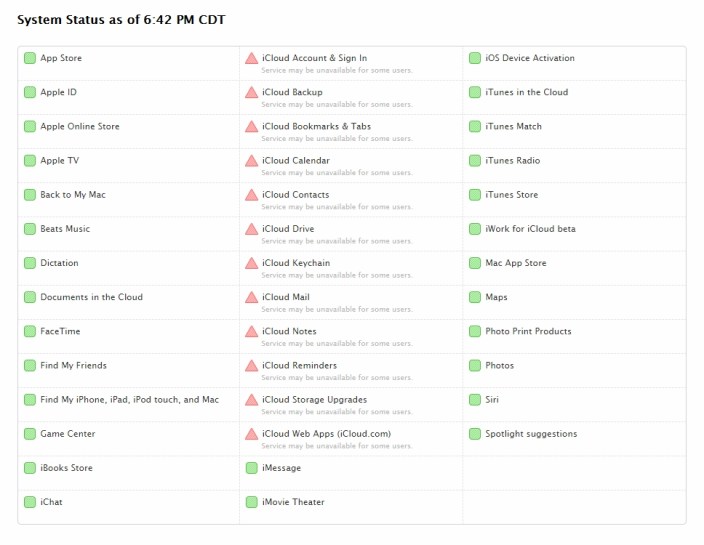
It was less than an hour ago that we told you about a newly-discovered bug within iOS that could potentially delete your iWork files. But now, according to a variety of internet reports, Apple’s month of misadventure continues as iCloud is currently experiencing an outage of some kind. Most notably, it seems as if many are being prompted over and over to enter their iCloud credentials within iOS. Apple has acknowledged the outage on its system status page:
Apple has finally released the iPhone 6 and 6 Plus, and that means tons of new buyers are now becoming sellers—of their old phones. While it probably would have been best to sell that device a month ago to maximize its value, some people just didn’t have that luxury. The good news, though, is that many merchants are still offering very decent trade in values. My good condition 16 GB iPhone 5 falls between $150 and $200 depending on where I look.
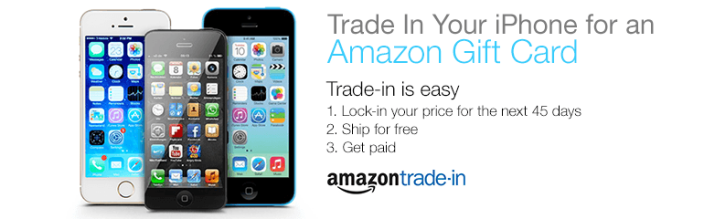
One of those merchants is Amazon, which is claiming values up to $400 for a top condition iPhone 5s. Interestingly, it looks like device trades are really picking up, with the official Amazon tech deals Twitter saying that they’re seeing as many as two iPhone trade ins per minute. If you want to join the ranks among those who are grabbing a couple of benjamins for an old iPhone, head over to Amazon’s trade in page to start the process.
Update: Many users are reporting that cellular functions and Touch ID are no longer working post update, so we would recommend holding off until further notice. Many who have updated their iPhone 4S, iPhone 5, and iPhone 5s are reporting no problems, so it appears this problem is likely confined to iPhone 6 and 6 Plus.
Update 2: The update has been pulled. Apple has issued a statement to Re/code:
Apple has released iOS 8.0.1 to the public, and it’s rolling out now OTA to all devices capable of running iOS 8. The update’s build number is 12A402, and it packs fixes for a variety of bugs that have plagued users of version 8.0. Most notably, the new version includes a fix for the bug that was keeping HealthKit apps from the App Store. Furthermore, the update addresses a plethora of other problems including an issue with apps accessing photos from the Photo Library, a bug involving 3rd party keyboards, an issue that caused unexpected data usage when receiving SMS and MMS messages, an issue involving ringtones not being restored by iCloud, and more.
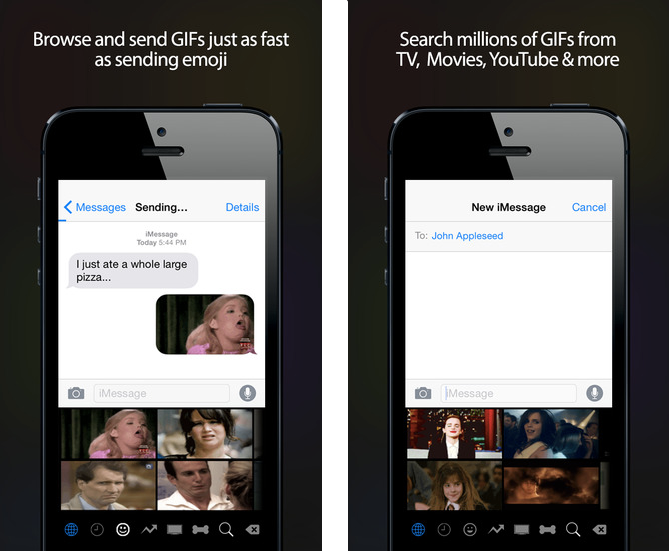
Although dozens of custom keyboards have been launching left and right just in time for iOS 8, most of them have stayed rather traditional. Yes, there’s new features here and there that are firsts for iOS like the ability to swipe to type using Swype and SwiftKey, but these are still just keyboards for typing letters. A new keyboard from Riffsy called GIF Keyboard, on the other hand, isn’t really a keyboard—it’s a great way to quickly and easily send GIFs to friends using your favorite apps.
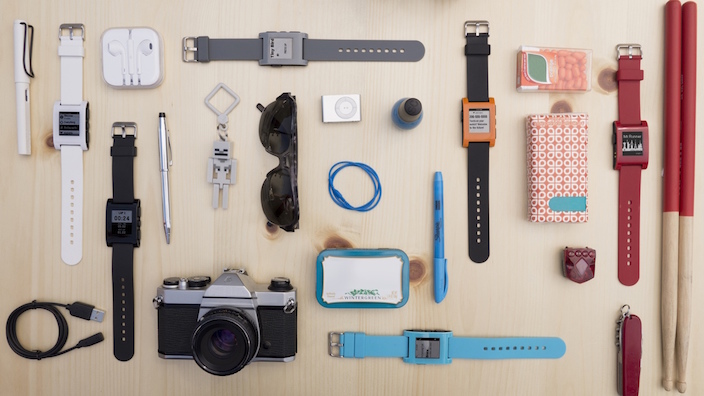
Pebble has launched version 2.5 of its smartwatch firmware, packing a bunch of great new features—including some interesting new abilities for users who have recently upgraded to iOS 8. Notably, the update now allows iOS users to dismiss notifications by clicking the X button to dismiss one, and holding it down to dismiss all. Pebble also says that the app should stay live in the background more often on iOS, but the company says that users should make sure not to disable “Smartwatch Proximity.”
Additionally, the company says that the firmware brings the ability for the Pebble and Pebble Steel smartwatches to display Emoji, replacing the previous small white boxes that are all too familiar across platforms without Emoji support. And to round off the most interesting new features, the company is launching the Compass app that they promised long ago, which can be picked up on the Pebble appstore. I definitely recommend this one; I’ve tried it out and I’m quite impressed with how fluid the app is.
The smartwatch should have improved Bluetooth and notification reliability compared to previous firmware versions, and Pebble says that 2.5 also fixes a plethora of bugs.
Following a big day of Apple news, Kindle has unleashed a massive refresh of its Kindle lines, including three refreshed Kindles and—interestingly—one completely new Kindle model. The lineup includes the company’s new flagship e-reader dubbed Kindle Voyage, a new entry-level Kindle that now packs a touch screen, an updated Kindle Fire HDX, and a new Kindle Fire HD, which is starting at just $99.
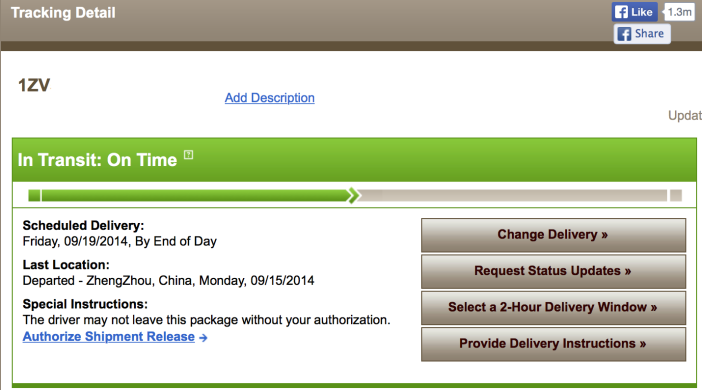
We can confirm via several different people who ordered the device—including some of the 9to5Mac staff—that Apple has begun shipping iPhone 6 Plus units to customers. As expected, looking up these shipments with their UPS tracking numbers (or, in this case, reference number) reveals expected delivery dates of September 19th, the very same day that the phone is expected to start appearing in stores across the US.
A couple of reports yesterday and today have highlighted a little tidbit of information many have been wondering about the upcoming Apple Watch: How will the device make sure payments via Apple Pay are secure? Both the iPhone 6 and iPhone 6 Plus have the convenient Touch ID sensor to validate that your purchases are indeed being done by you, but new information suggests that the Apple Watch is going to accomplish this security in a slightly different way…
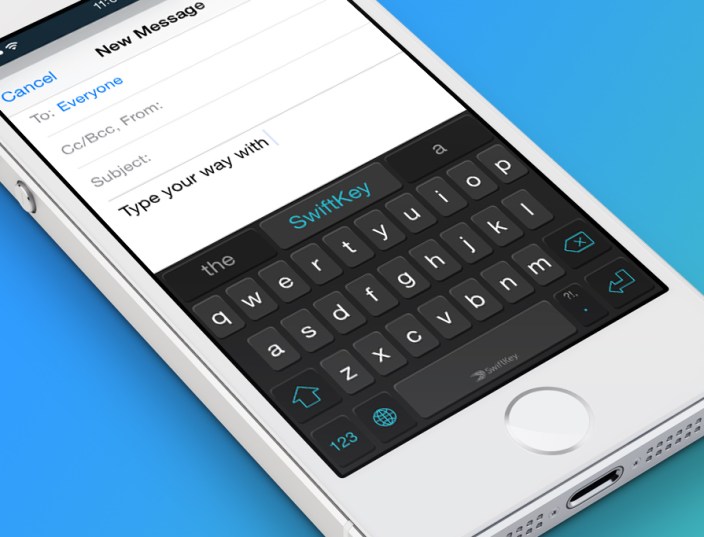
SwiftKey has long been known as one of the most popular third-party keyboards for Android, but the company kept no secrets earlier this year in announcing that the app would be making its way to Apple’s platform with the release of iOS 8. Today, the company has shared some more details about its features, and given us a first-look at the swipe-to-type entry method running on the latest build of iOS.
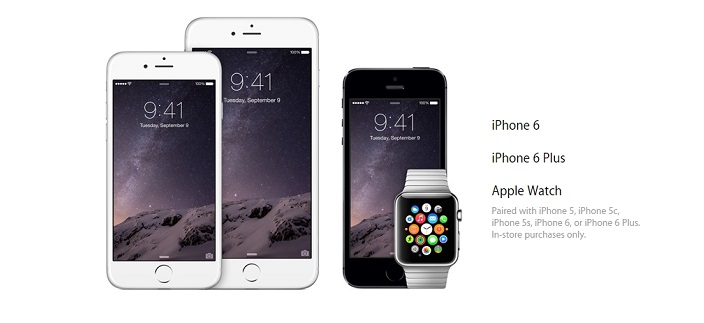
Apple Pay is likely going to turn out to be one of the most interesting new services the Cupertino corporation announced today, but with the obvious lack of an NFC chip in the older generation iPhone models, many are going to have to upgrade to the new iPhone 6 or 6 Plus to take advantage of it in-store. But if you just recently purchased an iPhone 5s, for exmaple, it appears that Apple is offering a different way to use Apple Pay—and it’s coming in the form of the Apple Watch early next year.
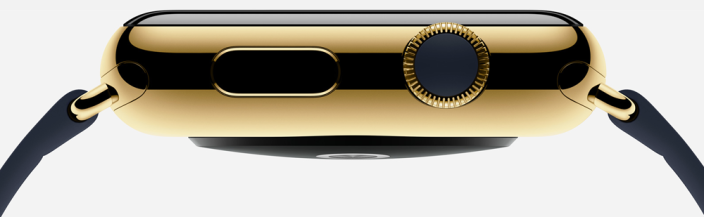
As you can see in the photo above from Apple’s website, the iPhone 6 and iPhone 6 Plus are listed as the two devices that are capable of doing Apple Pay payments by themselves. But the Apple Watch, which was also announced today, will apparently do the job even if you have the iPhone 5 or 5c. How? Apple says you “just double-click the button below the Digital Crown and hold the face of your Apple Watch near the contactless reader.”
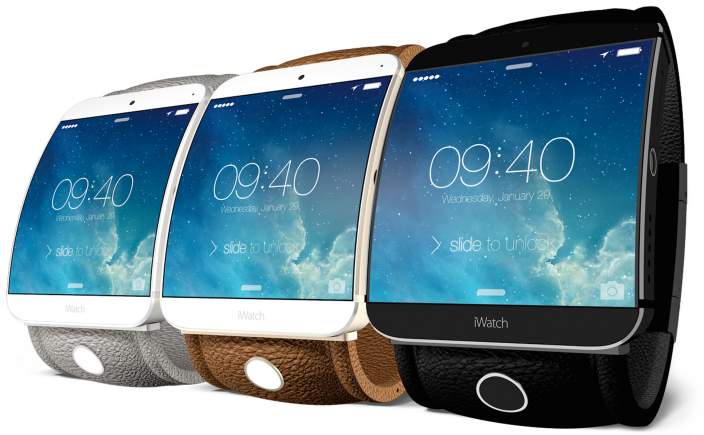
A new report from The Wall Street Journal today is corroborating many previous rumors about Apple’s upcoming wearable, including that the device will include some form of NFC technology and will be shipping in multiple sizes. Furthermore, the report notes that Apple will also be bringing NFC to its next iPhone as seen in previous leaks, making it easier for the two devices to pair and signifying that the watch will be more than just a fitness gadget:
The gadget’s use of near-field communication, or NFC, reflects Apple’s broader ambitions for the so-called iWatch beyond health and fitness tracking, the most commonly cited use. Apple also is expected to add the wireless technology to the next versions of its iPhone, people familiar with the device said, potentially simplifying the process of connecting, or pairing, the two devices.
Alongside new smartphones, tablets, and wearables, Sony has also today announced a refresh for its lineup of lens-style cameras with two new models: QX1 and QX30. The devices are made to be able to work on their own or clip onto the back of a smartphone, and if you go with the latter option, they’re able to connect via NFC (when applicable) or Wi-Fi and have their display via the Sony PlayMemories Mobile app.
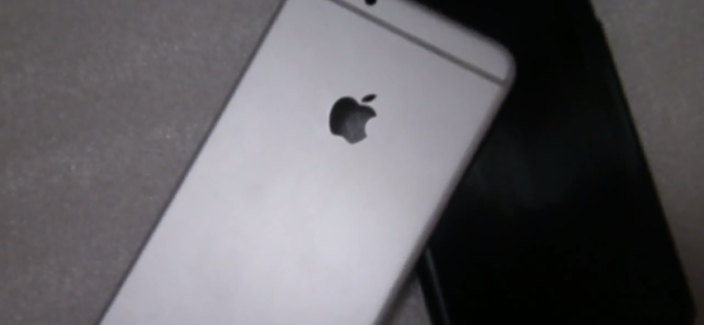
As the days go by leading up to next week’s September 9th event, the part leaks for Apple’s next flagship handsets keep streaming in. The 5.5-inch model in particular has been getting a lot of attention lately, with multiple sources leaking photos of its casing and supposed components. Today’s offering, courtesy of French site Nowhereelse.fr, is another look at the shell of what the publication is calling the “iPhone Air.”
A plethora of reports are swirling around the internet that countless private celebrity photos have leaked (no, we’re not going to link you), and—what are as of right now baseless—rumors claim that someone found a vulnerability in Apple’s iCloud platform and exploited it to obtain the images. Of the celebrities reportedly involved are Jennifer Lawrence, Kate Upton, Avril Livigne, Mary Elizabeth Winstead, Mary Kate Olsen, Hillary Duff, and many others.
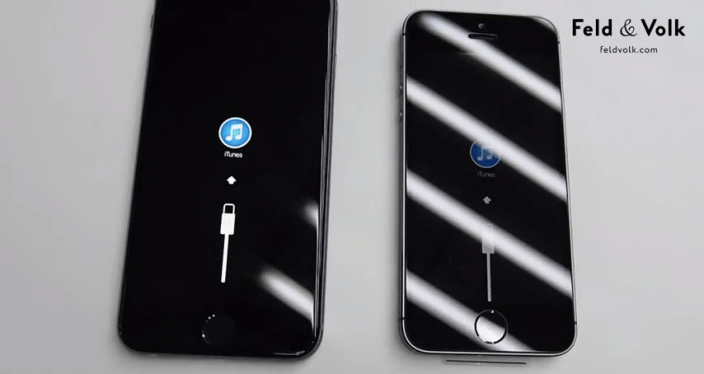
Following photos that surfaced this morning showing much more subtle antenna breaks on the back of a supposed production model iPhone 6, a video of a device based on the upcoming flagship has surfaced thanks to Feld & Volk, an association of designers and engineers who create luxury custom versions of Apple’s most popular handsets. But what’s interesting about this device is that it seems to actually be built from working parts, and can be seen booting and asking the user to connect to iTunes.
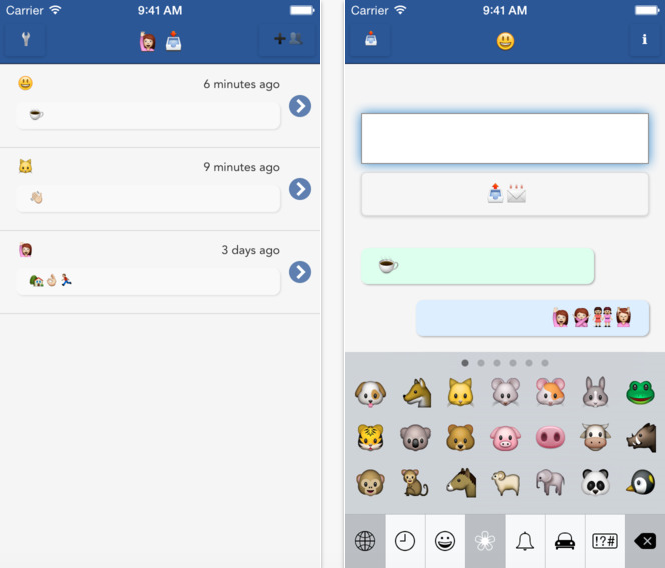
Following in the wake of services along the likes of Yo, the one-word messaging app, a new concept has emerged which is just as novel but also just as useless. In case you felt that sending emoji characters to your friends via text or SMS wasn’t restricted enough, you can now use Emojli to make sure your conversations are always condensed to just miniature pictures—no words allowed.
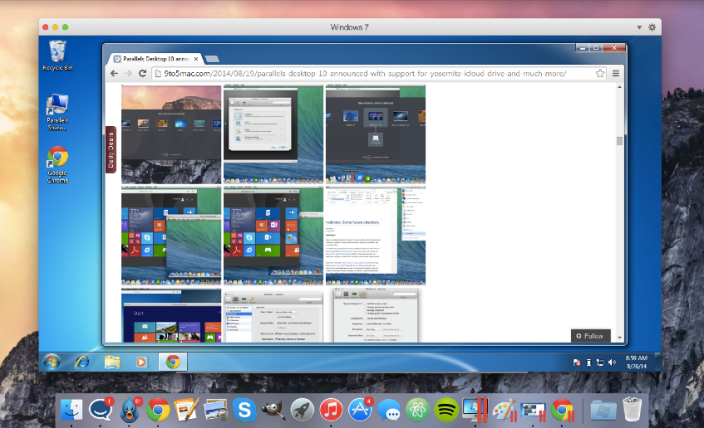
Parallels Desktop has long been one of the go-to applications for using your Mac to virtualize a wide variety of operating systems, and many considered its previous version 9 as more than sufficient for getting this job done. While the software shining point has always been its ability to run Windows truly parallel to the standard Mac OS X desktop, this version of Parallels Desktop 10 for Mac takes multiple strides forward, making it even easier than before to incorporate Windows-only applications—or applications from other x86 operating systems including Android, Chrome, Linux, etc.—into your Mac-based workflow.
Perhaps most importantly, Parallels again ups the ante in speed both in launching and runtime, turning virtualization into a native-feeling experience.
A new Star Wars game from the now Disney-owned LucasArts is landing on iPhones and iPads, and it’s a free-to-play combat strategy game (which won’t be free for too long if you don’t have the patience to wait real time for your structures to be built). The game is called Star Wars: Commander, and while it’s only today reaching the US, it has been available in at least one other country for a little while and has received some great reviews. Expand Expanding Close
In case you hadn’t heard, the creator of the infamous Flappy Bird is back and making another attempt at stealing your attention when you just need a quick iPhone gaming fix. The game is called Swing Copters and, quite frankly, it looks like a vertical remake of its predecessor—which spawned dozens of clones without the help of this spin-off. While we won’t know for a while whether or not this game will live up to the success of Flappy Bird, it’s now rolling out on the App Store in many locales. Expand Expanding Close
Vine for iOS is getting a big update today, packing a new camera that adds a feature that those who use Instagram to share video have had for quite some time: the ability to create posts using clips from your camera roll. The new camera does more than add this method of creating posts, though, and includes many new tools for editing these videos to make your posts exactly what you want them to be. Expand Expanding Close
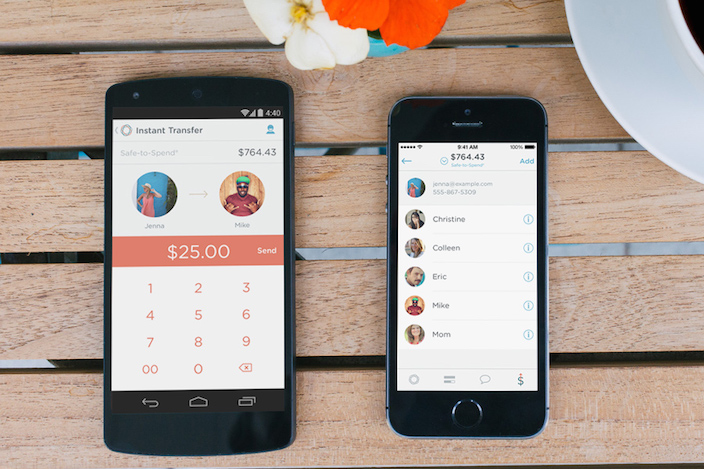
If you haven’t heard of Simple, it’s definitely one of the most 2014-friendly banks out there. Known for its excellent mobile applications, the bank works just like any bank, but gives you a plethora features in both its mobile and web applications to make banking and tracking spending much easier. Today, the company is pushing version 2.0 of the app to Android and iOS users—and the latter will be especially happy because the app still hadn’t been updated to match the iOS 7 aesthetic until today. Expand Expanding Close