Author

Avatar for Michael Steeber

Michael Steeber

‪MichaelSteeber‬

Michael is a Creative Editor who covered Apple Retail and design on 9to5Mac. His stories highlighted the work of talented artists, designers, and customers through a unique lens of architecture, creativity, and community.

Contact Michael on Twitter to share Apple Retail, design, and history stories: @MichaelSteeber

Connect with Michael Steeber

Comment: How a Twitter hack taught me to take online security seriously

Ask anybody about the importance of online security and data management, and you’ll probably hear similar advice. Back up your files regularly. Don’t use the same weak password everywhere. Enable two-factor authentication. A digital life necessitates a layer of precautions that can be repetitive and even exhausting to maintain. It’s easy to brush off the warnings we’ve all heard hundreds of times because “that’ll never happen to me.” Until it does.

When I went to sleep last Monday night, I had no idea that I’d open my eyes to dozens of confusing notifications and my Twitter account taken over by a security hacker group. It caught me completely off guard, but it didn’t have to be that way. Hopefully by relaying my story and some hard lessons I learned along the way, I can help you avoid the same situation as you manage the safety and security of your online accounts and data.



Expand
Expanding
Close

See all of the new animated emoji in watchOS 2 GM [Gallery]

Screen Shot 2015-09-11 at 12.33.19 PM

Not to be outdone by iOS 9.1’s set of new emoji, watchOS 2 GM, released this past Wednesday following Apple’s press event, includes a little surprise of it’s own. Alongside a bunch of new watch face colors, dig into the animated emoji offered on the Apple Watch, and you’ll find 26 new options, ranging from faces sporting sunglasses, to sick faces, and even a few sets of clapping and fist bumping hands. Check out the gallery below to see them all in action:
Expand
Expanding
Close

Visualizing a modern Apple Wireless Keyboard [Gallery]

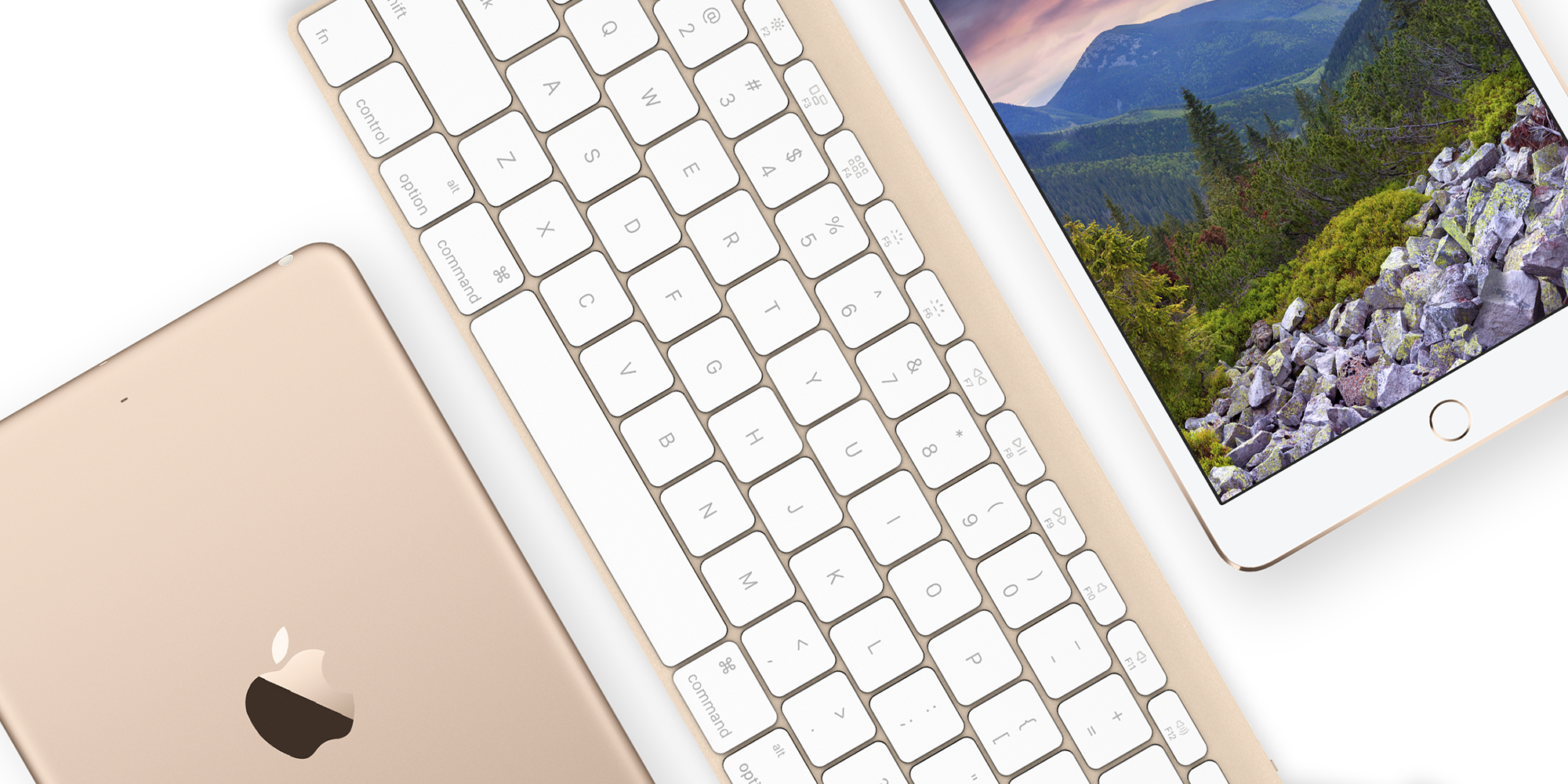
2-1iPadOver the weekend, we learned some preliminary details about Apple’s planned updates for two of their most popular Mac accessories, the Apple Wireless Keyboard and Magic Mouse, in the form of FCC filings. Aside from new and improved connectivity thanks to Bluetooth 4.2, both accessories appear to have design deviations from their existing models, as detailed by the rough sketches accompanying the FCC filings. Based on these sketches, I decided to more fully visualize the changes Apple could be planning for an all new and more modern wireless keyboard based on other modern Apple product designs.

Expand
Expanding
Close

Changing the conversation: How Apple could modernize iMessage to be more powerful and easy to use

Site default logo image

Previews

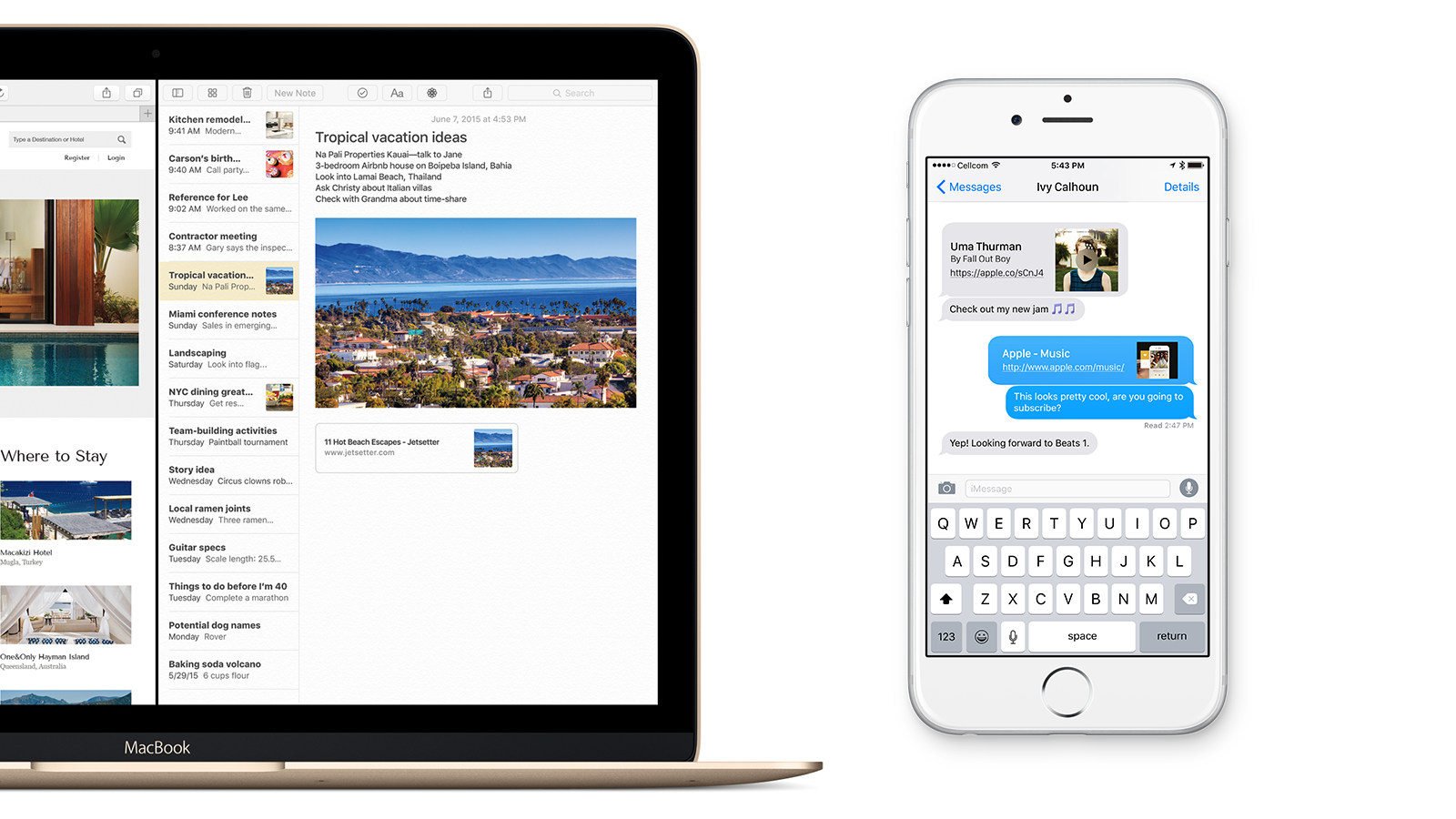
At this year’s WWDC, Apple devoted a lot of onstage attention to a revamp of the Notes app in both iOS 9 and OS X El Capitan. One of my favorite additions is inline web link previews. Just paste a URL, and Notes will turn the link into a preview bubble with a thumbnail for the page, as well as a title and description.

This got me thinking about the possibility of applying the same functionality to other apps. The most obvious place to start, in my opinion, is Messages. I’m constantly sending and receiving links through iMessage throughout the day, whether it’s to a web page, an image, or even just a tweet. Having to flip back and forth between Safari and Messages just to see what the link I’ve been sent is removes me from the conversation and slows down my workflow.


Expand
Expanding
Close

Review: Apple Watch as a design piece

Site default logo image

Hero1

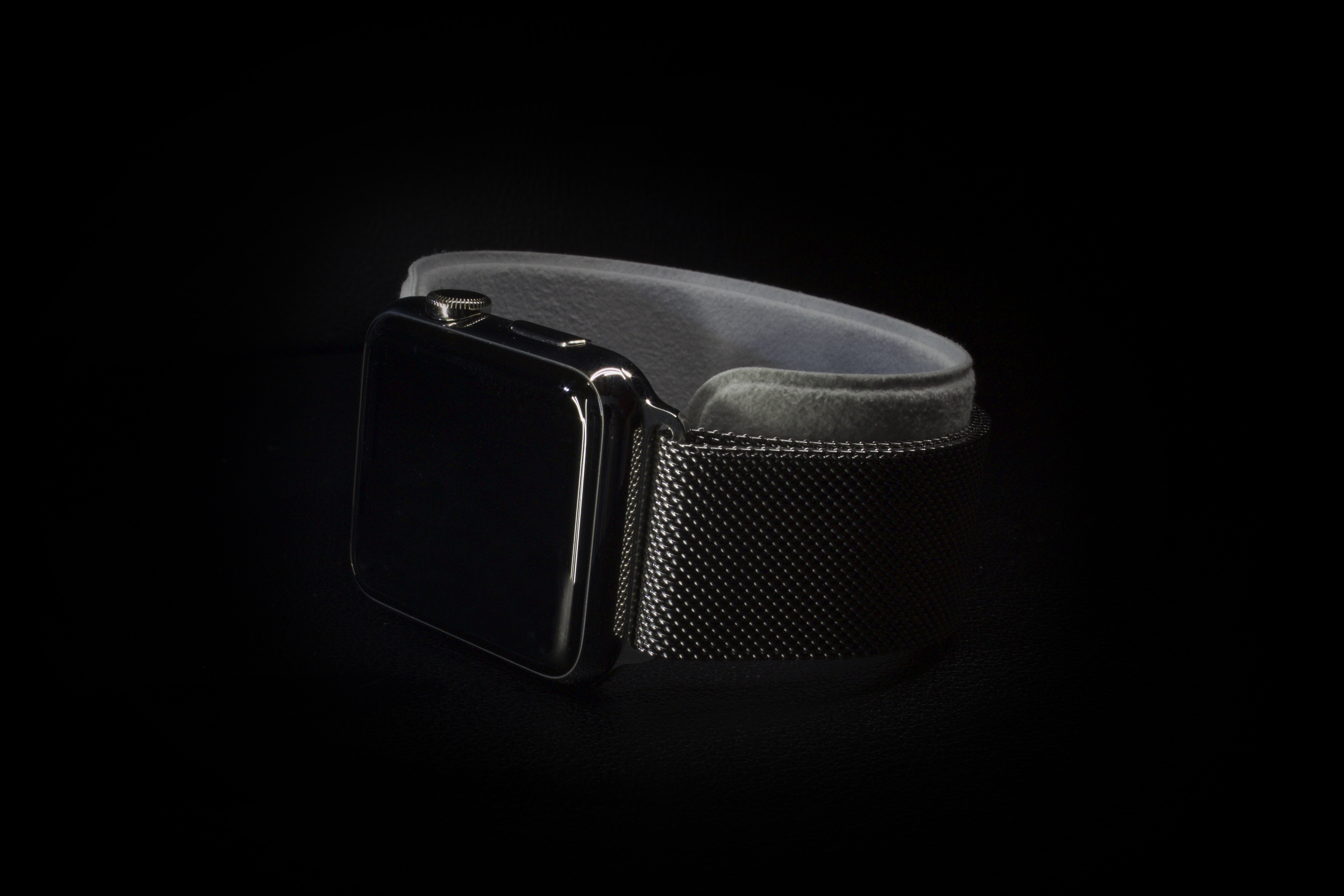
Precision. That’s the word that immediately came to mind the minute I picked up my Apple Watch for the first time. Something about this device felt different, on an almost subconscious level, from any other Apple product I’ve used before. Perhaps I was just caught up in the moment. After all, the Watch is the first totally new product to come out of Apple since the introduction of the iPad, which feels like so many years ago. On the other hand, I knew from the onset that I planned on buying the Apple Watch mostly for its design. I wasn’t so much interested in all of the software features it could offer me, I just couldn’t imagine not having this shiny little box on my wrist. With that in mind, let’s take a closer look at the Apple Watch strictly as a design piece.


Expand
Expanding
Close

Site default logo image

Apple updates iMovie for OS X 10.10.3 beta with Photos app integration, compatibility fixes

Screen Shot 2015-03-09 at 2.58.01 PM

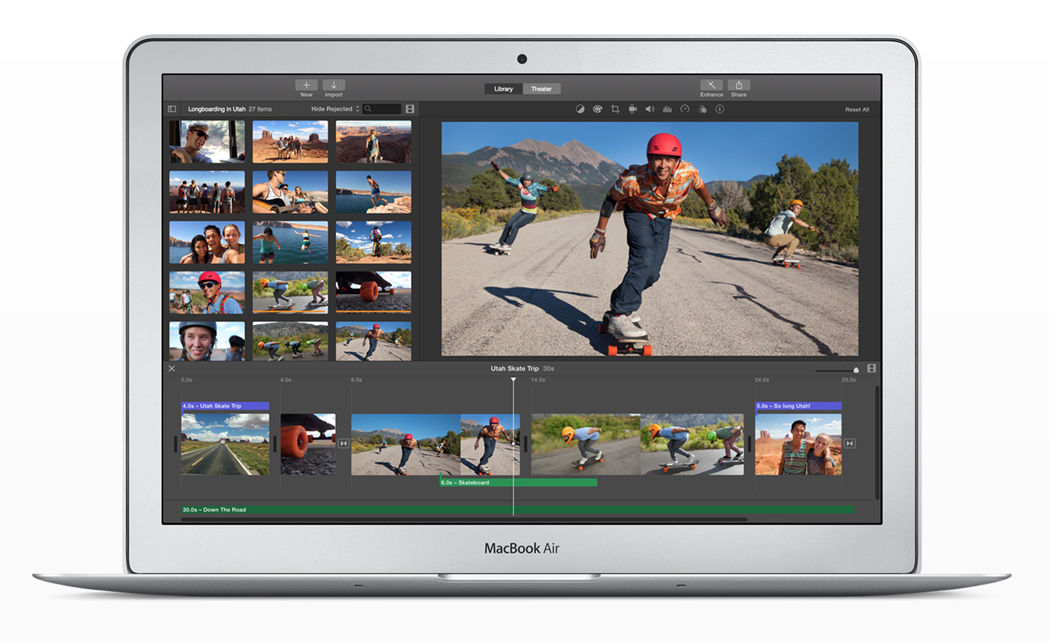
Apple has issued a small update to iMovie for users running the OS X Yosemite 10.10.3 developer and public betas. This new update, version 10.0.7, brings integration with the all-new Photos app, announced last year at WWDC and currently in beta. You’ll now be able to browse your moments, collections, favorites and albums in iMovie. Full release notes below:

Screen Shot 2015-03-09 at 2.49.32 PM

Hands on with the first medical apps using ResearchKit

Site default logo image

IMG_2159

As part of ResearchKit, Apple’s new foray into medical research, five brand new apps have been launched in conjunction with leading medical institutions that utilize the new capabilities of ResearchKit. These first apps cover the areas of asthma, Parkinson’s disease, diabetes, breast cancer, and cardiovascular diseases. Below is a first look at some of the new application’s capabilities.


Expand
Expanding
Close

Touching the dial: How iTunes Radio could be tuned for a better user experience

Site default logo image

itunesradio_hero

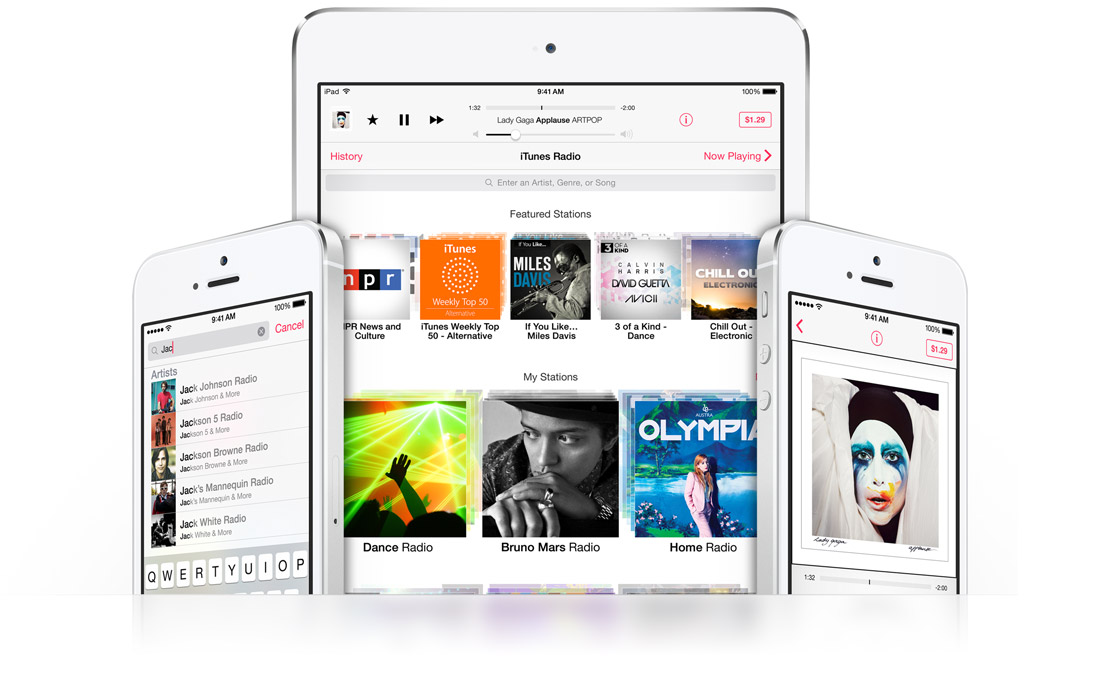
iTunes Radio, Apple’s first real foray into streaming music, made its public debut back in June 2013, where it was announced alongside iOS 7. Over a year since its release, the service hasn’t exactly taken over the world, quite literally. It’s still only available in the United States and Australia. If you compared iTunes Radio today with iTunes Radio as it existed the day it was first available to use, you’ll notice that not much has really changed.

Of course, just last May, Apple announced its acquisition of Beats Electronics, which brought along with it Beats Music, a robust and almost entirely different approach to streaming music. While Apple may seek to integrate Beats Music more tightly with iTunes in the future, at this time it hasn’t.

So in the meantime, what could Apple do to make iTunes Radio more appealing to customers? Some might say the music selection is limited, or that streaming doesn’t always work correctly. However, focusing on the service strictly from a feature standpoint, there are many small changes and additions Apple could implement that would have a huge impact on the usefulness and utility of iTunes Radio. Let’s take a look.


Expand
Expanding
Close

Emoji Type keyboard brings predictive emoji typing to iOS

Site default logo image

Screen Shot 2014-12-17 at 12.45.46 PM

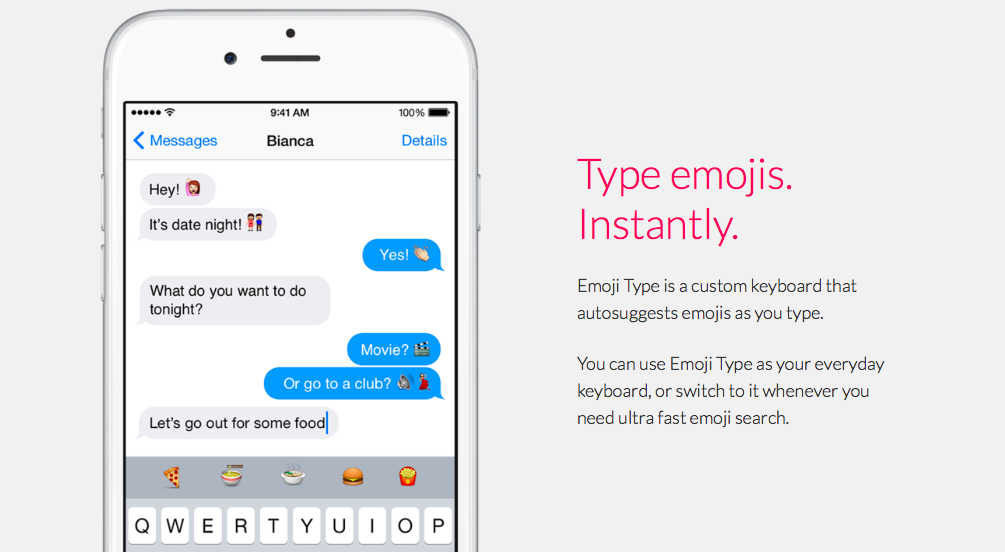
If you’re a fan of emoji, you’ll want to 👀 at Emoji Type, a new third party predictive keyboard for the 📱. Emoji Type comes from the iOS developer of Product Hunt. Like with any iOS 🎹, installing the Emoji Type app prompts you to enable the keyboard in Settings. Once you’ve done that, you can switch to Emoji Type by hitting the 🌐  icon on the keyboard.


Expand
Expanding
Close

Modernizing the home screen: How iOS could take cues from the design of the Apple Watch

Site default logo image

Header

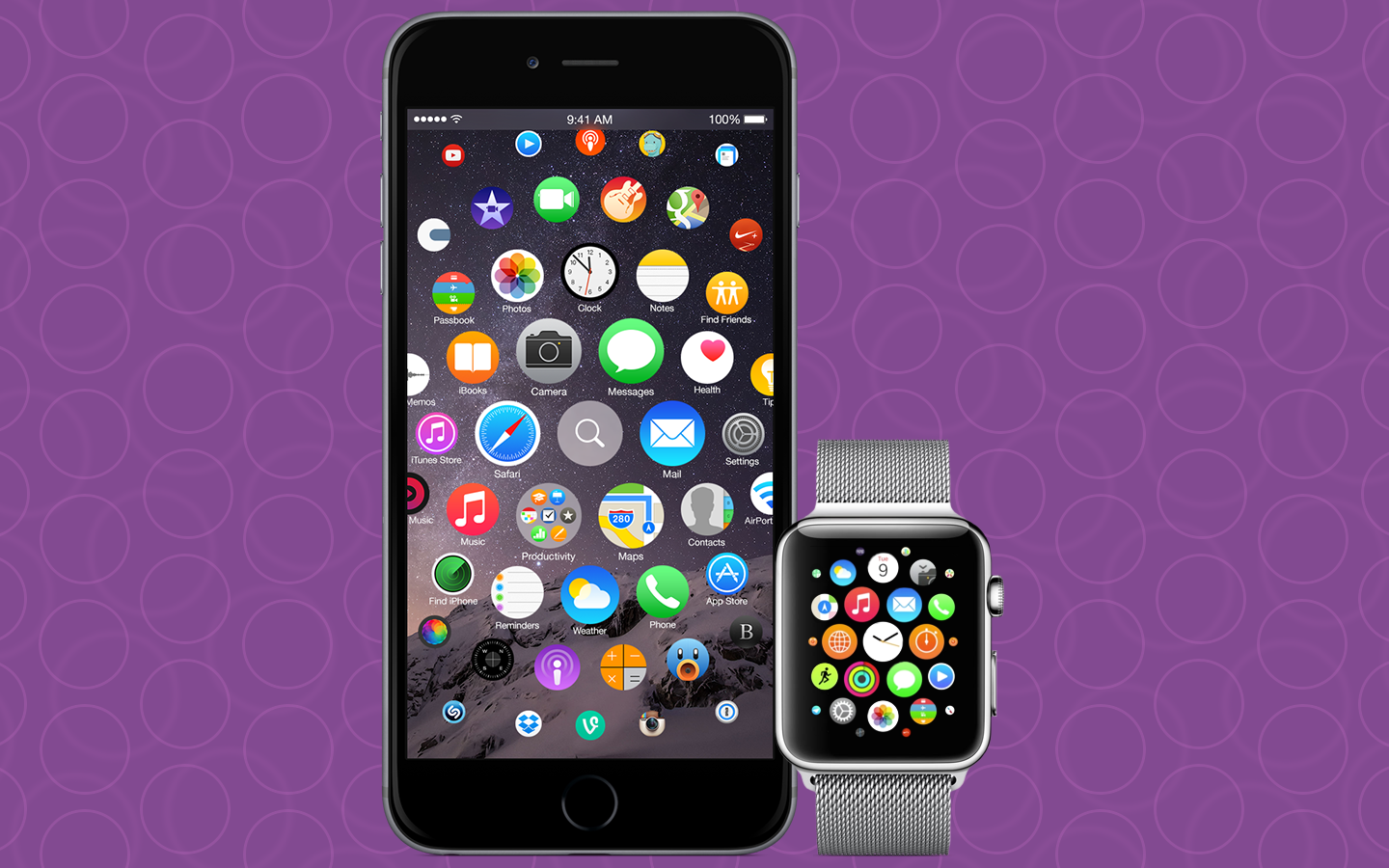
At Apple’s special press event this past September, we witnessed the introduction of several new user interface paradigms, in the form of Apple Watch. Perhaps one of the most interesting was Apple Watch’s entirely new home screen. This is the first departure from the same basic concept of the home screen that Apple demoed in January of 2007 when it debuted the iPhone OS.

Apple clearly thinks that Apple Watch is the future of the company, but is the Apple Watch home screen the future of the iOS home screen? Let’s take a look at how we arrived at where we are today.


Expand
Expanding
Close

Site default logo image

Review combo: Inateck Bluetooth Audio Receiver and Micro USB Cable with Lightning Adapter

IMG_9822

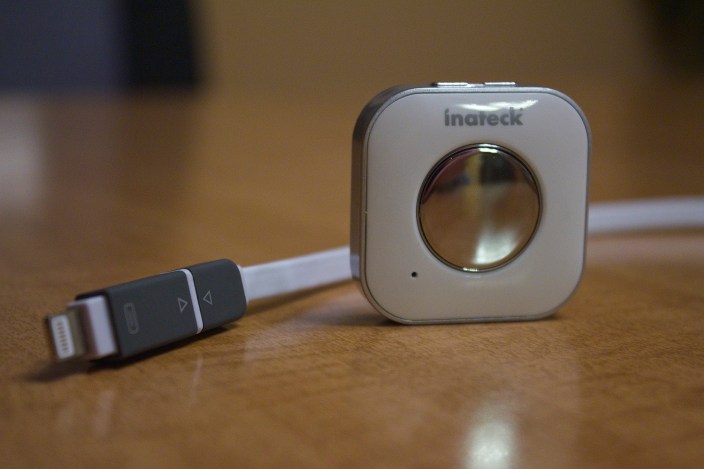
Today we’re taking a look at two iOS device accessories from Inateck- the Bluetooth Audio Receiver and 1.2m Micro USB Cable with Apple Lightning Adapter.

Bluetooth Audio Receiver 

Upon initial inspection, the Bluetooth Audio Receiver might not look like it’s capable of much. The entire unit measures only 40x40x11.5mm. However, this device is capable of driving Bluetooth 3.0 audio through any speaker system with a standard 3.5mm connection.


Expand
Expanding
Close

The origin of the iPhone 6’s new milky way wallpaper (Interview)

Site default logo image

Screen Shot 2014-09-10 at 9.32.54 PM

For most people, the decision of which wallpaper to choose for your iPhone is just a matter of going through your photo library to find the right picture. For Espen Haagensen, however, the process just became a whole lot easier. Starting September 17th, a photo of the Milky Way he captured while in Norway will become the default wallpaper in iOS 8, software that will be downloaded hundreds of millions of times by users all around the world.

Two days later, on September 19th, countless iPhone 6 and 6 Plus units will begin shipping out to customers, all preloaded with the same shot. I talked to Espen about the photo’s origins and how it feels to be so prominently featured by Apple.


Expand
Expanding
Close

Site default logo image

Review: Inateck’s felt sleeve for the 13-inch Retina MacBook Pro and 11-inch MacBook Air

IMG_9278

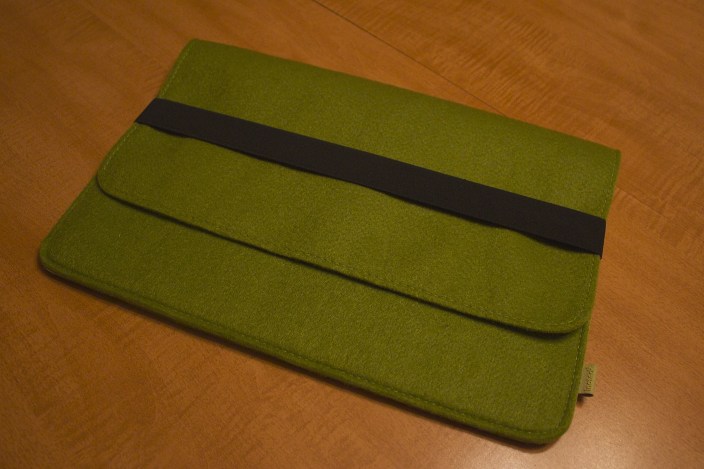
MacBook sleeves and bags are practically a commodity today, with a wide variety of options and styles available for purchase at almost all online and offline retailers, and for good reason. Even as Apple’s portable computers trend towards lighter and more durable designs, a practical carrying case is still essential for any kind of travel. I’ve been using Inateck’s felt sleeve style MacBook cover for the past several weeks- a durable, unobtrusive, and light way to protect a 13-inch Retina MacBook Pro or 11-inch MacBook Air. Let’s take a closer look at the product.


Expand
Expanding
Close

iOS 8’s iPhoto to Photos app transition to ditch Journals, Books, and Slideshows

Site default logo image

Screen Shot 2014-07-25 at 12.23.10 PM

Starting in iOS 8 beta 4, which was released this past Monday to developers, Apple has begun notifying users of the soon-to-be-defunct iPhoto for iOS to migrate their iPhoto data to the totally revamped Photos app in iOS 8, as part of Apple’s new photo strategy being rolled out this fall and early next year. While photo data can be migrated out of iPhoto, Apple warns that Journals, Slideshows and Book layouts will no longer be available going forward. Right now, Apple’s “Learn More” link appears to be dead.


Expand
Expanding
Close

Video: Here’s what’s new in iTunes 12, iOS 8 beta 4 & OS X Yosemite preview 4

Site default logo image

Earlier today, Apple released iOS 8 beta 4 with a redesigned Control Center feature, OS X Yosemite Developer Preview 4 with various interface tweaks, and a new iTunes 12 Mac app with a refreshed look and feel. Above is our video that takes a closer look at these various changes and enhancements.


Expand
Expanding
Close

Adobe launches powerful Mix iPad app, brings Lightroom to iPhone, updates Creative Cloud, Ink & Slide available

Site default logo image

lr-mobile_ipad_iphone_sync_1400x80011

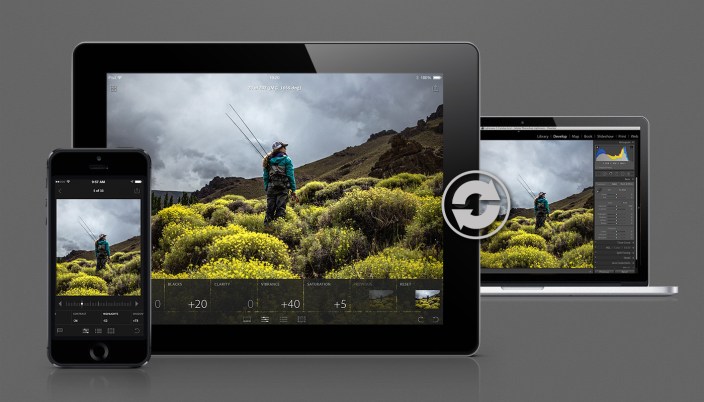
As part of a totally revamped Creative Cloud Photography Plan, Adobe today launched both Lightroom for iPhone, a companion app to the desktop version and twin of the recently launched iPad version, as well as Adobe Mix, a completely new iPad app that brings down many powerful features previously only available on the desktop versions of Photoshop.

Corresponding with these new iOS apps, Adobe has launched new versions of 14 of its Creative Cloud desktop apps. Let’s take a closer look at the new iOS offerings from Adobe.


Expand
Expanding
Close