Adobe



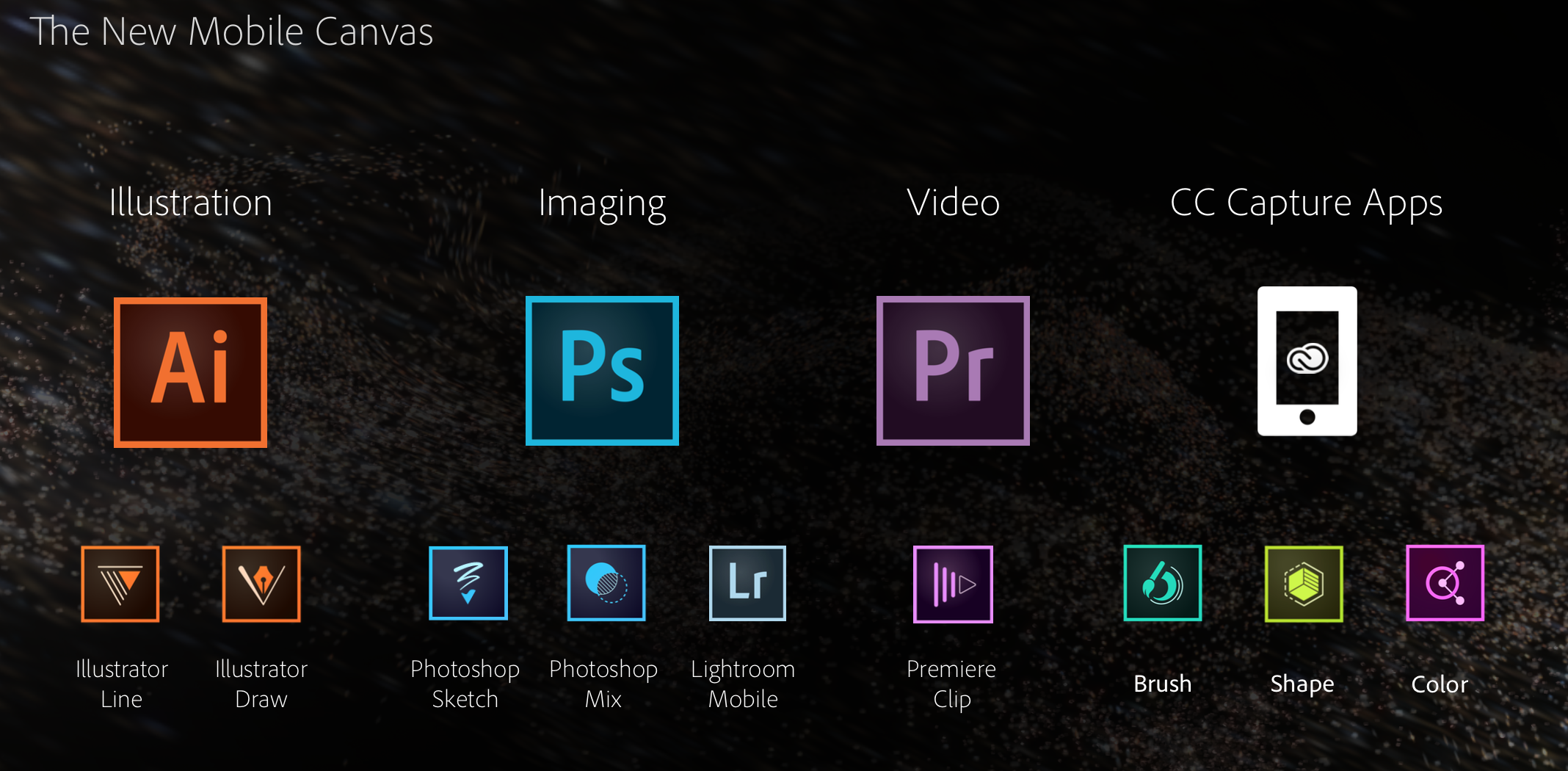
Ahead of its annual MAX Conference kicking off today, Adobe has launched an entirely new suite of apps that are now available on the iPhone and iPad App Store. This year, Adobe is focusing on simplifying its mobile software lineup into four categories that sync with desktop counterparts: Illustration, Imaging, Video, and a new platform called Creative Cloud Capture Apps. Each of the apps within the four categories are either brand new or have been enhanced.


Image via Engadget
Adobe has announced its next major upgrades to its popular Photoshop Elements and Premiere Elements applications, with each being bumped up to version 13.
Both apps add new editing features, such as “photomerge compose” for lifting subjects from one photo and quickly moving them into another with proper lighting and other effects. New cropping tools allow you to automatically compose perfectly cropped by detecting faces and other details and determining how to best frame them in the shot.


Adobe is announcing a number of updates for its Creative Cloud desktop apps today with the highlight being a refreshed UI across almost all of its video products. One thing in specific for Mac users caught our eye, however, and that’s HiDPI support for Macs with Retina displays:
A refreshed user-interface across all the video applications supports HiDPI displays for both Mac Retina Displays and Windows 8.1, providing a cleaner appearance enabling video professionals to stay focused on their projects. “The first thing you’ll notice when you open them, is the cleaner look to all of the video apps,” said Bill Roberts, senior director of product management. “We’ve modernized and simplified the user interface so that it doesn’t compete with the content. The point is to allow video pros to focus more on their content, and less on the widgets.”
In addition, there is a long list of other improvements for the apps including some major enhancements to Adobe Premiere Pro and Adobe Anywhere for video. A full list of what’s new is available here.
Adobe, which announced the new features at IBC 2014, says the updates are coming soon.
Revealing Next Wave of Innovation for Adobe Video Desktop Apps
At IBC 2014, Adobe will showcase new video technology that streamlines video workflows for video professionals, broadcasters and media companies. Key updates include:
Support for cutting-edge hardware and standards is accelerated via Adobe Creative Cloud, enabling the company to respond quickly to new hardware and software standards. Key updates extend native file support, with the addition of AJA RAW. Performance enhancements include accelerated Masking & Tracking; and new GPU-optimized playback that delivers better performance when viewing extremely high resolution 4K and UltraHD footage from Phantom Cine, Canon RAW and RED R3D files.
A refreshed user-interface across all the video applications supports HiDPI displays for both Mac Retina Displays and Windows 8.1, providing a cleaner appearance enabling video professionals to stay focused on their projects.
Powerful new media and project management features, including Consolidate & Transcode; Search Bins; and Multiproject workflows offer more ease and flexibility, at the project level, so Adobe Premiere Pro CC users can complete tasks more efficiently. Adobe Media Encoder now includes Destination publishing with preset options so users can render, deliver and share projects to multiple locations such as FTP sites and their Creative Cloud folder, automating the delivery process. Additionally, Extended Match Source support now includes added support for the QuickTime and DNxHD formats, simplifying the workflow for users who are transcoding or rendering content.
Streamlined workflows and ongoing refinements make everyday tasks easier and faster inside Adobe CC video apps, including Timeline Views in Adobe Premiere Pro CC; Curve adjustments and Look Hover previews in Adobe SpeedGrade CC; and Rough Cut Dissolves and keyboard shortcuts for tagging in Adobe Prelude CC.

Adobe has updated its Photoshop Mix iPad app with several new features and tweaks. Version 1.1 of the app includes undo and redo support for quickly rolling back edits up to three levels.
The update also introduces support for exporting a JPEG or masked PNG to the iPad’s camera roll. You can also import images to edit from Dropbox. Foregrounds and background layers can now be switched using the Image Swap feature. Other miscellaneous performance enhancements have also been made to allow for faster project loading.
Image via <a href="http://www.businessweek.com/articles/2014-05-01/tech-hubris-the-silicon-valley-antitrust-hiring-conspiracy#p2" target="_blank">Bloomberg</a>
A judge has rejected a settlement that was reached earlier this year between employees of Apple, Intel, Google, and Adobe and their respective companies, CNBC reported today. According to reports from the courtroom, Judge Lucy Koh ruled that the settlement was not high enough and should actually be $380 million.
The lawsuit was brought against the tech giants in question by current and former employees who believed (correctly) that their employers had created agreements to avoid attempting to hire engineers from one another. The idea was that if no competitors were making offers, each company was free to pay its employees whatever it wanted without having to worry about them jumping ship for a better offer.
Approximately a month after Apple announced it is discontinuing Aperture and iPhoto in favor of the new Photos app on OS X Yosemite and iOS 8, Adobe is today taking advantage of the Apple shift with a couple of key announcements. First, Adobe has published a new website detailing the advantages of Lightroom over Aperture. More importantly, Adobe has released a comprehensive, step-by-step transition guide for moving from Aperture to Lightroom. The guide also includes some answers to frequently asked questions.
It can be accessed here. Adobe has also announced that it working on software to bring a more automated transition experience:
At Adobe, we’re working on a migration tool to help you bring your photos into Adobe® Photoshop® Lightroom® from Aperture, but if you’re eager to switch before the tool is ready, this guide can help ease your transition. We recognize that this migration may be a challenging process and offer the following resources and methodology to help get you up to speed with Lightroom and provide a road map for successfully migrating your photos.
The first challenge is that the terminology, layout, and controls of the two applications are different. It’s a good idea to start processing photos in Lightroom and become familiar with it before you migrate your photos from Aperture. You can do so by taking some new photos, importing them into Lightroom, and then using Lightroom.
The new Photos app for OS X launches in early 2015, but despite Apple’s claims of significant functionality, a look at what Apple has shown about the app reveals that the functionality mostly mirrors what iOS 8 will gain in September. Adobe has also previously detailed some future Lightroom plans in order to appease professional photo editors.


Adobe has actively been rolling out new and powerful tools for the iPhone and iPad in recent months including Lightroom Mobile for iPad followed later by Lightroom Mobile for iPhone and Photoshop Mix as well as Adobe Voice for creating storytelling from iPad.
Expand
Expanding
Close
Due to a security flaw discovered in its Flash Player software, Adobe released an update to the web plugin earlier this week. Today Apple confirmed that it had updated its plugin blacklist for OS X to stop the system from using a version of Flash Player older than 14.0.0.145 (or 13.0.0.231 on older systems).
According to Apple’s product security team:
Due to security issues in older versions, Apple has updated the web plug-in blocking mechanism to disable all versions prior to Flash Player 14.0.0.145 and 13.0.0.231.

Earlier this week, Apple released OS X 10.9.4 with various enhancements and bug fixes for wake-from-sleep and WiFi connectivity. In addition to those fixes, many professional video editors who use Mac Pros are reporting that graphics rendering and performance issues found in the preceding OS X 10.9.3 have been resolved. Graphics card incompatibility issues with 2013 Mac Pros bundled with AMD D700 and D500 graphics engines resulted in videos stalling during the exporting process, pink and green lines appearing in exported video, and various application crashes and freezes with key video production apps like Adobe Premiere Pro and Blackmagic DaVinci Resolve…
Following Apple’s announcement that it has ceased software development of the Aperture professional photo editing software for Mac and the development of iPhoto on iOS and OS X, Adobe has issued a statement. The digital software company is promoting its Lightroom and Creative Cloud photo editing and management products for the web, iOS, and OS X:
Today, Apple announced they will no longer be developing Aperture in light of their new photography app for OS X. If you are an Aperture or iPhoto customer looking for change, check out our new Creative Cloud Photography plan announced last week, or our standalone Lightroom app for your desktop as alternatives.
Adobe also says that it is “doubling down” on those products and that a “rich roadmap” is ahead for the coming weeks, months and years:

As part of a totally revamped Creative Cloud Photography Plan, Adobe today launched both Lightroom for iPhone, a companion app to the desktop version and twin of the recently launched iPad version, as well as Adobe Mix, a completely new iPad app that brings down many powerful features previously only available on the desktop versions of Photoshop.
Corresponding with these new iOS apps, Adobe has launched new versions of 14 of its Creative Cloud desktop apps. Let’s take a closer look at the new iOS offerings from Adobe.


Alongside a minor update to the app, Adobe Revel has changed their business model slightly. Before, free accounts were limited to uploading just 50 photos every month. Going forward, free accounts get 2 GB of fixed storage for uploads.

Adobe is out today with a new app for iPad that leverages the use of multimedia and speech to create simple and creative animated videos. The app is called Adobe Voice (it may look familiar to you if you recall Ginger) and the creative software company thinks it can make you a better story teller using your iPad. Adobe Voice combines the use of narration, photographs, text, and iconography with a number of templates which include music to create a really neat experience for making crafty videos. Check out my experience (and videos) below.
Expand
Expanding
Close
Adobe has published an update for its mobile photo editing app, Photoshop Express, bringing the version up to 3.3. The update includes a redesigned interface to match iOS 7’s look along with a handful of new features.
Feature-wise, the update adds a ‘green eye’ correction filter, an auto-save feature, improved tool tips, a better photo picker, and new sharing options for Instagram and SMS.
The update is available for free to everyone on the iOS App Store.
What’s New in Version 3.3
• A brand new editing experience with a new look for iOS7
• Share via Instagram or SMS
• Pet-eye (a.k.a. green-eye) correction
• Save your work without saving now that the app resumes where you left off
• Navigation improvements throughout the app, including Tool Tips and updates to the Photo Picker
• Bug fixes and performance improvements.

Be sure to follow 9to5Toys to keep up with the best gear and deals on the web: Twitter, RSS Feed,Facebook, Google+ and subscribe to the new Safari push notifications feature.
Today’s can’t miss deals:
Last Call updates:
Lowe’s Coupon: 10% off online orders (includes Nest Thermostat). Some exclusions apply… http://t.co/7q7RR8c2rE pic.twitter.com/VwZn8FnkWS
— 9to5Toys (@9to5toys) April 17, 2014
RAVPower 10400mAh Power Bank for $26 shipped (Reg. $35) http://t.co/ZIFlKuhRXy
— 9to5Toys (@9to5toys) April 17, 2014
Sling Media Slingbox 350, stream live HDTV to your iPhone/iPad $99 shipped (45% off)
Western Digital Hard Drives:
Adobe Photoshop Elements and Premier Elements 12 (PC/Mac) $75 shipped (50% savings)
2-pack of D-Link DCS-930L wireless network cams with iOS/Android app: $50 shipped (Reg. $160)
Logitech UE 4000 Headphones $19 + $5 shipping (Reg. $100) http://t.co/4V7VkgRYmE
— 9to5Toys (@9to5toys) April 17, 2014
Staples is going to be taking $10 off $50 iTunes gift cards next Monday and Tuesday ONLY. 1 per customer. pic.twitter.com/6Ik8w1Gjsc
— 9to5Toys (@9to5toys) April 17, 2014
Other deals from today:
New games/apps:
Pixelmator (Mac) $15, Windows Store gift cards (apps/xbox games) 20% off, The Lorax (Android) $1: http://t.co/VMuJ3E2ZyJ— 9to5Toys (@9to5toys) April 17, 2014
More deals still alive:
New products/useful info:
Microsoft/Google/Android:
After briefly leaking earlier this year, Adobe is finally ready to show off its Lightroom Mobile for iPad software for photographers and photo editors. The iPad application borrows many of the essential features from the powerful desktop software and is optimized for the touch input user experience key to the tablet. We’ve taken a sneak peek at Lightroom Mobile for iPad, and we have all the details on Adobe’s latest Lightroom update.
Expand
Expanding
Close
Less than three weeks ago, Adobe released a critical security update for its Flash Player plug-in fixing an exploit that allowed machines to be accessed remotely by attackers.
Yet another security update is out today (and strongly recommended). The new build (Version 12.0.0.70) intends to address a vulnerability that allowed attackers to target at least three nonprofit websites according to security firm FireEye and reported by ArsTechnica…
Adobe released a critical security update to its Flash Player plug-in (version 12.0.0.44) on Tuesday that addresses an exploit that put machines at risk of being remotely accessed by attackers. You can grab the latest version of Flash Player here (OS X and Windows) or check for updates in the System Preferences app… or you could remove Flash altogether with Adobe’s uninstaller.

Adobe will soon make the iPad an even more viable solution for mobile content creation: the company will soon unleash a version of its popular Lightroom photo editing suite that is optimized for tablets. References to Lightroom for Mobile appeared on Adobe’s official website earlier this week, but they were immediately removed when we contacted Adobe for comment on the yet-to-be-announced product.
Adobe’s tagline for the product is “Take Lightroom anywhere,” but we were unable to locate screenshots of the application on Adobe’s website. The website also does not specifically note iPad support, but a chat representative from Adobe was able to pull up details about Lightroom for Mobile from Adobe’s systems and said that it is built for iPad.
The representative further indicated that the mobile version would largely lineup with the desktop version in terms of features…

Printing from Photoshop CC is no longer limited to two dimensions, as Adobe has added support for 3D printing to the latest release for Creative Cloud subscribers.
While Photoshop wouldn’t be the obvious tool in which to create 3D objects from scratch, objects can be imported from a 3D scanner, from a modelling tool or from a downloaded file, refined in Photoshop using the new automated mesh repair and support structure generation tools. Once the model is ready to print, it can be sent direct to any of the most popular 3D printers, including the Makerbot Replicator …
Expand
Expanding
Close
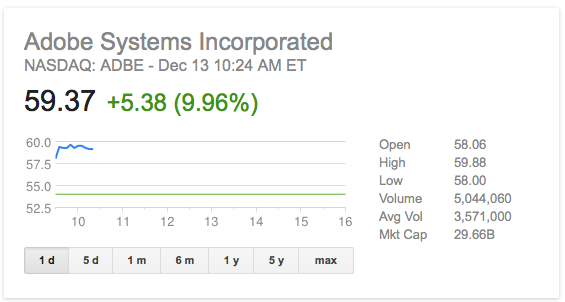
Adobe stock climbed 10 percent to just under $60 in opening trading after announcing Q4 earnings in line with expectations, and strong growth in subscriptions as the company transitions away from one-time purchase licences.
While year-on-year numbers were poor, revenue down almost 10 percent and earnings almost halved, Adobe has been at pains to point out this was expected as it shifted to subscription-based sales.
As Adobe customers migrate from a legacy Creative Suite perpetual licensing model to new Creative Cloud subscriptions, revenue is recognized over time as opposed to at the time of purchase.
See below for a cool infographic of Adobe by the numbers …
Expand
Expanding
Close

From 9to5Toys.com:
Adobe today announced a pretty solid Black Friday deal. Adobe initially launched the Photoshop Photography Program in September to support the needs and workflow of photographers who use CS3 or later. Now, for a limited time, Adobe it is extending this offer to ALL photographers for $9.99/month as an annual subscription – valid from Nov. 20 (9:00 a.m. PST) through Dec. 2, 2013 (11:59 p.m. PST) on Adobe.com…
Expand
Expanding
Close
Context, the photorealistic way to preview your Illustrator designs, has finally left beta, with an official release now available. We reviewed the beta version of Context back in March, but today you can get your hands on the final version…
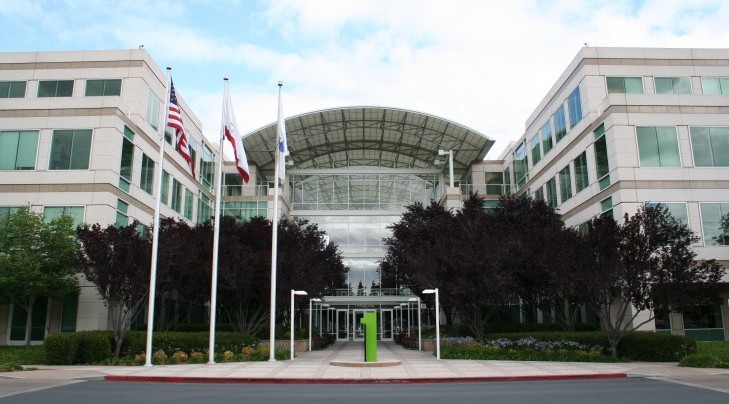
A federal judge ruled that a lawsuit against Apple and several other companies can proceed as a class-action suit today after determining that a significant number of employees across the tech industry were hurt by “do-not-hire” arrangements between their employers and other companies. The policies in question were practiced by Apple, Google, Adobe, Pixar, and more as a way of keeping their own employees from defecting to competitors for higher pay. Essentially the agreements barred two companies from offering jobs to competing employees for a higher salary. Because doing so gave employees leverage with which to bargain for higher pay at their own jobs, employers were often faced with the decision to either pay any given employee more to keep them around or lose them to a competitor willing to pay more.