Apple Podcasts

See All Stories

Apple first introduced the world to podcasts back in 2005 by adding a podcast directory into iTunes 4.9. It wasn’t until 2012 that they launched the Apple Podcasts app for iPhone.

Over the years, the app has taken on many designs as it mimicked the overall iOS design trends. Despite it not offering all the features of third party apps, it is reported to have the high market share of any podcast app. Despite having control of the market, Apple hasn’t done much to try to profit from it. From a technical side, the directory in Apple Podcasts is just a collection of RSS feeds. Spotify is one company aimed to growing its podcast market share at the expense of Apple Podcasts, so it remains to be seen what (if anything) Apple will do going forward.

9to5Mac hosts an hour long weekly Apple news podcast called 9to5Mac Happy Hour, a short updates podcast with episodes released throughout the week called 9to5Mac Daily, and a weekly tech news podcast from the perspective of developers called Stacktrace. All of them can be subscribed to inside of Apple Podcasts.

Other podcasts on our network include:

Pocket Casts 6 brings dark mode, multitasking, and more to the iOS podcast player

Site default logo image

Pocket Casts is a cross-platform podcast player with apps on iOS, Android, the web, and even Windows Phone, and today Shifty Jelly released a major update to the iPhone and iPad version. Pocket Casts 6 is out today and includes loads of changes including a refreshed user interface, a dark theme, multitasking features on iPad including Picture-in-Picture and Split View, and much more.


Expand
Expanding
Close

Setups: My hardware setup for podcasting and voiceovers [Video]

Site default logo image

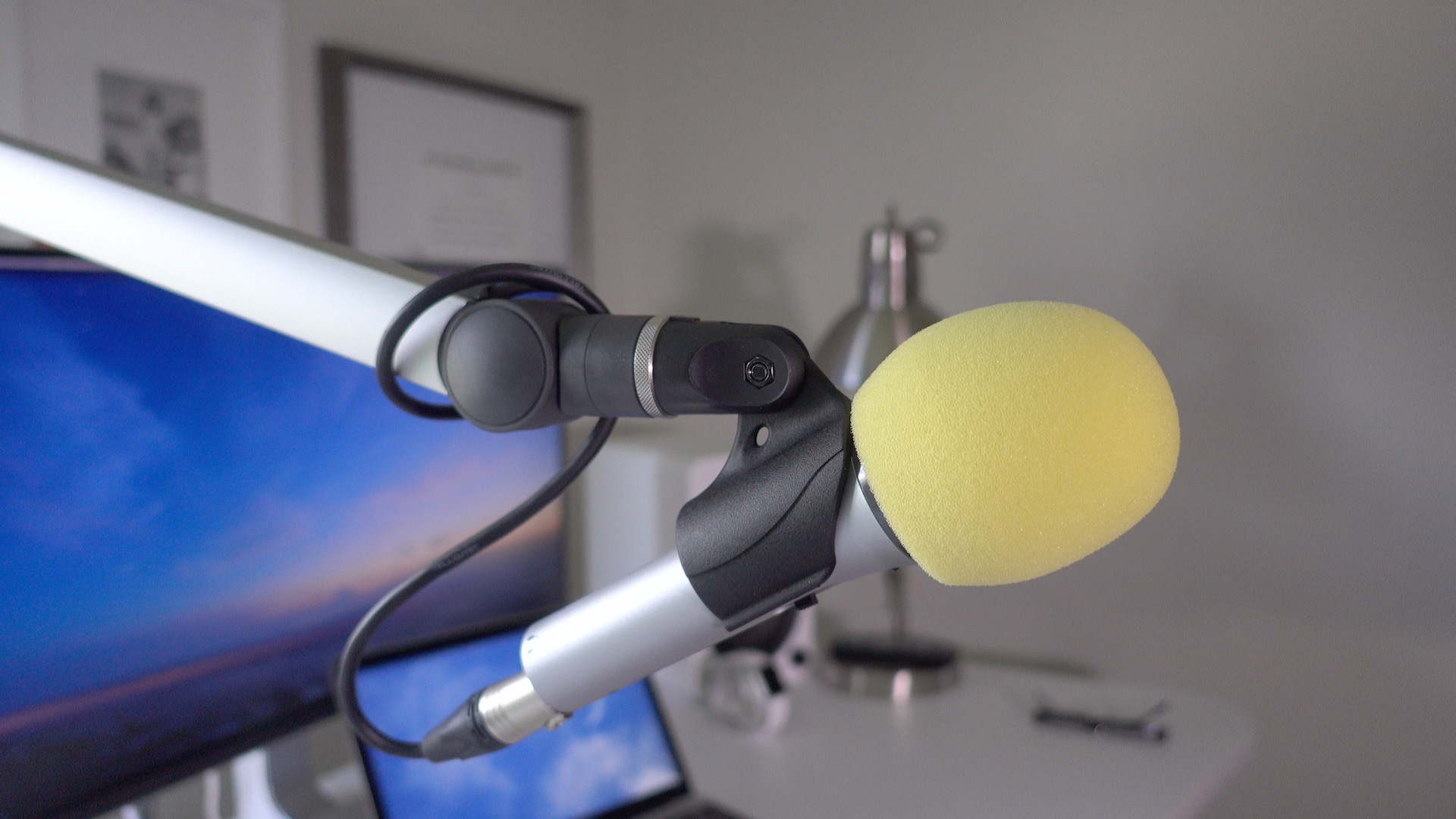
As someone who regularly does voiceover work and records podcasts, I need a setup that allows me to easily record on a whim. Any modern Mac could work for this setup, but I’m especially fond of the 12″ MacBook with its USB-C port. That single port, which handles data transfer, power, and display output, helps to simplify my configuration because all it requires is one cable to get started.

In this post, I’d like to share with you my setup for voiceovers and podcasting. What you’ll find is a rig that’s extremely easy to use and happens to look decent as well.
Expand
Expanding
Close

Opinion: Why we need a Podcasts app for Mac, not just iTunes

Mac Podcasts app concept 

Yesterday in my WWDC wish list I included a request for pulling Apple’s podcast player out of iTunes and promoting it to a dedicated app on the Mac just like it is on iOS. iTunes in its current form can be a mess as a music player, but at least that tries to be its primary function; being a good podcast player is hardly the focus of iTunes. Aside from removing part of the bloat from iTunes, promoting podcast playback on the Mac to its own app would solve several existing problems.


Expand
Expanding
Close

Review: The Shure MV5 Digital Condenser is a versatile and inexpensive Lightning-enabled microphone for iOS and Mac

Site default logo image

As someone keen on recording voiceovers and podcasts from an iPad, I needed a Lightning-enabled microphone that could handle such a task. While it’s true that Apple’s Lightning to USB 3 Camera Adapter allows iOS to interface with a variety of microphones that it wasn’t able to before, I like the idea of keeping my setup as minimal and as dongle-free as possible.

Enter the Shure MV5 Digital Condenser Microphone. This is a MFi-certified Lightning-enabled microphone that works with the iPad or iPhone using a single microUSB to Lightning cable. By switching out the Lightning cable for a traditional USB cable, you can use the same microphone with your Mac or PC.

This microphone is a digital condenser that can be powered via Lightning or USB. It doesn’t require any special adapters or power supplies to work, just plug it in, launch an app, and start recording.


Expand
Expanding
Close

Report: Apple holds private meeting with top podcasters to hear complaints

Site default logo image

According to a new report from The New York Times, Apple recently held a closed-door meeting with seven of the top iTunes podcasters to discuss the company’s support for the community. The meeting took place last month at Apple’s Cupertino headquarters and offered a place for the podcasters to express complaints in “frank terms” to Apple employees.


Expand
Expanding
Close

Happy Hour Podcast 063 | New MacBooks, future iPhone rumors and what to expect at WWDC 2016

In this episode, Benjamin and Jeff talk about the newly announced MacBooks, speculate on future MacBooks and iPhone redesigns, as well as the WWDC announcement and early expectations for Apple’s upcoming software announcements for iOS 10, OS X 10.12 (macOS?), watchOS and tvOS. The Happy Hour podcast is available for download on iTunes and through our dedicated RSS feed.

[soundcloud url=”https://api.soundcloud.com/tracks/260065638″ params=”auto_play=false&hide_related=false&show_comments=true&show_user=true&show_reposts=false&visual=true” width=”100%” height=”150″ iframe=”true” /]


Expand
Expanding
Close

Review: Lightning to USB 3 Camera Adapter – a podcaster’s best friend

Site default logo image

In addition to Apple’s newly released USB-C to Lightning Cable, which allows for faster iPad Pro charging, Apple also released a new Lightning to USB 3 Camera Adapter. This new $39.00 adapter is geared towards allowing users to easily transfer photos and videos from digital cameras to the iPad Pro.

But it’s no secret that this adapter has other talents, such as being able to power USB microphones for applications like podcasting, song recording, and voiceovers. Apple says that you can also connect USB accessories like hubs, Ethernet adapters, MIDI interfaces, flash readers, and more.

12.9″ iPad Pro owners received an added bonus as well, that being able to take advantage of the iPad Pro’s USB 3 transfer speeds. All of this considered, is the Lightning to USB 3 Camera Adapter a worthwhile investment?
Expand
Expanding
Close

How-To: Follow the 2016 U.S. presidential election from iPhone, iPad, and Mac

Site default logo image

Today marks the official kick off of Americans deciding who will be the next President of the United States with the Iowa caucuses taking place tonight. So without stepping into partisan territory, I wanted to share a few helpful tips for keeping up with the whole election season using your iPhone, iPad, or Mac.


Expand
Expanding
Close

Downcast for iPhone adds CarPlay integration for enhanced podcast playback

Site default logo image

There’s a new podcast app option for CarPlay fans out today: Downcast. The popular iOS and Mac podcast player updated today to add CarPlay integration, enhanced VoiceOver features, scrubber improvements, and lots of battery life and bug fix improvements.

Downcast wrote a bit on the app blog to talk about what to expect from the CarPlay integration:


Expand
Expanding
Close

tvOS 9.2 beta 2 w/ Podcasts app, folders, Bluetooth keyboard support & more hits Apple TV

Site default logo image

The second tvOS 9.2 beta is now available on the fourth-generation Apple TV. This update brings Apple TV 3 features including a Podcasts app and Bluetooth keyboard support to the latest streaming set-top box. The beta software also brings iOS-like features including app folders to the Apple TV. We’ll check out the latest beta version of the upcoming release and highlight any changes below.


Expand
Expanding
Close

Apple releases tvOS 9.1.1 software update with Podcasts app for the new Apple TV

Site default logo image

There’s a new software update awaiting Apple TV 4 owners as Apple released a small point update for all users today. tvOS 9.1.1 likely includes bug fixes and performance improvements without adding any major feature changes. The update, however, does include the new Podcasts app that first appeared in tvOS 9.2 beta.


Expand
Expanding
Close

tvOS 9.2 Preview: First look at Apple TV’s new Podcasts app, folders & switcher UI, Bluetooth keyboard support, more [Video]

Site default logo image

Apple kicked off the week by releasing a major new beta for each one of its platforms including tvOS 9.2 beta for the new Apple TV. While the software update isn’t available to everyone just yet, the pre-release software brings the 4th-gen Apple TV up to parity with older Apple TVs and even makes it work more like iPhones and iPads. For example, tvOS 9.2 beta finally adds Bluetooth keyboard support to the new Apple TV after first shipping at the end of October without the feature; previous Apple TVs worked with wireless keyboards from the start. The new update also adds a new built-in app and some iPhone-like features as well. Check out the details below:


Expand
Expanding
Close

Photos: With tvOS 9.2, Apple TV adds Podcasts app, Folders, Bluetooth keyboard support, new app switcher and more

With the new Apple TV tvOS 9.2 beta, Apple has added a whole host of new features to the tvOS platform. This includes support for pairing Bluetooth keyboards, Folders organisation for apps on the home screen, a new App Switcher UI and a native Apple Podcasts app.

There are also some enhancements to Siri and other improvements. Apple has added support for two new Siri languages: US Spanish and French Canadian. More images after the break …


Expand
Expanding
Close

Season 2 of the hugely popular (and compelling) podcast Serial now available on iTunes

Serial was one of the most compelling podcast series I’ve ever listened to, and was directly responsible for my sleep deprivation in the week I first discovered it. A spinoff from The American Life, season 1 told the true story of what sounded very much like a miscarriage of justice in a murder case, leading to the case being reopened more than 15 years later. The podcast is now back with season 2.

[tweet https://twitter.com/iTunesPodcasts/status/675087610822414341 align=’center’]

The second season tells the story of Bowe Bergdahl, a U.S. soldier held for five years by the Taliban, initially hailed as a hero and later charged with desertion.

In the middle of the night, Pfc. Bowe Bergdahl grabs a notebook, snacks, water, some cash. Then he quietly slips off a remote U.S. Army outpost in eastern Afghanistan and into the dark, open desert. About 20 minutes later, it occurs to him: he’s in over his head.

I know what I’ll be listening to on the train ride into town this evening.

Product Hunt launches redesigned iPhone app with 3D Touch, podcast playback, better discovery, more

Originally launched as a way to vote on new technology products, Product Hunt has since greatly expanded to include media like podcasts and books as well as games and other content. Product Hunt rolled out a visually refreshed home page a couple weeks back to reflect the evolution, and today the service is unveiling a redesigned iPhone app with new features to match…


Expand
Expanding
Close

Site default logo image

Deezer Music app gets CarPlay support for paid subscribers

Deezer Music, the music streaming service with around six million subscribers, is today launching support for Apple’s CarPlay platform.

The service has both free, ad-supported and paid plans, but the CarPlay feature will be limited to its Premium+ and Elite subscribers. Premium+ is the company’s paid monthly plan that removes advertising and adds a few features, while Elite is an upgraded plan with high definition audio available only to Sonos users currently.

Some features you’ll find in the app for CarPlay include:

  • Listen to albums, playlists and tracks
  • Use Flow to discover new music or hear your favourites based on your individual
  • listening behaviour
  • Listen to one of Deezer’s many Mixes to suit your mood
  • Access your music in offline mode

Deezer has around 35 millions songs and 40,000 podcasts and it’s available in 180 countries. In the US the service is currently only available for Cricket Wireless subscribers, and Sonos and Bose customers.

The updated Deezer Music iOS app with CarPlay support should hit the App Store sometime today.

tvOS 9.1 is now available on the new Apple TV, Siri now plays Apple Music + Remote app works

Apple today released tvOS 9.1 for the new Apple TV. Betas have included Siri support for controlling Apple Music, which Apple first said would be available for customers by early next year. Update: tvOS 9.1 does indeed add Siri support for Apple Music to all users. Apple’s Remote app also works with the new Apple TV for the first time. That means text input from iPhones and iPads will make setup much easier (and on par with older Apple TVs). watchOS 2.1 lets Apple Watch’s built-in Remote app work with new Apple TVs as a D-pad too.


Expand
Expanding
Close

tvOS 9.1 beta 3 is now available on Apple TV for developers

There’s a new software update awaiting Apple TV developers today. tvOS 9.1 beta 3 is now available for registered developers testing apps against the upcoming software update to Apple TV. The initial iOS 9.1 beta for developers was released a couple weeks ago, but no visual changes have surfaced yet aside from Siri support for Apple Music, which Apple promises will be available early next year for all Apple TV 4th-gen owners.
Expand
Expanding
Close

iPhone podcast app Castro goes free, adds 3D Touch features, Spotlight integration, more

The iPhone podcast app Castro has a lot more competition in the market nowadays since I first reviewed it back in 2013. Arguably, Castro is still the most visually appealing of the current crowd and the developers are currently working on the next major version of the app, Castro 2. In the meantime, the developers have released Castro 1.5 with some new features and a new pricing model. Following Overcast’s lead, Castro is now completely free for all to download. The company is moving to a patronage model.


Expand
Expanding
Close

Apple Podcasts app spotted for new Apple TV on demo units at retail stores

The Apple TV is an advancement in many ways over the third-generation model (faster processor, App Store, Siri) but there are also a couple of regressions, features that existed before that are missing and/or removed. One such example is Podcasts. The third-gen Apple TV featured a pre-installed Apple Podcasts app, which would sync with your iTunes subscriptions on the desktop and iOS devices. However, it is nowhere to be seen on the new fourth-generation Apple TV yet …


Expand
Expanding
Close

Overcast 2.0 adds streaming, podcast chapter marks, Split View, more

Overcast 2.0 is out today and adds several nice updates to the popular podcast client. The app now includes streaming, so you don’t have to download episodes to listen to them: just stream the file contents as you go. This comes in handy for people with low-storage phones but also just helps everyone listen to shows faster, without having to wait for a 50-100MB episode to finishing downloading.


Expand
Expanding
Close

Report: 82% of mobile podcast listening happens on iPhone, mostly using Apple’s Podcasts app

Site default logo image

A report from Clammr collected data on podcast listening habits shows that iOS dominates Android on mobile usage. Despite Android having a larger install base of smartphone devices than iOS, the iPhone is responsible for the vast majority of podcast listening. According to the study, 82% of smartphone podcasting listening takes place on an iPhone with the iTunes Store podcast directory being a significant reason for uptake.

In addition, despite the vast array of third-party podcast apps available for the iPhone, the report says that over three-quarters of users listen to podcasts on the iPhone with Apple’s built-in native Podcasts app.


Expand
Expanding
Close

Popular podcast app Instacast now discontinued as parent company Vemedio runs out of money

Site default logo image

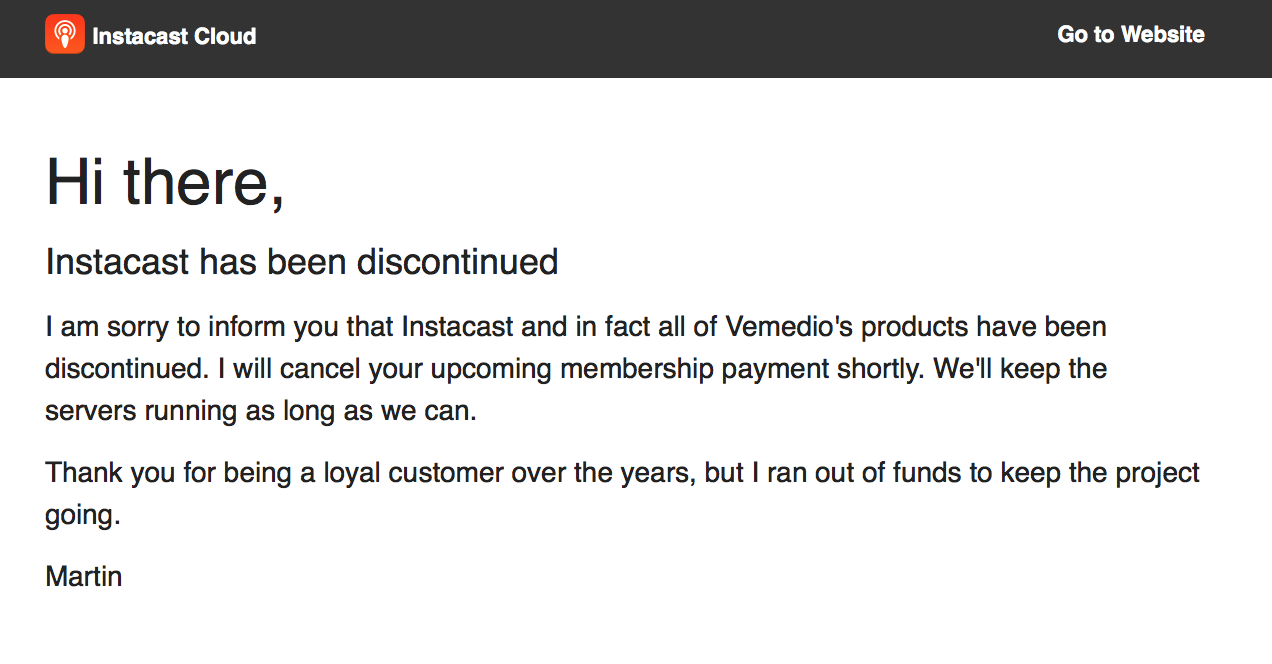
Popular podcasting app Instacast for iOS and Mac is shutting down as the founders can no longer fund it or any of Vemedio’s other projects.

In an email sent to paid members, Martin Hering says that all of Vemedio’s products will be ‘discontinued’, with Instacast being the most well known app affected by this. The company says they will keep the servers up for as long as possible so current users will not be left with non-functional apps immediately.


Expand
Expanding
Close