Apps

See All Stories

Learn about the latest news for iOS, Mac, Apple Watch, and Apple TV apps

Apps for iOS, macOS, tvOS, and watchOS power our modern world. 9to5Mac will update you on the latest news, review, and updates for all types of apps. “There’s an App for that”.

The term came became part of our vocabulary when Steve Jobs announced The App Store as part of the iPhone 2.0 software update in 2008.

Over the years, the term has become as common as kleenex for describing applications on all of our devices. Apple’s platforms have apps for just about anything from finance, banking, sports, social media, podcasting, music, and more. We have a guide for helping you discover the best ones as well. Apps are now on everything from our TV, to our smartphones, on our laptops, and all the way down to our wrists.

As new ones are released or existing ones have major updates, the team here at 9to5Mac will bring you the latest news and reviews. If you want to follow along with video footage, be sure to follow 9to5Mac on YouTube. Scroll down below our latest updates on all things relating to applications on iPhone, iPad, Mac, Apple TV, and Apple Watch.

Create collaborative ‘mixtape’ playlists with your Apple Music friends using Caset

Apple Music lets users create and share playlists with other subscribers, but there’s no way for multiple people to edit the same playlist – so only the playlist creator can add or remove songs from it. With this in mind, the developers behind Denim have created Caset, a new iOS app that lets you create collaborative “mixtapes” with your friends.

Expand Expanding Close

Can the Duolingo iPhone app help a language dunce learn some Spanish?

Duolingo iPhone app review

Duolingo is one of the world’s most popular apps, consistently ranking in the top two or three educational apps, and a hugely popular way to learn a language.

All of which had, until very recently, been completely irrelevant to me. I’m generally a fast learner, and have picked up a diverse range of skills over the years, but have always been completely hopeless when it comes to learning languages …

Expand Expanding Close

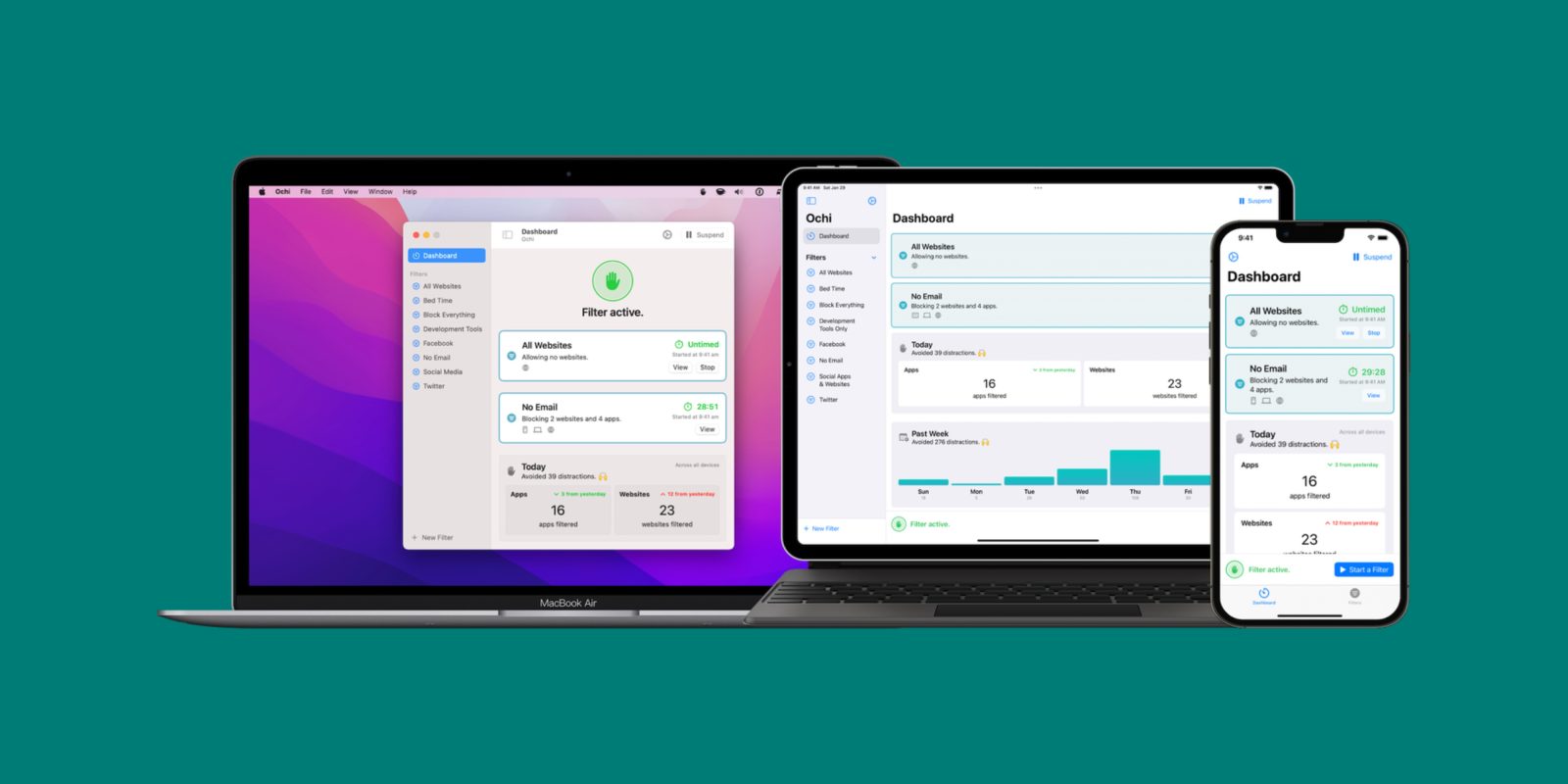
‘Ochi’ blocks websites and apps so you can be more productive on iPhone and Mac

There are a variety of different apps for iPhone, iPad, and Mac that aim to make you more productive and focused. Today, indie developer Michael Tigas is out with a new app called Ochi, which takes this a step further by blocking distracting apps and websites in an effort to “help you stay focused and spend your time wisely” across iPhone, iPad, and Mac.

Expand Expanding Close

AirBuddy 2.5 update brings Shortcuts integration, improved Magic Handoff, more

AirBuddy is a popular macOS app that enhances the experience of using AirPods and Beats headphones with a Mac. Created by developer and 9to5Mac contributor Guilherme Rambo, the app has now been updated to version 2.5 – which comes with Shortcuts integration, improved Magic Handoff, support for other headphones, and more.

Expand Expanding Close

1Password continues strong enterprise push, raises new investment at $6.8 billion valuation

1Password is a prime example of an app that has had a singular focus for over a decade – make passwords easier to manage. In recent years, the company has expanded rapidly into the enterprise market as organizations need ways to securely store, manage, and share access to corporate logins. Today, 1Password is now valued at $6.8 billion after a Series C funding round of $620 million.

Expand Expanding Close

Easily organize your grocery and shopping lists on iOS and Mac with Get Sum

There are multiple ways to organize your grocery and shopping lists on your iPhone or iPad, including Apple’s Reminders and Notes apps – although they weren’t designed specifically for these types of lists. But if you’re serious about your shopping lists, the Get Sum app brings everything you need to organize them beautifully on your iOS devices and even Macs and Apple Watch.

Expand Expanding Close
Crypto.com iOS app-hero

How to buy crypto on iPhone the easy way

Learning how to buy crypto isn’t easy but Crypto.com has truly arrived stateside and has certainly become a viable option for getting into the cryptocurrency game on iPhone. As the bright red letters adorning the house of LeBron get pulled down and carried away into the annals of sports history, a new moniker is being readied to dawn its new mantle atop the former Staples Center. Tinsel Town will soon have a new set of shining bright lights across its beloved colosseum with the official unveil of sorts ahead of tip-off tonight when LeBron’s Lakers takes on Kevin Durant’s (and very much not Kyrie Irving’s) Brooklyn Nets. Some $700 million dollars later — a bag far larger than the one America’s favorite office supply store had to shell out 10 years prior — virtual currency giant Crypto.com will forcefully take its new place across the skyline in Laker nation. And its Crypto iOS app will be the mobile platform that helps propel it even deeper in to the pockets of Americans.

Expand Expanding Close

Get a new Mac for Christmas? Here are a few essential tips to become a power user

If you opened up a brand new Mac for Christmas, you’ll likely be spending some time setting it up. Apple has done a great job of helping customers get their brand-new Macs up and running, but there are some tips and tricks to take it a step further. As you set up your new Mac, here are some handy tips and tricks to get it going at its full potential.

Expand Expanding Close

PSA: Flighty Pro is free for all users of the iOS app tomorrow, the busiest travel day of the year

Our favorite flight tracking app, Flighty, is a must-have app for this time of the year and tomorrow the pro tier will be unlocked free-of-charge for all users. December 23rd is the busiest travel day of the year and all pro features will be available throughout the day for everyone, even users who don’t currently pay for the pro tier.

Expand Expanding Close

Adding holiday cheer to your iPhone home screen with widgets

Widgetsmith is one of the best apps you can add to your iOS home screen to customize every aspect of it. One of my favorite aspects of it is setting up time-based widgets to automatically rotate during the day. I have one on my home screen that has the weather until 7 a.m., then my calendar until 5 p.m., and then switches a family photo that overlays the weather. If you want to customize your home screen, there’s no better app. Since it’s the Christmas season, there are a number of options inside of Widgetsmith to give your widgets some Christmas flare.

Expand Expanding Close