How does the upgraded camera on the iPhone 6s Plus perform under real-world conditions? Today we get our best look yet thanks to a photo gallery of a recent MLB game shot by photographer Brad Mangin for Sports Illustrated. Expand Expanding Close
Makers of the popular Camera+ app, a $3 third-party photography app for iPhone with around 14 million users, today launched its first free version in an attempt to attract even more users to the platform.
Dubbed simply “Camera+ Free,” the app’s creator gave us the rundown on the free experience, noting that it offers the same experience as the paid app minus some of the more advanced features like manual shooting controls and the app’s “The Lab” editing suite. Instead, the free app offers up focus, exposure and macro shooting settings, scene modes including clarity, and 3 free filter packs. Beyond that, users will be able to add-on some of the more advanced features to the free version using in-app purchases, allowing them to essentially unlock the full experience of the paid app.
We want to get the app out to as many people as possible. We currently have 14 million users, but we’d love to see more people using and falling in love with our app. We think by offering people a free version, more people who typically don’t pay for apps will give it a try. If they like it then they may buy some in-apps or just spread the word about our app. – Camera+ cofounder Lisa Bettany
One of the marquee upgrades to the iPhone 6S and iPhone 6S Plus will be a major revamp to the camera system. For the first time since the iPhone 4S launch in 2011, the iPhone camera’s megapixel count will be upgraded: Apple will be moving from the 8-megapixel sensor on the iPhone 6 to a custom imager billed as 12-megapixels in both of the new iPhones, according to sources. The 12-megapixel camera will mean that the new iPhones will be able to take larger, higher-resolution photos than before. Because of an upgraded image signal processor that comes as part of the new A9 system-on-a-chip, the new sensor will not wash out or otherwise decrease the quality of photos, according to sources.
New images have surfaced today giving us a closer look at the alleged next-generation iPhone display panel first revealed in earlier leaks (via MacRumors). The images don’t reveal any new information, but do give us a closer look at the part that appears to include new components thought to be related to the addition of Apple’s Force Touch display technology. Expand Expanding Close
Apple has discovered that a limited number of iPhone 6 Plus devices sold between September and January are affected by a manufacturing defect with the back camera. This defect causes photos taken with the back iSight camera to come out blurry. Apple will replace the camera in your affected device for free, if eligible. You can find out if you are eligible for a replacement by typing your serial number into this website, which will lookup if your phone is part of the batch with the manufacturing problem.
Misfit, makers of the popular Flash and Shine wearables for fitness and sleep tracking, today launched a new iOS app that turns its Flash hardware into a remote control for a connected iPhone’s camera, music functions, and more. Expand Expanding Close
Eventually, pocket-sized cameras will compare in low-light performance to today’s large and expensive DSLRs. Although pro photographers will have moved on by then to even more powerful large cameras, the vast majority of people will see no need to carry big, heavy lenses and camera bodies around. The iPhone’s ascendance demonstrates that “eventually” is at least foreseeable, even though it’s not happening in the near term.
Serious photographers won’t be giving up their DSLRs any time soon, and in fact will be toting plenty of camera hardware — many times, along with a laptop — to any event or destination important enough to photograph properly. Over the years, I’ve learned that the “ideal bag” for my personal needs is one that can hold my camera, several lenses, and whichever MacBook I’m using. Having hunted for the ultimate carrying solution for both computer and photo gear, the best solutions I’ve found are made by Incase.
The bag I’ve used actively for the last three years is Incase’s DSLR Sling Pack ($90, above left), and incredibly, it looks virtually identical today to when I first started using it. The DSLR Sling Pack is perfect for 11″ MacBook Airs and 12″ MacBooks, plus a big camera body with three lenses. But since my 13″ MacBook Pro barely fits inside its zippered compartment, I’ve been struggling with whether to replace the bag. That’s why I’m checking out two larger models today: the DSLR Pro Sling Pack ($170, middle), and traditional DSLR Pro Pack ($150, right). They’re large enough for up to 15″ MacBook Pros and have more room for DSLR gear, as well. Which is right for you?…
Glide, the app that lets users send live video messages, today becomes the first to bring the feature to Apple Watch. With an update to Glide’s iOS app, users of Apple Watch will be able to receive live videos messages right on their wrist, although it’s a one-way experience for Apple Watch as the device doesn’t yet include a camera; your responses will be limited to text. Expand Expanding Close
If you were wondering why Apple has ignored the megapixel race and stuck to a modest 8MP camera in its latest iPhones when almost every other manufacturer is cramming in as many pixels as physically possible, it’s all about image quality. While more pixels allow you to blow up photos to larger sizes, that comes at a cost. Squeezing more pixels into a tiny sensor means more noise, reducing quality, especially in low-light situations like bars and parties.
A clever patent granted today could allow future iPhones to have the best of both worlds, allowing higher-resolution photos without squeezing more pixels into the sensor … Expand Expanding Close
As I noted in Part 1 of How-To: Decode Apple’s Tech Specs pages before buying a new Mac, Apple has designed the Mac purchasing process to be easy: pick a model, pick the good, better, or best configuration, hand over your cash, and enjoy your computer. Since most people get confused by tech specs — bullet points filled with numbers and acronyms — Apple downplays them in its marketing materials, leaving customers to sort through the details and figure out what most of them mean.
But these specs are really important when you’re shopping for the right Mac for your current and future needs. So I’ve created this How-To guide to walk you through each of Apple’s Tech Specs pages using clear explanations, hopefully enabling you to properly understand what you’re about to buy. Part 1 focused on the “big 5″ Mac specs you really need to know about, and this Part 2 looks at the rest — generally things that remain the same in a given model, regardless of the configuration you choose…
As a photographer, I’ve been thrilled to see iPhones become compelling replacements for standalone point-and-shoot cameras. Our world has improved in both measurable and immeasurable ways from widespread, immediate access to quality photography; the images documenting our lives are more compelling and numerous than ever before.
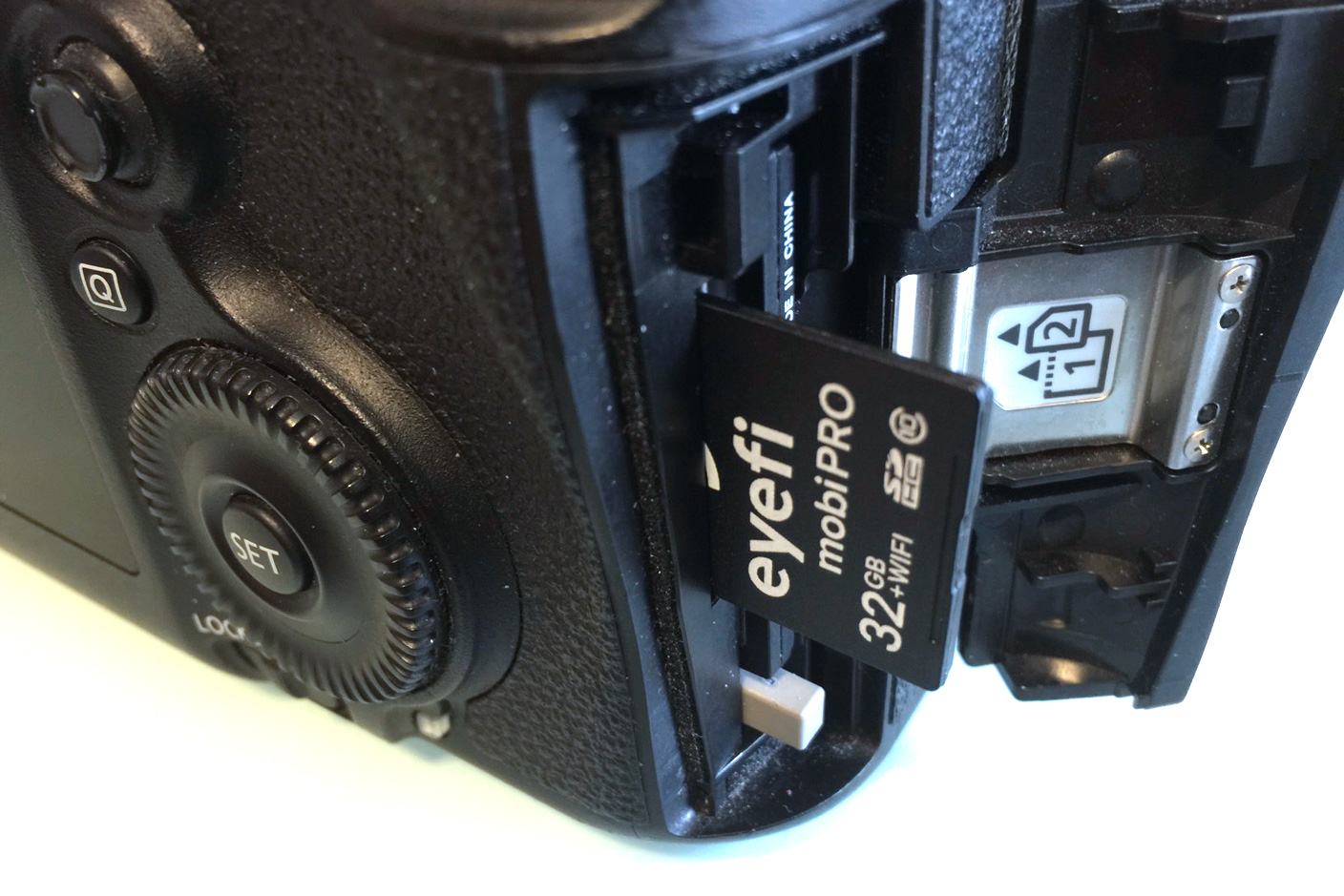
Eyefi’s first $100 card contained 2GB of flash memory and a Wi-Fi chip; since then, every Eyefi card has improved on the same concept, so the brand-new 32GB Mobi Pro ($100) isn’t so much a surprise as the culmination of everything the company has done before. It has the highest storage capacity, broadest file support, and easiest workflow of any Eyefi card I’ve tested. Most importantly, it brings a more durable enclosure that I wouldn’t hesitate to recommend to any potential reader, originally introduced in Eyefi’s more affordable non-Pro Mobi cards. Read on for all the details…
A Taiwanese analyst speaking about the company which makes most of the lenses for iPhones claims that Apple will be sticking to an 8MP camera in the next-generation iPhone 6s, reports Taipei Times.
Jeff Pu said that the camera specifications of the next-generation iPhone, dubbed iPhone 6S, will stay the same as the current iPhone 6 at 8-megapixels, limiting potential catalysts to push [Apple lens supplier] Largan’s stock price higher in the second half of the year.
Pu’s reasoning–that limited supplies of higher-resolution CMOS sensors have lead Apple to make the decision–seems somewhat spurious for a company renowned for its supply chain management, but the idea isn’t an unreasonable one.
While those who know little about photography may buy on numbers, cramming more megapixels into a small sensor can actually hurt image quality. One of the key reasons the iPhone camera is so good is that Apple uses a relatively large sensor with a low pixel density, an approach which is particularly beneficial in low-light photography. The iPhone 6 and iPhone 6 Plus cameras were ranked joint 1st in the highly-respected DxOMark mobile tests.
You can see a comparison of images from almost every generation of iPhone camera courtesy of the developers behind the Camera+ app, and check out our own test of the iPhone 6 and iPhone 6 Plus cameras here.
We’ve cautioned many times that Apple patents a huge number of inventions that will never see the light of day. Last year alone, the company was awarded 2,566 ‘utility’ patents–those covering actual technologies, rather than mere designs. The fact that Apple has patented something tells us absolutely nothing about its future product line.
But that didn’t stop traders going crazy yesterday over a patent awarded for a GoPro-like action camera: GoPro shares fell as much as 15% as panicking traders dumped the stock. The ‘thinking’ was that if Apple was entering the action camera market, GoPro was doomed. The slump was so dramatic that it even tripped a Nasdaq safeguard at one point, reports MarketWatch.
It’s even more absurd in this case: not only is the patent one of thousands of things that Apple probably won’t do, it isn’t even an Apple patent in the first place–it was, as Fortune notes in passing, just one of a number of patents acquired by Apple from Kodak.
Yep, if Apple really were moving into a new market, established players would indeed be sweating. But there is precisely zero evidence that Apple has any plans to move into GoPro’s territory.
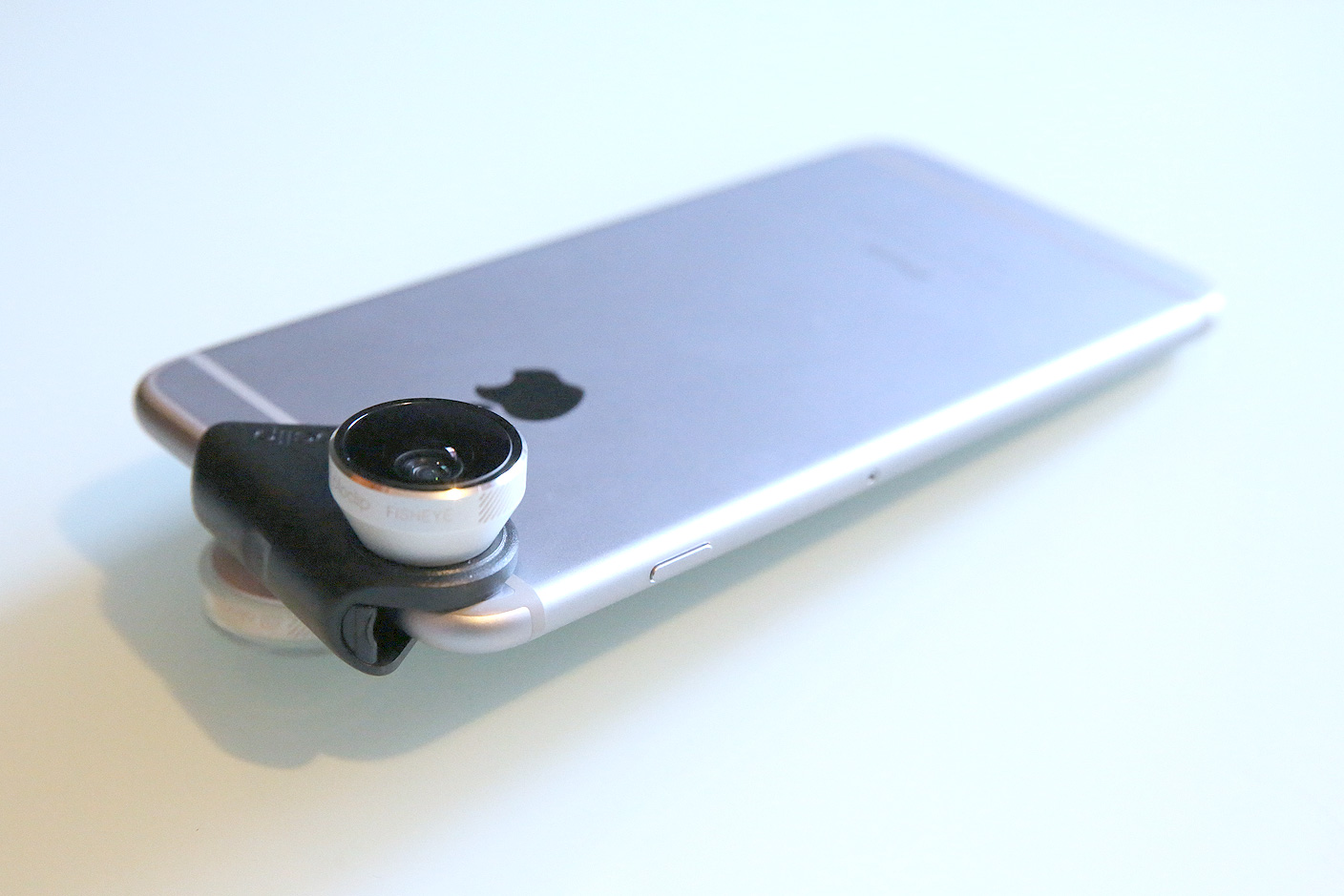
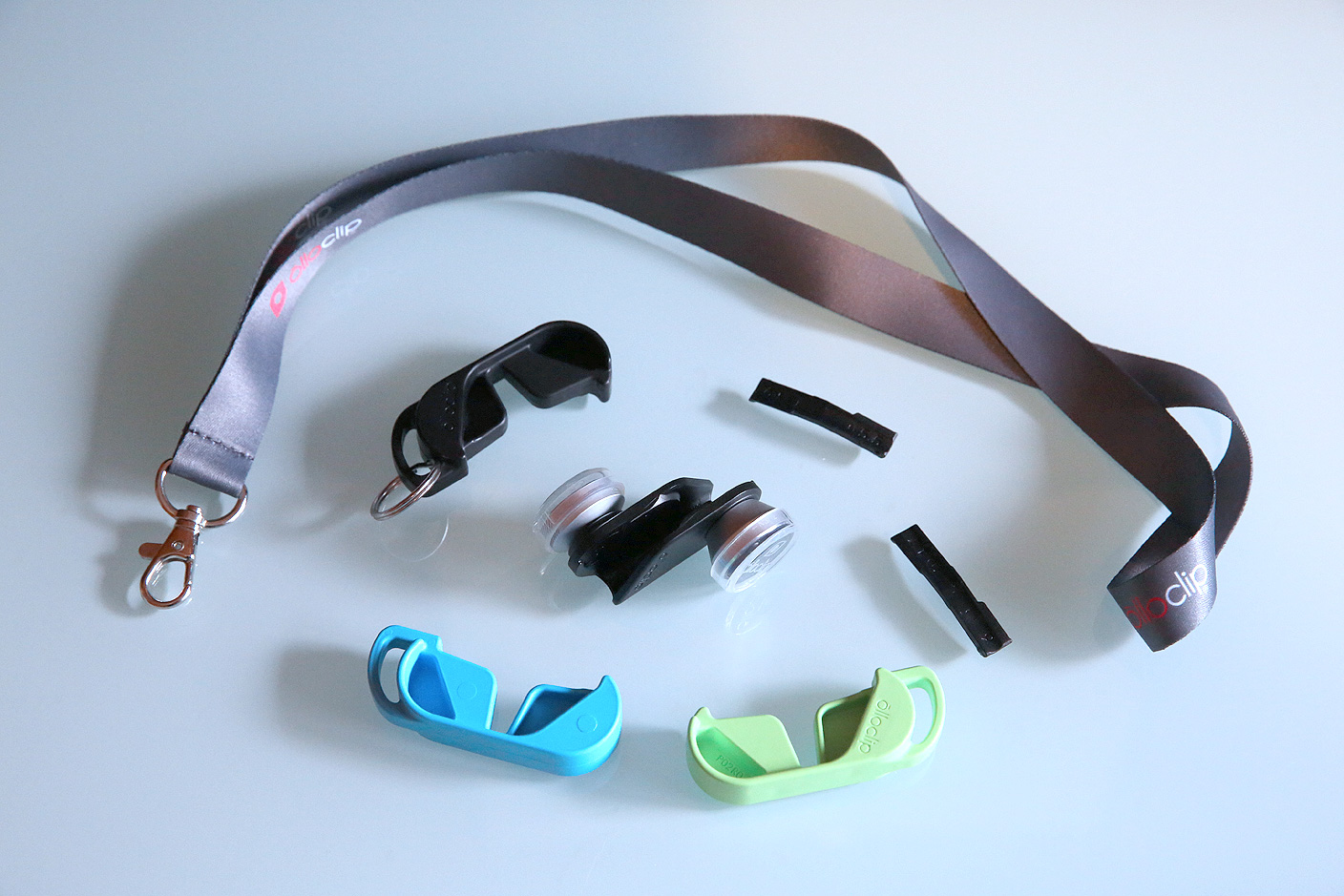
Olloclip isn’t the only maker of lenses for iPhone cameras, but after testing options from a dozen vendors, it’s the one I’d call the best at delivering reliably good combinations of quality and practicality. Its latest accessory is the 4-in-1 Lens for iPhone 6/6 Plus ($80), an updated continuation of its longest-running and most popular series of iPhone lenses. Bundled with everything from a lanyard to a set of three colored plastic clips, this version of 4-in-1 now works with two different iPhone 6 sizes, as well as both front FaceTime and rear iSight cameras.
This cross-model, twin-camera versatility comes at the cost of some added complexity, however, and an issue from earlier Olloclip lenses — the lack of broad case compatibility — is still a factor here. But if you’ve been looking for a way to add wide angle and macro capabilities to your iPhone, the 4-in-1 is worth considering. There are plenty of details and illustrative photographs below.
Christmas and the end of Hanukkah are only a week away. You’re looking for a last-minute gift that’s guaranteed to arrive in time for the holidays. We’re here to help with a collection of top picks for Apple fans, all at great prices.
Update 3/3/15: We’ve added the new Seek Thermal XR to the bottom of this review.
The evolution of Apple’s iOS cameras has been fairly linear: Apple improved their image quality, added video recording capabilities, and dropped in a small collection of filters, but otherwise hasn’t radically changed their features.
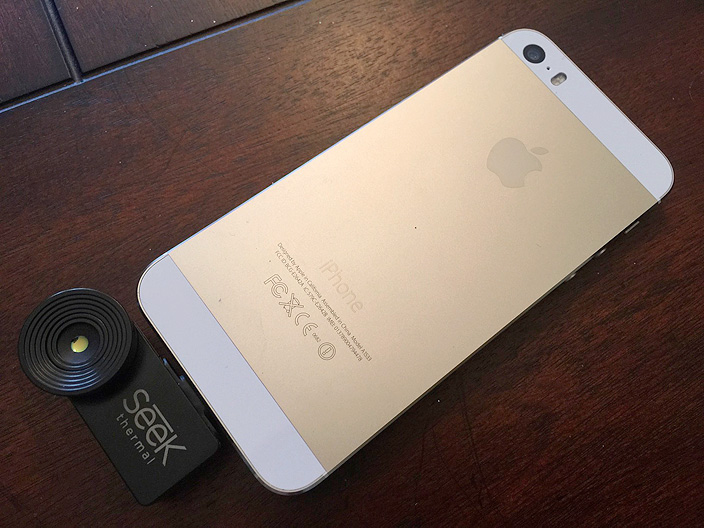
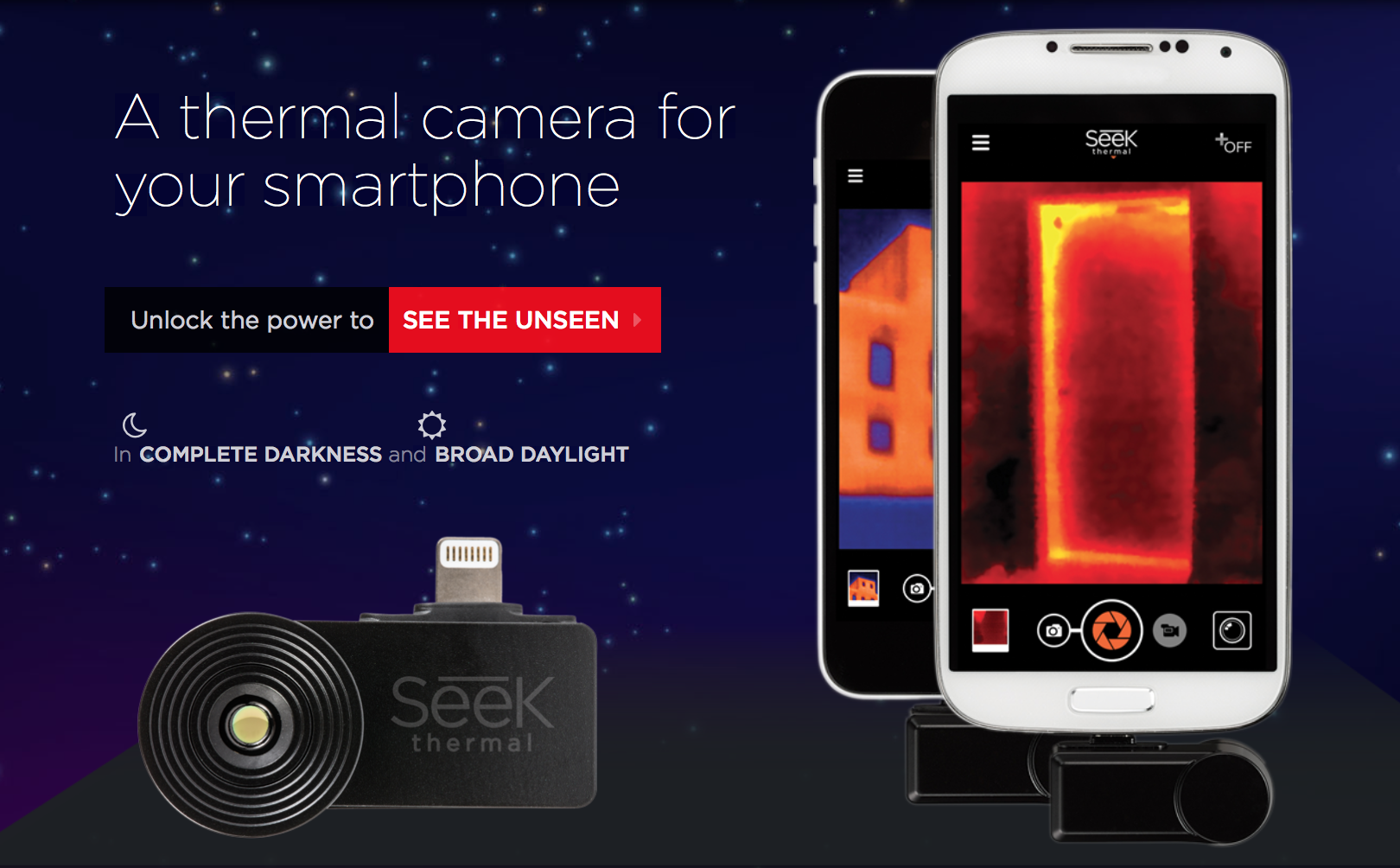
Just in time for the holidays, Seek Thermal Inc.’s new Seek Thermal Camera for iOS ($199) is offering a fundamentally different type of camera for your iPhone, iPad, or iPod touch. Using a Lightning connector, the Seek Thermal Camera adds affordable thermal photography and videography features to any late-2012 or newer iOS device – the heat-sensitive sort of vision best-known from the Predator movies. While it’s not case-compatible, this accessory is otherwise the most practical thermal camera currently available for iOS devices. (An Android version is also available.)
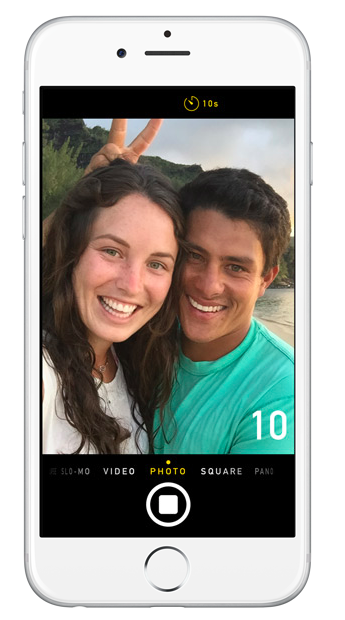
In iOS 8 the Camera app now has the ability to have a self timer. This can be beneficial for several different reasons. For example, you can take the ultimate selfies using the better quality camera, being steady while taking the photo and can avoid looking ridiculous and buying a selfie handheld stick pole.
To set up the timer, tap on the clock icon second from the right in the upper right hand corner. When you tap on the clock you have options to have a 3 second or a 10 second timer.
When you use the timer, on the screen there is a countdown that occurs.
When using the self-timer on an iPad or iPod Touch there is no visual indicator to let you know how much time you have until the photo is taken due to the lack of LED flash. Using the iPhone while you are actually taking the picture, the LED flash goes off indicating when a second has past, and in the last three seconds the flash gets faster.
For those that are using the self-timer on an iPhone 5s, iPhone 6 or iPhone 6 Plus, doing so automatically enables burst mode and it will take ten pictures very quickly.
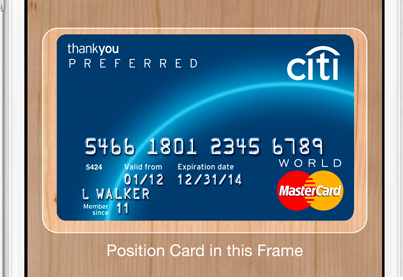
With iOS 7, Apple added a new feature in iBooks, iTunes and the App Store that allowed users to scan iTunes gift cards with the device’s camera rather than manually entering the string of characters on the back of the card. Now in iOS 8, you can use the device’s camera to scan and enter credit card information.
To add your credit card for purchases open up Settings and tap on Safari.
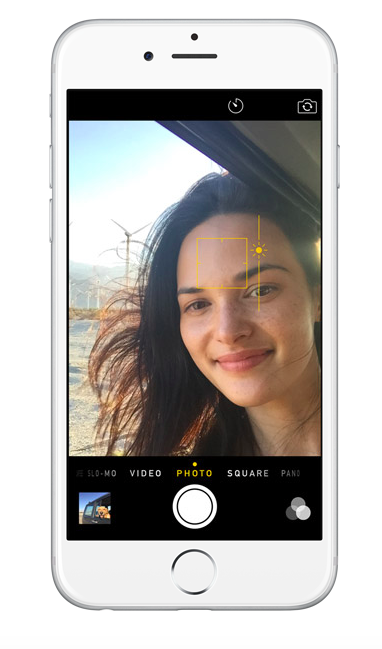
In iOS 8, the Camera app has a lot of the same functionality as in iOS 7. In iOS 8, you are able to manually control the exposure levels in the photo. This means you can easily adjust how light or dark the photo is.
To do so open up the Camera app. Then you are going to tap on the focus point. The focus point is the subject point of the picture. When tapping to focus, a yellow square appears around the subject. To adjust the exposure level, tap on the yellow sun and slide it up and down. Sliding the sun up will make the picture lighter, and sliding the sun down will make the picture darker.
This same technique will work while using a filter.
Go beyond Photo Booth’s fake ‘Thermal’ filter with this iPhone accessory by Seek Thermal. The company now sells a real thermal imaging camera attachment for $199 on its website. The gadget plugs in using a Lightning port, so it works with any iPhone 5, iPhone 5s, iPhone 5c, iPhone 6 or iPhone 6 Plus you may have lying around.
The product will also work with Lightning-equipped iPads, but the company says the accessory is not optimized for iPads, which probably means be prepared for some wiggling.
The iPhone 6 and 6 Plus cameras have taken joint first place in the influential DxOMark Mobile ranking of smartphone cameras – three points ahead of the two Android smartphones which previously headed the list, the Samsung Galaxy S5 and Sony Xperia Z3.
DxO Labs tests the image quality of literally thousands of cameras from entry-level smartphones to professional DSLRs, and is considered by many in the photography field to be the definitive database. The company said that Apple has “set the gold standard for smartphone image quality” … Expand Expanding Close
The makers of camera app Camera+ have put together a great comparison of the new iPhone 6 camera vs almost all previous generation iPhones including the first iPhone, the iPhone 3G, 3GS, 4, 4S, 5, and 5S.
Skin tones look brighter and more true to life with the iPhone 6 in this portrait series. Although the iPhone 6 photo has a higher level of detail, I’m finding it slightly pixelated and blotchy-looking. Apple altered their local tone-mapping algorithm for better exposure and contrast using the new A8 processor, but it looks like it might be causing some issues with the skin tones in these shots. Additionally, their new noise reduction algorithm seems a bit heavy handed causing pixelation.
The full comparison on the company’s site lets you view full-sized shots for a number of different shooting scenarios including daylight, backlit, macro, lowlight, and portrait shots. Here’s an example from the portrait comparison (click below for full size):
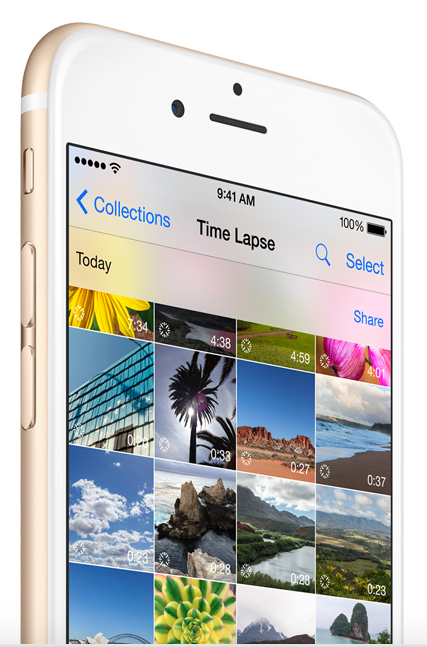
New in iOS 8 you have the ability to record time-lapse photography right from the Camera app. Time-lapse photography is a type of photography that happens when the frame rate is lower than what is used to view the sequence. When the photo is played at normal speed, time looks to be faster. However, not everything would make a great time-lapse subject. Good time-lapse subjects include cloudscapes, celestial motion, plants growing, cars driving on a busy intersection and of crowds. In this how-to I will discuss how to make a time-lapse photographs.