emoji

See All Stories

iOS 9.1 adds new Emoji characters including tacos, unicorns, & a middle finger

Update 10/21: iOS 9.1 is now available for everyone.

In addition to announcing the new iPhone 6s and iPhone 6s Plus, Apple TV 4, and iPad Pro at its Hey Siri event today, Apple has shipped something perhaps even bigger in the first beta versions of the upcoming iOS 9.1 software update: new emojis!  The latest character editions to the special keyboard include options for tacos, unicorns, squirrels, crabs, and a lot more. The glyphs for each section like Animals & Nature and Objects have also been updated. The new keyboard will ship with iOS 9.1 which is expected to debut later in November. More examples below:
Expand
Expanding
Close

Instagram enhances its Direct messaging feature w/ chat threads, giant emoji, more

After mostly letting it sit stagnant for nearly two years, Instagram is ready to show its Direct messaging feature some love. Instagram Direct, which lets you share photos, videos, and messages privately with other Instagram users, was seen as a play at Snapchat and similar apps when it launched in 2013, but it’s so far experienced limited appeal within the photo sharing app. Now Instagram hopes to change that with new features including message threads, giant emoji, sharing from your timeline, and more.
Expand
Expanding
Close

Site default logo image

SwiftKey beta for iOS adds new ‘Your Signature Emoji’ feature

SwiftKey today has revealed a new feature coming to its iOS app. For those unfamiliar, SwiftKey is one of the most popular third-party keyboard solutions for iOS, offering up a plethora of capabilities and features not found with Apple’s stock offering. Today, SwiftKey announced that it is rolling out a new feature called “Your Signature Emoji” to users of its beta app.


Expand
Expanding
Close

Site default logo image

Fleksy keyboard gets new features & themes as app goes free indefinitely

After around seven million downloads of its popular third-party keyboard app, Fleksy is today announcing that its mobile apps will be completely free for all going forward.

The company was originally charging $4 for the app but had dropped the price to $1 and even made the app free temporarily a couple times in the past. Starting today, however, Fleksy says its apps for both iOS and Android will be free forever.

For everyone that has paid for the app and feels left out, Fleksy is offering a free gift that it says is worth $8 to make up for it. The in-app download includes a selection of new themes and extensions, which also arrive with today’s update. While the app is going free for all to download and use, the company will continue offering premium themes and extensions as paid in-app purchases.

In addition to going free, the company highlighted some other new features and improvements arriving today:

Going free is not the only big update today.  We also launched an improved rich content view called Highlights. Meaning, Fleksy will better assist with GIF, sticker and other content discovery based on what you type. Instead of manually searching for stickers and GIFs on separate pages, now you’ll only need to tap on the auto-recommended hashtag (Highlight) and Fleksy will take you to an integrated page of relevant content all in one convenient place.

The Fleksy Keyboard app for iPhone and iPad is available on the App Store now. A full list of what’s included in the update below:

What’s New in Version 6.0

*Note: Please update to the latest version of iOS 8 to fix key known issues with custom keyboards and improve your Fleksy experience.

Featuring:
• 5 new themes for summertime!
• Consolidated GIF and Imoji extensions to a single bar. Smarter search, more results, all in one view. And just pull down to bring back the keypad!
• Fleksy will now highlight 3 keywords at a time. Easier to get to that perfect GIF or sticker.
• Ever want more Hotkeys? You can now add multiple Hotkey extensions!
• Major language improvements
• Updated Extension tab UI in the container app for easier browsing
• Optimizations for GIF and Imoji Sticker quality

Fixed:
• Fixes for autocorrect capitalizing letters incorrectly for some languages
• Autocorrect on/off Button not showing on spacebar sometimes
• Various other bug fixes and performance improvements

VoiceOver Updates:
• Gesture: swipe down with two fingers to Return (while in Minimal mode)
• “New Line” announced on Return
• Feedback on Shift and Delete buttons
• “No more text to delete” announced when there’s nothing left to delete
• Improved accuracy

Site default logo image

Twitterrific adds support for quoted tweets on iPhone & emoji + quick reply on Apple Watch

Before the launch of Apple Watch, Twitterrific for iPhone gained support for a Watch app that featured a variety of capabilities. Now, the company has updated its iPhone app and with it come new features for both the Watch and phone. Version 5.12 of Twitterrific adds support for Twitter’s new quoted tweets feature, which embeds the actual tweet instead of simply quoting it as text. To do a quote retweet with Twitterrific, simply tap and hold on the RT button.


Expand
Expanding
Close

Apple releases first Apple Watch update with Watch OS 1.0.1, adding new Emoji & languages, app improvements, more

Site default logo image

Apple has released the first software update for Apple Watch today with the release of Watch OS 1.0.1. The update is available through the Apple Watch app on iPhone.
Expand
Expanding
Close

Site default logo image

Instagram introduces three new filters and support for emoji in hashtags

Instagram announced today that three new photo filters will be making their way to the photo sharing app later today through an update on the iOS App Store. The new filters are called Lark, Reyes, and Juno, and are focused on enhancing outdoor photography.

These new filters are just the first of many, as the app’s development team has promised to add new filters more regularly in future updates.


Expand
Expanding
Close

Apple releases iOS 8.4 beta 2 to developers with revamped Music app

Site default logo image

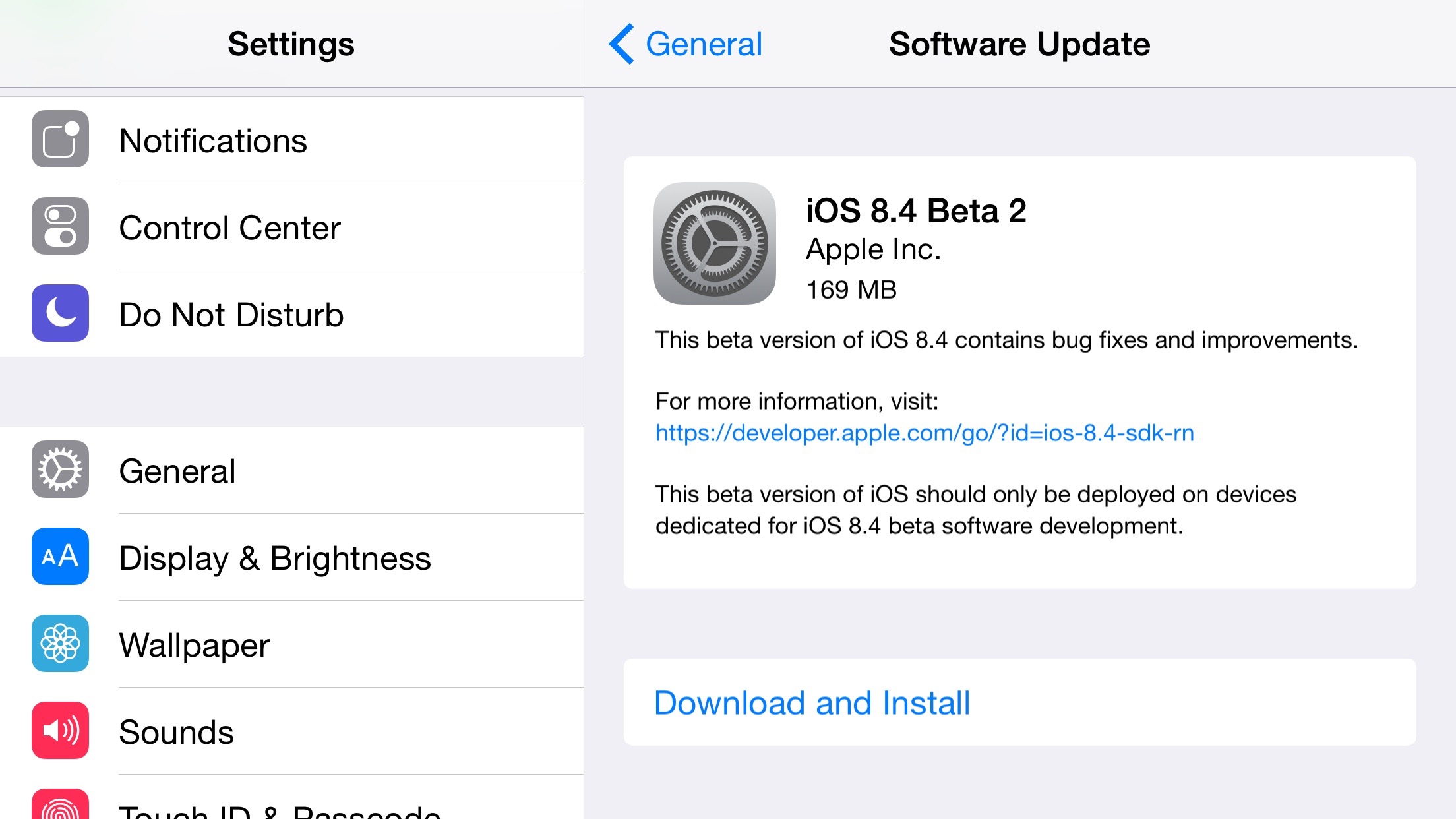
A couple of weeks following the first beta, Apple today released iOS 8.4 beta 2 to developers for the iPhone, iPad, and iPod touch. iOS 8.4 beta 2 is available via Software Update for those running the first beta, and it should be available for download soon via the Apple Developer Website. Apple has also released the iOS 8.4 Public Beta 1, which corresponds to this second developer seed, and Xcode 6.4 beta 2.

As we first reported, iOS 8.4 brings a revamped Music app to iOS with a new design, a Mini-Player feature, improved search, and a larger focus on album artwork. At WWDC, Apple will announce the new Music app and its integration with a new Beats-based streaming music service. We’ll update this post live as new features in the second beta are discovered.


Expand
Expanding
Close

Site default logo image

iOS 8.3 How-to: Type like a Vulcan

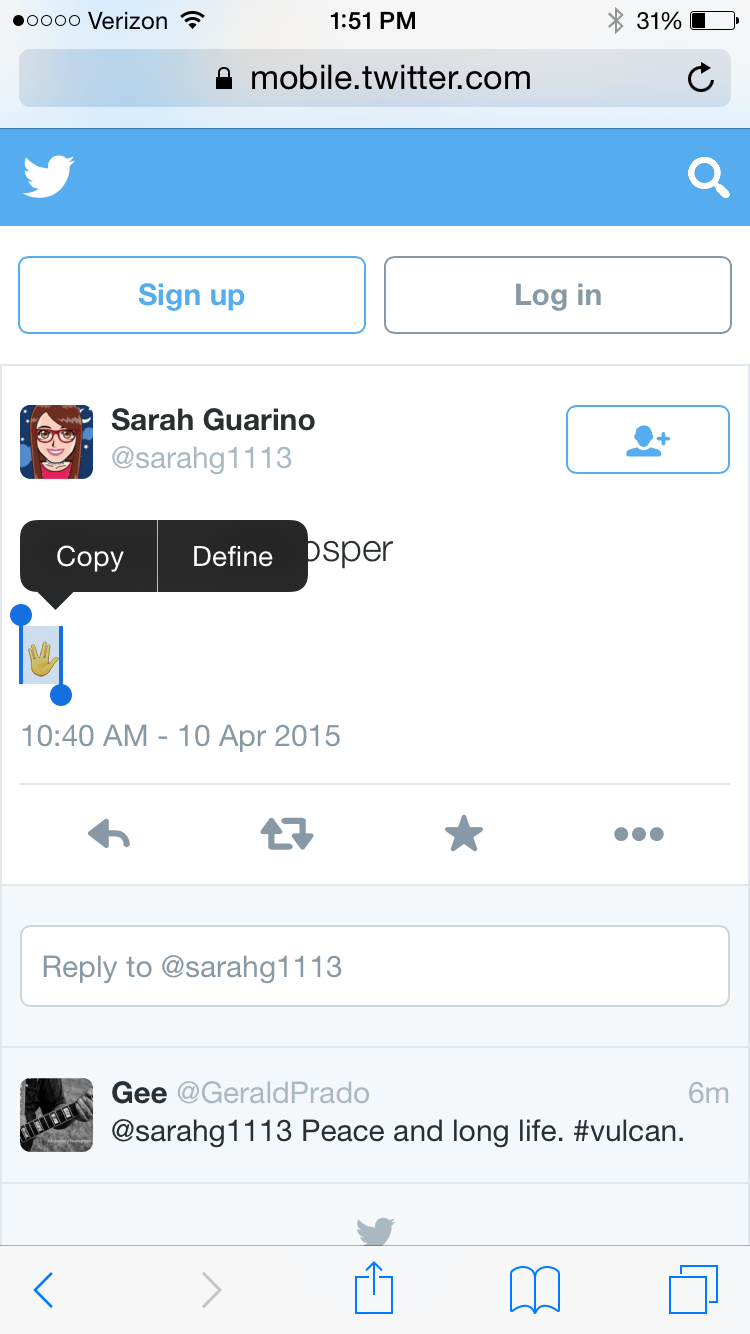
With Apple’s release of iOS 8.3 and OS X 10.10.3, there are now over 300 new emojis including diversity options. Apple uses the unicode emoji set, which includes Spock’s Vulcan salute. However, Apple hasn’t added the Vulcan salute — or “raised hand with fingers separated between the ring and the middle finger” symbol as it’s officially named — to the emoji keyboard, so you cannot type it without creating a workaround. There is a trick, however, that can be done by creating a keyboard shortcut.

Open up this tweet on your iOS device. Then you are going to copy the emoticon by tapping and holding on it. Then press Copy.

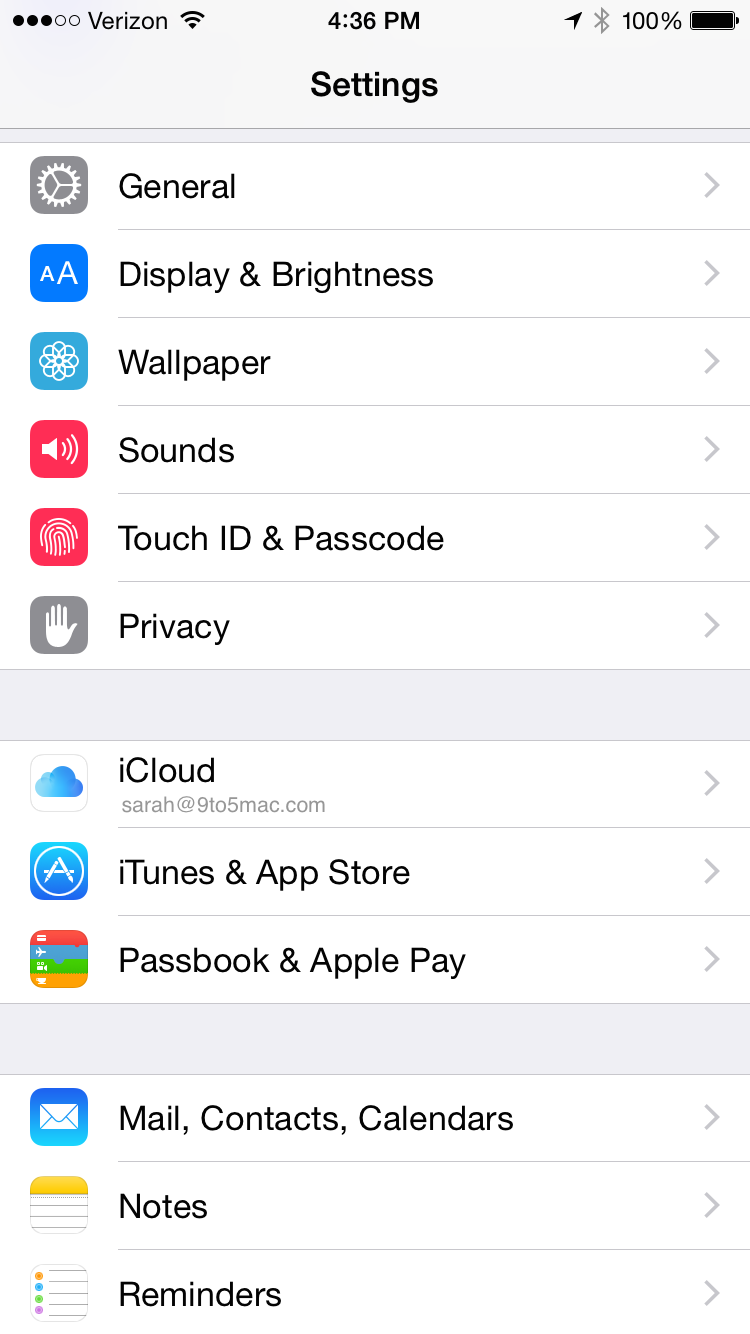
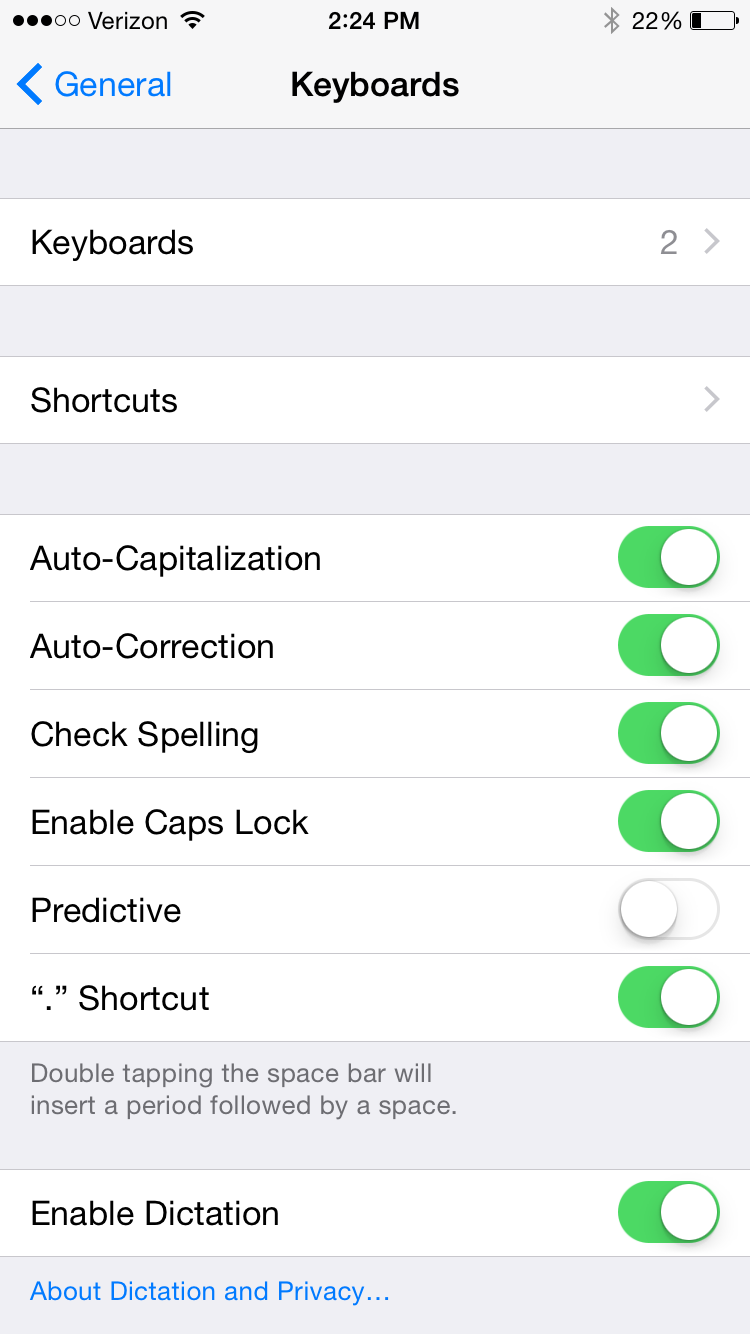
Since we copied Vulcan salute emoji, we can now create the text shortcut. Open up Settings, and then select General.

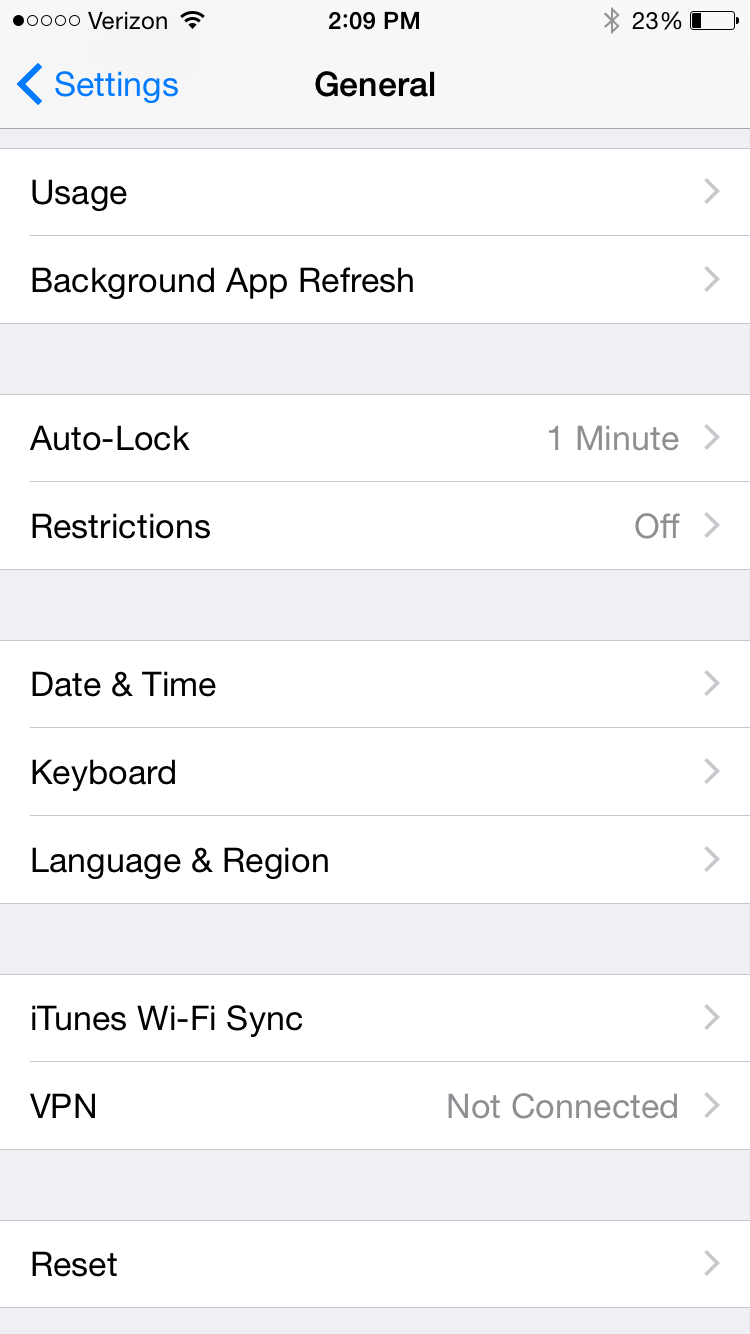
Scroll down and select Keyboard.

Then select Shortcuts.


Expand
Expanding
Close

Apple releases iOS 8.3, including new emojis with diversity, new Siri languages, more

Site default logo image

Following the release of OS X 10.10.3 to the public, Apple has also released iOS 8.3 for iPhone, iPad and iPod touch. The update, which has been in beta for several months, brings over 300 new emojis (including diversity options) as well as a new keyboard for inputting the symbols. The new keyboard features a scrolling UI, rather than the old page metaphor, to better accommodate the wider range of emojis available in the update.

iOS 8.3 also includes a whole host of new Siri languages, so more international users can benefit from Apple’s virtual personal assistant. The update adds Siri in Russian, Danish, Dutch, Thai, Swedish, Turkish and Portuguese. Siri’s voice has also been tweaked in this update.

Full change list included after the break:


Expand
Expanding
Close

Site default logo image

Apple releases OS X 10.10.3 build 14D130a for public and developer betas

Three days after the last release, Apple has seeded an updated build of the OS X 10.10.3 software update for Mac. The new build ranks in at 14D130a, just a few steps above the 14D127 build released at the start of the week, for both developers and public beta testers. The update measures in at 1.52GB and highlights stability and security improvements.

The new version of OS X Yosemite includes the all-new Photos for Mac app, new and diverse emoji characters, improved login for Google accounts, and developer APIs for Force Touch on the new 12-inch MacBook and 13-inch Retina MacBook Pro. While Apple has not shared the exact release date for OS X 10.10.3, it describes the included Photos app as “coming this spring” meaning the public release is likely imminent. 
Expand
Expanding
Close

Video: See Apple Watch animated emoji and Companion app Home Screen rearranging in action

Site default logo image

Here’s a couple of fun Apple Watch tidbits: for those wondering what the animated emoji look like that you can create on the Watch and send to your phones, we have been sent two examples … one of a smiley emoji and one of a ‘love’ emoji.

This feature was first shown in September as part of the Watch’s unveiling, although interestingly Apple did not show it again at the March Spring Forward event. Users can use touch to adjust the expressions and make ‘custom’ emojis to send to friends.


Expand
Expanding
Close

Apple releases second OS X 10.10.3 pre-release w/ latest Photos app version, new Emoji, more

Site default logo image

Earlier this month, Apple released the first OS X 10.10.3 pre-release update to testers with a beta version of the iPhoto replacement app called Photos. Today an updated build is rolling out to testers through the Mac App Store. Apple has also released a new beta of iOS 8.3 for testers. We’ll dig in.
Expand
Expanding
Close

iOS 8.3 brings wireless CarPlay, improved Google login, new Emojis, China Apple Pay

Site default logo image

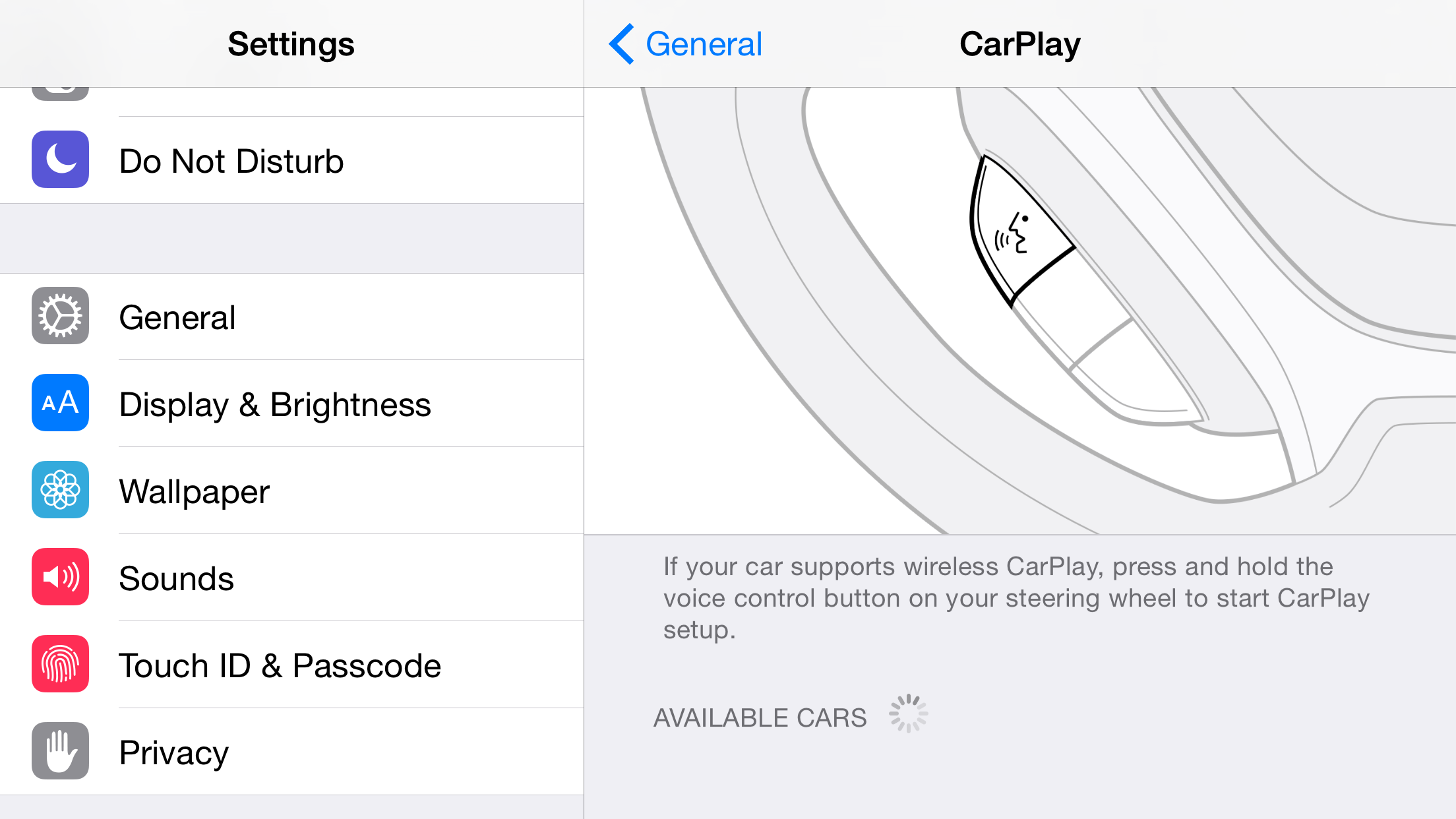
Earlier today, Apple seeded the first iOS 8.3 build to developers alongside Xcode 6.3 beta with Swift 1.2. Readers have discovered that the new operating system brings a new wireless CarPlay feature to the iPhone. This means that users can now wirelessly connect their iPhone to the car to bring an iOS-like experience the dashboard. Previously, users would have to connect their iPhone to the car via a USB Lightning cable. We first reported in March 2014 that Apple has been working on wireless CarPlay. It’s yet to be seen how long the wireless CarPlay rollout takes and which cars support it in the future. The new update also, like with OS X 10.10.3, brings easier Google login functionality for users with two-factor accounts:


Expand
Expanding
Close

More diverse Emoji characters likely coming with OS X 10.10.3

Site default logo image

While the highlight of the OS X 10.10.3 pre-release seed yesterday was the iPhoto replacement app simply called Photos, the beta version of the OS X software update also contains changes to how and which Emoji characters are presented.

First, the new Emoji picker found in the OS X 10.10.3 beta has been redesigned with a new window that allows you to scroll through each category of Emoji characters. The new design is similar to some third-party Emoji keyboards for iOS 8 including Emoji++ as sections no longer require choosing between various pages of characters.

Next, it appears Apple is preparing to include more diverse Emoji characters in the next OS X release as various place holders have been spotted on the beta’s current character picker.
Expand
Expanding
Close

SwiftKey keyboard for iOS adds Emoji picker & predictions, iPad gesture typing, 11 new languages, more

Site default logo image

SwiftKey, one of the more popular third party iOS 8 keyboards on the App Store, is out with a new version today adding both new features and additional languages.

Since iOS 8, SwiftKey had been able to replace the standard Apple iOS keyboard, and the new version also packs in the complete Emoji keyboard in one package. This makes it even more simple (👌) to find that smiling pile of poo (💩) or slice of pizza (🍕) when you need it without having to toggle between system keyboards. Similar to Apple’s QuickType predictive text feature, the latest SwiftKey update also adds Emoji predictions to the word suggestion area.
Expand
Expanding
Close

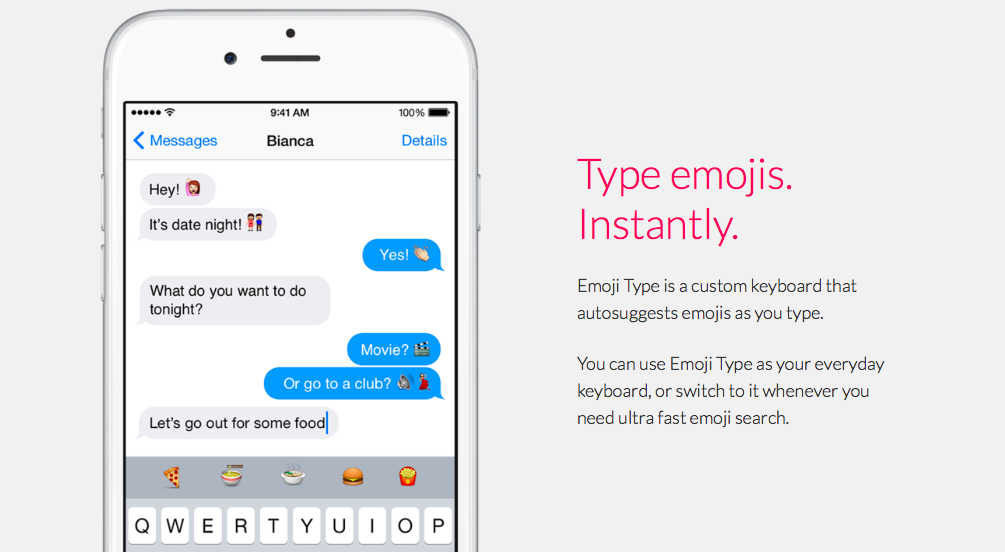
Emoji Type keyboard brings predictive emoji typing to iOS

Site default logo image

If you’re a fan of emoji, you’ll want to 👀 at Emoji Type, a new third party predictive keyboard for the 📱. Emoji Type comes from the iOS developer of Product Hunt. Like with any iOS 🎹, installing the Emoji Type app prompts you to enable the keyboard in Settings. Once you’ve done that, you can switch to Emoji Type by hitting the 🌐  icon on the keyboard.


Expand
Expanding
Close

Site default logo image

Swype iOS 8 keyboard now available in 20+ languages, adds new layouts & auto Emoji suggestions

Nuance announced an update for its Swype keyboard for iOS 8 today that introduces support for a long list of new languages in addition to new layouts and features for both iPhone and iPad.

New languages include: Czech, Danish, Dutch, UK English, Finnish, Greek, Hinglish, Hungarian, Irish, Norwegian, Polish, Portuguese, Romanian, Russian, Swedish, and Turkish. The app now supports over 20 languages including the previously supported languages– English, French, Italian, German and Spanish.

The keyboard also now includes QWERTY, QWERTZ and AZERTY layouts for both iPhone and iPad as well as access to all Swype themes on iPad. In addition, the update brings an auto-space feature, a “sound on Keypress” option, and auto suggestions for Emoji:

  • Intuitive Emoji Input: Stoked about the upcoming game this weekend? When you message your friends about your excitement, Swype will now automatically suggest the right emoji. Swype will predict emojis based on the words you enter – so if you’re feeling happy, confused, tenacious or satisfied, Swype’s got just the right emoji for you.

The updated Swype keyboard for iOS 8 is available from the App Store for $1.

Site default logo image

Unicode consortium posts draft that will introduce more diversity to Emoji following Apple pledge

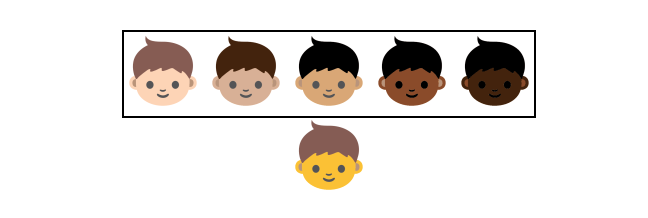
Following a promise by Apple way back in March to introduce more racial diversity to the icons used in Emoji characters, Google and Apple contributors have now posted a proposal of how to make it a reality. The draft standard will extend the current icon set to include five color variants for Emojis including people and faces. The variants are distinguished by Fitzpatrick skin categories, although exact colors are up to the platform vendor (Apple, Google, etc) to interpret.


Expand
Expanding
Close

New third-party keyboards for iOS 8: Emoji++ & Character Keyboard

Site default logo image

With iOS 8, Apple now allows developers to create alternative keyboards on iPhone and iPad that can be used almost anywhere to replace the system keyboard. We told you about several third-party keyboards for iOS 8 including when the major operating system update was released last month, and a few more interesting third-party keyboards have since been released. The first is an Emoji-only keyboard called Emoji++ that makes finding the right Emoji character much faster, and the second is both a language and symbol keyboard called Character Keyboard for typing out special characters.
Expand
Expanding
Close

Apple kicks off iPhone 6 sales in 20 more countries starting w/ New Zealand

Site default logo image

NZ carrier Spark offers customers life-sized cardboard emoji characters to reserve their spot in line for iPhone 6

Apple’s second wave of iPhone 6 sales has just kicked off with customers in New Zealand getting access to the device through retail stores and online as we roll into the morning of September 26 in the country. We’re also approaching the launch in a total of 20 countries today as the device goes on sale the morning of September 26 local time in the following locations:
Expand
Expanding
Close

Keymoji keyboard for iOS 8 translates everything you type into emoji

Site default logo image

The Apple Watch may be able to share your heartbeat with someone across the world, but I think we all know that the future of communication actually lies in those little smiling faces called emoji that are usually tucked away in a secondary keyboard on our phones. To ensure that the future of interpersonal conversation is not hindered by the relative difficulty of tracking down just the right icon to express your feelings, one iOS development team has released a keyboard that translates everything you say into emoji.

The keyboard is called Keymoji, and it uses a crowdsourced database of emoji combinations that can then be substituted for words in your text messages, emails, tweets, and other communications (via Re/code). As you type, Keymoji will figure out what you want to say and translate it into a collection of icons that properly convey your message.


Expand
Expanding
Close

The ridiculous Emoji-only messaging app Emojli officially launches

Following in the wake of services along the likes of Yo, the one-word messaging app, a new concept has emerged which is just as novel but also just as useless. In case you felt that sending emoji characters to your friends via text or SMS wasn’t restricted enough, you can now use Emojli to make sure your conversations are always condensed to just miniature pictures—no words allowed.


Expand
Expanding
Close

Site default logo image

Apple working with Unicode Consortium to create more diverse emoji icons


Apple responded to recent inquiries about the lack of diversity among the emoji characters that ship with iOS, saying that the company is working with the Unicode Consortium to remedy that.

Our emoji characters are based on the Unicode standard, which is necessary for them to be displayed properly across many platforms. There needs to be more diversity in the emoji character set, and we have been working closely with the Unicode Consortium in an effort to update the standard.

Apple first introduced native support for the Emoji character set on the iPhone with iOS 5. A few character additions shipped with iOS 6, but that was the last update mostly because they’re based on a cross-platform standard and need to remain consistent across devices. That’s why it is important for Apple to work with the Unicode Consortium to update the standard to include more characters.