Google

See All Stories
Site default logo image

Screenshots show Google’s upcoming Calendar iPhone app w/ Gmail, Photos, & Maps integration

It appears that Google could soon release its promised redesigned Calendar app for iPhone after first making the announcement and releasing the app for Android last November. The Next Web this morning shared a handful of leaked screenshots that provide a first look at Google Calendar for iOS, including info cards that indicate Gmail, Photos and Maps integration will be key features of the app.
Expand
Expanding
Close

Samsung brings in new design chief from Apple designer Jony Ive’s former firm

Site default logo image

Samsung announced last year that, after negative reviews of the design of its Galaxy S5, its head of mobile design Change Dong-hoon was being replaced by then VP of mobile design Lee Min-hyouck. Today, however, it was revealed that the company is bringing in an outside designer to help refresh its product lineup. A report from the Korea Herald states that Samsung has hired Lee Don-tae to be its new head of design. Don-tae would lead design of all Samsung gadgets, including smartphones.


Expand
Expanding
Close

Site default logo image

Former iPodFather Tony Fadell now in charge of Google Glass

From 9to5Google.com:

It looks like Google may finally be preparing Glass for primetime as a number of changes around the company’s heads-up display product were revealed today. Most notably, the Glass project will be moving from the experimental Google X group to its own unit under the leadership of Tony Fadell, according to The Wall Street Journal.

Next of note, Google will end the current run of its Glass Explorers program on January 19th, removing the current version of Glass from sale to individuals; however, the WSJ includes that businesses and developers interested in purchasing Glass can still do so through an application process. The Glass at Work program, which has continued to grow, will live on beyond the Explorer Program’s imminent demise.
Expand
Expanding
Close

Google rolling out updated Drive app for Mac w/ new status menu & bandwidth control

Google is rolling out an updated version of its Google Drive app for Mac and PC this week with a few handy new features. First, you’ll find (as you can see above) that Google has updated the status menu to show much more information than before. Now, you can see the files that are being synced up to the cloud as well as a check mark next to them that will appear as they do so. The app will also make it clear which files are currently syncing and which files are yet to be synced. Additionally, hovering over an item will let you share it straight from the menu.


Expand
Expanding
Close

Site default logo image

Google releases Classroom mobile app for iPhone and iPad

[youtube=https://www.youtube.com/watch?v=C2fC7yrj984]

Google announced today that it’s releasing mobile apps for its Google Classroom service for both Android and iOS devices. The company officially launched Classroom to its Apps for Education customers in the US during the summer offering them a web-based platform for planning lessons, handing out assignments, and working alongside students. Teachers and students will now be able to access those features from mobile devices through the new apps and Google is also adding a could of new features to the platform.

In addition to a new teacher assignments page and archiving functions for Classroom, Google notes that the mobile apps will let users snap a photo to share or attach to assignments, share content from other apps, and access content cached for offline viewing.

Snap a photo: Right from the assignment page in the mobile app, students can snap a photo and attach it to their assignment — whether it’s the experiment they just did for a science class, or a drawing they made of their family tree. And if they’ve forgotten their homework, they can ask someone at home to snap a photo, text it and then turn it in with the app. Of course, if the dog has actually eaten it, Classroom can’t help you.

The new Google Classroom apps are available on Google Play and the App Store now as well as on the Google Play for Education store.

Google Hangouts iOS app updated with intelligent location sharing, status messages and more

Site default logo image

Google has updated its text, video and voice messaging app Hangouts, adding all the new features added to the Android version last month – including intelligent, one-tap location sharing.

Google promised that it would be building more intelligence into the app, and the new location-sharing feature is the first step along that path. The app automatically detects when a contact in a text chat asks where you are, and allows you to share your location with a single tap … 
Expand
Expanding
Close

Google Cast for audio is an AirPlay competitor for music streaming from Android, iOS & web

Site default logo image

https://www.youtube.com/watch?v=8q0yZomXuSw

Google today announced Google Cast for audio, which the company says takes advantage of Chromecast tech to send audio to third-party hardware like speakers, A/V receivers, and sound bars. The feature will allow users to tap a “cast” button from within music and radio apps on Android, iOS and the web to stream audio to Google Cast enabled speakers.
Expand
Expanding
Close

Site default logo image

Just like its phones, tablets and set top boxes, ‘leaked’ Xiaomi laptop looks exactly like an Apple MacBook Air (Updated)

Xiaomi has definitely been growing fast in emerging markets, but until now the company has focused mostly on stealing as much of Samsung’s Chinese smartphone market share as it can. According to Gartner’s most recent numbers, the company rose in Q3 to take a spot in the world’s top 5 smartphone manufacturers. But the company has other products beyond just smartphones, and now it has apparently begun working on a new Mi-branded laptop—and, to no one’s surprise, it looks just like a MacBook Air.

Update: a Mi spokeperson has refuted that the image in question is a Xiaomi laptop. This appears to be the original. 


Expand
Expanding
Close

Site default logo image

Google+ iOS app adds higher resolution experience for iPhone 6/6 Plus Retina screens, more

Google today updated its Google+ app for iPhone and iPad adding support for the higher resolution screens on the iPhone 6 and 6 Plus.

In addition to the Retina imagery for the new iPhones, the app gains a few new features for both iPhone and iPad users in addition to the usual performance improvements and bug fixes.

Other features in version 4.8.0 include the ability to “vote on polls from people and brands” and an option to share to Google+ through an iOS 8 extension (pictured right).

The updated Google+ app for iPhone and iPad is available on the App Store now.

A full changelog is below:

What’s New in Version 4.8.0

What’s New
• Retina HD resolution on iPhone 6 and 6+
• Vote on polls from people and brands
• Easily share to Google+ from your device
• Performance improvements and bug fixes

Site default logo image

Google’s Photo Sphere Camera app adds library privacy tabs, improved image capture for iPhone 6/6 Plus, more

Google released its Photo Sphere Camera app for iPhone users a few months back with the ability to capture 360º images right from your device and share them over social media or even Google Maps.

Photo Sphere Camera can also be used without ever publishing images anywhere or sharing photo spheres with anyone, so today Google added tabs to the app’s library separating public and private photos.
Expand
Expanding
Close

Site default logo image

Google introduces Route 85 web series geared towards iOS developers

Google may own the world’s most popular mobile operating system in Android, but it wants iPhone and iPad developers to recognize that the company has a lot to offer for them as well. Enter a new web series called Route 85, which will consist of a set of videos uploaded to the Google Developers channel on YouTube to showcase everything from SDKs to code libraries that iOS developers can take advantage of.
Expand
Expanding
Close

Google iOS app updated w/ Material Design, Street View integration, more

Site default logo image

Google is rolling out a completely redesigned version of its iPhone and iPad app with its Material Design look and feel right down to the app icon.

The latest version of the search app now presents a bottom navigation bar (which can slide out of view) that presents a persistent Google button for searching for new information. The navigation bar also offers a button for quickly accessing recent search pages, something that feels similar to multitasking between apps on Android.

Also notable as part of the redesign is the optimization searching for photos has received. In the latest version of Google’s iOS app, image results now take on a full-screen, mosaic look for presenting larger results. The update also packs in deep Google Maps integration for location searches including support for Google Street View right in the app for iPhone users. You can read the full change log below:
Expand
Expanding
Close

Did Apple drop Google Maps for good? Apple Maps now rolling out on iCloud.com

Site default logo image

Apple appears to have finally dropped Google Maps from iCloud.com, replacing it with its own in-house maps almost two years after removing Google Maps from iOS and most of its other products. Apple started slowly rolling out the feature to its iCloud beta site for select users earlier this year before pulling it, but it now seems to have replaced Google for all users of iCloud.com’s Find My iPhone feature (pictured above).
Expand
Expanding
Close

Dashlane password manager can now automatically change your password on 50 top US websites

Site default logo image

Password managers are a great way to have strong, unique passwords for each website you access – but vital as it is these days, there’s no denying that it’s a chore to change them. Dashlane, a Mac and Windows password manager app, aims to take away the pain by doing it for you automatically across 50 top US websites like Apple, Amazon, Dropbox, Facebook, PayPal, WordPress and Twitter.

Importantly, the app can even cope with sites that employ two-factor authentication to login or change a password, prompting you for the code when required … 
Expand
Expanding
Close

Apple and Amazon refuse to make full federal workforce diversity data public

Site default logo image

From Apple’s diversity microsite

Although Apple published its own employee diversity report back in August, USA Today reports that the company has refused to make public the full data from its federal diversity filing. While companies are required to file this information annually in a form known as EEO-1, they are not legally obliged to make the data public.

Facebook, eBay, Google, Yahoo and LinkedIn are among the technology companies that have made public their EEO-1s […]

Chief among the companies that decided not to disclose their EEO-1s were Microsoft, Twitter, Apple and Amazon.

When USA Today pressed the matter, Twitter released its filing and Microsoft agreed to do so by the end of the month, but Apple and Amazon did not respond … 
Expand
Expanding
Close

Site default logo image

Google Docs, Sheets, & Slides for iOS add new editing features, enhanced iPhone 6/6 Plus support

Google announced today that it’s rolling out updates to its Google Docs, Sheets, and Slides iOS apps that add a few new editing features and enhanced iPhone 6 and 6 Plus support.

  • Support for viewing and editing text in tables in the Docs app
  • Ability to insert, move, resize and rotate text boxes, shapes and lines in the Slides app
  • Enhanced support for iPhone 6/6+ (all apps)
  • General fixes and performance improvements (all apps)

All of the updates are available from the App Store now for the iOS versions of Docs, Slides, and Sheets (links below). In addition to support for vieing and editing text in tables, the Docs app also adds several new accessibility features.

A full list of new features for each app below:

Google Docs version 1.1.6

* Support for viewing and editing text in tables
* Revamped accessibility support to use system standard text editing controls.
* Enhanced support for reading and editing when using Braille displays.
* Enhanced VoiceOver support when using Bluetooth keyboards.
* Enhanced support for iPhone 6 and iPhone 6 Plus
* Bug fixes and performance improvements

Google Slides version 1.0.5:

* Insert, move, resize and rotate textboxes, shapes and lines
* Enhanced support for iPhone 6 and iPhone 6 Plus
* Bug fixes and performance improvements

Google Sheets version 1.1.5:

* Enhanced support for iPhone 6 and iPhone 6 Plus
* Bug fixes and performance improvementss

Site default logo image

What Steve Jobs got right and wrong about the web back in 1996 [Video]

[youtube=https://www.youtube.com/watch?v=6Z8O9MfqjpI]

Even a man as visionary as Steve Jobs is going to have his hits and misses. In a bunch of interviews given around 1995 and 1996, Jobs was already predicting the importance of ecommerce.

About 15% of goods and services in the US are sold from catalogues or via television. All that’s going to go on the web and more. Billions and billions, soon tens of billions of dollars worth of goods and services are going to be sold on the web.

But as Business Insider noted from a 1996 Wired interview, he didn’t get everything right. It’s hard to even remember a time when Google wasn’t the first place we started when researching anything from a new gadget to traffic conditions, yet Jobs didn’t see us using the web as a source of information.

We live in an information economy, but I don’t believe we live in an information society. People are thinking less than they used to. It’s primarily because of television. People are reading less and they’re certainly thinking less. So, I don’t see most people using the Web to get more information. We’re already in information overload. No matter how much information the Web can dish out, most people get far more information than they can assimilate anyway.

He was right about the information overload part, but didn’t predict how using the web as an information source could enable us to cut through to the precise information we need.

Steve Jobs has of course been featuring in video form in the ongoing antitrust lawsuit regarding the iPod, and is still having patents awarded in his name long after his passing.

Mark Zuckerberg describes Tim Cook’s views on ad-supported businesses as “ridiculous,” suggests Apple products over-priced

Site default logo image

In an interview with TIME, Facebook CEO Mark Zuckerberg has described Tim Cook’s comments on ad-supported businesses as “ridiculous,” and suggested that Apple’s products are over-priced.

Zuckerberg was referring to comments Cook made back in September about Apple’s approach to security and privacy, when Cook said:

A few years ago, users of Internet services began to realize that when an online service is free, you’re not the customer. You’re the product. 

While Cook was taking a shot at Google without specifically naming the company, the comment could apply equally well to Facebook, which has the same need to monetize its subscribers … 
Expand
Expanding
Close

Samsung appeal against Apple’s $930M award for patent infringement begins today

Site default logo image

The latest court battle between Apple and Samsung begins today, with Samsung appealing against the $930M it was ordered to pay Apple for patent infringement in the first trial between the two companies. Samsung is arguing that the amount awarded was “excessive and unwarranted.”

It’s of course not the first time that the sum awarded has been disputed. Apple was initially awarded $1B in damages, with $450M of that later cut and a retrial required to determine a revised sum. The retrial awarded Apple $290M instead for that element of the case, giving Apple a revised total award of $930M … 
Expand
Expanding
Close

UK corporate tax crackdown potentially impacts Apple, Google, Amazon & others

Site default logo image

Covent Garden, London – one of the largest Apple Stores in the world

New corporate tax measures aimed at preventing multinational companies making profits in the UK and then shifting them overseas where they incur lower taxes could potentially impact a number of tech companies, including Apple, Google and Amazon.

The British government announced a new 25% tax on profits generated in the UK and then “artificially shifted” overseas, reports the BBC … 
Expand
Expanding
Close

Site default logo image

Google Chrome crashes hard with Mac OS 10.10.2 beta, here’s the fix

…Use Safari! (lol,)

Google Chrome 39 had started to crash for me as soon as I updated to 10.10.2 Beta. I tried all of the normal things (trashing Google prefs, using Canary, etc etc). Nothing worked except downgrading back to Mac OS 10.10.1 stable.

[tweet https://twitter.com/llsethj/status/538403705201377281]

It turns out that the new 10.10.2 has depreciated some Trackpad APIs that cause an immediate crash.

The answer comes via Reddit today:

https://www.youtube.com/watch?v=hMVte93tgTM

Obviously use at your own risk: an Automator app has also been built to speed up the below process.

Workaround that was found on the Apple dev forums – this is not my code – use at your own risk – I’ve used it and it works fine.

1) Open up text edit and paste this code – save it as “patch.m”

#import <AppKit/AppKit.h>

__attribute((constructor)) void Patch_10_10_2_entry()
{
NSLog(@"10.10.2 patch loaded");
}

@interface NSTouch ()
- (id)_initWithPreviousTouch:(NSTouch *)touch newPhase:(NSTouchPhase)phase position:(CGPoint)position     isResting:(BOOL)isResting force:(double)force;
@end

@implementation NSTouch (Patch_10_10_2)
- (id)_initWithPreviousTouch:(NSTouch *)touch newPhase:(NSTouchPhase)phase position:(CGPoint)position     isResting:(BOOL)isResting
{
return [self _initWithPreviousTouch:touch newPhase:phase position:position isResting:isResting force:0];
}
@end

2) Run this command in Terminal

clang -dynamiclib -framework AppKit ~/Desktop/patch.m -o ~/Desktop/patch.dylib

3) Run this command in Terminal to open Chrome.

env DYLD_INSERT_LIBRARIES=~/Desktop/patch.dylib "/Applications/Google Chrome.app/Contents/MacOS/Google Chrome"

Notes: This will leave Terminal open in the background, do not close it or Chrome will quit out. This doesn’t modify anything permanently just fixes it temporarily. To reopen chrome a second time all you have to do is repeat step 3.

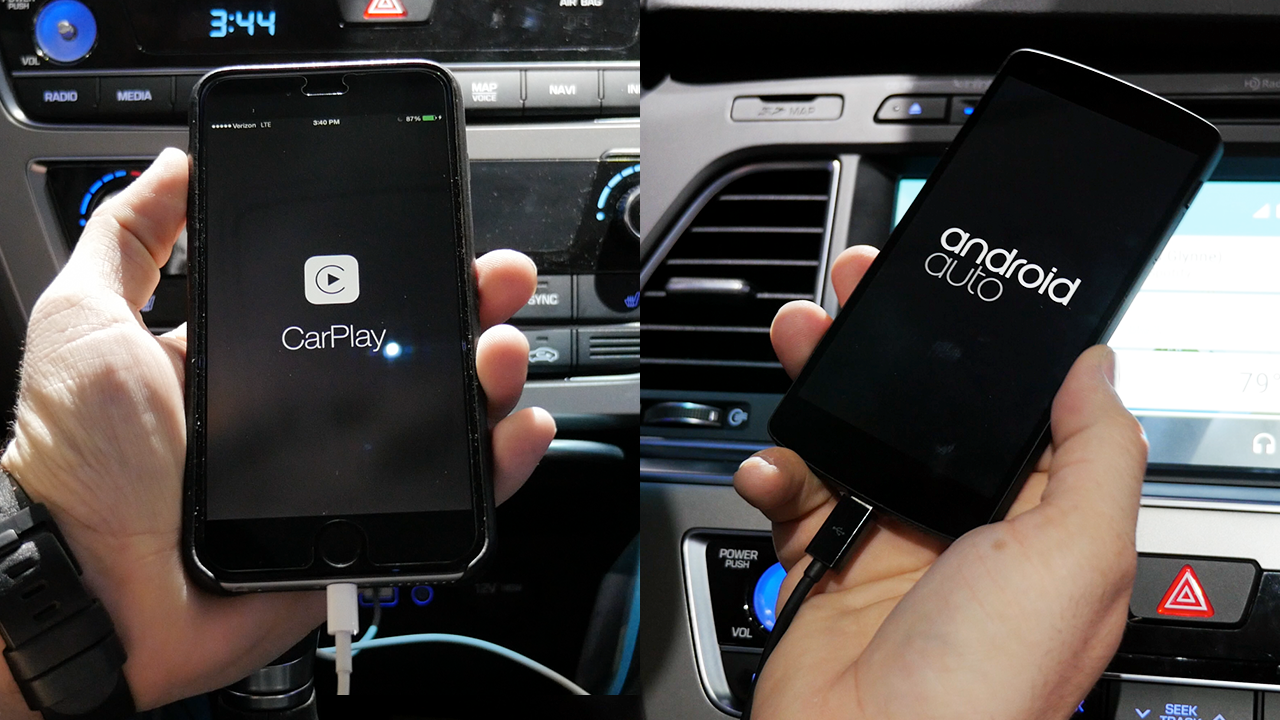
Apple CarPlay vs Google Android Auto — full comparison (Video)

Apple and Google are back at it again and attempting to bring a safe and friendly mobile experience to your car. Android Auto and CarPlay are the two company’s re-imagining of mobile user interfaces for the car and both are gearing up for a major rollout over the next year.

Each system is designed to work with its respective native mobile platform, but there are differences between the two that may appeal to different people. Today we’re comparing Apple’s CarPlay to Google’s Android Auto using the 2015 Hyundai Sonata. This car comes packed with both systems, so you won’t have to compromise either way, but there are some important differences between the two…


Expand
Expanding
Close

Site default logo image

These are the most popular non-Apple apps people keep on their homescreens

You don’t need to go any further than iTunes to see the most popular iPhone apps, but a couple of days after Betaworks launched #Homescreen, an app which allows people to share their homescreens on Twitter, we thought it would be interesting to check the results so far. The above image was the result at the time of writing.

#Homescreen is an app with a single function: it allows you to share your current iPhone homescreen on Twitter. Betaworks uses image-recognition to identify the apps, and pulls together a constantly-updated image showing the most popular dock and homescreen apps.

Betaworks excludes Apple’s own apps, but does note that “between 45 percent and 65 percent of the home screens examined had replaced Apple’s default apps with third-party options,” reports TechCrunch.

One trend the company noted in a Medium blog post is the growing popularity of third-party messaging apps.

Facebook is Messenger is on 14% of people’s homescreen, Whatsapp is on 12 percent, Snapchat is on 11%, Path on 5 percent (while snapchat and path arent straight messaging app’s, worth noting them here for comparison), Groupme 4.7%, HipChat on 2.6 percent, Line on 1.5 percent, Viber 1%, Kik is on 0.5 percent.

Facebook, unsurprisingly, took the title of most popular third-party app provider, with 68.6% of homescreens having at least one of Facebook, Facebook Messenger, Pages or Instagram.

If you want to share your homescreen but can’t be bothered to download an app to do it, you can tweet a screengrab with the hashtag #homescreen2014.