Home

See All Stories

Review: First Alert’s Onelink Smoke + Carbon Monoxide Alarm, the HomeKit smoke detector [Video]

Site default logo image

If you’re assembling a HomeKit home, First Alert’s Onelink Smoke + Carbon Monoxide Alarm is currently the best smoke detector to purchase. As a smart smoke and carbon monoxide alarm, Onelink sends you alerts when triggered while you’re away and HomeKit support turns Onelink into a trigger for automation. Check out our hands-on review below:


Expand
Expanding
Close

HomeKit in iOS 10: Tim Cook’s routines, helpful resources, and more

Site default logo image

During Apple’s Q1 earnings call this week, Tim Cook used HomeKit as an example of how the iPhone is expanding Apple’s ecosystem into new areas where it can innovate:

Our ecosystem is broadening to more and more of the areas where people spend their time. At the gym, on the go, in the home, and on the job. […]

And we are leading the industry by being the first to integrate home automation into a major platform with iOS 10.

As our resident HomeKit enthusiast, Cook discussing the feature during Apple’s earnings call caught my attention. Cook even describes how he’s personally using HomeKit. Below I’ll unpack exactly what Cook said about HomeKit, a bit about how I’m using it as well, and some helpful HomeKit resources.


Expand
Expanding
Close

Home 2.0 brings iOS 10 features and a new design to the best HomeKit app for power users

Site default logo image

Before Apple built its Home app for HomeKit in iOS 10, Matthias Hochgatterer created the best HomeKit app around with the original Home app. Apple’s Home app on iOS 10 is built-in, free, and has its own panel on Control, but the third-party Home app is still the best solution if you’re in deep with HomeKit like me. The iOS 10 version includes updated widgets, a new design, a refreshed Apple Watch app, and a temporarily discounted price to mark the launch.


Expand
Expanding
Close

Download iOS 10’s HomeKit Home app wallpapers for iPhone and iPad

Site default logo image

We’ve already shared the new default wallpapers currently in iOS 10 and macOS Sierra, but there are also two additional new wallpapers that ship with iOS 10. Apple’s new HomeKit app called Home includes two house-themed images that you can set as wallpapers inside the app. 9to5Mac reader Mark Malstrom has extracted and shared both Home app wallpapers from iOS 10 for iPhone and iPad so you can use them as your Home screen and Lock screen wallpaper too.


Expand
Expanding
Close

Hands-on: iOS 10 + watchOS 3 Home app for HomeKit on iPhone, iPad, & Apple Watch

HomeKit, Apple’s smart home accessory framework, is gaining some much needed attention in iOS 10 and watchOS 3 thanks to a new built-in Home app for iPhone, iPad, and Apple Watch. Apple previously relied on third-party apps from accessory makers to control the HomeKit experience, using Siri as the only first-party controller, and various apps like the third-party Home app and Hesperus filled in the void.

Apple’s new Home app comes with a modern look, relatively easy-to-use controls, and access to accessories and scenes from anywhere on iOS 10. Check out our hands-on below to see Apple’s Home app for iPhone, iPad, and Apple Watch in action.


Expand
Expanding
Close

Report: Apple’s standalone HomeKit app could finally arrive in iOS 10

A standalone iOS app for Apple’s HomeKit platform could finally arrive in iOS 10 as a new report claims an Apple employee on the company’s marketing team revealed plans for the launch in an online review. MacRumors found the mention (pasted below) within a product review related to HomeKit and says it confirmed the person that left the comment was indeed an Apple employee.

As I work in marketing for Apple, we test many Smart Home devices, especially for iOS HomeKit integration. […]

Some advice, there are many third party applications, most free, that offer more control and customization(s) with many Smart Home devices. “Yonomi” is a free app that I often use, “Home” is another which cost $14.99. Both offer support for many devices with more added daily (including Amazon “Echo”). The next version of iOS due this fall will have a standalone “HomeKit” app as well.

Apple has had plans for a HomeKit app on your iPhone’s home screen for quite a while as it’s developed the platform that currently only allows control of supported home automation accessories through Siri or third-party apps. We were first to detail some of the planned features for the platform and app back before the release of iOS 9, some which like the app have yet to be released.

The idea is that rather than using various apps each accessory maker builds, you could just open one “Home” app on your iPhone to manage everything. These apps already exist in the form of third-party solutions like the Hesperus app we reviewed a couple weeks back, but a solution direct from Apple would hopefully mean one of the best implementations yet and maybe some new features that third-party developers don’t have access to in the current crop of apps.

If the report is true, we could finally get our first look at the Home app at Apple’s World Wide Developers Conference in June where the company is expected to preview iOS 10 alongside its other upcoming products and developer tools.

Home, one of the best HomeKit apps for iOS, gains 3D Touch shortcuts + design tweaks

Apple doesn’t include a Home app for HomeKit like it does a Health app for HealthKit, but Matthias Hochgatterer’s Home app is a worthy solution for anyone diving into Apple’s Siri-controlled home automation platform. In testing various HomeKit-compatible smart accessories, Home for iOS has been a critical piece of the puzzle in making everything work correctly and reliably.

Siri controls HomeKit, but third-party apps from various accessory makers are needed for creating scenes and triggers that really make home automation come to life. Eve does the best job of making one app for all HomeKit accessories, but a dedicated HomeKit app with excellent support for all accessories is ideal. Home, which costs $14.99 but is available for iPhone, iPad, and Apple Watch, is a rather essential purchase for having a good experience with Apple’s HomeKit.

Last week we shared the latest HomeKit app on the market, Hesperus, which features an approachable design and customization options at no cost but lacks iPad and Apple Watch apps and Notification Center widgets for now. I mentioned Home for iOS, which is obviously pricier up front, and noted how its Settings-like design can feel cold in comparison. Over the weekend, however, Home for iOS reached version 1.6, which includes tweaks to how accessories are organized plus some nice iconography that I think really enhances the overall design.


Expand
Expanding
Close

9to5Toys Last Call: iTunes Gift Cards 20% off, APC 8-Outlet UPS $42, Anker 15,600mAh Power Bank $24, more

Keep up with the best gear and deals on the web by signing up for the 9to5Toys Newsletter. Also, be sure to check us out on: TwitterRSS FeedFacebookGoogle+ and Safari push notifications.

Today’s can’t miss deals:

Last Call Updates:

SanDisk Connect Wi-Fi Flash Drive for iOS/Android: 64GB $50 (Reg. $60), 32GB $30 (Reg. $40)

iTunes gift cards 20% off: $100 for $80, $50 for $40, $25 for $20 shipped

Gift Cards w/ email delivery: Staples $100 for $85, Applebee’s $50 for $40, other restaurants, more

Daily Deals: APC Back-UPS 550VA 8-outlet UPS $42, BenQ 1080p DLP Projector $630more

Keep your Wi-Fi running during a power outage – APC Network Backup UPS w/ dual USB: $40 shipped (Reg. $65)

USB Power: Anker 15,600mAh Battery Pack $24 (Reg. $30), Lumsing Wall Charger + 3-ft. MFi Lightning Cable $10more

GoPro introduces a new cost-effective action camera with Wi-Fi capabilities

Review: JBL’s new Xtreme Bluetooth speaker goes big on sound and design

More new gear from today:

Games/Apps: Dishonored Definitive $30, Disney Infinity 3.0 Star Wars Starter Pack $50, iOS freebiesmore

More deals still alive:

App Store Free App of the Week: Doodle Jump SpongeBob SquarePants ($2 value)

GoPro HERO4 Session + $40 Amazon Gift Card: $299 ($440 value)

New products & more:

You can make the new J-Force electric surfboard go 0-35MPH with the bend of your finger

Apple’s new Beats Active Collection brings sporty colors to familiar headphones

9to5Toys Last Call: ecobee3 Smart Thermostat $180, LEGO iOS sale, Drive Genius 4 Mac download $50, more

Keep up with the best gear and deals on the web by signing up for the 9to5Toys Newsletter. Also, be sure to check us out on: TwitterRSS FeedFacebookGoogle+ and Safari push notifications.

Today’s can’t miss deals:

Last Call Updates:

App Store Free App of the Week: Worms3 ($5 value)


[tweet https://twitter.com/9to5toys/status/626815891154567168 align=’center’]

[tweet https://twitter.com/9to5toys/status/626810599402512384 align=’center’]

Home: ecobee3 Smart Thermostat (not HomeKit) $180 (Orig. $250), KRUPS Espresso Machine (Prime only) $30 (Orig. $60)

LEGO iOS sale: Movie Video Game hits lowest price ever, Lord of the Rings & Harry Potter $1 ea. (Reg. $5), more

Drive Genius 4 the award-winning app for maintaining & repairing your Mac: $50 (Orig. $99)

Logitech $20 off $49: MX Master Wireless Mouse $80 shipped (Reg. $100), gaming accessoriesmore

Amazon’s Dash Replenishment Service is here and Prime members can order today

Amazon’s new Launchpad store offers the latest gadgets from crowdfunding campaigns and startups

More new gear from today:

Daily Deals: AOC 16-inch USB-Powered Portable LED Monitor $82, Jabra STEALTH Bluetooth Headset $66, more

LEGO and Star Wars come together once again in this gorgeous new photography book

[tweet https://twitter.com/9to5toys/status/626764461634920448 align=’center’]

More deals still alive:

Free PS Plus Games for August: Lara Croft and the Temple of Osiris, Limbo, more

Free Xbox Live Gold Games for August: Metal Gear Solid V Ground Zeroes, more

[tweet https://twitter.com/9to5toys/status/625692013636263936 align=’center’]

New products & more:

Livescribe announces new Echo Smartpen Pro Edition with 8GB of storage

The LEGO Architect shows you how to build exact replicas of famous buildings and homes

Here comes Apple’s HomeKit, first products start shipping starting w/ Insteon, Lutron, iHome, Elgato and Ecobee

Site default logo image

Insteon, Lutron, iHome, Elgato and Ecobee have all just announced that their HomeKit products are now officially available and/or shipping to customers.

The announcements come on the heels of our report that Apple partners planned this week to launch the first products using the company’s new Siri-controlled HomeKit home automation platform, first introduced alongside iOS 8 last year. 
Expand
Expanding
Close

The Best Mac Accessories and Upgrades

Over the past six months, I’ve published quite a few tutorials to help Mac users improve the performance of older computers, as well as some great guides to the best Mac accessories across a variety of categories. Today, I’m tying them all together in this handy, one-stop roundup of the best Mac accessories and upgrades.

This guide walks you through everything: in one place, you can learn about the best Mac hard drives, RAM upgrades, docks, keyboards, trackpads, stands, bags, and travel accessories out there. And you can also get free apps to improve your Mac’s storage and responsiveness, find plain English explanations of your Mac’s technical specs, and learn about the little security screws Apple uses to tamper-proof its machines. There’s a lot inside, so you may want to bookmark this piece for future reference!…


Expand
Expanding
Close

Withings’ new HomeKit-integrated video monitoring & environmental sensor device detects crying

Site default logo image

Withings, a company well-known for its line of iPhone-connected health and fitness tracking accessories, today announced a new video monitoring device with environmental sensors called  Home. While Home is a video monitoring solution that can be used for security, the company is also including some pretty unique features that it hopes will make your home both a healthier and safer environment.
Expand
Expanding
Close

Report: Apple planning iOS-controlled smart home automation platform for WWDC unveiling

Site default logo image

According to a report from The Financial Times, Apple is working on a new software platform that would “turn the iPhone into a remote control for lights, security systems and other household appliances.” Apple’s iOS ecosystem is of course already home to an increasing number of connected products for the home like the Philips Hue WiFi connected light bulbs, the Nest thermostat and a number of iPhone controlled appliances, but the report claims that Apple will soon unveil a new central platform that will make for a more seamless experience:
Expand
Expanding
Close

Site default logo image

NBA Game Time apps updated for 2013-14 season w/ iOS 7 redesign, new free content, and much more

The NBA Game Time apps for both iPhone and iPad have been updated today with a redesign for iOS 7 alongside full support for the 2013-2014 regular season and new content for both free and paid subscribers.

On top of the redesign pictured in the screenshots above, the apps add home and away broadcasts for every game and archives for each nationally broadcast game for those that have an NBA League Pass. It also adds new content for free users, however, including the Game Recaps, Team Video, Player Statistics, Team Rosters, and Team Statistics features previously only available to paid users.

Version 5.1 of NBA Game Time also includes alerts for live streaming videos and push notifications for League Pass subscribers.

NBA Game Time is available for free from the App Store now as separate downloads for iPhone and iPad.

What’s New in Version 5.1

Redesigned and Optimized for iOS7

Full support for the 2013-2014 NBA regular season

NBA League Pass subscribers will now be able to enjoy both the home and away TV broadcasts from every game.

NBA League Pass subscribers will now be able to enjoy archives from each nationally broadcast game.

Game Recaps from every game now free.

Team Video from every team now free.

Player Statistics, Team Rosters, and Team Statistics now free.

Live Video alerts let you know when we’re streaming press conferences and events live.

League Pass Push Notifications now let NBA League Pass users know when games they can watch get exciting.

Many performance improvements.

Site default logo image

Yelp iOS app replaces Home tab w/ new toolbar for quick access to reviews, photos, and check-ins

Yelp updated its iOS app today with a slightly tweaked UI that makes it easier for users to quickly post reviews, photos and check-in at locations. The app is getting rid of its old Home tab and now by default loads up the “Nearby” tab. In addition, the the tab in the middle along the bottom of the app now launches quick access to Check In, Review, and Photo buttons (as pictured above).

The updated app also includes “larger notification photos, better scrolling performance, updated icons and animations.”

What’s New in Version 7.2.0

New in v7.2
– We said goodbye to our homepage and hello to a beautiful new navigation that makes it even easier for you to discover great places nearby, add photos and reviews, and check in to your favorite businesses.
– We also added tons of polish to our app, including larger notification photos, better scrolling performance, updated icons and animations, and a whole lot more!

Site default logo image

Facebook phone experiment over as AT&T clears stock and nobody else steps forward

The final nail in the coffin of the Facebook phone seems to have been hammered into place as AT&T has sold the last of it’s HTC First handsets and has no plans to purchase any more, reports CNET.

AT&T had earlier denied that any plans had been made to discontinue the handset, but there had seemed little doubt about the handset’s future after the carrier dropped the price from $99 to 99 cents. Even Facebook itself went as far as telling users that the  front-end could be switched off …
Expand
Expanding
Close

Site default logo image

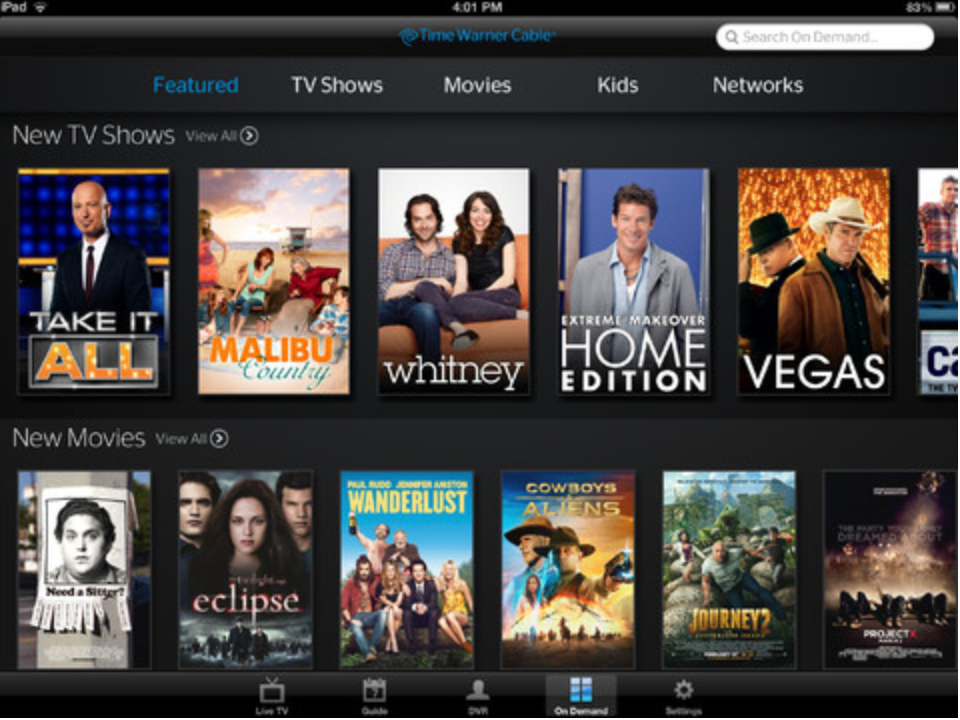
Time Warner Cable iOS app updated with ability to stream live TV away from home

As announced yesterday, Time Warner Cable has updated its iPhone, iPad, and iPod touch application with the ability to access and stream select OnDemand content and TV channels while away from home. Previously, the application could only stream TV while you were in your home with Time Warner Cable TV service. Additionally, the app update has improved filtering and sorting for categories and shows. Bug fixes and various performance enhancements are also included in the 3.2.0 update.


Expand
Expanding
Close

Richard Williamson, former Apple executive who led Maps team, Loren Brichter join Facebook

Site default logo image

According to Bloomberg‘s Adam Satariano, Richard Williamson has joined Facebook. We’ve independently heard the same. Williamson is a former iOS executive from Apple who was reportedly terminated over Apple Maps. Williamson ran Apple’s iOS 6 Maps team and also worked on Siri features.

Williamson joined Facebook in the past couple of weeks to be a manager within its expanding mobile-software group, said two of the people, who declined to be identified because the information isn’t public.

Facebook’s hire of Williamson is notable as the social network reportedly has hired several former Apple engineers to work on various projects, including the Facebook Home software and various other mobile applications. Williamson’s hire marks one of the more high-profile hires of former Apple employees.

Following up on this morning’s news that Loren Brichter is working with Facebook some capacity, Bloomberg also notes that the company has actually hired the Letterpress developer and former Apple employee as a consultant.


Expand
Expanding
Close

Site default logo image

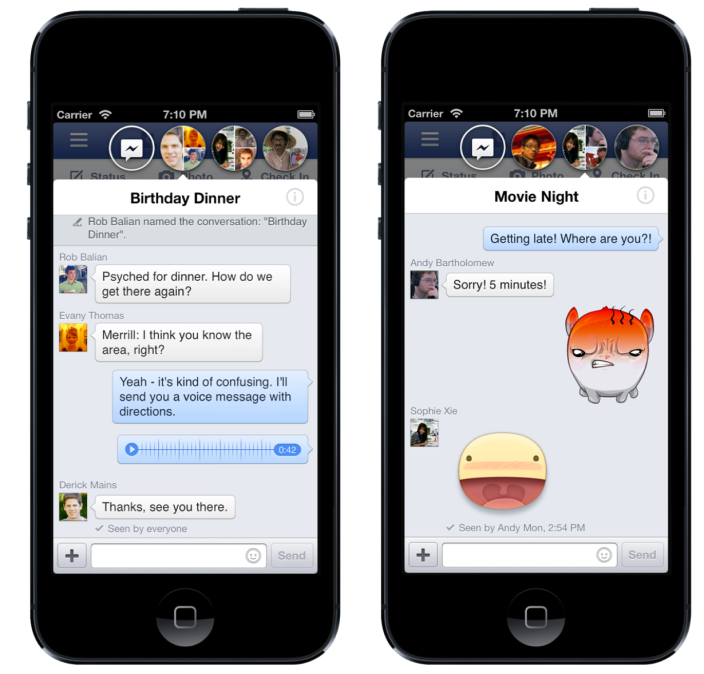
Here’s how to enable Chat Heads and Stickers in the new Facebook app right now

When Facebook released their brand-new iOS application today, some were disappointed to find that the highlight features of Chat Heads (from Facebook Home) and Stickers were not present. Facebook says that the two features, like many other of Facebook’s recently released products, will be released via a staggered rollout.

For those who truly want to enable Chat Heads and Stickers before Facebook wants it on your iOS device, iMore‘s Nick Arnott has put together a thorough tutorial on how to enable the features. Follow the steps, grab an app called PhoneView (no jailbreak required), and a Plist editor (like the one included in Xcode), and you should be good to go. We’ve tested the Chat Heads trick, and it works well.


Expand
Expanding
Close