iMac

See All Stories
iMac

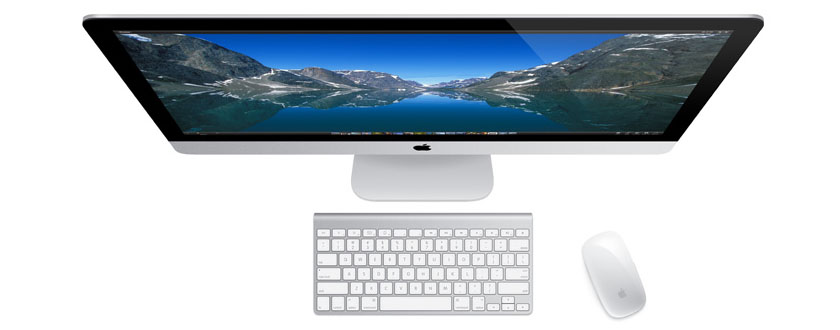
Originally released in 1998. the iMac ($1,099 and up) started life as Apple’s fun all-in-one computer, evolving into a more serious “right for practically everyone” option over time. For Pro users, there is also an iMac Pro model as well.

Apple first introduced the aluminum iMac in August 2007 with 20-inch and 24-inch options. This was a major update compared to the previous plastic design of the machine, which was available in 17″, 20″, and 24″screen sizes between August of 2004 and August of 2007. The mid-2007 model, however, was only a stepping stone. Despite featuring an aluminum front-face, it still featured a back casing made of black plastic, which was a stark difference from the sleek aluminum front.

In 2009, Apple released a new lineup with aluminum unibody design in 21.5″ and 27″ screen sizes – introducing the two screen sizes that are still in use today. This design has ended up shaping the future of the iMac, with Apple focusing on revising it rather than completely redesigning.

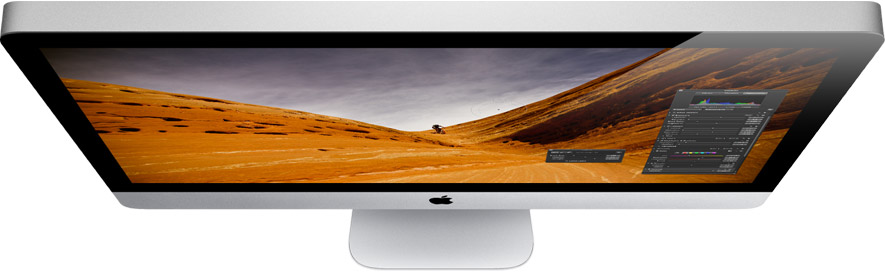
In October 2012, Apple redesigned the iMac with an ultra-slim side profile and removed the SuperDrive. While the thinnest point measures 5mm, there’s still a bulge in the back to accommodate the iMac’s internals and cooling system. In 2015, the iMac was upgraded with a Retina display upgrade option.

In March of 2019, Apple released a minor upgrade to the 4K and 5K iMac lineup. The updates include new 6-core and 8-core Intel CPUs with Radeon Pro Vega graphics options.

The 21.5-inch iMac starts at $1299. The base model includes a 3.6GHz 8th-generation Intel i3 processor, 8 GB RAM, a 1 TB hard drive, and Radeon Pro 555X graphics.F or $1799, the base model 27-inch iMac includes a 3GHz 6-core 8th-generation Intel i5 processor, 8 GB RAM, 1 TB Fusion Drive, and a Radeon Pro 570X GPU. The Radeon Pro Vega 48 GPU upgrade costs $450 build-to-order, and is not offered on any base iMac configuration. The iMacs continue to feature spinning hard drives as the default with upgrade options for Fusion Drives and Flash storage.

Apple also sells a $1099 low end of the iMac, but it doesn’t include a 4K display and includes an older processor. For your money, it’s recommended to get at least the $1299 model. If you are considering any upgrades, the 256 GB flash storage upgrade will go a long way at improving long term durability and speed.

If you are looking to mount your iMac on a wall, Apple offers a model with a VESA compatible stand for a $40 upgrade.

If you are looking for the latest deals on Apple’s iMac, check out 9to5Toys.com

Need extra cash to upgrade? Sell your old Apple devices to 9to5Mac’s trade-in partner.

How-To: Start using Maps in OS X Mavericks

Site default logo image

Apple has finally implemented a maps app in the OS X platform, and it seems to have been worth the wait. After being noticeably missing from the system, Maps (and iBooks) are helping achieve a greater consistency between the iOS and OS X platforms. After running the free Mavericks update, the Maps app icon will automatically be added to your dock.

In this guide, we’ll show you how to use the new app for everything from searching for locations to getting turn-by-turn directions set directly to your iPhone.


Expand
Expanding
Close

Unlock your Mac by knocking on your iPhone with the new ‘Knock’ app

http://www.youtube.com/watch?v=CyX8FfSKg04

Knock uses a combination of an iPhone app (currently offered at an introductory price of $3.99)  and a Mac app (available for free at Knock’s website) to enable unlocking of your Mac, wirelessly, by just knocking the back of your iPhone.

It’s a surreal experience. After a couple of minutes of initial setup, you lock your Mac and rap the back of your paired iPhone twice. Your Mac unlocks. The app doesn’t even have to be forefront on your phone, although it does have to be ‘open’ in the multitasking tray. In fact, your phone doesn’t even have to be unlocked. When it senses the Mac is near, a notification appears on the lock screen instructing you to knock. There are some nice UI touches too. For instance, echoes of the ‘sound wave’ appear on OS X’s lock screen in real time as you knock. It’s a subtle visual indicator that the system is actually working.


Expand
Expanding
Close

Opinion: What can we expect from the elusive Apple Television?

Site default logo image

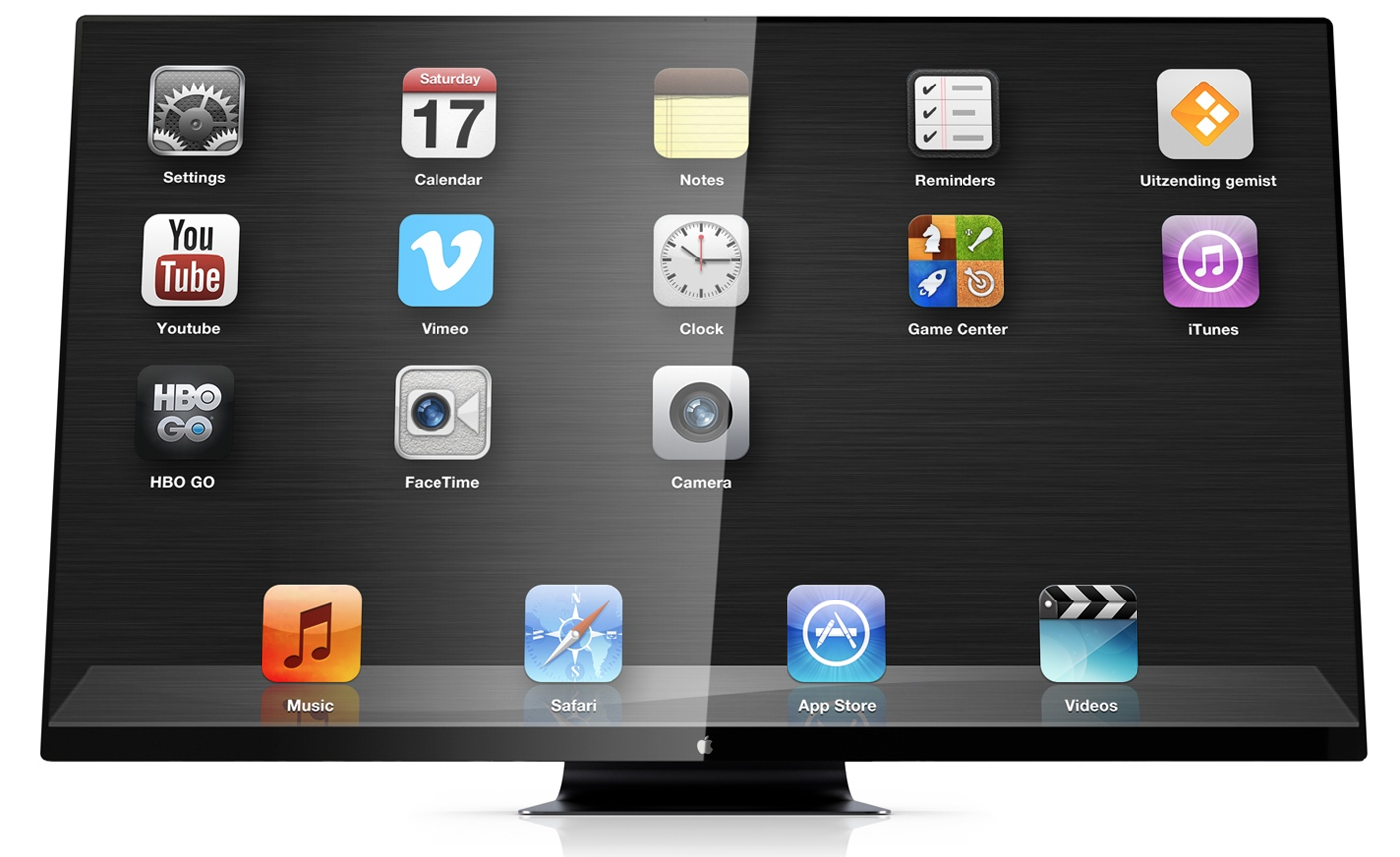
All concept visuals: martinhajek.com

Having recently speculated on what Apple might have planned in the way of 4K displays, I thought I’d build on that to think about what it might have in store on the television front.

If you didn’t read my 4K piece, the tl;dr version is I think Apple will launch a 4K Thunderbolt Display in about a year’s time, once it has a new generation of MacBook Pro models able to drive one (or preferably two) at a decent frame-rate.

The question then is: what form might the long-rumored Apple Television take? After all, plug an upgraded Apple TV box into an Apple 4K display and you’d have an Apple Television right there. Why would we need anything more … ? 
Expand
Expanding
Close

New Haswell MacBook Pro teardowns beautiful but prove almost non-repairable by mortals

Site default logo image

MacBook Pro 13

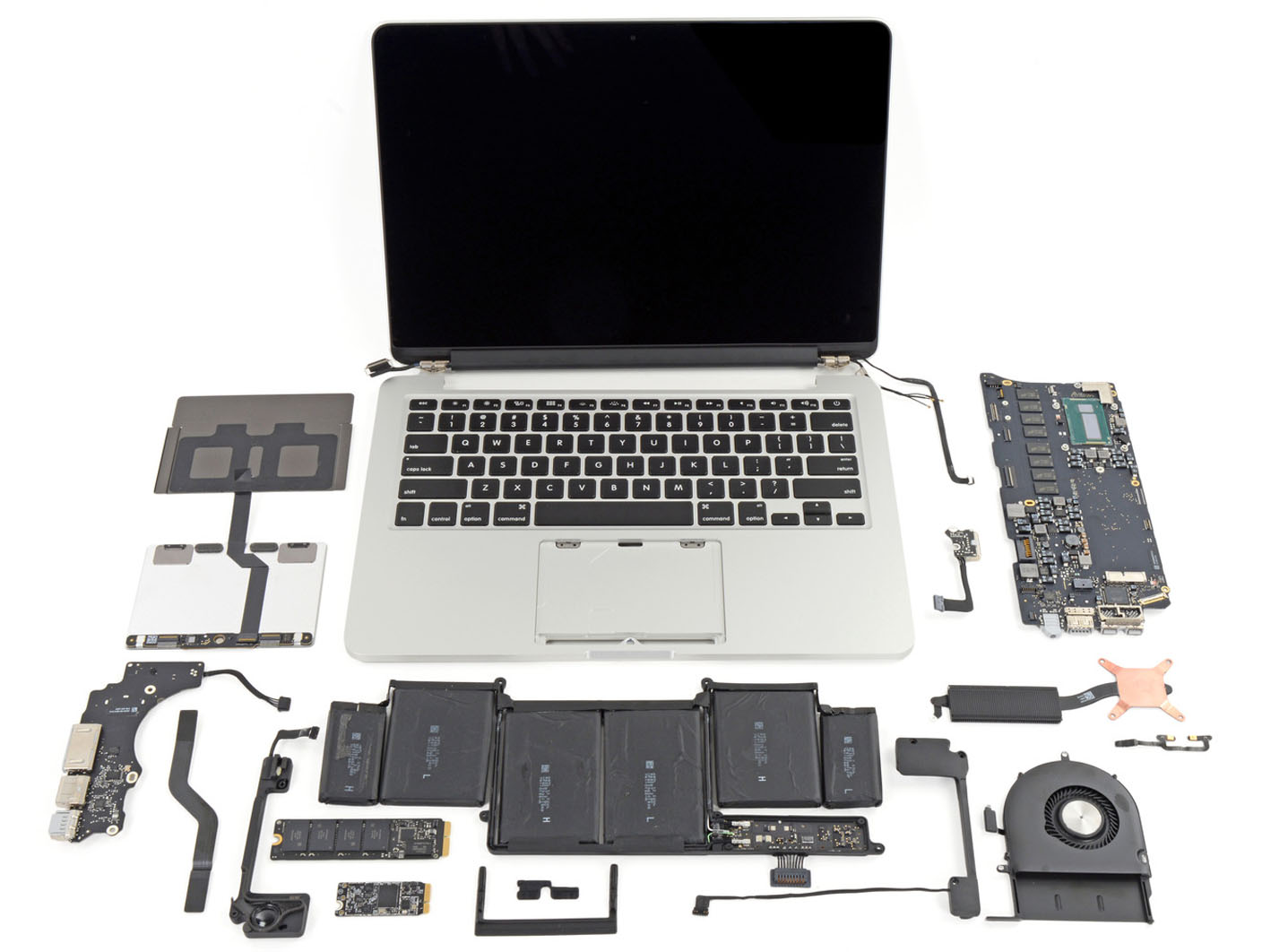
Teardowns of the new  13-inch and 15-inch MacBook Pro models reveal lots of shiny technology, but with the machines following the construction lead of the MacBook Air, it’s no surprise to see IFixIt giving both models low scores for repairability. The extreme difficulty in removing both battery and trackpad mean both models get even worse scores than the Air, at just 1 out of 10.

As with the Air, RAM is soldered directly to the logic board, so if you think you may need more in the future, take a deep breath and pay Apple’s price for the 16GB upgrade as there is no way to upgrade it later. IFixIt also draws particular attention to the difficulty of replacing the battery,

The lithium-polymer battery is glued rather than screwed into the case, which increases the chances that it’ll break during disassembly. The battery also covers the trackpad cable, which tremendously increases the chance that the user will shear the cable in the battery removal process.

More details and photos below the fold … 
Expand
Expanding
Close

Pixelmator 3.0 FX released: adds layer styles, ‘Liquify’ warping tools, Mac Pro and Mavericks optimizations

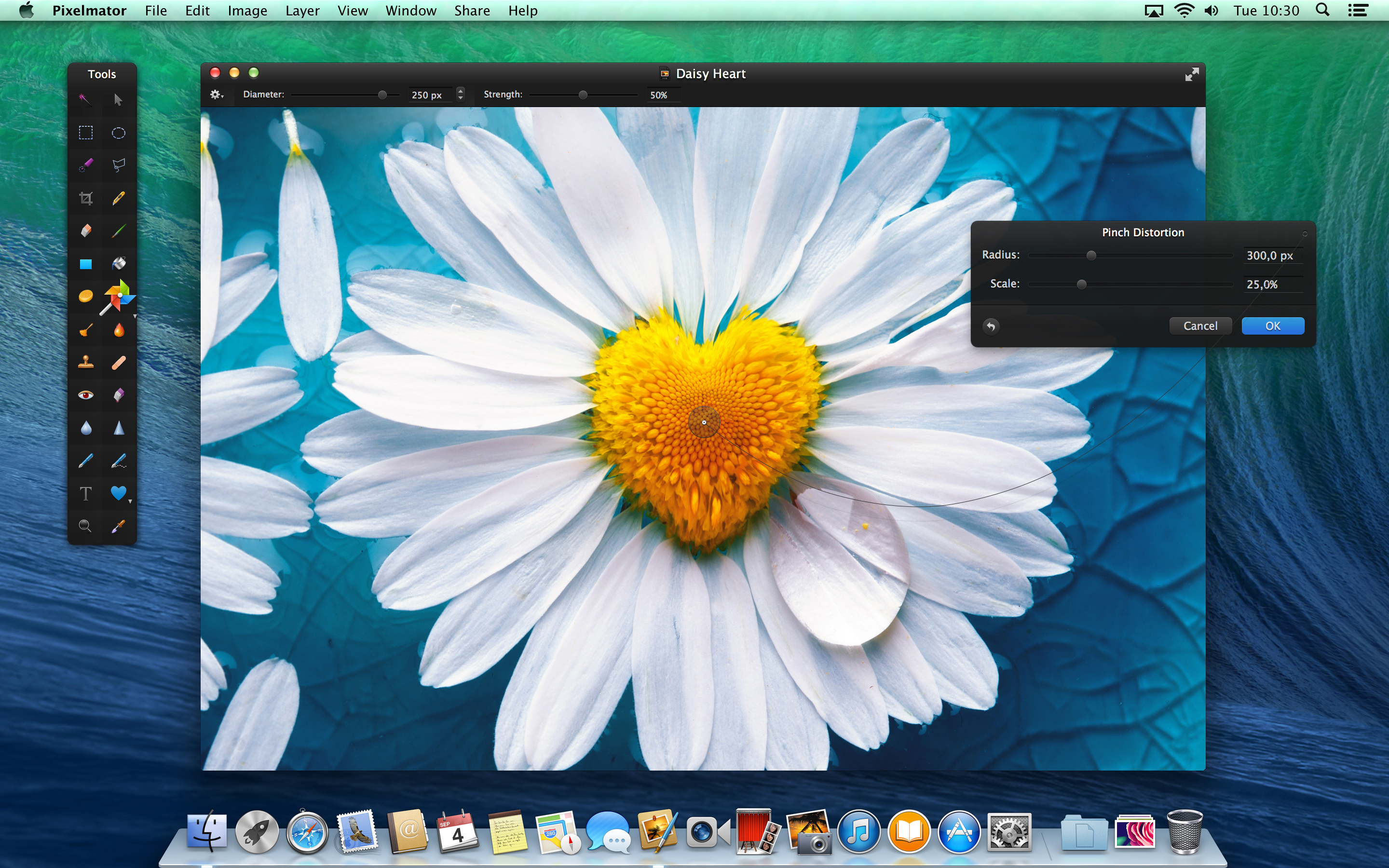
Today, the team behind Pixelmator has released the latest version of their app, version 3.0 FX. As before, the app is available on the Mac App Store for $29.99. The update brings a slew of changes to the already popular image editor, especially considering version 2.2 was only released a few weeks ago. 9to5Mac has had access to a preview copy of the update for a few days … so read on for a full walkthrough of the changes.

The headline feature for Pixelmator 3.0 is the addition of layer styles. Layer styles apply effects such as strokes, fills, shadows and reflections to the entire layer in very few clicks. More importantly, these changes are non-destructive — they affect the layer, not the canvas pixels themselves. This means layer effects can be undone and manipulated without changing the underlying image data. In fact, layer styles can even be copied to the clipboard and duplicated across layers.


Expand
Expanding
Close

Coming from Apple in 2014: 12-inch Retina MacBook, sharper iPad, cheaper iMac?

Site default logo image

According to typically-reliable analyst Ming-Chi Kuo of KGI Securities, Apple has a slew of new products in the works for 2014. The analyst has summarized his expectations for these new products in a new research note, and has also reaffirmed some of his previous claims for products in Apple’s pipeline for the rest of Fall 2013…


Expand
Expanding
Close

How-to: Mark up and caption images using Preview on OS X

Site default logo image

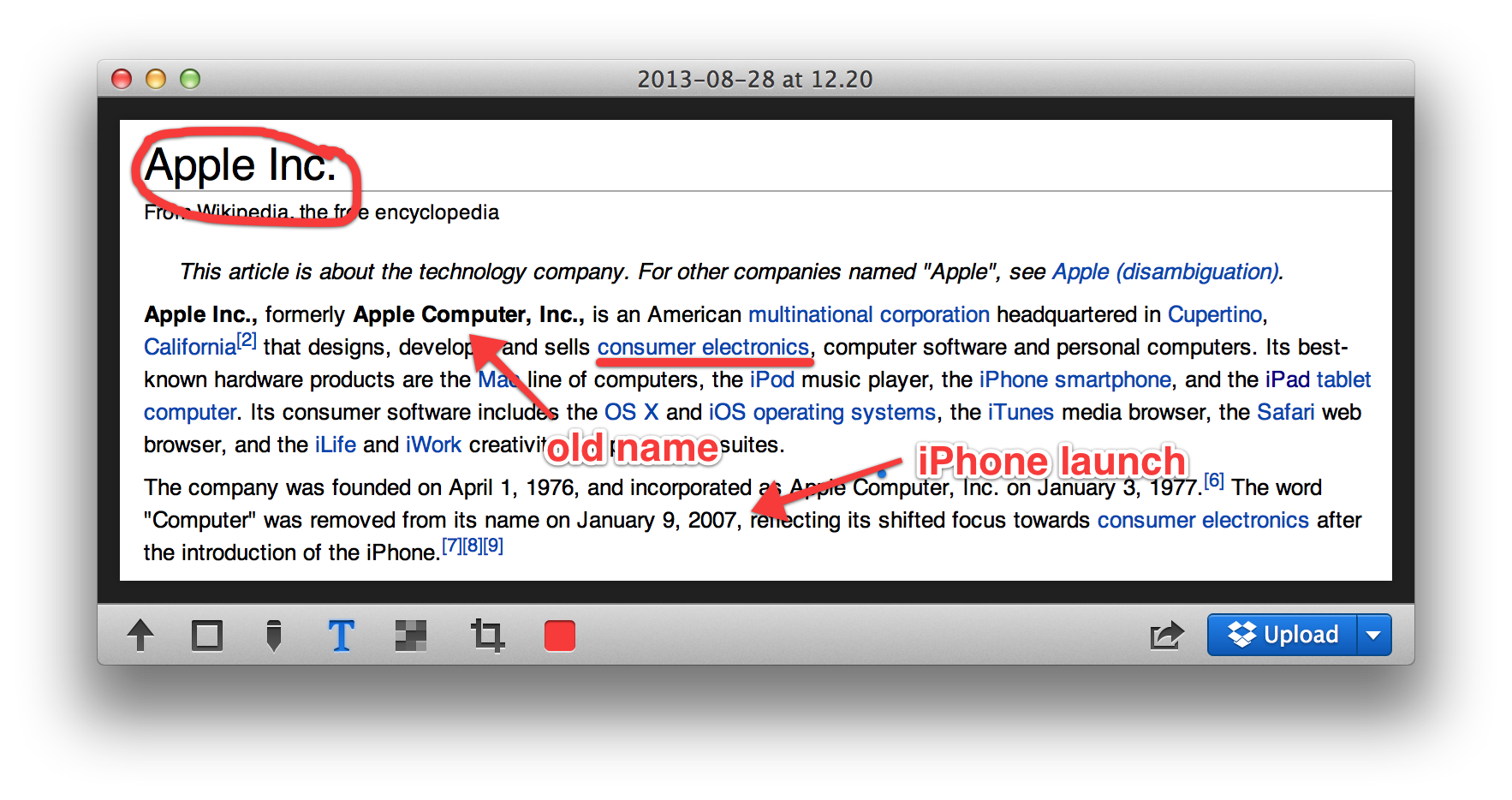
Preview is a built-in Mac application that has many features that doesn’t get a lot of press. One of them is the ability to place a caption inside the body of the image. Another is to mark up images to remove confidential information. If you double click on an image outside of a photo editor like iPhoto or Aperture, it opens in Preview and can be edited.


Expand
Expanding
Close

Apple to hold fiscal Q4 earnings conference call on Monday, October 28th

Update: Live webcast will be at www.apple.com/quicktime/qtv/earningsq413

Apple will hold its quarterly earnings call to announce results on October 28th, as noted on Apple’s investor website. Typically, Apple’s CEO Tim Cook and CFO Peter Oppenheimer will read prepared statements about the company’s performance, before opening the call to a question and answer session for analysts. The call will begin at 2PM Pacific / 5PM Eastern time. Apple will publish a press release reporting their results about half an hour before the call is due to begin.


Expand
Expanding
Close

Major update to VLC for Mac adds 4K support, improved MKV support, interface improvements and more

VideoLAN has released version 2.1 of its popular open source video player, VLC. The update — codenamed “Ricewind” — brings new audio processing to the app, to improve both processing performance and audio fidelity. There is full support for surround sound outputs in addition to new effects and many new supported metadata formats for audio.

On the video side, the app has ported the OpenGL output to OpenGL ES, making ports to iOS and Android much easier. Notably, VideoLAN says that VLC is now ready for Ultra-HD content (otherwise known as 4K). The app update has also focused heavily on improving MKV compatibility, including better seek performance and subtitle metadata support.


Expand
Expanding
Close

Apple increases Mac mini pricing in multiple countries

Site default logo image

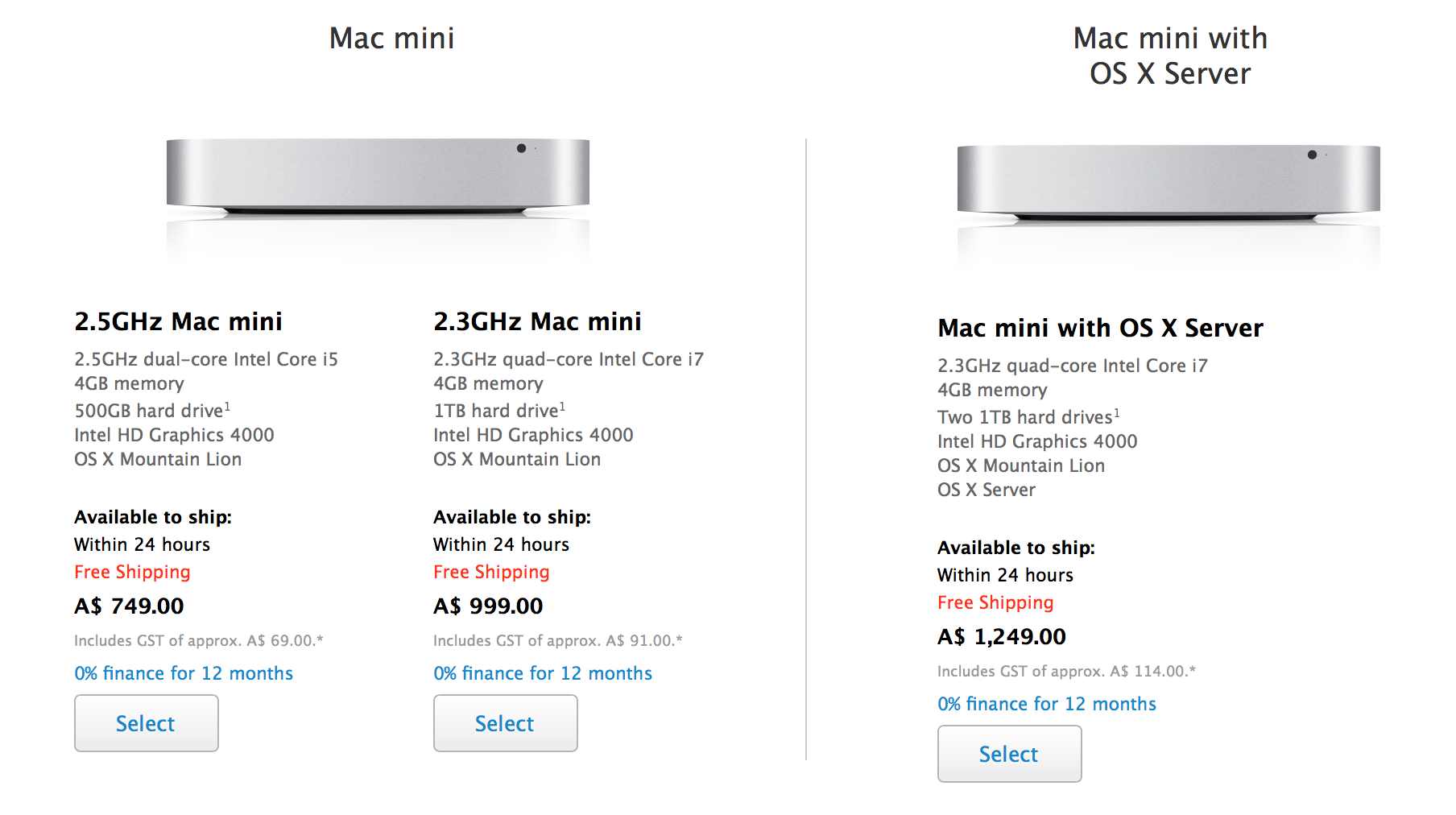
Alongside the new iMacs, Apple has silently raised the prices of all Mac mini models in both Australia and Brazil. In Australia, the prices were formerly A$699 and A$899 for the standard configurations, and the Mac mini Server model was priced at A$ 1,099.00. Now, the machines are priced at A$749, A$999, and A$1249, respectively.

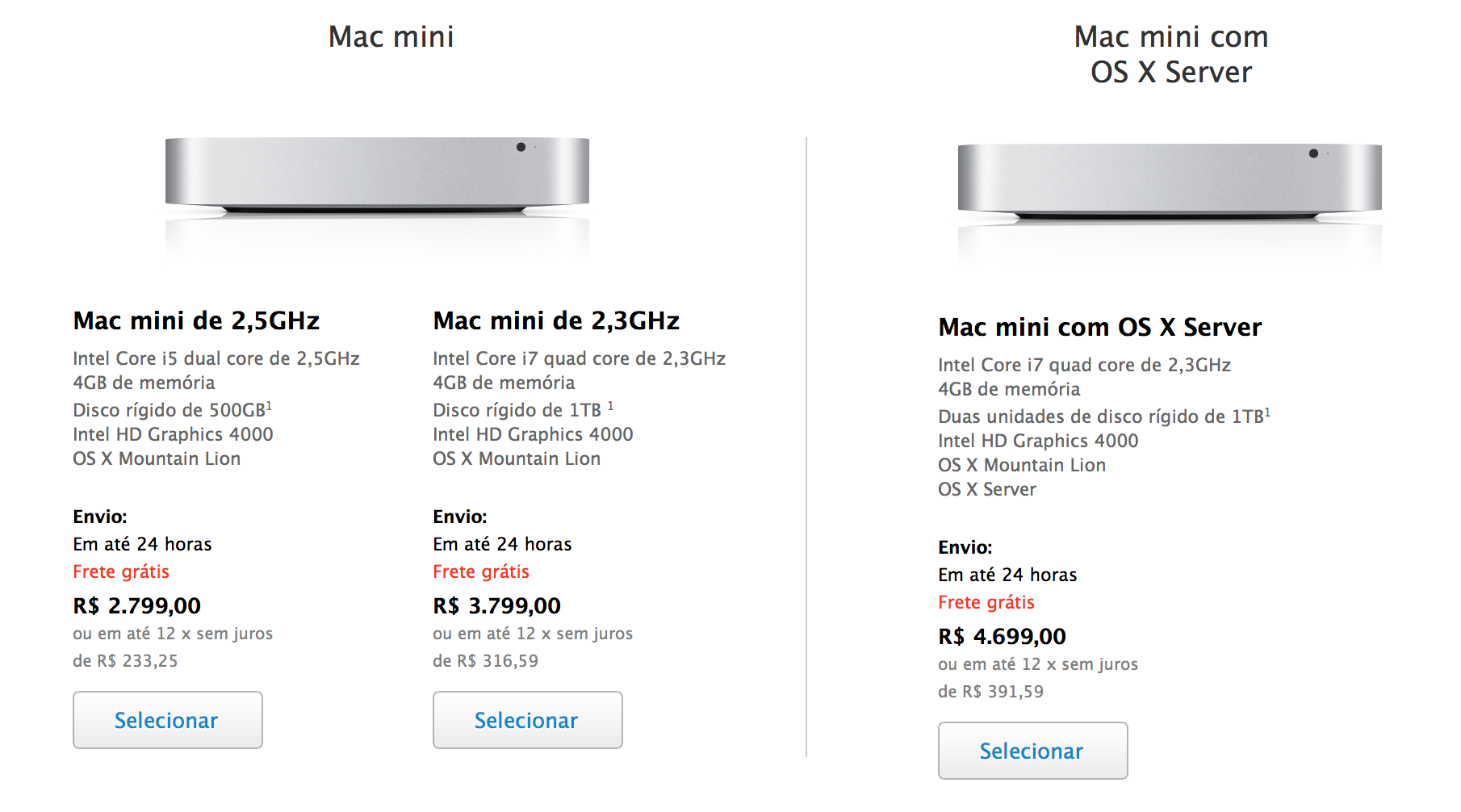
Here are the new prices in Brazil (up R$ 300, 400, and 500 respectively):

The prices for the Mac mini have also been raised in Portugal and Malaysia, multiple tipsters have noticed.

These are notable price increases, but it is unclear if there is reasoning for the change beyond standard currency fluctuations. The iMacs pricing was also tweaked when it was updated yesterday, but the Mac mini has not been altered. No other Mac prices in Australia nor Brazil have changed.

The Mac mini is presumably due for a hardware update with 802.11ac WiFi, new Fusion Drive options, and Haswell processors to match the new iMacs. Thanks, James and Joao! 


Expand
Expanding
Close

iFixit investigates the innards of the new iMacs, spare SSD slot now standard in all models

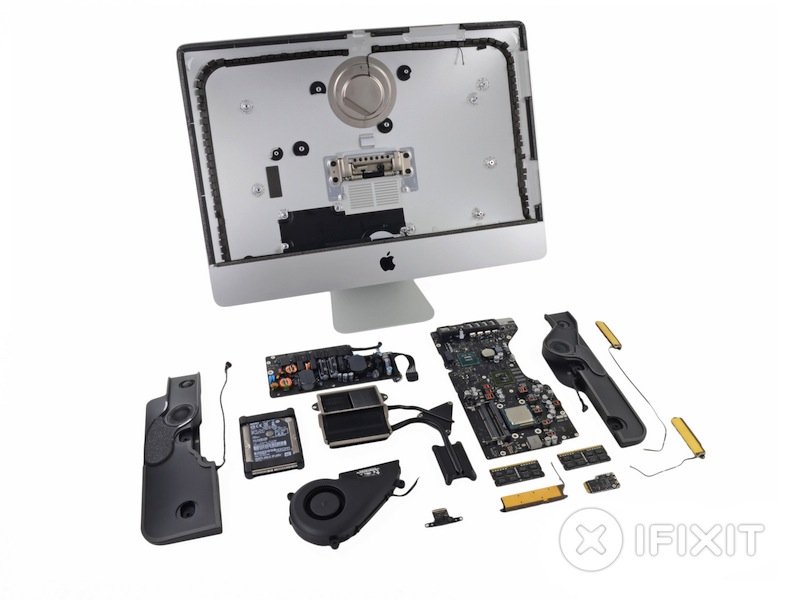
iFixit has taken a look at the newly-released generation iMacs, tearing down both the 21.5 inch and 27.5 inch variants. Although most of the internal structure is the same, which is to be expected given that the new iMacs have retained the same casing, there are some small differences.

iFixit points out that the 21.5 inch iMac now includes a Fusion Drive SSD bay as standard, improving future upgradeability prospects of the machine. With last year’s model, this expandability was only available if customers had specifically ordered the iMac with a Fusion Drive originally. As the new drives are now connected via PCIe, third-party drive makers should be able to make appropriate adapters to enable the addition of a second hard drive. Both the 21.5 inch and 27 inch models offer this unused PCIe Fusion Drive SSD port. A picture of the empty port is attached below.


Expand
Expanding
Close

Site default logo image

Belkin announces YourType Wireless Keypad to extend your Mac’s keyboard

Belkin has just introduced a new YourType Wireless Keypad made to match your Mac that adds 28 keys to your setup and connects over Bluetooth. There are other options around, like turning your iPhone into a numpad using an app or using Mobee’s $23 overlay for Apple Magic Pad. But for physical keys and a design clearly made to look a lot like Apple’s own Magic Trackpad and fit in with your aluminum Mac, you can pick up the YourType Wireless Keypad for Mac from Belkin’s website now for $59.

  • Wireless keypad connects to iMac, Mac Pro, or MacBook via Bluetooth
  • Adds 28 keys, including function and document navigation controls
  • Aluminum enclosure matches Apple Wireless Keyboard
  • Low-profile, island-style keys
  • Includes two AA batteries

Stock shortages suggest possible new iMac and Airport Express on the way

Site default logo image

MacRumors is citing low stocks of Airport Express base stations as suggesting that a faster 802.11ac model is expected soon to match the capabilities of the latest Macs. This would offer wifi speeds almost three times faster than current 802.11n models, a capability that has already been incorporated into the current Airport Extreme and Time Capsule models.

We’re also hearing similar whispers about constrained supplies of iMacs, alongside price-cuts by resellers … 
Expand
Expanding
Close

Glui review: Screenshotting for OS X made a delight, not a chore

Put plainly, Glui is a screenshot and annotation tool; a utilitarian application. It does not evoke charm, but it doesn’t really need to. What Glui does need to offer is a functional yet efficient workflow and, on this front, it delivers. In use, I never feel like the app is getting in my way.

The activation shortcuts are bound to Shift+Cmd+5 and Shift+Cmd+6 by default to match OS X’s native screenshot shortcuts. These actions select either a rectangular screen region or one window, respectively. With the region mode, the screen cursor changes to a crosshair (which shows x,y pixel coordinates) and the region is chosen by dragging your mouse to create a rectangle. With the window mode, the cursor changes to a camera icon and you simply click on the window you wish to capture.

Although the process is very similar to how OS X’s built-in screenshot features work, it is not identical. For instance, in Glui, window screen grabs do not include the accompanying drop shadow as they do in OS X’s implementation.


Expand
Expanding
Close

Apple opens graphics card replacement program for some mid-2011 iMacs

Site default logo image

Apple has opened up one of its rare replacement programs for the graphics card in some mid-2011 iMac configurations, according to a notice issued to Apple Support employees. The iMac in question is the model released in May 2011 with Sandy Bridge processors and Thunderbolt ports. This iMac was sold between that month and October 2012 when Apple launched thinner models with new internals. Apple says that AMD Radeon HD 6970M cards (both 1GB and 2GB configurations) in select versions of these 2011 iMacs could fail:


Expand
Expanding
Close

Site default logo image

Report: Apple could tap Pegatron for future iMac production

DigiTimes is reporting today that Pegatron may be picking up contracts for production of upcoming iMacs with “upstream supply chain players revealing they sent iMac components to Pegatron recently.” Both Pegatron and Apple’s current partner for Mac production, Quanta, aren’t commenting on the rumor, but perhaps Apple could be looking to add additional partners to produce its next round of iMacs after experiencing significant delays following the launch of its latest iMac refresh.

While Quanta produces the majority of Apples Mac lineups, Pegatron is already an Apple manufacturing partner for iOS devices. However, last month the company came under fire when a report from China Labor Watch alleged poor working conditions at several Pegatron facilities in China.

Best Buy slashes new Mac prices w/extra savings for students; Haswell Airs start at $849

Site default logo image

From 9to5toys.com:

Best Buy is having a significant College Student sale this week on MacBook Airs, Retina/Pros and iMacs and Students or anyone with a .edu email address get another $100 off the sale prices signing up here. For instance, the entry level Haswell MacBook Air is now $949 and another $100 drops it down to $849, the lowest price we’ve seen by $100.

Haswell MacBook Air prices:

  • MacBook Air – 11.6″ Display/4GB Memory/128GB Flash Storage:$949.99-$100 students=$849.99 ($150 off)
  • MacBook Air – 11.6″ Display/4GB Memory/256GB Flash Storage:$1139.99-$100 students=$1039.99 ($170 off)
  • MacBook Air – 13.3″ Display/4GB Memory/128GB Flash Storage:$1,044.99-$100 students=$944.99 ($155 off)
  • MacBook Air – 13.3″ Display/4GB Memory/256GB Flash Storage:$1,234.99-$100 students=$1134.99 ($165 off)

Retina MacBook Pro prices:

iMac Prices save $100 across the board and another $100 for students = $200 savings starting at $1100

The MacBook Student $100 off promotion starts today, and will end July 27.
Expand
Expanding
Close

Site default logo image

Review: Just Mobile’s AluDisc for iMac and Thunderbolt Display

Just Mobile is known for making accessories built from high quality materials, like aluminum, that nicely match the designs of Apple’s recent hardware products. However, some of their products seemed to have focused on function over form, rather than a mix of both. However, over the past few weeks, I have been using their AluDisc accessory for the Apple Thunderbolt Display, LED Cinema Display, and iMac, and I have found the accessory to be a nice, helpful addition to any workspace with those large Apple screens.

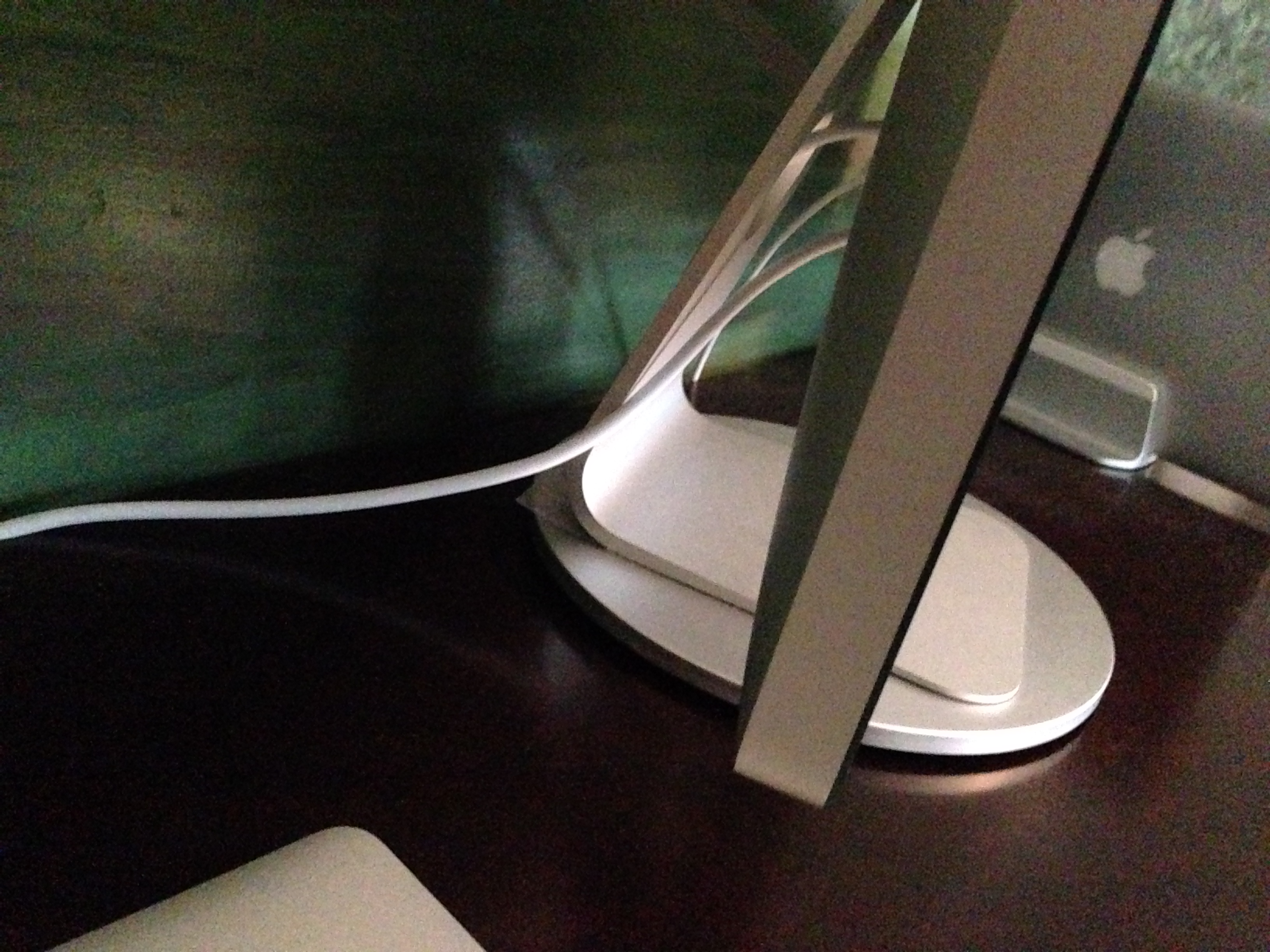
The AluDisc is a high-quality, seemingly well-built pedestal that allows you to easily and quickly rotate your display. During my daily workflow, I need to consistently pull USB and Thunderbolt cables out and in of the back of my Thunderbolt Display. Usually, to accomplish this task, I need to manually rotate my display. This is not a truly complex task, but the AluDisc actually makes this process extremely quick and easy. The disc can spins 360 degrees, making it simple to rotate my display.


Expand
Expanding
Close

Site default logo image

9to5Toys Last Call: $1,085 iMac 21.5″ (Newest Version), Nikon D3100 w/ Lens (Refurb) $305, Games, More

From 9to5Toys.com:

A large majority of the deals we cover each day come from a variety of ‘Daily Deal’ websites or are so popular that they don’t even last 24 hours. We know you can’t be at your computer every second, so we’re going to roundup the best deals each day to make sure you have a fair shot at the deals you want. Be sure to follow 9to5Toys.com so you never miss a deal... Twitter, RSS Feed, Facebook

Today’s Featured deals:

Apple iMac 21.5″ 2.7GHz, 8GB RAM, 1TB Hard Drive (Newest Version) $1,085 (Reg. $1,299)

Nikon 14.2MP DSLR Camera w/18-55mm VR Lens Refurb. $305 shipped (up to $142 off)

Toshiba Canvio 1TB USB 3.0 Portable Hard Drive $60 Shipped (Reg. $120) or 1.5TB $90 Shipped (Reg. $170)


Other great deals we love:

Review: 29-inch 21:9 Philips Brilliance 298P4QJEB LCD monitor creates new MacBook/Desktop opportunities

Site default logo image

I’ve been curious about the 21:9 display format since it started to creep into mainstream displays last year. Originally developed to display cinema grade movies natively, computer users are now snapping these up to give themselves a sort of wide ‘Bloomberg terminal’ without the break (and the swivel between displays).

I received the Philips 298P4 29-inch 21:9 display a few weeks ago and have set it up as my display at my desk.  It has an unusual 2560×1080 pixel display which is the same amount of pixels across as traditional 30 inch 16:10 displays or 27-inch 16:9 displays (like Apple’s 27-inch iMac or Thunderbolt Display). The 1080 pixels high however matches up with a typical 1080P display. I didn’t use it like a traditional desktop computer or with a laptop off to the side.

For me, I saw an opportunity to add a display on top of my Retina MacBook Pro whose keyboard/trackpad layout I find more usable than anything else out there including Apple’s Wireless Keyboard/Trackpad combo. The Philips’ stand (and this is the key part) allows the display to grow over the top of even the 15’inch Retina MacBook Pro so that I can continue to use the MBP keyboard and display even while looking up (for much improved posture) at the Philips display. It is also great for watching movies while working :D, unless productivity is a priority.

For this it was great, but how was the quality of the display?


Expand
Expanding
Close

We might not see a 5120×2880 pixel iMac, but 4K displays this year from Apple make sense

Site default logo image

.

A tweet by a German web design exec suggesting that the resolution of a piece of Mavericks wallpaper suggests a Retina iMac with a resolution of 5120×2880 pixels has been doing the rounds, spotted by bunch of publications.

The rationale is that the resolution is exactly twice that of the current-generation iMac, therefore suggesting a Retina iMac with double the resolution. The problem with this argument is that 5120×2880 pixel wallpaper images are not new to Mavericks. In fact, Apple has used them as far back as 2011, probably just for future-proofing purposes. There’s really no downside to including images which will display nicely on any larger monitors that come along …

What is more likely this year from Apple are 4K displays…
Expand
Expanding
Close

Site default logo image

One prominent analyst expects new Haswell-based iMacs this month or next

We’ve heard nothing of new Haswell iMacs in the pipeline but prominent Apple Analyst Mingchi Kuo from KGI securities thinks they are on the way:

What’s new
We forecast iMac shipments to be 650k units in 2Q13, down 63% from 1.75mn units in 1Q13. We expect shipments to pick up in 3Q13 as Apple (US) launches Haswell iMac and peak season arrives. Full-year shipments are set to reach 4.7mn units.
Analysis
We attribute the shipments decline to the fact that new product shipments have peaked and due to the arrival of the consumer slow season. But we believe iMac shipments troughed in 2Q13. Apple is expected to upgrade iMac processor to Intel’s (US) latest Haswell processor in June or July. Meanwhile, the consumer peak season has arrived. Thus we expect shipments to reach 1.1mn units in 3Q13, up 69% QoQ. Full-year shipments are forecast to be 4.7mn units, up 31% YoY.

Even a July launch, if the analyst is correct, could warrant a mention at today’s WWDC. Apple did announce the current iMacs months ahead of schedule but Tim Cook subsequently told analysts at an earnings call that he regretted the decision citing some variant of the Osborne effect hurting sales.

When Apple first launched the all new, slimmed down iMac lineup leading up to the holidays in October of last year, Tim Cook quickly confirmed that Apple would run into some significant component constraints and delays for the product. The months following launch saw major delays with customers ordering the product having to wait weeks to receive their shipments and some models pushed back as far as December.

Kuo has been accurate enough in the past to warrant mentioning but his weakness has been his timings of releases so let’s keep the expectations low.

We’ll be covering every aspect of today’s WWDC so stay tuned.

9to5Toys Last Call: $59 Logitech UE Mini Boombox Bluetooth speaker, $15 Apple Leather Smart Cover (open-box), Father’s Day Gifts, more

Site default logo image

From 9to5Toys.com:

A large majority of the deals we cover each day come from a variety of ‘Daily Deal’ websites or are so popular that they don’t even last 24 hours.  We know you can’t be at your computer every second, so we’re going to roundup the best deals each day to make sure you have a fair shot at the deals you want. Be sure to follow 9to5Toys.com so you never miss a deal... TwitterRSS FeedFacebook

Today’s Featured deals:

Logitech UE Mini Boombox Bluetooth speaker, ‘the best portable speaker you can buy’: $59 shipped

Apple iPad Leather Smart Cover (open box) $15 Shipped (Reg. $69 new)

3-in-1 Universal USB Charging Cable –This universal USB cable is the last charging cable you’ll ever need. It can charge up to 3 devices simultaneously, and is compatible with iPhone 5/4S/4/3GS/3G/3, iPad, iPod, Android, HTC, Samsung and other devices. It’s optimized to avoid tangling, and for $7 + Free Shipping (a big discount from $59) it is the same price as Apple’s single Lightning cable. We reviewed the Cable here for more information.

Other great deals we love:


Expand
Expanding
Close