iMessage

See All Stories
scheduled iMessage feature

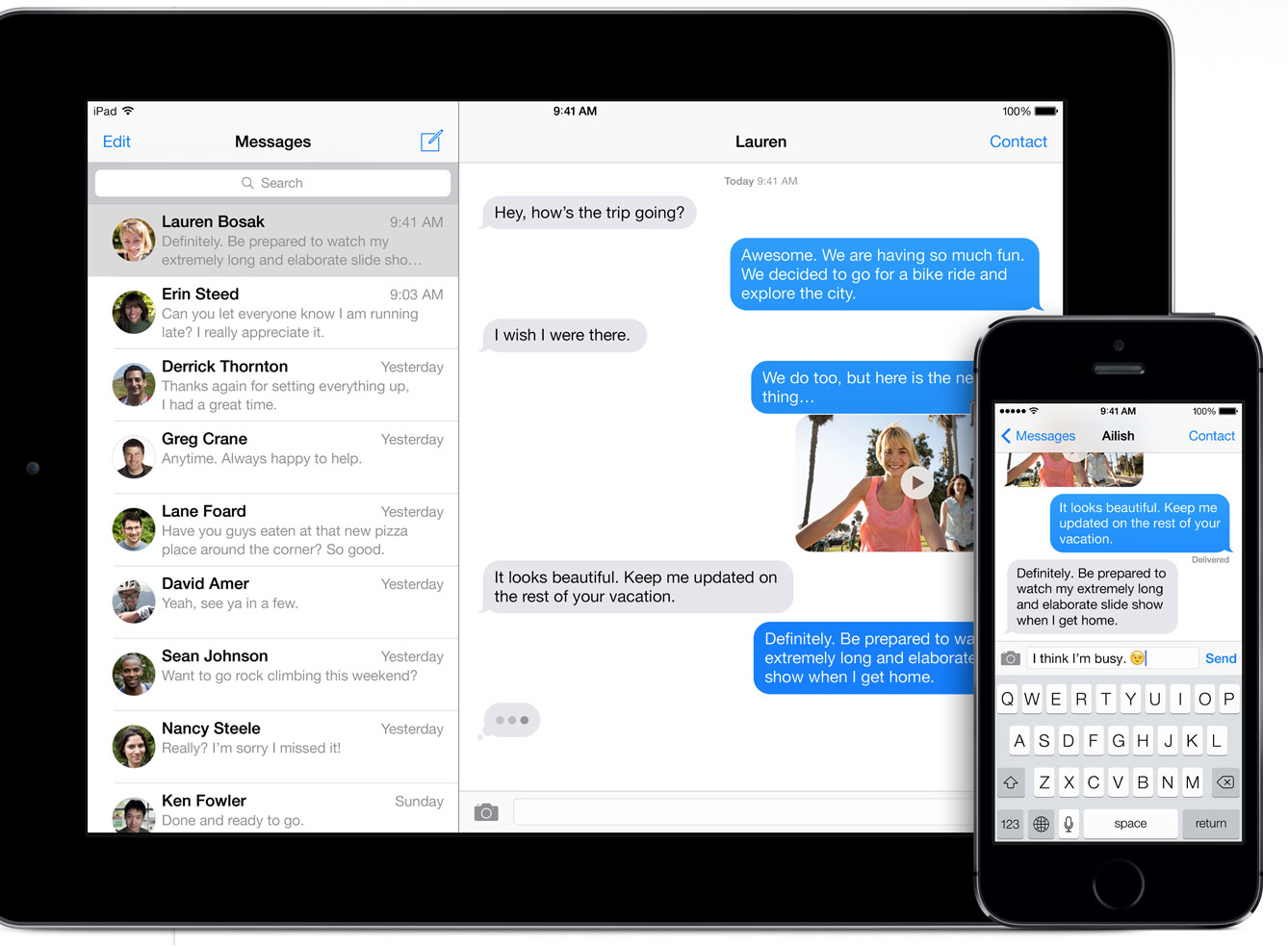
Send texts, photos, videos, and audio messages — all from the Messages app

iMessage was announced by Scott Forstall at the WWDC keynote in 2011. When iOS 5 was released in October, it included a version of the messages app that had iMessage built-in. In early 2012, Apple announced that a new Messages app would be included in OS X Mountain Lion which was released on July 25, 2012.

By 2012, Tim Cook announced that over 300 billion messages had been sent using iMessage. In 2016, Eddie Cue announced that 200,000 iMessages were being sent every second. Apple also announced an App Store for the platform in 2016.

When Apple announced its messaging platform, mobile carriers were caught off guard as it took over SMS technology. One of the reasons it was initially so successful is that users didn’t realize they were using something new. The only visual change was that the messages went from green to blue. The box for typing message had a faint iMessage in the box before starting a message as well.

Since its release, Google has tried multiple times to create its own messaging service similar to iMessage, but it hasn’t been able to find the same success. Apple has been applauded for including end-to-end encryption in iMessage.

We use end-to-end encryption to protect your iMessage and FaceTime conversations across all your devices. With watchOS and iOS, your messages are encrypted on your device so that they can’t be accessed without your passcode. We designed iMessage and FaceTime so that there’s no way for us to decrypt your data when it’s in transit between devices. You can choose to automatically delete your messages from your device after 30 days or a year or to keep them on your device forever.

Third-party apps that use iMessage do not have access to participants’ actual contact information or conversations. iOS provides each app with a random identifier for each participant, which is reset when the app is uninstalled. iMessage and SMS messages are backed up on iCloud for your convenience, but you can turn iCloud Backup off whenever you want. And we never store the content of FaceTime calls on any servers.

In iOS 11.4, Apple released Messages in the Cloud. If you enable it, it keeps your entire message history updated and available on all your devices. If you purchase a new device, all of your conversations will be synced over as well.

Apple seeds a pair of OS X Mavericks updates internally

Site default logo image

Apple has seeded two software upgrades for OS X Mavericks internally, according to a source with knowledge of the upcoming updates. This person says that the updates are labeled as OS X 10.9.1 and OS X 10.9.2. The first update is expected to be released later this month, and it will serve as an update to squash bugs that accompanied the OS X 10.9.0 release of Mavericks last month. Many users have complained about issues relating to the Mail and iBooks applications, and Apple is preparing to release individual bug-fix updates for those apps in the coming days…


Expand
Expanding
Close

Apple promoting its own stock iOS apps for popular App Store search queries

Site default logo image

Apple appears to have recently started promoting some of its own stock iOS apps on the App Store for search terms that would have previously displayed results from third-party developers first. As noted by MacStories, when searching for terms such as “browser”, “web”, “SMS”, “Movies”, “cloud, “Siri”, “internet”, and others on the App Store, Apple is now promoting some of its own apps and services such as Safari, iTunes, Messages, iCloud, and Siri as the first results.

The result for Apple’s apps aren’t typical App Store listings but instead provide users with a brief description and link to either “Learn more” or open the app. Clicking Learn More takes users to Apple’s website in Safari for more information on the app, while some listings, such as iTunes, allow users to tap “Visit iTunes Store” and automatically launch the iOS iTunes app.
Expand
Expanding
Close

Site default logo image

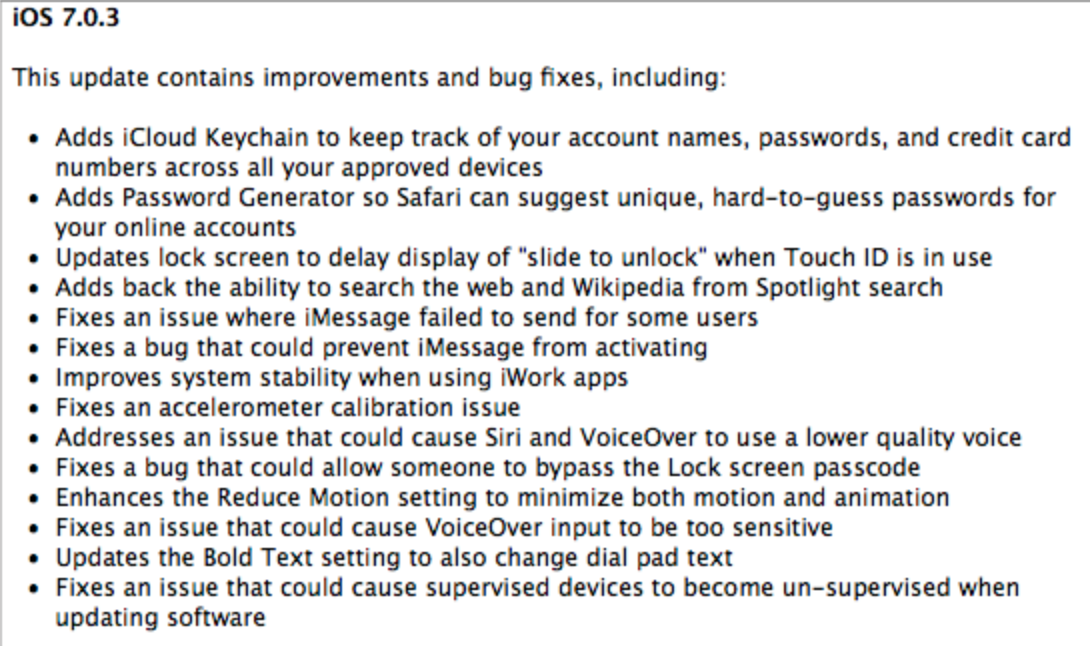
Apple lists countries where new iCloud Keychain feature is available

Apple has updated its support website with a new list of countries in which iCloud Keychain is supported. iCloud Keychain was announced at WWDC 2013 earlier this year, and the feature allows users to create complex passwords and sync them via iCloud to their supported devices. The feature also allows users to store their credit card information in order to make payment processing online a faster process. The feature launched earlier this week with OS X Mavericks and iOS 7.0.3. We will be publishing a thorough how-to guide for setting up and utilizing iCloud Keychain in the coming days. The full list of currently supported countries is available below:


Expand
Expanding
Close

Site default logo image

Apple reiterates it cannot read user iMessages, has no plans to do so

Update: Fresh Apple statement added

The immunity of iMessages from government surveillance has been cast into doubt by QuarksLab security researchers presenting at the Hack in the Box conference in Kuala Lumpur.

A leaked DEA document had pointed to the impossibility of intercepting iMessages even with a court order, a point that was confirmed by an apparently categorical Apple statement:

Conversations which take place over iMessage and FaceTime are protected by end-to-end encryption so no one but the sender and receiver can see or read them. Apple cannot decrypt that data.

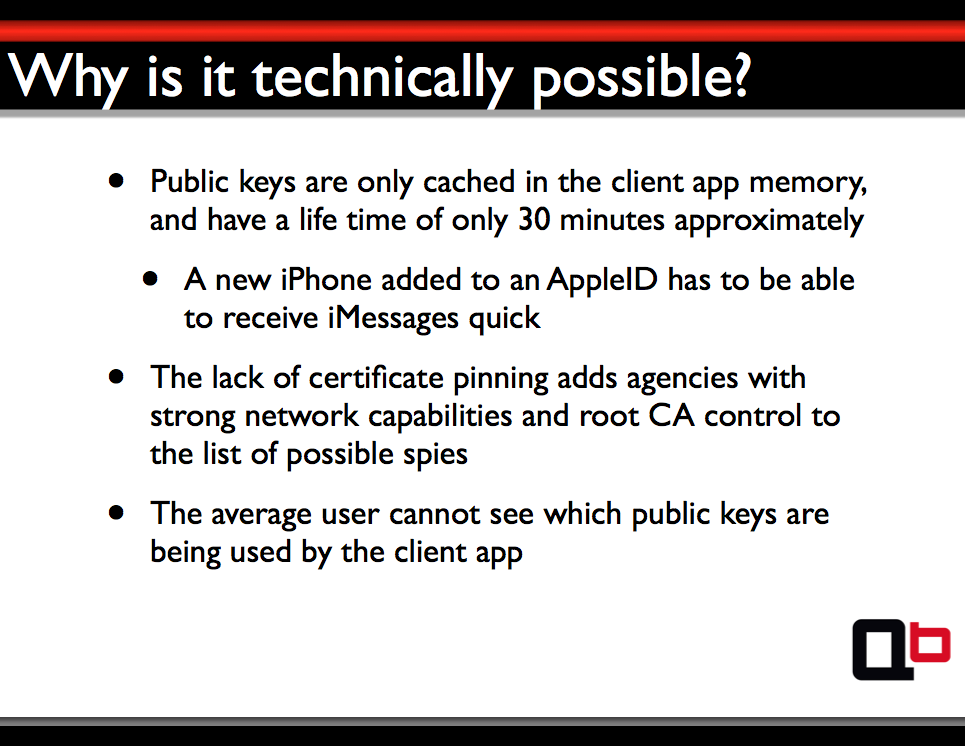
The researchers reverse-engineered the iMessage protocol and confirmed that the claim was true. However, they identified that Apple needed to hold the encryption keys on its own servers, and that simply by changing these keys, it could enable access to the message content.

They can change a key anytime they want, thus read the content of our iMessages.

The researchers were keen to stress that they do not believe Apple is doing, or has ever done, this – but rather that it could do so if the NSA or another government agency were to require it. Only messages sent after Apple changed the keys would be accessible.

Apple has since issued a statement to AllThingsD:

“iMessage is not architected to allow Apple to read messages,” said Apple spokeswoman Trudy Muller said (sic) in a statement to AllThingsD. “The research discussed theoretical vulnerabilities that would require Apple to re-engineer the iMessage system to exploit it, and Apple has no plans or intentions to do so.”

This is, though, merely a weaker version of its earlier statement. Then, it said it couldn’t read iMessages, now it is saying that it could, but it would require work and it has no intention of doing so. That Apple would not willingly do so was never in doubt: the point is that the NSA could force it to. A demonstration from QuarksLab is below:

[youtube=https://www.youtube.com/watch?v=EbqZnTKDVU0]

When the NSA PRISM story broke, it led to a raft of denials in what some security researchers say was carefully-crafted language. Apple, among other companies, was clearly unhappy about the secrecy imposed on it and gained permission to reveal some numbers on government requests for customer data. A meeting was subsequently held at the White House in which Tim Cook and other tech CEOs met with President Obama to discuss the issue. Details of the discussions were not made public.

Apple confirms some users experiencing iTunes Store outage

Site default logo image

Some users may be experiencing difficulty making purchases on the iTunes Store, according to Apple’s system status page. We’ve heard mentions of issues beginning this morning, and Apple reports trouble starting around 1:30 PM EST. Game Center and FaceTime also experienced issues this afternoon, though the former may be somewhat difficult to notice.

https://twitter.com/iTunes/status/385474005626785792

Apple’s iMessage service has been suffering turbulence for days now, which is not reflected on the system status page as it may be limited to iOS 7 users. Apple told the WSJ it is working on a fix for its iMessage issues in a future software update and recommends a workaround in the meantime.
Expand
Expanding
Close

iMessage issues? Apple says fix available in upcoming software update

Site default logo image

Over the past few days, several iOS 7 users have been reporting issues with sending and receiving iMessages. A quick (partially successful) fix has been to Reset Network Settings inside of the iPad, iPhone, and iPod touch Settings app. However, this mostly has only been working for outgoing iMessages.

Instead of sending as an iMessage, texts have either been reverting to SMS or just hanging without ever sending. Now, Apple has told the WSJ that it is aware of the issue and it is working on a fix for an upcoming software update:

“We are aware of an issue that affects a fraction of a percent of our iMessage users, and we will have a fix available in an upcoming software update,” Apple said in a statement. “In the meantime, we encourage any users having problems to reference our troubleshooting documents or contact AppleCare to help resolve their issue. We apologize for any inconvenience this causes impacted users.”

In the meantime, Apple is recommending that users contact AppleCare. We’re not so sure that will solve anything as this is clearly a software issue that Apple has acknowledged (in the same statement!) will be solved with an actual update. As our own analytics have shown, Apple is widely testing iOS 7.0.3, so perhaps this will be the release with the answers to our iMessage troubles.


Expand
Expanding
Close

iOS 7 How-to: Blocking FaceTime calls, Phone calls, and iMessages

Site default logo image

Before iOS 7 it was rather inconvenient to block a phone number, and there was nothing built into iOS that would allow you do so. If you got phone calls from Telemarketers you can always register your number for free on the National Do Not Call Registry. If you wanted to block specific people, you had to contact your carrier to do so. For example, with AT&T, you can pay $4.99 per month per line to block up to 30 numbers with their Smart Limits. With Verizon Wireless, you are able to block up to five phone numbers per line with no charge. With Sprint you fill out a form on their website and it appears there is no additional fee.

Dealing with your carrier can be a rather tedious, and with the new iPhone, iPad, and iPod touch operating system, you no longer have to…


Expand
Expanding
Close

Site default logo image

‘Ping’ brings iMessage-like functionality to email

iOS has seen its fair share of new email applications over the past few years. Most notably, Mailbox found itself overly popular and was eventually acquired by Dropbox. Now, a new mail app called Ping will take email another step forward by bringing in new features that are, by far, revolutionary.

The most notable feature is the iMessage-like responses: if you are emailing with another Ping user, it turns your email into a chat where each user can see when the other is typing and emails appear instantly.

The app also allows you to set custom notifications per contact, so you can know if you really need to dig into your mail app and respond quickly.

Ping will be launching September 18th, but you can reserve your spot today at PingApp.com. I’m betting this app will be much more successful than Apple’s Ping social network…

Ping reimagines email from the inside out with the following capabilities:

  • A smart, people-centric feed: Organize messages by people and groups of people, then everything else (subscriptions, newsletters, etc.) so messaging history with each person and group is in ongoing, contextual streams, like chat. Emails from the most important people and groups are in one feed so you can immediately see what matters most, while subscriptions, newsletters and marketing emails are automatically filtered into a separate workspace.
  • A playful, easy interface: Communicate in a natural, dynamic environment with rich media sharing (personal photos, Web photos, video), voice recording, video chat, doodling and the all bells and whistles that make chatting fun. By eschewing the formal, antiquated letter format, unnatural terms like “Best Regards” are no longer a part of conversations with your colleagues or friends.

And, for the utility-minded, Ping offers:

  • Super real-time responses: Receive emails the exact moment they come in, seconds before you would using any native mobile email app. Users can even see when another person is typing, as you would with iMessage or chat.
  • Better notifications: Stop checking your phone every time it buzzes. Assign custom notification alerts for different types of messages and contacts, and keep it in your pocket.
  • Instant access to shared media: See all recent attachments and documents within a conversation by flipping your phone to horizontal view.
  • Snooze: Hit the Couch button to save messages for later.
  • Quick search: Find friends or conversations instantly with a universal search bar.

By supporting real-time messaging, document and photo sharing, voice and video calls, and more, Ping brings it all together, eliminating the need to use multiple apps to stay in touch. Ping syncs with desktop emails so chats, documents and media are stored right in your cloud, not in a separate app that wipes out your history when you stop using it. Ping solves the fragmentation issues associated with many messaging apps because it’s an open platform and is not limited to communication within the app itself.

Review: Is Chatology the solution for Messages search?

Site default logo image

Messages for Mac is buggy. There’s no denying that fact. At some point, all of us have tried to search for a specific message in the app only to be confronted by everyone’s favorite multi-colored symbol of despair.

Several weeks ago, Flexibits, developers of Fantastical for Mac and iPhone, announced a new project called Chatology that would finally solve this issue once and for all. Today, they unveiled the app to the world. So what exactly is Chatology? Does it solve the problem it sets out to solve? Keep reading to get answers to those questions and more.


Expand
Expanding
Close

Wishlist: 10 things Apple should, but likely won’t, announce at WWDC 2013

Site default logo image

We’ve got a pretty good idea of what Apple intends to give us at WWDC. Even the things we’re not so sure about seem on the radar.

But what does Apple need to do long term to tighten up the ecosystem and bring some excitement back into its hardware, software and services? I’ve got a few things…


Expand
Expanding
Close

Some surprises we might see at WWDC 2013 next week

Site default logo image

(Preparations for Apple’s 2013 WWDC developer conference / Image via Nick)

There’s a lot we already know about what we’ll be seeing next week at WWDC– we’ve already brought you exclusive details on iOS 7, OS X 10.9, a MacBook refresh, Apple’s new Radio service, and much more. What else might we see Apple show off next week? Below are a couple of our best predictions based on what we think Apple is most likely to show off as well as few things we’ve been hearing:
Expand
Expanding
Close

Site default logo image

Chatology for Mac, Flexbits’ answer to the comical search bugs in the Mac’s Messages app

.

Flexibits, makers of the popular calendar app Fantastical for Mac and iPhone, have just announced their next product for the Mac. Their new app, Chatology, seeks to ease the pain of searching through conversations using Apple’s buggy Messages app.

If you haven’t tried this yourself, don’t. But often when searching on messages, the application locks up for an indeterminate amount of time. Apple doesn’t seem to be getting all of our crash/bug reports and hasn’t fixed it since its release with Mountain Lion.

https://twitter.com/stroughtonsmith/status/341979376935649281

A new page on the Flexbits website shows the above image and option to signup for their mailing list, which will include updates on Flexibit’s suite of apps as well details on when you can download Chatology.

Developer hacks iOS to route notifications through Google Glass (video)

Site default logo image

An iMessage notification sent to Glass

Adam Bell (@b3ll), a well-known developer for many software platforms, has figured out a way to route all notifications from an iOS device through Google Glass. The implementation, even in its early stage, seems to work quite well. Bell notes that all notifications, such as iMessages and Tweets automatically are shown via the Google Glass interface. Video and more details below:


Expand
Expanding
Close

Google’s new Hangouts app now available for iPhone and iPad

Site default logo image

Google just announced a new unified messaging service today that will be available across multiple platforms and now the iOS app is officially available to download on the App Store.

The free Hangouts app is available as a universal download for both iPhone and iPad and offers group conversations with photos or 850 emojis, Video calls for hanging out with up to 10 friends, alerts that are synced across devices and more.

More Hangouts awesomeness:
— View and continue your Hangouts across devices.
— Get notifications just once.  After you see an alert, it’ll be removed on other devices.
— Snooze your notifications if you’d prefer to respond later.
— See what you talked about in the past, including shared photos and your video call history.
— Keep a record of any Hangout for just a short period of time by turning history off.
— View collections of photos shared from each of your Hangouts.
— Choose from over 850 emoji to express what’s on your mind.

The Hangouts feature will also be coming to Gmail users today:
Expand
Expanding
Close

Google announces Google Play Music ‘All Access’ streaming service, launching today for $9.99/month

Site default logo image

From 9to5Google:

Google just announced its much rumored new music service called Google Play Music “All Access” live on stage at its Google I/O event keynote presentation.

Google execs focused on showing off curated playlists but also made a note of pointing out a “radio” feature that will automatically create an endless radio station based on the song you’re currently listening to. The service will also allow users to search for a particular song or view the “playlist” of a radio station to remove unwanted songs.

Also included is a feature called “Listen Now” that will provide quick access to recently listened to songs, customized radio stations based on your preferences, and recommendations for new releases from artists you like.

The service will be available on the web, tablets, and phones through Google Play and cost users $9.99 per month with a 30 day free trial in the US. Those that sign up before the end of June will be able to get the subscription for just $7.99/month and Google said the service will land in other countries soon.

Users complain Path sending spam messages to contacts, company says it’s a feature not a bug

Site default logo image

Today a number of reports are flowing in claiming that social network app Path is sending spam messages to people listed in the user’s address book. The issue apparently isn’t new with some Android users on Reddit experiencing the spam a few months back, while a growing number of users on Twitter today have complained of their contacts receiving both spam text messages and calls. The messages, as pictured right, say the user has photos to share on Path and urges the recipient to downed the free Path app.

However, Path confirmed to The Verge that the issue is actually a feature of the app that sends messages to a user’s Facebook friends during sign-up:
Expand
Expanding
Close

Site default logo image

Apple confirms another iMessage, FaceTime outage (Update: Fixed)

Apple confirms service disruption

Update: 12:30PM ET – Apple’s status website also saying the issues are resolved

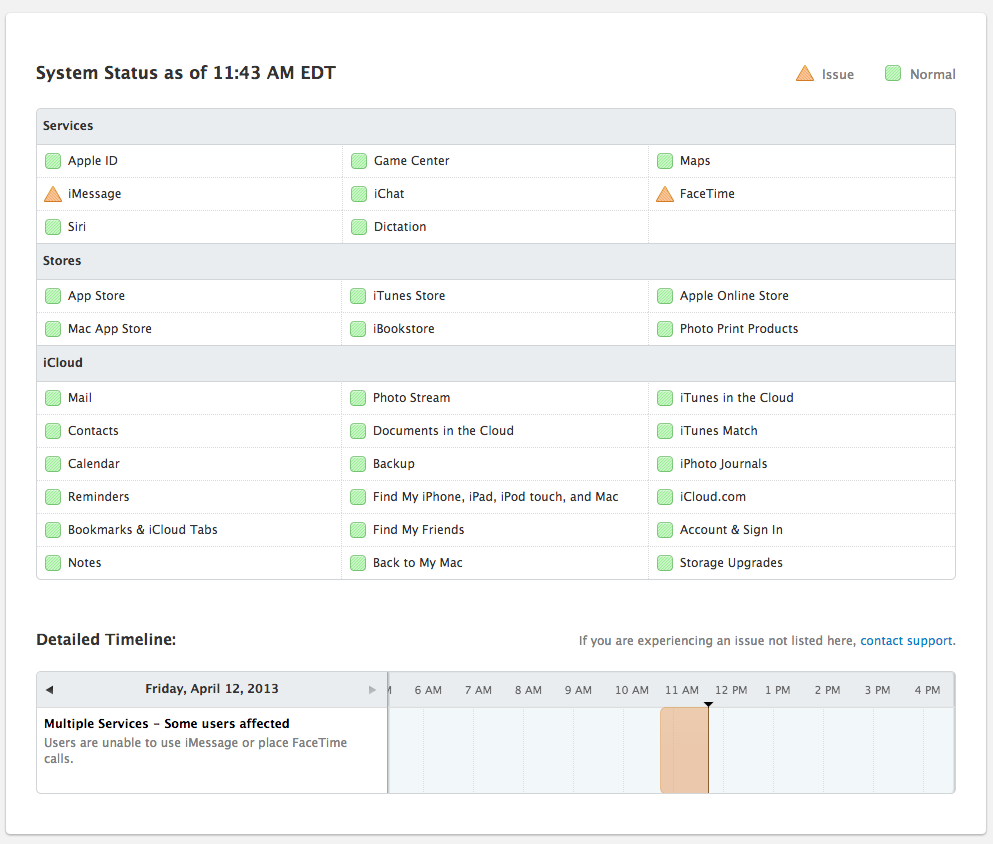
For the second time this week, Apple has confirmed that iMessage and FaceTime are experiencing hiccups, albeit nearly three hours after users first started reporting issues.

Any regular user of the service can speak for how regular of an occurrence this is, and Apple is consistently slow to confirm any service disruption.

Notably, when Apple does admit any downtime, it typically downplays the issue while our own experience and that of the good people on Twitter reflects otherwise.

https://twitter.com/kraymoney/status/322735363418365952

https://twitter.com/JoshLongman_/status/322735363158331392

Site default logo image

iMessage/FaceTime has been down for about a half hour, Apple just acknowledged it (Update: Fixed)

Update: 8PM ET – Just 4 short hours after we first started hearing issues, iMessage and FaceTime are back

Update: 8:45PM ET – Apple’s status website also saying the issues are resolved

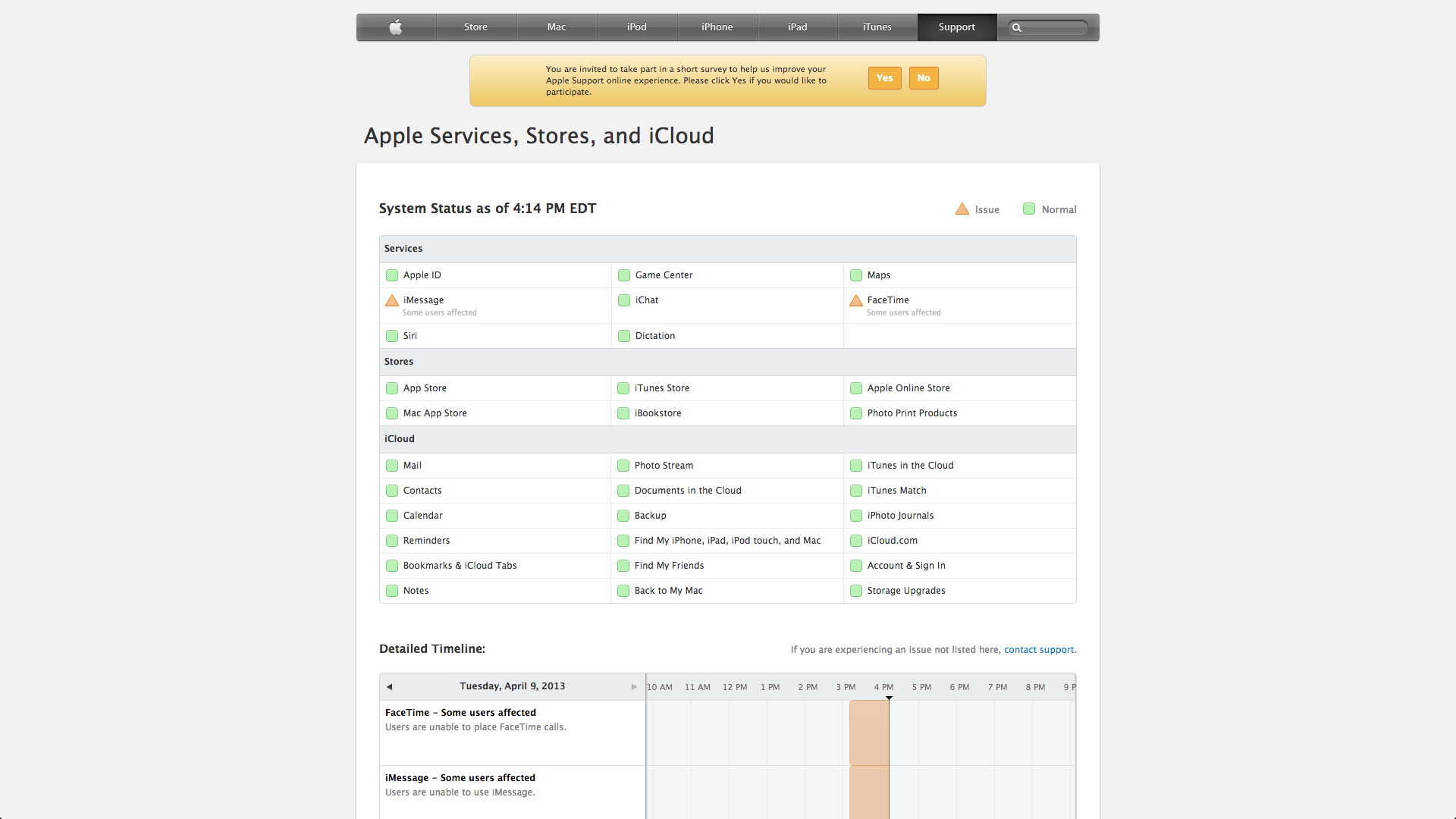
As many have reported on Twitter, iMessage and FaceTime have been down for the past half hour, but Apple just updated its Services Status page. Meanwhile, Apple is aptly offering the opportunity to complete a survey regarding its online Apple Support quality.

Site default logo image

Internal DEA document complains it’s impossible to intercept iMessages

The Drug Enforcement Administration has warned in a recent internal document that iMessage’s secure end-to-end encryption is preventing law enforcement from eavesdropping on suspects in criminal investigations. CNET got its hands on the document that warned “it’s ‘impossible to intercept iMessages between two Apple devices’—even with a court order approved by a federal judge”:

The DEA’s “Intelligence Note” says that iMessage came to the attention of the agency’s San Jose, Calif., office as agents were drafting a request for a court order to perform real-time electronic surveillance under Title III of the Federal Wiretap Act. They discovered that records of text messages already obtained from Verizon Wireless were incomplete because the target of the investigation used iMessage: “It became apparent that not all text messages were being captured.”

Christopher Soghoian, a senior policy analyst at the American Civil Liberties Union, said yesterday that “Apple’s service is not designed to be government-proof.” “It’s much much more difficult to intercept than a telephone call or a text message” that federal agents are used to, Soghoian says. “The government would need to perform an active man-in-the-middle attack… The real issue is why the phone companies in 2013 are still delivering an unencrypted audio and text service to users. It’s disgraceful.”

Site default logo image

Apple confirms: iMessage and FaceTime back online

After a particularly long outage today, Apple says it has restored access to both iMessage and FaceTime.

9to5Mac readers first started alerting us today around 3:30PM ET. The outage lasted around four hours and was up and down for some users.

This outage was the latest in a long string of problems for Apple’s iMessages platform which seems to go down on a weekly basis.

[tweet https://twitter.com/9to5mac/status/270257763236597760]
Expand
Expanding
Close

Apple responds to SMS vulnerability by reminding us that iMessage works better than SMS

Site default logo image

Engadget got a statement from Apple regarding the latest SMS iOS flaw that affects iPhone users:

Apple takes security very seriously. When using iMessage instead of SMS, addresses are verified which protects against these kinds of spoofing attacks. One of the limitations of SMS is that it allows messages to be sent with spoofed addresses to any phone, so we urge customers to be extremely careful if they’re directed to an unknown website or address over SMS.

Interesting statement from Apple that seems to throw the blame for the SMS vulnerability over to the SMS protocol. That actually might be the case, but Pod2G’s assessment is that Apple could fix it in an upcoming release.

iMessage, though it sometimes goes down for days at a time, is a good means of communication between your Apple-using buddies. However, with Apple not even at a quarter of total phone penetration, SMS is unfortunately something that still needs to be used.

Other ways to avoid the built-in SMS app vulnerabilities are to use third-party SMS applications like Google Voice.

Pod2G’s assessment of the issue below:
Expand
Expanding
Close