Mac mini

See All Stories

Launched in 2005 as the first sub-$500 Mac — a key in attracting "switchers" from Windows PCs — the Mac mini (now $799 and up from the Apple Store) was most recently redesigned in late 2018.
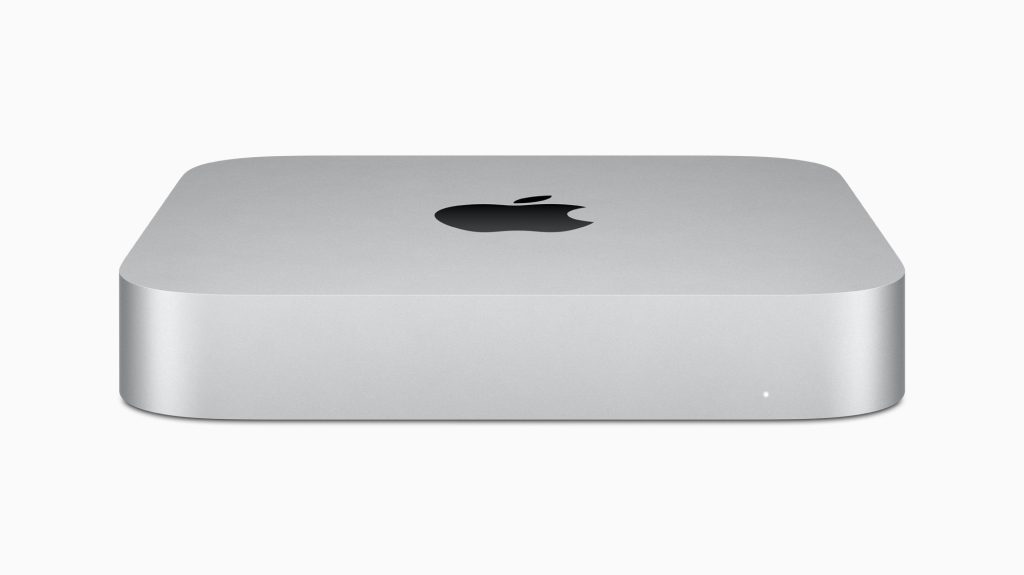
The Mac mini is the gateway for the macOS ecosystem. The most affordable Mac is now one of the most powerful Apple computers. Here’s everything you need to know about it

History

Site default logo image

The Mac mini is one of the oldest products sold by Apple and it’s currently in its fifth generation, feeling as new as ever.

First introduced in 2005, the original Mac mini was equipped with the PowerPC G4 processors. This computer was Apple’s attempt to enter the BYODKM (Bring Your Display, Keyboard, and Mouse) market. This is the only Mac that Apple sells without any accessories. The Mac Pro, for example, doesn’t come with a display, but it ships with the Magic Mouse 2 and the Magic Keyboard with Numeric Keypad.

One year later, in 2006, Apple introduced the second generation with the same design, but with Intel Core processors, as well as support for Bluetooth and Wi-Fi.

The third-generation Mac mini released in June 2010 brought a thinner unibody aluminum case and an HDMI port. Later revisions of this Mac added a Thunderbolt port and Intel Core i5 and i7 processors.

The fourth-generation introduced in October 2018 is still being sold today and is the last one with an Intel processor. This generation includes a darker Space Gray finish, features SSD as standard, and replaces most data ports with USB-C. This is the first Mac mini made with 100% recycled aluminum.

In November 2020, Apple introduced the fifth-generation model based on the Apple Silicon processor with a silver finish of earlier models. This Mac was preceded by the A12Z-based Developer Transition Kit, a prototype used by developers to test what was going to be the first M1 Apple Silicon chip. It came with 16GB of RAM, 512GB of SSD storage, and two USB-C ports.

Mac mini specs: Apple Silicon and Intel models

Apple sells two different Mac minis: one with its newer Apple Silicon chip and a high-spec model with the 8th generation Intel chip.

M1 Mac mini
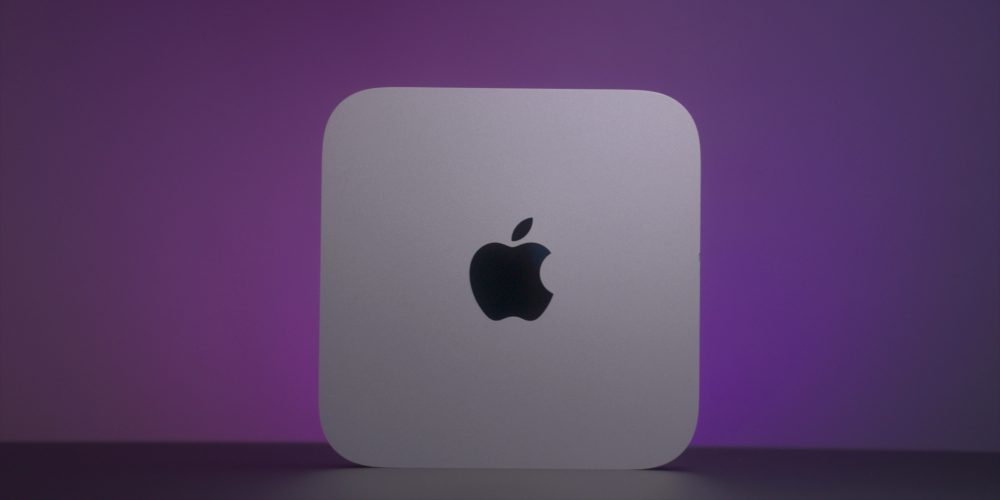
M1 Mac mini deals

The M1 Apple Silicon Mac mini comes with an 8-core CPU, 8-core GPU, and 16-core Neural engine. It starts with 8GB unified memory and 256GB SSD storage, and it can go up to 16GB of RAM and 2TB of SSD storage. This Mac has two Thunderbolt/USB 4 ports with HDMI 2.0 and Gigabit Ethernet ports and a 3.5 mm headphone jack.

In April 2021, Apple silently updated the M1 model with an optional 10 Gigabit Ethernet port, which was previously only available on the Intel version.

This Mac is also made of 100% recycled aluminum.

Intel Mac mini
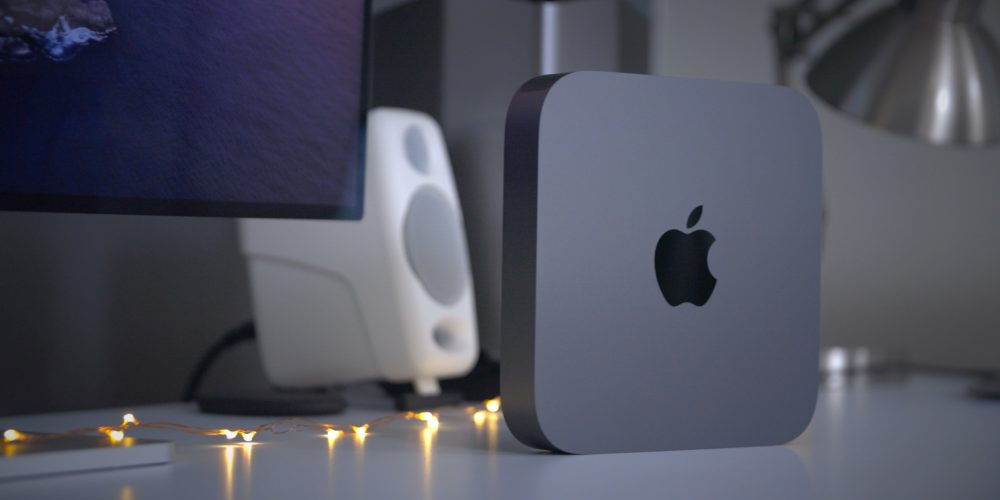
The Intel Mac mini comes with the 8th-generation Intel Core i5, with 8GB of RAM, Intel UHD Graphics 630, and 512GB SSD storage and can go up to the 3.2GHz 6-core 8th-generation Intel Core i7, 64GB of RAM, up to 2TB of SSD storage, and 10 Gigabit Ethernet support.

macOS Big Sur

Site default logo image

The M1 Mac mini first operating system was macOS 11 Big Sur, which introduced a new design to the Mac software and proper optimization for the new processor.

macOS Big Sur also brought the Control Center to the macOS for the first time with quick access to brightness and other quick toggles. The Notification Center in macOS, for example, is now up-to-date with the iOS version, featuring grouping and rich interface styles.

The iOS 14 widget system is also available on macOS and the Messages app for Mac has also been revamped with an inline photo picker and Memoji. The Apple Maps app has also been modernized, now as a  Catalyst app so it shares the same codebase with iOS.

macOS Monterey
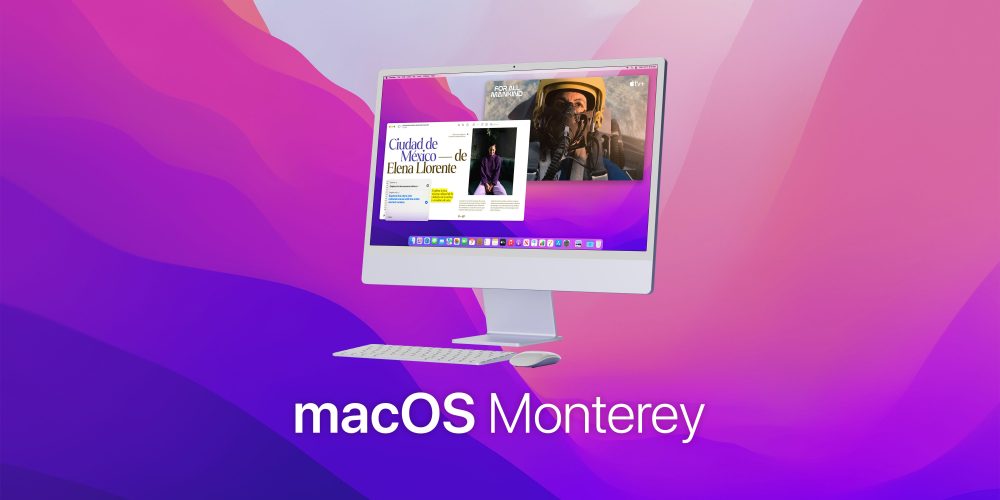
macOS Monterey

During WWDC21, Apple previewed macOS 12 Monterey. On October 25, Apple released Monterey for Mac users. Here are some of its most important features:

  • Shortcuts app now on the Mac;
  • Revamped FaceTime feature;
  • Redesigned Safari;
  • SharePlay feature;
  • Universal Control (currently in beta).

You can read more about macOS 12 Monterey here.

Pricing

The M1 Apple Silicon Mac mini starts at $699 and can go up to $1,699. The Intel model starts at $1,099 and can go up to $2,999.

Apple Silicon

  • 8GB RAM, 256GB storage: $699
  • 8GB RAM, 512GB storage: $899
  • 8GB RAM, 1TB storage: $1,099
  • 8GB RAM, 2TB storage: $1,499

The model with 16GB of RAM, adds $200 to every configuration. You can also get 10 Gigabit Ethernet for $100 more.

Intel

  • i5, 8GB RAM, 512GB storage: $1,099
  • i5, 16GB RAM, 512GB storage: $1,299
  • i5, 32GB RAM, 512GB storage: $1,699
  • i5, 64GB RAM, 512GB storage: $2,099

For the model with Intel Core i7, adds $200. If you want more storage, add $200 for 1TB and $600 for the 2TB option. The 10 Gigabit Ethernet feature is $100 more.

Lower prices may be available from Apple’s official Amazon store.

Mac mini review

Site default logo image

In our M1 Mac mini diary video, we believe that this is a solid buy, even being a first-generation product since it has Apple’s proprietary chip:

Is the M1 Mac mini worth it? Absolutely, as long as you consider the fact that this is the first iteration of the Mac with Apple Silicon, and forthcoming versions will feature more powerful chips, more robust configuration options, and more I/O. But even in its current form, this Mac is the most versatile of any of the machines in Apple’s M1 lineup, and it also happens to be the least expensive. When paired with the right peripherals, the Mac mini shines as one of the best Macs that we’ve seen in quite some time. The more I use it, the more I come to appreciate just how good it is.

Here’s what our video review says about the Intel model:

The 2019 Mac Pro might be the best Mac desktop ever by a long shot, but the Mac mini is the best value desktop Mac, and it remains my favorite desktop Mac to this day. Although I look forward to an eventual CPU upgrade, the 2018 Mac mini, when properly specced, makes for a good workhorse machine for tasks like video editing with Final Cut Pro X.

Deals

Over at 9to5Toys, you can find the best deals on the Mac mini and other Apple products. Download the 9to5Toys iPhone app to receive push notifications for new deals as well.

Mac mini rumors

Site default logo image

There are some rumors about a new Mac mini. According to a Bloomberg report in May 2021, the new Mac mini will feature a next-generation Apple Silicon chip with 8 high-performance cores and 2 efficiency cores. It will also support up to 64 GB RAM and feature more Thunderbolt lanes which support the expanded IO ports. Gurman also believes this computer will launch somewhere in 2022.

In July, Gurman talked about the rumored redesigned Mac mini, which was first corroborated by YouTuber Jon Prosser. Bloomberg’s journalist doesn’t think we’ll see Apple redesigning its entry-level Mac since the Mac Studio looks very similar to it.

I don’t think there’ll be a redesign to the Mac mini. I actually don’t know where the rumors of a redesign came from. I think those are also going to be spec bumps. If you look at the Mac Studio, it looks like a double-height Mac mini.

A new Mac mini is rumored for an Apple event in October.

Site default logo image

160 Mac minis crammed into custom 2′ x 2′ datacenter rack

Hackaday.com pointed us to this custom rack sporting 160 Mac Minis that was originally posted by Steve’s blog. There isn’t a whole lot of information about where exactly the rack is being used, but Steve said the goal was to replace Xserve by coming up “with a way to get the same or better CPU core density into a standard 2′ by 2′ datacenter rack.”  The custom 160 Mac mini rack provided him with 640 cores—compared to his 40 Xserve setup at 320 cores per rack. However, there were many considerations to make, i.e., custom shelving, managing the exhaust of the minis, cooling, “Y” power cable splitters, etc., and Steve walked through the solution for each on his blog.

I have introduced these machines to the production environment, they run great…  I had to add a 10Gb SFP+ Ethernet card to the XServe, and now I can NetBoot all 160 machines at the same time.. It works so well that all of the machines are back up and running within 45 seconds….  That’s fast for a NetBoot..  Here are some final pics of the cabinet.

Best Buy ratchets up the Apple sales with dedicated Apple ad against increased pricing competition [video]

Site default logo image

[youtube=http://www.youtube.com/watch?v=VEKer84625Q]

The above ad has entered heavy rotation this weekend, while Best Buy has new deals on Apple- and Apple-related products (including $25 off $250+ purchases):

Best Buy takes 15 percent off all iTunes Gift Cards, both physical and digital, with free shipping.

Best Buy also continues to have significant discounts on iPod Touches, Nanos and Shuffles, as well as the rest of Apple products (including refurbished Airports starting at $39).

The competition is also moving, as MacMall continues to have big savings with its Cyber Monday sale and impressive “Door busters”:

11.6″ MacBook Air dual-core Intel Core i5 1.7GHz, 4GB & 64GB Flash Storage $849.99 ($150 off)
13.3″ MacBook Air dual-core Intel Core i5 1.8GHz, 4GB & 128GB Flash Storage $1,019.99 ($180 off)
iPad 2 16GB Wifi: $329 ($70 off and the lowest price we’ve ever seen new)

…while Amazon continues to match many competitive prices.

Of note, MacConnection’s Tech Holiday sale has some pretty remarkable prices, including: MacBook Airs starting at $699Retina MacBook Pros starting at $1,559  ($140 off Apple’s Price), and Mac Minis starting at $549.

As always, check our Apple product pages for the latest best prices on iPadsiPad MinisiPod TouchNanoShuffleMacBook ProsAirsiMacsMac Minis, and Apple TVs. More of our holiday shopping coverage below:
Expand
Expanding
Close

Site default logo image

MacMall slashes prices on Apple products in their early Black Friday sale

From 9to5Toys.com:

.

MacMall starts its Black Friday early with discounts on a monster selection of Macs, hard drives, iPods, and more by up to $799 off.  Plus, all orders over $25 qualify for free shipping. We’ve already populated our new Apple Products section with all the new low prices so check them out.

Notables include AppleTV for $89, Retina MacBook Pros starting at over $100 off, MacBook Airs starting at $897.

That’s the biggest sale we’ve seen from MacMall this year. (We saw up to $675 off in February.) Deals ends November 24 at 3 am ET.

We’ll be updating 9to5Mac and 9to5Toys with deals this whole long weekend so stay tuned.


Expand
Expanding
Close

Announcement: 9to5Mac Apple Products pages

Site default logo image

.

It is the holiday shopping season again, and we know many of you will be looking to buy Apple- and Apple-related products this year. To help out, we’re compiling a new section of 9to5Mac called Apple products and separate sections for each of Apple’s lines. Elsewhere, we have seen buying guides, pricing guides, related news and predictions, but we’re wrapping them up into one page per product.

How it works:

1. With the help of our 9to5Toys editors, we’re finding the lowest prices on Apple products in the U.S. and keeping a matrix of the biggest retailers’ prices. Here’s the current static matrix of MacBook Airs.

2. For the last few months and going forward, every post we do on a related product will be propagated to the page so you’ll have a roundup of the latest information on each product line. Additionally, in every post on a topic, you’ll notice a new link to the product section on the right.

3. We’ll also have a record of Apple’s past updates on each product, which should help in estimating the next product cycle.

4. Finally, we have our best predictions on upcoming products from 9to5Mac’s editors headed by Mark Gurman.

Together—this information should help Apple product users and buyers make smart, informed decisions.

Enjoy!
Expand
Expanding
Close

Site default logo image

2012 Mac Mini found to support 450 Mb/s Wi-Fi

Past the new Fusion Drive, upgraded RAM, and speed, French publication Macg.co found the 2012 Mac Mini introduced in September also boasts upgraded Wi-Fi antennas. The upgraded antennas brings the desktop to a maximum Wi-Fi speed of 450 Mb/s, now up-to-par with the 2011 MacBook Pro and iMac.

Of course to reach 450 Mbits/s you need a router to support it, and luckily, both Apple’s latest Time Capsule and Airport Extreme. There’s also other factors such as room configuration, interference and so forth. As to why Apple isn’t advertising the speeds is unknown.


Expand
Expanding
Close

Site default logo image

Apple releases OS X 10.8.2 Supplemental Update 2 for 2012 Macs, fixing Keychain issues

Yesterday, we reported the 2012 Mac mini, Retina 13-inch MacBook Pro, and iMac were unable to update to OS X 10.8.2 after Apple pulled the first update from the App Store last Friday. Today, the folks in Cupertino have released their second supplemental update for OS X 10.8.2 that should allow those users to install the update. Additionally, Apple said the update “is recommended for all Mac systems introduced in 2012” and mainly “fixes an issue with Keychain that can affect 2012 Mac systems.” Grab it from the source link below, and let us know how the update experience fares in the comment section down south.

[Apple]
Expand
Expanding
Close

2012 Mac Mini users are unable to update to OS X 10.8.2, after update was pulled by Apple on Friday

Site default logo image

A flurry of users on Twitter and CNET report that the newest Mac Mini released last month is unable to update to the latest version of OS X Mountain Lion, 10.8.2. The update is unavailable through the App Store’s Software Update feature after Apple pulled it for an unknown reason on Friday. Additionally, users received an error when trying to install the update manually through the manual installer made available by Apple. OS X displays an error message of  “Error: OS X Update can’t be installed on this disk. This volume does not meet the requirements for this update.” Customers on the Apple Support Communities also voiced their concern.

The cause of the error is unclear, but what is clear is that for some reason a special version of OS X 10.8.2 is required for the Mac Mini (like the one that was pulled on Friday). Apple doesn’t explain why a special version is needed—perhaps it boils down to the new Fusion Drive that is also set to ship with the new iMac later this month—or why it pulled the update from the App Store on Friday. The best option for 2012 Mac Mini owners now is to stick it out on 10.8.1, because as Twitter user Gerald explained it, the update still didn’t work “after 5 hours and 4 reinstalls.”

There is no word on when the new version of OS X 10.8.2 will be released for Mac Mini owners or if they’ll have to stick it out until 10.8.3. We reported on Friday that Apple will soon release a build of 10.8.3 to early testers soon, and the Cupertino, Calif.-based company will provide new information about the 10.8.3 build during the week of Nov. 26.

Update: Additionally, we learned the update has also been pulled for the 13-inch Retina MacBook Pro and latest iMac…suffering the same issue as the Mac Mini.

Update 2: Apple has released a supplemental update to address the issue.


Expand
Expanding
Close

Site default logo image

OWC is announcing a sub $100 16GB RAM upgrade. We go even further…

OWC today announced 16GB RAM upgrades for Mac mini, MacBook Pro, and iMacs all for just under $100, around a 66 percent savings compared to Apple’s own factory upgrade options. Full details on the new OWC upgrades are below, but we recently found a 16GB RAM upgrade for $60 on Amazon that will save you almost an extra $40 on top of OWC’s prices.

OWC is also offering Parallels Desktop 8 for Mac for $39 with the purchase of 16B Memory Upgrade Kits:

OWC Certified 16GB Memory Upgrade Kits:

Upgrades for all Mac mini models from $15.99
16GB Kit (8GB x 2) from $99.00 for maximum memory

Upgrades for all MacBook & MacBook Pro (non-Retina) models from $29.99
16GB Kit (8GB x 2) from $99.00 for maximum memory

Upgrades for all iMac models from $11.99
16GB Kit (4GB x 4) for 2009 models for $97.99 for maximum memory
16GB Kit (8GB x 2) for 2010(i5/i7) & 2011 models for $99.00 (can add to existing)
32GB Kit (8GB x 4) for 2010(i5/i7) & 2011 models for $197.99 (double the factory
offered maximum)

Upgrades Qualify for Special Parallels Offer
With the purchase of OWC 16B Memory Upgrade Kits, customers qualify to purchase
Parallels Desktop 8 for Mac for only $39.00…a savings of $40.00 off retail.

Site default logo image

Hands-on demo and speed tests of new Apple Mac Fusion Drive (video)

[youtube http://www.youtube.com/watch?v=d0M6pv9qAH4]

TLDToday put together a neat hands-on demo video of Apple’s new Mac Fusion Drive in a new Mac mini. The video walks through how the Fusion Drive is seen as a single volume in OS X. The drive’s speed is also compared to a 5400 RPM hard drive, and the speed tests do seem to live up to the benchmarks that Apple reports for the drive.

The Fusion Drive is currently available for the Mac mini announced in October and will also be available for the new iMacs coming in November and December. We recently noted that a developer enabled the functionality on an older Mac. The drive is a combination of both Flash and a traditional hard drive, providing the main OS and your most used files with the fast, efficient Flash experience, while also providing users with either 1 or 3 terabytes of hard drive storage for other data.

Update IGM puts together another video:

[youtube=http://www.youtube.com/watch?v=cE-m8DSzj7w]


Expand
Expanding
Close

Bob Mansfield’s new group implied to be heading transition away from Intel processors on Macs

Site default logo image

Apple allegedly plans to one-day abandon Intel to implement a version of chips into Macs that currently power its mobile devices.

Bloomberg first reported the story, citing “people familiar with the company’s research,” and said Apple believes mobile device chips will eventually run its computer lineup. Apple previously mentioned semiconductor development during its management shift announcement on Oct. 29.

Bob Mansfield, senior vice president of Apple’s new “Technologies” group, is apparently leading the chip research, and Apple specifically said its semiconductor teams have “ambitious plans for the future.”

The Cupertino, Calif.-based company first began using Intel processors for Macs in 2005, but two of Bloomberg’s sources noted Apple would continue to rely on the tech for at least a few more years:

As handheld devices increasingly function like PCs, the engineers working on this project within Apple envision machines that use a common chip design. If Apple Chief Executive Officer Tim Cook wants to offer the consumer of 2017 and beyond a seamless experience on laptops, phones, tablets and televisions, it will be easier to build if all the devices have a consistent underlying chip architecture, according to one of the people.


Expand
Expanding
Close

Site default logo image

Developer gets Fusion Drive functionality running on older Mac

There is still a lot we do not know about Apple’s new hybrid SSD/HDD Fusion Drive option available for the new iMacs and Mac minis. Today we get a little bit of insight into how Fusion Drive will function thanks to a few blog posts by developer Patrick Stein detailing how he was able to build his own Fusion Drive solution on his Mac Pro running 10.8.2 (via MacRumors). Stein was able to get OS X to recognize an attached 120GB SSD and 750GB HDD as a single drive using diskutil and, surprisingly, exhibit Fusion Drive-like functionality with little configuration. MacRumors explained:

Stein then proceeded to test the setup, writing data first to the SSD and then to the traditional hard drive once the SSD had filled up. By preferentially accessing data that had initially been written to the traditional hard drive, Stein was able to watch as the data was automatically transferred to the SSD for faster access. Upon stopping the process, the system automatically pushed the data back to the traditional hard drive, and in one final step Stein began accessing the data once more and after about an hour was able to see it pulled back onto the SSD.

Head over to Stein’s Tumblr for all the details. ArsTechnica also has an excellent breakdown of Fusion Drive:

Based on these findings, Fusion Drive is indeed a base operating system feature, either contained within Core Storage or built into OS X 10.8.x (Jollyjinx notes at the bottom that he’s using 10.8.2). It appears that Fusion Drive detects the SSD-ishness of a drive based on SMART info read across the SATA bus, though it’s possible that Apple might be using Microsoft’s SSD detection method and simply testing attached drives’ throughput. If a Core Storage volume contains an HDD and an SSD, Fusion Drive appears to be automatically activated.

New Mac minis get first tear down and Geekbench scores

Site default logo image

Apple’s refreshed Mac mini lineup already received some nice RAM upgrade options from OWC this morning, but now we get a look at the insides of the updated Macs courtesy of a tear down from Mac Mini Vault. The website also published Geekbench scores for the device, showing some impressive performance increases over the 2011 models.

First off, it found minimal changes to packaging and the positioning of the new Mac mini’s internals:

The overall packaging size was unchanged, however marketing specs have been updated and the inside organization has been optimized… Under the hood only minor differences are visible. Most notable are the fan design, Hitachi hard drive, and connections for the antennas. (2012 on left – 2011 on right)

As for Geekbench, the new stock Mac minis were able to record a score of 7433 running 10.8.1 out of the box. In comparison, Mac Mini Vault had a 2011 Mac mini running 10.8.2 clocked at 6583. Mac Mini Vault also noted it will begin testing alternative OS options for the new Mac mini server edition next week:


Expand
Expanding
Close

Site default logo image

OWC offering RAM upgrades for new Mac minis: $50 (8GB), $85 (12GB), $115 (16GB)

Apple’s new Mac mini lineup that unveiled yesterday comes with 4GB of RAM stock for all three models, but it now allows for up to 16GB of RAM across its two slots. Today, OWC announced some pretty attractive RAM upgrades that offer big savings on factory upgrades and one configuration not available through Apple. OWC sells similar RAM upgrades for iMacs. Unfortunately, though, the new 21-inch model does not provide user accessible memory.

OWC Memory Upgrades for 2012 Mac mini 2.3GHz, 2.5GHz, or 2.6GHz Intel i5 or i7 models:

Replaces existing factory installed 2 x 2GB memory modules with 8GB total memory at 50 percent lower cost vs. same sized factory 8GB option costing $100 

Replaces existing factory installed 2 x 2GB memory modules with 12GB total memory. This kit offers 50 percent more RAM at 14 percent lower cost vs. factory 8GB option costing $100.

Upgrade not available as a factory option.

Replaces existing factory installed 2 x 2GB memory modules with 16GB total memory at 67 percent lower cost vs. same sized factory 16GB option costing $300.

OWC has full details here.

Site default logo image

Apple to also stream iPad mini event from website

Earlier this morning, we found out that Apple TV users would have access to a live stream of Apple’s special media event today where the company is expected to unveil the 7-inch iPad mini, 13-inch MacBook Pro with Retina display, new Mac minis, and much more. For those without access to an Apple TV, the company just confirmed you can also get a live stream of today’s event on its website here.

Apple October 23rd event: What we know, expect and some new tidbits

Site default logo image

Had you heard? Apple’s got a ‘little’ event going on at the newly-decorated California Theatre tomorrow where they will FINALLY showcase the iPad Mini, new Mac Minis, a Retina 13-inch MacBook Pro as well as software like iBooks 3.0 and iTunes 11.

First, the bad news: We’ve heard that the some of the iMacs that we found earlier have been pushed so far back that they might not warrant inclusion at the event this week. That doesn’t mean they are cancelled but because there have been some issues with the products and the including them is a “gameday decision”. We’re obviously hoping they make the docket.

And now the good news:
Expand
Expanding
Close

Estimated prices on 13-inch Retina MacBook Pros: Starts around U$1,699

Site default logo image

Alongside the new mini/iPads, Mac Minis, and iMacs, Apple will reveal a 13-inch MacBook Pro with Retina Display on Oct. 23. We have now received pricing information on the base model and the “best” model. We believe the entry model 13-inch Retina MacBook Pro will cost roughly $1,699 at launch, based on wholesale prices we received, while the higher spec model will cost $200 to $300 more.

The base model Retina MacBook Pro retails for $2,199 in the United States, so the 13-inch varieties would create a more inexpensive option for those who also prefer a smaller device. We expect these to be available shortly after launch, but we can probably expect some supply constraints as we saw with the 15-inch Retina MacBook Pro. We also expect initial supply constraints on some of the new iMacs.

It sounds like the 13-inch Retina MacBook Pro will have a 2,560-by-1,600-pixel display (the same as a 30-inch Cinema Display), with the effective area being the same as the 1,280-by-800 screens as the current MacBook Pros when used in pixel-doubled Retina mode. We do not yet have other specs on the Retina Pro configuration, but we will update as that information comes in.


Expand
Expanding
Close

OWC puts together Mac Mini Stack Max: USB 3.0, 4TB 3.5 inch drive, eSATA and more

Site default logo image

[youtube=http://www.youtube.com/watch?v=by5C34nldTo]

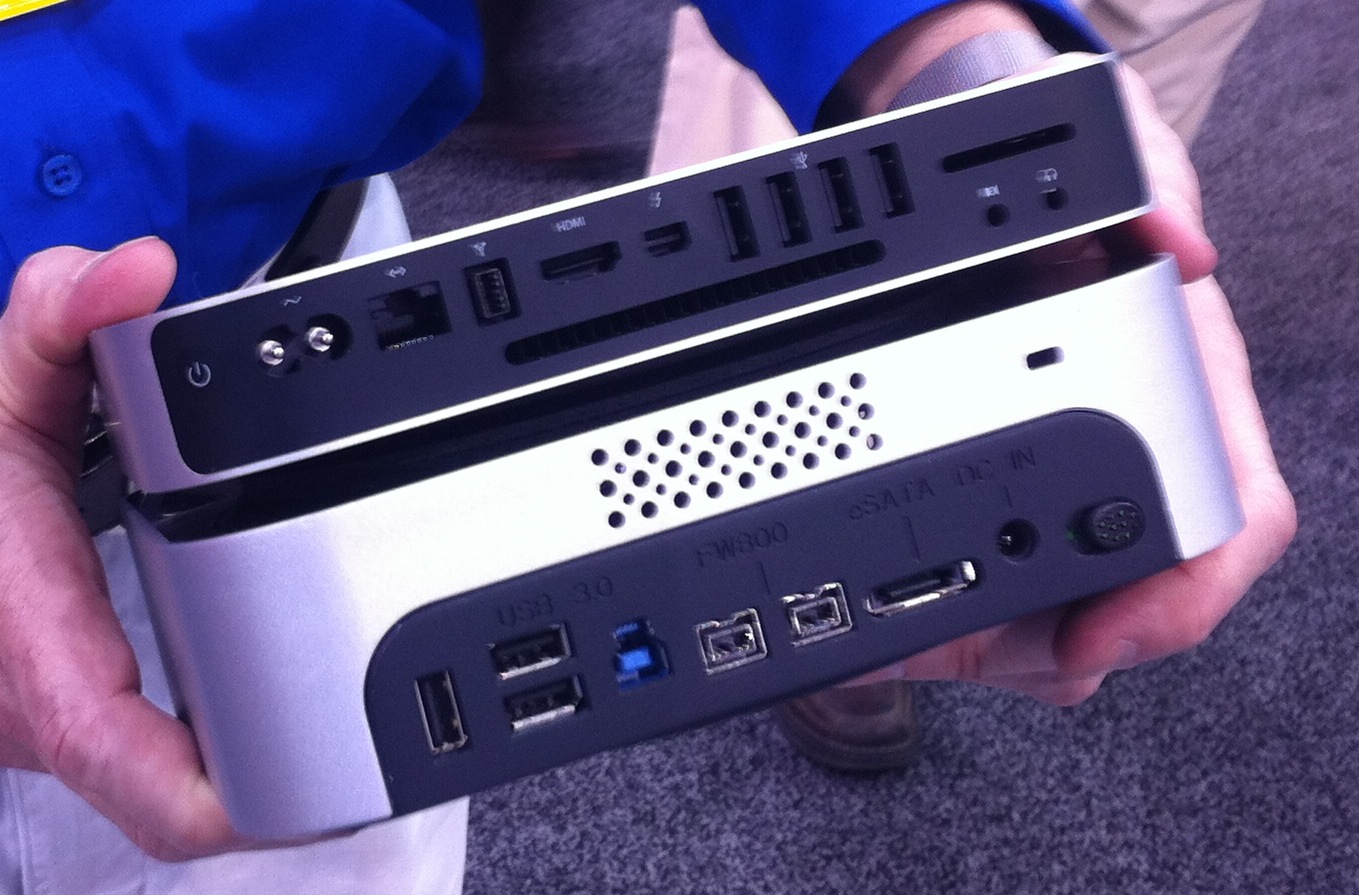
We love this add-on to the Mac Mini that turns it into more of a pro-device (and a cube!).  The business up front is a DVD-R drive (not sure about BluRay) and an SDXC card reader that complements the one on the back of the mini. On the rear, you get a high power USB source for quick-charging an iPad as well as a few USB 3.0 ports that require separate drivers.  Also on the back is an eSATA port for fast external peripheral support as well as two Firewire 800 ports. Inside, there is room for up to a 4TB 3.5 inch hard drive which you can order with the Mini Stack Max or you can bring your own.

This is interesting because it is moving the Mini more toward a pro-like setup.

.

OWC has not put a price on the Mac Mini Stack Max but expects them to be available in March.
Expand
Expanding
Close

Apple outlines some limitations of Thunderbolt displays

Site default logo image

Following the first shipments of Apple’s new 27-inch Thunderbolt Display, a new support document reveals some limitations regarding multiple display support that we weren’t exactly expecting.

Nearly every current Mac model is able to support two Thunderbolt displays. The exceptions are the 13-inch MacBook Air (mid 2011), which only supports one, and the 13-inch MacBook Pro which supports two, but disables the device’s main display to do so. Also of note, the $800 Mac mini can support three Thunderbolt displays thanks to the AMD graphics and its HDMI port.

One other somewhat surprising limitation of the new displays is the inability to daisy chain a Mini DisplayPort screen off the new Thunderbolt display. The support document explains:

Expand
Expanding
Close

Thunderbolt Displays now shipping to end users

Site default logo image

…in New Zealand anyway.  One 9to5Mac reader said that the Thunderbolt Display he ordered on August 17th was now en route to his home.  If anyone else has a shipping display let us know in the comments or at tips@9to5mac.com.

What’s perhaps most interesting about this shipment information is that these displays aren’t shipping directly from China as most Apple products do. They are shipping from a holding spot in Australia (below) perhaps indicating that the wait on these displays isn’t because of hardware, but in fact software, which, incidentally was updated last night on Thunderbolt MacBook Pros and Mac Minis.

Get your MacBook Air ready for Thunderbolt with EFI firmware update 2.1

Site default logo image

Apple’s Thunderbolt hardware pieces are coming together and to get ready, Apple is updating MacBook Air firmware. The 4 MB update promises to enhance the stability of Lion Recovery from an Internet connection, and resolve issues with Apple Thunderbolt Display compatibility and Thunderbolt Target Disk Mode performance on MacBook Air (mid 2011) models.

Thunderbolt parts have already began shipping and new products include Docks, external PCI Card adapters, as well as storage.


Expand
Expanding
Close

New MacBook Air and Mac Mini best prices

Site default logo image

From 9to5Toys:

We noted before the release of the new Apple products that it often pays to wait a week before buying Apple’s new products.  Not only don’t you get “the first ones off the line”, but prices drop significantly over the first week.

A number of Apple Authorized Retailers/affiliates are new selling Apple’s new MacBook Airs and Minis at prices up to $100 lower than Apple.  MacMall and Amazon appear to be the lowest.

MacMall has the MacBook Air for the following prices (note: $30 more is taken off at checkout):

1.60GHz 11″ MacBook Air 2GB/64GB  $940.89
1.60GHz 11″ MacBook Air 4GB/128GB $1,129.07
1.70GHz 13″ MacBook Air 4GB/128GB $1,216.37
1.70GHz 13″ MacBook Air 4GB/256GB $1,502.52


Update: The MacMall deals are over.

Mac Minis are lowest at Amazon, however…

2.30GHz Core i5 Mac mini $569.00
2.50GHz Core i5 Mac mini $769.00

And the 2.00GHz Core i7 Mac mini Server is lowest –  $959.99 at MacConnection.  

For RAM upgrades, you aren’t going to do better than this 8GB for $45

Note: Best Buy will often match these prices.


Expand
Expanding
Close

New Apple hardware: What you need to know

Site default logo image


The old Cinema Display (left) had three USB ports on the back and required a cable with separate power, USB and Mini DisplayPort connections. The new Thunderbolt  display (right) adds Gigabit Ethernet, FireWire 800 and Thunderbolt, all fed to a computer via a single Thunderbolt cable (in addition to three USB ports, built-in microphone and FaceTime HD camera).

We take it you’re still digesting the new hardware Apple has released this morning. Before you grab that credit card, here are some observations you may wanna take into consideration.

MacBook Airs

• Built-in FaceTime camera has not been upgraded to high-definition. As a result, you are not able to FaceTime in HD with people who use the latest iMacs or MacBook Pros, which sport a FaceTime HD camera

•Based on the description from Apple  “And because we place the flash chips directly on the logic board, they take up much less space — about 90 percent less, in fact.” , it sounds like the SSD is probably no longer upgradable via OWC and others (thanks commenter)

• Just as previous, RAM is soldered directly on the motherboard so configure your machine carefully because you won’t be able to upgrade RAM yourself later
• Just like with the previous generation, the 11.6-incher lacks an SD card slot found on the 13-inch model
• Last year’s models got a significant discount today 

• New Airs sport Bluetooth 4.0 compatibility versus Bluetooth 3.0 in the previous generation, which gives you low-energy wireless Bluetooth transfer within a short range of up to 50 meters, per this Wikipedia article
New MacBook Airs can use Firewire and Gig Ethernet! If you hook up your new MacBook Air to that latest Apple Thunderbolt Display, you will enjoy the ultimate simplicity because a single Thunderbolt cable is all you need to charge your notebook and transfer data from your monitor’s Gigabit Ethernet, FireWire 800, an additional Thunderbolt port, three USB ports, a FaceTime HD camera, 2.1 stereo sound and a built-in microphone.  Perhaps Apple will release a Thunderbolt to GigE, Firewire, etc. standalone adapter.

• On the Thunderbolt Displays, the old MagSafe would have been a better match, because the new one has to be bent around (see the image below) for MacBook Pros

• Additionally, On MacBook Airs, the Thunderbolt port and MagSafe are on opposite sides of the keyboard meaning that cable is going to Y-Out behind the computer.

The new Thunderbolt Display comes with a new MagSafe adapter, which has to be bent around the computer rather than going straight on, like the old MafSafe adapter could have

Mac Minis:


Expand
Expanding
Close

Apple Certified Refurbs: 11.6″ MacBook Airs drop to $749, Minis (with Superdrives!) drop to $469

Site default logo image

From 9to5toys.com

Along with the new MacBook Air and Mini updates today, Apple dropped the previous Apple-Certified refurbished versions to all time lows offering $250 off yesterday’s prices.  Remember, Apple’s stock of the older models didn’t just disappear.  Many moved to “Refurb”.  Apple also includes the same 1-year warranty.

MacBook Air MC505LL/A Core 2 Duo 1.4GHz 11.6″ 64GB SSD for $749 ($80 drop)
MacBook Air MC506LL/A Core 2 Duo 1.4GHz 11.6″ 128GB SSD for $949 ($50 drop)
MacBook Air MC503LL/A Core 2 Duo 1.86GHz 13.3″ 128GB SSD for $999 ($80 drop)
MacBook Air MC504LL/A Core 2 Duo 1.86GHz 13.3″ 256GB SSD for $1,249 ($80 drop)

Compare those to the new MacBook Airs:
2.4-lb. MacBook Air 11.6″ Core i5 1.6GHz 64GB SSD for $999
2.4-lb. MacBook Air 11.6″ Core i5 1.6GHz 128GB SSD for $1,199
3-lb. MacBook Air 13.3″ Core i5 1.7GHz 128GB SSD for $1,299
3-lb. MacBook Air 13.3″ Core i5 1.7GHz 256GB SSD for $1,599


Apple Certified Minis Also saw drops (Remember, the $469, $549 models have a Superdrive and probably make better media centers  ;):

Apple Mac mini MC270LL/A Core 2 Duo 2.4GHz Desktop for $469 ($130 drop)
Apple Mac mini MC438LL/A Core 2 Duo 2.66GHz Desktop for $549 ($170 drop)
Apple Mac mini MC438LL/A Core 2 Duo 2.66GHz w/ Snow Leopard Server for $749 ($100 drop)
Expand
Expanding
Close