Mac mini

See All Stories

Launched in 2005 as the first sub-$500 Mac — a key in attracting "switchers" from Windows PCs — the Mac mini (now $799 and up from the Apple Store) was most recently redesigned in late 2018.
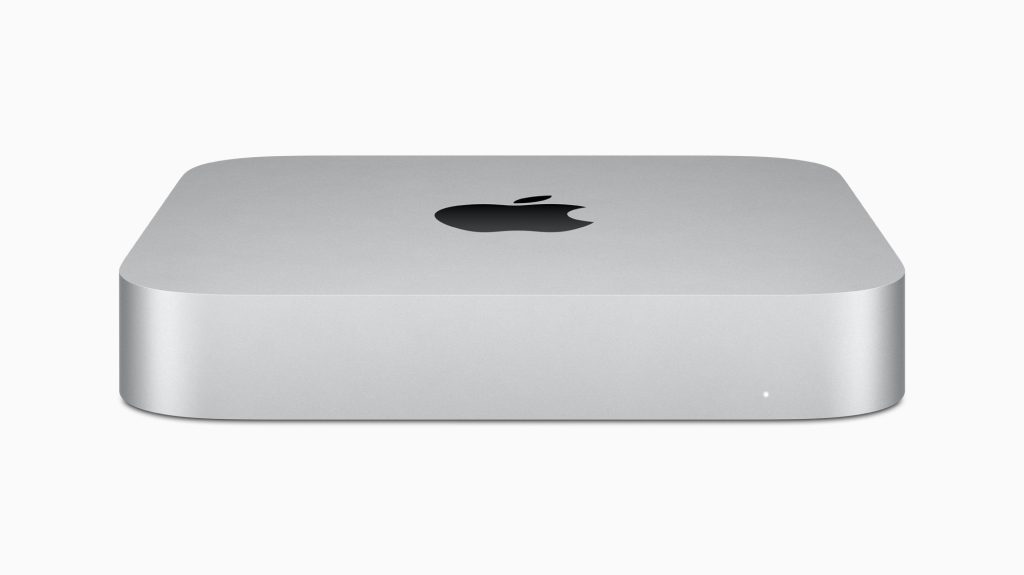
The Mac mini is the gateway for the macOS ecosystem. The most affordable Mac is now one of the most powerful Apple computers. Here’s everything you need to know about it

History

Site default logo image

The Mac mini is one of the oldest products sold by Apple and it’s currently in its fifth generation, feeling as new as ever.

First introduced in 2005, the original Mac mini was equipped with the PowerPC G4 processors. This computer was Apple’s attempt to enter the BYODKM (Bring Your Display, Keyboard, and Mouse) market. This is the only Mac that Apple sells without any accessories. The Mac Pro, for example, doesn’t come with a display, but it ships with the Magic Mouse 2 and the Magic Keyboard with Numeric Keypad.

One year later, in 2006, Apple introduced the second generation with the same design, but with Intel Core processors, as well as support for Bluetooth and Wi-Fi.

The third-generation Mac mini released in June 2010 brought a thinner unibody aluminum case and an HDMI port. Later revisions of this Mac added a Thunderbolt port and Intel Core i5 and i7 processors.

The fourth-generation introduced in October 2018 is still being sold today and is the last one with an Intel processor. This generation includes a darker Space Gray finish, features SSD as standard, and replaces most data ports with USB-C. This is the first Mac mini made with 100% recycled aluminum.

In November 2020, Apple introduced the fifth-generation model based on the Apple Silicon processor with a silver finish of earlier models. This Mac was preceded by the A12Z-based Developer Transition Kit, a prototype used by developers to test what was going to be the first M1 Apple Silicon chip. It came with 16GB of RAM, 512GB of SSD storage, and two USB-C ports.

Mac mini specs: Apple Silicon and Intel models

Apple sells two different Mac minis: one with its newer Apple Silicon chip and a high-spec model with the 8th generation Intel chip.

M1 Mac mini
M1 Mac mini deals

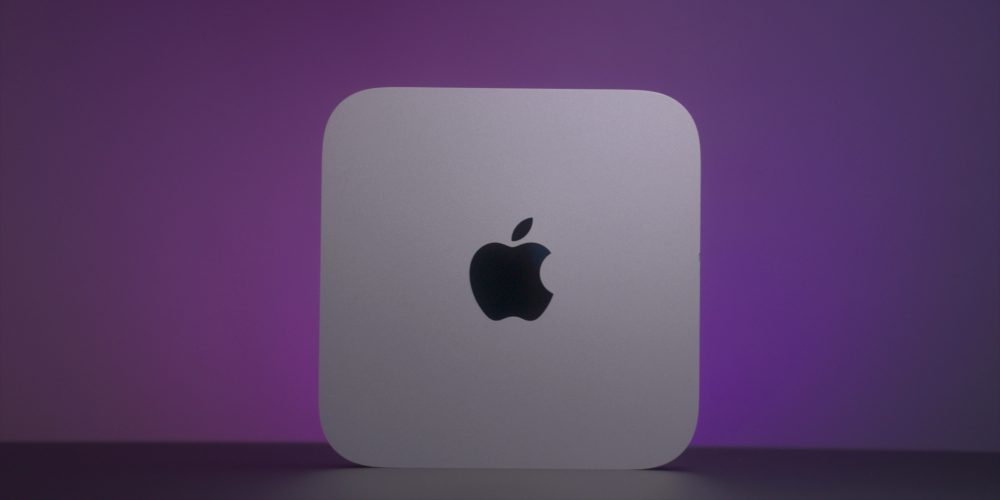
The M1 Apple Silicon Mac mini comes with an 8-core CPU, 8-core GPU, and 16-core Neural engine. It starts with 8GB unified memory and 256GB SSD storage, and it can go up to 16GB of RAM and 2TB of SSD storage. This Mac has two Thunderbolt/USB 4 ports with HDMI 2.0 and Gigabit Ethernet ports and a 3.5 mm headphone jack.

In April 2021, Apple silently updated the M1 model with an optional 10 Gigabit Ethernet port, which was previously only available on the Intel version.

This Mac is also made of 100% recycled aluminum.

Intel Mac mini
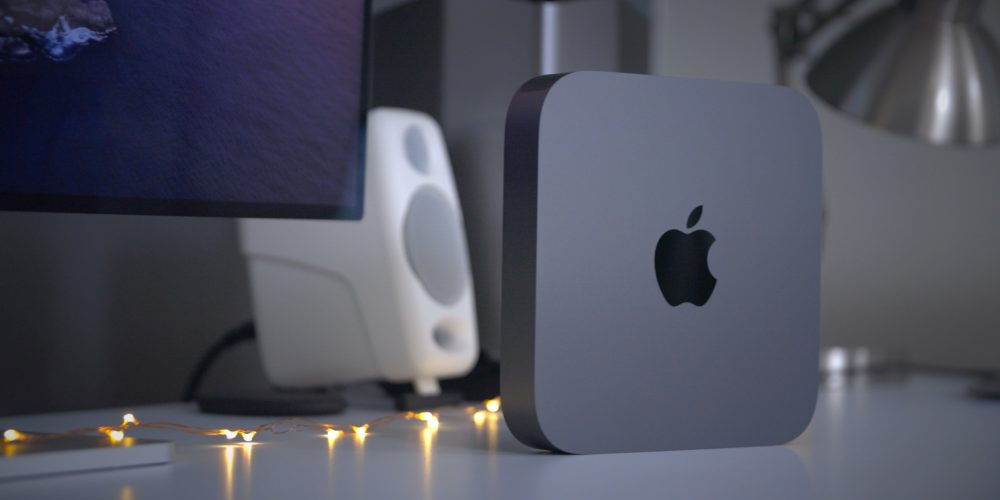
The Intel Mac mini comes with the 8th-generation Intel Core i5, with 8GB of RAM, Intel UHD Graphics 630, and 512GB SSD storage and can go up to the 3.2GHz 6-core 8th-generation Intel Core i7, 64GB of RAM, up to 2TB of SSD storage, and 10 Gigabit Ethernet support.

macOS Big Sur

Site default logo image

The M1 Mac mini first operating system was macOS 11 Big Sur, which introduced a new design to the Mac software and proper optimization for the new processor.

macOS Big Sur also brought the Control Center to the macOS for the first time with quick access to brightness and other quick toggles. The Notification Center in macOS, for example, is now up-to-date with the iOS version, featuring grouping and rich interface styles.

The iOS 14 widget system is also available on macOS and the Messages app for Mac has also been revamped with an inline photo picker and Memoji. The Apple Maps app has also been modernized, now as a  Catalyst app so it shares the same codebase with iOS.

macOS Monterey
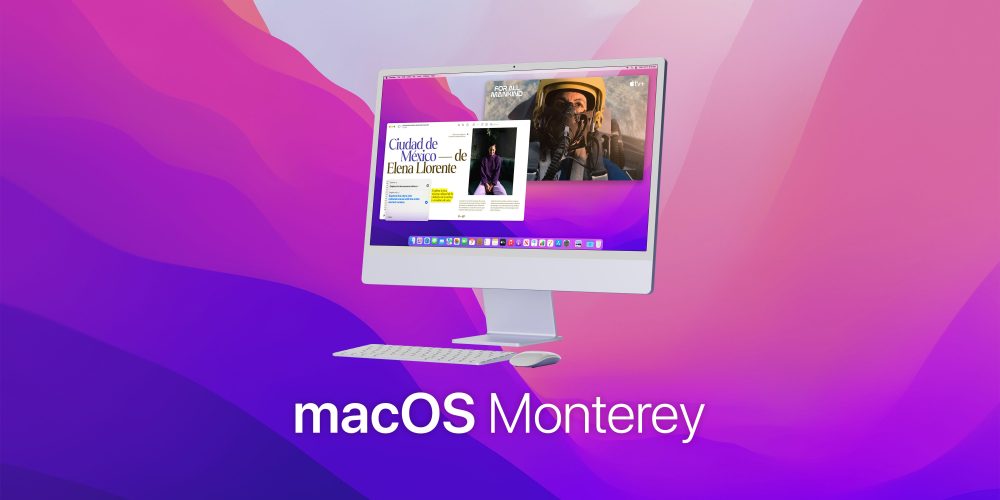
macOS Monterey

During WWDC21, Apple previewed macOS 12 Monterey. On October 25, Apple released Monterey for Mac users. Here are some of its most important features:

  • Shortcuts app now on the Mac;
  • Revamped FaceTime feature;
  • Redesigned Safari;
  • SharePlay feature;
  • Universal Control (currently in beta).

You can read more about macOS 12 Monterey here.

Pricing

The M1 Apple Silicon Mac mini starts at $699 and can go up to $1,699. The Intel model starts at $1,099 and can go up to $2,999.

Apple Silicon

  • 8GB RAM, 256GB storage: $699
  • 8GB RAM, 512GB storage: $899
  • 8GB RAM, 1TB storage: $1,099
  • 8GB RAM, 2TB storage: $1,499

The model with 16GB of RAM, adds $200 to every configuration. You can also get 10 Gigabit Ethernet for $100 more.

Intel

  • i5, 8GB RAM, 512GB storage: $1,099
  • i5, 16GB RAM, 512GB storage: $1,299
  • i5, 32GB RAM, 512GB storage: $1,699
  • i5, 64GB RAM, 512GB storage: $2,099

For the model with Intel Core i7, adds $200. If you want more storage, add $200 for 1TB and $600 for the 2TB option. The 10 Gigabit Ethernet feature is $100 more.

Lower prices may be available from Apple’s official Amazon store.

Mac mini review

Site default logo image

In our M1 Mac mini diary video, we believe that this is a solid buy, even being a first-generation product since it has Apple’s proprietary chip:

Is the M1 Mac mini worth it? Absolutely, as long as you consider the fact that this is the first iteration of the Mac with Apple Silicon, and forthcoming versions will feature more powerful chips, more robust configuration options, and more I/O. But even in its current form, this Mac is the most versatile of any of the machines in Apple’s M1 lineup, and it also happens to be the least expensive. When paired with the right peripherals, the Mac mini shines as one of the best Macs that we’ve seen in quite some time. The more I use it, the more I come to appreciate just how good it is.

Here’s what our video review says about the Intel model:

The 2019 Mac Pro might be the best Mac desktop ever by a long shot, but the Mac mini is the best value desktop Mac, and it remains my favorite desktop Mac to this day. Although I look forward to an eventual CPU upgrade, the 2018 Mac mini, when properly specced, makes for a good workhorse machine for tasks like video editing with Final Cut Pro X.

Deals

Over at 9to5Toys, you can find the best deals on the Mac mini and other Apple products. Download the 9to5Toys iPhone app to receive push notifications for new deals as well.

Mac mini rumors

Site default logo image

There are some rumors about a new Mac mini. According to a Bloomberg report in May 2021, the new Mac mini will feature a next-generation Apple Silicon chip with 8 high-performance cores and 2 efficiency cores. It will also support up to 64 GB RAM and feature more Thunderbolt lanes which support the expanded IO ports. Gurman also believes this computer will launch somewhere in 2022.

In July, Gurman talked about the rumored redesigned Mac mini, which was first corroborated by YouTuber Jon Prosser. Bloomberg’s journalist doesn’t think we’ll see Apple redesigning its entry-level Mac since the Mac Studio looks very similar to it.

I don’t think there’ll be a redesign to the Mac mini. I actually don’t know where the rumors of a redesign came from. I think those are also going to be spec bumps. If you look at the Mac Studio, it looks like a double-height Mac mini.

A new Mac mini is rumored for an Apple event in October.

Pixelmator 3.3 released with OS X Yosemite optimizations, Repair Tool extension

Site default logo image

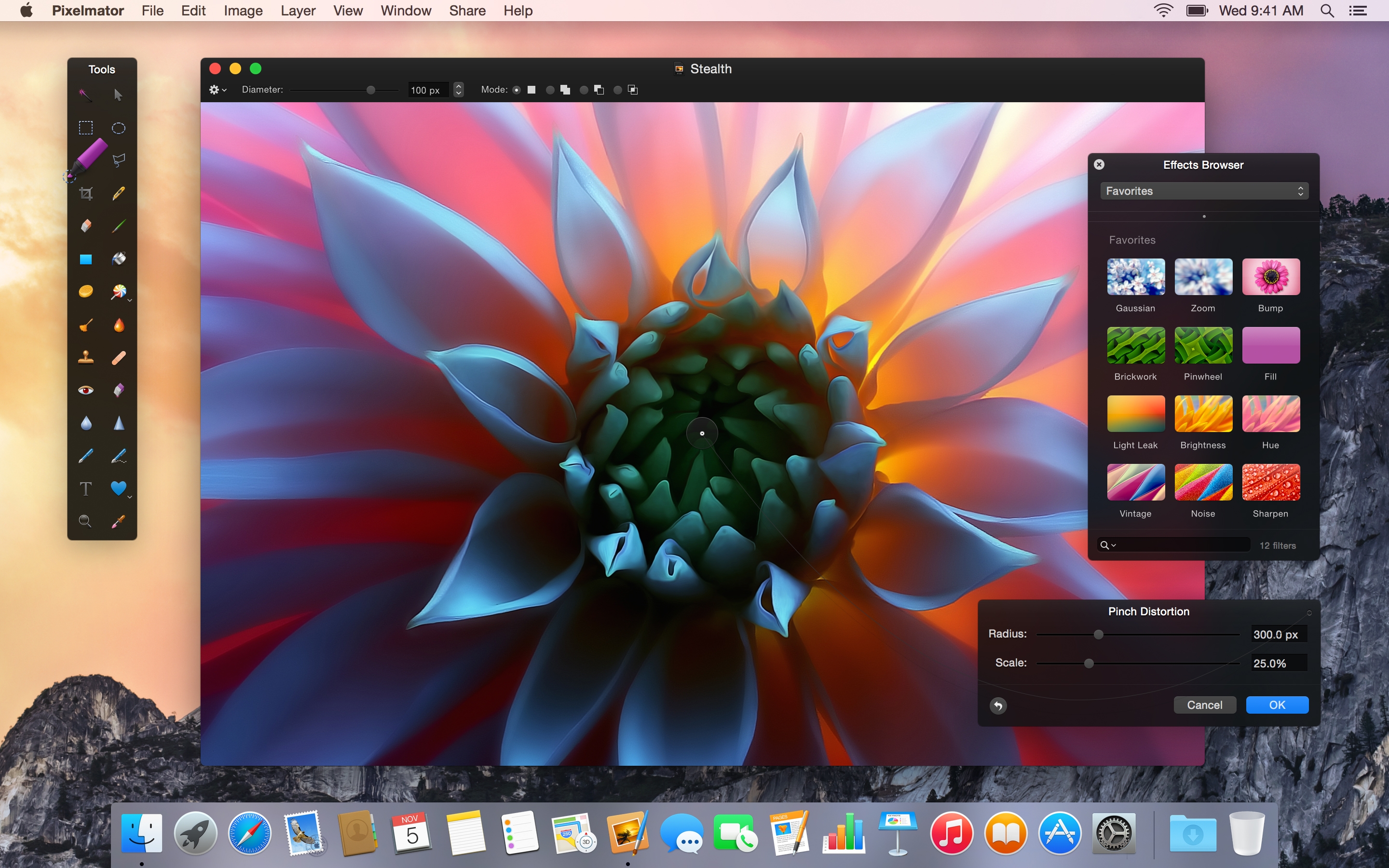
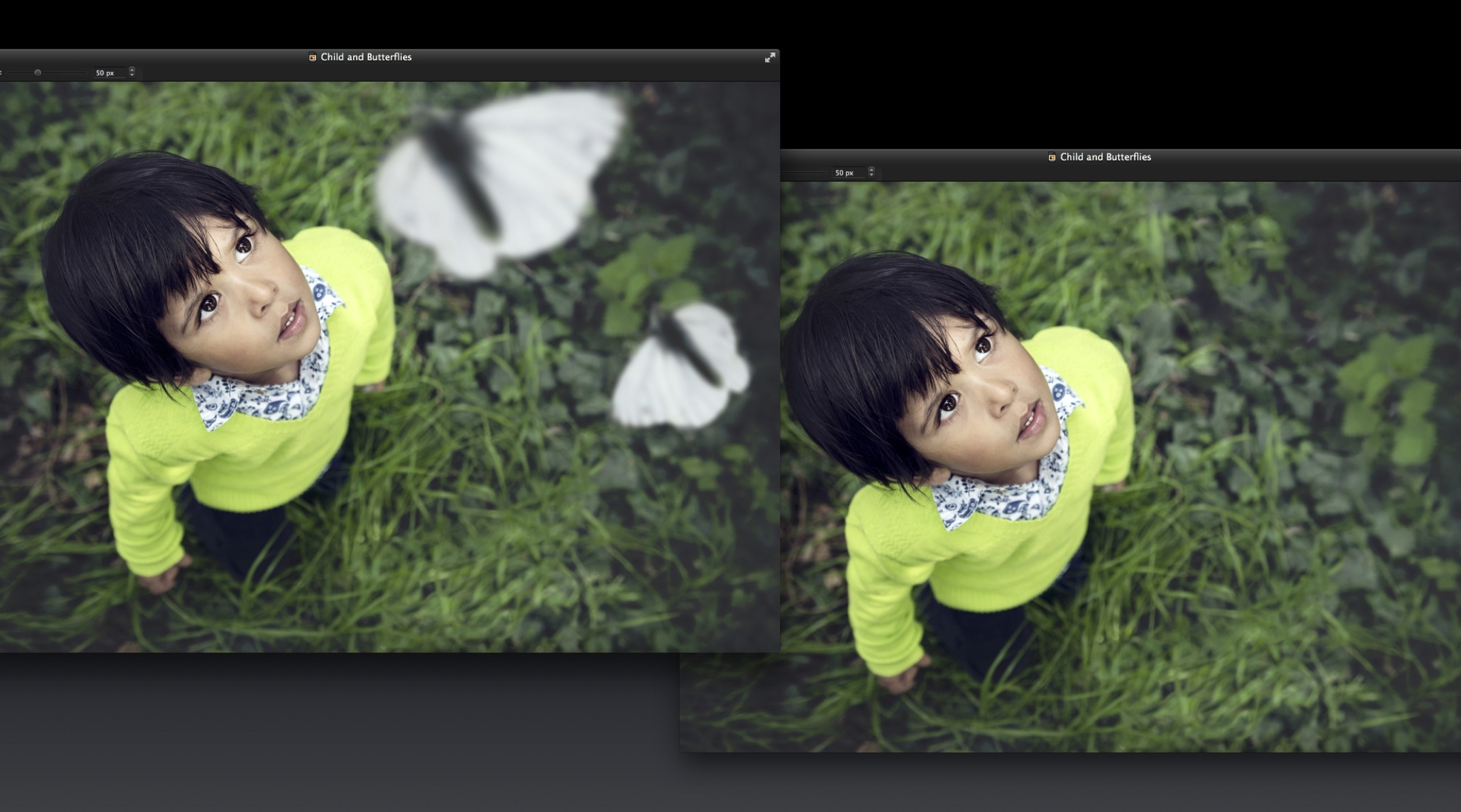
Hot off the heels of their iPad app, the Pixelmator team have today released Pixelmator 3.3 for Mac. This update centers around design and structural optimizations for OS X Yosemite, including an extension for integration with other apps and a new icon to match the ‘flatter’ aesthetic of the operating system. The update also includes a new file format to improve syncing and compatibility with the iPad version.

Although the app largely resembles previous versions, with custom floating panels and black chrome, it now takes advantage of Apple’s transparency effects to mesh well with the OS.


Expand
Expanding
Close

Mac mini teardowns are underway, with good news and bad news

Site default logo image

iFixit and MacminiVault have both completed their teardowns of the new Mac mini, with Macminicolo planning theirs soon.

We already knew the main bad news: soldered RAM means you can’t upgrade the memory later, so you have to decide how much you want and pay Apple’s pricing for it. Both iFixit and MacminiVault described replacing the RAM as “impossible.”

Getting access to the inside of the new Mac mini is more difficult than it used to be … 
Expand
Expanding
Close

Site default logo image

PSA: You can still upgrade the RAM in the Retina iMac, save hundreds over Apple’s price

Yesterday Apple released a new version of the Mac Mini that no longer features user-servicable RAM, but thankfully the new iMac with Retina 5K display still allows users to upgrade memory through an access door on the back, just like previous models. The new machine houses four memory slots.

Apple’s BTO Prices

If you want to upgrade your memory, you can get 16 GB of DDR3 1600 MHz RAM for $136.50 (about $30 off) at Amazon (below). The kit comes with two 8 GB modules, meaning you can grab two of these kits for a total of 32 GB for around $270. Not a bad deal at all, given that some outlets are charging just under $400 for the same memory—never mind the comical $600 Apple is asking. (Comical in that the 1st 2x8GB kit costs $200 and the second one costs $400 more :/)

The Crucial RAM at Amazon (or other upgrade kitss that are around) will also give you 2 extra 4GB Sims which you can sell or keep in case of emergency.


Recap: Everything you need to know about iPad Air 2, iPad mini 3, and iMac with Retina 5K display (Video)

Apple’s latest keynote was full of announcements for iPad and Mac enthusiasts. Apple has finally unveiled its second generation iPad Air, a slightly revised iPad mini, and the long rumored iMac with Retina display. Apple’s keynote went on for about 90 minutes, but in case you didn’t have time to sit through the entire thing, we’ve put together a recap to get you up to speed…


Expand
Expanding
Close

Apple removes Mac mini server from sale, drops 2 TB storage option with new models

Site default logo image

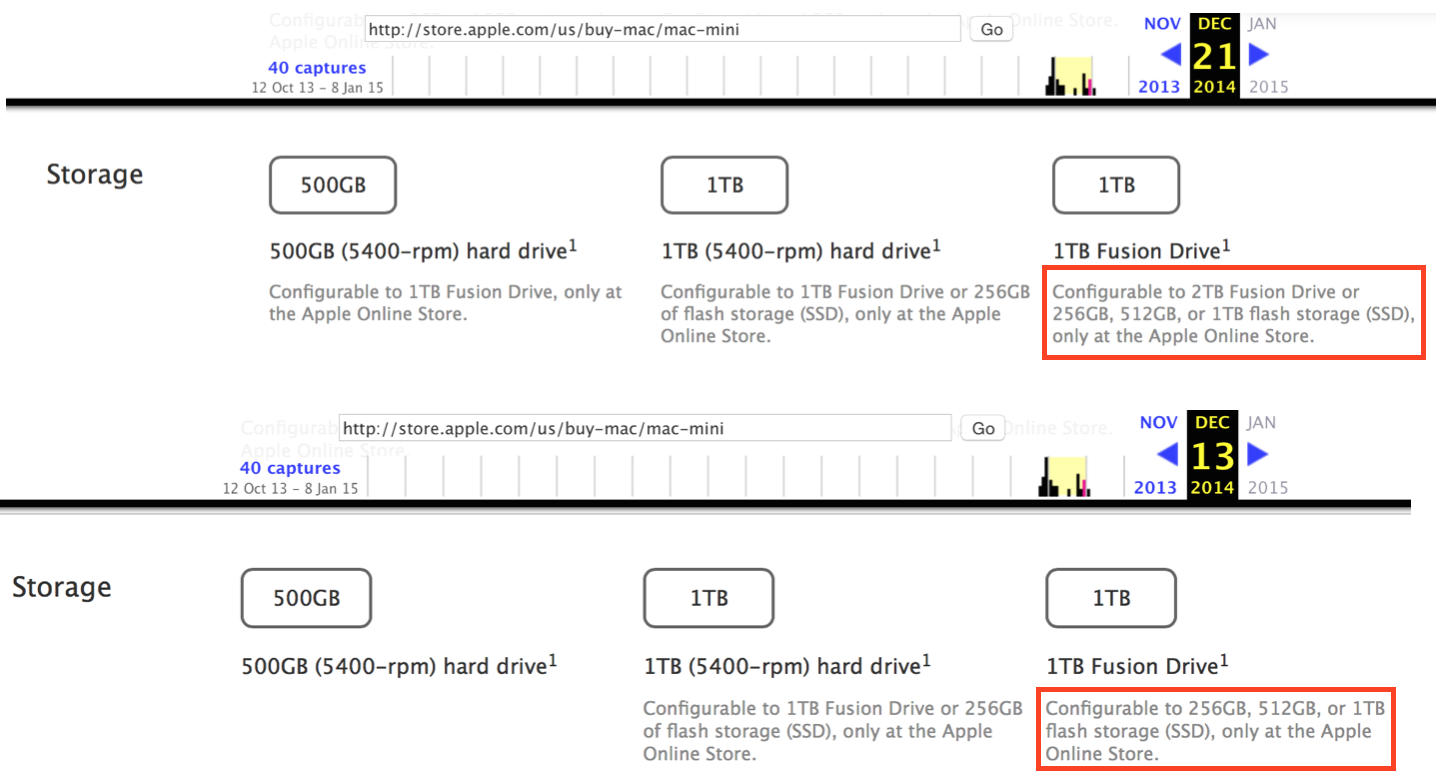
With today’s updates to the Mac mini, Apple has made the decision to stop selling the “server” version of the computer. In doing so, the company has also lowered the maximum storage available in the machine from 2 TB to just 1 TB. The server model was also the first version of the Mac mini to forego the optical drive, though the change was soon carried over to the rest of the line.

The server model was created to supplant the Xserve, which was discontinued in 2010. It originally shipped with OS X Server preinstalled, but was later loaded instead with the consumer version of OS X. OS X Server was transitioned to the Mac App Store as a $19.99 purchase and the new Mac mini was moved to a more consumer-oriented setup.

If you’re looking to expand your Mac mini’s storage, you can always take advantage of those new Thunderbolt 2 ports.


Expand
Expanding
Close

Apple updates Mac mini with all-new internals, drops starting price to $499, available today

Site default logo image

Apple has just announced an update to it’s Mac mini desktop PC that features all-new internals and a lower starting price. The CPU has been bumped to the current fourth-generation of Intel’s Core processors paired with Intel Iris and HD Graphics 5000 graphics processors. It now sports PCIe-based flash storage, though the exact amount of storage wasn’t mentioned.

The computer’s connectivity has also gotten a bump with 802.11ac Wi-Fi and the addition of two Thunderbolt 2 i/o ports. The tweaked internals have also afforded the new Mac mini the title of “world’s most energy efficient desktop.”

The upgraded machine will be available today at a reduced starting price of only $499.


Expand
Expanding
Close

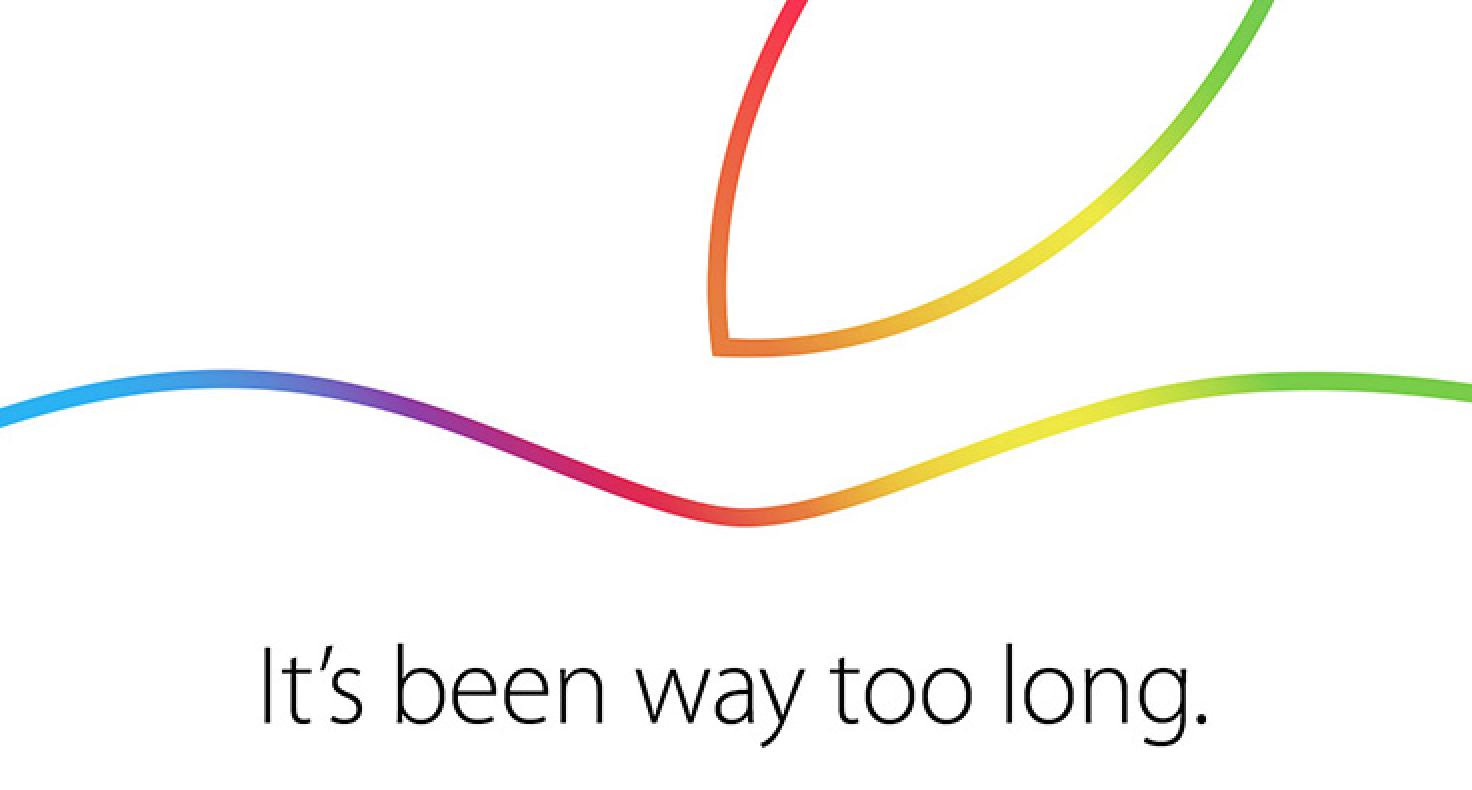
‘It’s been way too long’: Apple sends out invites for Thursday, October 16th iPad & Mac event

Site default logo image

It’s happening: Apple has just announced a keynote address for Thursday, October 16th to take place at the Town Hall auditorium on its Infinite Loop Campus in Cupertino, California. Invitations to select members of the media and special guests indicate that the event will, as always, begin at 10 AM Pacific time/1 PM Eastern Time. News of the October 16th date broke last week. We’ll be providing full, live coverage on 9to5Mac.com of the event’s proceedings. Here’s everything we’re expecting Apple to discuss at the event:


Expand
Expanding
Close

Report claims rumored refreshed Mac mini could launch next month

Site default logo image

Following rumors of a possible Mac mini refresh earlier this year and references on Apple’s own website, a new report says Apple could introduce an update to the product as early as next month. MacRumors cites a source that has provided accurate tips in the past claiming the new Mac mini could launch alongside new iPads and OS X Yosemite expected at an event in October.
Expand
Expanding
Close

Review: Apple wireless keyboard for Logic Pro X from EditorsKeys

Site default logo image

There are a few companies that make skins specifically for Apple’s keyboards to add icons for the various shortcuts that pros use daily in apps like Logic Pro and Final Cut. I’ve tried a few in the past, but the benefits never seemed to outweigh the tradeoff of putting a clunky rubber skin over Apple’s masterfully built keyboard. The latest Logic keyboard I received in for review from EditorsKeys, however, has actually won me over and proven up to the task of permanently replacing my stock Apple keyboard.
Expand
Expanding
Close

Site default logo image

PARC scientist retells story of Jobs at Xerox: ‘You’re sitting on a gold mine!’ (Video)

Fortune has flagged up a video from 2011 of an eyewitness retelling how Jobs behaved and interacted when seeing Xerox’s PARC revolutionary graphical user interface inventions for the first time. Although the video is old, it seems to have gone largely unnoticed until this week and features some interesting anecdotes about the events.


Expand
Expanding
Close

Mid-2014 Mac mini listed on Apple Support page, but no 2014 Mac mini in sight

Site default logo image


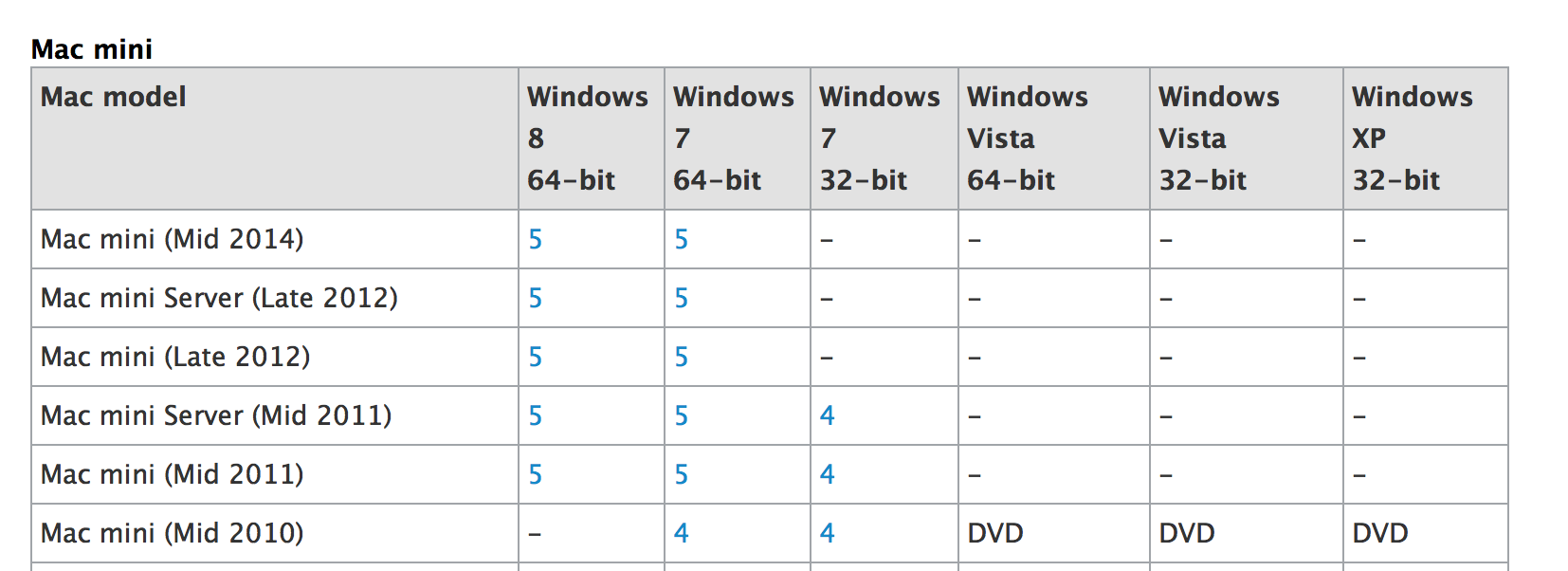
Apple seems to have inadvertently referenced a new model of Mac mini on an Apple Support page. The page was last modified yesterday, presumably to include information on the new MacBook Pro’s but instead lists “Mac mini (Mid 2014)” as a supported machine. There is a possibility that this is simply a human error on Apple’s part, of course, confusing the MacBook Pro and the Mac mini updates. There haven’t really been rumors of a new Mac mini being in the works, but due to the relative unimportance of the product in the Mac lineup, it is not of the question for it to have slid under the radar.


Expand
Expanding
Close

Apple releases OS X Yosemite Public Beta

Site default logo image

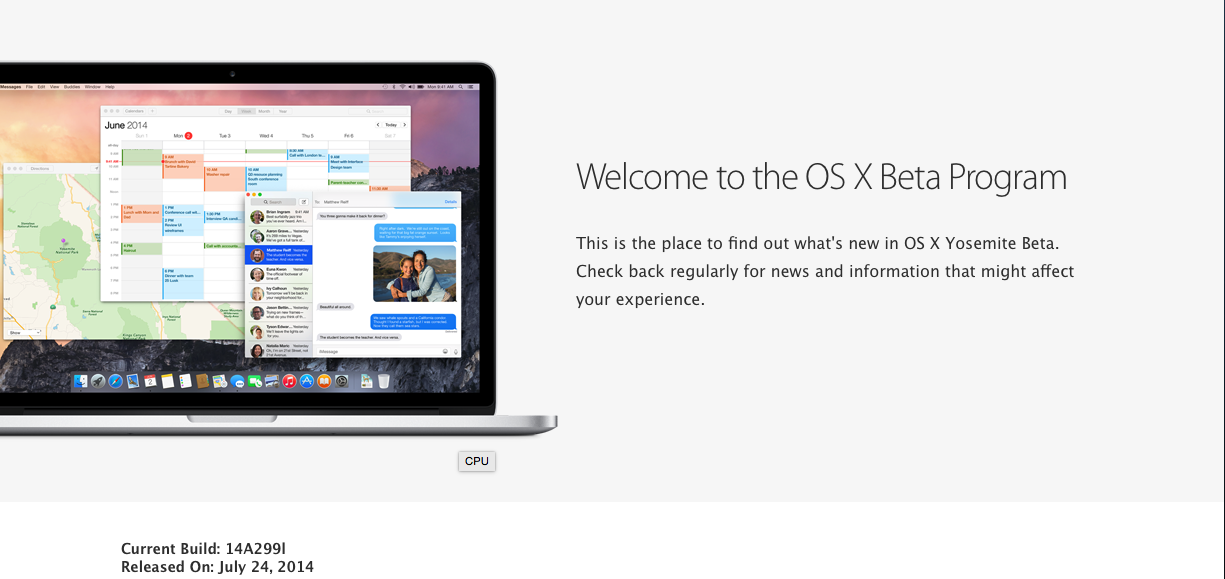
Apple has started sending out OS X Yosemite builds for Beta Program, as announced yesterday. The build is being sent out to a million Beta Program members. Participants can get a redemption code from the site, to redeem in the Mac App Store.

Apple has said that Apple will not update the Beta Program Yosemite builds as often as the developer seeds (which come out every two weeks, usually), but participants will be able to upgrade to the final public version of Yosemite seamlessly through the App Store, when it is released.  The seed released in the beta program is one build newer than the one released to developers on Monday.


Expand
Expanding
Close

Apple launches 2014 Back to School promotion: $100 Apple Store gift cards with Macs, $50 with iPad/iPhone

Site default logo image

As we reported two weeks ago and again yesterday, Apple has today launched its Back to School promotion for this school season. Like previous years, qualifying student customers will get a free gift card alongside any purchase of a Mac, iPad or iPhone. While last year Apple gave out Mac App Store/iTunes cards, this year’s cards are for Apple Retail Stores.

Buying any Mac makes the buyer eligible for a $100 Apple Store gift card and $50 cards will be distributed alongside iPads and iPhones.

Interested students can buy any Mac (except for the Mac Mini), or any iPad or iPhone currently on sale at the Apple Store, to be eligible for the promotion. Students can also receive education discount pricing where applicable, alongside the gift card giveaway.

Back to School runs from today until September 9th and available in many regions, including the United States, Canada, the UK and many other countries in Europe.
Expand
Expanding
Close

Rumor: Apple working on ARM-based Mac variants with larger trackpad built into keyboard

Site default logo image

MacBidouille is the source of an interesting new rumor [translation] that Apple is currently experimenting with new ARM-powered Mac variants that include a Magic trackpad built into the system’s keyboard. The company is also reportedly working on a new version of OS X that will be compatible with these ARM machines.

According to MacBidouille’s sources, Apple is developing three new machines with this configuration: the aforementioned iMac and Mac mini as well as a 13″ MacBook, presumably a MacBook Air. The iMac and notebook are both said to have “4 or 8” quad-core arm64 processors, while the Mac mini has only four.


Expand
Expanding
Close

Pixelmator 3.2 revamps the Repair Tool, adds locked layers, 16-bit support for all Macs and more

Site default logo image

The Pixelmator team is relentless, releasing significant updates to the application every few months. Version 3.2 (codenamed ‘Sandstone’) is no exception and can be downloaded from the Mac App Store now. Codenamed Sandstone, this iteration adds a majorly-revamped Repair Tool, 16-bit channel editing for all Macs (not just the Mac Pro) alongside a whole bucket of other improvements.

The Repair Tool now uses color-correction to match repaired areas seamlessly. It also has clever smarts that mean you don’t have to precisely select an object anymore, the software will remove the whole object automatically. Pixelmator will also try its best to infer the structure of the background area, for a more natural final edit.

The Repair Tool now has three different options, Quick, Standard and Advanced. Quick is meant for small blemishes, whereas Standard and Advanced tackle the removal of larger objects from a scene. It’s not exactly clear under what circumstances you are supposed to change mode, so I chose ‘Advanced’ every time in my testing and the results were fantastic. It’s sort of like magic. You can see an example of what this is capable of after the break …


Expand
Expanding
Close

Contestants at Pwn2Own take down Safari, but said OS X security is better than other systems

<a href="http://www.pwn2own.com/photo-gallery/#prettyPhoto[]/13/">Pwn2Own</a>

As usual, the annual Pwn2Own contest featured many hackers targeting the latest operating systems and browsers from the major vendors, including Apple. Threatpost reports that the “Keen Team” focused Safari on Thursday and exploited it with relative ease.

The team took home a $40,000 bounty for their efforts on Safari, as well as a share in a $75,000 prize for co-engineering a zero-day Flash exploit. They say they will donate some of their winnings towards charities representing missing Malaysian Airplane passengers.

The group say that for Safari, they used two different exploit vectors. One vulnerability was a heap overflow in WebKit that enabled arbitrary code execution. The team then used this opening to use another exploit to bypass the application sandbox and run code as if it was user privileged.


Expand
Expanding
Close

f.lux for Mac gets smarter with screen-dimming based on daily schedule, Movie Mode and more

f.lux, the popular utility that changes the color temperature of your Mac’s display to reflect the sun’s daylight cycle, has received a major update. Whilst still being in beta, the app can now calibrate your screen based on your actual schedule, not just sunrise and sunset times.

This means the app is now useful for people who have non-standard schedules, such as people who work night shifts. The app smoothly transitions between ‘daytime’,’sunset’ and ‘bedtime’ presets based on the schedule information provided. You tell the app when you wake up and it automatically calculates the color temperature levels for every hour of the day.


Expand
Expanding
Close

Nuance announces Dragon Dictate 4, with pre-recorded transcription features and Gmail integration

Nuance has just announced the next major version of its Mac dictation software, Dragon Dictate 4. The new version improves recognition accuracy as well as several new features, including the ability to machine transcribe from a pre-recorded audio file. You no longer have to be recording a voice live to get transcription.

[youtube=http://www.youtube.com/watch?v=RRfbZ0h4yBo]

We’ve had a quick play with the software and the accuracy is almost scary good compared to older versions of the software. Speaking in a normal voice gives you almost 100% accuracy and even mumbling seems to work. While Mavericks uses the same Nuance speech engine, Dictate 4 has a better interface for transcription and tons of extra features as outlined in the videos above and below.

Dragon Dictate software has also been updated for modern system architectures — it is a 64-bit app now.  This results in better performance and better memory management over its predecessors. The company says it has drastically reduced latency when interpreting speech.

[youtube=http://www.youtube.com/watch?v=YnGKb854CNI]


Expand
Expanding
Close

Opinion: Will the next Mac mini be a lot more mini than ever before?

Site default logo image

When it first launched in 2005, the Mac mini was almost unimaginably small. The original aim of the machine was to convert owners of desktop Windows machines. Because those people already owned monitors, keyboards and other peripherals, selling them just the computer itself would enable them to switch to Mac for far less than the cost of buying an iMac.

The typical Windows desktop box of that era looked like this:

A system unit that measured just 6.5 inches square and only 2-inches thick was an incredible feat of engineering. Today, however, it looks rather less impressive … 
Expand
Expanding
Close

Tired of waiting for Apple to upgrade the Mac mini to Haswell? Make your own …

Site default logo image

If you’ve decided you’ve waited long enough for Apple to update the Mac mini with a Haswell processor, you can always create a Hac mini.
A user posting on the Hacintosh site tonymacx86.com has documented his successful squeezing of an Intel DH61AG motherboard with i3-3225 CPU (55w TDP), 4GB Ram, 128GB mSATA SSD, half mini PCIe Wifi and an external Dell laptop power supply into a 2010 Mac mini case … 
Expand
Expanding
Close

Apple takes over its homepage to celebrate 30 years of Mac, with accompanying video, timeline and poll

In addition to interviews with the press, Apple is celebrating 30 years of Mac with a full-bleed graphic on its homepage, which links to a minisite that plots how the Mac evolved over the years. The message says that Apple made the Macintosh with a promise to get “the power of technology .. in the hand of everyone”. “This promise has been kept.”, it reads. The dedicated minisite depicts a (scrollable) timeline of the major models of Mac since 1984, spanning the PowerBook, the iMac and ending with the Retina MacBook Pro and the brand new Mac Pro.

See the accompanying video after the break.


Expand
Expanding
Close

Pixelmator 3.1 brings 16-bit image support for Mac Pro, integrated photo printing and more

Pixelmator have released the latest version of their app today, version 3.1. As usual, it is available exclusively in the Mac App Store for $29.99. Codenamed Marble, this update brings several enhancements to the image editor including specific Mac Pro optimizations such as 16-bit image support.

Primarily, Pixelmator 3.1 optimises for the new Mac Pro’s hardware. Apple has used Pixelmator before to tout the Mac Pro’s performance benefits, and the developers are clearly keen to push this further still.

The “exclusive” support for the new Mac Pro enables the simultaneous use of both GPU’s  for even faster composition and rendering. In fact, the app can compute the autosave data whilst the image is being rendered. This translates to significant speed improvements across the app.


Expand
Expanding
Close

Site default logo image

Mac mini could finally see refresh next month according to retailer

Last year came and went without as much as a mention from Apple about the fate of its Mac mini line of desktop computers. The Mac mini lineup currently on sale through Apple, Amazon, and other retailers last saw its hardware updated in late 2012 at the original iPad mini event.

So it’s not too unreasonable to believe that a placeholder entry found online at computerstore.be, a Belgium retailer, found in MacRumors forums could be a genuine preview of what to expect in the updated hardware. The specs reference everything we would expect for a hardware updated Mac mini: Intel Iris graphics, 802.11ac wireless networking, Gigabit LAN, and more. 
Expand
Expanding
Close

Google Now comes to the Mac in the latest Chrome Canary release

Screen Shot 2014-01-16 at 13.25.19

There have been indications for a long time that Google Now was eventually coming to the Chrome browser. Via the Google Operating System Blog, the service has finally surfaced in the most recent release of Chrome Canary (Google’s name for the app’s ‘alpha’ channel builds).

As expected, Google Now in Chrome closely mirrors Google Now on Android. The contextually-relevant cards (which show information such as weather, news or upcoming flights) appear in Chrome’s Notification Center on the desktop. The notification area can be accessed in the menubar, represented by a bell icon.


Expand
Expanding
Close