Mac Pro

See All Stories
Mac Pro Pro Display XDR

After letting the Mac Pro become stagnant since 2013, Apple has finally unveiled the new version. In early 2017, Apple made a handful of announcements regarding the product. The company explained that it is rethinking its Mac Pro approach and plans to unveil a new modular model sometime in the future.

The company admitted that its 2013 model approach hasn’t been as upgradable in practice as it had hoped.

At some point [Apple] came to the conclusion that the 2013 Mac Pro concept was fundamentally flawed. It was tightly integrated internally, which allowed for some very nice features: it was small and beautiful (a pro machine that demanded placement on your desk, not under your desk) and it could run whisper quietly. But that tight integration made it hard to update regularly. The idea that expansion could be handled almost entirely by external Thunderbolt peripherals sounded good on paper, but hasn’t panned out in practice. And the GPU design was a bad prediction. Apple bet on a dual-GPU design (multiple smaller GPUs, with “pro”-level performance coming from parallel processing) but the industry has gone entirely in the other direction (machines with one big GPU).

Phil Schiller acknowledged that the 2013 Mac Pro had not been well received by many pros, and it was this that had led to the radical rethink.

With regards to the Mac Pro, we are in the process of what we call “completely rethinking the Mac Pro”. We’re working on it. We have a team working hard on it right now, and we want to architect it so that we can keep it fresh with regular improvements, and we’re committed to making it our highest-end, high-throughput desktop system, designed for our demanding pro customers.

As part of doing a new Mac Pro — it is, by definition, a modular system — we will be doing a pro display as well. Now you won’t see any of those products this year; we’re in the process of that. We think it’s really important to create something great for our pro customers who want a Mac Pro modular system, and that’ll take longer than this year to do.

In the interim, we know there are a number of customers who continue to buy our [current Mac Pros]. To be clear, our current Mac Pro has met the needs of some of our customers, and we know clearly not all of our customers. None of this is black and white, it’s a wide variety of customers. Some… it’s the kind of system they wanted; others, it was not.

In the meantime, we’re going to update the configs to make it faster and better for their dollar. This is not a new model, not a new design, we’re just going to update the configs. We’re doing that this week. We can give you the specifics on that.

The CPUs, we’re moving them down the line. The GPUs, down the line, to get more performance per dollar for customers who DO need to continue to buy them on the interim until we get to a newly architected system.

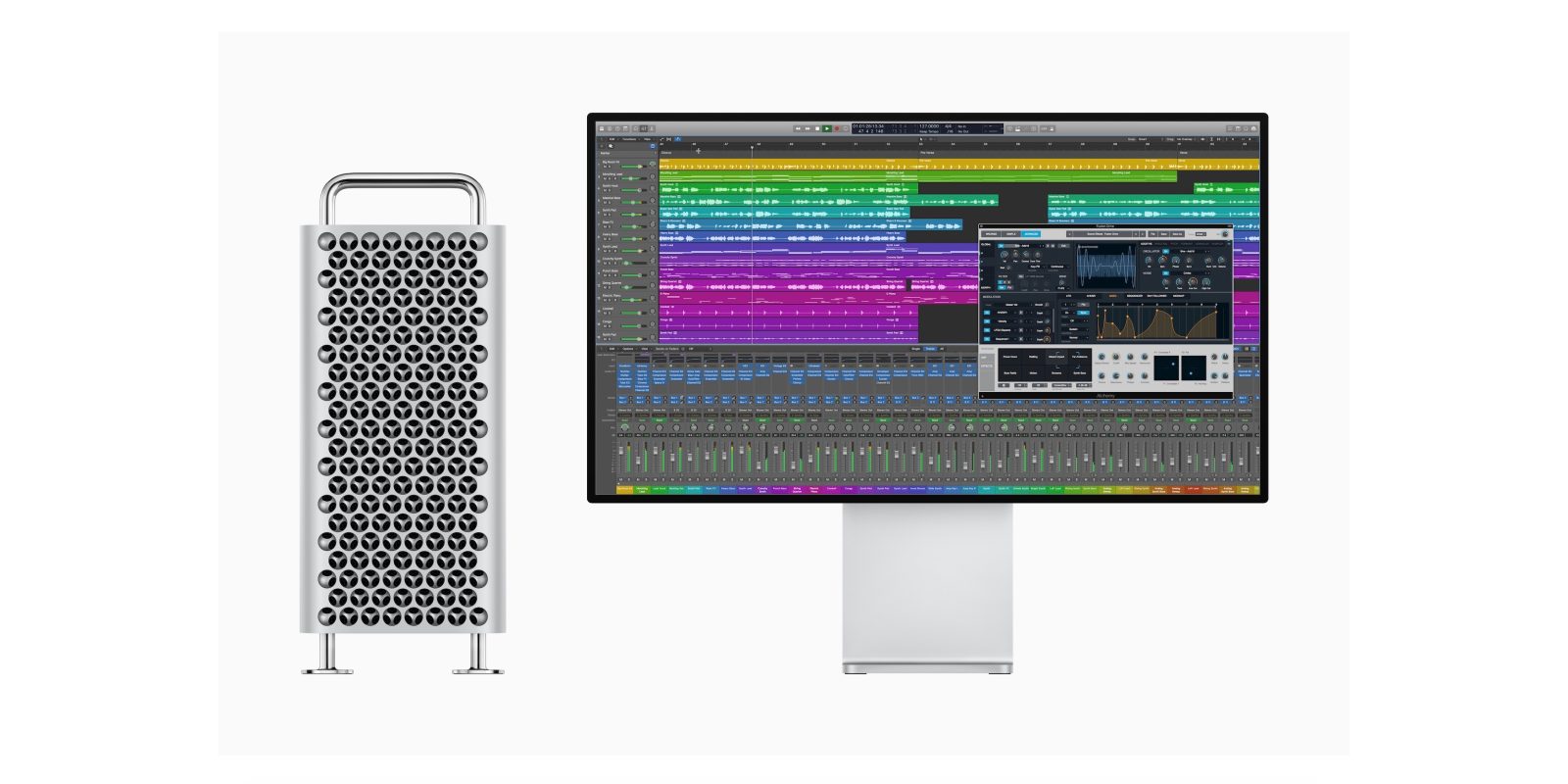
At WWDC 2019 Apple offered the first look at its new Mac Pro. The new version is a return of the cheese grater design from a generation previous.

Apple says the new Mac Pro was designed with easy access to its components. There are stainless steel handles for modularity, all internal components mount to the frame with 360-degree components.

Mac Pro Specs

  • 300 watts of power, runs fully unconstrained
  • 2933MHz ECC memory, 12 DIMM slots
  • 8 internal PCI slots, four double-wide slots, three single side slots
  • Half-length slot populated with two TB3 ports, audio jack, two USB A ports, two 10Gb Ethernet ports
  • Up to 1.5 terabytes of RAM
  • Intel Xeon processor with up to 28 cores
  • Apple designed a PCI connector with a second PCIe connector and power
  • Multiple graphics options; can configure with options such as Radeon Pro Vega II
  • Two GPUs connected via Infinity Fabric Link, 5X faster than PCI bust
  • Apple built a brand new card called Afterburner for video editing, 6 billion pixels per second. 3 streams of 8K, 12 streams of 4K

Mac Pro Pricing

The new Mac Pro starts at $5999 for 8-core, 32GB of RAM, and a 256GB SSD. If you include all of the upgrade options, it can reach a $50,000 price point.

Mac Pro Release Date

The Mac Pro was released in December of 2019.

Review: the Promise Pegasus J2i is a well-designed option to add SATA HDD storage to Mac Pro [Video]

Not everyone needs 4-bay RAID solutions like the Promise R4i, and not everyone needs ridiculously-fast RAID SSD setups like the Sonnet M.2 4×4 PCIe Card. Enter the Promise Pegasus J2i.

The Promise Pegasus J2i is a two-bay SATA enclosure with a pre-installed 3.5-inch 8TB HDD that fits inside the Mac Pro. Should you consider it? Watch our hands-on walkthrough for the details.
Expand
Expanding
Close

Animation studio shares how it used new Mac Pro for ‘Jumanji: The Next Level’

New Mac Pro used by animation studio

We’ve seen plenty of benchmarks for the new Mac Pro, but if you want an idea of how it stacks up in real-life use, a British animation studio has shared the story of how it used early access to one to work on the movie Jumanji: The Next Level.

Lunar Animation said that animation is one of the toughest tasks for a computer, and it had initially thought Apple’s failure to update the trash can Mac Pro might have forced it to switch to PCs…


Expand
Expanding
Close

Sonnet’s M.2 4×4 PCIe Card brings absolutely ridiculous SSD speeds to Mac Pro [Video]

If you’re looking for the fastest SSD available for the Mac Pro, then this may be the solution for you. When paired with the right SSDs, the Sonnet M.2 4×4 PCIe Card produces speeds of the bonkers variety.

During benchmark tests with the Blackmagic Disk Speed Test utility, I was getting write speeds in that easily surpassed 6,000 MB/s, and read speeds that eclipsed 7000 MB/s.

For comparison’s sake, Apple’s fastest 8 TB SSD produces speeds “only” up to 3400 MB/s, so this setup is capable of running circles around the Mac Pro’s fastest built-in SSD for less money. Watch our hands-on video review for the details.
Expand
Expanding
Close

Review: Promise Pegasus R4i MPX Module – add a massive amount of storage to the Mac Pro [Video]

As a happy owner of a Promise Pegasus3 R6 external RAID enclosure, I was excited to try the new Promise Pegasus R4i internal RAID MPX Module, a unit that’s been specifically designed for the Mac Pro.

The Promise Pegasus R4i is a four-drive hardware RAID array that can easily slide into your Mac Pro thanks to its MPX form factor. Adding the R4i to your Mac Pro instantly gives you a ton of on-board storage via four 8TB drives set up by default in a RAID 5 configuration.

Does the Promise Pegasus R4i produce good performance results? Is it easy to install? Does it stay relatively quiet? How does it compare to a standalone Promise Pegasus? All of these questions and more are answered in our hands-on video review.
Expand
Expanding
Close

YouTubers walk through Mac Pro teardown and test Afterburner effect on base configuration with 16K video

New Mac Pro videos from YouTubers Quinn Nelson and Jonathan Morrison give us further deep dives into the 2019 modular machine. Quinn gives a complete disassembly and analysis revealing some of Apple’s neat innovations with the new pro desktop along with some fine details. Meanwhile, Jonathan gives us a look at how the Mac Pro handles 16K video with just one video card, hinting at how powerful the Afterburner card is.


Expand
Expanding
Close

iFixit totally disassembles the new Mac Pro in ‘Fixmas miracle’

iFixit has completed its full teardown of the new Mac Pro. Given iFixit’s focus on repairability and that Apple’s new professional desktop is a modular machine, well, it got one of the highest ever ratings from iFixit — as far as Apple products go. Read on for some of the fun details like how the feet/wheels work, whether the built-in SSD and CPU are replaceable, where the speaker hides, a detailed look at the thermal system, and why it just missed out on a perfect rating from iFixit.


Expand
Expanding
Close

How to upgrade Mac Pro RAM and save lots of money [Video]

Last week we posted a speculation piece about the now-available Mac Pro. Specifically, we conjectured that, like other Apple desktop machines, it would be possible to upgrade Mac Pro RAM ourselves and save a lot of money in the process.

Today we tested that theory and experienced positive results. In this post and hands-on video, we’ll show you how easy it is to upgrade Mac Pro RAM yourself. Watch our video walkthrough for the details.
Expand
Expanding
Close

You may be able to save thousands of dollars on upgrading Mac Pro RAM

Apple is known to charge exorbitant prices for memory, and the just-released Mac Pro is no exception. For example, the Mac Pro comes with a base amount of 32GB of RAM in a 4x8GB configuration, but upgrading to 48GB costs $300 and quickly balloons to $1000 for 96GB of RAM.

Even worse is the RAM that Apple sells separately. In that case, a mere 16GB of RAM in a 2x8GB config will cost you $400, while 64GB in a 2x32GB config will cost you a whopping $1200. Want 256GB? Prepare to pay $6000.

But there may be good news in all of this. As has been the case for many years, it may be possible to utilize third-party RAM, which comes at a much more reasonable price. For example, this 64GB kit in a 2x32GB configuration from NEMIX RAM costs under $200, a $1000 savings over Apple’s kit.
Expand
Expanding
Close

Mac Pro fans: randomization and tire tech controls the noise

Mac Pro fans

Apple likes to boast about how much thought it put into the little things, and that includes the new Mac Pro fans.

The funky-looking lattice grille that gives the new Mac Pro its distinctive look got a lot of attention when the machine was first unveiled back in June. More air than metal, the grille plays a key role in both passive cooling and allowing efficient extraction of air pulled through by the fans, but plenty of work went into designing the fans themselves…


Expand
Expanding
Close