MacBook

See All Stories

Light. Years ahead.

Check out our top stories on MacBook:

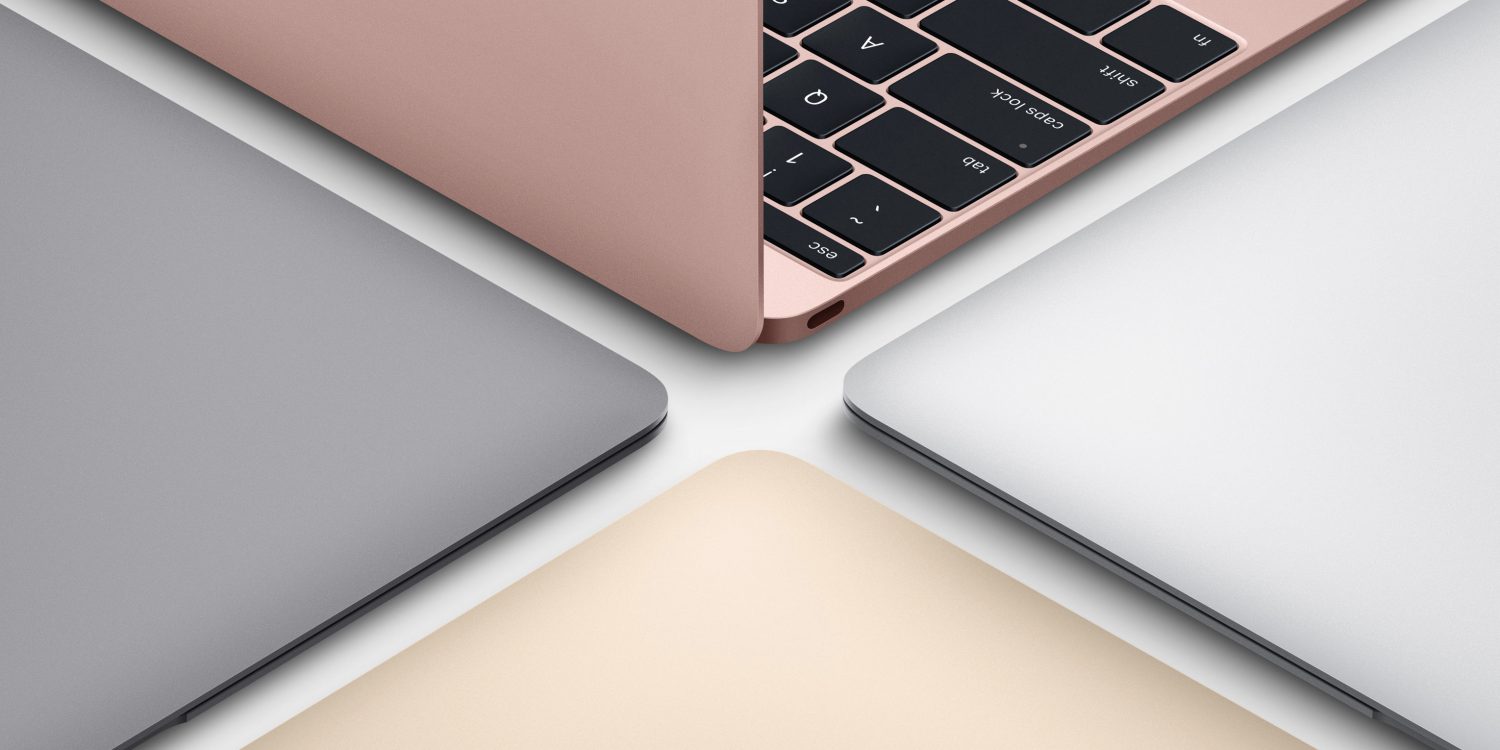
Originally released April 10, 2015 and last refreshed April 19, 2016, the all-new MacBook ($1,299 and up from the Apple Store) is the thinnest and lightest Mac laptop ever made. It’s also the first MacBook to be offered in four color options: classic silver, space gray, gold and rose gold.

Currently offered only with a 12″ screen, it represents the future of Apple laptops. Following a refresh in April 2016, it now includes a 2304×1440 (226ppi) Retina display, 8GB of RAM and up to 512GB of SSD storage, coupled with ultra-low-power Intel Core M processors. The base model includes a 1.1GHz dual-core Intel Core M chip with an Intel HD Graphics 515 GPU; and upgraded models offer to 1.2GHz dual-core Intel Core m5 or 1.3GHz dual-core Intel Core m7 processor with Turbo Boost up to 3.1GHz.

With a redesigned chassis that’s only slightly wider than the keyboard, the new MacBook’s 0.14″–0.52″ thickness was achieved in part by dropping all external connectivity ports save for a 3.5mm headphone port and a new reversible USB-C port, which can be used for power, data connectivity, and video output. Most of the MacBook’s connectivity is handled wirelessly with 802.11ac and Bluetooth 4 support. It promises 9-10 hours of battery life depending on how the computer is being used.

A redesigned Force Touch trackpad now can sense multiple levels of pressure rather than just one, using four pressure sensors and a haptic feedback pad to replicate the clickiness of a traditional trackpad. Additionally, the keyboard has been completely redesigned to retain the expected clicks, precision, and travel of conventional keys, while cutting their depth and width to fit the chassis. An ultra-thin top lid has only enough depth for a 640×480 FaceTime camera, a compromise for the smaller size.

Just like the first-generation MacBook Air, the new MacBook is aimed at users whose computing needs don’t demand incredible horsepower, yet benefit from a slim, light chassis with a really nice screen. Though you’ll do better in raw dollar terms and power by buying a comparably priced 13″ Retina MacBook Pro, you’ll have nearly twice the weight to carry around (2.03 pounds versus 3.48 pounds) and a larger footprint to manage. The choice of which is best for your needs will be highly personal.

Current Lineup:

  • MacBook (12-inch, Early 2016)

Related Guides:


Continuation patent shows that Apple is still exploring virtual keyboards for MacBooks

Apple has patents for virtual keyboards on MacBooks dating back as far as 2009, but a continuation patent application published today shows that the company is still exploring the idea.

A virtual keyboard was of course a headline feature of the iPhone when it was launched in 2007, and Apple also introduced the feature to the latest MacBook Pro models in the form of the Touch BarPatently Apple illustrated the patent using a Lenovo Yoga Book, showing what is in effect a giant Touch Bar replacing a physical keyboard.

If the idea fills you with horror, as it does me, we may not need to worry too much …


Expand
Expanding
Close

Opinion: Is Microsoft leading Apple in PC innovation, or is it all gimmickry?

9to5Mac founder Seth Weintraub tweeted this morning a suggestion that Microsoft was hitting all the laptop checkboxes of late – and that Apple will not.

Others noted that Microsoft has held its third event this year, and second this month, while we still await the first Apple event of the year. Does this mean that Microsoft is leading the way in innovation at present, and Apple is being left behind – or is the Seattle-based company engaging in meaningless gimmickry … ?


Expand
Expanding
Close

Huawei touts Windows 10 Matebook as ‘thinner but more powerful than 12-inch MacBook’

Huawei is in the middle of launching its latest Windows 10 notebook, the new Matebook range – and is making some interesting comparisons with the 12-inch MacBook.

On one slide, the company claims that the Matebook X is ‘thinner but even more powerful’ than Apple’s MacBook – a comparison which may or may not be accurate …


Expand
Expanding
Close

Now that Apple’s USB-C dongles are back to full price, here are some decent alternatives

Site default logo image

Apple’s decision to go all-in on USB-C on the 2016 MacBook Pro machines hit significant resistance from those who would need to purchase multiple dongles to connect to their existing accessories. The company responded by offering discounts on a range of USB adapters and cables, first to the end of last year and later extended to the end of March.

Those deals are now gone, however, so here’s a roundup of some decent alternatives …


Expand
Expanding
Close

Apple drops to fifth place in best laptop brand survey over higher prices and fewer options

Site default logo image

Apple has fallen to fifth place in a Laptop Mag survey of the best and worst current laptop brands after previously taking the top spot for several years. Factors like premium price points and limited port options contribute to Apple’s overall drop in the results, although Apple’s quality tech support is a redeeming factor, the survey says.


Expand
Expanding
Close

Apple patent describes iPhone or iPad docking into MacBook-style dumb terminal

Site default logo image

As perhaps further evidence of Apple exploring ways to make its entry-level products more affordable, a patent published today describes using an iPhone as the brains of a MacBook-style dumb terminal. As usual with patents, the language is dense, but the illustrations make clear the concept.

An electronic accessory device, comprising: an operational component that provides an output to a user; a housing carrying the operational component, the housing having a recess; and a control interface coupled to the operational component and configured to receive a control signal from an electronic host device when the electronic host device is positioned within the recess and coupled to the control interface, wherein the electronic accessory device is inoperable without the electronic host device being coupled to the control interface.

The idea itself is not a new one, and is similar in essence to a currently-available HP product …


Expand
Expanding
Close

Apple extending coverage of Retina MacBook displays with ‘Staingate’ issue

Site default logo image

In 2015 we reported on an issue with MacBook Retina displays that were seeing problems with the anti-reflective coating wearing off, which came to be known as ‘Staingate.’ Although some customers experienced the issue as early as 2012, Apple started covering the repair free of charge in 2015. Now, it seems that Apple has extended this coverage even further…
Expand
Expanding
Close

Hands on first impressions with HP’s ENVY 27, an affordable 4K USB-C display

Site default logo image

[Update: We’ve heard from two readers who recently ran into an issue where using the USB-C to USB-C cable does not work with this display and the 2016 MacBook Pro. Unfortunately, in one case, different cables and support from HP and Apple also didn’t provide a solution. Please share below in the comments if you have experienced the same or something similar.]

If you’ve decided to pass on LG’s UltraFine Display there are only a few other options when it comes to 4K USB-C displays. Jordan covered the best choices back in November and now all of these displays are available (with varying degrees of stock).

There are a few compromises that come along with the $500 ENVY 4K display compared with options like Lenovo’s ThinkVision X1 or LG’s 27UD88-W, but I decided to try HP’s ENVY 27 with price, design, and specs hitting a good portion of my wish list. Keep reading after the break to hear about my first week with this new display.


Expand
Expanding
Close

Hands-on: Incase ICON and new ICON Lite backpacks fit 15-inch MacBooks, all iPads, and much more

Site default logo image

Incase is launching a new laptop backpack this week called ICON Lite ($99, pictured right) that packs MacBooks up to 15-inches, any iPad, and more for under $100. ICON Lite joins Incase’s existing lineup of ICON backpacks that also includes ICON ($199, pictured left) and ICON Slim ($149) to create three sizes at three price points. Check out our hands-on with Incase ICON and the new ICON Lite below:


Expand
Expanding
Close

Do you prefer desktop Macs, laptop MacBooks, or both? [Poll]

Site default logo image

Deciding between desktop Macs and laptop MacBooks can be challenging — you typically get more computer for your money with desktops, but notebooks aren’t anchored down to one location. Managing two Macs is getting easier with features like automatic software updates and iCloud Drive syncing Desktop and Documents folders across machines, but using one Mac is often easier to manage and more affordable.

My own setup has shifted over the years from laptop only to both desktop and laptop to desktop only. I’ve found that I’m most productive and comfortable when using a desktop with a large display and a dedicated mouse and keyboard, but I also benefit from being able to take my work out of the office.

Given the current Mac lineup and my own needs, I’m settling on a MacBook Pro with external display, mouse, and keyboard to balance portability and ergonomics. What’s your ideal setup? Desktops, laptops, or both?


Expand
Expanding
Close

Report: Marketing vs engineering tension compromised latest MacBook & MacBook Pro, minor iMac & notebook updates planned

Site default logo image

Bloomberg piece based on interviews with Mac insiders at Apple has revealed how the designs of both the 12-inch MacBook and 2016 MacBook Pro were compromised by marketing decisions winning out over engineering ones.

It was a marketing desire to hit the crucial holiday season that led to a design which compromised battery life in the new MacBook Pro, claimed one source …


Expand
Expanding
Close

Crowdfunding campaign aims to create the perfect battery-pack for MacBook/MacBook Pro [Video]

Site default logo image

While I’m sad to lose MagSafe, one benefit of using USB-C for power is that you can connect just about any external battery-pack to your MacBook or 2016 MacBook Pro if you need a boost to get through the day. An Indiegogo campaign which just got fully-funded has a particularly interesting-looking one which is specifically pitched at Apple’s laptops – starting at $149.

The Line Dock takes the form of an aluminum base unit designed to sit directly underneath your Mac. Available in 12-, 13- and 15-inch sizes to match the dimensions of Apple’s machines, it offers roughly 15 hours of additional battery-life. And for those mourning the loss of ports, it also offers 3 x USB 3.0 sockets alongside HDMI, MiniDisplay Port and an SD card reader …


Expand
Expanding
Close

The best 4K & 5K USB-C and Thunderbolt 3 displays for MacBook Pro & MacBook

Site default logo image

We already gave you the rundown on requirements for connecting your old DisplayPort and HDMI displays to the new MacBook Pro, and if you need a new monitor now, the best option going forward is probably to go all-in on USB-C. That goes not only for MacBook Pro or 12-inch MacBook users, but also anyone who wants to be future-proofed as Apple moves to Thunderbolt 3 on other devices going forward (most displays have HDMI and/or DisplayPort for your other Macs). 

These are the best 4K and 5K USB-C and Thunderbolt 3 displays available so far:


Expand
Expanding
Close

New MacBook Pro Touch Bar details: UI interactions, screen specs, Control Strip, and how third party apps can use it

The flagship feature of the new MacBook Pro is the Touch Bar, an OLED display strip that replaces the physical row of function keys. This adds a dynamic zone to top of the keyboard where apps can display custom buttons, sliders, switches and scrubbers to enhance the MacBook experience while adding a new way to interact with Mac applications beyond text input and mouse pointers.

How does the Touch Bar interface work? What is the resolution of the Touch Bar? What is the Control Strip? What can third-party developers do with the Touch Bar? Read on for all the answers and more …


Expand
Expanding
Close

No hardware Escape key on new MacBook Pros? Don’t fret, macOS Sierra lets you remap the Escape action to a modifier key

Site default logo image

After seeing the leaks for the upcoming MacBook Pro, many people have wondered how their workflows might be hindered by the removal of the hardware Escape key. While it’s very likely that an Escape key will be able to be mapped to the OLED Magic Toolbar, macOS Sierra contains another handy provision for those of you who still prefer to use a dedicated hardware key.


Expand
Expanding
Close

Comment: This is the year to pay attention to new MacBook Pros

Site default logo image

Apple’s ‘hello again’ tagline for its special event this Thursday suggests an evolution of the Mac line, not just an iterative update. That’s because the world was introduced to the Macintosh in 1984 with a ‘hello’, then to the iMac in 1998 with a ‘hello (again)’, both key points in the Mac’s history. Now in 2016 it appears to be the MacBook Pro’s turn.

This will hardly be the first MacBook Pro, but we expect a slimmer design with beefed up internals and a new input method: an OLED touch panel above the keyboard that dynamically changes based on context. Apple will likely want to frame the ‘Magic Toolbar‘ (or whatever it calls it) as an important evolution in input methods like the iPod’s Click Wheel, the iPhone’s Multi-Touch, and the Apple Watch’s Digital Crown.

If you ignore the historical importance of ‘hello again’ and just see it as a clever way to say ‘hey, we just had an event last month and we’re back’, one thing is still clear based on what we expect to see at Apple’s event: this is the year to pay attention to new MacBook Pros.


Expand
Expanding
Close

Three new Mac laptops appear in Russian regulatory database ahead of Apple’s ‘hello again’ event on Thursday

In case there needed to be any more smoke to the fire, Russian trademark filings reveal that Apple is readying the release of three new Macs running macOS Sierra. The products have apparently passed the Russian registration, labelled as ‘portable personal computer models’ with model identifiers A1706, A1707 and A1708.

This all but confirms Apple plans to launch three new Mac laptops at its media event on Thursday, corroborating a KGI report from over the weekend. These product identifiers likely correspond to two new MacBook Pros and a new ultrathin 13-inch MacBook as a sibling to the 12-inch MacBook


Expand
Expanding
Close