OS X

See All Stories
Site default logo image

Public version of Google Chrome for Mac will go exclusively 64-bit in November

Last month Google released a 64-bit version of the Chrome browser for OS X on its developer channel. However, this version of the app has not yet been made available to the general public. Google announced today in a blog post (via iMore) that the browser would be updated in version 39 not only to add 64-bit support, but to remove 32-bit support.

That means that any 32-bit plugins built on the Netscape Plugin API will no longer function until they are updated for 64-bit systems. This update will be released in November, though an exact release date hasn’t been given yet. Because Chrome uses a silent auto-update mechanism, users won’t have to do anything special to get the update.

Site default logo image

New iCloud plans go live, up to 1 TB of storage space now available for purchase

Yesterday Apple revealed the finalized pricing for its revamped iCloud plans, but at the time they weren’t available for purchase. Today the plans have officially gone live for all customers. As you can see in the screenshot above, users can now buy up to 1 TB of storage space, which will cost $19.99 per month.

You can upgrade your current iCloud plan through the iCloud settings on your iOS device or Mac running an iCloud-compatible version of its operating system. Since the plans are account-based and not device-based, you’ll have access to all of that storage on all of your other devices, as well.

Apple is also refunding existing customers and automatically upgrading them:

We recently announced new, more affordable iCloud storage plans. As a thank you for being a current iCloud storage plan subscriber, we’ve increased your storage plan and you will be receiving a refund based on the reduced plan price.

Your plan has been upgraded from 15 GB of total storage at $20.00 a year to 20 GB at just $10.99 a year. You will receive a prorated refund of $0.52, which is based on the price reduction and the remaining months on your subscription. On September 30, 2014 this 20GB plan will automatically renew and you will be charged $10.99.

We increased the amount of storage in our new plans so you can get most out of our new features like iCloud Drive, which lets you store
and access any type of file from all your devices. All edits you make are automatically updated, which means you’ll always have access to the latest version of all your documents. If you need more storage, you can choose a different plan from iCloud Settings at any time, right from your iPhone, iPad, iPod touch, Mac, or PC. Learn more about iCloud storage pricing.

The iCloud Team
NOTE: This annually priced storage plan is only available to current iCloud storage plan subscribers. You may cancel or downgrade from your device at any time. If you choose to change to one of our new plans, you won’t be able to switch back to this annual plan. You can contact Apple for a refund within 15 days of an upgrade. Partial refunds are available where required by law.

IDG shutters Macworld Magazine, much of the editorial staff let go

Site default logo image

[tweet https://twitter.com/pinatubo2000/status/509752111790579712]

[tweet https://twitter.com/jsnell/status/509749300683735041]

International Data Group (IDG) is shutting down Macworld Magazine, the long time Apple periodical according to tweets by staff and conversations I’ve had with personnel.  Dan Miller, Editor, Macworld tweeted the following:

The Macworld.com website will remain open [although as a shell of its former self -ed] with a reduced staff according to Miller, who himself is leaving in a month.

As a former contributor and fan of Macworld.com it is sad to see the publication go. Ironically, the transition from print to digital hastened by Apple’s own iPad and other online tools made the publication one of the last remaining Apple publications in print.

There’s no word yet on the fate of the annual trade show of the same name that has also taken a hit since Apple stopped attending. We’ll update as we hear more.

Update: Dan Miller wrote in to clarify that he never implied that the magazine “would be a shell of its former self”  (even though most of the names and faces that were the backbone of the magazine have been let go).
Expand
Expanding
Close

Site default logo image

Adobe updates Creative Cloud video apps w/ HiDPI support for Retina displays & much more

Adobe is announcing a number of updates for its Creative Cloud desktop apps today with the highlight being a refreshed UI across almost all of its video products. One thing in specific for Mac users caught our eye, however, and that’s HiDPI support for Macs with Retina displays:

A refreshed user-interface across all the video applications supports HiDPI displays for both Mac Retina Displays and Windows 8.1, providing a cleaner appearance enabling video professionals to stay focused on their projects. “The first thing you’ll notice when you open them, is the cleaner look to all of the video apps,” said Bill Roberts, senior director of product management. “We’ve modernized and simplified the user interface so that it doesn’t compete with the content. The point is to allow video pros to focus more on their content, and less on the widgets.”

In addition, there is a long list of other improvements for the apps including some major enhancements to Adobe Premiere Pro and Adobe Anywhere for video. A full list of what’s new is available here.

Adobe, which announced the new features at IBC 2014, says the updates are coming soon.

Revealing Next Wave of Innovation for Adobe Video Desktop Apps

At IBC 2014, Adobe will showcase new video technology that streamlines video workflows for video professionals, broadcasters and media companies. Key updates include:

Support for cutting-edge hardware and standards is accelerated via Adobe Creative Cloud, enabling the company to respond quickly to new hardware and software standards. Key updates extend native file support, with the addition of AJA RAW. Performance enhancements include accelerated Masking & Tracking; and new GPU-optimized playback that delivers better performance when viewing extremely high resolution 4K and UltraHD footage from Phantom Cine, Canon RAW and RED R3D files.

A refreshed user-interface across all the video applications supports HiDPI displays for both Mac Retina Displays and Windows 8.1, providing a cleaner appearance enabling video professionals to stay focused on their projects.

Powerful new media and project management features, including Consolidate & Transcode; Search Bins; and Multiproject workflows offer more ease and flexibility, at the project level, so Adobe Premiere Pro CC users can complete tasks more efficiently. Adobe Media Encoder now includes Destination publishing with preset options so users can render, deliver and share projects to multiple locations such as FTP sites and their Creative Cloud folder, automating the delivery process. Additionally, Extended Match Source support now includes added support for the QuickTime and DNxHD formats, simplifying the workflow for users who are transcoding or rendering content.

Streamlined workflows and ongoing refinements make everyday tasks easier and faster inside Adobe CC video apps, including Timeline Views in Adobe Premiere Pro CC; Curve adjustments and Look Hover previews in Adobe SpeedGrade CC; and Rough Cut Dissolves and keyboard shortcuts for tagging in Adobe Prelude CC.

Apple releases OS X Yosemite Developer Preview 7

Site default logo image

Apple today released the seventh developer preview of OS X Yosemite bringing the latest build to 14A343f. The previous developer preview (build 14A329f) was released two weeks ago. Xcode 6 beta 7 was also released alongside new builds for OS X Server 4.0 Developer Preview and Apple Configurator 1.6 beta 5. If you find something new, you can let us know at tips@9to5mac.com. The release version of Yosemite is currently scheduled for the later half of October, and it will ship separately from iOS 8. Here’s what’s new:
Expand
Expanding
Close

Site default logo image

Apple seeds OS X Mavericks 10.9.5 build 13F24 to developers

Apple has released yet another beta build of the upcoming OS X Mavericks 10.9.5 update. The current build number on today’s release is 13F24, while the previously build released to developers for testing came in at 13F18. Apple continues to ask developers to test USB, USB Smart Cards, Safari, Graphics, and Thunderbolt integration with 10.9.5. The update is available for developers running the previous 10.9.5 seed via Software Update in the Mac App Store.

Apple releases OS X Yosemite Public Beta 2 & fresh iTunes 12 beta

Site default logo image

Apple today released the second version of the OS X Yosemite Public Beta. The update is available via Software Update on the Mac App Store for those running the initial beta release; the first beta was released at the end of July. It appears Public Beta 2 is nearly the same build as the Developer Preview 6 (build r, up from f) released to Yosemite developers earlier this week. Apple has also released an updated version of the redesigned iTunes 12:


Expand
Expanding
Close

Apple activates screen sharing over iMessage accounts in latest Yosemite beta

Site default logo image

In June, we noted that Apple is adding a handy new feature to the upcoming OS X Yosemite: the ability for iMessage/Apple ID users to screen share via the Messages app. Screen sharing was a hallmark of early versions of Apple’s Mac “iChat” application, but it has always required an Aol Instant Messenger (AIM), Gmail, Jabber, or Yahoo account. With Yosemite, users can have the same screen sharing experience with just an iMessage/FaceTime/or Apple ID account. Apple activated the feature in this week’s beta release, and it brings some new tricks not found in earlier implementations:


Expand
Expanding
Close

Confirmed: Security breach is not reason for Gatekeeper app signing changes

Site default logo image

Yesterday there were a few claims going around that Apple’s recent change to Gatekeeper app signing for developers was the result of a Dev Center security breach. TUAW reported yesterday on a few random tweets and others picked up the story. As you’d probably expect, we have some good news: It’s not true…
Expand
Expanding
Close

Site default logo image

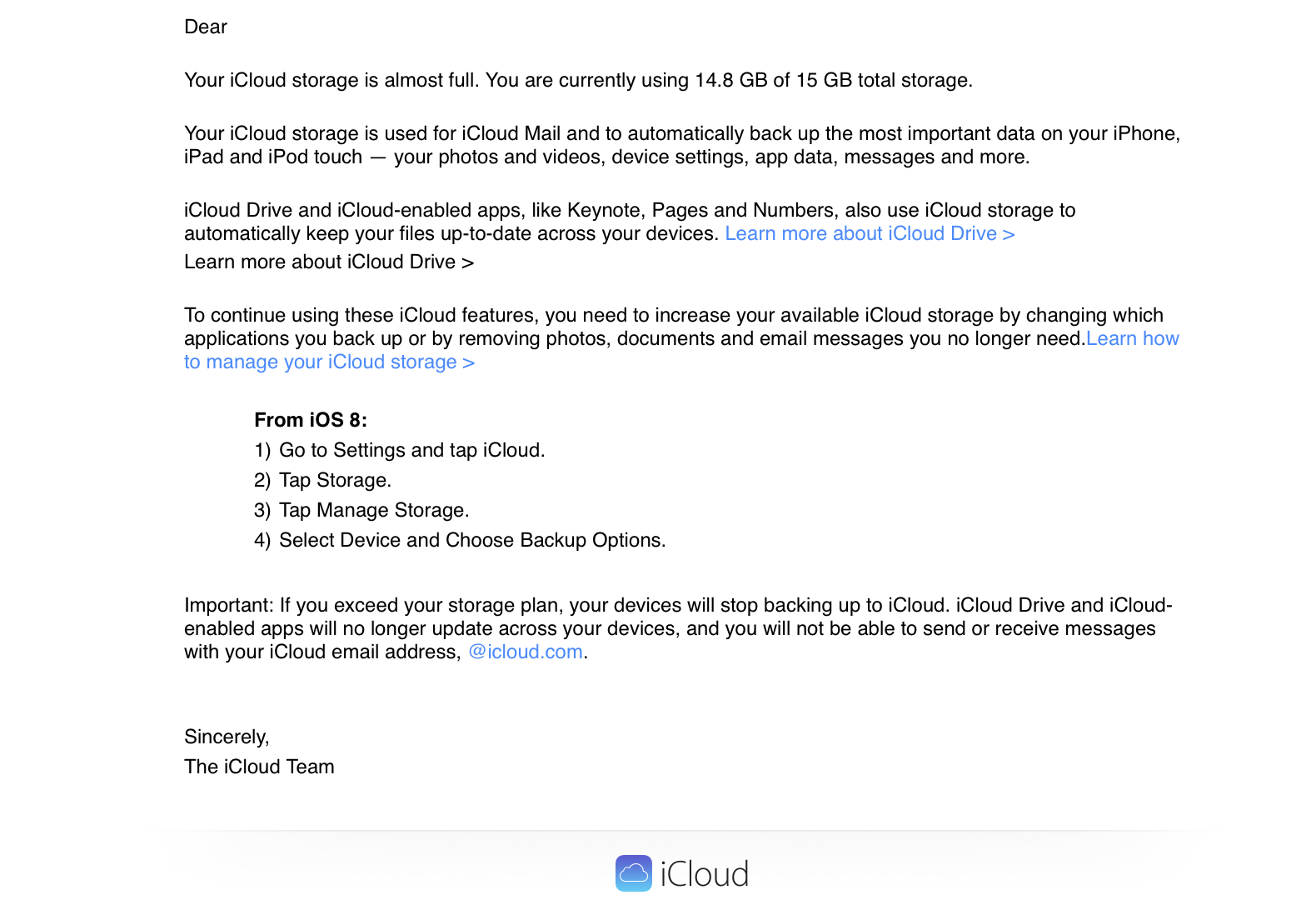
iCloud storage warning emails already referencing iOS 8 & iCloud Drive

Those annoying iCloud storage warning email notifications have begun referencing the upcoming iOS 8 and iCloud Drive, according to multiple tips from readers. This change in the copy within the emails likely indicates that Apple is already preparing for the upcoming debuts of the new iCloud and iOS releases. Here’s one of the emails:

As can be seen, Apple explains how to handle iCloud storage via iOS 8 and mentions iCloud Drive as a feature. Both iOS 8 and iCloud Drive should hit the marketplace around mid-September. iOS 8 adds features like the iCloud Photo Library, new Health app, and HomeKit API, while iCloud Drive is essentially Apple’s variant of Dropbox.


Expand
Expanding
Close

Site default logo image

Here are all of OS X Yosemite’s beautiful new wallpapers

Apple released OS X 10.10 Yosemite Developer Preview 6 today as we reported ahead of its expected public debut in October, and four new beautiful wallpapers of Yosemite National Park have been included. Other changes include several redesigned icons in the System Preferences app, tweaked user interfaces throughout the operating system, and more. Read our coverage of the latest OS X Developer Preview here, and check below for each of the new Yosemite-inspired wallpapers below.
Expand
Expanding
Close

Apple releases OS X Yosemite Developer Preview 6 with new wallpapers & icons

Site default logo image

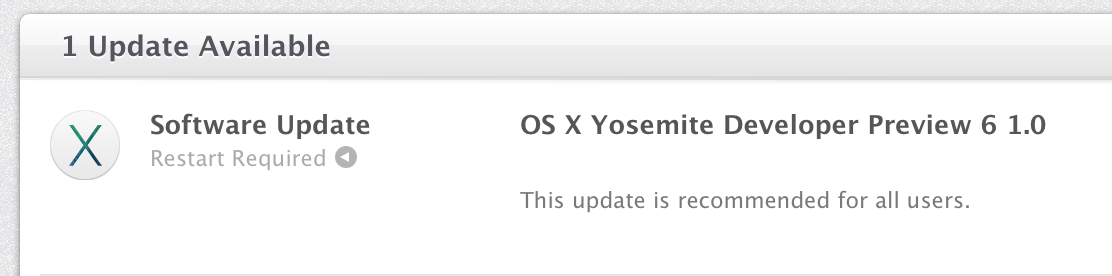
Right on schedule, Apple has released the sixth preview of the upcoming OS X Yosemite to developers today. This new seed comes two weeks following the previous release, and it likely continues to bring performance enhancements, interface tweaks, and bug fixes. We’ll be updating this post with the changes in Preview 6 as they are discovered. If you find something new, you can let us know at tips@9to5mac.com. The release version of Yosemite is currently scheduled for the later half of October, and it will ship separately from iOS 8, which is not seeing a new beta today. Here’s what’s new:


Expand
Expanding
Close

Apple bolstering ‘Report A Problem’ Maps options in iOS 8

Site default logo image

Apple has shown a renewed focus on Maps with iOS 8. Although headline features like transit did not show at WWDC, recent iOS 8 betas are bringing improvements to the ‘Report A Problem’ features. The frequency at which these updates are passed through has also improved dramatically in the past couple of months.

Apple has added a new explicit ‘follow-up by email’ option at the end of the Report A Problem form. This means Apple is now actively looking to get additional information about map queries from customers via email.


Expand
Expanding
Close

Apple releases Safari 6.1.6 and Safari 7.0.6 with security fixes

Site default logo image

Apple today has released new versions of Safari for OS X Lion/Mountain Lion and OS X Mavericks that address security and WebKit issues. The Safari 6.1.6 update for the older versions of OS X and Safari 7.0.6 update for the latest OS X are available in Software Update on the Mac App Store. Here are the release notes from Apple’s support page:


Expand
Expanding
Close

Site default logo image

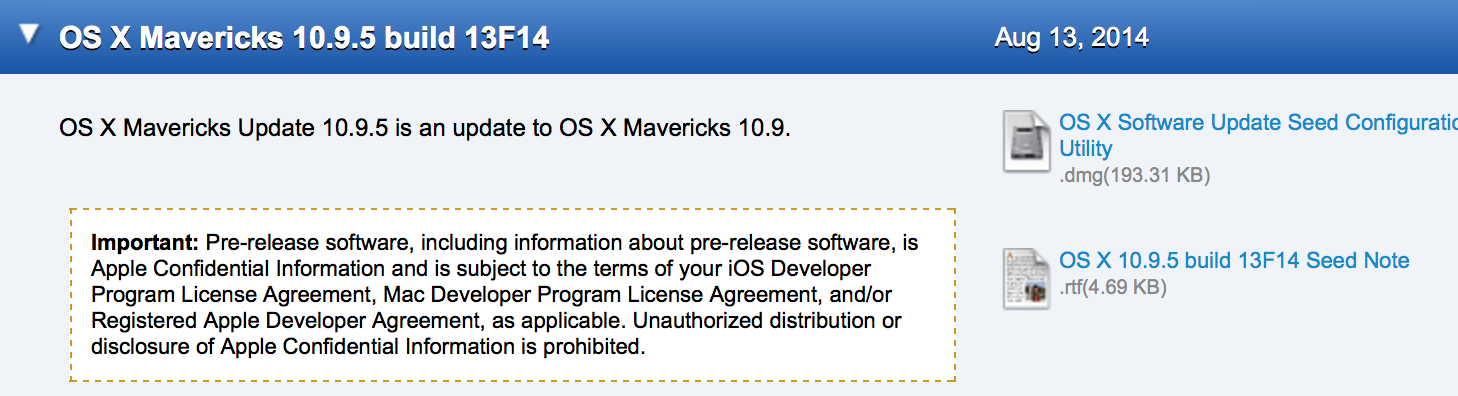
Apple seeds OS X Mavericks 10.9.5 build 13F14 to developers

Apple today has provided developers with a new beta of the upcoming OS X Mavericks 10.9.5 release. Today’s build number is 13F14, which is two builds newer than last week’s 13F12 build. Apple has asked developers to continue testing USB, USB Smart Cards, Safari, Graphics, and Thunderbolt integration with 10.9.5. The update is available for developers running the previous 10.9.5 seed via Software Update in the Mac App Store.


Expand
Expanding
Close

Site default logo image

Award-winning MacLovin’ Bundle, $40 for djay, Boom, Cinemagraph Pro, Keyboard Maestro, NetSpot Pro, much more

Specials.9to5Toys.com has a pretty solid bundle of disparate Mac apps available for $40 bucks today. All apps included are award winners – Either Apple Design Award, Best of Mac App Store, or Macworld Editors’ Choice Award-Winners so no duds here:

  • Cinemagraph Pro ($100) – The Professional Photography & Cinematography Tool For Mac – Apple Design Award Winner 2014
  • Djay ($20) – The #1 DJ Software For Mac – Best of Mac App Store
  • NetSpot Pro ($149) – The Only App For WiFi Analysis and Troubleshooting on Max OS X – Macworld Editors’ Choice Award-Winner
  • Keyboard Maestro ($36) – Record and Design Your Own Macro Shortcuts –Macworld Editors’ Choice Award-Winner
  • Hype 2 ($30) – Create Beautiful HTML5 Web Content w/out Coding –Macworld Editors’ Choice Award Winner
  • Dropzone 3 ($10) – The Swiss Army Knife of Productivity – Mac Gem Award-Winner
  • Moom ($10) – Move and Zoom Like Never Before – Macworld Editors’ Choice Award-Winner
  • Boom ($7) – System-Wide Volume Booster & Equalizer That Makes Your Mac Louder, Clearer, & Better – Macworld Best of Show Award-Winner
  • The OS X App Master Class ($499) – Learn To Make Fantastic Mac Apps w/22 Hours of Instruction

Mac users can now develop apps for Oculus Rift Virtual Reality Headset

Site default logo image

Mac users who want to start developing software for the Facebook-owned Oculus Rift Virtual Reality Headset platform can now do so. Oculus today released an update to their software SDK that opens up support for users on OS X:

Notably, the Oculus SDK is now available for Mac OSX, along with a version of the Oculus Runtime and Unity Tuscany Demo for Mac. There’s no word on when Linux support will be ready.

Mac display drivers are unavailable, so users will need to use Extended Display mode on the Mac. To make full use of the software platform, eager developers will need to gain access to the Oculus Hardware Development Kit, which is a $350 online pre-order item.


Expand
Expanding
Close

On OS X Leopard? Don’t worry, Skype says Mac version for legacy users returning soon

Site default logo image

Earlier this week, concerns emerged on Skype official message boards about the Skype Mac app no longer functioning on OS X 10.5.8 Leopard (an operating system that launched the same year as the original iPhone), and a Skype representative on the forums apparently confirmed that Skype will no longer be supported on Macs running operating systems below OS X 10.6 Snow Leopard.

While Skype has not been downloadable nor functional for Leopard users the past few days, a Skype spokesperson tells us this morning that this will soon change: “We have a Skype version for Mac OS X 10.5 users which will soon be available for download.” No additional timing details are available as of yet, but it’s good to know that Leopard users will soon be able to go back to making Skype calls and sending messages as normal.

We’re also told that this new download will be for Leopard users only, so anyone on OS X 10.4 Tiger or below will need to upgrade to Leopard or something newer (like Mavericks) in order to keep on using the Microsoft-owned communications tool.


Expand
Expanding
Close

Site default logo image

The Sims 2: Super Collection hits Mac as Peter Molyneux’s ‘Godus’ lands for iOS

Two new games are arriving today with Mac users getting access to a new The Sims 2: Super Collection and iOS gamers getting their hands on the latest creation from Fable creator Peter Molyneux.

The Sims 2: Super Collection includes the return of the classic title for Mac exclusively on the Mac App Store and with it you get all of the downloadable content including 6 expansion packs and 3 additional content packs. The collection is available on the Mac App Store now as a single download for $29.99. Developers Aspyr noted, “We’ve completely overhauled The Sims™ 2 to work with modern hardware and OS configurations, optimizing performance with a new renderer, and we are supporting native resolution.”

Up next for games today is the latest from Peter Molyneux, creator of Fable and other popular titles for consoles and PC, with the release of ‘Godus’ for iPhone and iPad. The god simulator of sorts has received some teasers up until now through its Kickstarter campaign, but today the game is finally available on the App Store as a free download.

The Sims 2: Super Collection – $29.99 Mac App Store

Godus for iPhone and iPad – FREE App Store

Apple seeds OS X Mavericks 10.9.5 build 13F12 to developers

Site default logo image

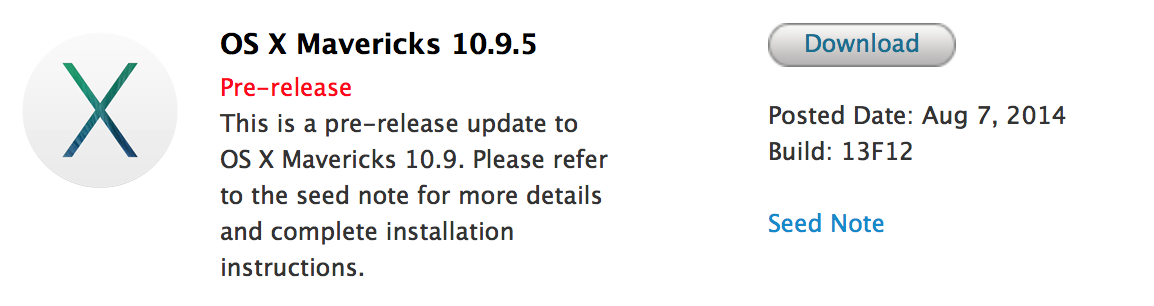
Apple today has provided developers with the second beta of the upcoming OS X Mavericks 10.9.5 release. The new build number is 13F12 and it is available on the Mac Developer Center and in Software Update in the Mac App Store for those running the earlier build. Apple asks developers to focus testing on USB, USB Smart Cards, Safari, Graphics, and Thunderbolt.


Expand
Expanding
Close

Site default logo image

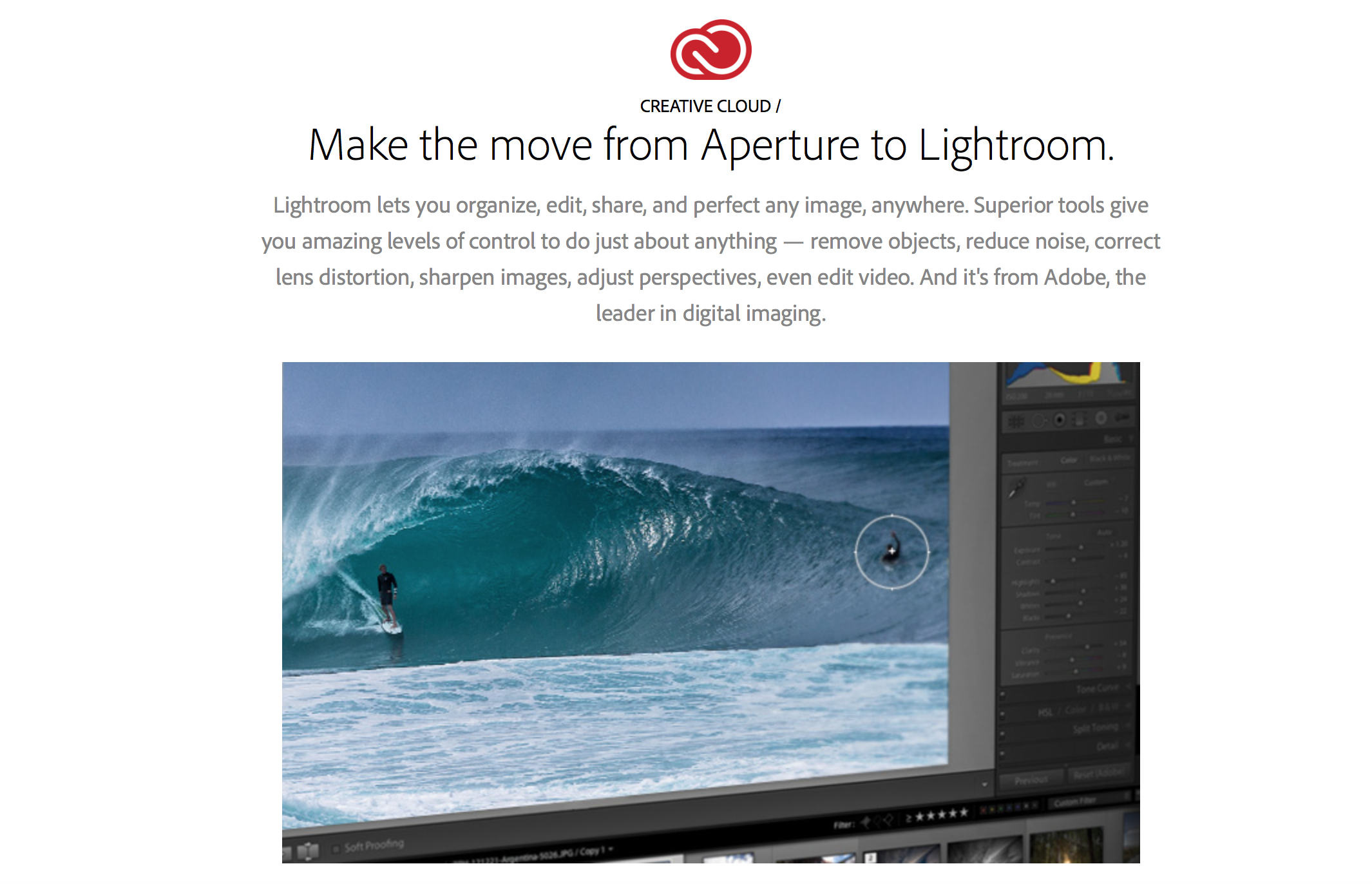
Adobe developing Aperture to Lightroom migration tool, releases step-by-step transition guide

Approximately a month after Apple announced it is discontinuing Aperture and iPhoto in favor of the new Photos app on OS X Yosemite and iOS 8, Adobe is today taking advantage of the Apple shift with a couple of key announcements. First, Adobe has published a new website detailing the advantages of Lightroom over Aperture. More importantly, Adobe has released a comprehensive, step-by-step transition guide for moving from Aperture to Lightroom. The guide also includes some answers to frequently asked questions.

It can be accessed here. Adobe has also announced that it working on software to bring a more automated transition experience:

At Adobe, we’re working on a migration tool to help you bring your photos into Adobe® Photoshop® Lightroom® from Aperture, but if you’re eager to switch before the tool is ready, this guide can help ease your transition. We recognize that this migration may be a challenging process and offer the following resources and methodology to help get you up to speed with Lightroom and provide a road map for successfully migrating your photos.

The first challenge is that the terminology, layout, and controls of the two applications are different. It’s a good idea to start processing photos in Lightroom and become familiar with it before you migrate your photos from Aperture. You can do so by taking some new photos, importing them into Lightroom, and then using Lightroom.

The new Photos app for OS X launches in early 2015, but despite Apple’s claims of significant functionality, a look at what Apple has shown about the app reveals that the functionality mostly mirrors what iOS 8 will gain in September. Adobe has also previously detailed some future Lightroom plans in order to appease professional photo editors.


Expand
Expanding
Close

New Apple TV beta brings refreshed look with iOS-like icons and thinner text (Gallery)

Site default logo image

In addition to issuing updates to the iOS 8 and OS X Yosemite betas, Apple has released a new beta version of the Apple TV software. While earlier Apple TV betas did not bring more than new Family Sharing and iCloud Photos support, today’s update brings a refined look to the Apple TV Home screen. Taking cues from iOS and OS X, the new update brings completely redesigned icons to the Apple set-top-box and a new thinner font first introduced last year with iOS 7. A couple more images of the new interface are below:


Expand
Expanding
Close

Apple releases OS X Yosemite Developer Preview 5 with Safari improvements, UI changes

Site default logo image

Apple this morning has released OS X 10.10 Yosemite Developer Preview 5. The new update brings various performance improvements and bug fixes. The previous Developer Preview brought some minor user-interface enhancements and significant speed improvements. Apple also released iOS 8 beta 5. We’ll be updating this post live with new discoveries as they are made. You can send us what you find to tips@9to5mac.com. You can find what’s new in this developer preview, below:


Expand
Expanding
Close