OS X

See All Stories
Site default logo image

Apple seeds new betas of iTunes 11.1.6 and Mavericks 10.9.3 to developers

Following this week’s release of iTunes 11.1.6 and OS X 10.9.3 betas to AppleCare employees, Apple has pushed the updates live to developers as well. The iTunes update restores the ability to sync contacts and calendars to an iOS device, which had been removed in favor of iCloud in previous versions of iTunes.

The OS X update (with the build number 13D21) includes the ability to output at 4k resolution with a 60Hz refresh rate on the latest MacBook Pro models. The build number on this update is two builds newer than the version that was pushed to employees earlier this week.

Other than these changes and a few bug fixes, there aren’t any major changes in either build.

Site default logo image

Apple pushes ‘Critical Security Update’ notification to remind users to update to OS X 10.9.2 for SSL fix

Although most users have likely installed OS X 10.9.2 by now, after its release late last month, Apple is providing a reminder to those who haven’t.

Laggards like myself who are still running OS X 10.9.1 have begun to see notifications like the one below over the past day, pushing the critical update which included a fix for the well-publicized SSL bug found in both iOS 7 and OS X Mavericks.


Expand
Expanding
Close

1Password 4 for Mac now allows editing in the browser extension, better sub-domain matching and more

Site default logo image

[vimeo 88901304 w=800 h=500]

The popular password manager 1Password has been updated with one of the most-requested features: the ability to edit entries within the browser extension, 1Password mini, rather than having to use the main app.

It also promises much better matching of logins to subdomains, so that your stored logins should work more of the time. Previously the app would often fail to recognise subdomains as being part of the same site, so automatic login would not be available when you jumped straight to a particular section of a site, forcing you to login manually then create a new entry.

AgileBits describes version 4.2.1 as “a huge update with over 30 new features,” which are detailed below the fold … 
Expand
Expanding
Close

Mavericks How-to: Block contacts in FaceTime and iMessage on OS X

Site default logo image

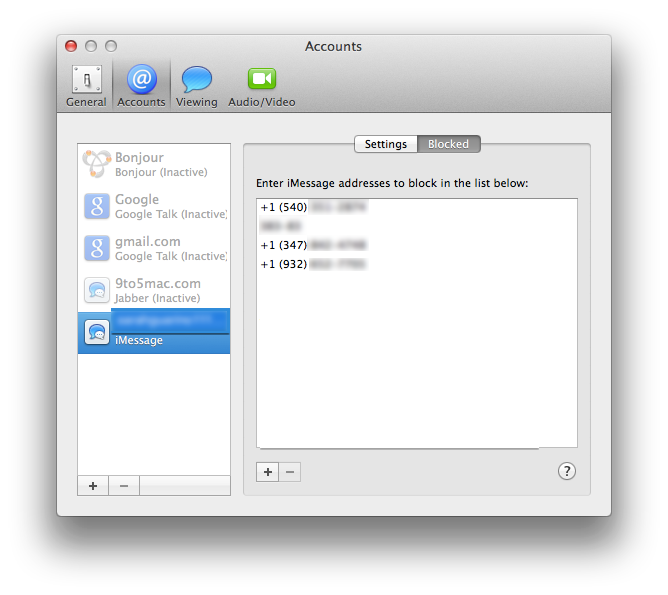
With the highly anticipated update to Mavericks 10.9.2, users gained the ability to block contacts in FaceTime and iMessage. This has been a long-awaited addition, since iOS 7 received this feature five months ago. If you previously blocked people in iOS 7, the block list syncs over from your iOS devices to your Mac through iCloud. Make sure Documents and Data is turned on in order for that to occur.

Now with Mavericks, you are able to block certain phone numbers from iMessaging or FaceTiming you without needing to get up and grab your iOS device…


Expand
Expanding
Close

f.lux for Mac gets smarter with screen-dimming based on daily schedule, Movie Mode and more

f.lux, the popular utility that changes the color temperature of your Mac’s display to reflect the sun’s daylight cycle, has received a major update. Whilst still being in beta, the app can now calibrate your screen based on your actual schedule, not just sunrise and sunset times.

This means the app is now useful for people who have non-standard schedules, such as people who work night shifts. The app smoothly transitions between ‘daytime’,’sunset’ and ‘bedtime’ presets based on the schedule information provided. You tell the app when you wake up and it automatically calculates the color temperature levels for every hour of the day.


Expand
Expanding
Close

Site default logo image

iBetterCharge puts iPhone & iPad battery notifications on your Mac

A nice, new utility called iBetterCharge brings those 20% and 10% battery warnings from your iPhone or iPad onto your Mac. Rather than picking up your phone before heading out the door only to realize your battery is almost dead, the app will remind you to plug in with warnings that pop up as desktop notifications on your Mac. This is a handy little tool for anyone that likes to leave their iPhone or iPad out of sight while working on their Mac or people with multiple iOS devices to manage. It has already saved me a few times this week as I’ve been testing it.

You can connect multiple devices, set granular preferences for notifications when your battery gets lower than 50%, 20%, 10%, or 5%, and also select options to play sounds, animate the menu bar icon, or show a notification. Another preference will let you get notified when a device is fully charged and an ignore list lets you quickly mute notifications for certain devices.

The app is rather lightweight and a free download. Once you’ve installed it, iBetterCharge sits in your menu bar and automatically finds your devices over WiFi. Note: For this to work you have to have WiFi Sync enabled on your device.

You can download iBetterCharge for free here.

[youtube=https://www.youtube.com/watch?v=TaWovz5WviI]

Site default logo image

Apple seeds first OS X Mavericks 10.9.3 beta to developers

Just under two weeks after releasing OS X Mavericks 10.9.2, Apple has seeded the first beta of OS X Mavericks version 10.9.3 to developers. The build number is 13D12. Like its predecessor, it is likely that 10.9.3 focuses on additional bug fixes. Apple asks developers to focus on Graphics Drivers and Audio during testing. We’ll update this post if new features are discovered.

Update: 10.9.3 builds in support for running 4K monitors at Retina resolution. All of the details here

Thanks, D!


Expand
Expanding
Close

OS X 10.9.2 breaks AirPlay Mirroring and desktop extensions to external monitors for some users

Site default logo image

A number of Mac users in an Apple Support Communities thread are reporting that Apple’s 10.9.2 update to Mavericks has broken AirPlay Mirroring to Apple TV and the ability to extend desktops to external monitors.

I just updated to 10.9.2 and now when i try and airplay mirror to my Apple TV, it sends the audio but just shows a black screen and i can’t drag anything to it. It doesn’t show any of the options for external displays in the displays section of System Preferences … 
Expand
Expanding
Close

Site default logo image

Apple releases iTunes 11.1.5 w/ compatibility improvements & crash fix

Apple has released today a minor update to iTunes on OS X with a fix for a nasty bug that could cause iTunes to crash. The update also includes compatibility improvements with iBooks, Apple says.

The software update follows yesterday’s release of the highly critical OS X 10.9.2 release which filled an existing SSL bug that left users vulnerable to malicious attackers. Apple also introduced FaceTime Audio calling and contact blocking which debuted on iOS 7 last fall.

The update should be rolling out to OS X users through the Mac App Store.

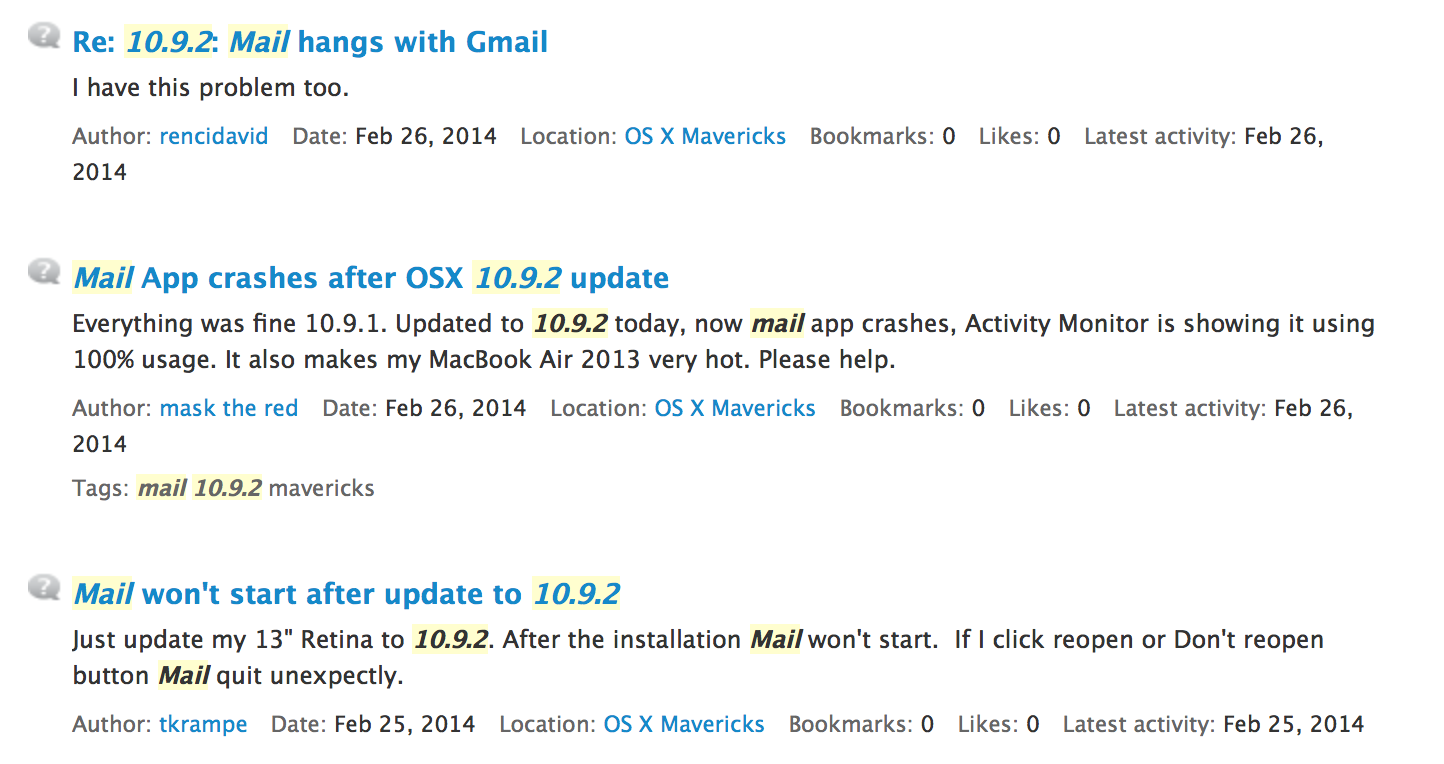
Even after OS X 10.9.2 Mavericks update, users still complaining about Mail issues

Site default logo image

It’s safe to say that Mail in OS X Mavericks has been the new operating system’s least impressive point. Since launch, users have been complaining about issues relating to Gmail accounts, stability, and overall synchronization. Apple first attempted to patch up these bugs with a fix in early November of last year…


Expand
Expanding
Close

Apple releases OS X Mavericks 10.9.2 with SSL fix, FaceTime Audio, contact blocking, Mail fixes

Site default logo image

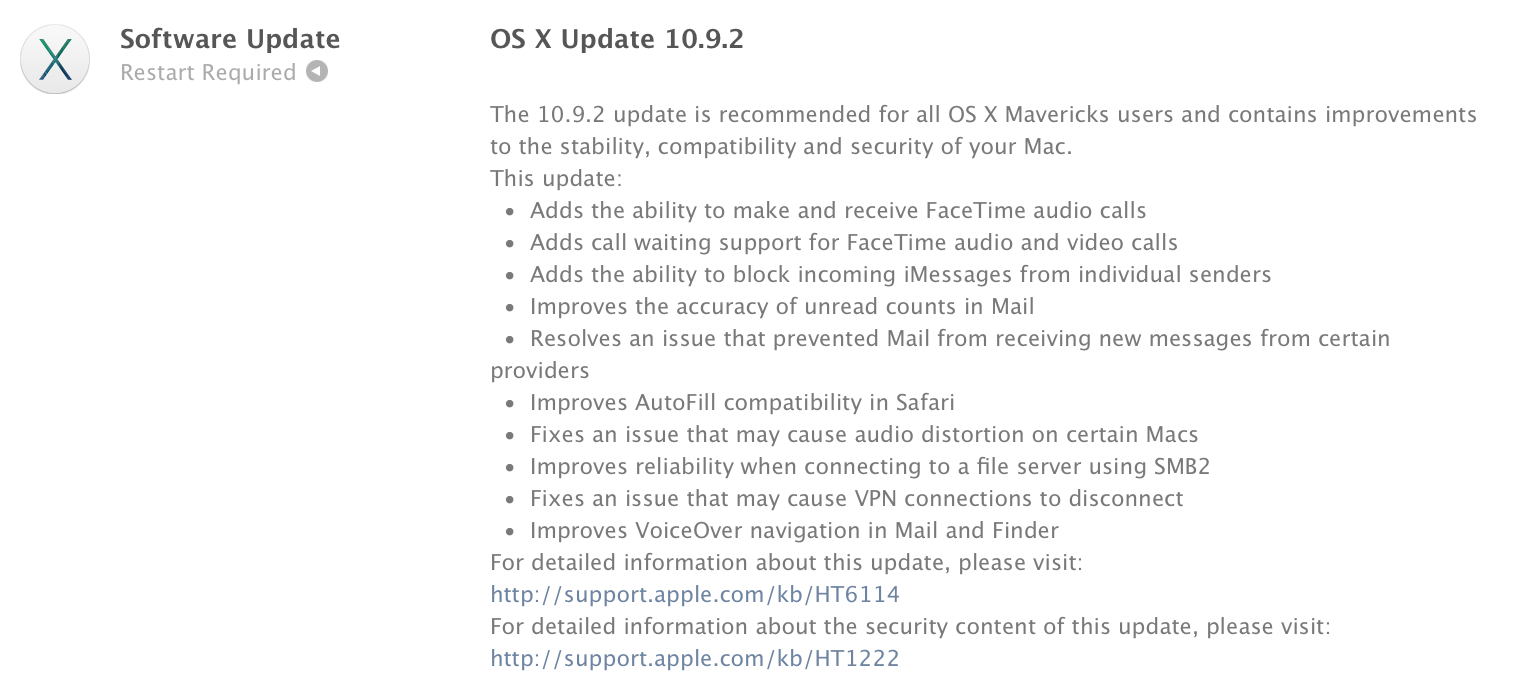
Following an extensive developer beta process, Apple has just released OS X Mavericks 10.9.2 to end users. The update brings a few new features and enhancements, including:

  • FaceTime Audio in the FaceTime and Messages apps
  • Contact blocking for FaceTime and iMessage
  • Mail app improvements
  • Autofill fixes for Safari
  • Audio fixes
  • VPN fixes
  • VoiceOver fixes

The release notes do not make mention of the SSL security bug that was squashed on iOS late last week, but a fix is present in this new OS X update. The update is available on the Mac App Store in the Software Update tab.


Expand
Expanding
Close

Security consultant takes less than a day to exploit OS X bug to capture all SSL traffic

Site default logo image

Update: The bug has been fixed in OS X 10.9.2

Security consultant Aldo Cortesi said in a blog post (via ZDNet) that it took him less than a day to exploit the goto fail bug in OS X to capture all SSL traffic, and that there’s a good chance he isn’t the first to have done so – an implicit suggestion that the vulnerability may already be being used in man-in-the-middle attacks.

I’ve confirmed full transparent interception of HTTPS traffic on both IOS (prior to 7.0.6) and OSX Mavericks. Nearly all encrypted traffic, including usernames, passwords, and even Apple app updates can be captured. This includes:

  • App store and software update traffic
  • iCloud data, including KeyChain enrollment and updates
  • Data from the Calendar and Reminders
  • Find My Mac updates
  • Traffic for applications that use certificate pinning, like Twitter … 
    Expand
    Expanding
    Close

Reasons for delay in SSL fix to OS X unclear as a single line of code found responsible

Site default logo image

Update: Apple issued OS X 10.9.2 the following day, which included a fix for the SSL bug.

After Apple fixed the SSL bug in iOS, it’s unclear why three days have passed without an OS X fix after it was revealed by Reuters that the vulnerability was created by an error in a single line of code.

The problem lies in the way the software recognizes the digital certificates used by banking sites, Google’s Gmail service, Facebook and others to establish encrypted connections. A single line in the program and an omitted bracket meant that those certificates were not authenticated at all, so that hackers can impersonate the website being sought and capture all the electronic traffic before passing it along to the real site.

As the bug is in Apple’s SSL authentication code, it leaves a whole range of apps vulnerable, not just Safari … 
Expand
Expanding
Close

Apple patched a major SSL bug in iOS yesterday, but OS X is still at risk

Site default logo image

Update: Apple says an OS X fix is coming soon.

Yesterday Apple released iOS update 7.0.6 alongside new builds for iOS 6 and Apple TV  that it said provided “a fix for SSL connection verification.” While Apple didn’t provide much specific information on the bug, it wasn’t long before the answer was at the top of Hacker News. It turns out that minor security fix was actually a major flaw that could in theory allow attackers to intercept communications between affected browsers and just about any SSL-protected site. Not only that, but the bug is also present in current builds of OS X that Apple has yet to release a security patch for.

Researchers from CrowdStrike described the bug in a report:

“To pull off the attack an adversary has to be able to Man-in-The-Middle (MitM) network connections, which can be done if they are present on the same wired or wireless network as the victim. Due to a flaw in authentication logic on iOS and OS X platforms, an attacker can bypass SSL/TLS verification routines upon the initial connection handshake. This enables an adversary to masquerade as coming from a trusted remote endpoint, such as your favorite webmail provider and perform full interception of encrypted traffic between you and the destination server, as well as give them a capability to modify the data in flight (such as deliver exploits to take control of your system),”

Adam Langley, a senior software engineer at Google, also wrote about the flaw on his blog ImperialViolet and created a test site to check if you have the bug (pictured above):
Expand
Expanding
Close

Site default logo image

Mac users four times more likely to run latest OS than Windows users

Some sums done by ComputerWorld show that Mac users are four times more likely to upgrade to the latest available version of the operating system than Windows users.

Microsoft has convinced just 11.6 percent of Windows users who acquired their system since 2001 and still actively use it to go online to migrate to the current edition of its operating system […]

Apple’s convinced 41.6 percent of Mac users who acquired their system since 2001 and still actively use them online to adopt the current edition of the OS.

A large part of it is cost, of course: Mavericks was a free upgrade, and previous upgrades have been priced far more competitively than Windows.

But Apple has also offered a simpler upgrade path, adding features rather than making major changes to the core user-interface. OS X also operates more efficiently, allowing Mavericks to run well on far older hardware than is the case for Windows 8.

Site default logo image

Apple seeds OS X Mavericks 10.9.2 build 13C62 to developers


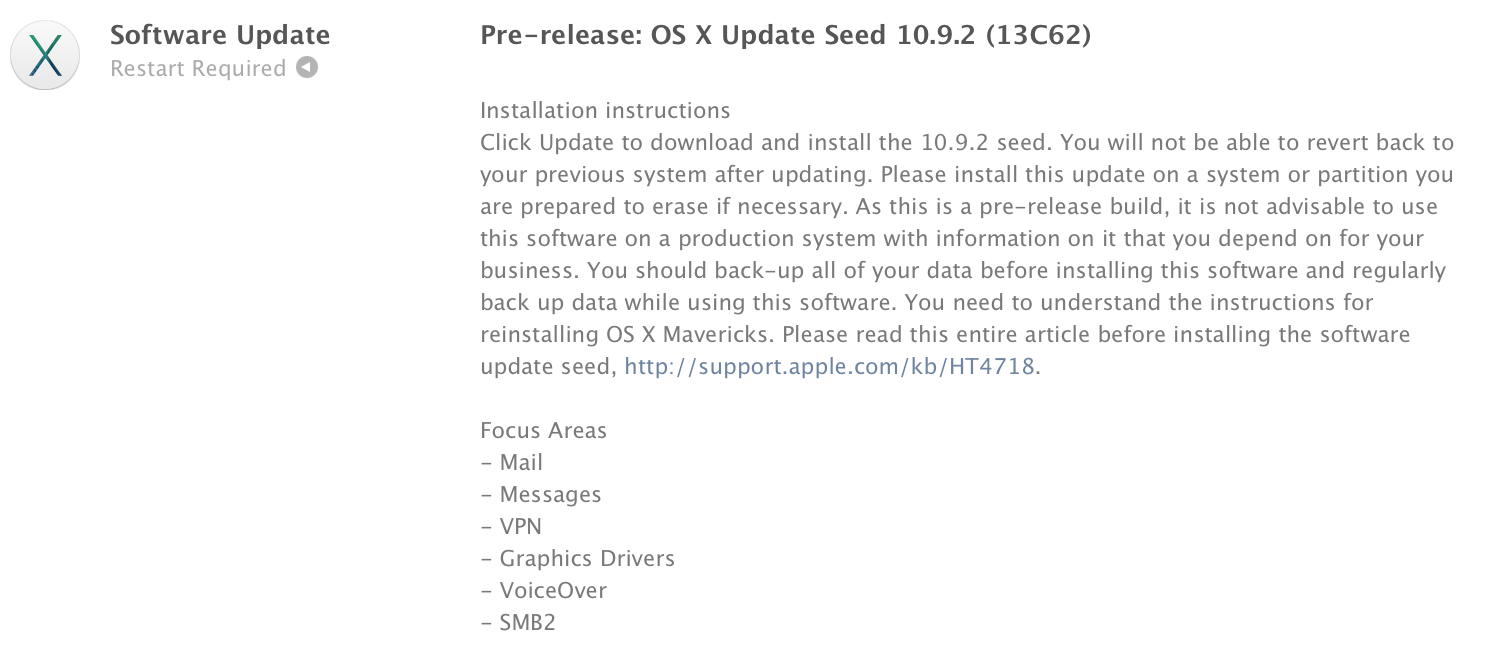
Less than a week following the previous seed, Apple has seeded beta build 13C62 of the upcoming OS X Mavericks 10.9.2 release to developers. Apple is again asking developers to focus on Mail, Messages, and VPN in their testing. The increase in beta release frequency indicates that a public launch is quickly approaching. 10.9.2 will bring FaceTime Audio to the Mac along with contact blocking. 


Expand
Expanding
Close

Opinion: Why I love Apple products, and am just a tiny bit embarrassed to be seen using them

Site default logo image

I love my Apple products. I’ve used Macs since day one. My desk right now has on it my MacBook Pro, MacBook Air, iPad Air, Thunderbolt Display and iPhone. Oh, and an Apple Bluetooth keyboard and Magic Trackpad, of course.

My friends are convinced that I’m incapable of leaving the house without my iPad, and I have to confess that the evidence is on their side. My car has an iPhone dock so I can listen to music and podcasts. If I’m on a plane, train or tube, it’s a near-certainty that I’ll be using my iPad or listening to music on my iPhone – or both.

I love Apple hardware design. Sleek, minimalistic, beautiful. There aren’t that many other really attractive laptops out there, and most of the ones that are have essentially copied Apple’s designs … 
Expand
Expanding
Close

Analyst suggestion of converged iOS/OS X device flies in face of Apple statements

Site default logo image

CNET reports that JP Morgan analyst Mark Moskowitz forecasts that Apple will release a converged iOS/OS X device he has dubbed the iAnywhere.

While not a new idea, our global tech research team believes Apple could be on the cusp of introducing a new category with iAnywhere, a converged MacOS-iOS operating system that allows an iPhone or iPad to dock into a specially configured display to run as a computer

This is a variation on earlier claims that a larger iPad – widely dubbed the iPad Pro – could also run both operating systems. I’ve written at length about this idea, so won’t rehearse the arguments again here, I shall simply counter with a few quotes from Apple … 
Expand
Expanding
Close

Site default logo image

How to: Get Spotlight processes back under control when CPU usage goes crazy

If you’re finding that your Mac fans are running a lot more than they used to, you might want to check out whether a couple of Spotlight processes are consuming more than their fair share of CPU cycles.

Ever since the latest Mavericks update, I found that my MacBook Pro seemed to be running hot a lot of the time, with fans ramping up to high levels to cool it. Checking Activity Monitor didn’t seem to be shedding much light on things at first glance. The only two processes using an unusual amount of CPU were mds and mds_stores. These are two processes used by Spotlight when indexing, so I didn’t think too much of it – Spotlight has to do its indexing sometime, right?

But several checks later, these two processes seemed to be helping themselves to significant chunks of CPU on a regular basis, at which point I did some Googling.

I started by disabling Spotlight altogether to confirm that it was the culprit. To do this, I went into Terminal and entered:

sudo mdutil -a -i off

The fans spooled down and all was back to normal. Spotlight was indeed the culprit.

I briefly considered leaving Spotlight off until the next OS X update, but that proved too much of a pain. I keep my most-used apps in the dock, but everything else I habitually launch from Spotlight. CMD-space plus the first letter or two of the app is just too convenient to give up. So I did some more Googling – after switching Spotlight back on with:

sudo mdutil -a -i on

The first tip I found was here, where it suggested deleting the Spotlight database and forcing it to re-index. You can do this in Terminal again:

 sudo rm -rf /.Spotlight-V100/*

Top tip: set this going overnight, as the re-indexing takes a while.

This helped quite a bit, but the mds process still seemed a little greedy. More Googling led me to a suggestion to remove from Spotlight’s indexing any directories with frequently-changing content, especially those used for online backup. You can do this by going into System Preferences, clicking the Privacy tab and then drag-and-dropping onto it any directories you don’t want it to index.

I added my CrashPlan, MobileSync and Dropbox folders – three specific suggestions I’d found – and then for good measure added some others with frequently-changing content.

This did the trick: my fans stayed on low, and Activity Monitor showed the mds processes consuming only tiny amounts of CPU.

I’m not sure how general an issue this – hence making this an aside – but if you’re finding your Mac running hot, it may be worth checking out.

Site default logo image

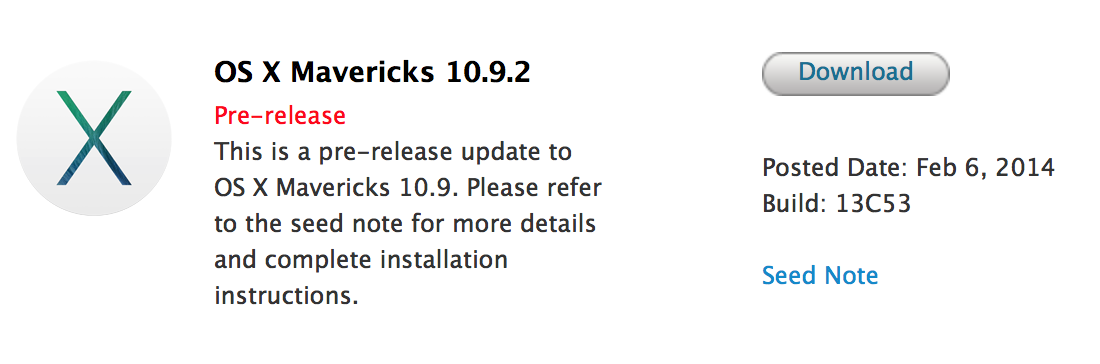
Apple seeds OS X Mavericks 10.9.2 build 13C53 to developers

One week after the previous beta, Apple has provided registered Mac developers with OS X Mavericks 10.9.2 build 13C53 to developers. Previous 10.9.2 builds added FaceTime Audio functionality to the Mac’s Messages and FaceTime applications. Other new functionality includes the ability to block contacts/phone numbers in both FaceTime and Messages.


Expand
Expanding
Close

Apple acknowledges AirPlay Mirroring issue with new Mac Pros & MacBook Pros

Site default logo image

Update: The document originally recommended disabling Bluetooth, but it appears updating to the latest version of OS X is Apple’s recommended fix. Much better.

In a support document issued today, Apple addressed a known issue with AirPlay Mirroring performance freezing or dropping out. MacBook Pro and Mac Pro users with last year’s models may see the issue when using an 802.11 b/g network…
Expand
Expanding
Close