OS X

See All Stories
Site default logo image

Apple lists countries where new iCloud Keychain feature is available


Apple has updated its support website with a new list of countries in which iCloud Keychain is supported. iCloud Keychain was announced at WWDC 2013 earlier this year, and the feature allows users to create complex passwords and sync them via iCloud to their supported devices. The feature also allows users to store their credit card information in order to make payment processing online a faster process. The feature launched earlier this week with OS X Mavericks and iOS 7.0.3. We will be publishing a thorough how-to guide for setting up and utilizing iCloud Keychain in the coming days. The full list of currently supported countries is available below:



Expand
Expanding
Close

Site default logo image

Apple promoting automated continuous integration to iOS developers, providing free OS X Server copies

Via email, Apple is now promoting Xcode 5.0.1’s new automated continuous integration feature to developers.

As an iOS developer, you can now take advantage of continuous integration in Xcode by creating bots with OS X Server for Mavericks that automate the process of building, analyzing, testing, and archiving your apps. As the bots do their work on the remote Mac, Xcode on your development machine displays the build and test reports. Bots can generate a regular release for your QA team, be configured to execute on every check-in, and even test your apps on connected iOS devices.

Continuous integration via automated bots in the new Xcode will multiple developers working on different aspects of a software product to integrate their code with the other projects in development. This eases up the development procedure of pulling parts of an app together to make the final copy…


Expand
Expanding
Close

Site default logo image

Apple begins selling OS X Lion and Mountain Lion via the Apple Online Store


Apple has started selling older versions of OS X through the Apple Online Store. Despite the fact that neither operating system can be purchased through the Mac App Store, you can still buy them for $19.99 each through Apple’s website. Rather than a physical disc with the software, you’ll get a code that can be redeemed on the App Store to begin downloading the OS immediately.

Offering Lion makes sense for older Macs since some Lion-capable machines cannot run Mountain Lion. Offering Mountain Lion, especially for $20, seems like an odd move since the entire line of Mountain Lion-compatible Macs can also run Mavericks for free.

Either way, if you need a copy of Lion or Mountain Lion, you can grab them now from Apple’s online store.

Site default logo image

Latest Mavericks Safari browser safer as Flash finally gets sandboxed

Safari 7, introduced with OS X Mavericks, is now better protected against malware and poorly-written Flash code as Flash is finally sandboxed.

Sandboxing means that OS X restricts what the code can do, stopping a badly-written app from crashing the entire browser and preventing malware from getting access to any other part of your Mac. Flash has been sandboxed for some time in Chrome, Firefox and even Internet Explorer.

In an Adobe blog post, Platform Security Strategist Peleus Uhley wrote:

For the technically minded, this means that there is a specific com.macromedia.Flash Player.plugin.sb file defining the security permissions for Flash Player when it runs within the sandboxed plugin process. As you might expect, Flash Player’s capabilities to read and write files will be limited to only those locations it needs to function properly. The sandbox also limits Flash Player’s local connections to device resources and inter-process communication (IPC) channels. Finally, the sandbox limits Flash Player’s networking privileges to prevent unnecessary connection capabilities.

Safari users on OS X Mavericks can view Flash Player content while benefiting from these added security protections. We’d like to thank the Apple security team for working with us to deliver this solution.

Via CNET

Site default logo image

Receive desktop push notifications for any RSS feed with Pronto Push & Mavericks

As part of the new OS X Mavericks, websites can now send push notifications to your computer. Back in June, we featured the first public website that took advantage of the native push notification feature. Today, the same developer, Connor LaCombe, released Pronto Push, a new service that allows you to receive push notifications for any RSS feed.

Rather than waiting for your favorite websites’ developers to add the push notification feature, you can sign up for Pronto Push, type in the websites you’d like to receive notifications for, and immediately receive a push notification when a new post has been added. There’s no software to install, and managing your subscriptions is done through a simple web interface. You can even manage multiple Macs under one account.

Initial setup has to be completed with Safari 7, but after that clicking on notifications will open the related post in your default browser. Notifications come through immediately, so there’s no delay between when a new RSS item is added and when you receive the notification. You can also receive instantaneous Facebook notifications (since the native ones are usually delayed or don’t even appear).

Pronto Push is free and requires Mavericks.

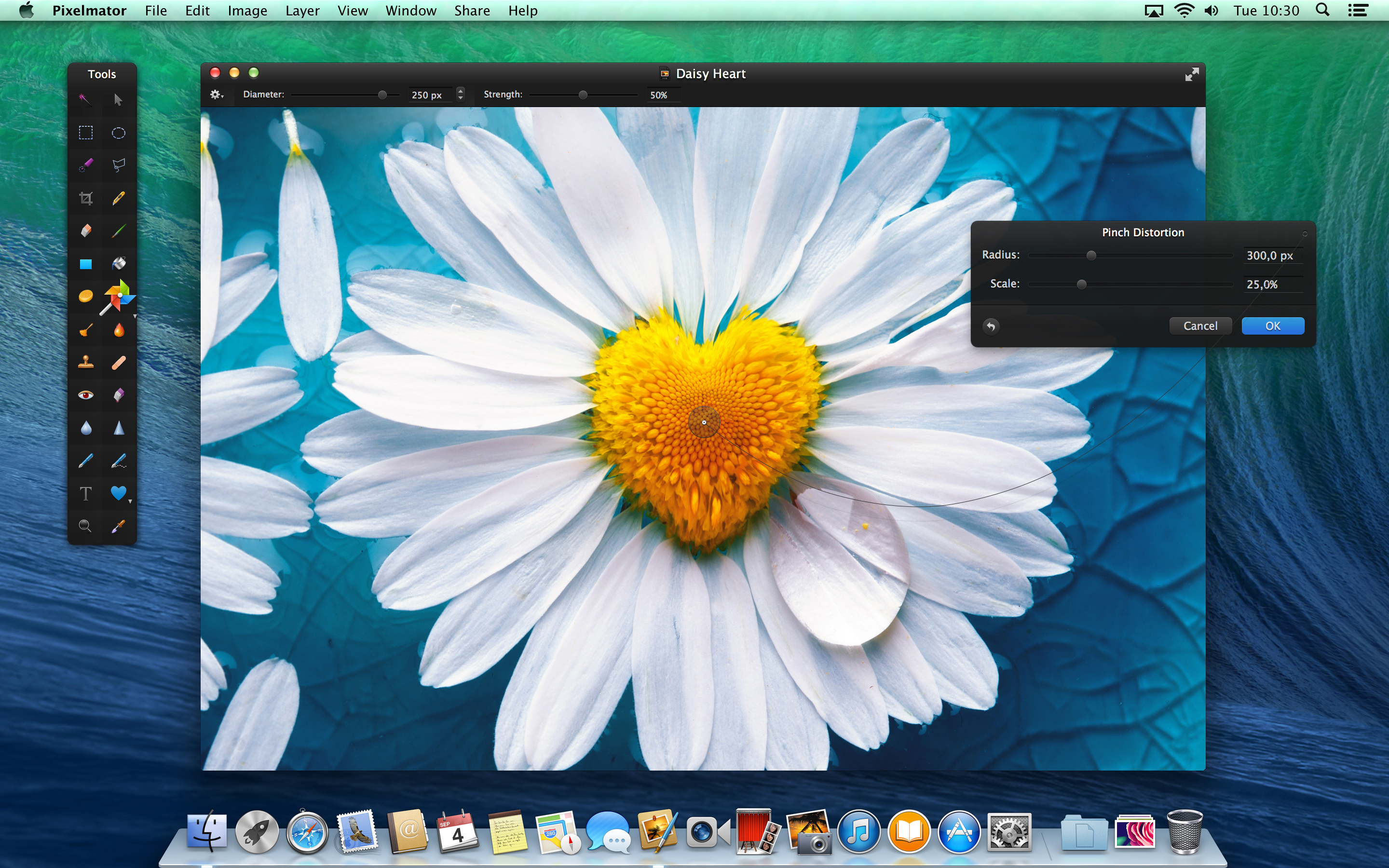
Pixelmator 3.0 FX released: adds layer styles, ‘Liquify’ warping tools, Mac Pro and Mavericks optimizations

Today, the team behind Pixelmator has released the latest version of their app, version 3.0 FX. As before, the app is available on the Mac App Store for $29.99. The update brings a slew of changes to the already popular image editor, especially considering version 2.2 was only released a few weeks ago. 9to5Mac has had access to a preview copy of the update for a few days … so read on for a full walkthrough of the changes.

The headline feature for Pixelmator 3.0 is the addition of layer styles. Layer styles apply effects such as strokes, fills, shadows and reflections to the entire layer in very few clicks. More importantly, these changes are non-destructive — they affect the layer, not the canvas pixels themselves. This means layer effects can be undone and manipulated without changing the underlying image data. In fact, layer styles can even be copied to the clipboard and duplicated across layers.


Expand
Expanding
Close

OS X Mavericks is out, walkthrough: iBooks, Maps, and more

Site default logo image

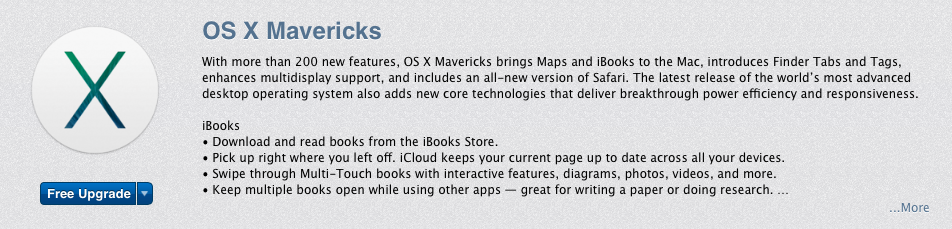
Today Apple released version 10.9 of Mac OS X, codenamed “Mavericks.” The new OS includes several new features and enhancements over the previous version, “Mountain Lion.” The update is available for free for all compatible Macs from the App Store

Below you’ll find a closer look at some of the new features in 10.9.


Expand
Expanding
Close

Apple announces OS X Mavericks available today for free

Site default logo image

Update: OS X Mavericks is available now as a free download on the Mac App Store. 

Apple has done something it hasn’t done before with a major release of OS X, announcing today during its iPad event that it will release OS X Mavericks, the latest version of its desktop OS, later today for free to all users.

Mavericks is available starting today for iMac and MacBook Pros from 2007 or later, 2008 MacBook Air, MacBook, and Mac Pro or later, and the 2009 Mac mini or later.

Apple first showed off Mavericks back in June at its WWDC developer conference and has since seeded several betas as well as Golden Master release followed by silent update to the GM release that could likely be the version Apple ships later this month. Despite not receiving a radical visual overhaul like iOS 7, OS X Mavericks includes over 200 new features and many big new user facing features like iBooks, improved multiple display support, iCloud Keychain, new Finder features, Maps, quick reply and lock screen notifications, auto-updating apps, and a number of under the hood enhancements to improve battery life and performance. (Full press release below)
Expand
Expanding
Close

Apple will be live-streaming today’s launch event on web & Apple TV

Site default logo image

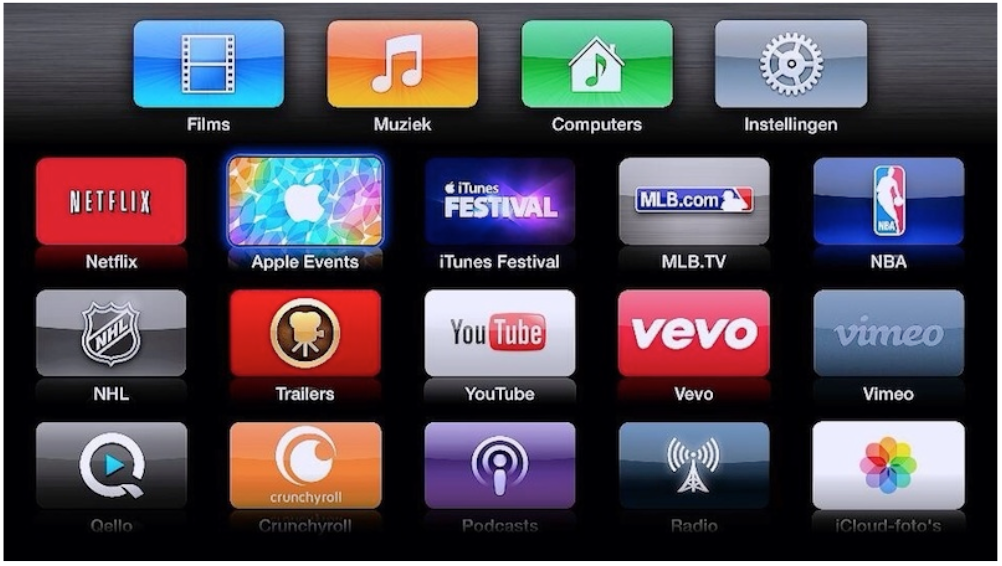
Apple will be live streaming today’s launch event, first revealed by the Apple Events channel returning to Apple TV, the icon displaying the theme for the event and a message saying “tune in at 10 am for the live stream.”

The event will also be streamed on the web when it begins at 10am Pacific/1pm Eastern. As usual, live streaming requires Safari 4 or later on OS X v10.6 or later; Safari on iOS 4.2 or later. Streaming via Apple TV requires second- or third-generation Apple TV with software 5.0.2 or later.

Details below of what we’re expecting to see … 
Expand
Expanding
Close

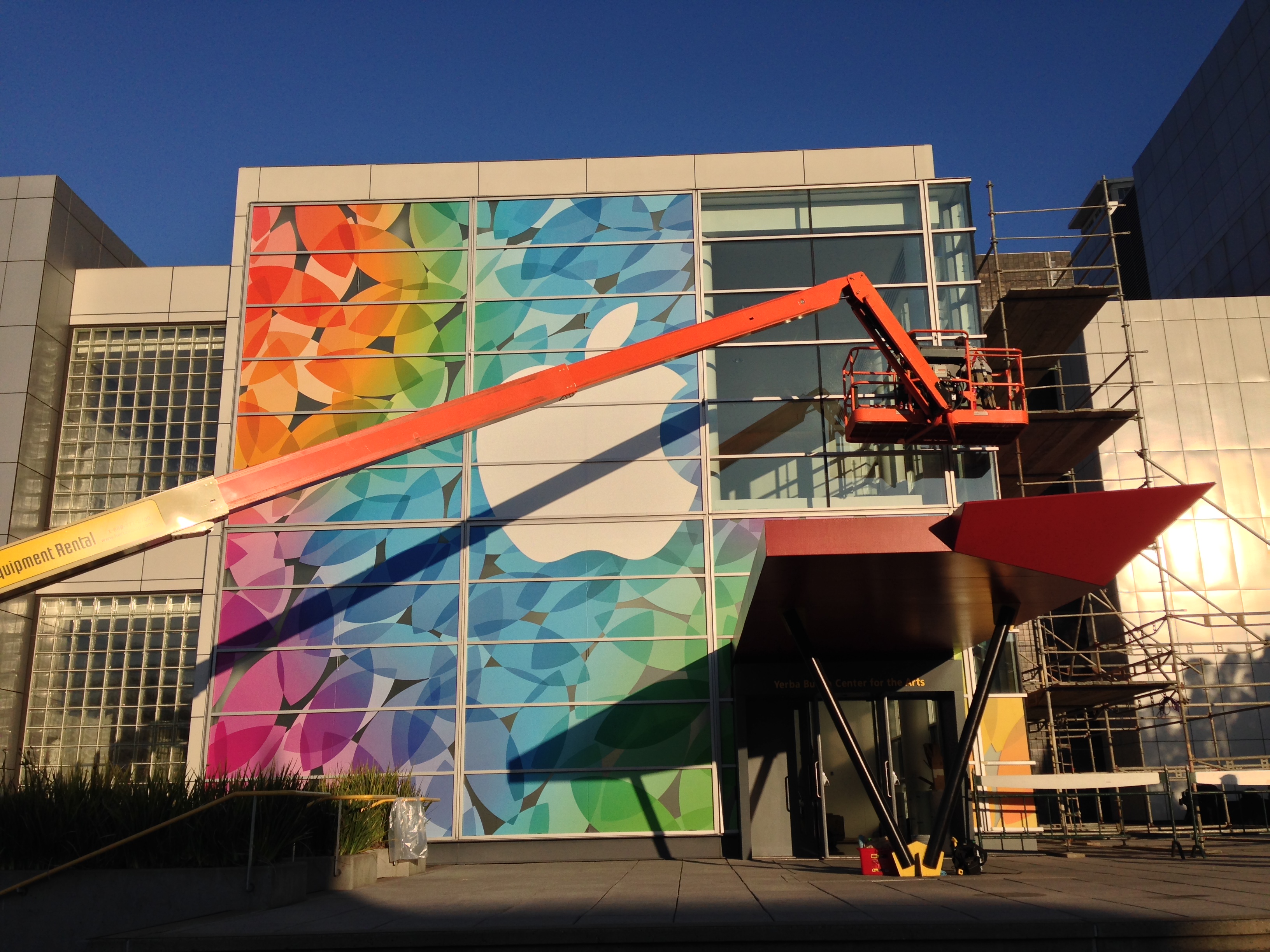
Tune in Oct. 22 for new iPads, Mac Pro details, MacBook Pros, and Mavericks

Site default logo image

Apple’s next event is upon us, and it’s likely to be action-packed. As Apple says: it has “a lot to cover.” So besides the speculation that rings in from the word cover (new Smart Covers, anyone?), Apple has some new tablets, computers, and software to discuss. Read our full roundup of what to expect (and not expect) on Tuesday, October 22nd, from Apple:


Expand
Expanding
Close

Site default logo image

OS X Mavericks Server goes Golden Master ahead of launch this month

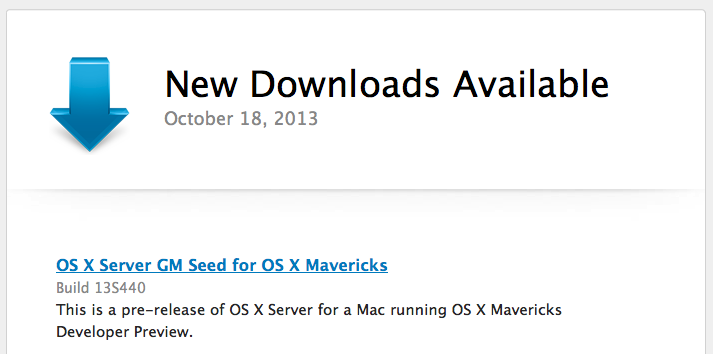
Apple has pushed a Golden Master build of OS X Server for Mavericks to developers today in preparation for a release later this month. The Golden Master build is the finalized version of the software. Earlier this month Apple released the GM build of the consumer version of OS 10.9, which is expected to be one of the topics discussed at the company’s October 22nd event.

The OS X Server GM has a build number of 13S440 and is available in the OS X Developer Center.

VirtualBox updated with support for multi-touch platforms, in time for Windows 8.1 & Mavericks

Site default logo image

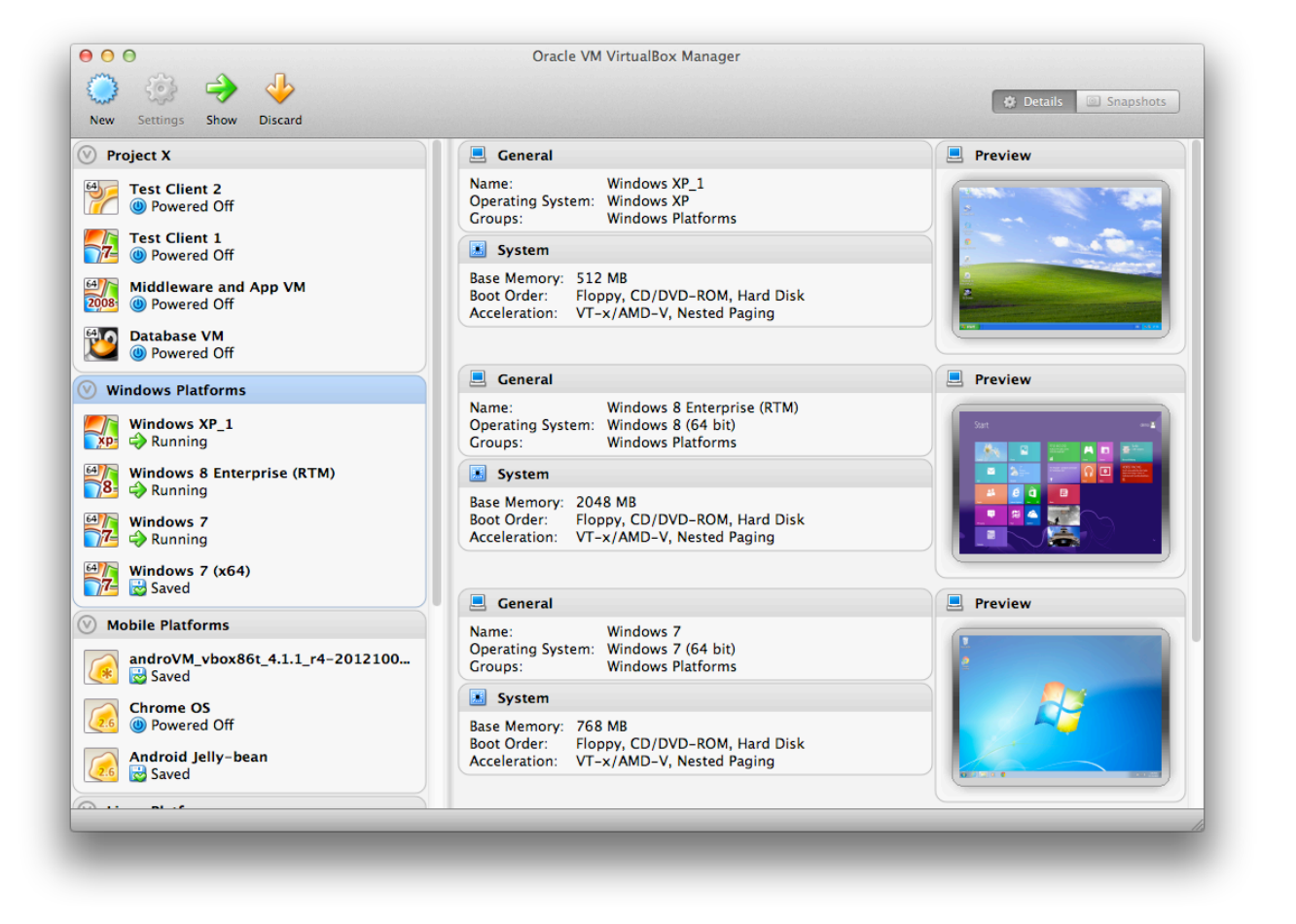
VirtualBox, a free software package that allows you to run a whole range of virtual machines on your Mac, has been updated to provide support for multi-touch platforms, support for the latest CPUs and other notable additions. The upgrade comes on the same day that Microsoft launched Windows 8.1, and ahead of the expected launch of Mavericks around the end of October … 
Expand
Expanding
Close

Site default logo image

Apple asks developers to begin submitting apps for OS X Mavericks ahead of October 22 event

Ahead of its October 22nd event where the company is expected to unveil new iPads alongside other product announcements, Apple today asked developers to begin submitting apps optimized for OS X Mavericks.

Apple seeded the final Golden Master release of OS X Mavericks to developers along with the Xcode 5.0.1 GM seed earlier this month and today urged developers to download the latest builds to test and submit OS X Mavericks apps to the Mac App Store. The move is likely in preparation of public release and pricing details expected to be announced during Apple’s event on the 22nd.

Submit your OS X Mavericks apps today.

Make sure your app takes advantage of the great new features in OS X Mavericks when the world’s most advanced desktop operating system becomes available to millions of customers later this fall. Download OS X Mavericks GM seed and Xcode 5.0.1 GM seed, now available on the Mac Dev Center. Build your apps with these latest seeds, then test and submit them to the Mac App Store.

Mavericks offers app developers a lot of new features to take advantage of from new energy saving features like App Nap, to Apple’s new Sprite Kit game engine, enhanced multiple display support, and auto-renewable subscriptions.

Apple first showed off and announced OS X Mavericks earlier this year during its WWDC developer conference, but next week’s event will likely be the perfect venue to announce official pricing and release date info for the public.

We previously reported that OS X Mavericks will be available in late October.

Apple will announce next generation iPads at October 22nd event

Site default logo image

According to a report from AllThingsD, Apple will debut the next generation of iPad hardware at a media event on October 22.

People familiar with Apple’s plans tell AllThingsD that the company will hold its next invitation-only event on Tuesday October 22. The focal point of the gathering will the latest updates to the company’s iPad line, but new Mac Pro and OS X Mavericks will likely get some stage time as well, I’m told.

We’ve been seeing more and more leaks allegedly showing the slimmer, iPad mini-like design of the next-generation iPad 5 that we first posted images of back in January, and it’s likely Apple will debut the product alongside the much rumored second gen iPad mini later this month. The new iPad 5 is rumored to get the refreshed design and improved internals, while the second generation iPad mini is rumored to include a Retina display. The latest reliable reports claimed the two new iPads will also be receiving an upgraded 8 megapixel camera system.

AllThingsD reports that the event will  include announcements regarding OS X Mavericks and the recently announced all-new Mac Pro in addition to new iPads. We first reported that Mavericks would launch in late October. CE: The Magazine previously pegged the fall Apple event for October 22nd.

There have been unconfirmed leaks showing the new iPads in similar colors to the new iPhone 5s, and even whispers of a TouchID fingerprint sensor for the larger of the two new products, but it’s unclear if those features will make it into the next generation iPads.


Expand
Expanding
Close

Site default logo image

A7-powered iPad 5 will accelerate the switch from PCs to tablets by two points – analyst

The A7-powered iPad 5 expected to be announced next week will accelerate the trend of people using tablets instead of PCs, argues an investment note from Deutsche Bank Equity Research.

We…expect growing [desktop] virtualization and iPad deployments in the enterprise to pressure corporate PC sales through 2014-15…We expect AAPL’s [Apple’s] iPad refresh to include 64 bit architecture, which should enable a greater array of enterprise App development and facilitate greater enterprise penetration over time.

Deutsche Bank had previously forecast that PC shipments would decline by 8 percent in 2013 and 6 percent in 2014, but has now lopped two points of each to predict -10 and -8 percent.

Apple is expected to unveil the new iPad 5 and iPad Mini 2 at a media event on October 15th. With the iPads, OS X Mavericks, the Mac Pro, Haswell-powered MacBook Pros, Haswell Mac Minis and more, the event could be a crowded one.

Via CNET

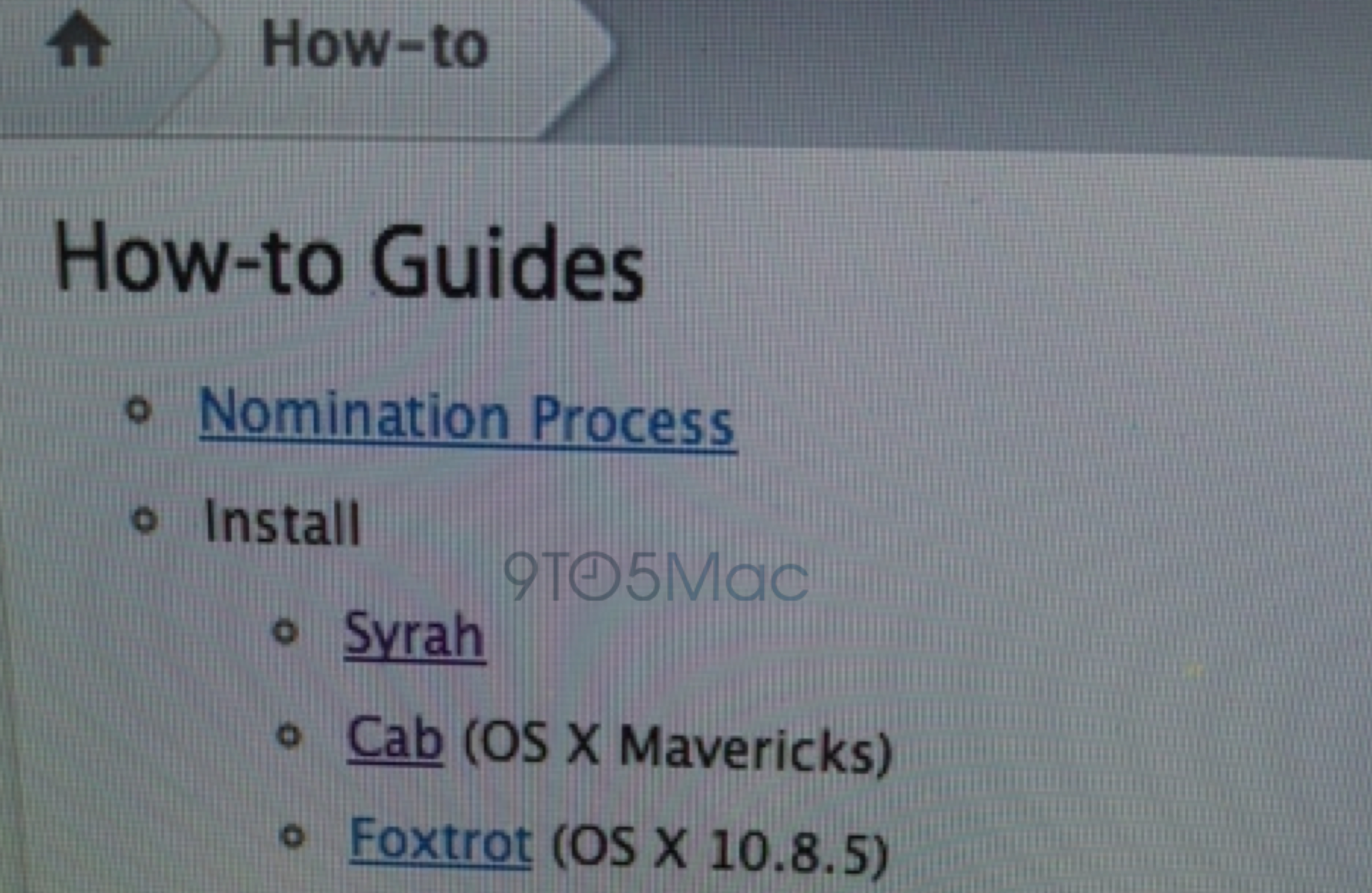
As Mavericks hits GM, Apple begins seeding nightly builds of OS X 10.9.1 as well as 10.10 ‘Syrah’

Site default logo image

Last week, we reported that Apple has begun development of the successor to the upcoming OS X Mavericks: OS X 10.10. We reported hearing that the future operating system is internally dubbed “Syrah” (a type of wine), and now we have received evidence of the codename. Above is a screenshot of operating systems available for installation by Apple employees internally. As you can see, “Syrah” is available as an operating system newer than Mavericks and the recently released OS X Mountain Lion 10.8.5…


Expand
Expanding
Close

OS X Mavericks goes Golden Master, now out for developers

Site default logo image

In line with our report from earlier today, Apple has released OS X Mavericks Golden Master (GM) to developers. It became available to AppleSeed users and Apple employees earlier today. This GM stage means that Apple has completed work on OS X Mavericks, and this is the version that will be released to customers later this month. Apple has also released a slew of updates to developers, including new versions of iPhoto and Xcode. The GM update requires a new download from the Mac App Store…


Expand
Expanding
Close

Apple releases OS X 10.8.5 Supplemental Update, iTunes 11.1.1 with fixes

Site default logo image

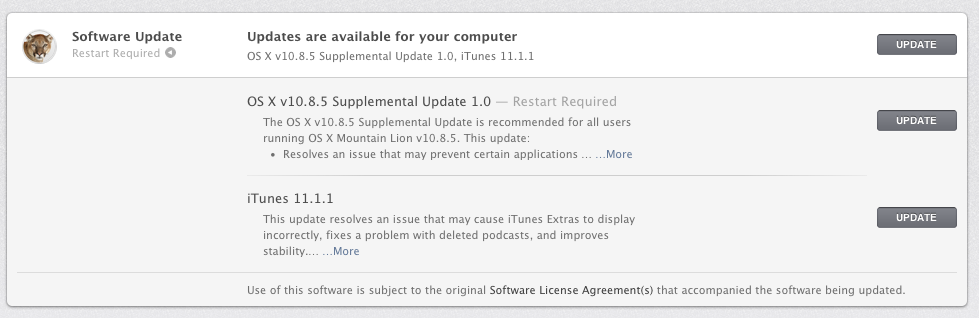
In line with our reporting from yesterday and from September, Apple has provided Mac users with a pair of important updates. The company has released a new version of the previously released OS X 10.8.5. This new release is a “Supplemental Update” and provides bug fixes for MacBook Air FaceTime Cameras, USB, HDMI, and Bluetooth adapters:


Expand
Expanding
Close

AppleCare begins OS X Mavericks training ahead of likely launch toward end of October

Site default logo image

Apple has begun training its AppleCare support staff on its upcoming OS X Mavericks, according to several sources. These sources say that training has begun today, and support staff will be required to learn about the operating system’s new features, installation process, and troubleshooting options for at least six hours over the course of the next few weeks…


Expand
Expanding
Close

Site default logo image

Dropbox update gains Cloud.app-like screenshot and iPhoto uploader

A nice little upgrade today from Dropbox today has some new features we can all use. Firstly, Dropbox does a Cloud App clone where it uploads screenshots and pops a link into your clipboard for quick sharing purposes.

Starting today, all the screenshots you take can automatically be saved straight to your Dropbox. And on top of that, Dropbox will also create a link to your screenshot and copy it to your clipboard — so your picture’s instantly good to share.

Something more unique and useful perhaps is a simple iPhoto uploader.

As an added bonus for all you Mac users, today’s update also includes a nice little importer that copies your photos from iPhoto directly to your Dropbox.

Major update to VLC for Mac adds 4K support, improved MKV support, interface improvements and more

VideoLAN has released version 2.1 of its popular open source video player, VLC. The update — codenamed “Ricewind” — brings new audio processing to the app, to improve both processing performance and audio fidelity. There is full support for surround sound outputs in addition to new effects and many new supported metadata formats for audio.

On the video side, the app has ported the OpenGL output to OpenGL ES, making ports to iOS and Android much easier. Notably, VideoLAN says that VLC is now ready for Ultra-HD content (otherwise known as 4K). The app update has also focused heavily on improving MKV compatibility, including better seek performance and subtitle metadata support.


Expand
Expanding
Close

$50 MacUpdate Bundle: Snapheal Pro, Civ V Gold, PDF Pen 6, TechTool Pro 7, ScreenFlow, more

Site default logo image

From 9to5Toys.com:

For the rest of September, MacUpdate has a solid $49.99 9 app bundle on its hands. All of the bundled titles represent the newest releases and will be compatible with the upcoming OS X 10.9 Mavericks release.  ($50 too much? ‘Name your own price’ for this bundle). The $49.99 bundle includes:

1. ScreenFlow 4 – $99.99 – The best way to record screencasts on a Mac.
2. TechTool Pro 7 – $99.99 – The latest version of the powerful system utility.
3. Civilization V: Gold Edition – $49.99 – Best-selling strategy game, packed with extra content
4. PDFpen 6 – $59.95 – The all-purpose, easy-to-use PDF editor.
5. Snapheal Pro – $39.99 – The easiest way to remove objects and enhance your photos.
6. DeltaWalker – $39.95 – Compare and merge files and folders.
7. Vitamin-R 2 – $29.99 – Boost your productivity by enhancing your on-task focus.
8. Choco 2 – $29.99 – Design gorgeous photo collages with ease.
9. Aurora 5 – $14.95 – The most versatile alarm clock for your Mac.

In addition, bundle buyers can save more with these optional upgrades:
Expand
Expanding
Close

Apple releases OS X Mountain Lion 10.8.5 with Mail, WiFi, screensaver fixes

Site default logo image

Following an extensive period of betas for developers, Apple has publicly released OS X 10.8.5. The update is available from the Mac App Store Software’s Update section and is recommended for all users on OS X Mountain Lion 10.8.4.

The OS X Mountain Lion v10.8.5 Update is recommended for all OS X Mountain Lion users. It improves the stability, compatibility, and security of your Mac. This update:

  • Fixes an issue that may prevent Mail from displaying messages
  • Improves AFP file transfer performance over 802.11ac Wi-Fi
  • Resolves an issue that may prevent a screen saver from starting automatically
  • Improves Xsan reliability
  • Improves reliability when transferring large files over Ethernet
  • Improves performance when authenticating to an Open Directory server
  • Addresses an issue that prevented a smart card from unlocking preference panes in System Preferences
  • Contains the improvements included in MacBook Air (Mid 2013) Software Update 1.0

The build number for the public release is 12F37, which is a single build over the most recent beta. Apple has also issued RAW Camera Compatibility updates and a new version of Safari. Later next month, Apple will release OS X 10.9 Mavericks.


Expand
Expanding
Close