OS X

See All Stories
Site default logo image

WWDC jackets leave little doubt about Apple’s adoption of San Francisco system font

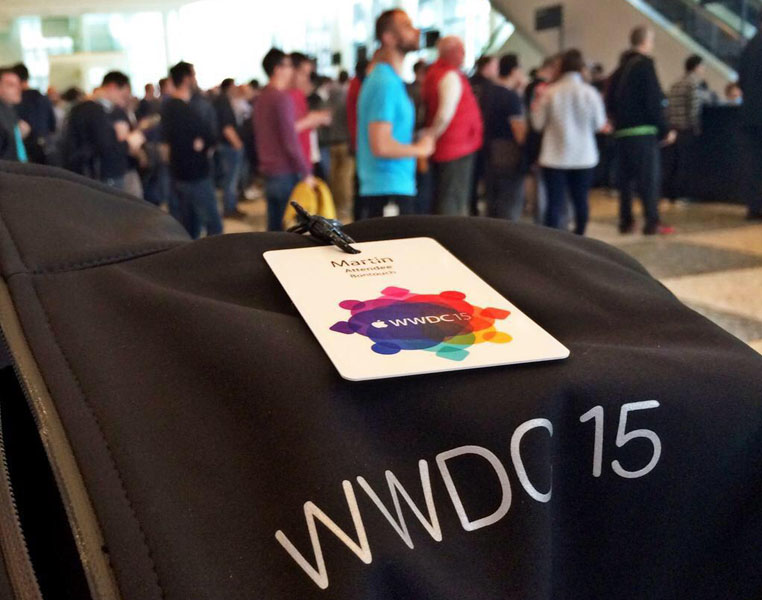
The jackets Apple is handing out to WWDC attendees appear to leave little doubt about our exclusive report that the company plans to adopt San Francisco as the new system font in iOS and OS X. As one of our readers tweeted, Apple has used San Francisco for the jacket lettering.

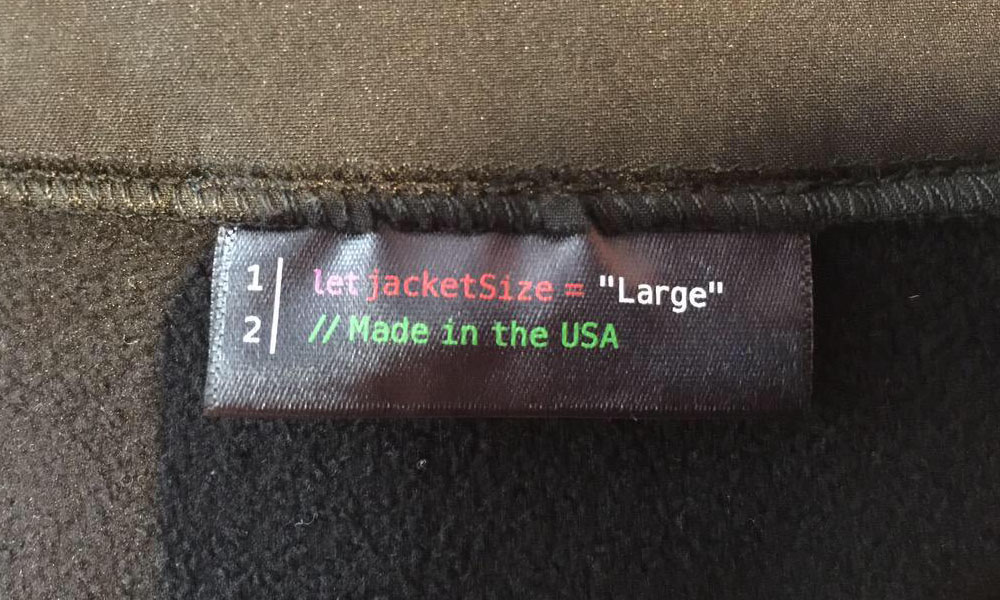
There’s also a little in-joke in the jacket labels, Apple using its Swift programming language to indicate the size and country of manufacture.
We reported that Apple plans to replace Helvetica Neue with San Francisco in iOS 9 and OS X 10.11. The new font is already used in watchOS.

[tweet URL align=’center’ https://twitter.com/Apple4Persian/status/607882699651596288]

Tim Cook interview on diversity suggests women speakers to present at WWDC keynote

Site default logo image

Mashable has conducted an interesting interview with Tim Cook on the eve of WWDC, one of Apple’s largest events of the year. Although WWDC is known for its product announcements, Apple will announce the next versions of iOS and OS X as well as a streaming music service, the interview revolved around Apple’s efforts on company employee diversity.

Asked about the lack of women at keynotes, Cook says “you’ll see a change tomorrow”. This suggests that women will indeed feature more prominently at Apple’s presentation. In the last ten years, the number of women at Apple’s events comes in at the low single digits, most recently Christy Turlington Burns. Apple’s developer sessions have better gender diversity in their speakers but these are viewable only by registered developers, not the general public.


Expand
Expanding
Close

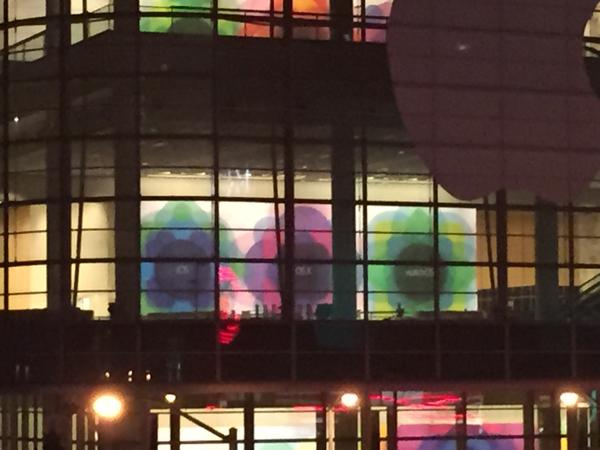
Simple geometric banners depicting iOS, OS X and ‘watchOS’ spotted at WWDC

Site default logo image

MacStories’ Federico Viticci has posted an interesting image of WWDC banners from the second-floor of Moscone West, the WWDC event venue.

These images show Apple highlighting its three platforms: iOS, OS X and watchOS. These banners do not follow the same pattern as previous years with dramatic photography in rectangular banners. These are more like full-height wall posters with simpler geometric logos. Each image has the name of Apple’s OS written in a light font-face (the image is not clear enough to see whether this is Sans Francisco) on a simple background of multicoloured translucent shapes.

What’s particularly striking about this photo is that it confirms a rebranding of Apple’s smartwatch operating system. On Apple’s current public marketing, the Apple Watch is described as running ‘Watch OS’. By these banners, it can be seen that the new name for this platform is actually ‘watchOS’.
Expand
Expanding
Close

Coming at WWDC 2015: New Apple Watch SDK, Quality-focused/refreshed iOS 9 & OS X 10.11, Apple Music

Site default logo image

Apple’s annual Worldwide Developers Conference is about to kick off. On Monday, June 8th, company executives will take the stage at San Francisco’s Moscone Center to provide their annual roadmap for Apple’s software, services, and devices.

Traditionally, Apple has used the conference to introduce major upgrades to the iPhone, iPad, and iPod touch operating system iOS, as well as the Mac operating system OS X, along with new services. Of course, 2015 will be no different. Apple has been preparing a new version of iOS 9 codenamed “Monarch,” a release of OS X 10.11 codenamed “Gala,” a new streaming Apple Music service based on Beats Music, and updates for the Apple Watch.

Over the last several years, we have provided advance reports on the lion’s share of announcements that will be made at WWDC, as well as a comprehensive roundup ahead of the event. Read on for our roundup of what’s coming, along with fresh new details not found in our earlier reports.


Expand
Expanding
Close

Roundtable: What we want to see at Apple’s WWDC conference next week

We’ve already run down much of what can be expected from iOS 9, OS X 10.11 and Apple Music at the 2015 Worldwide Developers Conference, and now it’s time to run down what 9to5Mac’s editors want to see at the conference. You can find our hopes below, and stay tuned for our comprehensive roundup of what to expect at WWDC.


Expand
Expanding
Close

Nasty Mac vulnerability allows remote attack, survives OS X reinstallation & even drive format

Site default logo image

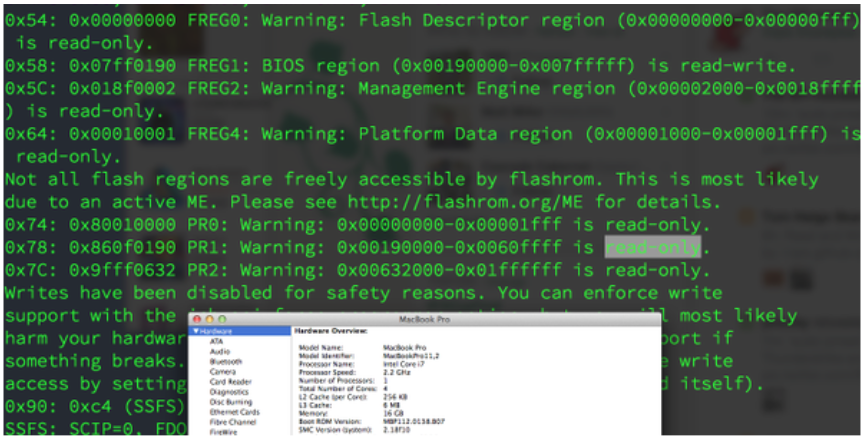
A serious vulnerability in Macs more than a year old would allow an attacker to take permanent control of the machine, retaining control even if the user reinstals OS X or reformats the drive.

The vulnerability was discovered by security researcher Pedro Vilaca, who found a way to reflash the BIOS – code stored in flash memory, not on the drive. This means that the machine remains compromised even if the hard drive is physically replaced … 
Expand
Expanding
Close

Reading Roundup: Everything to know (so far) about iOS 9 and OS X 10.11

Site default logo image

Over the past couple of weeks, we’ve published several articles detailing the future of iOS (the iPhone, iPad, and iPod touch’s operating system), OS X (the Mac’s operating system), and Watch OS (the software that runs on the Apple Watch). Here’s a list of links to the stories we’ve written thus far about the new operating systems, and we’ll keep updating this page as we publish new and relevant details.


Expand
Expanding
Close

Apple drops discoveryd in latest OS X beta following months of network issues

Site default logo image

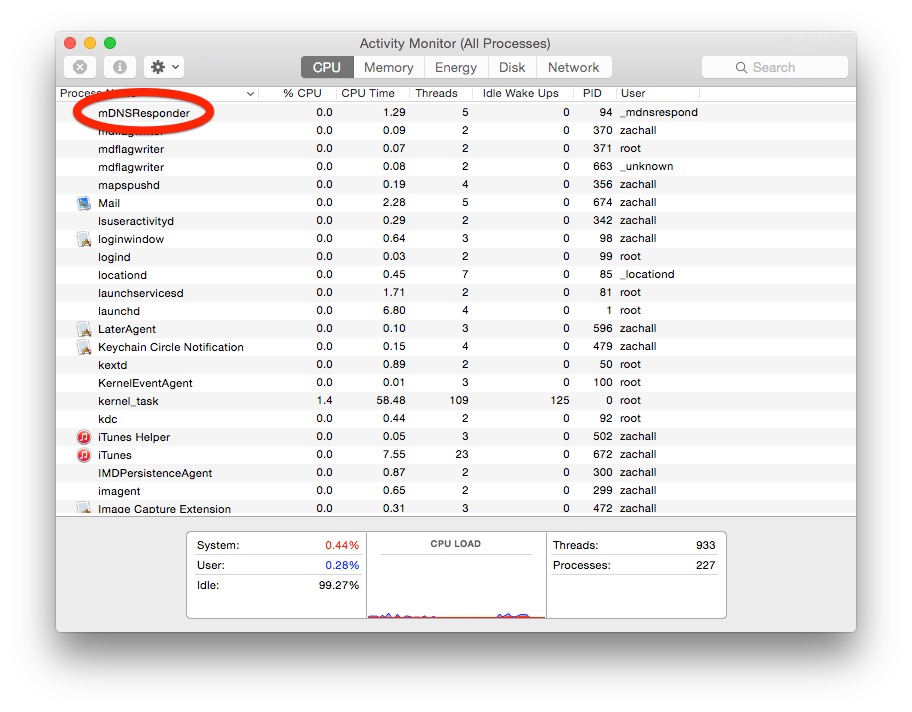
After many complaints from the developer community about poor networking performance on Yosemite, the latest beta of OS X 10.10.4 has dropped discoveryd in favor of the old process used by previous versions of the Mac operating system. This should address many of the network stability issues introduced with Yosemite and its new networking stack.

The discoveryd process has been subject to much criticism in recent months as it causes users to regularly drop WiFi access and causes network shares to list many times over, due to bugs. Many developers, such as Craig Hockenberry, have complained about the buggy software and workarounds have been found to include substituting the older system (called mDNSResponder) back into Yosemite.

discoveryd would cause random crashes, duplicate names on the network and many other WiFi-relate bugs. In the latest beta, Apple appears to have applied the same fix as the enthusiasts by axing discoveryd completely.


Expand
Expanding
Close

Apple releases new OS X 10.10.4 betas to developers and AppleSeed participants

Site default logo image

Apple has just released a new beta seed of the upcoming OS X 10.10.4 update. Users who are part of the company’s AppleSeed beta program and registered Mac developers can download the operating system from the Updates tab of the App Store or the Mac Developer Center.

This is the fourth developer seed that has been released. It comes with a build number of 14E26a. The previous build was released on May 11th with a build number of 14E17e.


Expand
Expanding
Close

Designer shows why Apple is adopting San Francisco as its new system font

Site default logo image

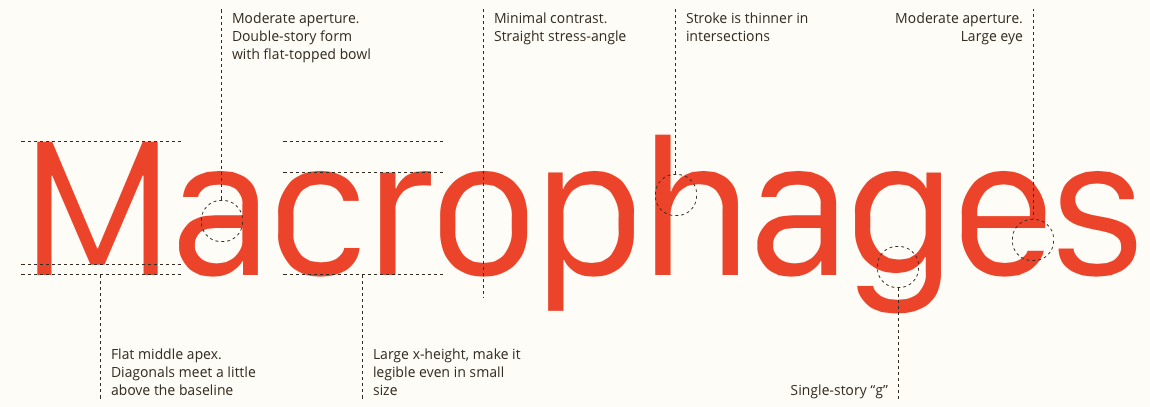
When Apple launched the Watch, it also designed a new system font to go with it: San Francisco. The typeface was specifically designed to combine a clean look with readability on the small display of the Apple Watch.

We exclusively revealed last week that Apple doesn’t intend to limit San Francisco to the watch: it instead plans to adopt the new typeface for Macs, iPhones and iPads. San Francisco is expected to replace Helvetica Neue as part of iOS 9 and OS X 10.11. Designer Wenting Zhang features the font in a look at “the beautiful details of the type forms that often get overlooked” … 
Expand
Expanding
Close

Apple plans to refresh iOS 9, OS X 10.11 using new Apple Watch font

Site default logo image

Apple is currently planning to use the new system font developed for the Apple Watch to refresh the looks of iPads, iPhones, and Macs running iOS 9 “Monarch” and OS X 10.11 “Gala,” according to sources with knowledge of the preparations. Current plans call for the Apple-designed San Francisco font to replace Helvetica Neue, which came to iOS 7 in 2013 and OS X Yosemite just last year, beginning with a June debut at WWDC…


Expand
Expanding
Close

Apple releases OS X Yosemite 10.10.4 beta build 14E17e to developers

Site default logo image

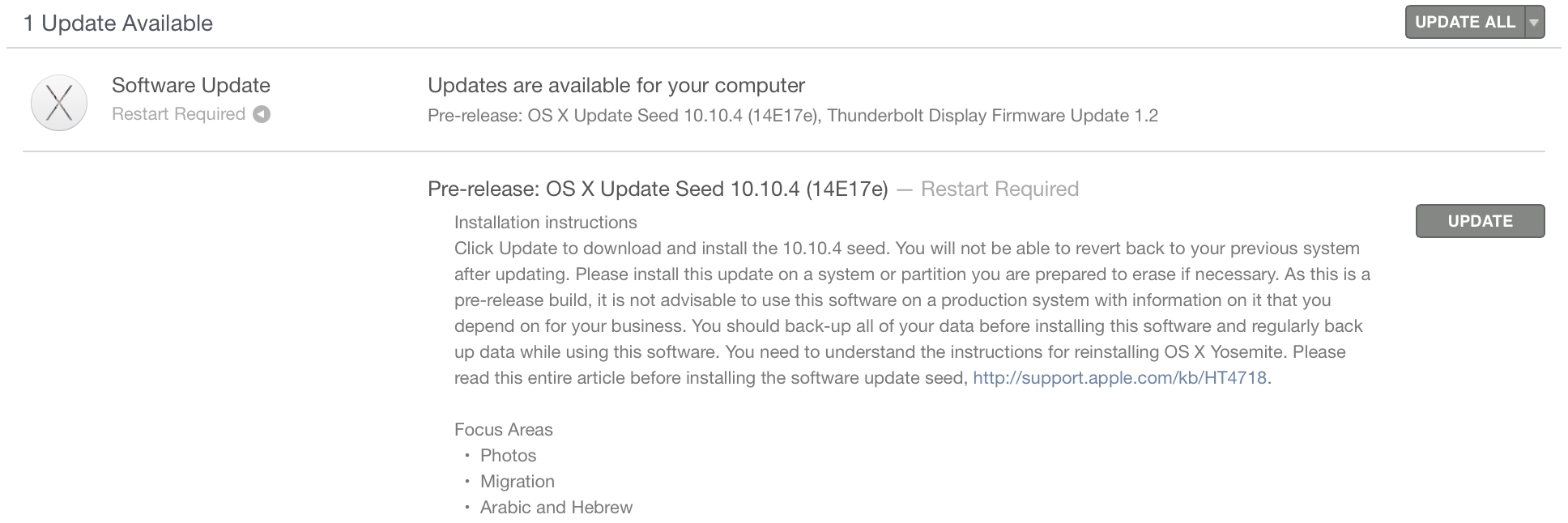
Alongside today’s new iOS 8.4 beta, Apple has released yet another beta build of the upcoming OS X Yosemite 10.10.4 to developers. Today’s build is labeled as build number 14E17e, and it is available via Software Update in the Mac App Store for developers running earlier versions of the beta. A new Public Beta for AppleSeed users is available as well. It is possible that 10.10.4 will be released in June alongside iTunes 12.2 (with the new Apple streaming music service). For the focus areas, Apple tells developers to pay special attention to the Photos application, the Migration Assistant, and Arabic and Hebrew language support.


Expand
Expanding
Close

Site default logo image

Xcode 6.3.2 GM seed with bug fixes released to developers

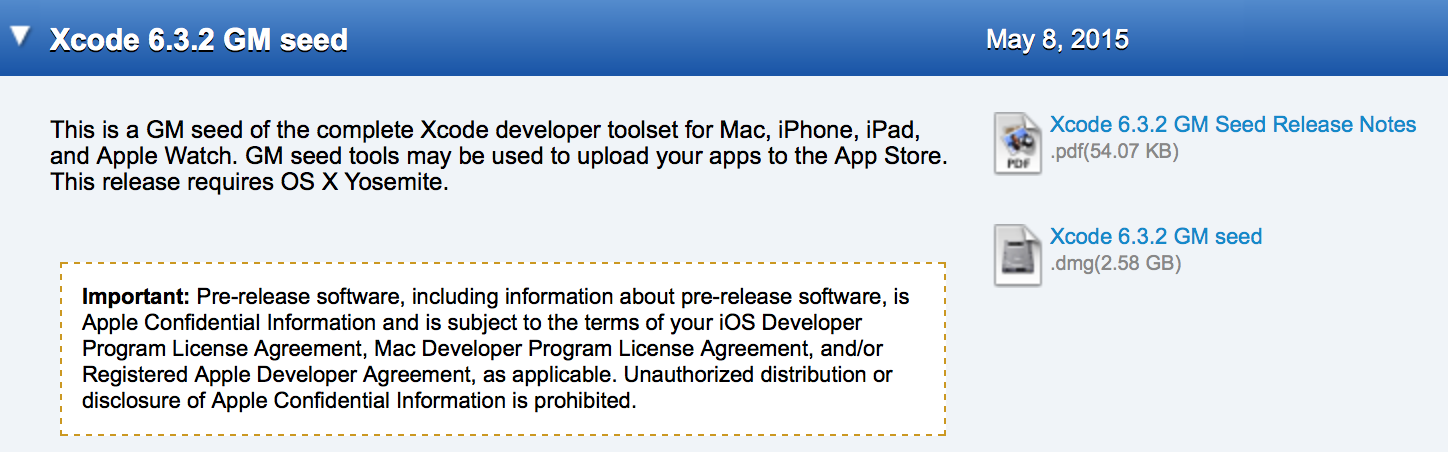
Apple today released the Golden Master (GM) version of the upcoming Xcode 6.3.2 to developers via the official online developer downloads center. The current version, 6.3.1, was released on the Mac App Store in late April, and Apple has not indicated when the 6.3.2 will be released on the store. Version 6.3.2 includes the full SDKs for all of Apple’s devices, and introduces bug fixes for the Swift programming language Compiler, the Playgrounds feature, Account Management, and more. The full list of fixes is available below:


Expand
Expanding
Close

How-To: Safely shrink your Mac’s giant photo library, deleting duplicate images to save space

I’ve focused a lot over the last few months on helping readers to speed up and optimize Apple’s Macs — everything from adding RAM to recovering hard drive space and upgrading old hard drives to faster SSDs. Today’s How-To is focused on something very specific but with a lot of optimization potential: trimming down your Mac’s photo library.

Particularly after installing OS X 10.10.3 with Apple’s new Photos app, you might be surprised to learn that you’ve lost a lot of hard drive space, and that there are suddenly tons of duplicate photos on your Mac. After installing OS X 10.10.3, the new Photos app converted my 90GB Aperture library into a 126GB Photos library, and left both on my hard drive. That’s an incredible amount of wasted space attributable to duplicates, so it’s no surprise that a $1 utility called Duplicate Photos Fixer Pro has recently become the #1 paid Mac App Store app, while a superior alternative called PhotoSweeper ($10) is in the top 50. I’ve used both apps, as well as many others, and can help you choose the one that’s best for your needs…


Expand
Expanding
Close

How-To: Clean and speed up your Mac with free, trustworthy downloads

“My Mac used to be fast, but now it’s running so slow.” I’ve heard many versions of this complaint, and they’re always factually true, not just opinions: Macs do become sluggish over time, even if all of their chips and hard drives are working like new.

I’ve devoted several columns to hardware solutions — replacing old hard drives with fast new SSDs, adding more RAM, and increasing storage capacity using an external drive — but there are software solutions, too. Even die-hard Apple fans will admit that Macs typically run new OS X versions better (faster, and with fewer bugs) if you start with a clean slate: completely wipe your hard drive, do a fresh install of the latest OS X release, and restore only the files you need. That’s not as hard as it sounds, but it’s a radical and fairly time-consuming solution.

This How-To article offers a simpler alternative. First, find and delete enough files to leave your Mac at least 50GB of free storage capacity — enough room for the Mac to work without pausing to manage its hard drive space. Next, cleanse the cruft OS X builds up in the background as you use your computer. Below, I’ll show you how two completely free Mac programs, GrandPerspective and OnyX, will do all the heavy lifting for you. GrandPerspective offers a highly visual display of what’s taking up space on your Mac; Onyx cleans up the Mac files you’d be afraid to touch yourself…


Expand
Expanding
Close

Site default logo image

Apple releases Xcode 6.3.1 with bug fixes for debugging

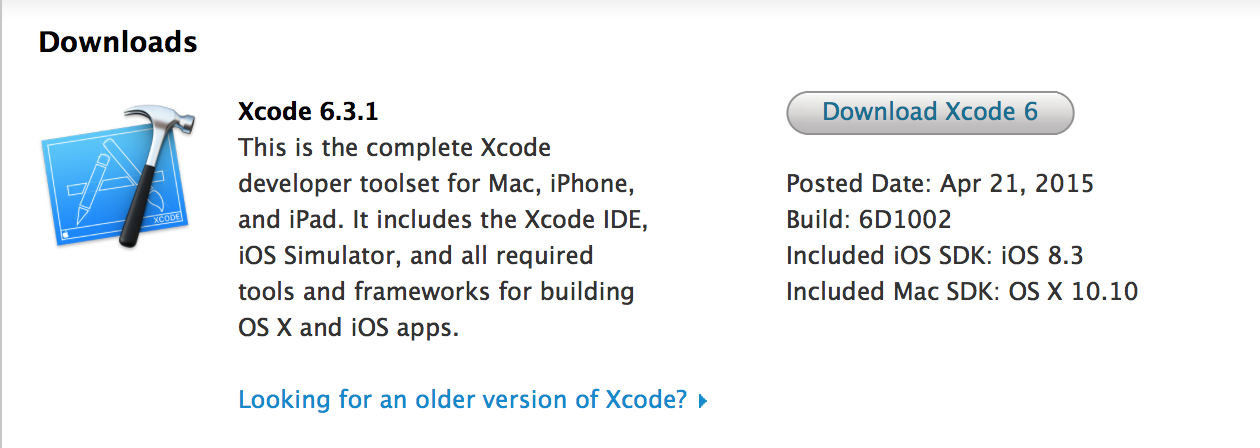
Apple today released Xcode 6.3.1 with bug fixes. According to the release notes, the release includes fixes for debugging, Interface Builder, and Playgrounds. The update is available via the Mac App Store and on the Mac developer center. Xcode 6.3 was released earlier this year with significant enhancements to Swift and the Xcode application.


Expand
Expanding
Close

OS X 10.10.3 update failed to fix Rootpipe vulnerability, says former NSA staffer

Site default logo image

Phoenix; RootPipe Reborn from patrick wardle on Vimeo.

A former NSA staffer says that the OS X 10.10.3 update which Apple claims fixed a significant security vulnerability has failed to do so, reports Forbes. Patrick Wardle, who now heads up research at security firm Synack, demonstrated the vulnerability in a video (without revealing exactly how it was done) to allow Apple time to issue a further fix.

The Rootpipe vulnerability allows an attacker with local access to a Mac to escalate their privileges to root – allowing them full control of the machine – without further authentication. A second security researcher confirmed the flaw … 
Expand
Expanding
Close

Site default logo image

First OS X Yosemite 10.10.4 beta for Mac developers now available

Apple today seeded the first developer build of OS X 10.10.4 Yosemite to testers. The build is labeled 14E7f and follows today’s supplemental update of OS X 10.10.3 and the first developer beta of iOS 8.4 which includes a brand new Music app and iTunes Radio experience.

Today’s release appears to only be available to registered developers and AppleSeed testers; public beta versions of OS X tend to follow in subsequent build releases. For registered developers and AppleSeed members with the Configuration Utility installed, the pre-release software update should be available through the Mac App Store. Apple says the update focuses on “stability, compatibility, and security of your Mac.”

WWDC 2015 announced for June 8-12 to unveil “the future of iOS and OS X”

Site default logo image

Apple has just officially announced its annual Worldwide Developers Conference for this year. The conference will take place in San Francisco as usual in early June. WWDC will officially kick off on June 8th and run through June 12th. Developers interested in attending the conference can apply for tickets starting today with applications open through Friday at 10 am PT/1 pm ET.

Like last year, available tickets will be distributed at random to a portion of applicants due to size constraints of the venue, Moscone West, although Apple says select sessions will actually be streamed live while most sessions will be available online after each day. Apple will announce ticket availability after the random selection process on Monday, April 20th, at 5 pm PT/8 pm ET.

Apple’s WWDC opening keynote serves as the unveiling stage for the next versions of iOS and OS X. Apple’s press release for the conference (below) teases the announcement of “the future of iOS and OS X” as we would expect.
Expand
Expanding
Close

Flashlight, the utility that puts Spotlight on steroids, out of beta as Apple hires developer

Site default logo image

Command-line fans will be happy today, as Nate Parrot’s Flashlight utility comes out of beta. Flashlight is a utility that enables you to carry out more than 160 different tasks just by typing commands into Spotlight – a kind of command-line Siri for the Mac. Functions include checking the weather, creating notes, adding calendar appointments, translating words, emailing files, sending messages, moving files, ejecting drives and performing image searches.

Apple seems impressed too: it has hired Parrot as an intern on its Spotlight team … 
Expand
Expanding
Close

OS X 10.10.3 adds support for NVMExpress, enabling improved SSD speeds and performance

Site default logo image

Apple quietly slipped support for a feature called NVMExpress into the latest version of OS X, which shipped early last week. This addition to the software enables some newer Macs using PCIe-based solid-state drives to achieve greater data transfer speeds.

Not every Mac that uses an SSD for storage will be able to take advantage of this new protocol, however. The screenshot above comes from a late 2013 MacBook Pro with a solid-state drive that doesn’t support the feature. The newest 13-inch MacBook Pros are also left out. In fact, at the moment it appears that only the 12-inch MacBook sports a support drive.


Expand
Expanding
Close

OS X 10.10.3 brings enhanced 4K support (including 12-inch MacBook), adds 5K Dell for Mac Pro/iMac

Site default logo image

Apple has expanded support for 4K displays in its recent OS X 10.10.3 release and officially confirmed specifics for using 4K displays with its new 12-inch MacBook.

While previously Apple only officially supported certain Multi-Stream Transport (MST) displays at a refresh rate of 60Hz, it now says that “most single-stream 4K (3840×2160) displays” are officially supported at 60Hz as well following the recent OS X Yosemite v10.10.3 update. That should mean support for a lot more inexpensive 4K displays that don’t include DisplayPort’s Multi-Stream Transport feature.

A full list of Macs that will support Single-Stream (SST) displays with a 60Hz refresh rate include:
Expand
Expanding
Close

OS X Yosemite How-To: Move your iPhoto or Aperture library to Photos

Site default logo image

Apple’s latest app Photos is now available for free as part of OS X 10.10.3 for Mac. The new app is the future of photo management from Apple with support for iCloud Photo Library, burst photos, slow-mo and time lapse videos, and more. Here’s how to migrate your photo library to the new Photos app from iPhoto or Aperture, both of which will no longer receive support for software updates going forward:


Expand
Expanding
Close