Parallels

See All Stories

A long time VMware Fusion user tries Parallels Desktop 14

Parallels Desktop

I wrote about the release of Parallels Desktop 14 a few weeks ago. I’ve been spending some time with it since then, so I wanted to take the time to write about it in more detail. One thing to note (and I think it makes gives my review an interesting perspective) is that I’ve used VMware Fusion (and supported it at my day job) since 2009. I had certainly heard of Parallels Desktop before, but I jumped on the Fusion train and kept on upgrading over the years. When I read about Parallels Desktop 14, I decided that it was time to try something new. 
Expand
Expanding
Close

Parallels Desktop 14 for Mac brings optimized storage, enhanced Touch Bar support, and more

If you love running macOS, but find yourself needing to virtualize other operating systems (Windows, Linux, or even multiple copies of macOS), you’ll want to take note of this article. Parallels Desktop 14 for Mac was released a few hours ago. Since version 1 in 2006, Parallels Desktop has been a staple on many Mac users’ computers. Year after year, it’s been back with upgrades to enhance the experience for those that need to live in a dual OS world. So what’s new in version 14? Well, a lot actually…
Expand
Expanding
Close

Parallels Desktop 13 + over $450 worth of FREE Mac apps: $80 or upgrade for $50

Parallels is one of our favorite ways to run Windows and other operating systems on the Mac (without rebooting), and today the company is running quite a notable promotion. Anyone who upgrades to Parallels 13 (the latest version) or buys a brand new license will also get a hold of 8 additional apps for free, worth over $450. Head below for more details.
Expand
Expanding
Close

Parallels Toolbox update includes Presentation Mode, video editing tools, much more

Parallels Toolbox, an ever-growing suite of handy single-purpose tools that simplify common computing tasks to just a click or two, has received a major update for both Mac and PC users. New tools and key features include presentation mode, capture for lengthy webpages, free memory reclaim, quick resolution switching, and time-saving tools to download and edit videos or make a GIF. A Parallels Business Edition also launched today, which gives IT the control they need to easily provide employees with tools to be more productive.


Expand
Expanding
Close

Hands-on: Using Parallels 13 to run Windows on Mac with ease [Video]

If you’re a Mac user who needs quick and fast access to a Windows installation, then in many cases it’s a good idea to go with a Virtual Machine. Parallels is one of the most popular virtualization options for Mac users wishing to run Windows, and the latest version, Parallels 13, makes it ridiculously easy to get up and running.

Via what essentially amounts to an unattended installation of Windows 10, Parallels 13 can have you up and running, from download to usage, in just a few minutes. Watch our brief video walkthrough for a demonstration.
Expand
Expanding
Close

Parallels Desktop 13 brings improved performance & native Touch Bar support to Windows

Ahead of the macOS High Sierra release, virtualization software company Parallels has officially announced the availability of Parallels Desktop 13. Outside of bringing the traditional performance improvements, Desktop 13 introduces native Touch Bar support to Microsoft’s OS and a good portion of its most used applications. The update also brings in a slightly refreshed UI to better match macOS and visual improvements for Windows users on Retina displays.


Expand
Expanding
Close

Parallels celebrates its 10 years of innovation with its virtualization software

Site default logo image


Parallels, the virtualization software famous for being able to run Windows on the Mac, is celebrating its 10 years of innovation this week. Parallels has seen a cornucopia of changes since its initial launch in 2006 and it shows no signs of slowing down. Today marks the 10th anniversary since Parallels’ launch and they’ve decided to spend the next week highlighting the decade of features that made its way onto the Mac. To infamfurther show their appreciation towards previous, current, and future customers, Parallels is offering 25% off Parallels Desktop software. This includes Parallels Desktop 11 for Mac, Parallels Desktop for Mac Pro Edition, and Parallels Desktop Business Edition. We’ve decided to take a deep dive with the Parallels team into showcasing their trajectory from where they came, and where they might go in the years to come.


Expand
Expanding
Close

Parallels Access 3.1 adds native iPad Pro resolution, Apple Pencil support, 3D Touch features, more

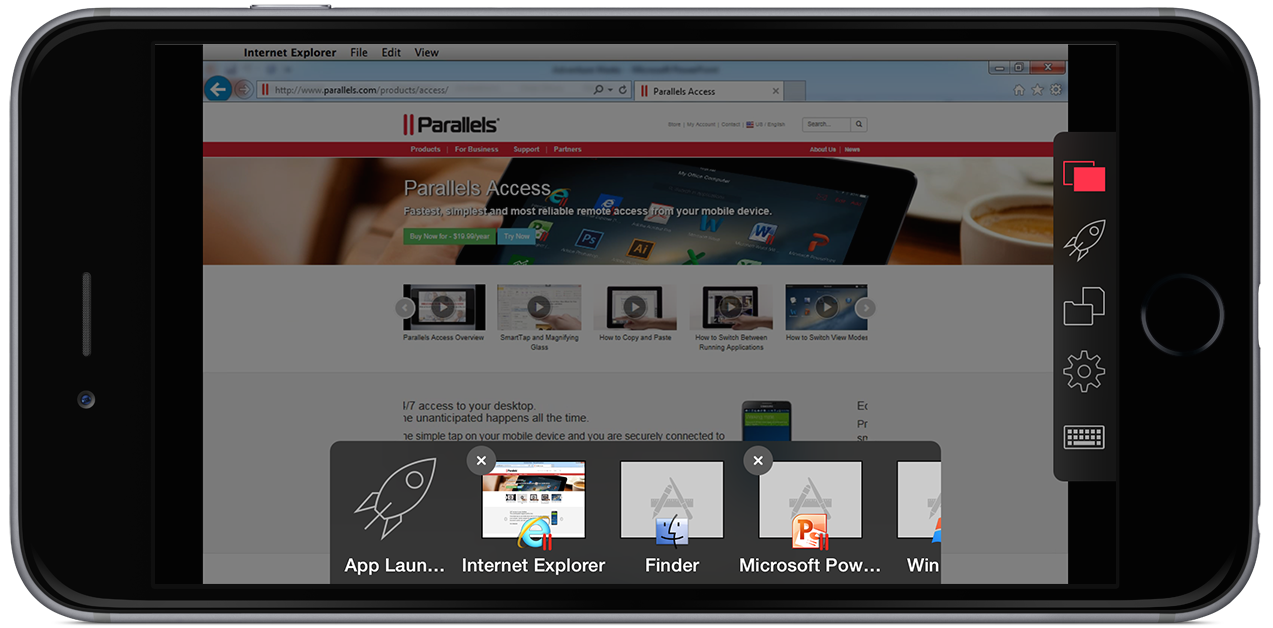
You may be familiar with Parallels for its virtual machine software that lets you run Windows alongside OS X on a Mac, but the company also offers a service and mobile app called Parallels Access that lets you remote into your Mac and Windows VM from other devices. Parallels Access for iOS is updating to version 3.1 today with enhancements for Apple’s latest iPhones and iPads plus new features for all users.


Expand
Expanding
Close

Buy Parallels ($49-$79) & get 7 Mac apps free: 1Password, Parallels Access, & more (Reg. $269)

Starting today, Parallels is offering a new bundle for a limited time that will let you get 81% off 7 great Mac apps with the purchase or upgrade of Parallels Desktop for Mac ($50-$79).

That means if you either purchase Parallels Desktop for $79.99, or upgrade to the latest version for $49.99, you’ll get the following 7 apps free: 1Password, CleanMyMac, Kaspersky for Mac, PDF Expert, PDF Office for iPad & Parallels Access.

Get the Parallels Power Bundle now


Expand
Expanding
Close

Comparison breaks down all the missing features in Office for Mac & iPad vs Windows

Site default logo image

This comparison of the differences between Microsoft Office on Mac, Windows, and iOS devices was put together by Kurt Schmucker who (disclaimer) works for Parallels — the company that makes slick virtual machine apps for running Windows and other operating systems on Mac — but he also happens to know a thing or two about the subject after his previous role as Senior Mac Evangelist at Microsoft and on the Office team. So what exactly is missing on Mac and iOS devices compared to Windows when it comes to the Office suite?
Expand
Expanding
Close

The Best Black Friday Games/Apps Deals: 2Do, MacID, Pixelmator, Infinity Blade, Kingdom Rush, Parallels, many more

This year’s Black Friday games and apps deals are now in full swing. We have rounded up all the best console bundles, games/amiibo and packed our daily roundups full of some of the best deals of the year. Along with the new Free App of the Week, Apple has now launched a 50% off holiday apps sale and we have been seeing very notable price drops on popular titles all week long. So we thought we would bring all the best deals into one helpful roundup.

Below you’ll find all the best freebies/discounts that we have seen on the App Stores thus far, plus a few more notable sales on Mac games and productivity apps:
Expand
Expanding
Close

VMware Fusion updated to support Windows 10, but with bug in Unity mode

A week after Parallels was updated to support Windows 10, VMware has followed suit with an update to its Fusion software – but with a bug when used in Unity mode. Unity mode is where Windows apps are run alongside Mac ones.

Fusion was today updated to version 8, with performance improvements as well as Windows 10 compatibility, but the company has confirmed a bug identified by ArsTechnica in which the Windows Start screen is sometimes unavailable (above left) and at other times has the search bar covered by the Mac’s dock (above right). When unavailable, the Toggle Start Screen option is greyed-out … 
Expand
Expanding
Close

Parallels 11 now available w/ support for Windows 10, El Capitan, & always-on Cortana

Parallels, the company behind the popular virtual machine software, has today released the latest iteration of its popular Mac app. Parallels 11 ($79.99 retail, $49.99 upgrade) is available now with many of the features that were accidentally leaked by the company last month. Top features are of course support for both Windows 10 including Cortana and OS X El Capitan, as well as a variety of enhancements that improve the virtualization experience…


Expand
Expanding
Close

Parallels 11 to feature always-on support in OS X for Microsoft’s Cortana virtual assistant

Site default logo image

According to a leaked product page on the Australian Parallels page, the popular virtual machine software will support Microsoft’s Cortana virtual assistant throughout OS X. The product page explains that as long as Windows 10 is running somewhere in the background, users will always be able to say “Hey Cortana” and receive a response (via Neowin).


Expand
Expanding
Close

Parallels Desktop 10 updated with support for Windows 10 and Microsoft Office previews

Site default logo image

Parallels announced this evening that its virtual machine software Parallels Desktop 10 for Mac has been updated with “experimental” support for the technical preview of Windows 10 from Microsoft. Users who want to take the latest version of Windows for a test run without overwriting their existing Boot Camp installation or creating a new partition can now do so safely and free within the confines of a VM.

The update also adds the ability to run the new preview version of Office for Windows 10, which includes updated versions of Word, PowerPoint, and Excel. Microsoft announced earlier this year that Windows 10 will be a free upgrade for one year for any users running Windows 7 or later.

Parallels Desktop 10 is available from the Parallels website for $79.99. Special pricing is available for students and users running previous versions of Parallels and a free trial is available here. Press release follows:
Expand
Expanding
Close

Parallels Access gains new file manager, iPhone 6 support & web version

Site default logo image

Parallels Access today received a significant version 2.5 update with support for the iPhone 6 & iPhone 6 Plus, a new file managing system, improved audio controls, and a new web browser-based version. Parallels Access, as we covered upon its launch for the iPhone last year, is a robust remote computing application that allows you to view and control multiple Macs or Windows PCs via an iPhone, iPad, iPod touch, or Android device.

Besides support for the larger, higher-resolution iPhone 6 and iPhone 6 Plus displays, this new version introduces an improved file management system. The new file picker leverages the new tools in iOS 8 to better work with other applications like Dropbox and Google Drive. Parallels shares the list of enhancements to the feature:


Expand
Expanding
Close

Want to install Windows 10 on your Mac? Parallels posts instructions

Site default logo image

https://www.youtube.com/watch?v=84NI5fjTfpQ

I keep my Parallels Windows VM around to do stuff like Quickbooks, upgrade Mifi Firmware and occasionally check websites in IE (see our PArallels 10 review here) not to experiment with the latest versions of Redmond’s OS.

But if you want to check out what’s coming down the pike in Windows-land without leaving your trusty Mac, Parallels has an Installation guide for you. First step: if you haven’t already, download Parallels 10 (free Trial)


Expand
Expanding
Close

Site default logo image

9to5Toys Last Call: iPad Air $369, iTunes GC 33% off, AirPlay adapter $20, Parallels 10 $60, more

Be sure to follow 9to5Toys to keep up with the best gear and deals on the web: TwitterRSS FeedFacebookGoogle+ and Safari push notifications.

Today’s can’t miss deals:

Last Call updates:

iTunes gift cards:

Save an extra 10% on HDTVs at eBay: Sony 50″ Premium 3D smart HDTV $710 (Orig. $1,399)

Add AirPlay to any set of speakers or receiver w/ AirMobi Music Receiver for $20 Prime shipped

Parallels Desktop 10 for Mac $60 shipped (Reg. $80)

Apple iPad mini w/ Retina display 16GB WiFi: $320 shipped (Reg. $399)

Small States: Inside the world of Grado headphones, giveaway worth $495 dollars
Other new deals:

More tech deals still alive:

Apple Deals:

Home/fashion/magazines/games/media:

New products/ongoing promos:

Review: Parallels Desktop 10 brings even tighter OS X/Windows integration, overall performance improvements

Last week, Parallels launched the upgrade to v10 of their software and today, you can now get the full version online.

Parallels Desktop has long been one of the go-to applications for using your Mac to virtualize a wide variety of operating systems, and many considered its previous version 9 as more than sufficient for getting this job done. While the software shining point has always been its ability to run Windows truly parallel to the standard Mac OS X desktop, this version of Parallels Desktop 10 for Mac takes multiple strides forward, making it even easier than before to incorporate Windows-only applications—or applications from other x86 operating systems including Android, Chrome, Linux, etc.—into your Mac-based workflow.

Perhaps most importantly, Parallels again ups the ante in speed both in launching and runtime, turning virtualization into a native-feeling experience.


Expand
Expanding
Close

Parallels Desktop 10 announced with support for Yosemite, iCloud Drive, and much more

Site default logo image

Parallels Desktop has been with the Mac almost as long as it has run on Intel hardware.

Today, the company announced the 10th major release of its industry-leading virtualization software for Macintosh and mobile. It has more of what makes Parallels so special: Performance, integration and features.

Parallels has an important place in Apple history because it allowed many people who needed a few Windows applications over the last decade to buy and enjoy the Mac OS. In effect, it helped deal with Microsoft’s monopoly on software in the desktop era.

For many people that continues today. Microsoft still makes its Office suite a little bit handicapped on the Mac. Gamers know that to get a wider variety of games you need to run Windows. Developers need different environments, browsers and OSes to test their software on. And, probably most painful, many companies still require Windows to run proprietary apps or connect to antiquated network servers.

Speaking of Windows, Microsoft has made it harder for Parallels to integrate the Windows installation so you’ll have to do it yourself from with a Optical media or a USB port.  In v9 of Parallels, you could buy the image from Microsoft and then install from an image in a matter of minutes.

The new Parallels 10 offers the following performance improvements:


Expand
Expanding
Close

Site default logo image

$80 Full Parallels 9 bundle: 1Password, Fantastical, Kaspersky, CleanMyMac and more

From 9to5Toys.com:

Parallels again offers its $79.99 bundle of impressive apps at the retail price of Parallels alone.  Each one of the below apps is a keeper and they are all free with the purchase of the Parallels 9. You even get 6 free months of use of the Parallels iPad App.

Parallels Desktop 9 for Mac

The #1 choice of Mac users for more than 7 years to run Windows on Mac. Ready for Mavericks OS X(10.9) and 40% faster disc speed. MSRP $79.99

Fantastical

Plan your day in style with the most attractive calendar you’ve ever seen. The Mac calendar you’ll actually enjoy using. MSRP $19.99

CleanMyMac 2

Simple yet surprisingly powerful application for keeping your Mac clean, organized, and free of files that slow it down. MSRP $39.95

Parallels Access for iPad

6-month subscription – use PC and Mac applications like they were made for your iPad. MSRP $29.95

1Password

1Password gives you the security you need in today’s online world without slowing you down. Super secure passwords and more – 21st century digital wallet on any device. MSRP $49.95

Kaspersky Internet Security for Mac

Keep your Mac, your data and your children safe! Real-time protection against Mac, PC and Linux malware. MSRP $39.95

MacHider

The easy way to hide files and folders, put your confidential information out of sight from third parties or other unwanted eyes. MSRP $9.99

We reviewed Parallels 9 in September and said:

PD9 is definitely the most noticeable Parallels Desktop upgrade ever. The performance boosts are the best part of the upgrade, but the sticky multi-monitor setup has been extremely helpful for me and saved quite a bit of time. As a Mavericks user, the software hasn’t been giving me any issues even though the operating system is still in beta.

Already have an older version of Parallels? Save $30 and get the ‘v9 Update bundle’ for $49.99.
Expand
Expanding
Close