Parallels

See All Stories
Site default logo image

$50 Parallels update bundle: 1Password, Fantastical, Kaspersky, CleanMyMac and more

From 9to5Toys.com:

Parallels again offers its $50 bundle of impressive apps at a $20 discount off the retail price of Parallels alone.  Each one of the below apps is a keeper and they are all free with the discounted purchase of the Parallels update. You even get 6 free months of use of the iPad App.

Note this is a Parallels update so you’ll need an older copy laying around, The full Parallels 9 bundle is $79.99

Save $319.99 – Buy Parallels Desktop for Mac and Parallels Access bundle

Parallels Black Friday Bundle: 8 great apps for the $79.99 price of Parallels 9 alone (82% off)

Site default logo image

The Black Friday software bundles are already streaming in and this latest from Parallels promises to be popular.  For the retail price of Parallels 9 alone ($79.99), you get Parallels 9 and a 6 month subscription to Parallels Access for iPad.  Parallels then adds Snagit screen capture tool, CleanMyMac 2 and Kaspersky Internet Security for Mac. You also get a year of Hightail (formally Yousendit) Professional plan for sending big files via email, Boom volume booster and mSecure password manager. A fantastic deal at $79.99 (make sure to click the “Bundle and Save” link), it ends December 3.

We reviewed Parallels 9 in September (excerpted below the fold) and found it to again be the best virtualization software for Mac with speed improvements for Mavericks and Windows 8.1 along with easier setup and operation.

Today’s earlier Black Friday software bundles from Adobe and Stack Social
Expand
Expanding
Close

Parallels Desktop 9: Noticeably faster, smarter setup and ready for Mavericks and Windows 8.1 [Review]

Site default logo image

[youtube=http://youtu.be/Copuyw_qQdA]

With over 90% market share in Mac desktop virtualization software (according to NPD), Parallels is the clear leader in the industry. Now, Parallels has introduced Parallels Desktop 9 for Mac, bringing in new features, improving performance, and preparing for Mavericks and Windows 8.1. How does this version stack up? Is it worth the price? Read on to find out.

Performance

With the software at its ninth version, some may be content with their version of Parallels and think the upgrade isn’t worth the price. However, as a previous PD8 (and all the way back to PD3), allow me to be straight-forward: this upgrade gives the biggest noticeable performance boost ever. The company claims the updated software provides 40% better disk performance, 25% faster virtual machine shutdown times, 20% faster virtual machine suspend times, and 15% faster web browsing and 3D graphics.
Expand
Expanding
Close

Parallels announces Parallels Desktop 9: performance improvements, enhanced Windows support, more

Site default logo image

[youtube=http://youtu.be/Copuyw_qQdA]

Right after releasing its new remote access application Access, Parallels has just announced Parallels Desktop 9 for the Mac. The updated application will support Mavericks and the upcoming Windows Blue/8.1 update and boasts many speed boosts.

Performance improvements with Parallels Desktop 9 are notable – “40 percent improvement in disk performance; virtual machine startup and shutdown are now up to 25 percent faster; and customers can suspend their virtual machines in up to 20 percent less time than before. 3D  graphics and web-browsing were also made noticeably speedier with up to 15 percent improvements for both.”

The company has also brought Power Nap to Windows applications. They’ve also introduced synced cloud services between virtual machines, which means you only have one version on your computer and all virtual machines access the same cloud files.

Pricing

PD 7 or 8 customers will be able to grab this update for $49.99 starting today (download link will be sent immediately). The full version will be available September 5 and remains $79.99 with students paying just $39.99. In addition, the software will come with a free 6-month subscription to Parallels Access ($39.99 value).

We’ll have a complete review of Parallels Desktop 9 when the full version is released on September 5. Press release below:
Expand
Expanding
Close

Parallels’ new iPad app ‘Access’ makes your Mac apps feel like native iOS apps [Review]

Site default logo image

For years, there have been iPad applications that allow remote access to your Mac from anywhere in the world. Parallels Mobile, for example, was launched back in 2011 and allowed you to view your Mac and Windows virtual machines on your iPhone, iPod Touch, or iPad (and later discontinued). But these apps have always been a huge turn-off for the majority of users, since OS X isn’t built for touch screens. Trying to press small buttons, editing text, scrolling through pages and other flukes have made it impossible to use your Mac from an iOS device for an extended amount of time.

But now, Parallels has solved all of these problems and more with the new Parallels Access, their new service that makes it a breeze to connect to your Mac from an iPad and access all of your files and applications in a way that makes all of your apps feel like iOS apps – it “applifies” your Windows/Mac apps.


Expand
Expanding
Close

Parallels Desktop 9 for Mac hits Amazon Germany and MacMall US with purported September 5th delivery date

Site default logo image

Cat’s out of the bag? It appears that Parallels is preparing an update to their award-winning virtualization software for Mac.  Amazon Germany has a pre-order page up with Parallels Desktop 9 artwork and an expected delivery date of September 5th. Having a quick look around, it appears you can also order it now in the US at MacMall/PCM for $74.99 shipped:

A variety of other retailers appear to be getting units in stock after a quick Google search of manufacturer part PDFM9L-BX1-EN-NT. The September 5th release date would seem to fit into Parallels’ schedule. Previous releases were:

  • Parallels 8 – Released on September 4, 2012
  • Parallels 7 – Released on September 6, 2011
  • Parallels 6 – Released on September 14, 2010
  • Parallels 5 – Released on November 4, 2009

Parallels allows Mac Users to run Virtual machines of Windows, other instances of Mac OS, Linux, Android and just about every other Intel-based OSes out there inside of Mac OS. Likely updates this time around would probably include OSX 10.9 Mavericks and Windows 8/.1 compatibility improvements.

Parallels has traditionally allowed users who’ve bought within 2 weeks of  release a free upgrade to the new version but no such policy has yet been announced for this version. (Update: Here’s Parallels Tech Guarantee saying if you buy after August 15th (now) you are covered for a free upgrade when V9 comes out.)  If you are interested in purchasing Parallels now (and it is a GREAT product), we recommend downloading a free 30-day trial of Parallels Desktop 8 which would conclude after the above early September update, guaranteeing you wouldn’t need to pay extra for an update to v9.

If Parallels 9 is indeed coming out soon, you can bet we’ll have a full review of the product and/or any iOS accessory products, should such products exist, as soon as they are available.

  • Parallels 8 – Released on September 4, 2012
  • Parallels 7 – Released on September 6, 2011
  • Parallels 6 – Released on September 14, 2010
  • Parallels 5 – Released on November 4, 2009

Thanks/Danke Tipsters!
Expand
Expanding
Close

Apple Stores to push Macs to businesses with new Parallels/Windows 8 demos

Site default logo image

Apple is pushing its business-focused Apple Retail salespeople to sell Macs to businesses currently running in Windows environments, according to Apple retail employees briefed on the new initiative. Apple Retail Stores, in their business/professional sections, will now have a 27-inch iMac prepared with the Parallels Virtualization Software and Microsoft’s Windows 8 operating system.

Select Apple Retail employees will also be trained on the Parallels and Windows software, and special Parallels demos have been created for Apple Stores. The goal of this new initiative is to push employees to be able to show businesses that currently work on Windows that all purposes of Windows could either be replaced or used (with Parallels) on a Mac computer.

For a number of years, Apple has pushed reasons how a Mac could replace a PC. This was heralded mainly via Apple’s Mac vs. PC ads. This new retail campaign, instead, focuses on the Mac operating system and Windows working together. Apple wants to leave no room for business customers to not know that they could switch to a Mac computer…


Expand
Expanding
Close

Parallels 8 for Mac updated with experimental support for OS X Mavericks

Site default logo image

Parallels announced an update to Parallels Desktop 8 for Mac today that introduces experimental support for OS X Mavericks. That means developers with access to Mavericks will be able to run Parallels Desktop 8 on the OS and also install the OS X 10.9 preview in a virtual machine.

The company has an article available to walk devs through getting Desktop 8 for Mac running on Mavericks and another outlining best practices for installing it as a virtual machine. While you can’t yet install Mavericks into a blank virtual machine, you will be able to update an existing OS X install to the developer preview. Those error messages some users were getting when attempting to run Mavericks on Parallels Desktop 8 should also be taken care of with the latest build.

Parallels hinted more news about Mavericks and its integration with Parallels Desktop 8 for Mac is on the way and is answering questions in its forums here and here.

Good news if you don’t yet own a copy: Parallels Desktop 8 for Mac is currently 25% for a limited time.
Expand
Expanding
Close

Site default logo image

Getting TextExpander, BetterTouchTool and Parallels to behave with Mavericks

Since the new OS X Mavericks is just a few days old, bugs and incompatible applications are to be expected until developers have time to run through the new APIs and patch up their apps. In the meantime, some non-functioning apps can be fixed with simple work-arounds or downloads.

Over the next couple of months, expect a few sites to pop up with app compatibility charts for the new OS. If you’ve found an application that doesn’t work without an available fix, feel free to leave a comment below with the information.

TextExpander & BetterTouchTool

My dependence on TextExpander is insane. I have even set up my email signature through TextExpander (so I can choose when it displays with just a couple of key strokes). Finding out that TextExpander is thrown off by Mavericks was a bit disappointing, but iDownloadBlog posted the details on how to make it work. In short, the application tells you to go through “Universal Access” in System Preferences, but you actually need to go inside “Security & Privacy”.

This work-around also works for BetterTouchTool, the app I use for simple Window Snapping and creating additional multi-touch gestures for the Magic Trackpad / Mouse. Check out iDownloadBlog’s step-by-step instructions.

Parallels

Parallels, my favorite operating system virtualization software, isn’t able to open any virtual machines when you first try opening up the application on Mavericks.

However, Parallels provides a simple workaround on their Knowledge Base until they can update the app in the near future. The company has provided a “startPD” script that gets the application and all associated virtual machines up and running again. Update: Parallels has been updated to work with Mavericks.

We’ll keep our eyes peeled for any other workarounds and update this post as they become available.

Site default logo image

Parallels 8 beats out VMware Fusion 5 in extensive benchmark analysis

MacTech Magazine, which recently announced its upcoming MacTech BootCamp II, today looked at two of the most popular virtualization products for Mac with an in-depth benchmarking analysis of the most recent versions of Parallels Desktop 8 and VMware Fusion 5. We have seen Parallels 8 come out on top in benchmarks from previous reports, but this is by far the most comprehensive comparison.

MacTech put the two apps to the test in a number of areas including launching various OSes, application performance, 3D graphics tests, Retina Support, and much more. The conclusion: Parallels Desktop 8 won on the majority of general tests and 62 percent of 3D graphics tests.

In the vast majority of our overall tests, Parallels Desktop 8 won. Again, if you count up the general tests (including the top 3D graphics scores), Parallels won 56% of the tests by 10% or more. If you include all the tests where Parallels was at least 5% faster, as well as the balance of the 3DMark06 graphics tests, Parallels increased the lead further.

We recommend checking out MacTech’s lengthy analysis.

Parallels 8 for Mac currently sells for $55 on Amazon, while VMware Fusion 5 is available for as low as $46.99.

Site default logo image

Ending today: First Parallels 8 bundle with Snagit, Virus Barrier, MacOptimizer, Rubbernet: Just $59

From 9to5Toys.com:

.

Mac bundle season continues with a big one from StackSocial. Dubbed the Mac Utility Bundle, they’ve managed to knock $20 off the price of Parallels ($79 regular price) alone and added 4 more helpful utilities to boot. Great way to start off any Mac purchase you may be doing this holiday season.

Details below or on StackSocial.
Expand
Expanding
Close

Parallels 8 updated with USB 3.0 support, Windows 8 tablet gestures, more

Site default logo image

Parallels introduced a big update today for Parallels Desktop 8 for Mac. It includes new features for Windows 8 users, full USB 3.0 support, and improved Retina display settings. On top of support for Windows 8 tablet gestures, Parallels is including a Windows 8 tile that allows users to access shared Mac apps. According to Parallels, the update also includes faster USB 3.0 performance, an increased limit for virtual machines running large apps, and “Smooth transitions when entering and exiting Coherence mode”:

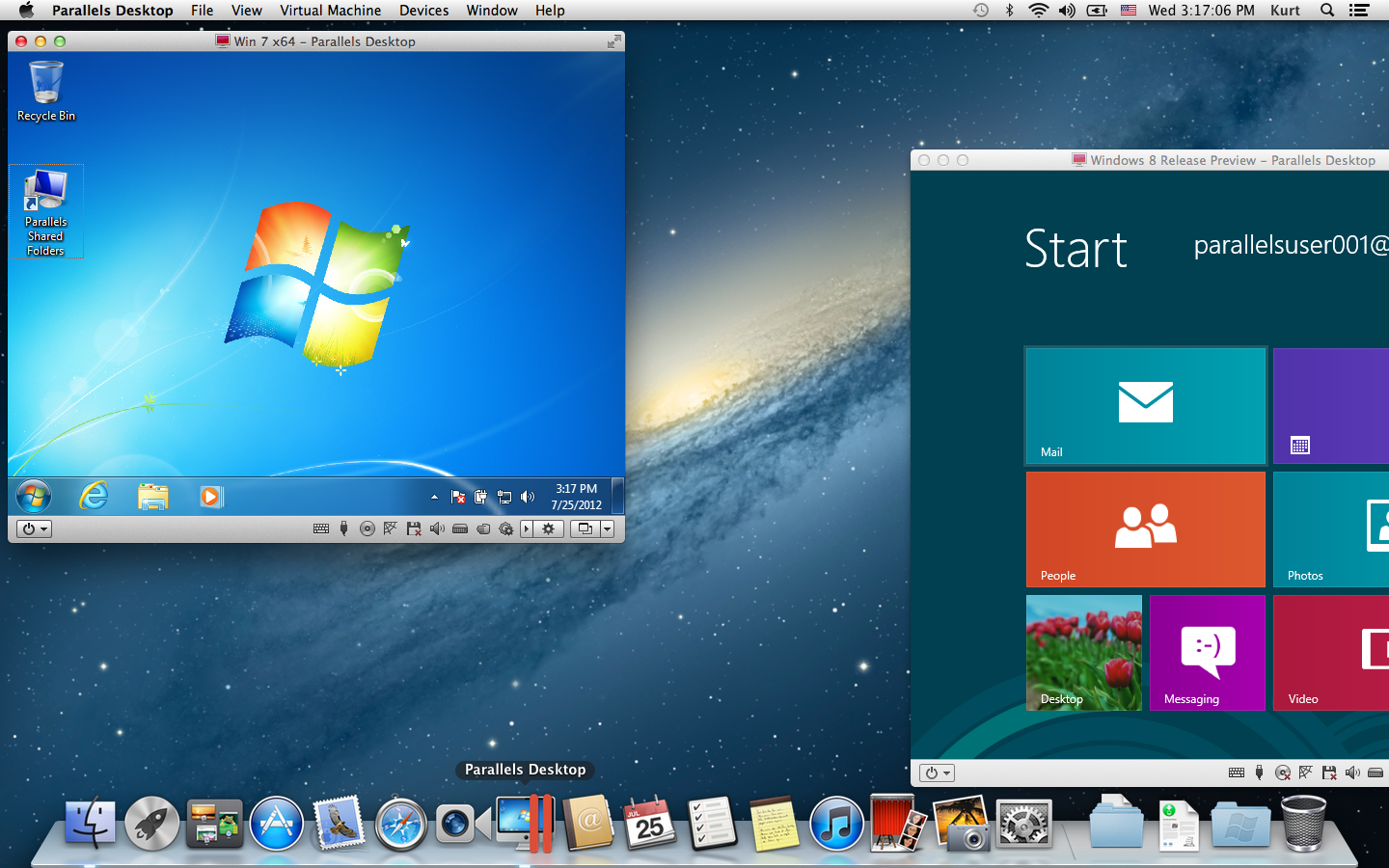
Now Mac users can enjoy new features including Windows 8 tablet gestures and use a Windows 8 interface tile to access shared Mac apps.  These updates, plus the already deep Parallels Desktop 8 integration of Mac OS X and Windows 8, enable people to also use Mountain Lion’s Dictation feature in Windows applications, add Windows apps to Launchpad and the Mac Dock, enjoy brilliant Retina display resolution for Windows apps and more – making Parallels Desktop 8 an ideal way to run Windows 8 on a Mac without rebooting.
Expand
Expanding
Close

Parallels warns Mac users to not upgrade to Windows 8

Site default logo image

Parallels for Mac virtualization software has been getting major updates this year with the recent release of version 8, making it even easier to run Mac and Windows apps side by side. In version 7, it made it a lot easier to upgrade and buy copies of Windows directly from within the app, and we even had a Windows 8 developer preview up and running. Unfortunately, with today’s launch of Microsoft’s Windows 8, Parallel’s is warning Mac users that the app is not ready to update to the new OS.

In a support document on the company’s website, it issued a “critical and urgent Windows 8 service advisory” telling customers it should wait before upgrading from an existing installation of Windows to Windows 8:
Expand
Expanding
Close

Site default logo image

Parallels 8 is a clear winner vs. VMware Fusion 5 in Ars shootout

.

Ars put Parallels 8 against VMware Fusion this week and found there is not much of a contest between the two virtualization powerhouses. Parallels 8 out-gunned VMware across the board (as previous benchmarks have shown) performance-wise and adds full support for Retina displays and dictation among other features.

Neither Parallels Desktop 8 or VMWare Fusion 5 are loaded to the gills with new features, so the PD8 update from version 7 is only a must-have if you are looking for Windows 8 or retina MacBook support in Windows 7 or 8. If you need retina support, this is your best option since Parallels did the extra work and made it a better retina experience than in VMWare Fusion 5. The Mountain Lion dictation and experimental DirectX 10 support show that, while Parallels tends to have more frequent paid updates and a higher price-tag, they try to earn the extra value with well thought out features and engineering. Apart from the bugs I saw in Mountain Lion 8, I think Parallels Desktop 8 earns that extra cost with its solid performance, far superior Linux OpenGL support, and existing feature set. But if your needs are more big-business-oriented, VMWare Fusion 5 Pro might be more your thing.

VMware Fusion might fit better into cross-platform installations or for folks with legacy VMware images.

Parallels 8 is available for download or trial here for $79. VMware starts at $49.
Expand
Expanding
Close

Site default logo image

Parallels 8 vs. VMWare Fusion 5 Benchmarks

The Mac Observer just benchmarked Parallels Desktop 8 against its main Mac Desktop virtualization competitor, VMware Fusion 5.

Both applications were configured to virtualize Windows on a 2011 27-inch iMac running on OS X 10.8.1 at 3.4 GHz with 16 GB of RAM for this showdown. The comparison specifically measured their ability to handle the 64-bit versions of Windows 7 Professional and Windows 8 Pro.

Check out the results below: 

The conclusion:

From a purely performance-based perspective, Parallels has won this year’s competition of virtualization software on OS X. The good news for consumers, however, is that Fusion is not far behind in most categories and, while Parallels is indeed faster, Fusion is often fast enough for common tasks.

You can get Parallels 8 here or VMware Fusion 5 here.

Go to The Mac Observer for the full breakdown and more graphs. 


Expand
Expanding
Close

Site default logo image

Poll: Which Mac software do you use for virtualization (Parallels, VMware Fusion, Virtual Box…)?

Both Parallels and VMware announced new versions of their software over the last 12 hours. Which software do you use to run Windows applications, if any? Do you Virtualize Linux or other builds of MacOS X?

Leave comments on your experience.

For the record, I have been using Parallels to deal with @#$% QuickBooks most recently, but off and on for years overall. VMware has also impressed me when I have tried it. Both products are so much better than the slow SoftWindows- type solutions we had in the PowerPC days.


Expand
Expanding
Close

Parallels 8 virtualization software announced, available September 4, free upgrade to recent Parallels 7 customers

Site default logo image

Parallels just announced the availability of its next generation of virtualization software for the Mac. Although details are scant at this point, it is safe to assume it is optimized for Mountain Lion and Windows 8.

Notable: If you purchase/purchased Parallels 7 after July 25 (Mountain Lion’s release date), you are eligible for a free copy of Parallels 8. Not too shabby.

Buy a FULL or UPGRADE version of Parallels Desktop 7 for Mac TODAY and you will receive an upgrade to our next version at NO ADDITIONAL CHARGE.

.

More on the “TechGuarantee” here…or just download a free trial.
Expand
Expanding
Close

Site default logo image

Deals: Learn To Code Video Bootcamp Bundle: $99, Mac Variety Bundle: $39

From 9to5Toys.com:

.

The fine folks at Stack Social have another deal up their sleeve this week. For $99 you get Step by Step crash course videos on a variety of different programming tracks. Freebie courses are available to those who sign in early and they are even giving away an ‘iPhone 5’.   Courses offered include:

.

StackSocial also offers the $39 Mini Bundle which includes:

.

  • PDF Editor Pro ($100) – edit and enhance your PDFs with optical character recognition.
  • CrossOverXI ($40) – run Windows applications on your Intel Mac.
  • Invoice 3 ($40) – create and manage your invoices.
  • Fantashow ($50) – making your own movie has never been easier.
  • Logoist ($40) – create logos, title art, icons, banners, web site elements, greeting card headings and more.
  • iClip ($19) – get past the limitations of a single clipboard.
  • Speed Download 5 ($25) – speed up your download times so you can get your assets faster.
  • Watchmac ($20) – monitor your Mac for possible security infringements.


Site default logo image

$50 iStack Mac Bundle ends today, includes SnagIt, Disk Drill Pro, Parallels, Paint Supreme, more

From 9to5Toys.com:

The iStack Mac Bundle from StackSocial includes over $730 worth of goods for just $49.99.  That’s over a 93% savings off MSRP…and it ends tonight! (They also have a pretty impressive “Creative Bundle” that is ongoing to check out)

What do they have on offer?

  • Awesome anchor app in Parallels Desktop 7
  • A $299 iOS App Development video tutorial for the first 5000 customers
  • Half of the apps never been in a bundle: SnagIt, Clarify, TextSoap, and Paint Supreme
  • They’re giving away a RETINA MACBOOK PRO for FREE to 1 lucky winner
  • They’re giving away the Breeze Mac app for FREE to everyone for a tweet
Site default logo image

Apps & updates: Tweetbot Alpha 3, IM+ Pro, Viber, more

There are more than a few apps and updates today worth mentioning, starting with the latest update for the recently launched Tweetbot for Mac Alpha:

Tweetbot Alpha 3: After rolling out a huge update a couple of days ago for notifications, keyboard shortcuts and other performance enhancements, Tweetbot Alpha 3 is officially available for download/update today. It brings the ability to switch usernames/accounts from within the New Tweet compose window. Clicking a small profile image within the “new tweet” pop-up lets you switch between accounts on the fly. The update also included a hashtag popover fix.

IM+ Pro version 7.0: Perhaps the biggest new feature included in today’s update to one of the most popular iOS IM clients is “Metacontacts,” which is the ability to “merge multiple accounts of one contact into a metacontact” and reduce clutter while increasing efficiency for multiple account users. Another big new feature is iCloud support for syncing IM+ settings across multiple iOS devices, as well as support for additional IM services like Gadu-Gadu and MeinVZ. Unfortunately, version 7.0 will also drop support for iOS 3.x, and it now only works on iOS 4 and up.

Viber version 2.2.0: A huge update today goes to the iOS client for the 90 million-strong Viber service, which allows users worldwide to make free calls and send texts and photos without advertising. Included in the update is a completely refreshed UI that brings group messaging, custom backgrounds for any conversation, profile photos in the Contacts list, and a time stamp for every message. In addition, you will now be able to view recently joined users from the Contacts screen. Viber also promises better sound quality and a new voice engine.

Sky News International for iPad: Released today on the App Store to join the already available for iPhone version, Sky News now has a dedicated iPad app for its international edition with breaking news, top stories, and live streaming of Sky News TV in full screen.

Plesk Manager version 1.2.0: Parallels’ app for monitoring and controlling servers running Parallels Plesk Panel 10.4.4 and Plesk Panel Power Pack was updated today with push notifications, a logs viewer, a new skin, an embedded panel view for iPad, an “improved user experience for VPS owners,” and a troubleshooting section.

Sparrow version 1.3.1: A small update for Sparrow’s iPhone app today includes several bug fixes.

Site default logo image

Parallels celebrates its birthday by dropping price to $28, giving away iPads and other schwag

From 9to5Toys.com:

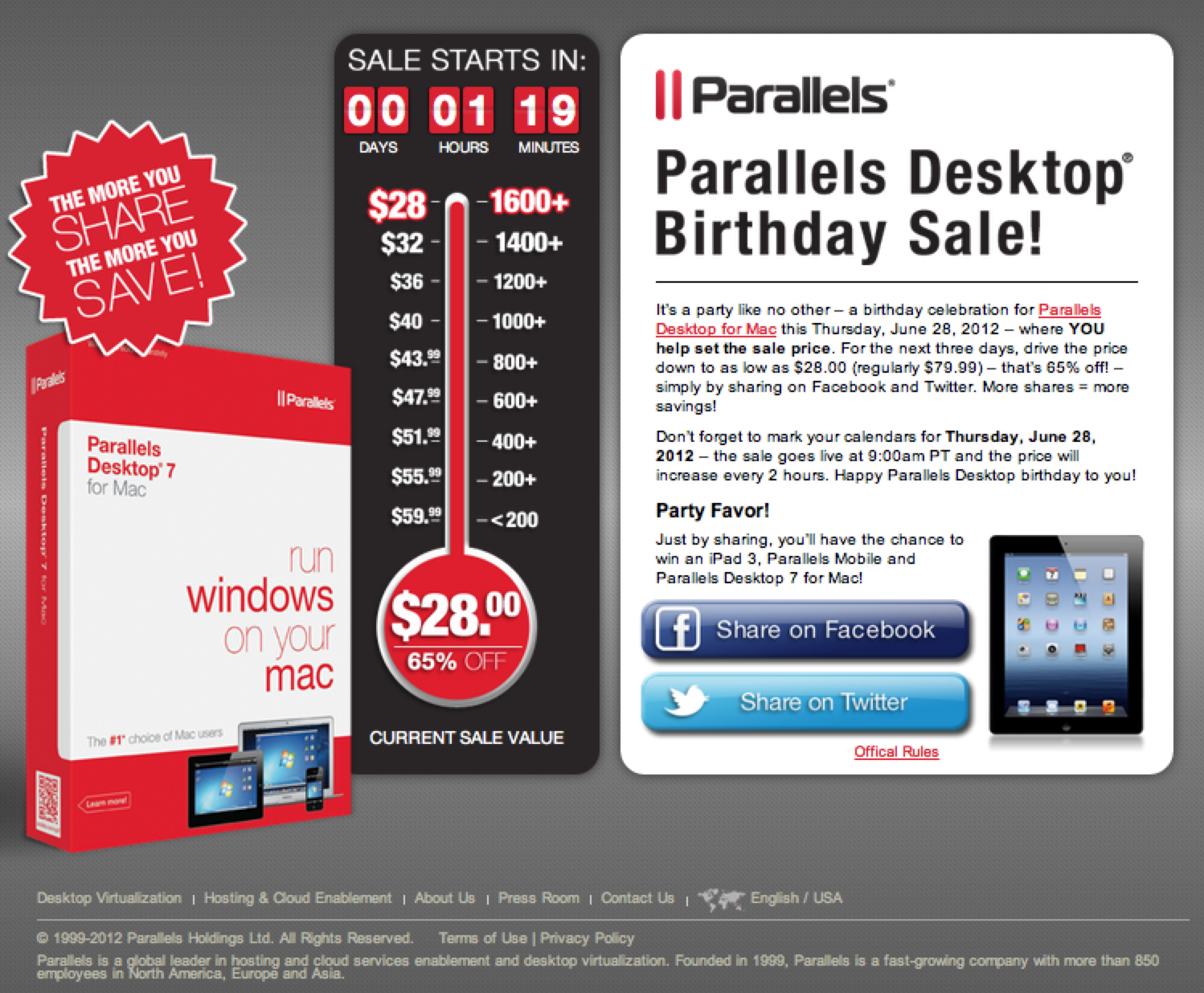
From 9am-11am PT, Parallels drops the price of its flagship Parallels 7 desktop virtualization product to just $28 to celebrate its 6th birthday. The price will increase 5% every 2 hours, so obviously you’ll want to jump on this soon. Parallels is the best-selling, most-trusted solution for running Windows applications on your Mac – without rebooting.

It is also nice for running Linux or even another instance of the Mac OS and for $28 why not?
As an added bonus, Parallels is giving away a few ‘party favors’: just by sharing, you’ll have a chance to win an iPad 3, Parallels Mobile, and Parallels Desktop 7 for Mac.

More information is also available at the Parallels Consumer Tech Blog, or by following Parallels Desktop on Facebook and @ParallelsMac on Twitter.

Update: Originally story said 9am ET.

Site default logo image

Good Deals: Pixelmator is $15 today, $49.99 Parallels (11 Mac app) bundle ends in a few hours

From 9to5toys.com  (Twitter, Feed) today:

2011 Apple Design award winning image editor Pixelmator is only $15 today at the Mac App Store.  That’s half off and the lowest price we’ve ever seen.

Also, if you are going to put Parallels on your new Mac, MacUpdate has a pretty incredible 11 app bundle for $49.99 (Details). You only have a few hours to hit this one before it expires.

Mac Superbundle deal. Parallels 7 + nine Mac Apps: $49

Site default logo image

From 9to5Toys.com:

Nova offers its MacSuperbundle Winter Deal for $49. We are picky about our bundles, but Parallels alone makes this one worth noting.  There are some solid extras here as well.

Valued at over $470 if purchased separately, the nine software titles and exciting bonus app in the new 2012 Mac SuperBundle are available for just $49, an 89% savings, and offer innovative solutions no Mac user should be without. Nova’s biggest bundle to date and best consumer deal yet features the award-winning and #1 selling virtualization software Parallels Desktop® 7 for Mac, (a $79.99 value alone), and includes essential Mac maintenance tools and organizational apps, plus audio, video and digital creativity software and much more. The Mac SuperBundle launches on January 25th, 2012 and will be available for 14 days only.

Other applications include:

Expand
Expanding
Close

Review: Parallels Desktop 7 for Mac

Site default logo image

(We’re offering a $10 discount/free Parallels MacBook Air contest this week)

If you are not new to Parallels, you will already be familiar with its ability to run Windows in a virtual machine within OS X. You might also be familiar with its Coherence view mode that allows you to run Windows and Mac OS applications side by side, rather than a full-blown Windows 7 in a separate window. However, Parallels Desktop 7 takes it to the next level with some of the deepest Windows/OS X integration yet.

The name of the game for the new Parallels Desktop 7 for Mac is definitely OS X Lion integration. Pretty much every new UI feature incorporated into Lion has been integrated into Parallels, and thus Windows 7. We put the new version to the test with both Windows 7 and Windows 8 developer preview on last year’s iMac with 4GB of RAM.


Expand
Expanding
Close