photos

See All Stories

Changing the conversation: How Apple could modernize iMessage to be more powerful and easy to use


Site default logo image

At this year’s WWDC, Apple devoted a lot of onstage attention to a revamp of the Notes app in both iOS 9 and OS X El Capitan. One of my favorite additions is inline web link previews. Just paste a URL, and Notes will turn the link into a preview bubble with a thumbnail for the page, as well as a title and description.

This got me thinking about the possibility of applying the same functionality to other apps. The most obvious place to start, in my opinion, is Messages. I’m constantly sending and receiving links through iMessage throughout the day, whether it’s to a web page, an image, or even just a tweet. Having to flip back and forth between Safari and Messages just to see what the link I’ve been sent is removes me from the conversation and slows down my workflow.


Expand
Expanding
Close

Site default logo image

Facebook Moments app makes it easier to exchange photos with friends

Facebook has today unveiled a new app called Moments from its Creative Labs division that makes it easier to exchange pictures amongst friends who were together at an event or place, all documenting it through their own photos. Here’s how Facebook describes the problem they’re solving:

It’s hard to get the photos your friends have taken of you, and everyone always insists on taking that same group shot with multiple phones to ensure they get a copy. Even if you do end up getting some of your friends’ photos, it’s difficult to keep them all organized in one place on your phone.

Through the use of location and facial-recognition data (both areas where Facebook has invested heavily), Moments groups photos together and then asks if you’d like to share them with the people it has recognized, and vice-versa. It’s very reminiscent of the now-defunct Color, although that app was more real-time and ephemeral (Moments allows you to collect and sync photos with friends after an event is over), and wasn’t integrated closely with Facebook’s 1 billion plus user base.

https://vimeo.com/130380325

It’s available now in the iOS App Store and on Google Play, which is useful in the event that some of your friends are on Android (gasp, I know).

Apple Watch How-To: Take and share screenshots from your Apple Watch

Site default logo image

Now that you have your Apple Watch, you might be curious to know how to take a screenshot from your your new device. The process is a little different from taking screenshots on an iPhone or iPad and the photos aren’t automatically saved to the watch, but you may want to screenshot fitness and activity achievements or show friends your customized Apple Watch face. In this how-to article I will quickly discuss how to take a screenshot on your Apple Watch and how you can make the process easier.


Expand
Expanding
Close

Site default logo image

Imgur for iOS updated w/ ability to upload images on the go

In addition to launching an all-new Android app this morning, Imgur has also updated its iOS app with a notable and highly requested new feature. With today’s update to Imgur for iOS, users can now upload their own images to the service with the app directly on their iPhone. Users have the ability to upload from their Camera Roll or take an image with their camera from within the app and share it to the service.


Expand
Expanding
Close

Opinion: Google’s new Photos may just have won my library away from Apple

Site default logo image

Google Photos

My relationship with Apple’s hardware is simple: I’m happily locked in, and not changing platforms any time soon. But my relationship with Apple’s software is complex: I want to love it, but every time Apple decides to “throw everything away” and “start over” with an app, it’s disruptive — and for many users, unnecessary. From my perspective, users weren’t complaining that Apple’s popular photo apps iPhoto or Aperture were hopelessly broken or even deficient in major ways, yet Apple discontinued both of them last month to release Photos, a bare-bones alternative no one seems to love. On the relationship scale, I didn’t abandon Aperture; Aperture abandoned me (and a lot of other people).

So yesterday’s announcement of the free cross-platform photo and video storage app Google Photos couldn’t have come at a better time. Apple has struggled to explain why it now offers two separate photo syncing services, neither with the virtually unlimited photo and video storage Google is now giving users — notably all users, including Mac and iOS users. Moreover, Apple has offered no sign that it’s going to drop the steep fees it’s charging for iCloud photo storage. With WWDC just around the corner, Apple has a big opportunity to match Google’s photo and video initiative, thrilling its customers in the process. If that doesn’t happen, I’m moving my collection into Google Photos, and not looking back…


Expand
Expanding
Close

Google introduces competitors to Apple Pay, Photos, HomeKit + new iOS apps at I/O

Site default logo image

Google just wrapped up the opening keynote for its I/O developer conference taking place this week, and not surprisingly many of the announced products and services are direct competitors to Apple’s. Android Pay gets an official coming out party to compete with Apple Pay, Project Brillo is Google’s answer to HomeKit, and the new Android M gets a focus on quality, much like what Apple has in store for iOS 9 at WWDC in June. The company also announced a new Photos app with unlimited photo and video syncing and iOS support, as well as a number of other iOS app announcements.

Head below for a roundup of everything Google announced today from 9to5Google:
Expand
Expanding
Close

Many iCloud services down or slow to respond – 11 different services affected [Update: Resolved]

Site default logo image

Update: As of 6.30am PT, Apple had updated its status page as showing all services back to normal. The company said that 40% of users had been affected.

Apple’s system status page is showing a substantial issue with iCloud services, the problems affecting eleven different services and persisting for four hours and counting at the time of writing.

While Apple lists the services as “may be slow for some users,” many users are reporting that the services are either completely unavailable or time-out when attempting to login … 
Expand
Expanding
Close

Apple CEO Tim Cook shares photos from recent trip to China (Gallery)

Site default logo image

Tim Cook has shared photos from his recent trip to China where the Apple CEO spoke to media about upcoming initiatives in the country and visited new Apple retail stores opened in the region. The photos (above and below) were posted to Cook’s new Weibo account. The head Apple exec started posting to the Chinese microblogging site, much like he does on Twitter, earlier this month.
Expand
Expanding
Close

How-To: Safely shrink your Mac’s giant photo library, deleting duplicate images to save space

I’ve focused a lot over the last few months on helping readers to speed up and optimize Apple’s Macs — everything from adding RAM to recovering hard drive space and upgrading old hard drives to faster SSDs. Today’s How-To is focused on something very specific but with a lot of optimization potential: trimming down your Mac’s photo library.

Particularly after installing OS X 10.10.3 with Apple’s new Photos app, you might be surprised to learn that you’ve lost a lot of hard drive space, and that there are suddenly tons of duplicate photos on your Mac. After installing OS X 10.10.3, the new Photos app converted my 90GB Aperture library into a 126GB Photos library, and left both on my hard drive. That’s an incredible amount of wasted space attributable to duplicates, so it’s no surprise that a $1 utility called Duplicate Photos Fixer Pro has recently become the #1 paid Mac App Store app, while a superior alternative called PhotoSweeper ($10) is in the top 50. I’ve used both apps, as well as many others, and can help you choose the one that’s best for your needs…


Expand
Expanding
Close

Adobe debuts Lightroom 6 and Lightroom CC, standalone and cloud alternatives to Aperture

[youtube https://www.youtube.com/watch?v=45_zCZnqmqU?rel=0&showinfo=0&w=704&h=396]

Following months of rumors, Adobe is today announcing Photoshop Lightroom 6 and Lightroom CC, the latest versions of its popular photo editing and organization software. Sharing the same code, design, and much of the same functionality, the two Lightroom releases are separated into purchasable (Lightroom 6) or subscription (Lightroom CC) versions, only the latter of which can sync with Adobe’s mobile applications. Apple notably recommended Lightroom as a replacement for its recently-discontinued Aperture professional photo application, and worked with Adobe to build an Aperture library importing tool to aid users during the transition.

Lightroom manages large photo libraries, while offering photographers powerful tools for RAW and JPEG image adjustment. Now solely a 64-bit application, Lightroom 6/CC promises huge speed improvements when applying prior effects to images, as well as newly added tools and brushes. As shown in the embedded video, facial recognition has been added, enabling functionality similar to Apple’s Faces feature from Aperture and iPhoto. A new HDR (high dynamic range) tool uses two images to create a composite photo with more vivid colors and detail, while brushes such as radial and graduated filters have been added. The app has also gained new slideshow options, automatic panorama stitching, video slide shows, and many other features.

Photoshop Lightroom CC can be downloaded now as part of Adobe’s Creative Cloud Photography subscription service for $9.99 per month; a prepaid year of CC Photography access is normally $119.88, and currently on sale at B&H Photo Video for $99.88. Photoshop Lightroom 6 can be ordered for $149 as a standalone download. Adobe has also released version 1.4 updates to its mobile apps Lightroom for iPad and Lightroom for iPhone with support for Lightroom CC, improved cropping, and TIFF file support. Both iOS apps are now available for free from the App Store, but require Creative Cloud subscriptions.

Tumblr for iOS adds blog creation, trending tags widget, quick video embedding, more

Site default logo image

Tumblr is out today with a brand new version of its blogging and community app for iPhone and iPad. Version 4 adds several new features like the ability to create new blogs from your iPhone or iPad and create video posts quickly by pasting YouTube or Vimeo URLs into a new post. The update adds a new widget for the Today section of Notification Center on iOS 8 for quickly seeing which tags are trending on Tumblr when you’re not using the app and much more.
Expand
Expanding
Close

OS X Yosemite How-To: Move your iPhoto or Aperture library to Photos

Site default logo image

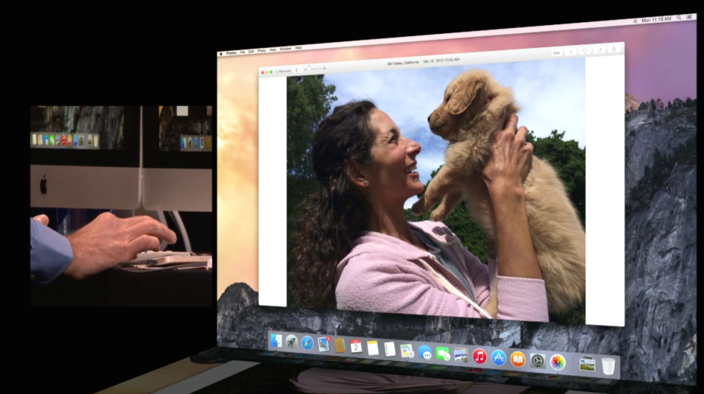
Apple’s latest app Photos is now available for free as part of OS X 10.10.3 for Mac. The new app is the future of photo management from Apple with support for iCloud Photo Library, burst photos, slow-mo and time lapse videos, and more. Here’s how to migrate your photo library to the new Photos app from iPhoto or Aperture, both of which will no longer receive support for software updates going forward:


Expand
Expanding
Close

First Apple Watch displays go live in retail stores in Australia, other countries (Photos)

Site default logo image

While most are still waiting for the clock to strike April 10th, Apple Stores in the eastern part of the world have started opening their doors to Apple Watch appointments and potential buyers. Images posted to Twitter and Instagram show lines of customers waiting outside of stores to get their hands on the Apple Watch.


Expand
Expanding
Close

Google’s free photo editing app Snapseed 2.0 gets lens blur, layers, new UI, more

Snapseed, the excellent free photo editing application, today received its first major update since Google purchased developer Nik Software back in 2012. Version 2.0 arrived in the App Store with a brand new user interface and a huge collection of new features, most notably including spot healing, lens blur effects, perspective transformation, and a non-destructive editing system that can copy edits from one image to another. The app remains universal across iOS devices, and now has a minimalist UI with Material Design influence.

While Apple’s Photos application improved considerably with the release of iOS 8, Snapseed’s unique ability to selectively fix small parts of photos — such as improving the brightness level of one dark face in an otherwise bright image — has kept it relevant as a key iOS photo editing tool for years. Snapseed 2.0 expands upon that feature, letting you apply filters and brushes selectively with a brush tool. You can also go into individual layers and make adjustments to changes that were previously applied during the editing process.

Snapseed 2.0 is available for free from the App Store now. Additional details are after the break…


Expand
Expanding
Close

Site default logo image

Apple releases iTunes 12.1.2 with support for Yosemite Photos app syncing, refined info window

Apple has released an update to iTunes that enables iOS users to sync their photo libraries from the new Photos app that was included in yesterday’s 10.10.3 update. Previously users could sync their iPhoto libraries to their devices, but the release of the Photos app marks the end of Apple’s support for the old software.

The iTunes update also includes “several refinements to the Get Info window,” and improves the app’s stability.

You can download iTunes 12.1.2 from the Updates tab on the Mac App Store right now.

OS X 10.10.3 expected to hit today, new Photos app a winner – Associated Press

Site default logo image

An Associated Press review of the new Photos app for the Mac suggests that OS X 10.10.3 will be available for general download later today. The first pre-release seed of the latest version of Yosemite was made available to developers and testers back in February, with the first public beta following at the beginning of March.

Apple’s new Photos app for Mac computers, available Wednesday as a free software update, makes it easy to organize and edit your pictures.

AP’s Anick Jesdanun was impressed with Photos, Apple’s replacement for iPhoto and Aperture, saying that the auto-fix features were particularly impressive … 
Expand
Expanding
Close

How-To: Upload your photos into iCloud Photo Library from your iOS device and iCloud.com

Site default logo image

Apple announced Photos last year during the WWDC. The Photos app along with iCloud Photo Library will allow you to store all of your photos in the cloud with iOS 8 and OS X Yosemite, provided you upgrade your iCloud storage space to accommodate your iCloud Photo Library. Photos will end up replacing Aperture and iPhoto. You can upload your pictures to iCloud Photo Library via iCloud.com. Currently this feature is in a public beta and this how-to article will discuss how to get a head start and upload your pictures to iCloud Photo Library before Photos becomes available for the Mac to the public.


Expand
Expanding
Close

Site default logo image

Apple releases OS X 10.10.3 build 14D130a for public and developer betas

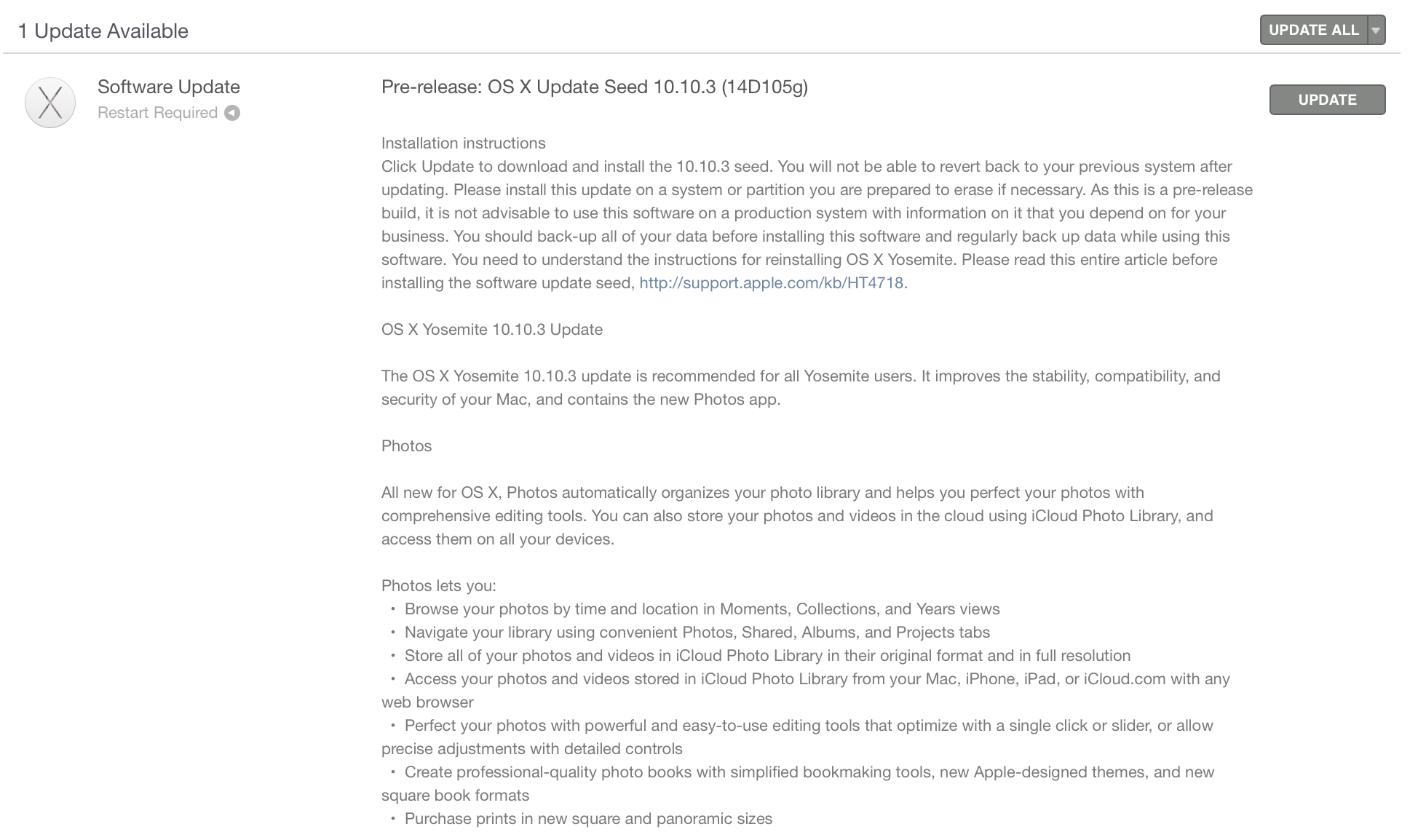
Three days after the last release, Apple has seeded an updated build of the OS X 10.10.3 software update for Mac. The new build ranks in at 14D130a, just a few steps above the 14D127 build released at the start of the week, for both developers and public beta testers. The update measures in at 1.52GB and highlights stability and security improvements.

The new version of OS X Yosemite includes the all-new Photos for Mac app, new and diverse emoji characters, improved login for Google accounts, and developer APIs for Force Touch on the new 12-inch MacBook and 13-inch Retina MacBook Pro. While Apple has not shared the exact release date for OS X 10.10.3, it describes the included Photos app as “coming this spring” meaning the public release is likely imminent. 
Expand
Expanding
Close

Adobe Slate lets you publish magazine-like stories from your iPad without design expertise

Site default logo image

Adobe is out today with its latest app for content creators on the iPad. The new Adobe Slate app is available for free and joins the similar Voice app Adobe launched last May. Where Adobe Voice focused on using the iPad and later the iPhone for story telling with the spokenword backed by visual elements, the new Adobe Slate app pairs text with fluid and customizable attractive layouts that look great whether you’re a designer or not.
Expand
Expanding
Close

Twitter sharing disappears in latest iOS beta, may indicate upcoming app-based extension

Site default logo image

Update: An April 6, 2015 update to the app has re-enabled native sharing on iOS 8.3. It’s possible that this indicates Twitter changed something a little too early on its end, or a new 8.3 beta will introduce a change that pulls up a different extension when the app is installed.

A small change to the latest beta version of iOS may indicate a big change coming to the official Twitter application. In the pre-release version of the software that was provided to testers and developers last week, it seems the option to share content to Twitter has been removed entirely (update: if you have the latest version of the official Twitter app installed).

Not only is the Twitter icon now missing from the share sheet in first-party apps like Photos and Safari, but from all third-party apps that use the native sharing option introduced in iOS 8. The change could just be a glitch, but it more likely suggests that Apple may be removing its in-house Twitter sheet in favor of something new…


Expand
Expanding
Close

Apple releases latest OS X 10.10.3 build w/ Photos apps for developers & public beta testers, Yosemite Recovery Update 3.0 for devs

Site default logo image

Apple has released an updated build of the OS X 10.10.3 beta for both developers and public beta testers. The latest build is the same for both: 14D113C. Developers, however, also have access to Yosemite Recovery Update 3.0. OS X 10.10.3 includes the brand new Photos app which replaces both iPhoto and Aperture with support for iCloud Photo Libraries and an overhauled design. The first public beta for OS X 10.10.3 launched earlier this month, while registered developers have been testing the update due out this spring since early last month.
Expand
Expanding
Close

How-To: Transfer, edit, and share DSLR or point-and-shoot photos using your iPhone or iPad

Apple’s iPhones became Flickr’s most popular camera phones in 2008 and most popular cameras overall soon thereafter, but even now, iPhones constitute only 9.6% of the photo-sharing site’s userbase. Despite the iPhone’s undeniable popularity, over 90% of photographers are using other cameras: Canon has a 13.4% share, Nikon 9.3%, Samsung 5.6%, and Sony 4.2%, with tons of other brands following close behind. While the cameras in phones continue to improve every year, they’re not the best tools for photography — they’re just the ones most people carry with them all the time.

If you shoot photos with a DSLR or point-and-shoot camera, you probably aren’t sending images directly to the Internet from the camera itself. You probably come back home, transfer your photos to your computer, then edit and share them with Adobe’s Photoshop Lightroom or one of Apple’s three photo management apps — iPhoto, Aperture, or the beta version of Photos.

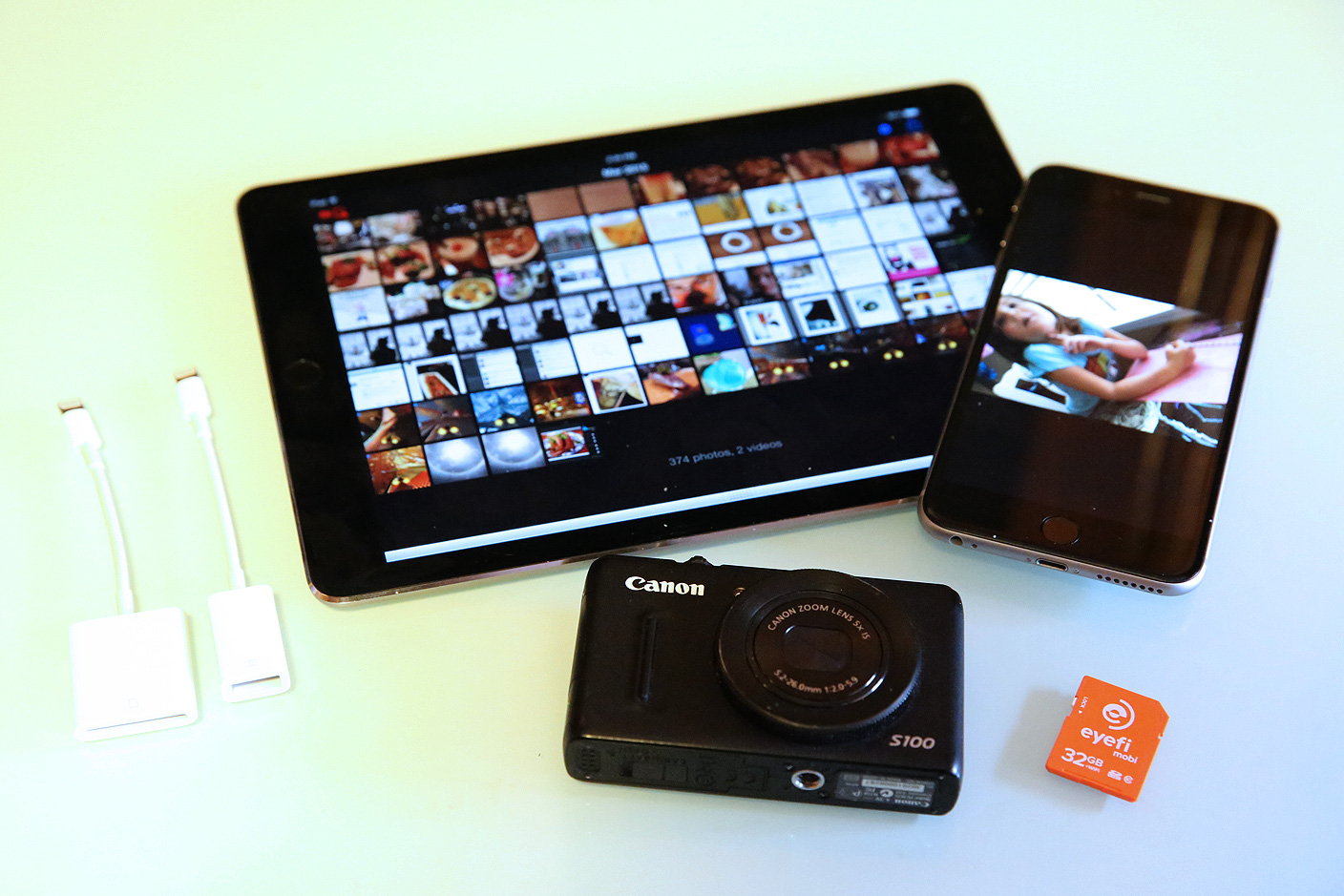
For around $30, your iPhone or iPad can change the way you shoot, edit, and share photos. Using the right accessories and apps, you can easily publish DSLR-quality photos a minute after snapping them. I’ve been doing this for years, and it works incredibly well; today, it’s actually better than at any time in the past, thanks to recent iPhone and iPad hardware improvements. This new How-To guide will walk you through everything you’ll need to know to use your iPhone or iPad as a photo editing and sharing station, looking at photo transferring accessories, editing software, and sharing options…


Expand
Expanding
Close

Apple seeds OS X 10.10.3 build 14D105 to developers and Public Beta users

Site default logo image

Less than a week following the previous seed, Apple has released build 14D105 of the upcoming OS X Yosemite 10.10.3 to both developers and users of the Public Beta. Apple has not yet said when 10.10.3 will be released to all OS X Yosemite users, but the increase in seeds in recent weeks likely indicates that a wider launch is fast approaching. As we’ve previously detailed, 10.10.3 will include the all new iCloud-based Photos app for the Mac, developer APIs for the new Force Touch Trackpad on the MacBook and MacBook Pro with Retina display, and a new Emoji picker across the system.


Expand
Expanding
Close