photos

See All Stories

Apple Watch includes 8 GB of storage, allows 2 GB of music and 75 MB of photos

Site default logo image

In our report last week, we reported that internal models of the Apple Watch included 8 GB of storage. We have now confirmed with the company that the shipping units do indeed ship with an 8 GB storage capacity. However, there are some important limitations.

As a user, you are only allowed to use a subsection of that total space for certain types of data. As confirmed with Apple, users are only allowed to store up to 2 GB of music on the Watch and up to 75 MB of photos for the Photos app. Note that all three collections — Sport, Watch and Edition — feature the same 8 GB memory capacity.


Expand
Expanding
Close

Site default logo image

Apple updates iMovie for OS X 10.10.3 beta with Photos app integration, compatibility fixes

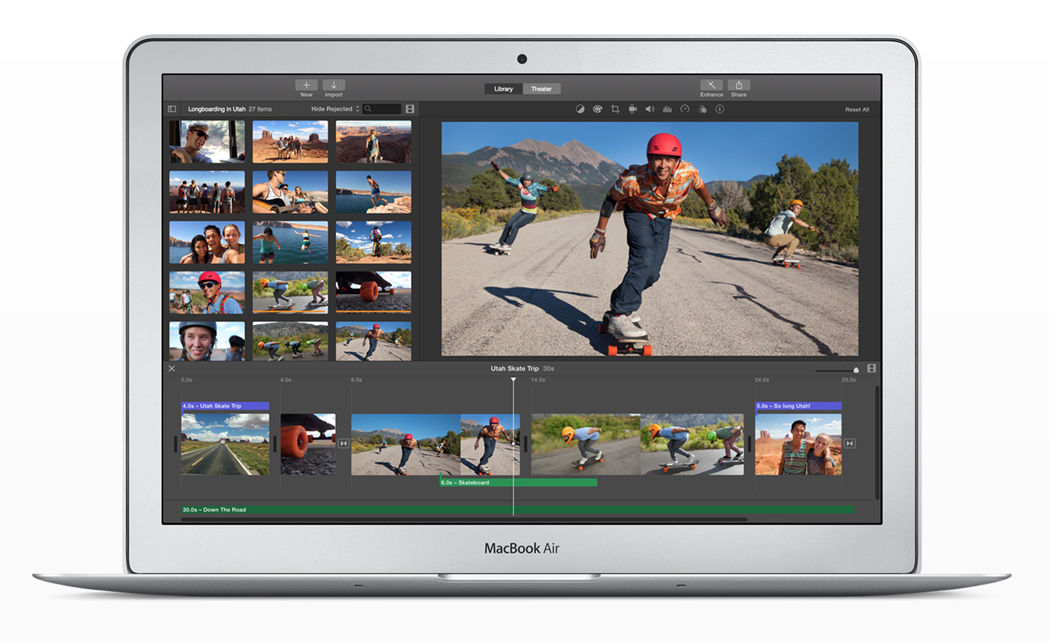
Apple has issued a small update to iMovie for users running the OS X Yosemite 10.10.3 developer and public betas. This new update, version 10.0.7, brings integration with the all-new Photos app, announced last year at WWDC and currently in beta. You’ll now be able to browse your moments, collections, favorites and albums in iMovie. Full release notes below:

Site default logo image

Apple promoting new Photos app to Aperture customers in email blast

Apple has began promoting the new Photos app to Aperture users in an email blast to past customers. Photos replaces iPhoto with new iCloud features built in, but the app does not carry over the same advanced editing features as Aperture.

Photos was first announced at WWDC last June with a release date targeted for sometime this year. The developer betas of OS X 10.10.3 included the new app for testers, and earlier this week the first public beta for non-developers was released.

Aperture, which is still being sold for $79.99, is no longer being updated and will be removed from the Mac App Store when the new Photos app is released with OS X 10.10.3 this spring. Adobe has developed an Aperture-to-Lightroom migration tool for professional photographers looking for software alternatives.

The email can be read in full below:


Expand
Expanding
Close

Apple releases second OS X 10.10.3 pre-release w/ latest Photos app version, new Emoji, more

Site default logo image

Earlier this month, Apple released the first OS X 10.10.3 pre-release update to testers with a beta version of the iPhoto replacement app called Photos. Today an updated build is rolling out to testers through the Mac App Store. Apple has also released a new beta of iOS 8.3 for testers. We’ll dig in.
Expand
Expanding
Close

Inside Apple’s new offices in Herzliya, Israel [Gallery]

Site default logo image

Apple is opening up a new suite of offices inside Israel this week, with CEO Tim Cook reportedly visiting Israel in part to inaugurate the new workspace. Recent reports have indicated that the offices will hold approximately 800 employees across 180,000 square feet of space.

Today, Israel-based website GSM-Israel has published purported photos of the upcoming new Apple space in Herzliya. The construction, features, and tables are all in line with Apple’s offices in others parts of the world. A full gallery of the new offices can be viewed below.

Apple has a history of working in Israel from purchases of companies like Anobit and PrimeSense, to the construction of research and development offices. Cook has also previously met with Israel Prime Minister Benjamin Netanyahu. During this upcoming visit, Cook will reportedly meet with former President Shimon Peres.


Expand
Expanding
Close

Apple’s new Photos app means big future changes for free photo storage

Site default logo image

Apple yesterday released a preview of its upcoming all-new Photos app for Mac, which replaces iPhoto and Aperture with a simpler all-in-one photo editor and library manager. Most of the discussion of Photos focused on the huge number of changes from iPhoto and Aperture, burying one very important detail: Apple is changing the way it handles cloud-based photo storage.

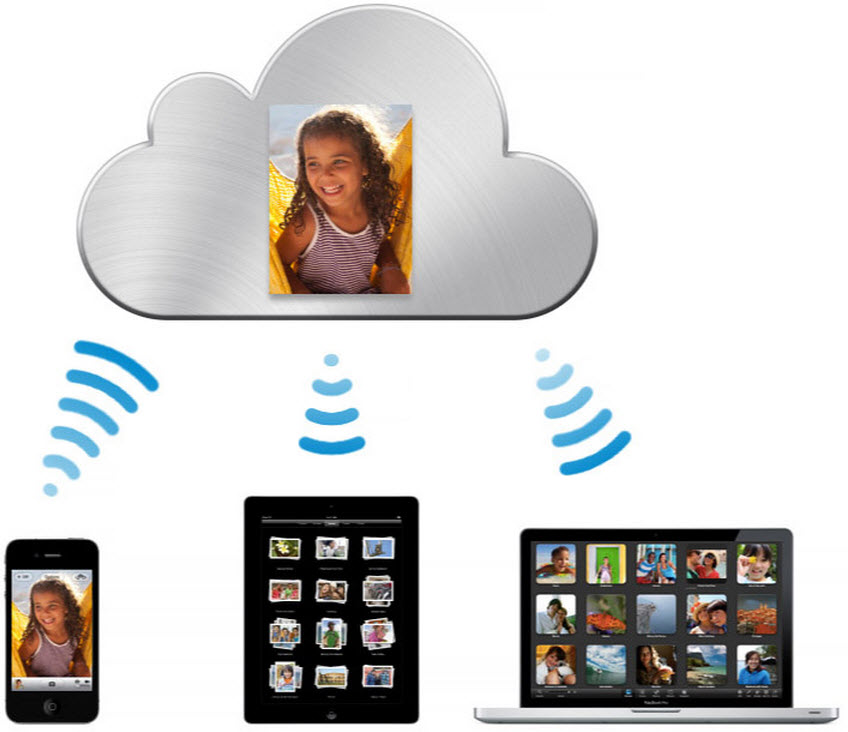
Before Photos, Apple offered free storage of photos with limitations in a feature called Photo Stream, which didn’t count against iCloud storage. But the new Photos app uses Apple’s beta iCloud Photo Library feature, which was recently added in iOS 8.1. iCloud Photo Library promises to let you synchronize your entire photo collection including edits and albums across all of your devices… but you have to share your iCloud storage with photos, and album syncing and edits don’t apply to the free 1,000 – 25,000 image storage of Photo Stream.

As most long-time iOS users know, the free 5GB of iCloud storage Apple offers is often not enough to store much more than a single device backup, and for many that will mean no spare room for a photo collection. Consequently, Apple is suggesting that users should buy additional iCloud storage, paying monthly fees to store and sync their photos. As the Photos app is rolling out, Apple is allowing users to stick with the old Photo Stream feature and continue using the new Photos app without turning on the iCloud Photo Library. But it remains to be seen if that will be an option long-term once Photos is released publicly and how users will respond when they find out their free 5GB iCloud storage isn’t cutting it for their photo collection…


Expand
Expanding
Close

Site default logo image

UIKit-like framework called UXKit used in Photos for Mac

Apple released a preview version of its new Photos for Mac app to testers today, and some developers noticed a new private framework used to build the iPhoto replacement called UXKit. While Apple often uses private frameworks that never become accessible to developers, the UXKit framework is notable as it appears to be a version of UIKit based on AppKit.

Mac developers have long wanted a version of UIKit, the framework upon which apps are constructed and managed including the user interface and app interactions, as it would offer app makers a powerful tool for creating software for the desktop just like it has on the smartphone and tablet.

While UXKit remains a private framework accessible only by developers within Apple, it’s possible UXKit could be a hint of how Apple will encourage iOS developers to create apps on the Mac as well making it much simpler to create apps for both iOS and Mac.
Expand
Expanding
Close

Apple releases OS X 10.10.3 pre-release seed to testers with all-new Photos app

Site default logo image

Apple is rolling out the first pre-release seed of OS X 10.10.3 to testers and developers today including the all-new Photos app with support for iCloud Photo Library beta. Previously, iCloud Photo Library was only available for desktop users through iCloud.com using a web app. The new Photos app replaces iPhoto while Aperture is also no longer being developed. Apple first announced the new Photos app at WWDC 2014 and later added that development would no longer continue on either iPhoto or Aperture. Adobe released a tool last fall to help Aperture users migrate photos to their pro app Lightroom.
Expand
Expanding
Close

Site default logo image

Twitterrific 5 for iOS updated w/ multi-image support, videos, animated GIFs, more

[vimeo 117635973 w=1000 h=563]

The Twitterific iOS app has been updated to version 5.9, with a bunch of useful extra features.

The app now supports multiple images in the timeline, allowing you to view them as a slideshow or tap directly on the thumbnail you want to view, as well as allowing you to tweet multiple images yourself. Many videos now play directly in the timeline, as do animated GIFs. Supported videos include Vine, Instagram and Moby.

Instagram photos also open within the app, you can view a user’s mentions by tapping and holding their avatar, and media links now open the source page. The full change-log appears below.
Expand
Expanding
Close

Site default logo image

Screenshots show Google’s upcoming Calendar iPhone app w/ Gmail, Photos, & Maps integration

It appears that Google could soon release its promised redesigned Calendar app for iPhone after first making the announcement and releasing the app for Android last November. The Next Web this morning shared a handful of leaked screenshots that provide a first look at Google Calendar for iOS, including info cards that indicate Gmail, Photos and Maps integration will be key features of the app.
Expand
Expanding
Close

Site default logo image

Photos app mysteriously vanishes from iCloud.com (Update: Back for some, Apple says fixed)

Update: Some users are once again reporting the availability of the beta Photos web app on iCloud.com (although not everyone just yet). Let us know if you’re still seeing issues.

Update 2: Apple has acknowledged the outage on its system status page and says the issue is resolved.

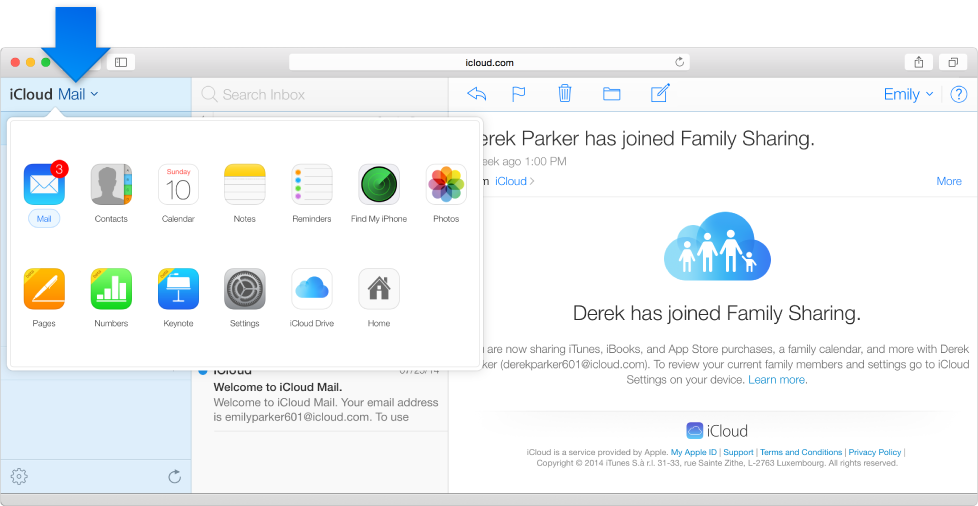
The Photos app has been mysteriously pulled from the iCloud.com site, in the last few days. The app, which shows pictures stored in iCloud Photo Library, is now no longer listed on the iCloud.com homepage when logged in … with no comment from Apple to explain the disappearance.


Expand
Expanding
Close

Site default logo image

Microsoft’s Xim photo app updated with support for Apple TV streaming over AirPlay

[youtube https://www.youtube.com/watch?v=sHAyOKtyjhs&feature=youtu.be]

Microsoft updated its Xim photo sharing application today with support for viewing photos over AirPlay on an Apple TV. The instructions for setting up AirPlay streaming (demonstrated in the video above) are relatively simple: just pull up Control Center and activate the AirPlay mirroing function that’s built into iOS. After that, you’ll see your slideshows on your TV in real time.

Xim allows users to create shared photo slideshows that stay in sync across multiple devices. Whenever a user changes the slideshow by zooming in, switching photos, or changing something else, all users currently viewing that slideshow will see the change in real time.

The Xim app is free for all users on the iOS App Store.

Site default logo image

Dropbox’s Carousel photo & video gallery app arrives on iPad & web

First launched on iPhone earlier this year, Dropbox announced today that it’s launching its Carousel photo and video gallery app for iPad users. The company is also bringing the experience to the web at carousel.dropbox.com.

Part of making the best home for your photos is giving you a fast, simple, beautiful way to engage with your pictures, however and wherever you want. Today, we’re excited to announce big steps towards that goal: Carousel for web, iPad, and Android tablet.

In addition, the iOS apps add the ability to share to Instagram and WhatsApp with today’s update.

The Carousel app offers easy sharing of one or multiple photos to contacts or email addresses and allows users to get around many of the upload limitations usually associated with sharing photos. With everything backed up in full resolution directly to Dropbox, the app is essentially a standalone experience for managing to photos and videos stored in Dropbox.

A look at the Carousel UI for web is below:

The Carousel for iPad app is available on the App Store now for free.

What’s New in Version 1.7

We’ve updated Carousel with one of your most requested features: support for iPad! Now, view your photos and continue conversations on a bigger screen.

Plus, we’ve added support for posting to Instagram and WhatsApp!

Instagram revamps Explore tab, adds caption & location editing

Site default logo image

After updating its app for iPhone 6 and iPhone 6 Plus last month, Instagram is out with a feature update today with some welcome features.

Users will likely appreciate the ability to edit photo captions and locations attached to photos in post now. That means if you make a typo on your caption, you no longer have to choose between correcting yourself in the comments, deleting and re-posting the photo with the correction caption, or just ignoring it altogether.
Expand
Expanding
Close

Facebook releases updated iOS client with improved support for sharing multiple photos

Site default logo image

Facebook has announced that it will be releasing an updated version of its mobile application later today that will improve the process of sharing multiple photos in a single post. The new composer will allow users to choose multiple images from their device’s photo library or camera, then show a preview of the post with each image in the order they were selected.

From here users will be able to add captions to each photo, write an introduction for the post, or rearrange the order of the photos. The post will show up in friends’ news feeds as a photo collage rather than a horizontal group of photos.


Expand
Expanding
Close

iCloud.com Photos app said to be coming next week alongside iOS 8.1

Site default logo image

Earlier this month Apple published some support documents that referred to an iCloud.com-based Photos web app for managing a photo library. It was discovered that when the URL for the app was entered into the beta version of the iCloud site, it produced an error message rather than simply redirecting to the home page like any other invalid link.

Today a 9to5Mac reader attempted to load the app and was presented with the page pictured above indicating that users running iOS 8.1 (which includes the beta version of the iCloud Photo Library feature) will be able to use the web app to view their photos. With iOS 8.1 scheduled for release on Monday, it’s not a stretch to think the online version of the app will be launching then as well.


Expand
Expanding
Close

‘It’s been way too long’: Apple sends out invites for Thursday, October 16th iPad & Mac event

Site default logo image

It’s happening: Apple has just announced a keynote address for Thursday, October 16th to take place at the Town Hall auditorium on its Infinite Loop Campus in Cupertino, California. Invitations to select members of the media and special guests indicate that the event will, as always, begin at 10 AM Pacific time/1 PM Eastern Time. News of the October 16th date broke last week. We’ll be providing full, live coverage on 9to5Mac.com of the event’s proceedings. Here’s everything we’re expecting Apple to discuss at the event:


Expand
Expanding
Close

Can’t wait for Photos for OS X? Photos app likely coming to iCloud.com for desktop viewing

Site default logo image

With Photos for OS X not being released until early next year, it seemed like there would be no way to view your photos backed up in iCloud Photo Library away from an iOS device for Mac customers. However, screenshots and error messages from iCloud.com show that a Photos app is in development for the website, so that users could access their pictures in some fashion on a computer. This will likely act as a stopgap before the official native client is ready.

The above screenshot is captured from an Apple help page, clearly showing a Photos app in the menu, which is currently absent from the public site. The app features the same icon as the Photos app, but its unclear what exact functionality it will bring. Poking around a bit, we discovered something that means it is unlikely the screenshot is simply a Photoshop mistake.


Expand
Expanding
Close

Site default logo image

Adobe announces Photoshop and Premiere Elements 13 with ‘Guided Edits’ and more

Image via Engadget

Adobe has announced its next major upgrades to its popular Photoshop Elements and Premiere Elements applications, with each being bumped up to version 13.

Both apps add new editing features, such as “photomerge compose” for lifting subjects from one photo and quickly moving them into another with proper lighting and other effects. New cropping tools allow you to automatically compose perfectly cropped by detecting faces and other details and determining how to best frame them in the shot.


Expand
Expanding
Close

Apple ‘actively investigating’ alleged iCloud hacking that caused celebrity nude photo leak

Site default logo image

Re/code has received a statement from Apple about the alleged hacking incidents. Natalie Kerris says:

“We take user privacy very seriously and are actively investigating this report,” said Apple spokeswoman Natalie Kerris.

As is the norm with Apple’s public facing commentary, the company has not said much about the situation. Somehow, compromising personal pictures of several celebrities have leaked online and many are blaming iCloud as the root cause. The events are muddled by the fact that some of the reported claims have transpired to be fake Photoshopped images, although some — like the images of Jennifer Lawrence — have been confirmed to be legitimate.


Expand
Expanding
Close

Countless celebrity nude photo leaks being blamed on supposed iCloud hack (Updated)

Site default logo image

A plethora of reports are swirling around the internet that countless private celebrity photos have leaked (no, we’re not going to link you), and—what are as of right now baseless—rumors claim that someone found a vulnerability in Apple’s iCloud platform and exploited it to obtain the images. Of the celebrities reportedly involved are Jennifer Lawrence, Kate Upton, Avril Livigne, Mary Elizabeth Winstead, Mary Kate Olsen, Hillary Duff, and many others.


Expand
Expanding
Close

New photos claim to show 5.5-inch ‘iPhone 6L’ shell compared to smaller model

Site default logo image

New photos leaked online today claim to show the body of the upcoming 5.5-inch iPhone, recently dubbed the “iPhone 6L” in another leak. The parts in the images are said to have come directly from Apple’s supply chain, though that claim is obviously quite difficult to verify. The design of the body matches up with previous leaks (more photos below the break).

Apple is reportedly working on two similar versions of the iPhone 6 for release this fall, likely following an announcement on September 9th. Each model will be larger than the current iPhone 5s, coming in at 4.7 and 5.5 inches, respectively. The device will sport a sapphire crystal display, which we’ve seen on video in recent months, though some sources claim that only the 5.5-inch variant will get that specific upgrade.


Expand
Expanding
Close

Site default logo image

Google releases new Photo Sphere Camera app for iPhone

[youtube=https://www.youtube.com/watch?v=p9D3PxwGvC8&feature=youtu.be]

Google has dropped a new app for iPhone this morning called Photo Sphere Camera. The app offers a special camera that allows you to capture 360º images – everything above, below, and around you – for viewing and sharing. The new app even allows you to publish 360º images you capture to Google Maps for others to see as well. Google notes that the app requires iPhone 4S or higher for capturing images. Photo Sphere Camera is available for free on the App Store joining a long list of other Google apps including its popular game augmented reality game Ingress.
Expand
Expanding
Close