Last month the popular Waze navigation app on iPhone got a major update with a new design and improvements to reporting traffic issues and sharing arrival times with others. Now Waze is out with its next new version which brings 3D Touch shortcuts to the Home screen icon for iPhone 6s and 6s Plus users. Firmly press on the updated icon to quickly look up an address, share your location with other users, or get directions to your work or home address from your current location. Waze also says the update includes the usual bug fixes and improvements.
Google today announced that it’s bringing its Google Keep note taking app to iPhone and iPad for the first time after originally releasing only for web and Android users a couple years back. Expand Expanding Close
Following Fantastical’s recent debut on the Apple Watch, which includes the full iCloud Reminders experience and more, Flexibits is delivering a neat new drafts feature to the intelligent calendar app and newly added support for another language. Expand Expanding Close
[Update: The issues seem to be resolved around 12:00 PM EST.]
[Update 2x: Apple has also acknowledged the outage on its system status page noting that it began last night and may still be ongoing.]
No word on Apple’s official iCloud system status page, but the Calendar and Reminders web apps on iCloud.com are currently down as several readers have pointed out. We’ve tested it here and the above error was returned. Apple’s iMessage service suffered a similar outage earlier this week with users reporting widespread downtime. Other iCloud web apps appear to be working properly. We’ll keep an eye on the outage and update if anything changes, but if you’re seeing the outage it’s not just you.
When Apple Watch and Watch OS 1.0 shipped in April, the definite omission of an Apple Reminders app on the platform was particularly surprising to me. The Apple Watch User Guide even highlights the app’s absence:
There’s no Reminders app on Apple Watch, but Apple Watch notifies you of reminders you create in the Reminders app on your iPhone—and on any other iOS device or Mac that’s signed in using your Apple ID. Also, you can create reminders using Siri on Apple Watch.
Creating and responding to reminders is fine, but my girlfriend and I use a shared iCloud Reminders list for our grocery list, and being able to glance at the watch as you walk through the supermarket without pulling out the iPhone is an ideal use case for Apple Watch. Fortunately, Flexibits has developed a new version of its Fantastical app for iPhone that brings the full Reminders experience to Apple Watch, fulfilling an important use case for the watch I had in mind before it arrived.
Fantastical for Apple Watch also brings the excellent streamlined calendar list view to the watch, complete with the app’s easy-to-use natural language parsing feature that sets it apart from Apple’s own calendar app… Expand Expanding Close
Flexibits, makers of Fantastical 2, just announced an upcoming version of the super useful calendar app coming to the Apple Watch. Included in the teaser is the above preview of Fantastical made for the Apple Watch. We’ll have a full hands-on review of the new app when it launches so stay posted for that. In the meantime, check out our review of the recently released Fantastical 2 for Mac, which takes the natural language parsing calendar from a menu bar app to a full fledged calendar with a complete Yosemite redesign. You can grab Fantastical 2 for iPhone from the App Store for $4.99 to be ready for the Apple Watch update.
Apple may not have included its Reminders app on Watch OS, but Todoist is bringing its own to-do list app to the Apple Watch. Included in the latest update to the iPhone version, Todoist for Apple Watch lets you sort through your tasks and projects, respond to alerts, and even create new assignments. Expand Expanding Close
Fantastical’s ability to parse natural language input and create detailed appointment entries on your calendar has always been the primary reason to use it instead of or in addition to Apple’s own Calendar app on the Mac. Apple Calendar has picked up some language parsing smarts in recent updates, too, but it still doesn’t match Fantastical’s control and real-time appointment preview.
Still, I say in addition to because Fantastical for Mac has lived in the menu bar next to your clock, WiFi status, and other utilities where you can quickly access it for reference or adding an appointment from anywhere in the OS. The menu bar app includes a compact month view calendar above a streamlined, scrollable list view of appointments and reminders, but sometimes it’s nice to stretch out and view your schedule in a different context.
So when Fantastical first debuted on iPad almost a year ago putting the efficient list view next to a larger full calendar, I wrote optimistically that “the iPad’s app design could spill over into a future version of the Mac app (maybe as a dock app rather than a menu bar app).”
What Fantastical 2 for Mac actually became is even better: the same menu bar calendar users know and love (but new and improved!), and a full-sized calendar app with an optional dock icon. Both have been designed with the aesthetics of OS X Yosemite in mind and loads of under-the-hood features and improvements including the ability to actually change which calendars you see based on your location. Expand Expanding Close
Fantastical for iPhone and iPad, the alternative calendar and Reminders app from Flexibits, received a major feature update today for iOS 8 users. If you’re unfamiliar with Fantastical, the ability to turn text input like “Dinner with Tim tomorrow night at 7pm” into a calendar appointment without fiddling with menus and dials is it’s killer feature.
Fantastical for iPhone received an update last month which optimized the user interface for iPhone 6 and iPhone 6 Plus users, and today’s new version adds a Today view widget in Notification Center, an app extension for use in other apps, and interactive notifications for responding to alerts without even opening the app. Check out the new features in the latest version of Fantastical for iPhone and iPad below. Expand Expanding Close
Anyone who has ever had the misfortune to have to use a corporate hours-tracking/billing system will know that they typically give every impression of being designed by an enraged gorilla working to a spec provided by a sadistic accountant.
Tapity, which won an Apple Design Award back in 2011 for “the ultimate app for students” Grade, has today launched Hours, a simple color-coded app it says aims to take the pain out of time-tracking. I’ve been using a pre-release version for the past week so that I could let you know my thoughts on the day it launched …
After previously announcing the feature and showing it off last month in a promotional teaser, Realmac Software is finally bringing the highly requested reminders functionality to the popular Clear to-do list app on both the Mac and iOS platform. The latest version also brings some extra goodies that add even more personality to the app like new sound packs. Check out the details below to see how the latest version of Clear measures up as an alternative to Apple’s own Reminders application and other apps as well. Expand Expanding Close
After first debuting on the Mac then joining iOS with the iPhone, Fantastical is finally ready to replace the calendar on your iPad, too. With Fantastical for iPad, Flexibits has brought the same, streamlined design and natural language parsing for quick event and reminder entry to the iPad. I’ve been using Fantastical for iPad for a few weeks now, so let’s take a look at how it compares to Apple’s calendar app… Expand Expanding Close
Fantastical isn’t the only app with a new version on the way. Realmac Software, makers of the popular to-do list app Clear, have been hyping the addition of Reminders functionality since late last year and expected to ship the update around this time. Realmac says its still fine tuning the Reminders experience in Clear and expects to release the update early next month. This marks the first time we’ve seen a shot of how the Reminders function will look in Clear (seen above) as well as a blurred teaser for the Mac version as well (notice the calendar date picker).
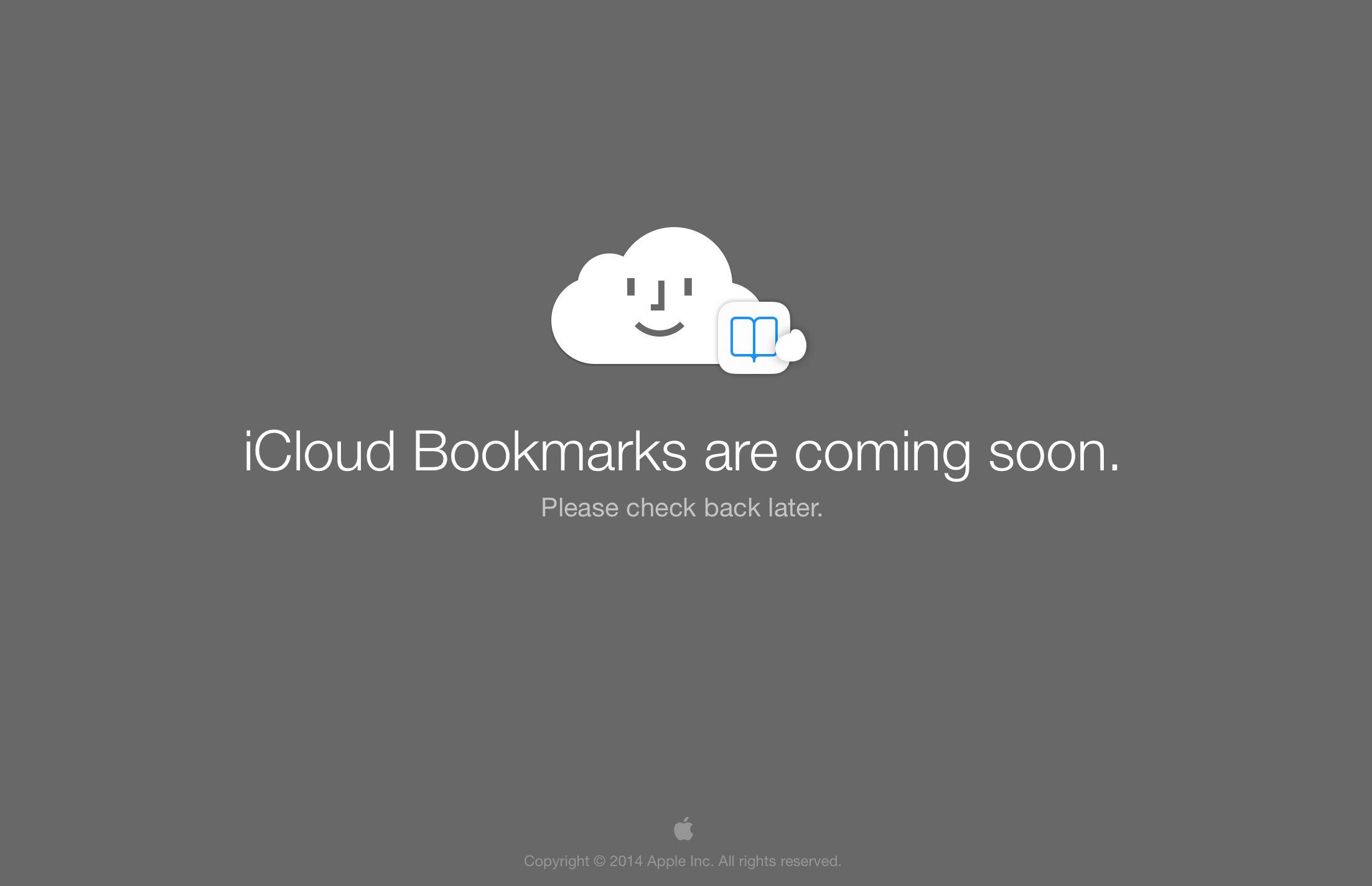
A glitch on iCloud.com suggests that Apple will soon add a way to view iCloud Bookmarks on the iCloud.com portal. The screen, shown above, appears briefly at this URL when users try to install the Chrome extension from the iCloud Control Panel for Windows.
Reuters is reporting that Lucy Koh has today dismissed a data privacy lawsuit against Apple that dates back to 2011. The plaintiffs were suing on the basis that (in iOS 4.1) Apple collected WiFi hotspot and cell tower location data even though Location Services were disabled.
Fantastical for Mac received a small performance update today but also added one really useful feature: Reminder due times. As we mentioned in our full review here, Fantastical 2 for iPhone recently picked up full Reminders support and today’s update brings further parity between the two apps.
Fantastical for Mac, which I find to be the easiest way to input dates and reminders, is available on the Mac App Store for $19.99 to new users and today’s update is free for existing users.
IFTTT, the popular web service that allows users to automate tasks from a long list of other mobile apps and web services, today updated its iOS app with the iPhone’s Photos and Reminder apps… Expand Expanding Close
The Google Search iOS app has received a huge update today that brings a number of new features including the ability to activate voice search handsfree. Users on iPhone 4S or later can now simply say “OK Google” to begin a voice search, much like what users have been able to do with Google Now on Android devices for quite some time.
Version 3.1.0 now includes notifications for upcoming events, flights and public transit. For example, the Google Search app will provide notifications for delayed flights, tell you how long you have to catch the last train, and remind you of upcoming appointments . You can also now set reminders within the app:
Ask Google to remember things for you. Just say
• “Remind me to buy coffee beans at Starbucks,” or
• “Remind me to check out the fair this weekend”
and Google will remind you at the right time or place
In addition, Google says users can now set reminders for when their favorite musicians, tv shows, actors or celebrities are releasing new content or appear in headlines. There are also new cards in the app that display info for movie and event tickets, boarding passes, rental car reservations, public transit and upcoming events.
After bringing natural language input to the mobile calendar experience with Fantastical for iPhone last November, Flexibits today released a brand new version of what was already my absolute favorite calendar app.
Fantastical 2 delivers an all new design made just for iOS 7 as well as numerous new features like Reminders support, dark and light themes, landscape support for week view, and much more.
I’ve been using Fantastical 2 for the past few weeks, and below I’ll show you why it’s my go-to calendar for iPhone.
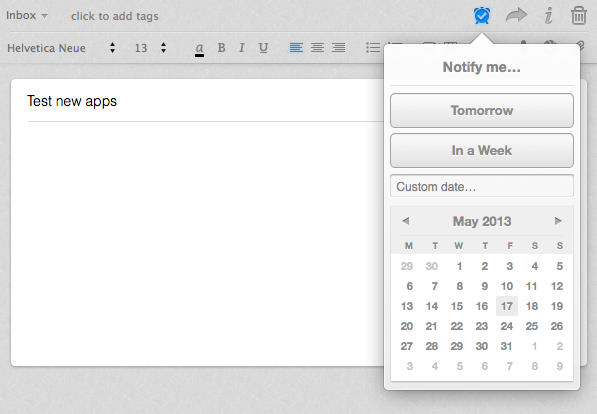
Evernote, the highly popular cross-platform information management app, has at last added what the company described as one of its most-requested features: reminders … Expand Expanding Close
Realmac Software is on the brink of launching its fun new camera app Analog Camera for iPhone, but it has one more major task to mark off its list before we all get our hands on it. With its latest update to Clear, that item can now be swiped right off the list.
Clear on the iPhone and Mac both were updated today receiving a frequently requested feature: list sharing over email.
Turnplay: Based on the classic Technics SL1200 turntable, which sold more than three million units worldwide, Turnplay is a new app aiming to bring a realistic turnable experienced to iPad. The app features pitch control, full realistic record control, and 33/45 buttons. The app is on sale for 50% off (99 cents) to celebrate its introduction.
The world’s most popular vinyl turntable which sold over 3.000.000 copies worldwide is now available on iPad!
Tweetbot for Twitter 1.1 (for Mac):The Tweetbot for Twitter Mac App Store app gets a big update today that brings new global hot keys for new tweets and “show/hide”, an “All Tweets” option for notifications on 10.8, keyboard shortcuts for Email, Tweet, and Read Later, and much more. Tapbots are also listing a ton of fixes in version 1.1 on the app’s iTunes page.
– New global hot keys for show/hide and new tweets available in preferences
– New “All Tweets” notification preference available (10.8 only)
– If you pin timeline to top in preferences it will now also pin other non-streaming columns to the top (searches, lists, etc)
– Added support for visual sync marker
– Keyboard shortcuts for Read Later and Email Tweet
– Trends now autorefresh if used in a column
– Clicking menu bar item rows will now open main window if needed. Will also go to correct space if main window is on a different space/desktop
– Moom and Tweetbot are now better friends
Kayak version 24.0.0: Following an update to the pro version last night, Kayak’s free iOS app now games the same features including Passbook and Reminders support, a new itinerary management tool, the ability to book car rentals, as well as updated sharing options and hotel booking screens:
Edit events in Trips, our itinerary management tool.
View trips that have been shared with you.
Simpler, prettier, faster, better hotel booking screens.
Passbook support for trip events (iOS 6 required).
New ways to share travel info: Twitter, Facebook
Save searches in iOS Reminders (iOS 6 required).
Book rental cars directly with KAYAK.
Performance improvements and bug fixes.