9to5Mac Reviews
All the products that the 9to5Mac team has reviewed.
All the products that the 9to5Mac team has reviewed.
All the products that the 9to5Mac team has reviewed.
All the products that the 9to5Mac team has reviewed.



As someone who’s been involved in IT for the last 15 years, sitting while working comes with the territory. Since transitioning from IT to full-time blogging, it’s just been more of the same.
Shooting video tends to get me out of my chair on most days, but I still find myself sitting for inordinate amounts of time. Having a good exercise routine is crucial, as many of my colleagues will attest to, but even with regular exercise, it can still be fatiguing to sit for most of the working day.
This is why I ended up researching, and ultimately acquired, a standing desk. Standing desks are great as I noted in my full review of the UpDesk Power Up, but after a month or so of regularly standing for portions of my work day, I craved something more.
Enter the Under Desk Treadmill from LifeSpan. It’s a device that helps transition a standing-while-working routine into to a moving-while-working routine. Can an under desk treadmill really allow you to maintain productivity while in motion?
The folks over at Monowear sent over one of its bands for me to try, and I shot a brief video showcasing the band in action. Monowear makes several band styles from leather, mesh, nylon and metal. The band it sent over is a brown leather band featuring a handy deployant clasp. The deployant clasp creates a perpetual look that makes the leather band super-easy to put on and take off. Have a look at our video review inside to see it in action.
Expand
Expanding
Close
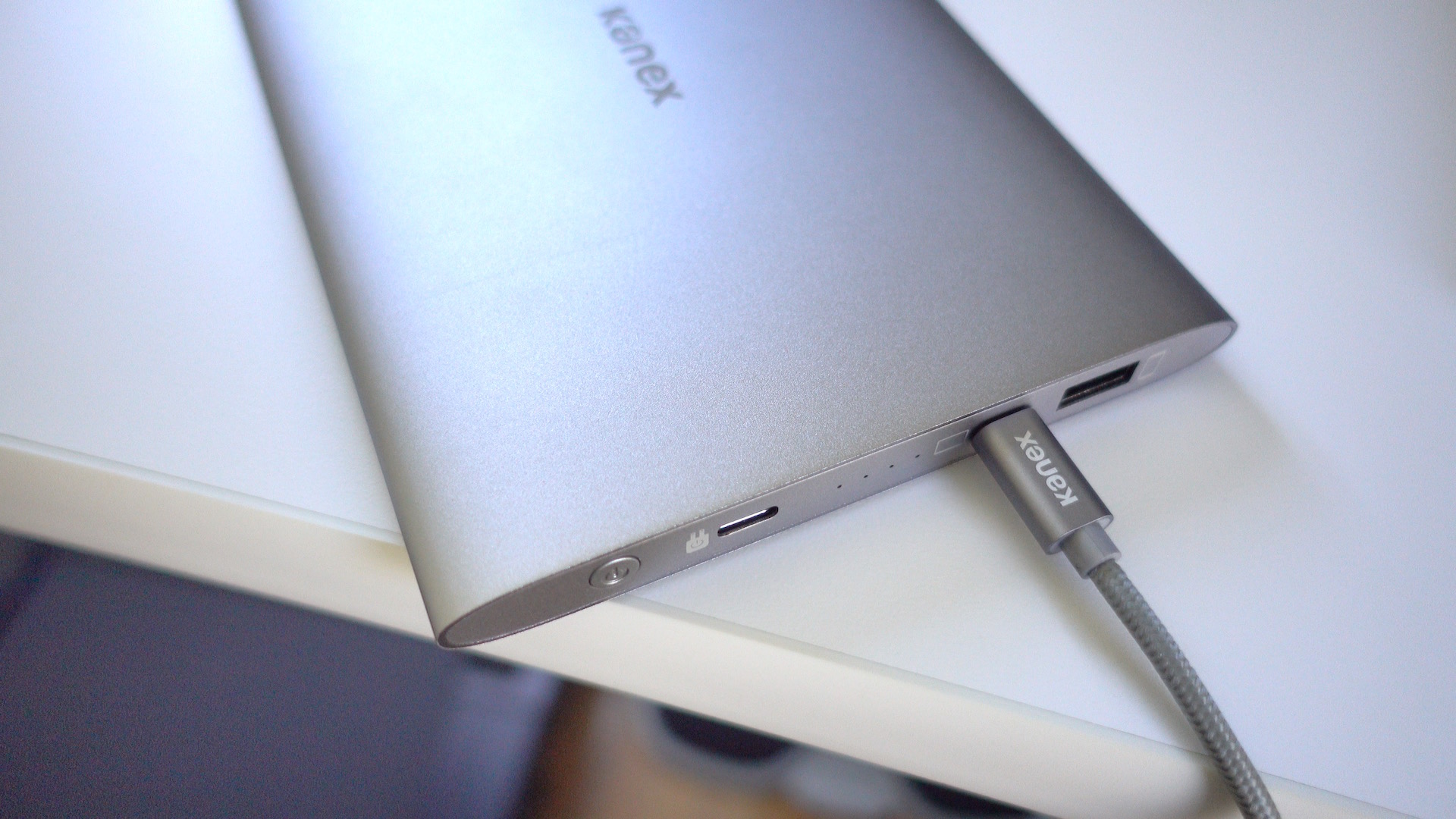
I wouldn’t normally describe a portable battery as being beautiful, but Kanex’s just-released $99 GoPower USB-C Portable Battery fits that description. Its aluminum body is like a mix of Apple’s space gray and silver colors, but it’ll look good when paired with any 12″ MacBook.
Good looks are nice, but the real world performance of a battery pack is crucial. How does Kanex’s offering stack up? Check out our hands-on impressions.
Expand
Expanding
Close


In my continuing quest to find a great iPad Pro case, I’ve been testing out the new BookBook case for iPad Pro 12.9-inch ($99) … and I really like it. Don’t judge a book by its cover; the cute design hides a lot of utility. There’s a display mode for watching movies, an integrated kickstand perfect for typing and sketching as well as a fantastic Apple Pencil holder hidden in the ‘spine’. (Check the Twelve South website if sold out on Amazon.)
As the whole thing zips up, it’s one of few cases that completely protects the iPad whilst in transit. Read on for my full review of the BookBook for iPad Pro after the jump …
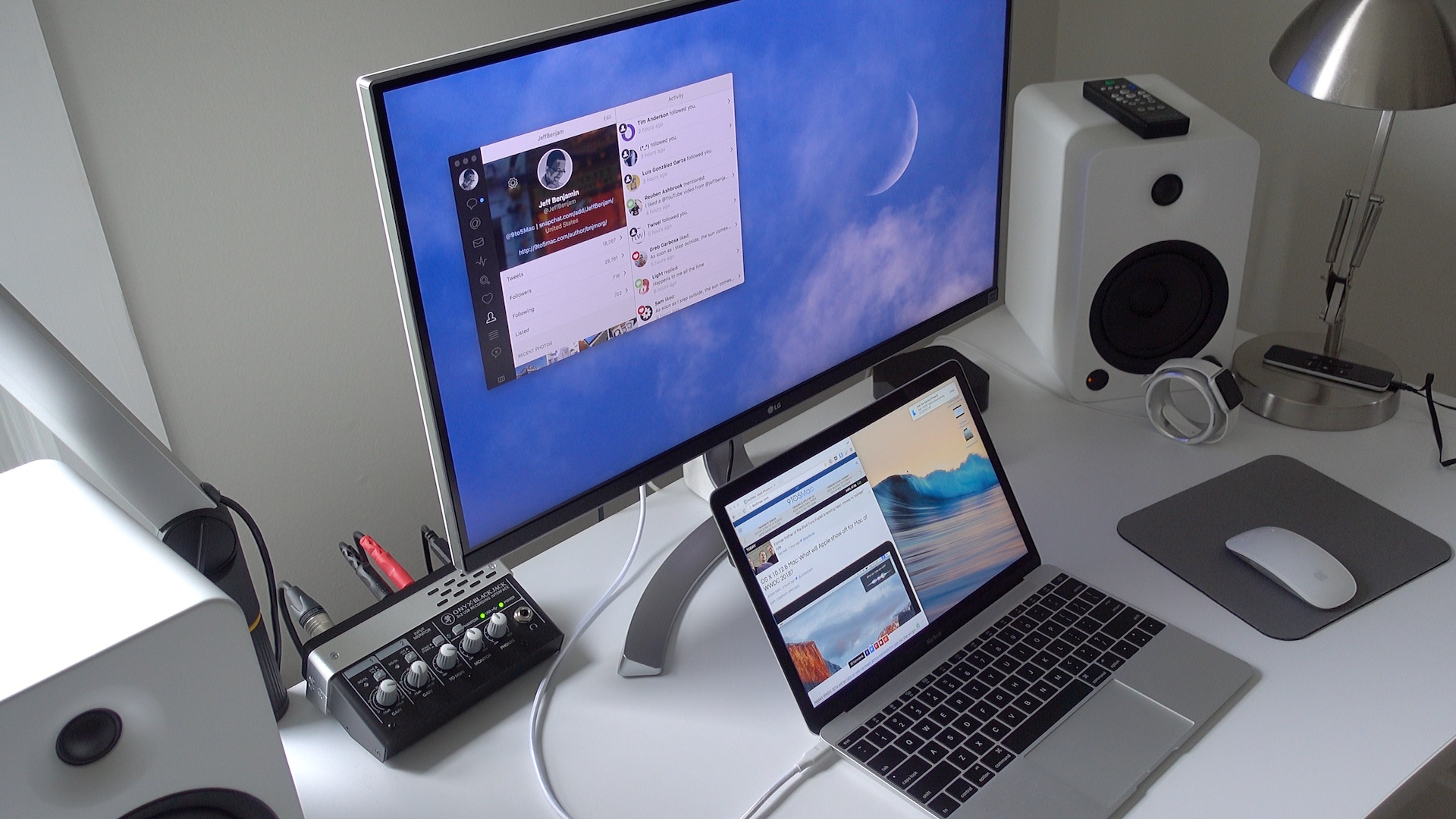
If you’re looking for a 4K display that can be paired with your 12″ MacBook via a single USB-C cable, then your options are fairly limited. It seems that LG is one of the few display makers that has such a monitor available for sale.
LG’s 27UD88-W is a 27″ USB-C-enabled display. Its USB-C port allows MacBook owners to connect a single cable to drive the display, charge the machine, and facilitate data transfer.
As I alluded to in my recent 2016 MacBook post, the 27UD88-W isn’t perfect, but it’s one of the only games in town if you desire a 4K monitor with USB-C connectivity in tow.
If you’re a MacBook owner, should you consider purchasing one? Have a look inside for the details.
Expand
Expanding
Close


It happens all the time. Parents upgrade old iPads with new ones and lucky kids inherit magical (and expensive) tablets. But kids aren’t nearly as careful with pricey pieces of glass and somehow always messy hands. That’s what happened in our house late last year, and Speck’s iGuy case for iPad has made a world of difference.
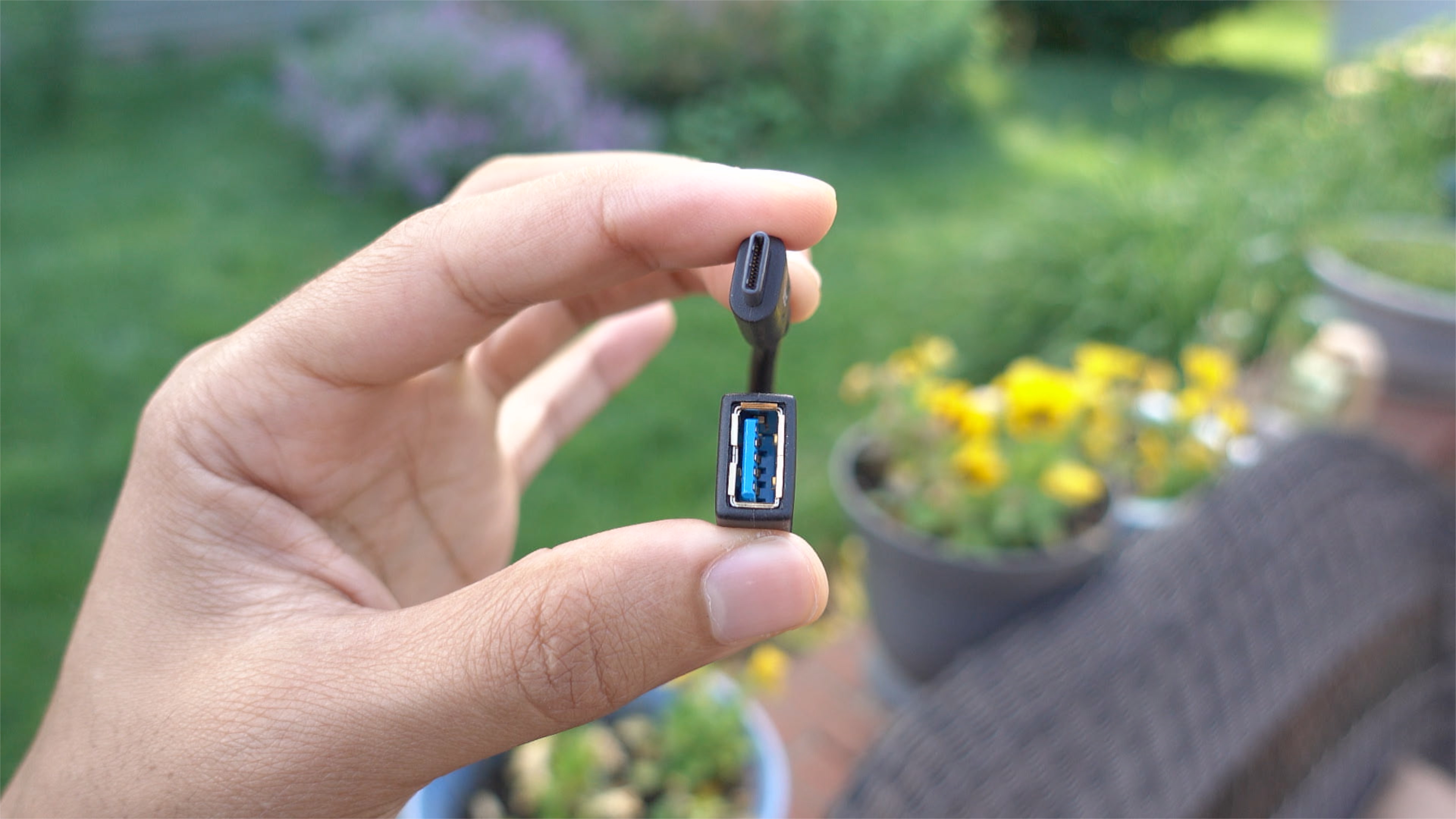
If you own a MacBook and you wish to interface with legacy USB-A connections, you have several options. Apple itself produces a USB-C to USB Adapter, and it’s available for around $19. There’s also no shortage of third-party options available on Amazon and other resellers.
One such option, IXCC’s USB 3.0 to Type-C Convertor Cable, is a cheap and easy way to garner legacy USB device support on USB-C only MacBooks. Have a look at our brief hands-on video to witness the adapter in action.
Expand
Expanding
Close


I’m not normally one for hiding Apple’s gorgeous designs away inside cases, but my 11-inch MacBook Air is used almost exclusively when I’m out and about, so it does normally live in a TwelveSouth BookBook case to keep it safe on its travels. I adore that case, so persuading me to set it aside for an alternative would not be an easy task.
But I was very taken with the leather iPhone and iPad cases I recently reviewed from NY-based Burkley, so I decided to give one of the company’s snap-on leather MacBook Air covers a try. It currently offers these for the MacBook Air only (both 11- and 13-inch) – though it does also have a non-snap-on variation for the 12-inch MacBook.
Burkley likes to mix up its leather offerings for each product, with the Antique Camel Leather I liked last time not available for the MacBook, so I tried the Special Burned Tan Leather. This is a fairly standard tan color in the center, with darker burned-in edges …
If you read our review of the ATH-M50x closed-back headphones, I made it pretty clear that I was a fan of what Audio-Technica was offering. The ATH-M50x’s are well-known for giving Beats By Dre headphones a run for their money, and at a much more affordable price.
I also had the opportunity to go hands-on with one of Audio-Technica’s newest offerings, the ATH-MSR7NC. These noise-cancelling cans differ in many ways from the company’s mainstream offering, and at more than double the price of the M50x’s, venture into more premium territory. Should you consider them?
Expand
Expanding
Close

I’m not a major believer that Apple’s iOS devices can quite fully replace the PC and Mac in most scenarios, at least not for me, and not quite yet. I’m a keyboard fiend, using shortcuts on the keyboard almost more often than I use my mouse. These doubts were ready to be tested when I saw the progress that iOS 9 brought for third-party developers within the iOS ecosystem. With the new SDK, developers were getting the chance to integrate keyboard shortcuts into their iOS apps just like a Mac app. It was then that I knew it was time to start looking for a portable keyboard to take around with me.
This presented a new problem for me. There’s a vast amount of Bluetooth keyboards out there, and I didn’t want to just carry Apple’s bulky Bluetooth Keyboard around. I needed something with a full keyboard size, good battery life, and durability. After a few months of searching, and reluctance on spending money on what I considered an unknown, I gave up my hunt.
I nearly forgot about my keyboard journey until a few months when iClever reached out to me asking if I wanted to take a look at their iOS compatible Bluetooth accessories. I gladly accepted the offer, and began by taking a look at their Tri-Folding Bluetooth Keyboard. Everything I read online from the listing on Amazon made it seem like it could fit neatly into everything I had been previously searching for, so I was excited to get my hands on it.
Pictured here with my iPhone SE for scale
When a well-respected audiophile brand known for an amplifier costing a cool $150k launches an AirPlay speaker system, you can be sure of two things. One, it’s going to be pretty special. Two, it’s not going to be cheap.
Sure enough, Naim’s first wireless offering – the Mu-so which I reviewed earlier this year – came in at $1500. I did, though, consider it worth every penny. It’s a true replacement for a hifi system, delivering room-filling sound that I couldn’t fault. The design is fantastic, build-quality first-rate and it offers every input source you could ever want: AirPlay, Bluetooth, UPnP, Spotify Connect, Tidal, wired Ethernet, USB, optical and 3.5mm analog.
If you liked the sound of it but thought that $1500 was pushing things a little, there’s good news and bad …
The iPhone can shoot 4K video, and now even the iPad can shoot 4K video. Yet, there are times when you need the flexibility and power provided by a standalone camera.
Standalone cameras have inherent advantages over smartphone cameras, despite the major strides made by iPhone photography over the last few years. Even with amazing third-party apps like FiLMiC Pro, which lets you adjust things like ISO and shutter speed, you’re still stuck with a constant aperture and fixed lens.
While smartphones have replaced point and shoot cameras for a vast amount of people, standalone cameras, especially ones with interchangeable lenses like the recently-released 24MP Sony a6300, still have their place.
Expand
Expanding
Close
As someone keen on recording voiceovers and podcasts from an iPad, I needed a Lightning-enabled microphone that could handle such a task. While it’s true that Apple’s Lightning to USB 3 Camera Adapter allows iOS to interface with a variety of microphones that it wasn’t able to before, I like the idea of keeping my setup as minimal and as dongle-free as possible.
Enter the Shure MV5 Digital Condenser Microphone. This is a MFi-certified Lightning-enabled microphone that works with the iPad or iPhone using a single microUSB to Lightning cable. By switching out the Lightning cable for a traditional USB cable, you can use the same microphone with your Mac or PC.
This microphone is a digital condenser that can be powered via Lightning or USB. It doesn’t require any special adapters or power supplies to work, just plug it in, launch an app, and start recording.
For the last few months I’ve been using my Apple EarPods for nearly every application that requires in-ear audio. I use my EarPods for monitoring while recording voiceovers, for podcasting, and for everyday music listening.
Absurd as it is, the last pair of headphones I’d owned, a pair of Sony MDR-7506’s, ended up developing a short in the cable. I simply never got around to replacing them in a timely manner.
Audio-Technica’s ATH-M50, and the updated ATH-M50x, have received rave reviews from tech sites, bloggers and YouTubers alike. The love that these headphones receive on a regular basis convinced me that the next pair of headphones that I tried needed to be these. Do they live up to the hype?
Expand
Expanding
Close

If a super-slim, high-quality leather iPhone case is on your wish list, the Nodus Shell case has a few perks that make it my new recommendation and go-to everyday case.
If there was one thing I would have sworn you could never interest me in trying, it was yet another Bluetooth earpiece. There are about a zillion of these available (well, 45,322 according to Amazon), and for the most part my view has always been that if you’ve seen one, you’ve seen ’em all. Stick them in your ear and get tinny, one-eared sound that is hopeless for music but does the job for hands-free phone calls when you don’t have access to an installed setup in your car.
But I had to admit that the Schatzii Bullet is rather smaller and more stylish than most, with a cute charging system that goes some way toward making up for the somewhat limited battery-life that inevitably accompanies such a small device. It seemed worth a try …
If you’re looking for a pair of inexpensive wireless earbuds for workouts, then Aukey’s EP-B20 Bluetooth Headset is worth a look. These aren’t the most prestigious earbuds that you can pick up, but they sound decent, feel great in ear, and come with a reasonable $27.99 price.
Expand
Expanding
Close
Prior to the official announcement of the Apple Watch, there were multiple rumors that the device would be packed with health-related sensors. When it finally launched, however, it got just a heart-rate monitor – albeit a sophisticated one. A teardown revealed that there’s also a pulse oximeter in there, to measure oxygen saturation in your blood, but Apple hasn’t yet activated that functionality.
The apparent turnabout on sensors was explained by Tim Cook, who last year told the Telegraph that Apple wanted to avoid the need for FDA approval as a regulated health product as that would slow innovation. Any additional sensors, he strongly hinted, would be external.
If you don’t want to wait that long, however, health-tech company Azoi has launched the Kito+, a credit-card sized unit that pairs with an iPhone app to measure heart-rate, ECG, blood oxygen, respiration rate and skin temperature. Costing £99 ($145), you can either use it as a standalone unit, or slot it into the supplied iPhone case for the iPhone 6/6s/Plus …
SanDisk’s new iXpand Lightning to USB drive introduces a new design, faster USB 3.0, and a brand new app, making it one of the most attractive offerings as far as thumb drives for your iPhone or iPad go. I’ve been testing it out to see if it’s worth a recommendation over the many competitors.
I’ve always been intrigued about the idea of a standing desk, but I’ve never been motivated to actually try one until recently. As someone who sits at a desk and blogs about Mac and iOS for a living, I was particularly interested in seeing what type of benefits such a desk could offer.
Enter the PowerUp from UpDesk, a Nashville-based company that specializes in standing desks. The PowerUp, as its name alludes to, is a motorized standing desk that can lower and raise with the press of a button.
I’ve been testing out the PowerUp for the last few weeks, and have collected some thoughts and observations about the setup. Does it really make a difference in my day to day Mac and iOS blogging workflow?
Expand
Expanding
Close

As I’ve detailed in the past, I originally purchased the 12.9-inch iPad Pro last November before switching to the to 9.7-inch model last month due to the lack of software optimization on Apple’s part. When I first wrote about this switch, some people were curious as to why I went with the more expensive 9.7-inch iPad Pro over the cheaper iPad Air. Well, there were too main reasons: Apple Pencil and Smart Connector.
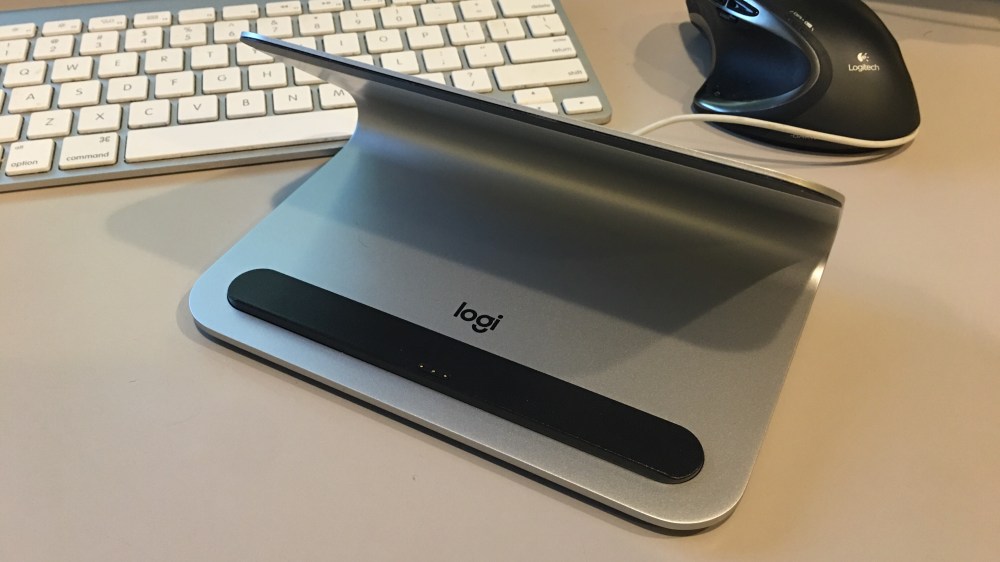
Since the start, the potential of the Smart Connector has intrigued me. So far, we’ve only seen a few keyboard cases that take advantage of the feature, but now Logitech is announcing its LOGI Base Charging Stand with Smart Connector for iPad Pro and I’ve been using it for the past few days…
Expand Expanding Close
As an owner of a Late 2013 MacBook Pro with Retina Display, it’s slowly beginning to show its age. However, I find that this machine, an i7-powered rig with 16GB of RAM, is still plenty powerful for the applications that I run on a day-to-day basis. For example, with Final Cut Pro X, it’s not the fastest machine in the world (it lacks dedicated graphics), but it’s still plenty competent when it comes to editing and exporting 4K videos.
The biggest bottleneck that I’ve encountered with this computer is its storage capabilities, and that’s something I’ve been trying to deal with since the day I purchased it. With only 256 GB of flash storage, space has been hard to come by since day one. That wouldn’t be so bad if there was a way to upgrade the amount of internal storage, but sadly there has been no upgrade solution…until now.
Back in early March, OWC made a splash by announcing the very first flash storage upgrade solution the MacBook Pro as far back as the Late-2013 product cycle, and the MacBook Air, as far back as the Mid-2013 product cycle. Yes, finally! MacBook Pro and MacBook Air owners with qualifying machines can come out of the storage dark ages with OWC’s new Aura PCIe flash storage upgrade.
Expand
Expanding
Close
Ever since the iPad Pro came out, it seemed like an obvious third-party accessory would be a case that could also hold a Pencil. However, six months on, the number of iPad Pro cases with good Apple Pencil compatibility is still pretty small. You are by no means spoilt for choice if you are looking to buy an iPad Pro case with Apple Pencil holder.
The Dux ($59.95) is a solid attempt at such a case, a lightweight 12.9-inch iPad enclosure providing some protection against drops and bangs, with an Apple Pencil holster on the side. Its simplicity is refreshing, but that brings with it some shortcomings. Read on for my review.
One of the most interesting accessories that came out of the Consumer Electronics Show earlier this year was Griffin’s BreakSafe Magnetic USB-C Power Cable. As a 12-inch MacBook owner (and lover), one of the things I’ve missed the most with the machine is the MagSafe connection. Apple introduced the MagSafe technology 10 years ago, but thanks to the switch to a single USB-C connection, it is nowhere to be found on the ultra-slim MacBook.
That’s where Griffin’s BreakSafe comes in the. Retailing for $39.99, the BreakSafe is a six-foot-long magnetic USB-C cable. The BreakSafe brings the laptop-saving MagSafe technology that Apple users have to love to the 12-inch MacBook. And it does it surprisingly well, but it’s not perfect…