9to5Mac Reviews
All the products that the 9to5Mac team has reviewed.
All the products that the 9to5Mac team has reviewed.
All the products that the 9to5Mac team has reviewed.
All the products that the 9to5Mac team has reviewed.



I’ve learned a lot about 9to5Mac readers’ iPad, iPhone, and even MacBook battery preferences over the past six months: roughly 75% want the most affordable or value-laden battery available for a specific need (say, a powerful $40 iPhone 6 battery case or an $80 ultra high-capacity iPad battery), while the remaining 25% are willing to pay a premium for better features or a better-known brand name.
Just beginning to hit stores, myCharge’s new HubUltra ($150, currently $110 online) is designed to be the iPad/iPhone battery for users who will pay more for something flashy. It looks great, packs a large 12,000mAh rechargeable cell for plenty of power, has built-in Lightning and Micro-USB cables, and rapidly refuels with an included wall power dock. HubUltra doesn’t deliver as much power for the dollar as the remarkable Anker Astro E7, but myCharge has built a completely turnkey solution that will particularly appeal to iPad users with micro-USB accessories. If that’s what you’re looking for, read on…


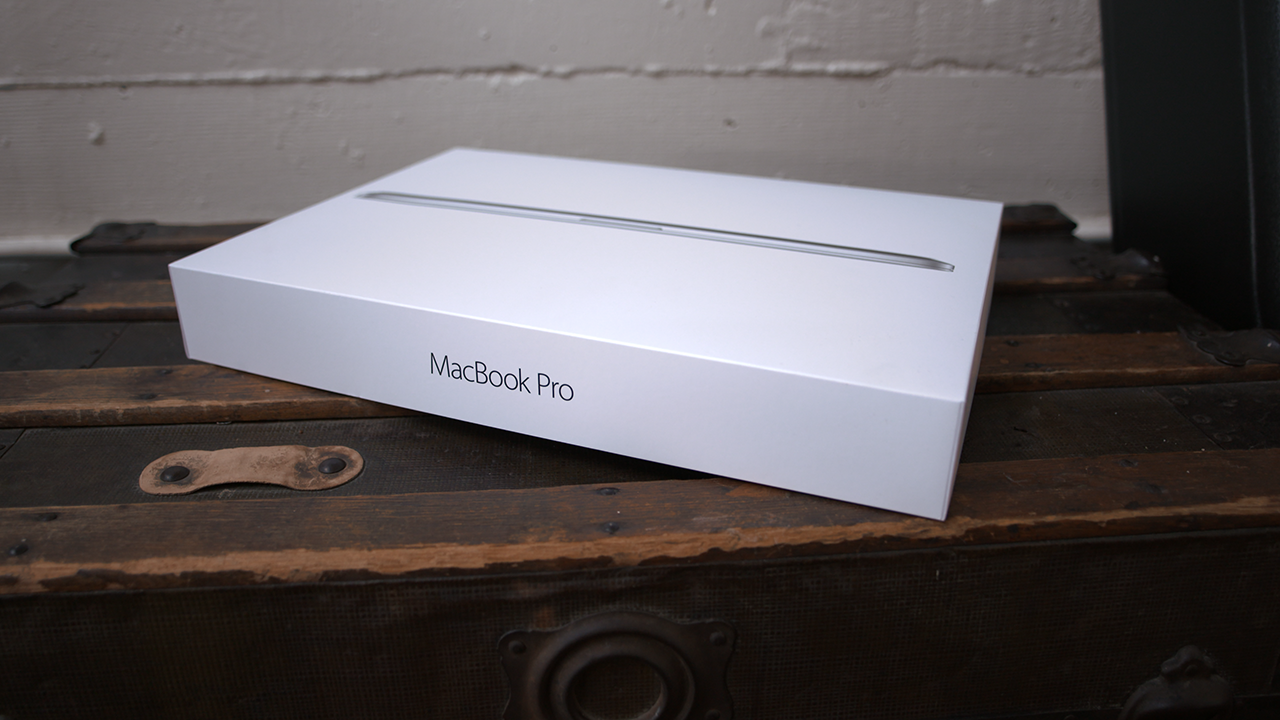
Apple’s new 15-inch MacBook Pro with Retina Display is here and available in a few different configurations. We’re take a closer look at the 2.5 GHz model with 16GB of RAM, and 512 GB of internal storage today, but also comparing some benchmarks to Apple’s two other 15-inch configurations for this year.
This MacBook features slight improvements in the battery department, makes the switch from NVIDIA to AMD for discrete graphics, faster internal storage, and also includes Apple’s new Force Touch trackpad as we’ve seen with other MacBook releases this year….


For the right task, Apple’s new 12-inch MacBook is both an ultra thin notebook and a powerful machine considering its size. Following my initial evaluation in April, I’ve been using it for work almost exclusively (aside from my podcasting setup for Happy Hour, which doesn’t benefit from being portable).
Similarly, the newly released Incase Reform Collection Sling Pack hides a surprising amount of use in a small and ergonomic profile. Typical of Incase’s bags and carrying cases, Sling Pack sports a trendy design fit for your Apple gear and accessories with cleverly placed stash pockets found throughout. Unlike previous products from Incase (and anyone else for that matter), Sling Pack is made of a new eco-friendly material…

Following up on the success of the series tracking app TeeVee, developer CrazyApps has released a new piece of software aimed at moviegoers. The app, appropriately titled MooVee, allows you to keep track of movies you’ve seen and what you want to see.
The app’s UI is similar in some aspects to TeeVee, but most of it has been designed from scratch to better accommodate the ways movies and TV differ. For example, in the image above you can see the watchlist view, which resembles the main list view in TeeVee. However, other features are unique to MooVee.


Update: Pixelmator for iPhone is now available. Download it here.
Pixelmator is releasing an update to its iOS app tomorrow, making the app available on the iPhone for the first time ($4.99). The universal app means you can buy once and download Pixelmator on both iPad and iPhone. Existing iOS users of the app naturally get the iPhone version for free as an update. The new version also brings the Distort tools, like warp brushes, to the iOS app for the first time.
Pixelmator for iPhone works very similarly to the iPad version but scaled down for the smaller canvas. You can read our full review of the iPad app from last year. Rather than popover panels, selecting an action opens full-width menus encapsulating options. This is a necessary concession for the size of the display.

Over the past six months, I’ve published quite a few tutorials to help Mac users improve the performance of older computers, as well as some great guides to the best Mac accessories across a variety of categories. Today, I’m tying them all together in this handy, one-stop roundup of the best Mac accessories and upgrades.
This guide walks you through everything: in one place, you can learn about the best Mac hard drives, RAM upgrades, docks, keyboards, trackpads, stands, bags, and travel accessories out there. And you can also get free apps to improve your Mac’s storage and responsiveness, find plain English explanations of your Mac’s technical specs, and learn about the little security screws Apple uses to tamper-proof its machines. There’s a lot inside, so you may want to bookmark this piece for future reference!…
I know what you may be thinking: why would you spend any significant amount of money on a gold Apple Watch? Well, this isn’t an Apple Watch Edition, but it’s the closest thing available to my wallet. This Apple Watch and Link Bracelet was beautifully plated with 18K gold and it looks stunning.
I’m not even a fan of gold, but I can definitely appreciate the beauty here. This is just about as classy as it gets if you’re into the style. Last week, this used to be an ordinary Apple Watch, but a few days with the people over at WatchPlate changed it for life. If you’re not into spending a boat load of cash on an Apple Watch Edition, this is the next best thing and quite possibly a better option…


The Logic Pros is a new regular series exploring all of the most interesting gadgets and software for making music on your Mac/iOS devices. If there is any gear you would like us to take a closer hands-on look at, let us know in the comments section below or shoot us an email.
Teenage Engineering, best known for its flagship synthesizer/sequencer the OP-1, recently unleashed a new line of tiny music makers on the world known as the Pocket Operators. The PO-12 Rhythm is a drum machine, the PO-14 Sub is a bass module and the PO-16 Factory is dedicated to melodies and lead lines. The appearance of the units may have some writing them off as toys, and considering they were partially inspired by pocket calculators and the Nintendo Game & Watch products, that may not be totally off base. But creativity and musical inspiration come from unexpected places sometimes.
Having gone hands on with the PO-16 model for over a week now, I have found it to be quite a playable little instrument, with its own interesting quirks, creative limitations, and boutique sound. Most examples of the little device in action appear to be freestyle techno jams, song re-creations or somewhat avant guard pieces that don’t seem to offer much in the way of real-life production applications. So I decided to run the new Factory model through its paces, putting it alongside some bigger name virtual/hardware instruments in the space to see how it would hold-up in a more typical Logic or GarageBand production.
Read on for more details on the PO-16, how to sync this bad boy up with your other hardware and to hear how it sits inside a mix with some big name software/hardware…
Expand
Expanding
Close

I respect any accessory developer who attempts to solve a legitimate problem, and admire developers who find smart ways to solve multiple problems simultaneously. Unlike many competing Apple Watch stands, Griffin Technology’s new WatchStand ($30 via Amazon) thinks past the initial challenge of mounting your watch, and also includes a place for your iPhone to rest on your nightstand. As you’ll see in my guide to the best Apple Watch stands and docks, it’s hard to find a decent-looking combination Watch and iPhone stand at a lower price.
As that low price suggests, however, WatchStand makes compromises in both materials and functionality. Built primarily from plastic with a rubber core, it’s certain not to scratch a stainless steel or gold Apple Watch. But would you actually want to use it with one of Apple’s more expensive timepieces? That’s another question…
As I noted in yesterday’s review of the Nomad Stand for Apple Watch, I wasn’t initially certain that the Apple Watch needed a dock, but actually using a Watch changed my mind: just as the Apple Watch Edition’s custom charging cases hinted, it’s best to keep metal or metal-accented Watch bands from rubbing against nightstands during charging, and even Apple’s fluoroelastomer Sport Bands tend to flop around when the Watch’s charging puck is connected. My guide to the best Apple Watch stands and docks spotlights many potential solutions, some of which are a lot more compelling than others.
Mophie’s Watch Dock ($60) is completely different in looks from the Nomad Stand, but their identical price points reflect one critical area of overlap: class. Each has the materials and design necessary to look great with everything from Apple’s $1,100 black stainless steel Apple Watch to the entry-level $350 silver aluminum Apple Watch Sport. Unlike the wide Nomad Stand, Watch Dock goes for height, combining black leather with a mostly aluminum stand that has a compact footprint. Thanks to its clean lines and manageable size, Watch Dock could easily become the retail Apple Watch display stand of choice when more watch and jewelry stores start selling Apple timepieces…

I decided on the Apple Watch with stainless steel Milanese Loop band for a few reasons, but not before considering the benefits and drawbacks of Apple’s entire collection of straps and bands for Apple Watch. Budget will in many cases guide your decision, but going for the Milanese Loop was a no-brainer for me. There are a few downsides of the band compared to others, however.
Here are a few observations I’ve made after wearing it for the last couple weeks, including little talked about pros and cons you’ll want to consider before purchasing the Milanese Loop for yourself.
Expand
Expanding
Close
Back at NAB 2015, I had a chance to meet with Sennheiser and take a look at their new ClipMic Digital. This is a professional grade lavalier microphone that connects to an iOS device via its Lightning port, not to mention the the first of its kind. I know most audio accessories for iOS claim to be “professional” quality, but this thing is no joke. It even compares to my $600 wireless lavalier kit from Sennheiser…
Before the Apple Watch was released, I wasn’t sure that it needed a dock or stand — the included charger would be enough, right? But after actually using the Watch, and noting that Apple included a dock with Edition models, I realized that these accessories had a functional purpose: they kept metal and metal-accented Apple Watch bands from rubbing against nightstands during charging. Some of the dock designs also looked really cool. When I compiled our guide to the best Apple Watch stands and docks, a few definitely looked like objects I’d want to keep on my nightstand, while others definitely did not.
From the first time I saw it, Nomad’s Stand for Apple Watch ($60) stood out as particularly compelling. I have a thing for futuristic accessories, though they rarely have the right combination of looks and pricing. Inexpensive ones too often look kitschy or geeky, while nicely designed ones tend to be unaffordable. Nomad has struck just the right balance, coming up with an elegant design at a reasonable price…
Four years ago, I wondered why Apple sold such seemingly simple plastic docks for $29, so I cut two of them in half to see what was inside. I was impressed: in addition to a larger-than-expected collection of electronic components, they were filled with substantial zinc plates that kept Apple’s devices standing safely upright, no easy feat since the docks kept shrinking every year. The only problem: most (but not all) of Apple’s docks have been model-specific and case-unfriendly, issues that were particularly pronounced in the official iPhone 5s Dock and iPhone 5c Dock. When Twelve South released the handsome multi-device and case-compatible HiRise and HiRise Deluxe, many people — including me — had no need for a more limited, Apple-designed alternative.
Somewhat belatedly, Apple has just released the iPhone Lightning Dock ($39), its first docking solution for the iPhone 6 and 6 Plus. It’s not clear why Apple took its time releasing this accessory, which uncharacteristically has a 2014 date on the back of its box. But it’s the dock Apple should have released three years ago, delivering case compatibility, multi-device support, and the expected Apple minimalism. It has no back support for your iPhone, instead relying on a stiffened and modestly padded Lightning connector to hold your device on the traditional Apple light recline. And it also includes an audio-out port, which has been absent from all of its third-party rivals. Now that Apple has released the right sort of dock, should you consider buying one?…


My conclusion in my Skeptic’s Apple Watch diary series was that the device didn’t really have a unique selling-point to me, but was a slightly more convenient way to receive notifications. Ultimately, though, I kept it because it was a cool gadget.
The same argument, I think, would have to be deployed to justify what are really a couple of fun toys that happen to alert you to notifications: Dotti and Notti …
Expand
Expanding
Close
While two dozen battery cases have been released for the iPhone 6, only a handful have become available for the larger iPhone 6 Plus, which can run longer without assistance. But there are definitely situations where even the iPhone 6 Plus can benefit from extra battery life, including international travel and occasional emergencies. And that’s why Tylt has released the Energi Sliding Power Case for iPhone 6 Plus ($100). It’s a true rarity due to its Made for iPhone certification, some unique features, and much better performance for the same price as Mophie’s Juice Pack for iPhone 6 Plus.
In what may well be a first for iPhone battery cases, Energi is actually being offered in two different widths, one billed as “2.9-inch” and the other as “3.3-inch.” They’re both sold for the same $100 price, but the 2.9-inch version has a 3,200mAh battery and the 3.3-inch model has a 3,500mAh battery. Another surprise: the model I tested with the 3,500mAh battery unusually boasts 2.1-Amp power output, which means the iPhone 6 Plus will recharge at its top possible speed. There’s more, too…

Apple Watch has been out for over three weeks and I’ve been using mine now for most of that time, from the moment I wake up to just before bed each night. While my colleague Ben Lovejoy previously journaled his experience in his excellent “A skeptic’s Apple Watch diary” series, I’ve been sold on the appeal of Apple Watch since the first day I paired a Pebble smartwatch with my iPhone and discovered its potential…and potential pitfalls.
Apple Watch faces new limitations different than Pebble or traditional watches, digital or analog, but it’s arguably the best smartwatch for iPhone owners with the coin to drop. It’s usefulness depends largely on your own needs — in some cases that’s the need to tinker with a new gadget — just as its drawbacks depend on your priorities. Below I walk through my Apple Watch evaluation including what I think Apple gets right and where I feel Apple Watch can grow going forward, and don’t miss Dom’s own hands-on video review just below the fold as well.

Apple Watch charging stands are sure to be a popular item as the device needs charging nightly. Not everyone, however, needs a dock that costs more than the charging cable that’s sold separately, and accessory maker Spigen has an affordable alternative for them.
The $24.99 Spigen Apple Watch Stand S330 combines attractive aluminum and rubberized TPU to produce a minimal Apple Watch charging stand. It resembles the base of an iMac with a smaller footprint than other options and a price that won’t break the bank. Read on for my first impressions and hands-on photos with the Spigen Apple Watch Stand below.

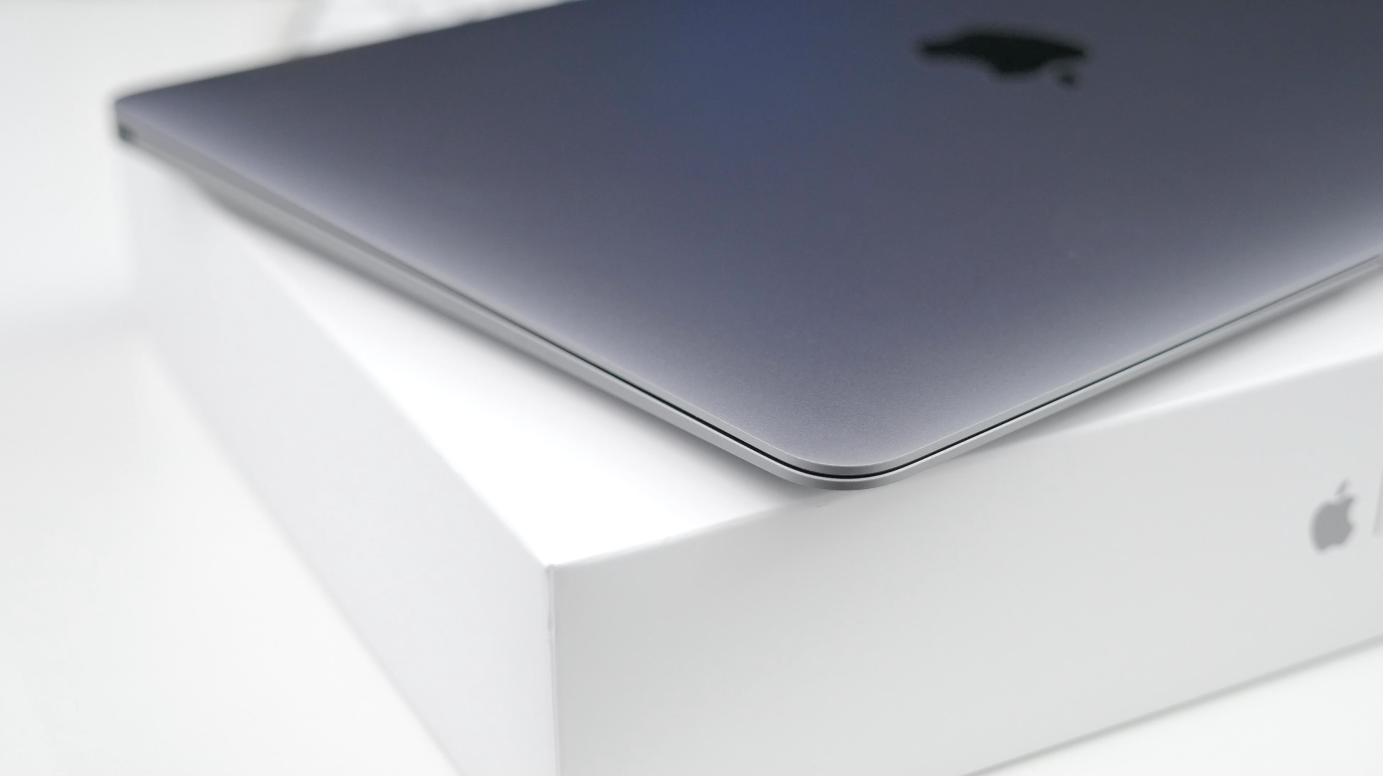
For the last month, I’ve been using Apple’s new 12-inch Retina MacBook almost exclusively. There’s no denying that’s it’s underpowered when compared to other models on the market, but is its portability worth the performance sacrifice? Can you really get anything done with a relatively small display, an Intel Core M processor, and more importantly, zero traditional USB ports?
This won’t be an in-depth review of features and performance (check out Zac’s take on the MacBook for an in-depth look), but instead, I’ve mainly focused on my personal experiences over the month I’ve been using it. Does the Retina MacBook live up to the hype? Let’s go ahead and find out…
With the Apple Watch released a few weeks ago and still making its way to customers around the world, Twelve South has started shipping its signature HiRise dock designed for any Apple Watch model. While the Apple Watch Magnetic Charging Cable offers a simple and convenient way of juicing the device even in the dark, the issues with Apple’s MagSafe technology still remain including an overly easy way to accidentally remove the charging magnet from the Apple Watch.
While HiRise still uses the same charging cable, its form factor helps alleviate the issue of your watch separating from the power source while offering a more attractive presentation of your Apple Watch. With its $50 asking price, though, how does Twelve South HiRise for Apple Watch stack up as one of the first charging stands? Read on for the details and more photos…
Expand
Expanding
Close
USB hubs are often hard to tell apart from one another: the Moshi iLynx 3 I reviewed here in February was the rare hub that actually matched the silver metal and black plastic look of the Macs it was designed to be used with. After an extended post-announcement delay, long-time Mac accessory maker Mobee Technology has finally released an alternative that uses two cool tricks to stand apart from all of its rivals: the Magic Hub ($50).
Five inches tall, 2.6″ wide and around 2″ thick, the Magic Hub is the first USB hub designed such that its physical characteristics are all but irrelevant. Mobee’s concept is to completely hide the Hub behind your iMac, filling the hole Apple left in the iMac’s stand using a screw-on clamp and a pass-through wall power port. Rather than requiring its own wall outlet for power, it hijacks the iMac’s power cable and passes power through both itself and your computer, powering four USB 3.0 ports in the process. If that sounds cool, read on…
Expand
Expanding
Close
Until this year, Mac owners had three major options for organizing large digital photo collections: Apple’s mainstream iPhoto, Apple’s “pro” app Aperture, and Adobe’s similarly professional-grade Lightroom. When Apple discontinued iPhoto and Aperture in favor of an even more basic app called Photos, many people —amateur photographers and professionals alike — had to decide whether to downgrade to Photos or switch to Lightroom. Apple understood that it was ceding at least the professional market to Lightroom, and even helped Adobe to develop Aperture and iPhoto to Lightroom importers. With the writing on the wall, some people switched to Lightroom 5 well before Photos officially debuted last month.
I didn’t; since Lightroom 5 was almost three years old, I wanted to see what Adobe would deliver in its much-anticipated sequel. On April 21, Adobe released Lightroom 6 and Lightroom CC (2015) as standalone and cloud-linked versions of the same app. Both promise major speed improvements over Lightroom 5, new tools and brushes, a new facial recognition feature, automatic HDR and panoramic photo creation, and new slideshow options. As part of Adobe’s “Creative Cloud,” Lightroom CC comes bundled with Adobe’s latest version of Photoshop, plus cloud photo synchronization services, for $9.99 per month. Alternately, Lightroom 6 can be purchased by itself for $149 as a standalone download, minus Photoshop and cloud functionality.
Below, I’m going to focus on the key questions Aperture users have been asking: what it’s like to transition from Aperture to Lightroom — including new details added after initial publication of this article — plus which version of Lightroom to buy, and whether transitioning is a good (and safe) idea. The answers may surprise you…
Scuff marks created during my own drop-tests …
The problem with buying a protective case for an iPhone or iPad is that you never know for sure just how protective it really is until it is needed to do its job. Even a drop-test video only shows you how well the case worked with that one drop on that one occasion.
The Urban Armor Gear (UAG from now on) iPhone and iPad cases are a little different. They are certified to a military standard known as MIL-STD-810G 516.6. In this test, a device is dropped from a height of four feet – the typical fall for a device dropped while using it – a total of 26 times. The tests cover falls into each corner, the face and back. To pass, the device must remain fully functional afterwards, with no damage at all to the screen.
This isn’t the same as no damage at all, of course, but it certainly lends confidence. And if that weren’t enough, UAG decided to demonstrate its confidence in the case by dropping an iPhone from space – video below …
Expand
Expanding
Close

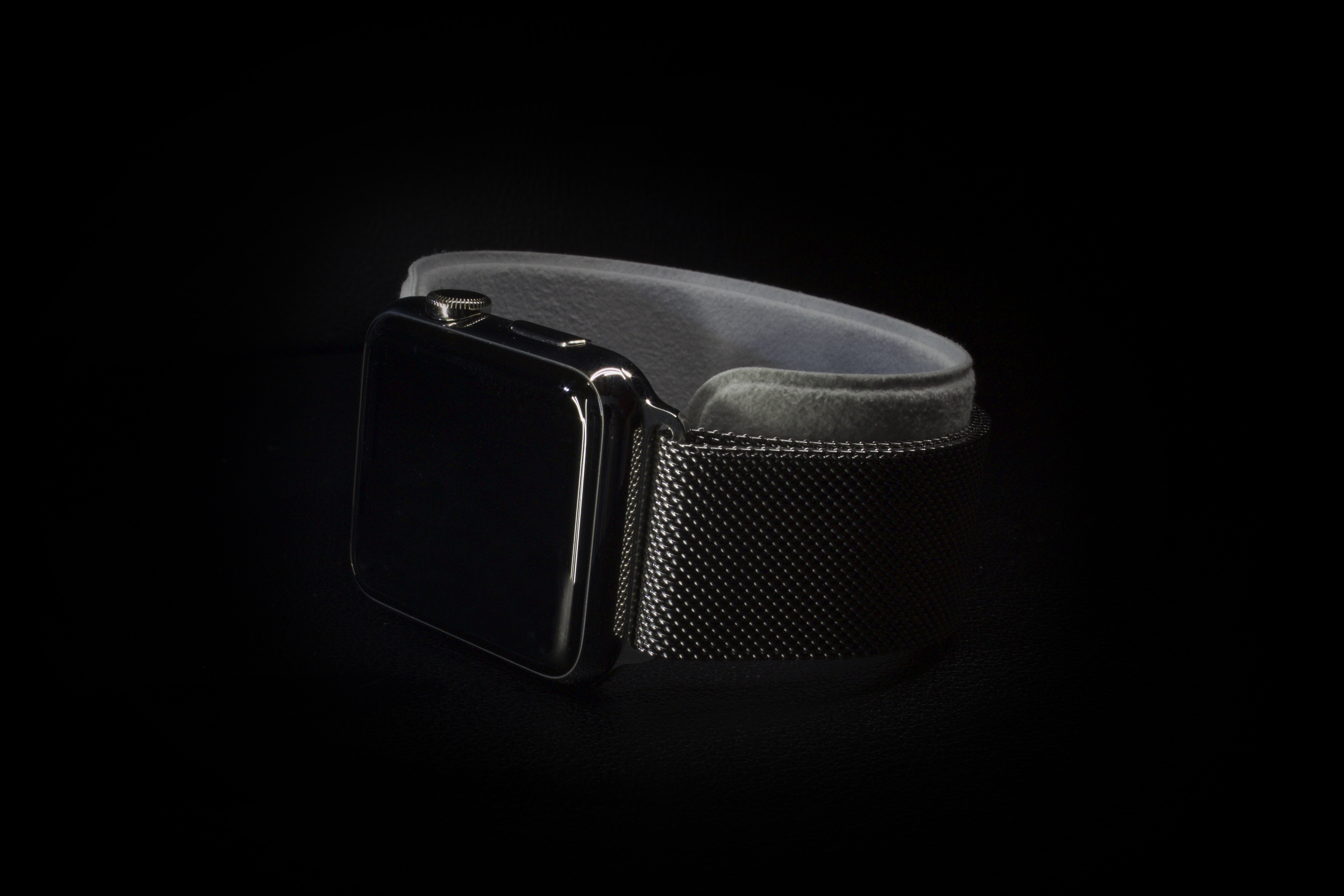
Precision. That’s the word that immediately came to mind the minute I picked up my Apple Watch for the first time. Something about this device felt different, on an almost subconscious level, from any other Apple product I’ve used before. Perhaps I was just caught up in the moment. After all, the Watch is the first totally new product to come out of Apple since the introduction of the iPad, which feels like so many years ago. On the other hand, I knew from the onset that I planned on buying the Apple Watch mostly for its design. I wasn’t so much interested in all of the software features it could offer me, I just couldn’t imagine not having this shiny little box on my wrist. With that in mind, let’s take a closer look at the Apple Watch strictly as a design piece.