9to5Mac Reviews
All the products that the 9to5Mac team has reviewed.
All the products that the 9to5Mac team has reviewed.
All the products that the 9to5Mac team has reviewed.
All the products that the 9to5Mac team has reviewed.



Up until last year, digital styluses — ones with electronic parts inside — worked pretty well across multiple iPad models. Developers including Adonit took over two years to develop electronic iPad writing tools that were thinner-tipped than fingers and rubber-domed styluses, but they succeeded, enabling iPads to serve as notepads and sophisticated canvases for artwork. Then the iPad Air 2 came out, subtly changing the touch-sensing technology that digital styluses relied upon, breaking some and reducing the accuracy of others. Stylus developers quietly acknowledged that new hardware would be needed.
Adonit’s new Jot Script 2 ($75, aka Jot Script 2 Evernote Edition) is the first digital stylus I’ve tested with full iPad Air 2 compatibility. As the sequel to Adonit’s 2013-vintage Jot Script Evernote Edition, it borrows a lot of its predecessor’s design and functionality, but also improves upon it in several ways. Beyond adding iPad Air 2 support, it has a thinner body, and a rechargeable battery rather than a disposable one, all at the same price as last year’s model…


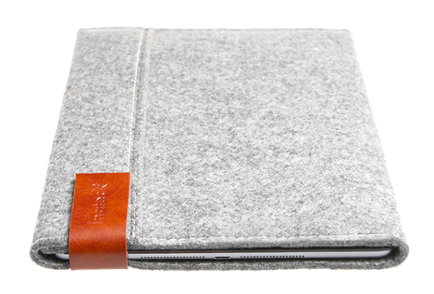
iPad mini sleeves and bags are nearly a commodity today, with a huge selection of styles and options available for purchase online and offline. Even though the iPad mini is light weight and durable, a carrying case is still essential for any kind of travel for many people. I’ve been using Inateck’s felt sleeve for the iPad mini for the past few weeks and it is a functional light way to protect the 7.9-inch iPad.
Anker specializes in accessories that deliver uncommon value. Like gigantic batteries that cost as little as small ones. Six-port USB chargers that are less expensive than two Apple one-port chargers. And iPhone battery cases that outperform rivals sold for twice the price. So it’s only natural that the company would leverage its power expertise to go beyond resuscitating little Apple devices and assist with real emergencies. With roughly the same footprint as its Astro E7 — a battery capable of fully recharging any iPad Air twice — the same-priced Jump Starter Portable Charger ($80) goes in a slightly different direction. You still get a pretty big 10,000mAh battery that can charge two Apple devices at once, but instead of E7’s third USB port, Anker includes jumper cables that can bring dead cars back to life.
Like all of the Anker products I’ve covered, Jump Starter is thoughtfully designed, efficiently packaged, and aggressively priced relative to competing products. Moreover, unlike some of the cobbled-together 3-in-1 accessories I’ve tested, its feature set actually addresses a related collection of problems a driver may have. But it’s not as much of an iPad-charging powerhouse as Astro E7; it’s best-suited to iPhone users. So is it the right battery pack for you? Read on…
Apple’s lack of interest in releasing official iPhone 6 docks has created an opportunity for third-party product developers, notably including HiRise maker Twelve South and battery case maker Mophie, which is rolling out iPhone 6 and iPhone 6 Plus versions of its Juice Pack Dock. Incipio has decided to join the pack with its own options: the offGRID Dock ($40) and several new offGRID battery cases, starting with offGRID Shine ($90, available online for $81). The pitch: pay a little more than the excellent offGRID Express (review) and you get a fancier case with support for dockable recharging. Later, you can purchase the dock separately if you want it.
Is the premium worth it? That depends on your personal needs, but if you want an iPhone 6 dock, you’ll find that the offGRID system is more aggressively priced than Mophie’s alternatives. Read on for the details.
Twelve years have passed since Griffin released its first iTrip, a breakthrough FM transmitter that enabled iPods to send music wirelessly to car and home stereos. The original model, a glossy white housing that sat atop early iPods like a tube of Chapstick, effectively defined iPod accessories for an entire generation of early adopters. And it was fun, too: using an radio antenna and brilliant software, iTrip could flood an empty FM radio channel with iPod music, acting like a pocket-sized pirate radio station.
Everything changed when the FCC cracked down on FM transmitters, forcing reductions in broadcasting power that made iTrips (and numerous competitors) sound staticky, reducing their appeal. Around the same time, Apple and car companies transitioned to better-sounding solutions — Bluetooth and aux-in audio ports, respectively — leaving FM transmitters with fewer customers. But Griffin is rejuvenating the iTrip family with iTrip Bluetooth, aka iTrip Aux Bluetooth, which provides a different type of dead-simple wireless solution for cars. Priced at $50 but available online for $38, it has one purpose: to receive Bluetooth audio sent by your iPhone, iPad, or iPod, conveying it through an included 3.5mm audio cable to your car’s aux-in port…

[Ed. Note: My wife liked this one so much she insisted she review it]
In many ways, my work is old school: unlike my other half, I work in an archive and write about the past. You might call my professional aesthetic “19th century schoolhouse.” Or at most “1920s Paris bookshop.” In other words, Pad&Quill. So when the Minnesota-based makers of the luxurious, leather notebook-style iPhone wallet case sent a new top-shelf work bag to our house, I claimed it. Over the past month I’ve been filling it with my MacBook, iPad, iPhone, papers, pens and books. Voilà the Attaché…
As I’ve said before, Thunderbolt 2 docks are a really great idea for MacBook users. Before now, there were three major options: Belkin’s $300 Thunderbolt 2 Express HD Dock, Elgato’s $220 Thunderbolt 2 Dock (review), and CalDigit’s $226 Thunderbolt Station 2 (review). All three are designed for the same purpose — to connect a bunch of peripherals (including hard drives, a monitor, and audio cables) to your Mac with one Thunderbolt 2 cable — and they all have the same core peripheral ports, with small differences to set them apart from one another.
This month, Kanex is entering the fray with the Thunderbolt 2 Express Dock ($250), which looks a lot like Belkin’s dock but is closer in price to Elgato’s and CalDigit’s. Aluminum on the top and bottom with a black plastic core, it has a front-mounted USB 3.0 port with two more on the back, and comes bundled with a power adapter and 3.3-foot Thunderbolt cable. While it doesn’t stand out in any major way from its earlier rivals, it’s competently executed and attractively designed, with some modest feature tweaks that prospective buyers should know about…

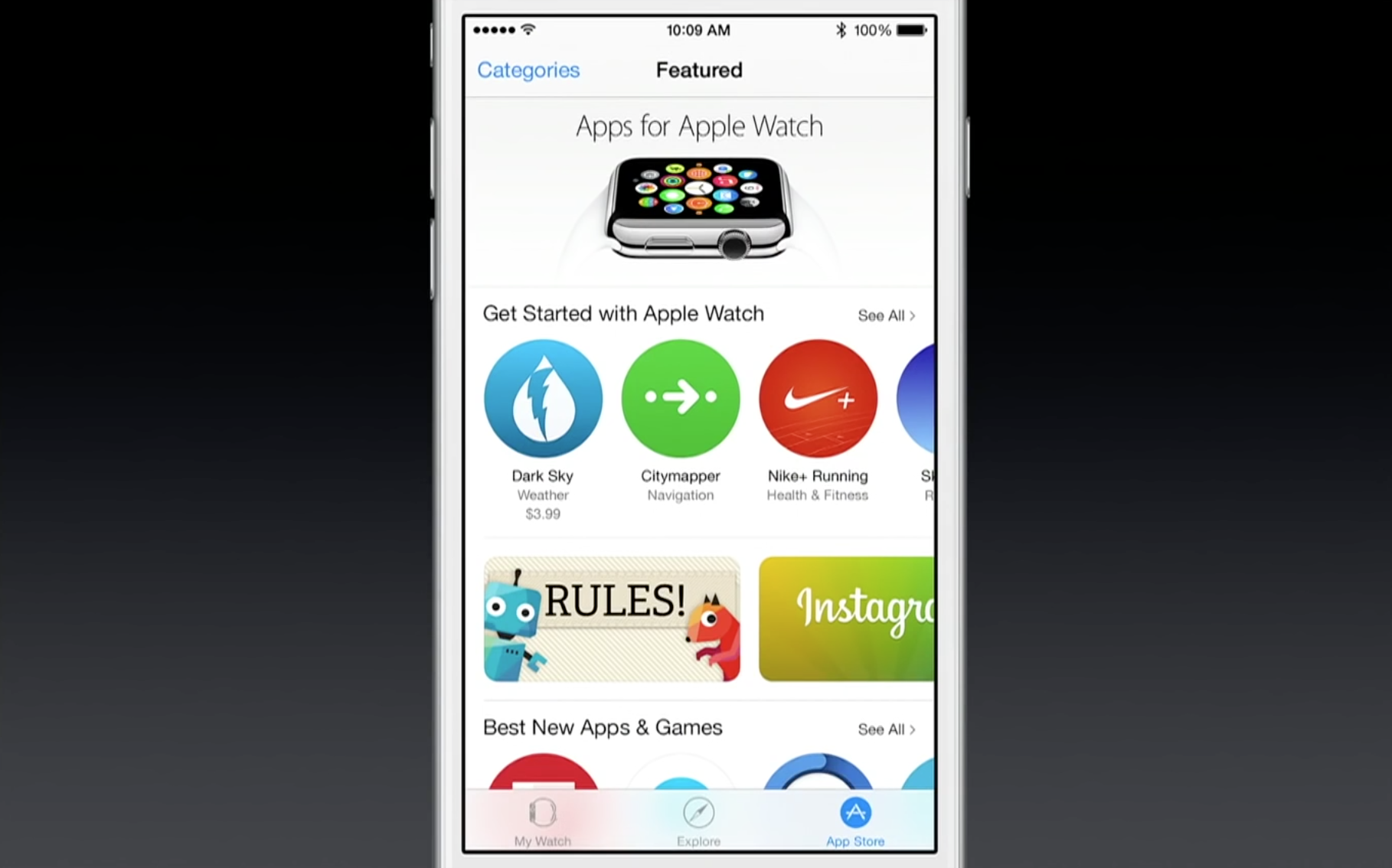
Apple has now opened the floodgates and is letting all developers submit Watch apps to the App Store. This means any of the 1.2 million apps can now submit updates including Watch apps (using the WatchKit framework), beyond the select partners Apple rolled out last week.
As a reminder, Watch apps come bundled as extensions inside normal iOS apps. This means customers can update the apps in the iPhone ready for the Watch’s release on the 24th. Apple is pointing developers to the submission reference guidelines for more information on this process.
Yesterday, I reviewed PowerSkin’s Spare, a semi-protective battery case designed specifically for the iPhone 6. While Spare didn’t strike me as a great value for its asking price, PowerSkin also sells a more powerful alternative called PoP’n 3 that can work with multiple iPhones, including the iPhone 6, iPhone 6 Plus, and earlier iPhone 5 models. And despite having nearly twice as much power as Spare — enough power to fully recharge any iPhone — it sells for only $50-$55, depending on the color you prefer.
PoP’n 3 isn’t a typical USB battery pack, even though it looks like one. Made mostly from metallic plastic that matches the space gray, silver, or gold colors of recent iPhones, it has a Lightning cable built into the bottom for easy connection to bare or encased devices. Suction cups on one side let it attach or detach from your iPhone on an as-desired basis, and unlike iPhone-specific battery cases, enable it to function as a just-in-case power source for iPads, too…
Since late last year, the best iPhone 6 battery cases have generally included two things that iPhone 6 users now take for granted: enough spare power for at least one complete recharge, plus adequate coverage for the iPhone’s top, bottom, and back, if not its sides. PowerSkin has gone in a somewhat different direction with Spare for iPhone 6 ($80), a battery sled that caters to iPhone users who want less of everything. With a small 2200mAh cell inside, it’s the lowest-capacity battery case I’ve seen for the iPhone 6, and also offers the least body coverage, but sells for about the same price as more capacious and protective rivals.
Lightweight and marginally easier to pack in some bags than some rival battery cases, Spare is here for users who want a partial iPhone 6 recharge and anti-drop protection, but no anti-scratch safety. It’s offered in silver, gold, or space gray, currently ranging from $70-$72 based on your color preference. PowerSkin claims that it will deliver a 100% iPhone 6 recharge, but our testing found otherwise…
Expand
Expanding
Close
Thanks to Apple’s patent on the MagSafe connectors used in MacBook Airs and Pros, the list of third-party external batteries for MacBooks previously began with Hyper’s HyperJuice/HyperJuice 2 and ended with Lenmar’s ChugPlug — not much of a variety. Apple’s legal department chased Hyper for attaching harvested MagSafe connectors to its batteries, and Lenmar chose a workaround, sending ChugPlug’s power indirectly though an Apple wall adapter. Neither solution was ideal. It took until now for a completely different third solution to appear: BatteryBox ($220) from Gbatteries Energy.
BatteryBox is the first MacBook power option I’ve tested that doesn’t require either MagSafe or an Apple wall adapter to function. Since the developers went out of their way to create something that won’t run afoul of Apple’s legal team, there’s absolutely nothing Mac-like about its brick-like rectangular design. And it’s not cheap, priced between the two HyperJuices and higher than ChugPlug, which can now be had for only $100. But it works, adding a 60-watt-hour additional battery to the 38-95-watt-hour cells already inside MacBook Airs and Pros. So if you’re on the road without access to a power outlet and need to add hours of additional runtime to your Apple laptop, this is a viable alternative….


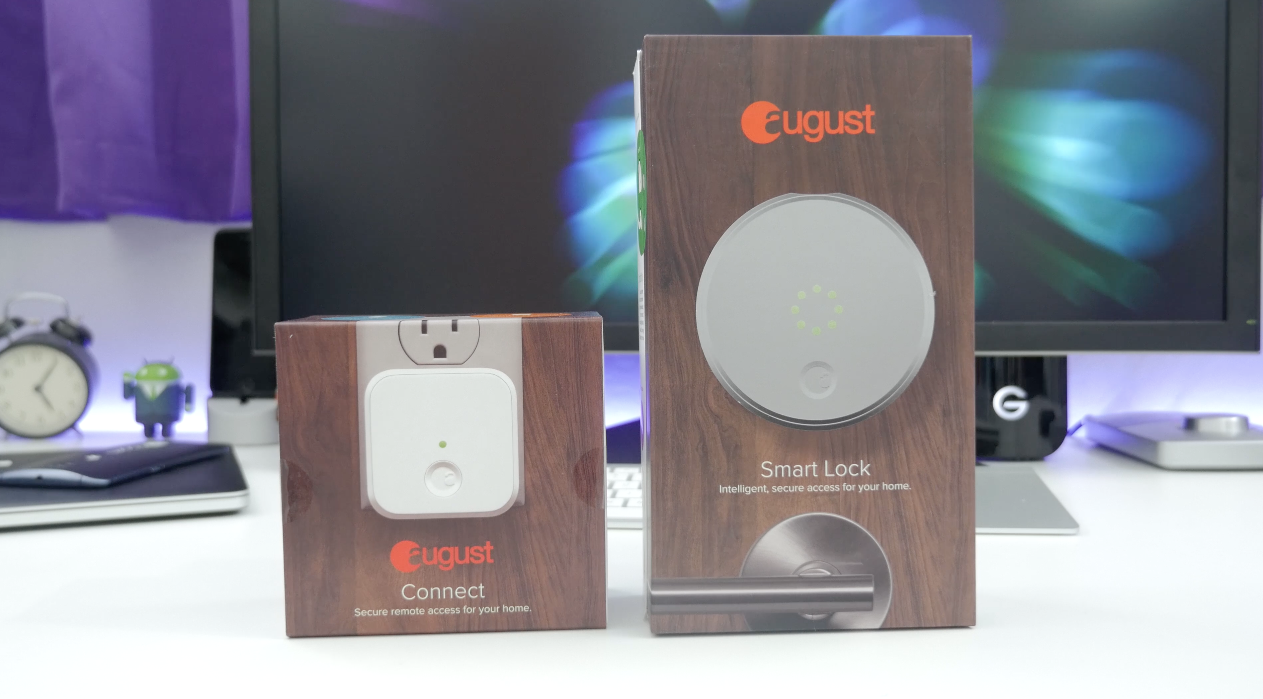
I’m always in the market for new smart home stuff. Just about every room in my house has some gadget or accessory to make things a bit easier. Recently, I moved this smart home mission outside with the addition of Ring Video Doorbell, but now I’m tackling the front door with the August Smart Lock…

http://www.youtube.com/watch?v=dCwIycCsNiE
Mike Rundle, an independent designer and developer, is today releasing Filters for iPhone ($0.99), a visual effects photo editor. Rundle’s integrated development workflow, both writing the code and designing the interface, shows through in his work. This is how Filters describes itself.
You don’t take photos with Filters. You transform them. Filters has over 800 ways to transform your photographs including fully adjustable authentic vintage film recreations, hand-painted textures, vibrant colored gel overlays, special multi-effect adjustments (Shine, Luna, Color Boost, Intimidate and Smart Fade) as well as standard image adjustment tools like brightness, contrast, color temperature, exposure and more. All features are included with nothing extra to purchase.

As someone who uses his iPad for email and writing as much as for media consumption, I’m a big fan of physical keyboards. My current favorites are the ClamCase Pro and Brydge, each of which offers a near-Macbook quality moving keyboard.
But if you’ve ever been deterred by the bulk or weight of a full moving keyboard, the Libre – a new iPad Air/2 keyboard case that launched yesterday on Kickstarter – may be worth a look. The keyboard itself is just 5mm thick and weighs only 200g, yet manages to squeeze in a backlight and the ability to switch between up to three devices. I’ve been using a prototype version for the past few days …
Expand
Expanding
Close

Fantastical’s ability to parse natural language input and create detailed appointment entries on your calendar has always been the primary reason to use it instead of or in addition to Apple’s own Calendar app on the Mac. Apple Calendar has picked up some language parsing smarts in recent updates, too, but it still doesn’t match Fantastical’s control and real-time appointment preview.
Still, I say in addition to because Fantastical for Mac has lived in the menu bar next to your clock, WiFi status, and other utilities where you can quickly access it for reference or adding an appointment from anywhere in the OS. The menu bar app includes a compact month view calendar above a streamlined, scrollable list view of appointments and reminders, but sometimes it’s nice to stretch out and view your schedule in a different context.
So when Fantastical first debuted on iPad almost a year ago putting the efficient list view next to a larger full calendar, I wrote optimistically that “the iPad’s app design could spill over into a future version of the Mac app (maybe as a dock app rather than a menu bar app).”
What Fantastical 2 for Mac actually became is even better: the same menu bar calendar users know and love (but new and improved!), and a full-sized calendar app with an optional dock icon. Both have been designed with the aesthetics of OS X Yosemite in mind and loads of under-the-hood features and improvements including the ability to actually change which calendars you see based on your location.
Expand
Expanding
Close
Several years after Steve Jobs’ untimely death, journalists — particularly ones who previously interviewed or covered Jobs — are still combing their archives for underreported facts or quotes that might justify new books on Apple’s enigmatic CEO. Naturally, the overlap with earlier works is significant, as new authors repeatedly acknowledge leaning on Michael Moritz’s (Return to) The Little Kingdom and Owen Linzmayer’s Apple Confidential 2.0, among many others. But there’s still an opportunity to bring new details to light, which is why Brent Schlender and Rick Tetzeli’s Becoming Steve Jobs ($12+/Amazon, $13/iBookstore) exists. Over 400 pages in length, it aims primarily to set the record straight about one key facet of Jobs’ life — he was a better man at age 56 than he was at 21 — but includes enough interesting anecdotes about Apple and Jobs’ other pursuits to be worth reading.
Although Becoming Steve Jobs follows a mostly familiar storytelling arc, Schlender and Tetzeli’s strengths come from two sources: direct access to Jobs from the mid-1980’s until 2011, and interviews with major players conducted after Jobs’ death. While their quotes tend to be short and in service of the larger narrative, the list of participating heavy hitters is non-trivial: Laurene Powell Jobs represents the Jobs family, alongside current Apple executives Tim Cook, Jony Ive and Eddy Cue, ex-Apple executives Jon Rubinstein, Tony Fadell, Katie Cotton, Fred Anderson and Avie Tevanian, Jobs’ top ad men Regis McKenna and Lee Clow, Pixar’s Ed Catmull and John Lasseter, Microsoft’s Bill Gates, and Disney CEO Bob Iger. Given that access, it’s perhaps not a surprise that the book paints a largely sympathetic portrait, but the authors also gave participants room to speak candidly about how Jobs’ “sharp elbows” affected them personally and professionally…
One of the great things about technology is the way it has democratized the publishing world. Today, anyone can publish an ebook on iBooks and Amazon, whether as a freebie or a commercial book.
Creating an ebook isn’t difficult. If you’ve written your book in Pages, you can export to EPUB–the format needed for iBooks–direct from the app. There is also the excellent Calibre app (featured in our How-to guide), which will convert just about any file format to any type of ebook. There’s also iBooks Author, but that has the disadvantage that if you use it to create your book, you’re not allowed to sell the iBooks version through other channels.
But as I found out when I came to create my own ebook, generating an ebook that looks attractive on all of the different devices available is a rather tougher challenge. That’s the job the Mac app Vellum claims to do, so I put it to the test …
Expand
Expanding
Close
Becoming Steve Jobs, the new biography of Steve Jobs by Brent Schlender and Rick Tetzeli, will be officially released tomorrow by Crown Business/Penguin Random House, and is currently available as a pre-order from Amazon/iBooks. I’ve been reading an advance copy of the book, and it’s packed with interesting details — including some not previously known — about Jobs’ personal life, friends, and enemies.
For instance, Schlender and Tetzeli add color to some of the previously known defining moments in Jobs’ life, including the birth of his daughter Lisa and son Reed, and his marriage to Laurene Powell. The book notes that Jobs was not there for Lisa’s birth, which took place at the apple orchard that inspired his company’s name, and later appeared to regret that he’d made a mistake missing the major life event. He became a devoted family man after marrying Laurene — notably at Yosemite National Park — and made time most evenings to have dinner with his wife and kids, but continued to work late into the night from computers at his home. According to the book, Jobs laughed most deeply and often when interacting with his kids, and was there for Reed’s birth; the “hippie” couple even allowed the infant to sleep in bed with them at first…
Two years ago, the Tile Bluetooth tracking device raised over $2.6 million in a crowdfunding campaign, thanks in part to an expansive ad run that seemed to blanket the entire Internet. Elegantly designed with a square plastic housing, Tile paired a low-energy Bluetooth chip with a battery, letting you track any attached item using a Bluetooth 4-enabled iPhone. Each Tile can track keys, a purse, or even a roaming pet for a year before the battery dies, at which point you are supposed to replace it. The first Tiles shipped last year, and can now be had for $20 each versus their standard $25 retail price.
I skipped Tile because I don’t like products that need to be replaced when their batteries die. Over the course of reviewing thousands of Apple accessories, I’ve watched some companies waste vast quantities of plastic, metal, magnets, and packing materials, and I try not to buy things that are designed to be worthless after a short period of time. (Note: Users are encouraged to recycle Tiles by buying discounted replacements and mailing old units back to the company.) So a new Tile competitor called TrackR Bravo ($29) appealed to me. Made partially from anodized aluminum, it’s shaped like a dog tag and designed to be kept rather than tossed away. The core functionality is the same as Tile’s, but Bravo’s battery can be replaced with ease. You can also use Bravo to locate a misplaced iPhone, and optionally sound a separation alarm whenever your iPhone and Bravo get too far away from one another…
Up until recently, no one complained about the way iPhones sounded through my cars’ Bluetooth speakerphones, but after switching to an iPhone 6 Plus and a Toyota Prius, friends and family told me that ambient noise has been increasing to distracting levels during our phone calls. If it wasn’t for those complaints, I would never have thought to test an alternative such as TaoTronics’ TT-BR03 Bluetooth 4.0 Hands-Free Car Kit ($30, currently $25 on Amazon). Most cars these days include Bluetooth speakerphone and music streaming support, but this inexpensive accessory is here for cars that don’t — and for cars exhibiting weird audio-related bugs with iPhones. Judging from its 4.8/5-Star Amazon reviews across over 130 customers, plenty of people still need solutions like this for one of these reasons.
TT-BR03 combines a wired noise-cancelling microphone and three-button remote control with a car charger, using Bluetooth 4.0 and a 3.5mm audio plug to route your iPhone’s audio into a car’s speakers. If your car doesn’t have a 3.5mm aux-in port, you’re out of luck, because TT-BR03 doesn’t have a built-in speaker. But if you do have an aux port, it provides a very competent speakerphone and music streaming experience at a very low price.

There are now several companies selling USB thumb drives for iPhone and iPad since the first ones with built-in Lightning connectors debuted late last year. By connecting a small and lightweight thumb drive directly to your iOS device, you can avoid limitations of onboard storage and cloud services and instead store and stream media like music, video, and photos using the drive’s additional storage.
A few things to consider when searching for the right Lightning drive: some have a battery that requires charging, companion apps for managing and streaming content from an iOS device vary in quality, and I found some have designs that make using the drives and your iOS device at the same time easier than others. Lastly, pricing varies quite a bit based on the the options below with drives ranging from 8GB to 256GB and other options offering bring-your-own storage using a micro SD card slot.
Expand
Expanding
Close
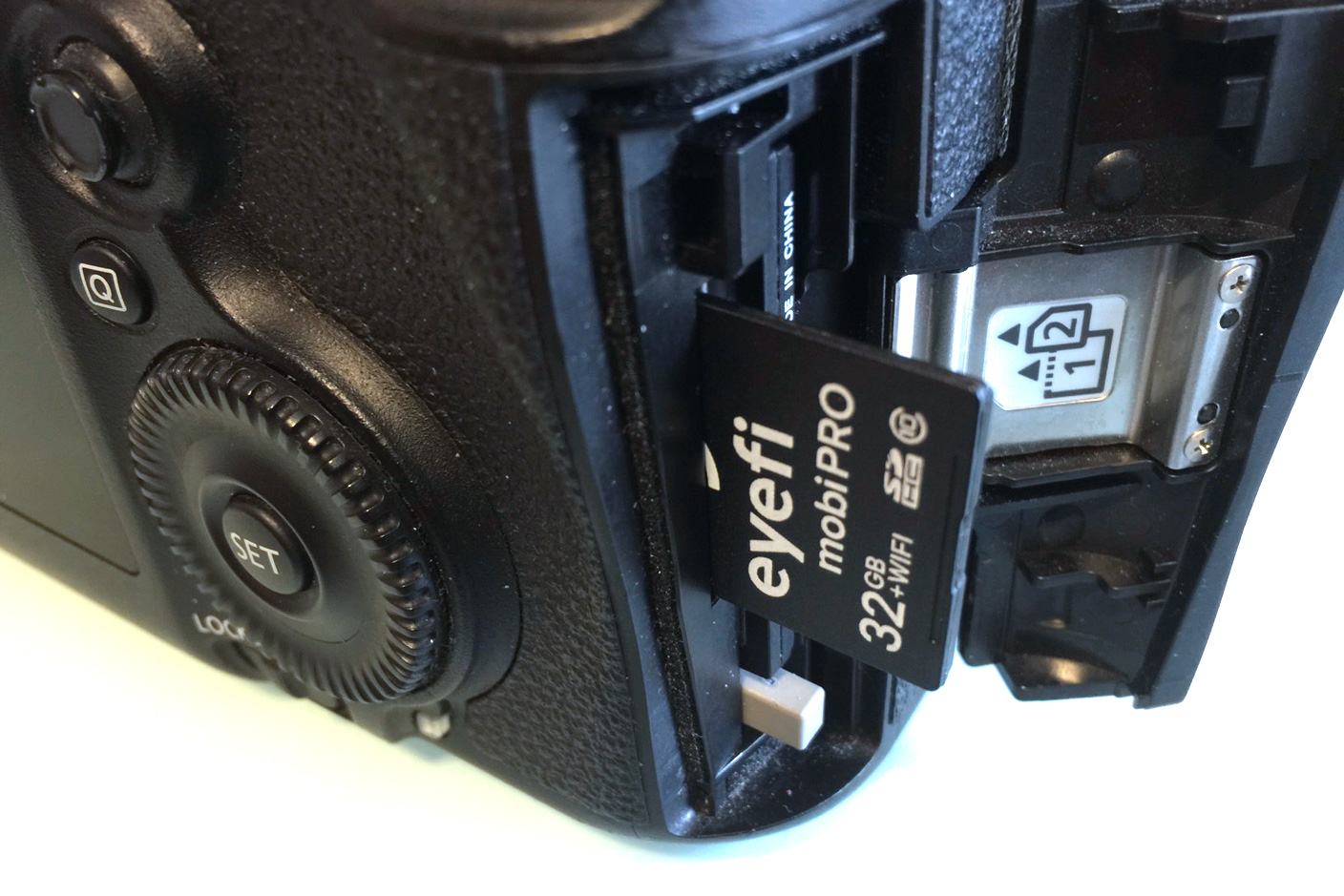
As a photographer, I’ve been thrilled to see iPhones become compelling replacements for standalone point-and-shoot cameras. Our world has improved in both measurable and immeasurable ways from widespread, immediate access to quality photography; the images documenting our lives are more compelling and numerous than ever before.
But professional photographers toting DSLRs now struggle to stand out from amateurs with iPhones. The Chicago Sun-Times infamously fired its entire photography department in favor of using images from iPhones and wire services, a move mocked by other newspapers but embraced by some broadcast journalists. Fixed-lens, small-sensor iPhones can’t match standalone cameras in image quality, particularly in dark settings, but they’re hard to beat in speed and convenience.
The question is how to combine the immediacy of iPhone photography with the quality offered by superior cameras. For me, the answer has been Eyefi‘s SD cards, which wirelessly transfer a standalone camera’s photos to an iPhone or iPad for rapid editing and sharing. (See my How-To on transferring, editing, and sharing DSLR/point-and-shoot photos with an iPhone or iPad for more details.)
Eyefi’s first $100 card contained 2GB of flash memory and a Wi-Fi chip; since then, every Eyefi card has improved on the same concept, so the brand-new 32GB Mobi Pro ($100) isn’t so much a surprise as the culmination of everything the company has done before. It has the highest storage capacity, broadest file support, and easiest workflow of any Eyefi card I’ve tested. Most importantly, it brings a more durable enclosure that I wouldn’t hesitate to recommend to any potential reader, originally introduced in Eyefi’s more affordable non-Pro Mobi cards. Read on for all the details…
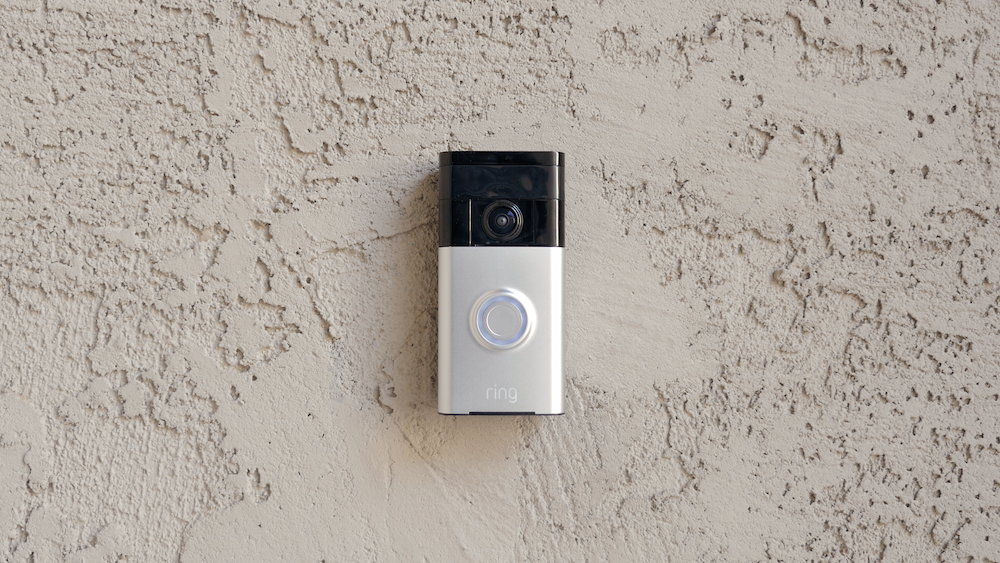
Today we’re taking a look at the Ring Video Doorbell. This may be familiar to some of you out there as it was featured in our Top Smart Home Tech of CES 2015 article a few months back, but we’ve finally got our hands on it and today we’re going to see what it’s all about…
Standardizing on USB was arguably the best thing ever to happen to gadget lovers. Instead of having an unholy mess of chargers cluttering up your home, you just need a few USB cables and something to plug them into. I’ve previously reviewed the Lightning Rabbit Triforce and Truffol Station 5 USB chargers, which offer stylish options for the home or office. We’ve also reviewed a bunch of others.
When travelling, though, I pack light. I tend to just charge everything from my MacBook Pro, which is convenient but doesn’t offer the fastest of charging speeds. The Oneadapter Twist and Twist Plus World Charging Stations are designed to overcome that issue, offering a combined USB charger and international plug adapter …
Expand
Expanding
Close