Safari

See All Stories
Site default logo image

OS X Mavericks causing issues for DisplayLink USB displays

As noted by ArsTechnica, following yesterday’s release of OS X Mavericks, some users of USB-powered monitors that use DisplayLink drivers have experienced a variety of problems after updating.

The problems have already been identified by DisplayLink in a knowledge base article published on its website:

The following issues have been found on OS X 10.9 and do not currently have a resolution

  • Some applications can show severe flickering on DisplayLink screens. Examples of applications that show this issue are Safari, QuickTime and the App store.
  • Some applications can show corruption and/or missing contents while updating windows contents. Examples are Maps, iBooks and the Dock.
  • Display arrangement is not kept when using 2 or more DisplayLink displays.
  • All screens black and unusable after unplugging a DisplayLink screen. This is caused by Apple’s Window server crashing. This can be recovered by replugging the DisplayLink device.
  • On the Retina Macbook Pro, changing the layout to mirror logs the user out. Again this is caused by Apple’s Window server crashing.

DisplayLink is working on an update for some of the performance issue with Mavericks, but the company explained that the majority of bugs will have to be fixed by Apple:

Unfortunately there appear to be regressions in these interfaces in OS X 10.9 which are exposed when using DisplayLink screens. DisplayLink does not have workarounds to fix these issues and requires Apple to fix these problems in future 10.9 OS X updates.

DisplayLink has raised these bugs to Apple, but if you are a developer and affected by these problems, please also raise these bugs to Apple to help show fixes are required and it is affecting end users using DisplayLink products.

Site default logo image

Receive desktop push notifications for any RSS feed with Pronto Push & Mavericks

As part of the new OS X Mavericks, websites can now send push notifications to your computer. Back in June, we featured the first public website that took advantage of the native push notification feature. Today, the same developer, Connor LaCombe, released Pronto Push, a new service that allows you to receive push notifications for any RSS feed.

Rather than waiting for your favorite websites’ developers to add the push notification feature, you can sign up for Pronto Push, type in the websites you’d like to receive notifications for, and immediately receive a push notification when a new post has been added. There’s no software to install, and managing your subscriptions is done through a simple web interface. You can even manage multiple Macs under one account.

Initial setup has to be completed with Safari 7, but after that clicking on notifications will open the related post in your default browser. Notifications come through immediately, so there’s no delay between when a new RSS item is added and when you receive the notification. You can also receive instantaneous Facebook notifications (since the native ones are usually delayed or don’t even appear).

Pronto Push is free and requires Mavericks.

Websites begin exposing Safari push notification support as Mavericks nears public release

Site default logo image

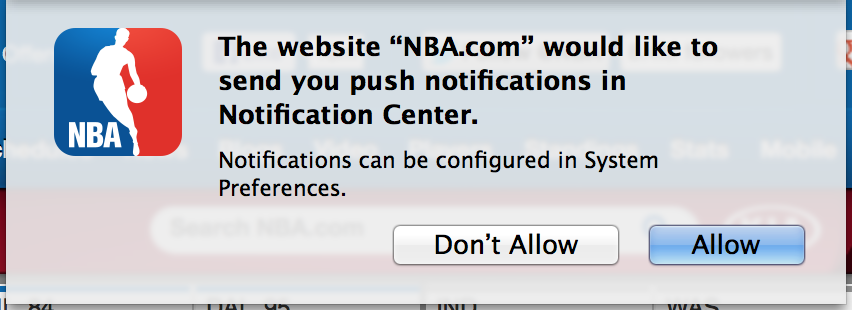
With the launch of Mavericks imminent, a handful of major websites have begun supporting the Safari Push Notification feature. These sites include The New York Times, NBA.com and social network Pinterest. HTML 5 web notifications have been supported by all major browsers, including Safari, for a while. However, the HTML 5 native feature requires the page to be open for notifications to be sent, as noted by MacRumors.

Meanwhile, Safari Push Notifications mirror the user experience associated with native app push notifications. With user consent, a supporting website can send notifications to your Mac without the page (or even, Safari) being open. This is because this system uses Apple’s Push Notification Service servers — rather than the local client — to function. Because of this server-side integration, the utility of website notifications increases dramatically.

With major support already implemented by such big sites, it seems like this will be a big deal for end-users. More sites will undoubtedly roll out support in the coming days. For instance, CNN was used to demo the feature at WWDC but is yet to go live publicly. Mavericks is expected to launch by the end of the week. It is very likely Apple will confirm the OS’ launch date at its special media event later today.
Expand
Expanding
Close

How to: Use a password manager to have strong, unique passwords for each website

Site default logo image

Image: redorbit.com

Evernote, Adobe, even Apple … just a few of the companies who have found their user data compromised by hackers in recent times. The possibility of a hacker being able to access one of your web accounts is worrying enough – but if you use the same email address and password for almost all the websites you use, the risk becomes huge.

The first thing a hacker does when they get hold of a list of usernames and passwords is to use automated software to fire them at a whole bunch of popular websites. That means your online security is only as good as the most vulnerable of the websites you visit. Not good.

The answer, of course, is to use a unique – and strong – password for each website you access. But that creates its own hassles. Strong passwords aren’t easily memorised. Sure, we can ask our browsers to store logins for us, but when you might use several different computers, an iPhone and an iPad, you’d have to login once from each device as soon as you chose the password so it gets stored before you forget it. Not very convenient.

Which is where password managers come in. When you see the instructions, it’ll look like a long process, but it in fact takes only 10-20 mins if you have two or three devices … 
Expand
Expanding
Close

New OS X 10.8.5, iTunes, & Safari builds seeded internally as releases near

Site default logo image

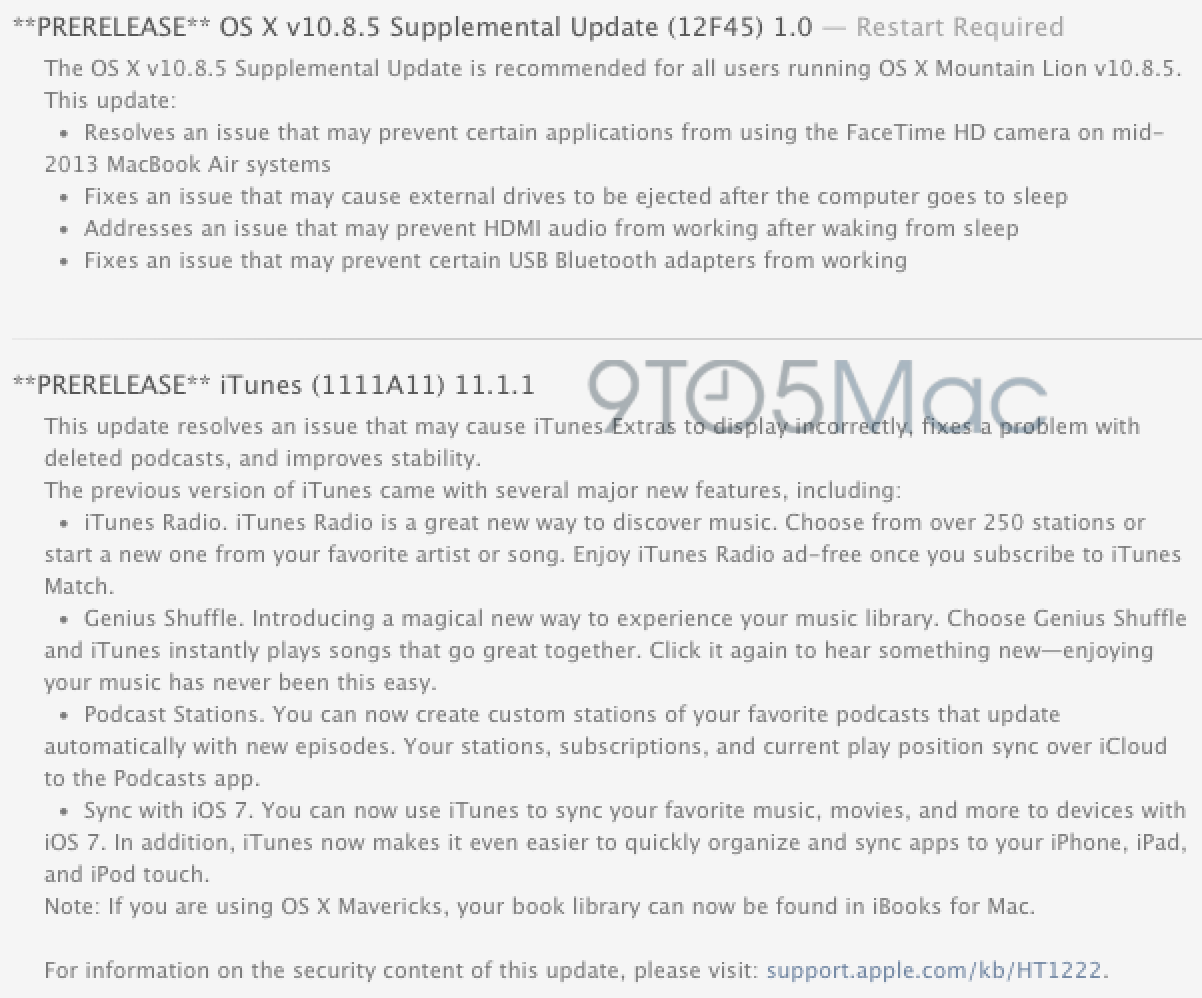
Today, Apple has begun seeding new versions of OS X Mountain Lion, iTunes, Safari and Java to Apple employees. The new OS X build is version 10.8.5, and it is a supplemental update to the version that was publicly released last month. Last week, we noted that Apple was preparing this new version with bug fixes for MacBook Airs, USB, and HDMI, and today’s new seed is a higher build number (12F45 versus 12F42). This indicates that Apple is making progress on the release and that the launch is nearing for customers…


Expand
Expanding
Close

Site default logo image

Farewell Windows Safari, as Apple excludes its homegrown browser from iCloud bookmark sync

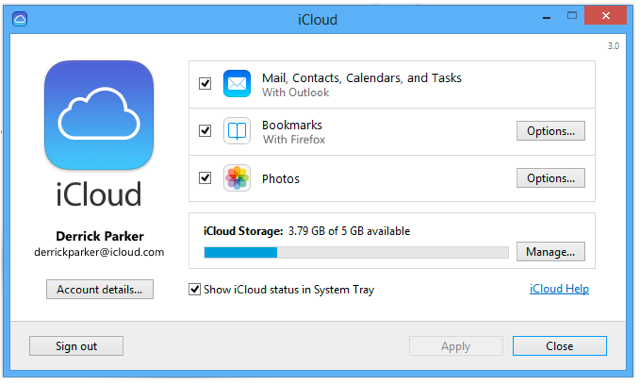
We knew that Apple’s attempt to expand Safari’s reach into the Windows population was at an end when the company stopped updating the Windows version a year ago, but the browser has now been erased from history as Apple’s bookmark sync tool drops support for it. iCloud Control Panel 3.0 for Windows, released yesterday, supports only Internet Explorer, Firefox and Chrome.

iCloud keeps mail, contacts, and calendars up to date between your iPhone, iPad, iPod touch, Mac, and Windows PC, and lets you share calendars and task lists.

iCloud also keeps your Internet Explorer, Firefox, or Google Chrome bookmarks on Windows in sync with your Safari bookmarks on iPhone, iPad, iPod touch, and Mac.

On OS X, however, Apple is keep to ensure we don’t use anything else. The iCloud Bookmarks extension for Chrome, allowing bookmark syncing with Safari, works only on the Windows version of Chrome. C’mon, Apple, make us want to use your software by making it better than anyone else’s, not by this kind of move …

Opera launches Coast for iPad, a tablet-first web browser

Opera has just launched Coast for iPad, a full-screen web browser for tablets. When looking at a web page, there is no onscreen chrome except for a single, thin bar that runs along the bottom of the screen. One button opens tabs (which are metaphorically represented in the UI as pages, similar to Safari on the iPhone) and the other button takes you “home”. Gestures control page navigation, with edge swipes standing in for a traditional back button.

A screenshot of Coast in action, viewing a 9to5mac article.

In fact, as shown in the above screenshot, Coast opts not to show the URL bar at all. All focus is given to the current web page. The home screen of Coast is similarly barebones, with a discreet URL bar at the top of the screen and app-like buttons below representing the users’ bookmarks.

Coast employs some very nice animations throughout, making the app feel very playful. In particular, the tab closing animation (where the page is ‘eaten’ by the top lip of the app’s background) is stunning to see in motion. In fact, in contrast to the minimalist UI, Coast’s animations are flamboyant, arguably to an unnecessary extreme.

Interestingly, unlike Opera’s other attempts at mobile browsers, Coast relies on iOS’ native WebKit engine to display pages. This is purely an experiment for Opera to improve upon current mobile browsing UI with a chrome-less approach, not the underlying rendering technologies.

Site default logo image

Purported (brief) video claims to show light blue ‘iPhone 5C’ in action

Similar in style to the previous purported iPhone 5C hands-on video, website CTech has uploaded a new video claiming to show the light blue/cyan iPhone 5C in action.

It’s unclear if the video is legitimate, but it certainly looks plausible. The video shows no new information, but the leak of the device is notable as it likely means that the product will be shipping sooner than later. The user interface on the low-cost device running iOS 7 appears smooth in the video.

The video shows the Lock screen, Home screen, and a bit of tab organization in the Safari app. The iPhone 5C will be announced at the Apple event tomorrow, and it will launch alongside the higher-end iPhone 5S, which will sport a faster processor, fingerprint scanner, and come in a gold color option. 


Expand
Expanding
Close

Site default logo image

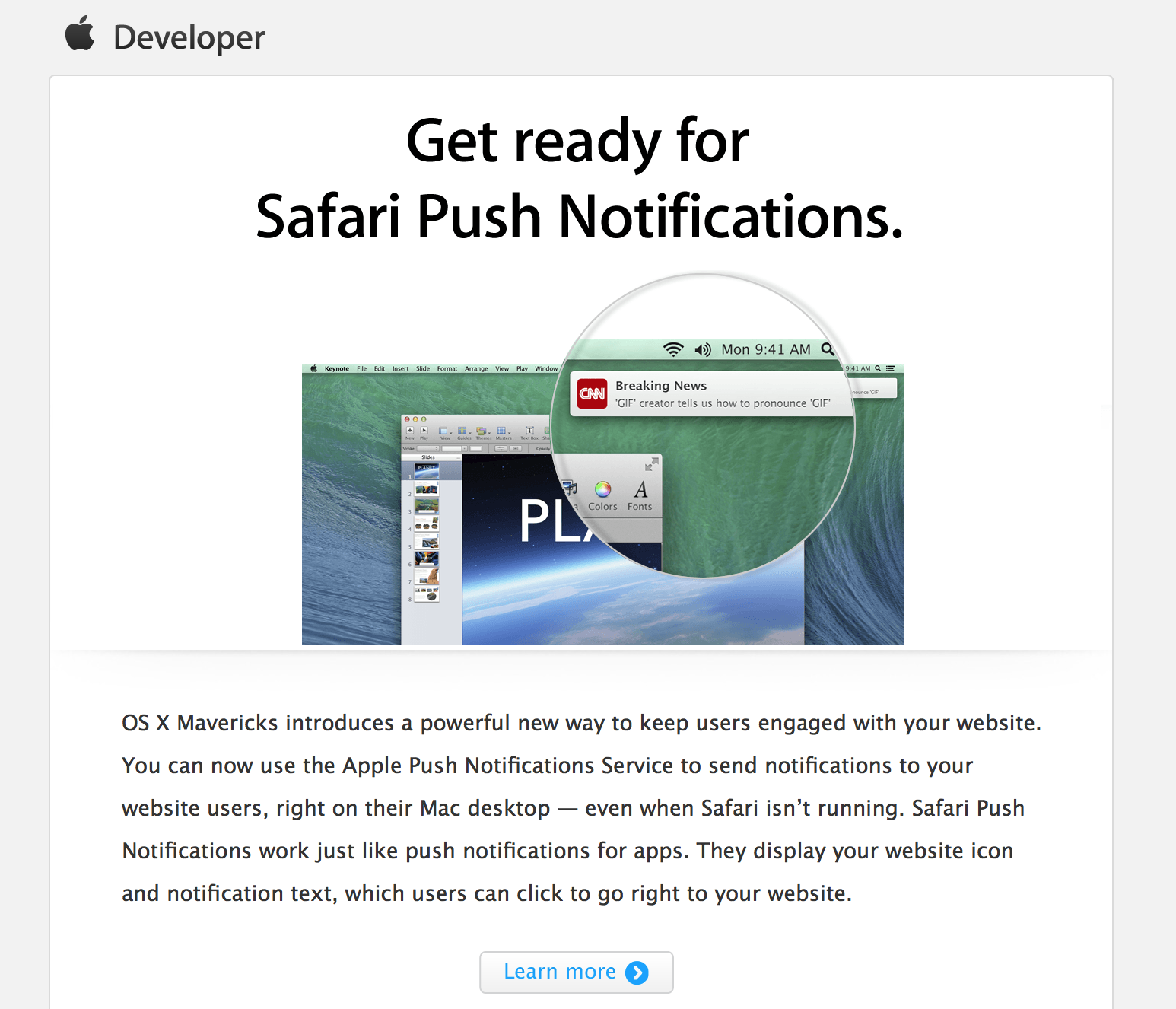
Apple emailing developers to get ready for Safari notifications in Mavericks

Apple sent an email to members of its developer program today prompting them to add push notification capabilities to their websites. Push notification support is one of the many new features in Safari on OS X Mavericks, and allows web publishers to send native push notifications through Apple’s notification service even when Safari isn’t running.

Back in June, we posted an exclusive report and video with the first public website that takes advantage of the new push notification feature.

Apple updates Safari web plugin blocker to disable new Java vulnerability

Site default logo image

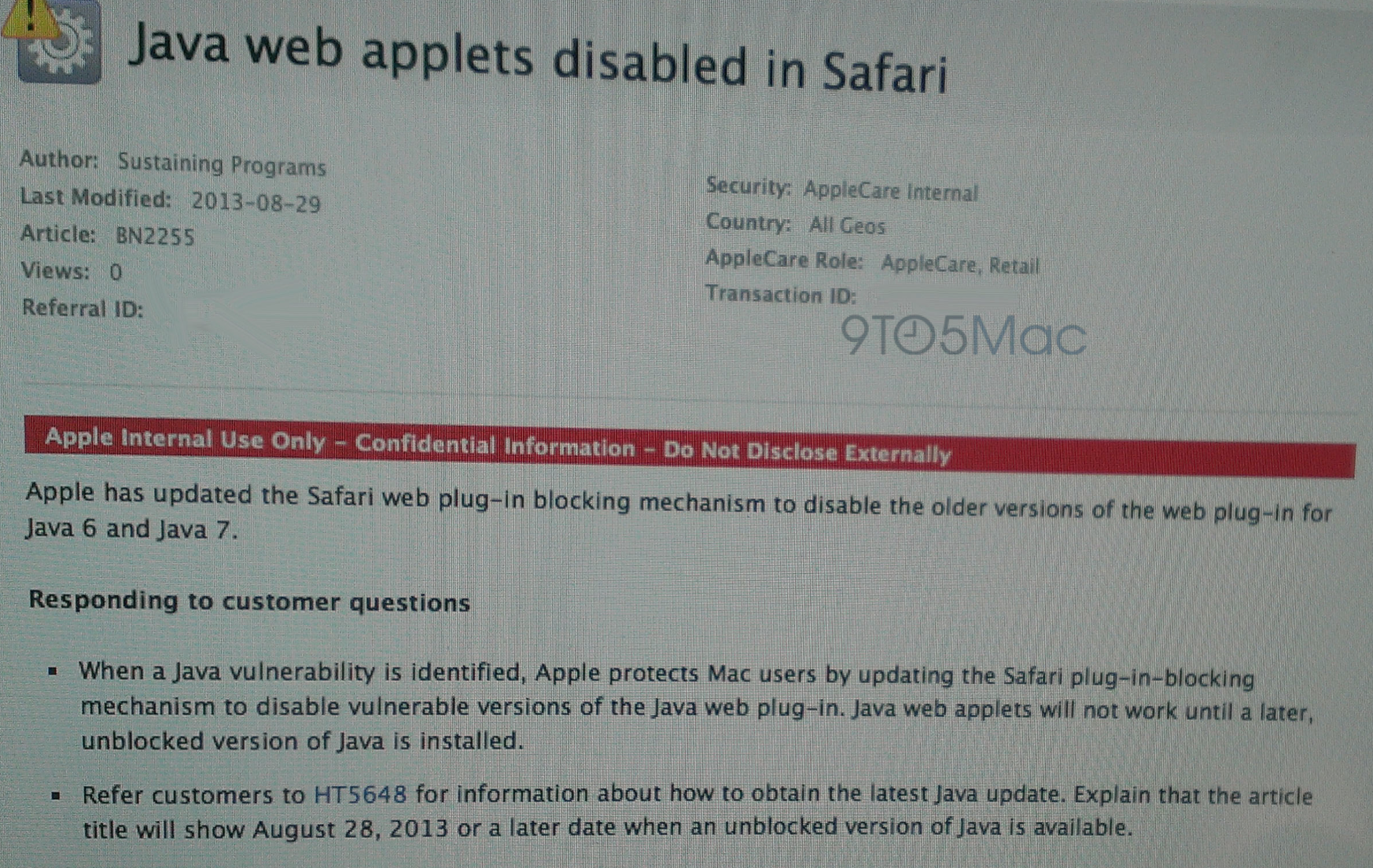
Apple has informed AppleCare representatives and Apple Retail that it has updated the Safari web browser’s built-in plugin blocker to disable older versions of Oracle’s Java 6 and 7 software.

In recent days, a new Java vulnerability was discovered. The latest issue is described on the National Vulnerability Database:


Expand
Expanding
Close

How-to: Have your iOS device read text for you

Site default logo image

iOS devices are built with all users in mind: they come with several accessibility features for low-vision or legally blind users, settings for hard-of-hearing or deaf users, settings for individuals who have physical and motor difficulties, and settings for individuals with learning difficulties.

In this accessibility segment, I will be discussing how to make text speakable on an iPad, iPhone, or iPod touch:


Expand
Expanding
Close

Site default logo image

Google Drive for iOS adds option to open links in Chrome & Safari

Google has just updated its Google Drive app for iOS with a couple new features and performance enhancements. After adding support for opening links in native Google apps from the Chrome iOS app last week, it has now updated the Drive app with an option to open links within files in Chrome and Safari.

Also new in version 1.5.0 of Google Drive for iOS is support for inserting rows and columns via the “+” button within Google Sheets, as well as stabilization and other bug fixes:

What’s New in Version 1.5.0

  • Clicking on links from within files gives you the option to open in Chrome and Safari
  • Insert rows and columns using the “+” button in Google Sheets
  • Stabilization & bug fixes
Site default logo image

Google adds expandable sitelinks, quick view to mobile search

Screen Shot 2013-04-17 at 3.35.54 PM

Google has rolled out two new features to mobile search that allow users to find results faster.

Users will notice expandable sitelinks that present popular links from certain websites directly from the search page rather than having to look for those important links from the website’s page.

Expandale sitelinks
Expandale sitelinks

Quick links will also begin appearing next to certain results, which offers users a faster way to preview a site before leaving the search page, much like how Google Images handles photo previews.

Quick view
Quick view

Google says quick links will initially be limited to pages from Wikipedia, although the company expects to expand the feature to include more sites in the future.

(Source: Google)

Apple updates iPhoto and Aperture for Mac with Photo Stream improvements, bug fixes, Safari and Java

Site default logo image

Today, Apple has released software updates for the Mac version of iPhoto and for Aperture. The updates both focus on bug fixes and improvements.

Notably, both apps were given improvements and fixes for Photo Stream integration. iPhoto now has easier image deleting and exporting from Photo Stream, while Aperture has a bug fix related to Shared Photo Streams.

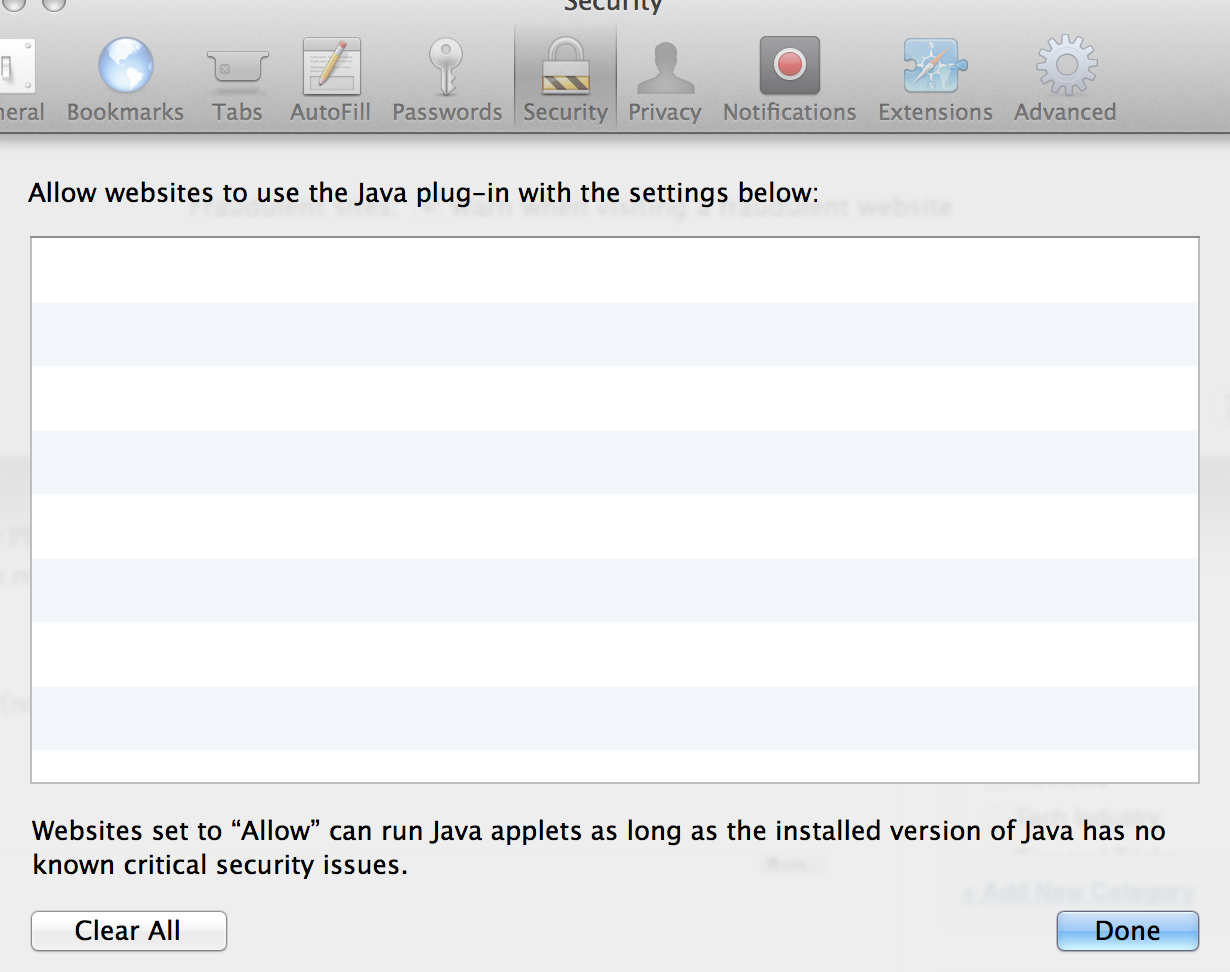
Safari and Java were also updated with improved security (release notes below). Notably, the new update introduces controls to specify which websites can use Java – something that should help prevent malicious websites from exploiting the never-ending stream of Java exploits.

Full release notes below:


Expand
Expanding
Close

Site default logo image

Chrome for iOS gets updated scroll, AirPrint/Cloud Print and save PDF to Google Drive options

Google updated its iOS browser today with a number of fixes and feature improvements. Notable changes include the ability to save webpages as PDFs in your Google Drive account or print web pages to either Google Cloud Print or AirPrint printers.

iPhone and iPod touch users can now go full screen in Chrome giving you access to more of the web page. Perhaps most interesting is a new scroll feature that lets you scroll the toolbar off the page and then scroll back to get the Omnibar again.

Also Google says it has done some  stability / security improvements and bug fixes.
Expand
Expanding
Close

Site default logo image

Safari’s mobile browser market share lead increases past 61 percent in March

According to the latest data from Net Applications for the month of March, Apple is steadily increasing its lead for mobile browser share over Android and many other platforms with Safari capturing 61.79-percent of mobile browser web traffic during the month. That’s a nice jump up from the 55.41-percent it had in February, while the stock Android browser lost market share by dropping from 22.82-percent in February to 21.86-percent in last month.

Opera Mini maintains its third position while dropping from 12.72-percent in February to 8.40-percent in March, with Chrome slowly closing the gap jumping from 1.96-percent in February to 2.43-percent in March.

(via AllThingsD)

Site default logo image

Apple seeds OS X 10.8.3 Mountain Lion build 12D76 to developers

After releasing 12D74 late last month, Apple released OS X 10.8.3 build 12D76 to developers today with no major changes. Apple isn’t listing any known issues, and the company once again asked developers to focus on AirPlay, AirPort, Game Center, Graphics Drivers, and Safari.

We’ll let you know if developers report any changes in today’s build. Full release notes below:

Thanks, Anonymous!

Update: As noted by MacRumors, build 12D76 appears to include support for NVIDIA’s Quadro K5000 graphics card that the company announced for the Mac Pro in September but is yet to ship. Yesterday we told you about the new  Sapphire HD 7950 graphics card shown for the first time at CeBIT, while support for the AMD 7000 series was first discovered in a 10.8.3 beta back in November. 

Site default logo image

Apple seeds OS X 10.8.3 Mountain Lion build 12D68 to developers

Apple has seeded a new release of OS X 10.8.3 to developers today with build number 12D68. Apple, once again, told developers to focus on AirPlay, AirPort, Game Center, Graphics Drivers, and Safari. The build comes one week after Apple released build 12D65 to developers on Feb. 6 with a fix for the “File:///” bug.

We’ll let you know if developers report any changes in today’s build. The full release notes are below. Thanks, Anonymous.

Adobe releases emergency Flash security update to address malware attacks on OS X

Site default logo image

.

As noted by ArsTechnica, Adobe just released an unscheduled patch to address two vulnerabilities that could be the source of malware attacks on both OS X and Windows. Apple has also issued a KB urging users to update. According to the advisory posted by Adobe, the attacks targeted Firefox or Safari users on Mac:

Adobe is also aware of reports that CVE-2013-0634 is being exploited in the wild in attacks delivered via malicious Flash (SWF) content hosted on websites that target Flash Player in Firefox or Safari on the Macintosh platform, as well as attacks designed to trick Windows users into opening a Microsoft Word document delivered as an email attachment which contains malicious Flash (SWF) content.

The update is available through Adobe’s website here.

Site default logo image

Java browser plug-in on OS X re-enabled with update to Java 7

Reports from earlier this week noted Apple had recently blocked Java 7 browser plug-ins again on OS X. While the exact reason was unclear, a terminal workaround is no longer required. Oracle released update 13 for Java 7 for Mac OS X today. The critical patch brings over 50 new security fixes for Jave SE products, in addition to re-enabling plug-ins on OS X.

The original Critical Patch Update for Java SE – February 2013 was scheduled to be released on February 19th, but Oracle decided to accelerate the release of this Critical Patch Update because active exploitation “in the wild” of one of the vulnerabilities affecting the Java Runtime Environment (JRE) in desktop browsers, was addressed with this Critical Patch Update.

Site default logo image

Following FTC fines, UK iPhone users sue Google for bypassing Safari privacy settings

Google agreed to pay a record $22.5 million Federal Trade Commission fine in August following an investigation into whether it bypassed mobile Safari security settings to install tracking cookies without user consent. Now, 12 iPhone users in the United Kingdom have launched a lawsuit against Google that seeks compensation related to the tracking. They also want a “proper explanation” about how their personal information was used. The Telegraph via Business Insider has the full story:

It is thought the case, being brought against Google by law firm Olswang on behalf of the internet users, is the first of its kind in the UK. They say that cookies, small tracking files, were installed by Google on the Apple computers and mobile devices of those using the Safari internet browser without their knowledge .

Claimants thought that cookies would be blocked because of assurances given by Google in the time their devices were allegedly affected, from summer 2011 to spring 2012, and also because of Safari’s default settings.

“We hope that they will take this opportunity to give Safari users a proper explanation about what happened, to apologize and, where appropriate, compensate the victims of their intrusion.”

Site default logo image

Apple seeds OS X Mountain Lion 10.8.3 build 12D54 to developers

Apple just made OS X Mountain Lion 10.8.3 build 12D54 available to testers after releasing build 12D50 earlier this month on Jan. 8 with no known issues. Apple said the new build includes significant changes to Wi-Fi and listed the following focus areas for developers: AirPlay • AirPort • Game Center • Graphics Drivers • Safari.

Site default logo image

How the Safari browser was almost called ‘Freedom’

Don Melton, a now-retired programmer who once worked at Apple under the Safari and WebKit projects, posted an interesting anecdote on his blog yesterday that detailed how Apple’s Internet browser barely escaped the monikers “iBrowse,” “Alexander”, and even “Freedom”.

Melton started at the beginning:

As I remember, Steve just started saying some names out loud — I suppose trying them out to see how they felt in his mouth and to his ears. Which is not as odd as it seemed then — it’s a good technique now that I think about it.

I don’t recall all the names, but one that stands out is “Freedom.” Steve spent some time trying that one out on all of us. He may have liked it because it invoked positive imagery of people being set free. And, just as possible and positive, it spoke to our own freedom from Microsoft and Internet Explorer, the company and browser we depended on at the time.

Melton did not want the browser named after a “feminine hygiene product,” though, and so, as he described it, “Freedom” was then “moved off the candidate list.” From there, “Alexander” floated around internally for about a year, and even “iBrowse” surfaced a few times, but eventually Marketing Product Manager Kurt Knight told Melton that “Safari” had been picked:

I honestly didn’t know what to think. My mind was a blank because I just didn’t expect it. The name seemed to come out of nowhere. It sounded more foreign at that moment than its actual origin.

“It doesn’t suck,” I finally offered.

Melton admitted he soon grew to really like the name, and he could imagine seeing “Safari” in the Mac OS X dock:

So, to whoever suggested the name “Safari,” thank you.

Well, that’s the story behind Safari’s handle. For the entire anecdote, check out Melton’s blog.

Via:

[tweet https://twitter.com/ajorama/status/281788054363062274]


Expand
Expanding
Close

Apple seeds OS X 10.8.3 build 12D43 to developers

Site default logo image

Shortly after releasing iOS 6.0.2 to the masses this afternoon, Apple seeded build 12D43 of OS X 10.8.3 to developers. The folks in Cupertino have not listed any new features or known issues, but they asked developers to focus on AirPlay, AirPort, Game Center, Graphics Drivers, and Safari. The last pre-release build was released on Dec. 5. You can check today’s release out on the developer center, while the full release note is below:


Expand
Expanding
Close